Qwen-Image 2.1 Edits: One Argument Cut Position Drift to About 0.1px
 Contents
In July, when I measured the pixel position drift of Qwen-Image-Edit 2511, ComfyUI’s standard node silently resized the reference image, and every edit shifted the picture by about 8px. Feeding the reference at its native size through ComfyUI’s stock ReferenceLatent node brought the drift down to about 1px.
Qwen-Image 2.1 combines text-to-image and image editing in one model.
An edit used to take about 12 minutes on my M1 Max, but with the TaylorSeer cache it takes about 4.5 minutes, roughly the same as the ~5 minutes of Qwen-Image-Edit (the 8-step distilled build).
Can it also hold positions in partial edits, such as changing only the facial expressions? I checked with the same source image and the same measurements as in July.
Test environment
| Item | Details |
|---|---|
| Machine | MacBook Pro, Apple M1 Max, 64GB memory |
| Runtime | Python 3.12.12, PyTorch 2.14.0 (MPS), Diffusers 0.41.0.dev0 (commit 80c7ed26) |
| Model | Qwen-Image 2.1 (BF16) |
| Common settings | 832×1216, 40 steps, seed 42, CFG 1.0, no negative prompt. One run per condition |
| Speed-up | TaylorSeer Lite (a cache that computes only some steps for real and predicts the rest; cache_interval=3) together with the KV cache. One condition was also generated without the cache |
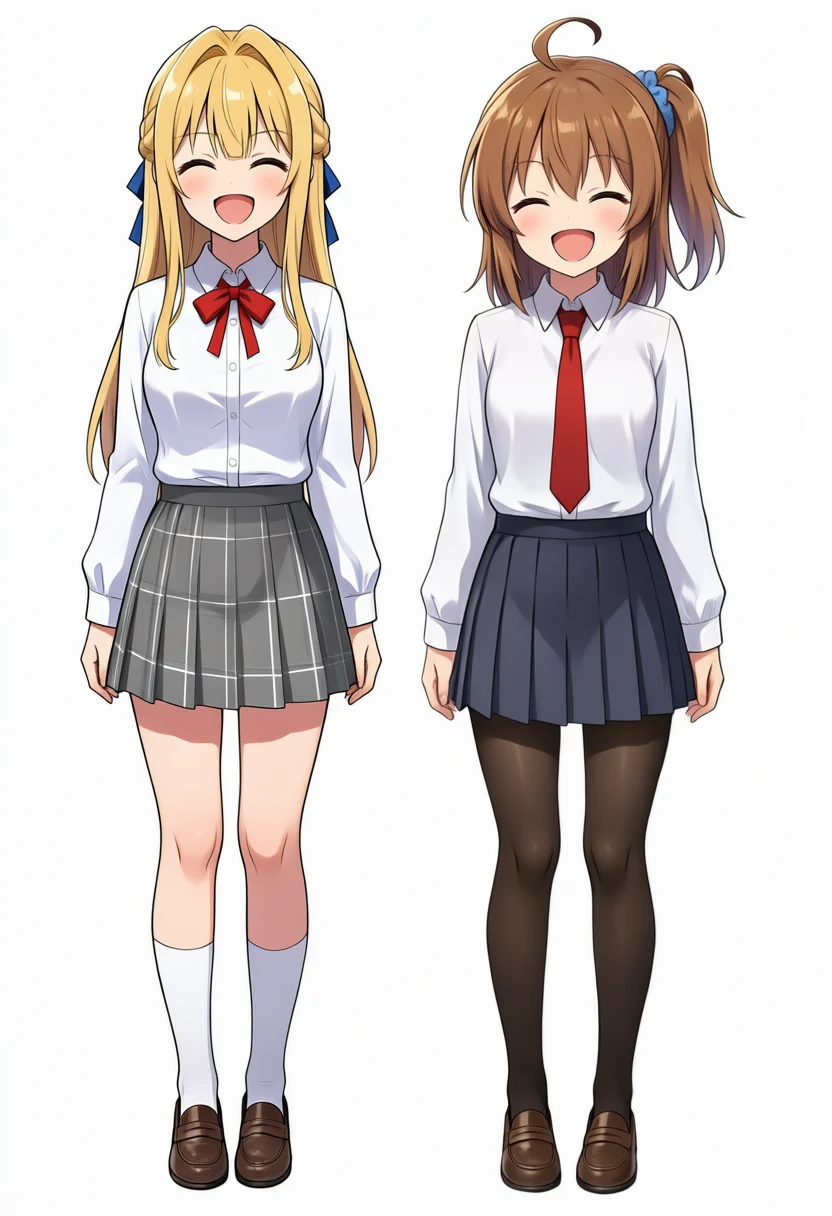
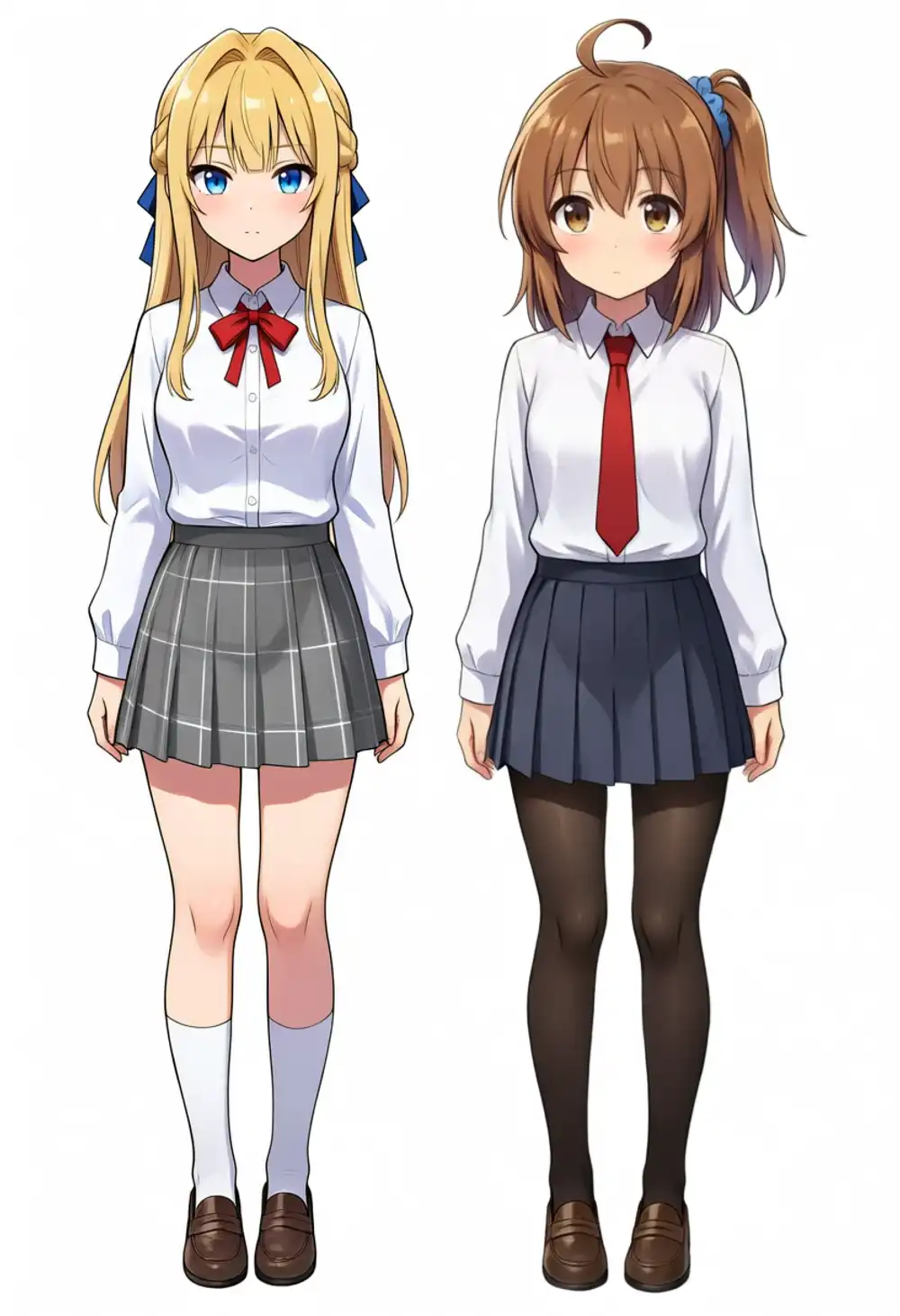
| Source image | Same as July: a full-body standing image of my two original characters, 832×1216 |
| Compared against | Outputs and numbers of Qwen-Image-Edit 2511 (Qwen-Rapid-AIO v23, 8 steps) from the July article |
| Drift measurement | Phase correlation on edge maps (estimating the shift between two images in the frequency domain), for the whole image and for 3×3 blocks. dx is horizontal, dy is vertical. The July script is reused |
| Change measurement | Ratio of pixels whose mean absolute RGB difference from the source exceeds 20/255. The face boxes are two hand-drawn rectangles around the two faces, same coordinates as July |
I first ran the measurement script on the July Qwen-Image-Edit outputs and confirmed it returns the same values as that article (dx +8.0px for the line art, 0.7% outside the faces for the expression edit).
The measurement script and the edit prompts are in LiltingChannelLabo.
The reference-image resize inside the Diffusers pipeline
When the Diffusers QwenImage21Pipeline receives a reference image, it computes dimensions whose area equals output_resolution squared (1024×1024 by default), resizes the image to them, and then passes it to the VAE (the part that converts between images and the internal representation) and the text encoder. The dimensions are rounded to multiples of 32.
# diffusers/pipelines/qwenimage21/pipeline_qwenimage21.py (excerpt)
def calculate_dimensions(target_area, ratio):
    width = math.sqrt(target_area * ratio)
    height = width / ratio

    width = round(width / 32) * 32
    height = round(height / 32) * 32
    return width, height, None
An 832×1216 source becomes an 832×1248 reference. The width stays the same and only the height is stretched by 2.6%.
If the output size is set to 832×1216, the same as the source, the reference and output grids no longer match.
Setting one argument fixed it. Set output_resolution to the rounded square root of the source’s width times height. For 832×1216 that is 1006: output_resolution squared is then almost the same as the source area, the computed dimensions come out to exactly 832×1216, and the resize no longer changes the size.
| Source size | Reference size at the default (1024) | output_resolution to set | Reference size with it |
|---|---|---|---|
| 832×1216 | 832×1248 | 1006 | 832×1216 |
| 1216×832 | 1248×832 | 1006 | 1216×832 |
| 1024×1024 | 1024×1024 | 1024 | 1024×1024 |
| 960×1280 | 896×1184 | 1109 | 960×1280 |
| 1024×1536 | 832×1248 | 1254 | 1024×1536 |
This calculation works when the source width and height are multiples of 32. Some sizes, such as 1024×1024 or 768×1344, keep their dimensions even at the default.
image = pipe(
    prompt=prompt,
    image=[source],          # 832×1216
    width=832,
    height=1216,
    output_resolution=1006,  # round(sqrt(832 * 1216))
    num_inference_steps=40,
    true_cfg_scale=1.0,
    generator=torch.Generator("cpu").manual_seed(42),
).images[0]
I call the default condition A and output_resolution=1006 condition C. The names follow the July article’s condition A (standard node wired directly) and condition C (ReferenceLatent). I did not run an equivalent of July’s condition B (cropping to 1024×1024) this time.
Experiment 1: measuring drift with line-art extraction
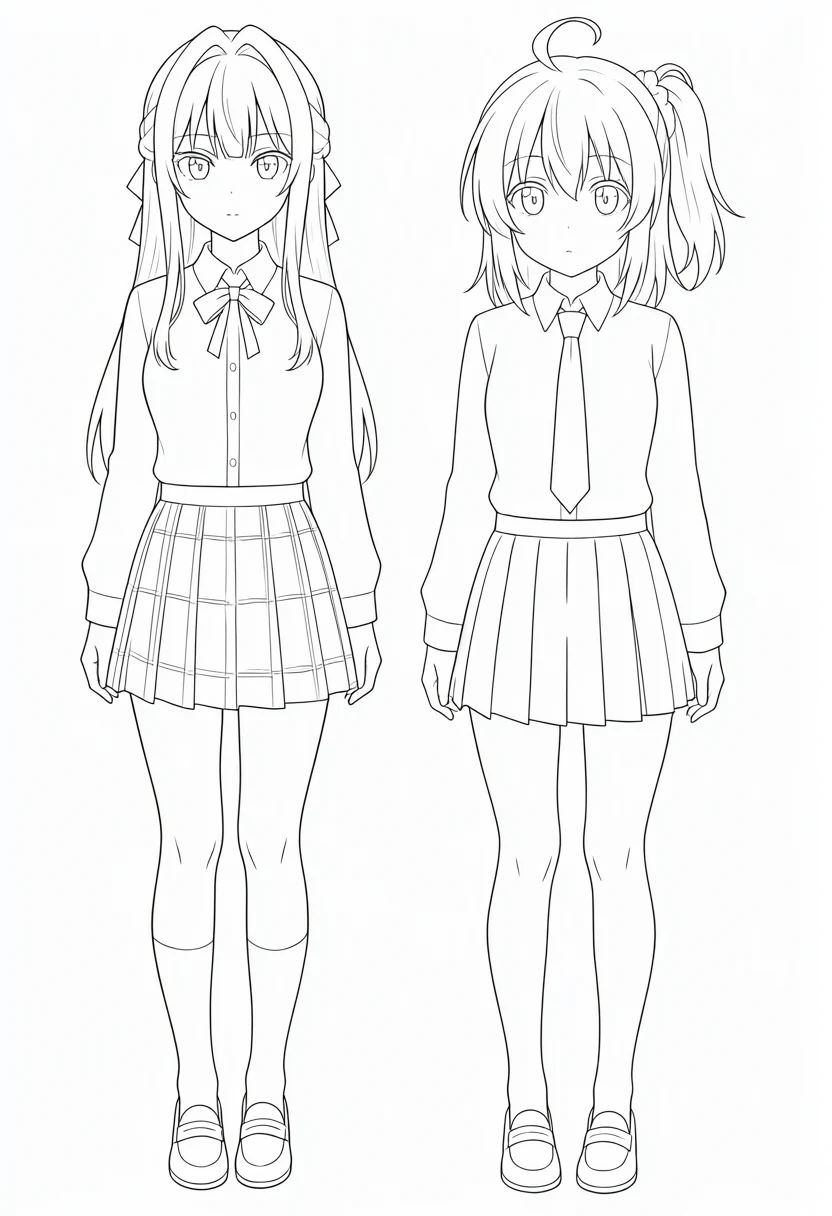
I used the same line-art instruction as in July. Only the way the reference is named was changed from Picture 1 to image 1 to match Qwen-Image 2.1’s prompts.
Convert image 1 into clean black line art on a pure white background. Trace every contour and detail exactly where it is in the original image. Do not move, resize, crop, or redraw anything. No color, no shading, no gray tones.| Model | Condition | Whole-image drift | 3×3 block pattern |
|---|---|---|---|
| Qwen-Image 2.1 | A (default) | dx +1.1px / dy +0.0px | Left column +6 to +8px, right column −5 to −8px. Squeezed from both sides toward the center |
| Qwen-Image 2.1 | C (output_resolution=1006) | dx +0.0px / dy +0.1px | 6 of 9 blocks at 0.1px or less, the rest under 1px |
| Qwen-Image-Edit 2511 (July) | A (standard node) | dx +8.0px / dy −3.3px | Gradient from +3px at the left edge to +14px at the right |
| Qwen-Image-Edit 2511 (July) | C (ReferenceLatent) | dx +1.1px / dy +0.5px | About 1px in every block |
In condition A the whole-image average is small, but block by block the left and right sides shift in opposite directions. The left column is about +7px and the right column about −8px, and the column centers are about 555px apart. 15 ÷ 555 means the figures became about 2.7% narrower, almost the same as the 2.6% the reference was stretched vertically.
It seems the aspect ratio of the stretched reference was carried over as-is into the 832×1216 output. Vertical drift was under 1px in every block.
In condition C the whole-image drift was 0.1px or less, smaller than the ~1px of July’s ReferenceLatent setup.
Phase correlation gives the translation that best overlaps the contours; it does not mean every single pixel is within 0.1px.
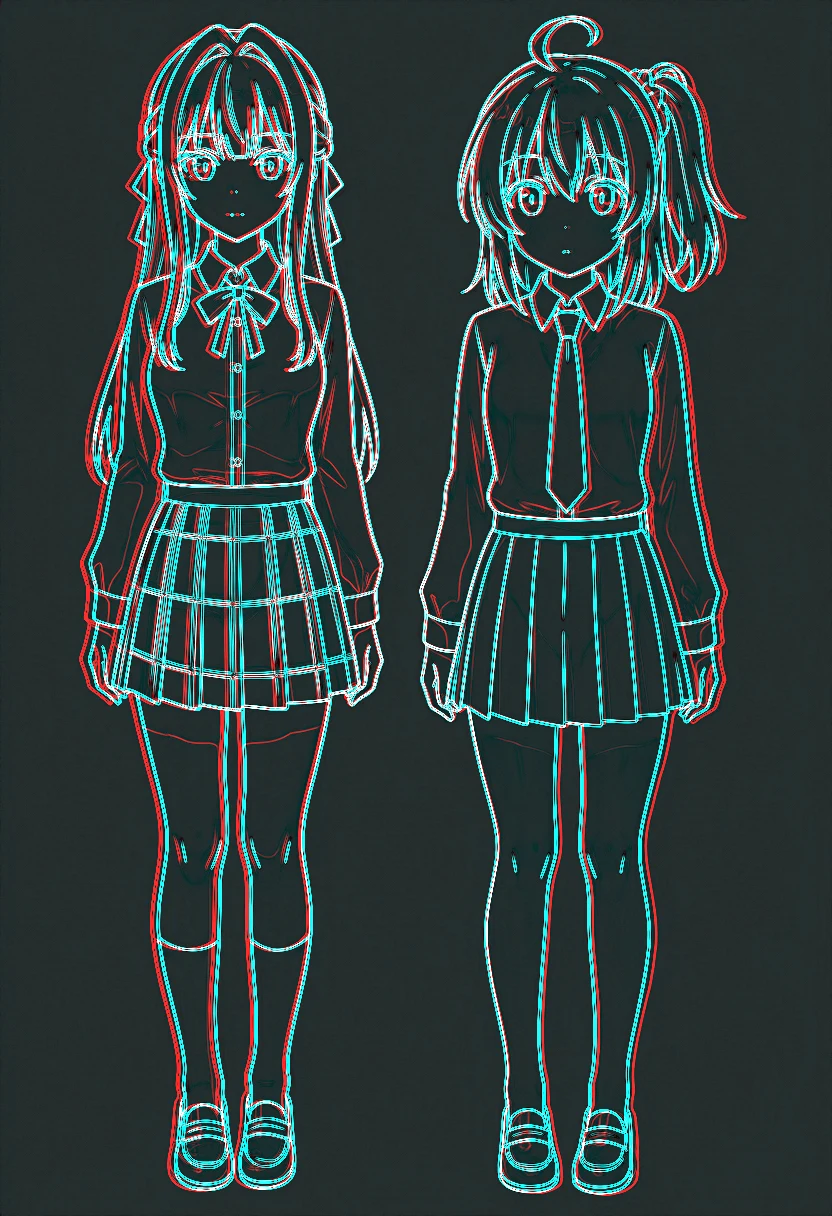
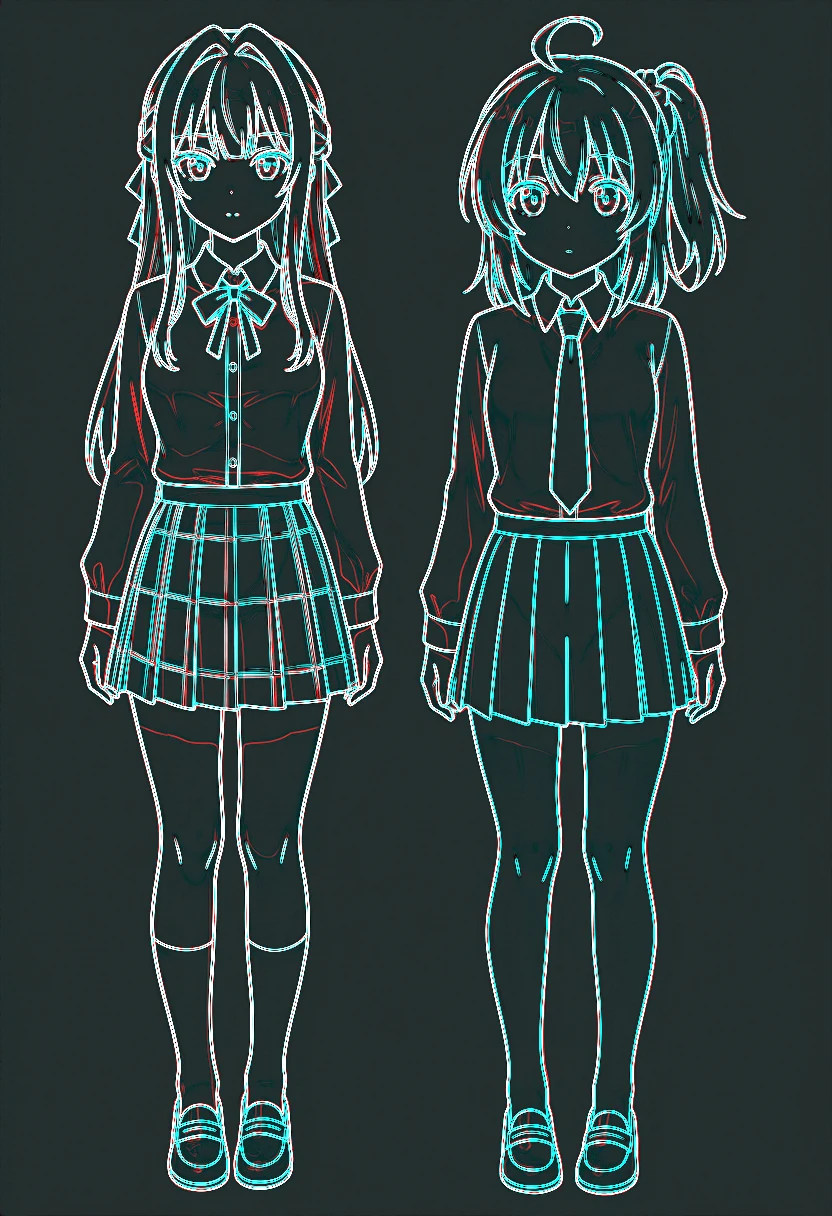
Source edges are in red and output edges in cyan.
Experiment 2: change only the expressions and see if anything else moves
With the same one-line instruction as July’s version without a “keep everything else” clause, I changed both girls’ expressions to a closed-eye smile.
Change both girls' facial expressions to a big cheerful open-mouth smile with happy closed eyes.| Model | Condition | Mean diff | Changed pixels (all) | Inside face boxes | Outside face boxes |
|---|---|---|---|---|---|
| Qwen-Image 2.1 | VAE round trip only | 1.21 | 0.02% | 0.12% | 0.02% |
| Qwen-Image 2.1 | A (default) | 15.18 | 15.1% | 49.2% | 12.8% |
| Qwen-Image 2.1 | C, with TaylorSeer | 4.33 | 3.8% | 20.8% | 2.6% |
| Qwen-Image 2.1 | C, no cache | 4.43 | 3.9% | 21.1% | 2.7% |
| Qwen-Image-Edit 2511 (July) | C (ReferenceLatent) | 2.66 | 1.7% | 16.9% | 0.7% |
In condition A, 12.8% of the pixels outside the faces changed. The narrower figures moved the contours of the whole body.
In condition C that dropped to 2.6%. The values with TaylorSeer and without a cache are almost the same; in this expression edit, the cache made little difference.
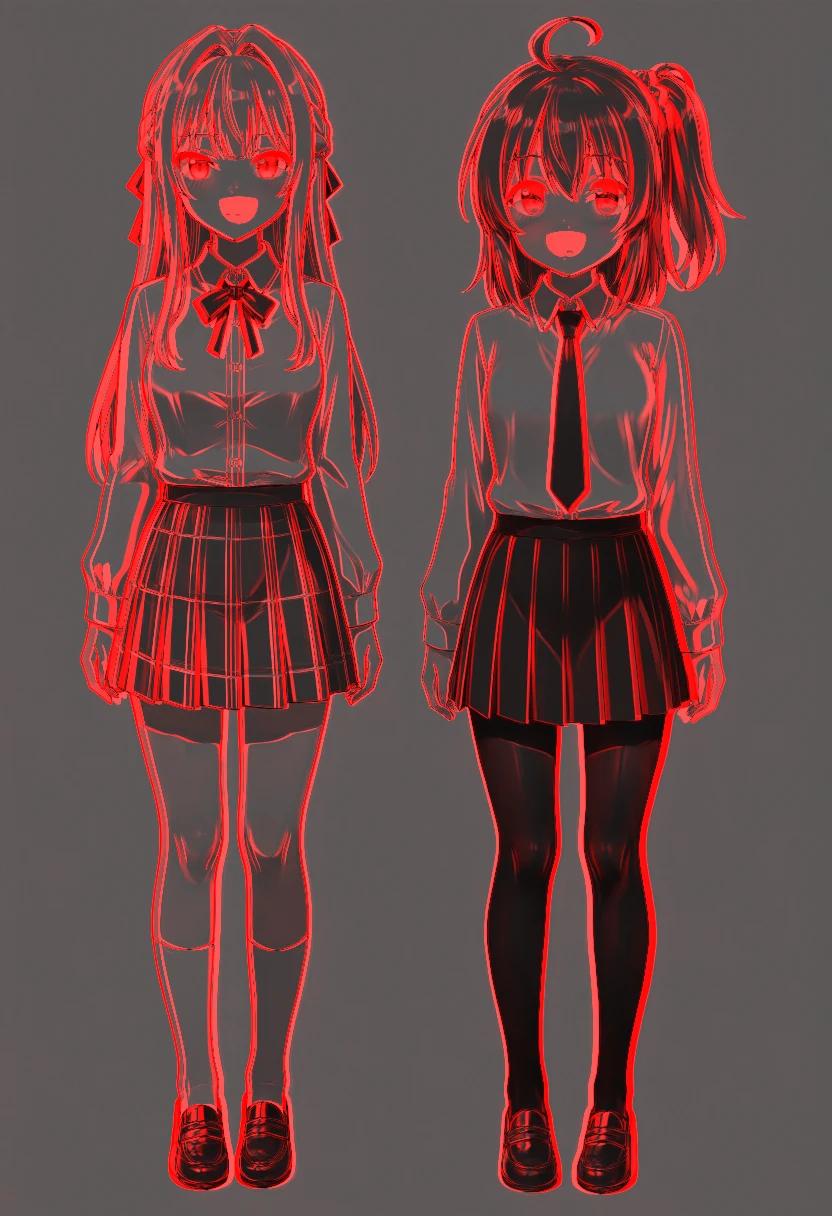
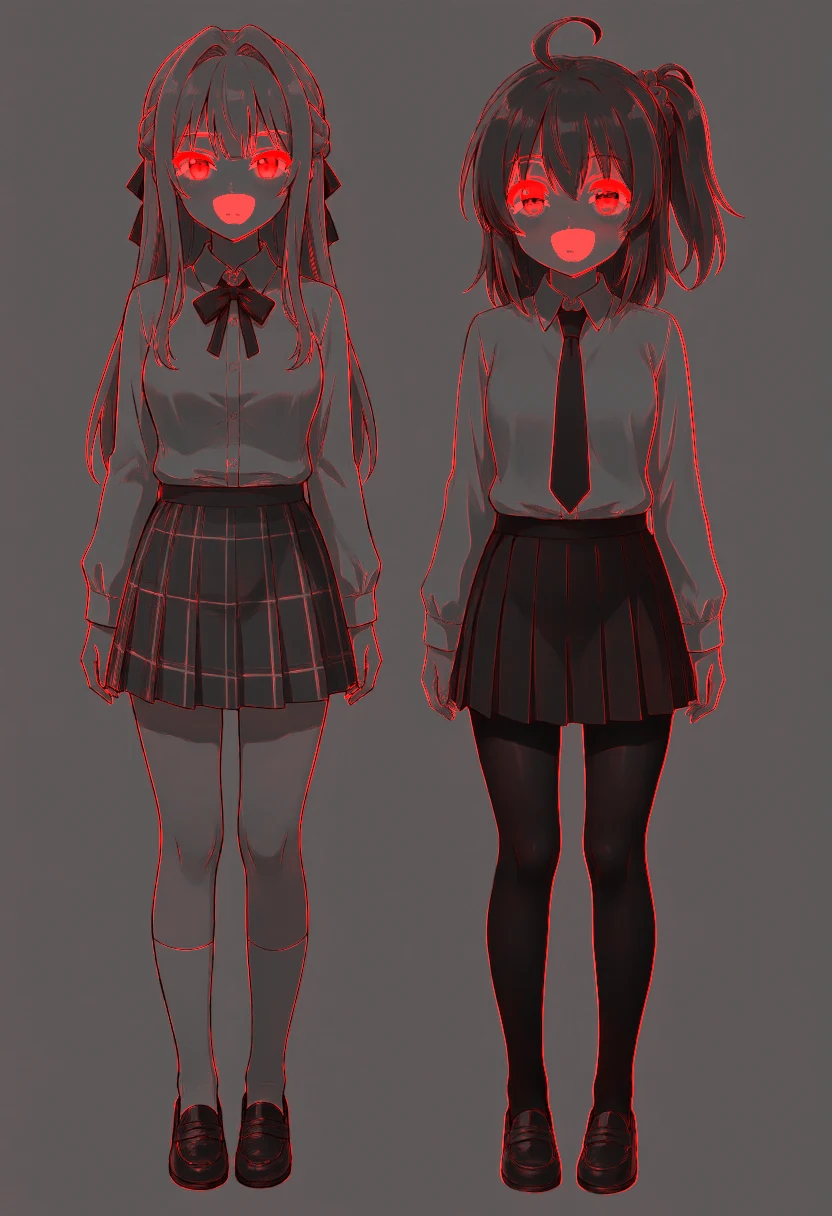
The 2.6% outside the faces is more than the 0.7% of July’s Qwen-Image-Edit. A VAE round trip alone gives 0.02%.
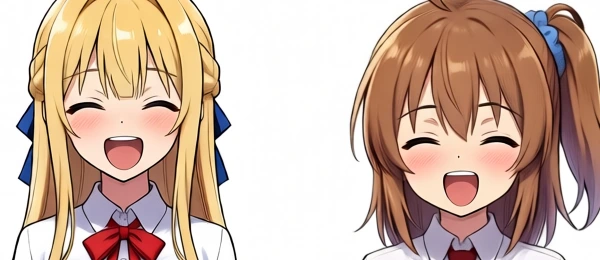
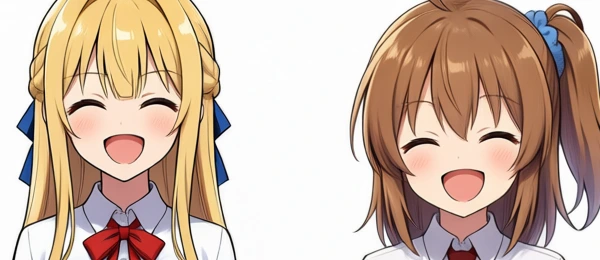
The heatmap shows thin red lines along the contours of the whole body. Magnified next to the source, the positions match, but the outlines are slightly thinner and the skin shading is a little lighter. In this output, it seems the contours of unedited areas were also lightly redrawn.
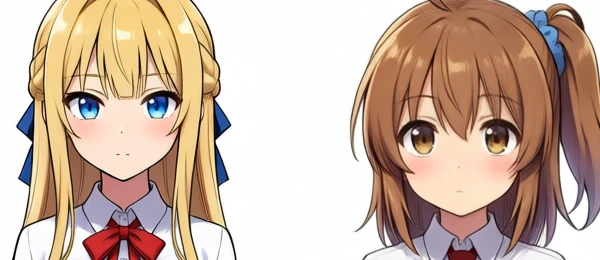
Here are the faces from the source, July’s Qwen-Image-Edit, and this Qwen-Image 2.1 run.
Experiment 3: angry faces, and changing one girl’s outfit
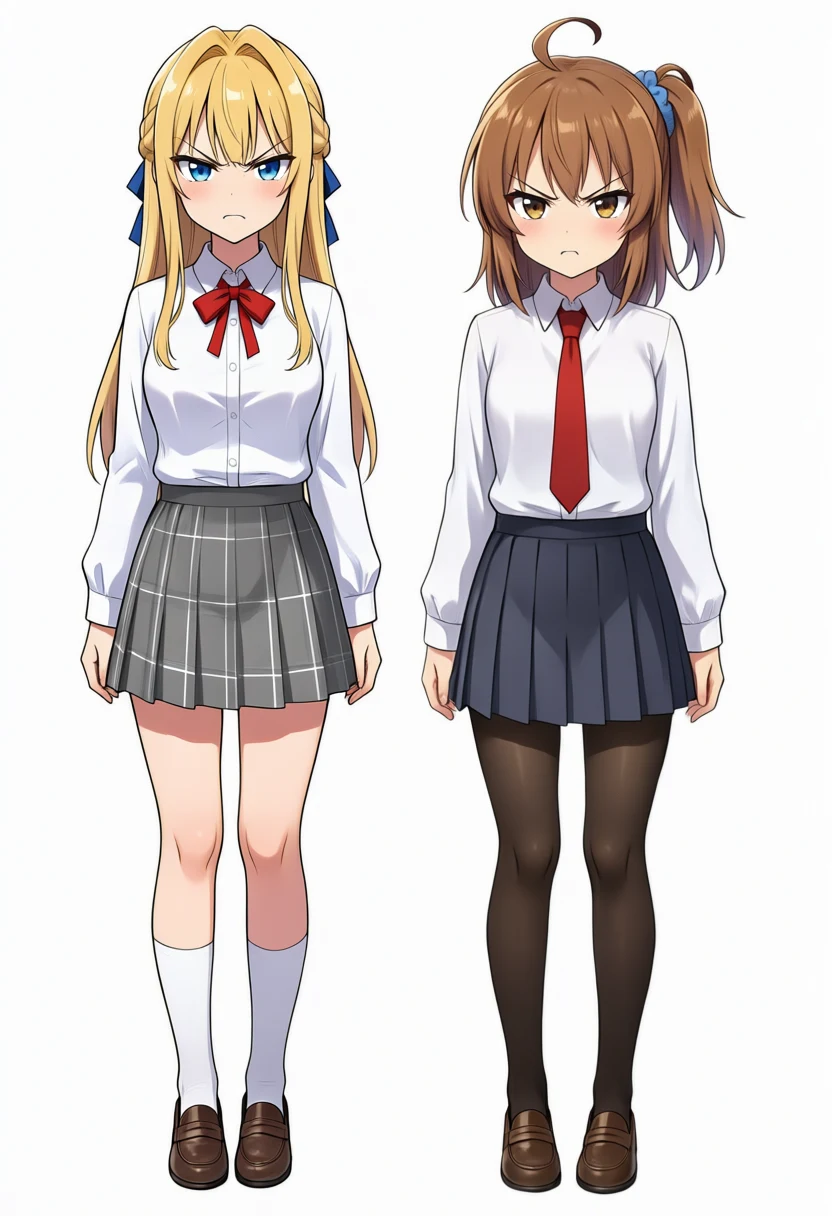
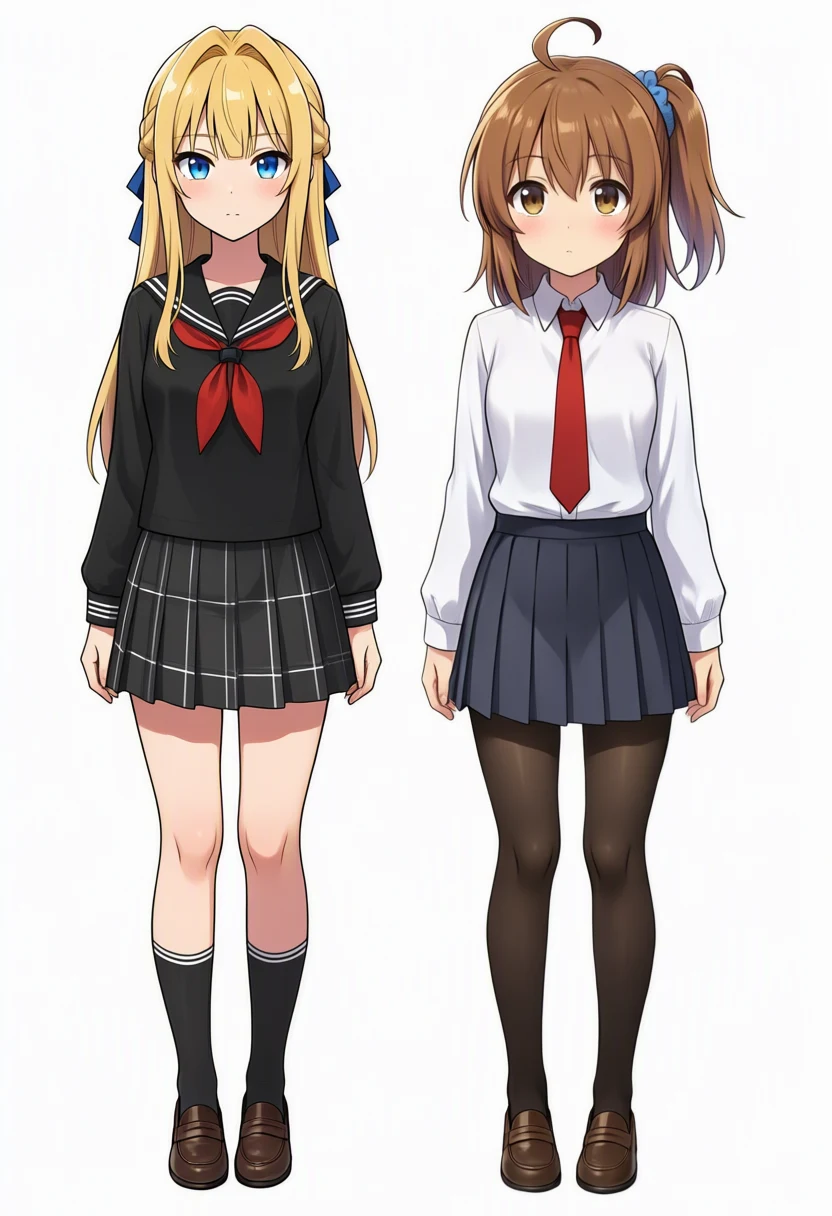
Staying in condition C, I generated two more edits with different instructions.
(angry faces)
Change both girls' facial expressions to an angry face with furrowed eyebrows.

(black sailor uniform for the left girl only)
Change only the left girl's outfit to a black sailor school uniform.| Edit | All | Inside faces | Outside faces | Left half | Right half | Whole-image drift |
|---|---|---|---|---|---|---|
| Angry faces | 3.6% | 18.8% | 2.6% | 3.5% | 3.7% | dx −0.1px / dy +0.0px |
| Left girl only, black sailor uniform | 14.2% | 9.7% | 14.5% | 25.2% | 3.2% | dx −0.1px / dy −0.0px |
The angry-face edit changed 2.6% outside the faces, the same value as the smile.
When only the left girl’s outfit was changed, the right half, which was not part of the instruction, still changed by 3.2%, about the same as the outside-face value of the expression edits. In July’s Qwen-Image-Edit the right half of the same edit was 0.42%.
Whole-image drift was about 0.1px in every edit, including the smile.
Transparent background
The outputs of the expression and outfit edits were saved as RGBA PNGs, but their alpha (opacity) was 255 everywhere.
Checking the pipeline code, the Qwen-Image 2.1 VAE takes 4 input channels, and reference images are converted to RGBA before being fed in. I then asked for a transparent background.
Remove the white background of image 1 and make the background fully transparent. Keep the two girls exactly as they are.| Item | Value |
|---|---|
| Pixels with alpha below 128 | 57.5% |
| Pixels with alpha 255 | 39.9% |
| Alpha in the background | Mostly 1–8 (exactly 0 for only 1.6%) |
| Whole-image drift | dx +0.0px / dy −0.0px |
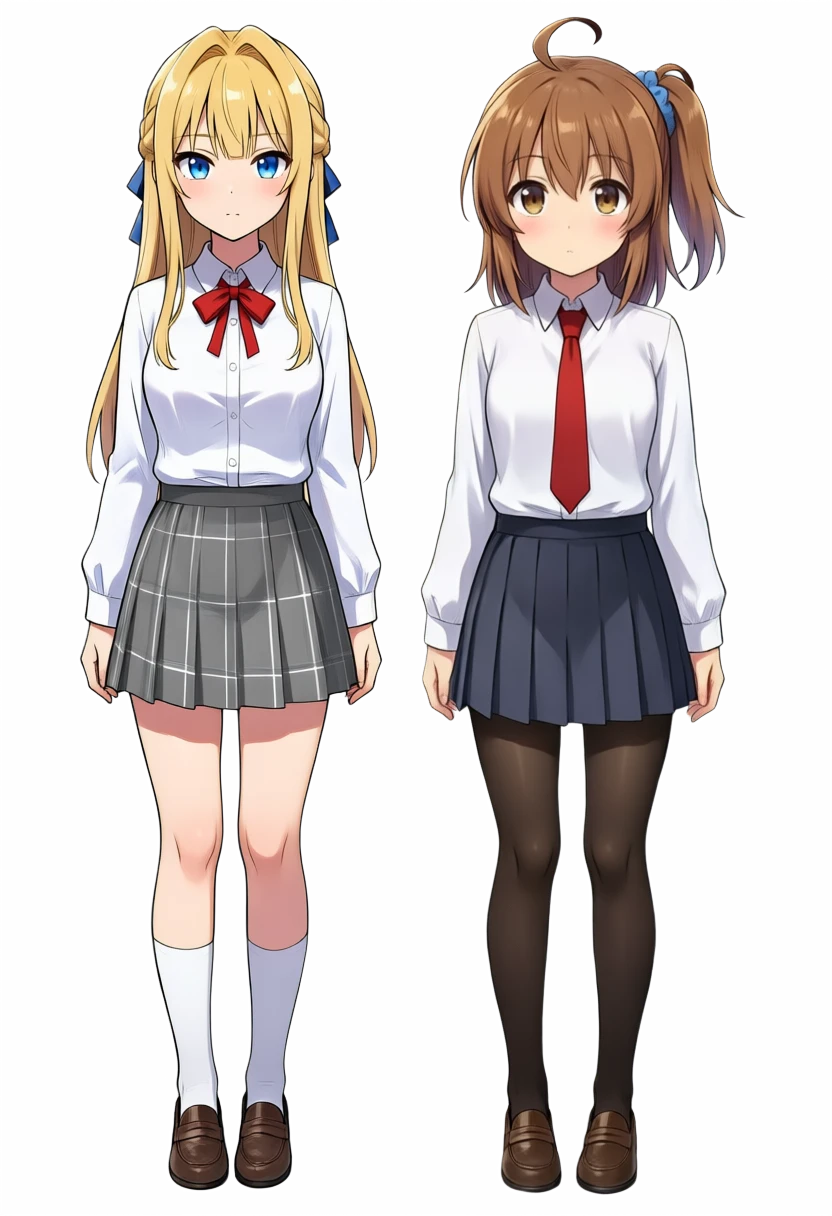
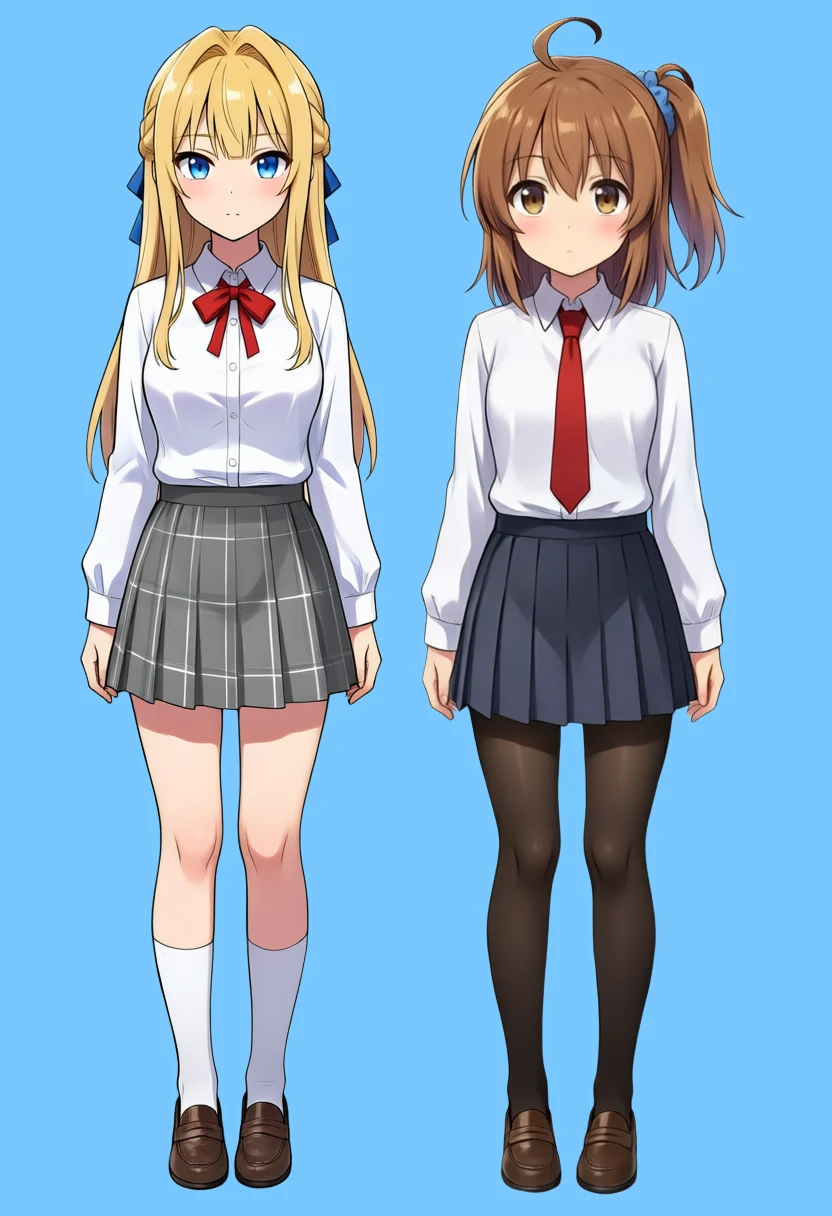
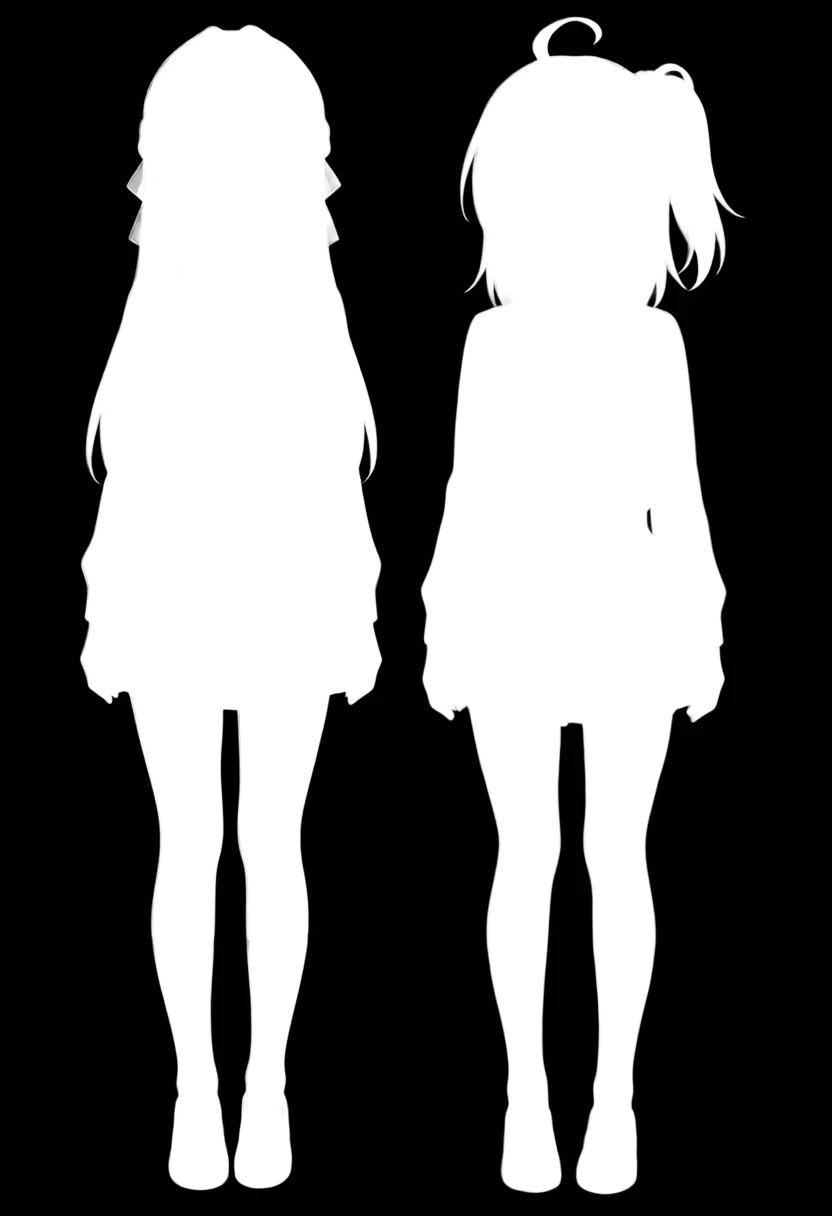
The white shirts and white socks on the white background stayed opaque. Removing white with a color threshold would erase the shirts and socks too.
The background alpha did not reach exactly 0; most of it was 1–8.
Front and back references for a side view
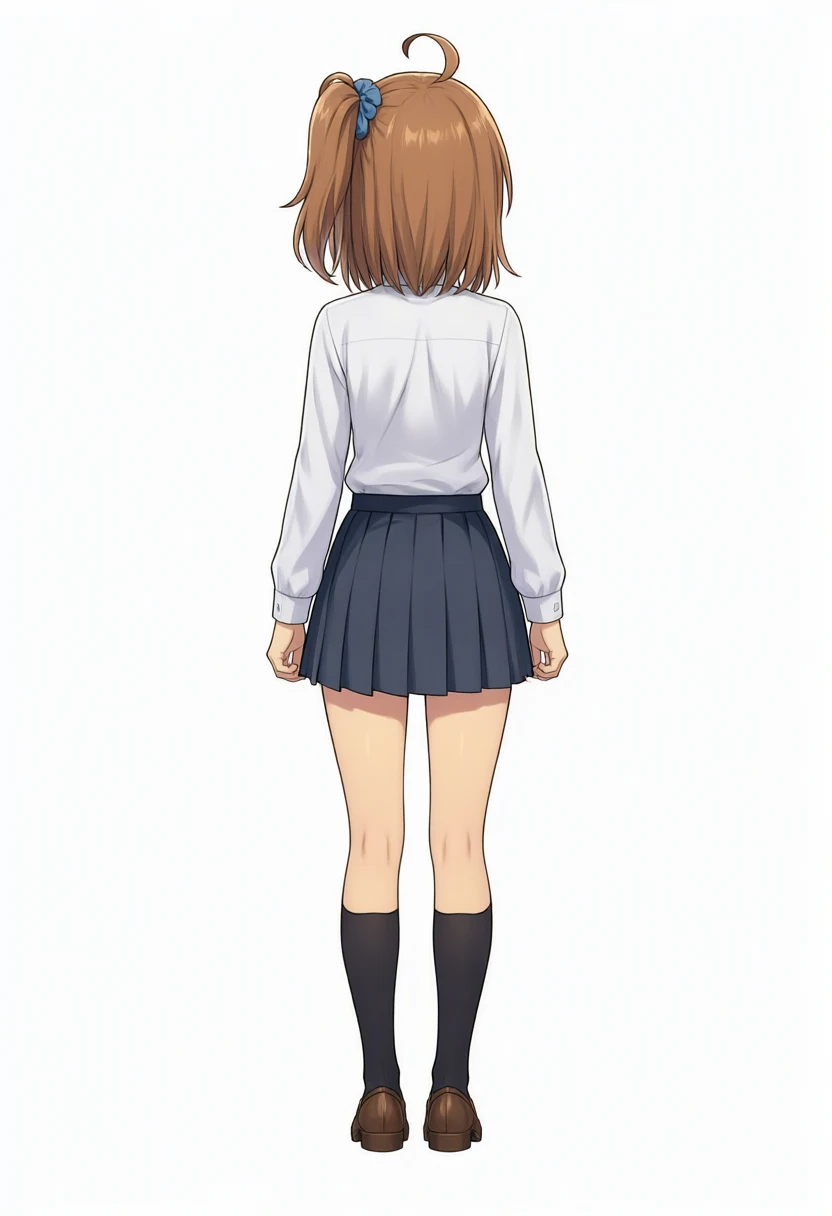
The girl with the brown side ponytail on the right of the source image is my original character Kana-chan. In the local-run post, editing her standing image into an exact side view did not keep the side ponytail, which is tied on her own left, in place.
I had heard that feeding in a three-view sheet makes the model pose the character properly, but the side view of that sheet is exactly the image I can’t get. I tried whether giving it the front and the back would produce the side view. For the back I used the rear-view image generated in the local-run post.
The prompt is the side-view prompt from that post; only the way the references are named was changed.
That prompt starts with a list of Danbooru tags, and the viewing direction is also given as tags like from side, profile plus short phrases.
1girl, solo, the girl from image 1, image 2 shows the same girl from behind, keep her face, hairstyle and outfit exactly as in image 1 and image 2,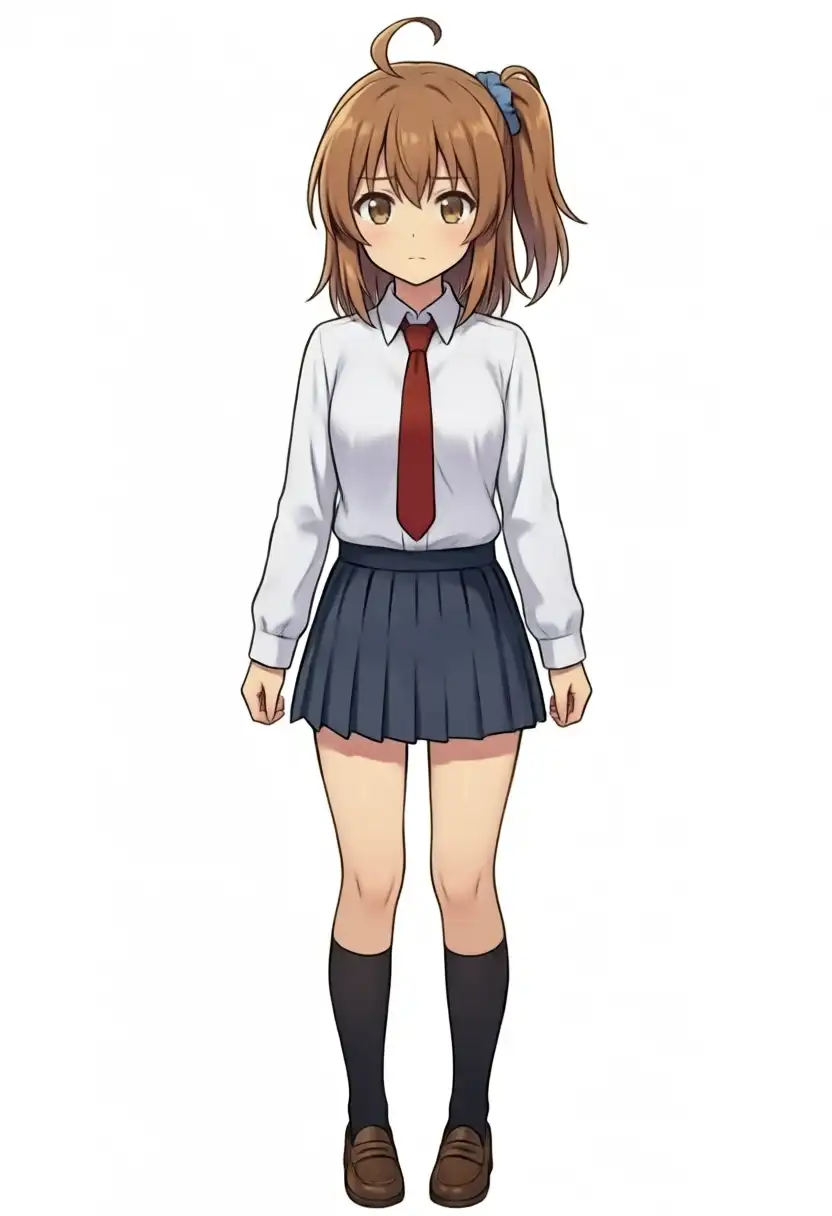
| View | References | Expected | Result | Generation |
|---|---|---|---|---|
| From her right | Front only | The knot is hidden on the far side of the head | The knot and scrunchie are visible on the near side | 270.0 s |
| From her right | Front and rear | Same | The knot moved a little higher and further back, but is still visible on the near side | 331.1 s |
| From her left | Front only | The knot is on the near side, at the side of the head | On the near side, but high up toward the back of the head | 277.8 s |
| From her left | Front and rear | Same | Almost the same as with one reference | 330.6 s |
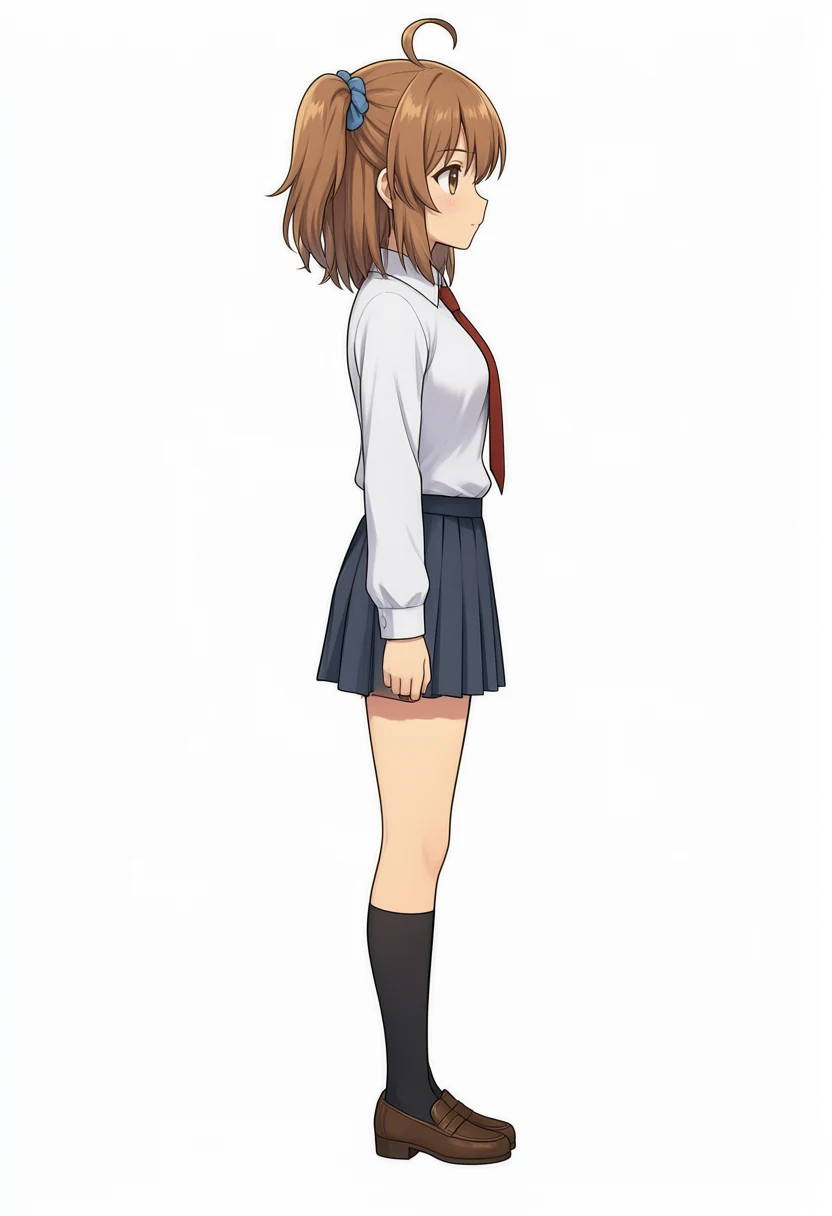
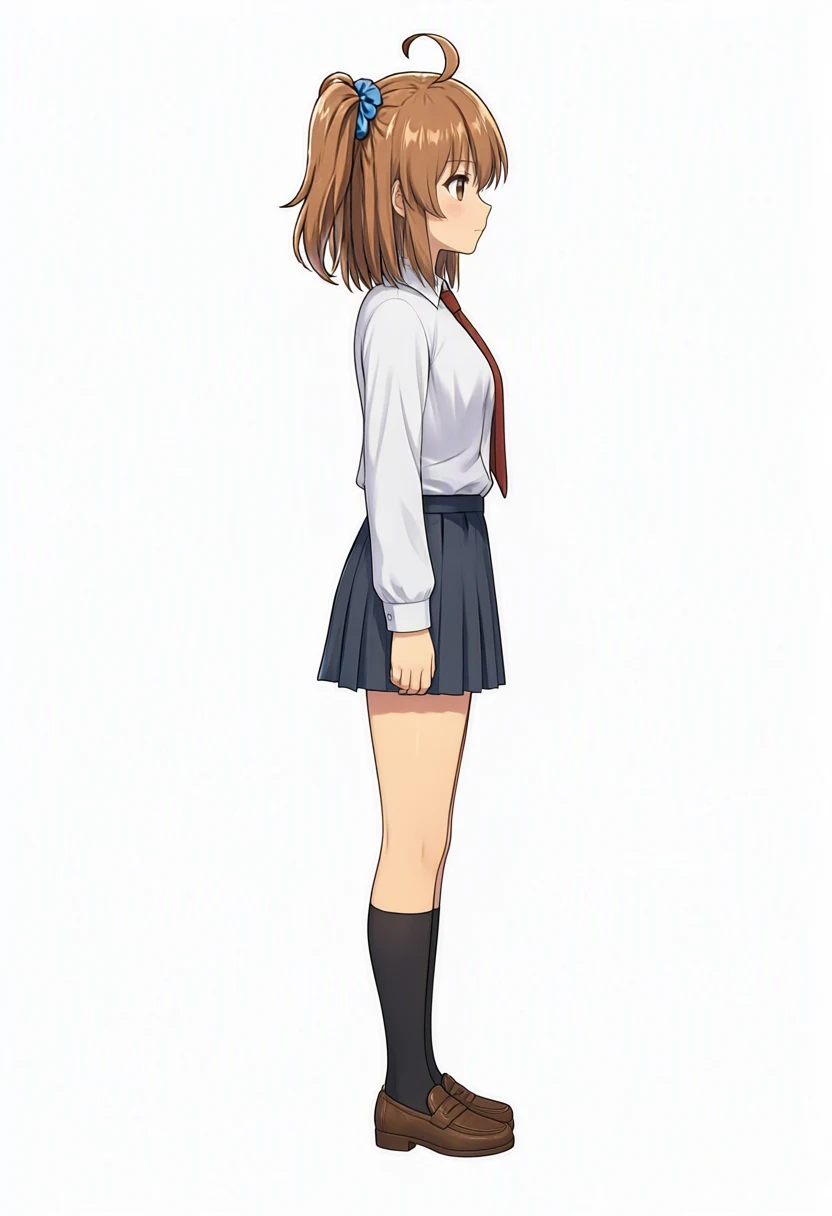
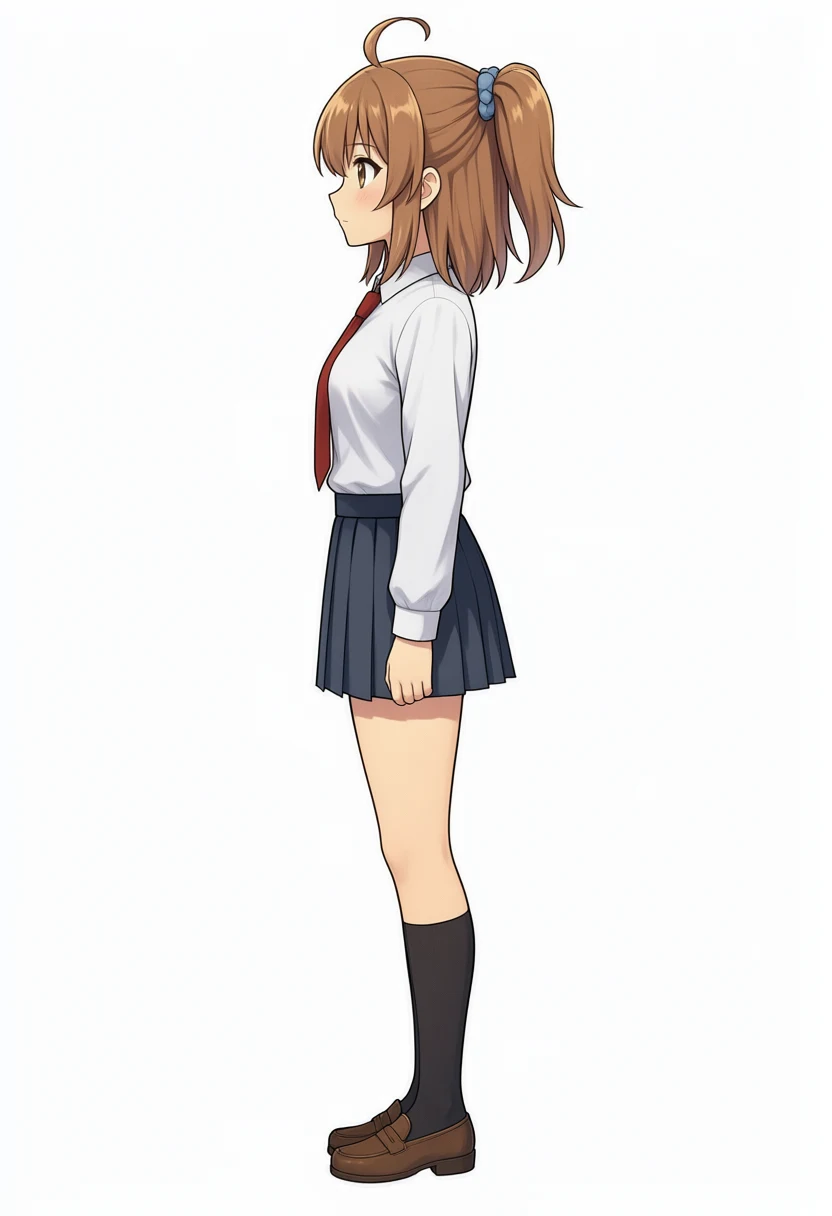
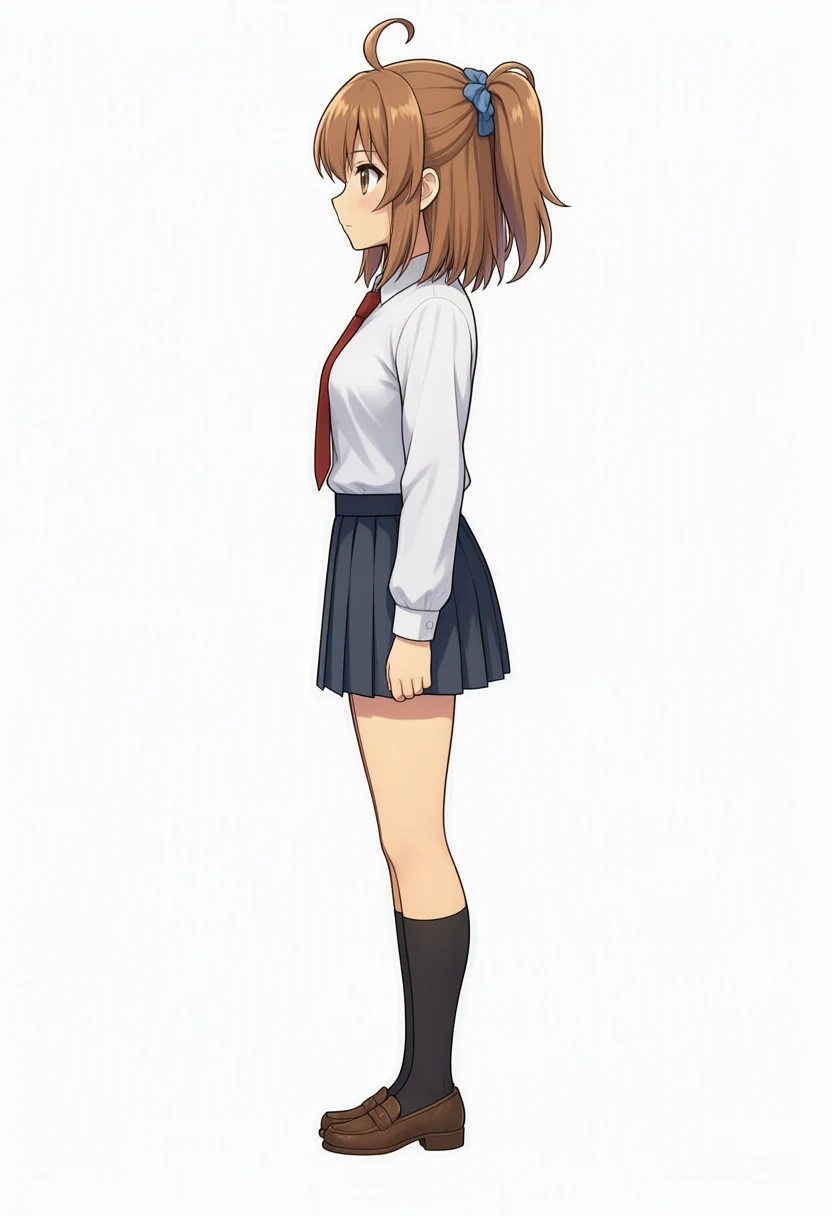
Adding the rear reference did not fix the view from her right. The knot only moved a little higher and further back, and stayed visible on the near side. The view from her left came out almost the same with one reference or two.
Both side views have the knot high up toward the back of the head, and look like the same picture mirrored.
Qwen-Image-Edit also couldn’t produce the side view from a front and a back.
That said, the examples in the official README are editing instructions such as Change the background to a sunset beach, and no tag lists appear there. I did not rewrite this prompt into an instruction, so the way I phrased it may simply be the problem.
Generation time per edit
| Process | Generation |
|---|---|
| Qwen-Image 2.1 edit, 1 reference, TaylorSeer + KV cache | About 270 s |
| Qwen-Image 2.1 edit, 2 references, TaylorSeer + KV cache | About 331 s |
| Qwen-Image 2.1 edit, 1 reference, no cache, condition C | 677.4 s |
| Qwen-Image-Edit 2511 (July, 8-step distilled build, ComfyUI) | About 5 min |
With two references, the extra reference tokens raised one real step from about 17 s to about 19 s.
Related articles
My other Qwen-Image 2.1 posts.
- Testing Qwen-Image 2.1 Early Access: Composition Prompts and Multi-Reference Limits: Early access on ModelScope Studio: 10 composition presets, a 4-member band, and edits of Kana-chan’s orientation, outfit, and pose
- Qwen-Image 2.1 Local on M1 Max vs Anima: 10 min/Image, Faces Kept in i2i: Running the released weights on an M1 Max 64GB, with the same overhead prompt as Studio and the same prompts as Anima, WAI-Anima, and WAI-Illustrious
- Qwen-Image 2.1 on M1 Max: TaylorSeer Cache Cut 10 min/Image to 3.5 min: The TaylorSeer cache in Diffusers cut about 10 minutes per image on M1 Max to about 3.5