Qwen-Image 2.1 on M1 Max: TaylorSeer Cache Cut 10 min/Image to 3.5 min
 Contents
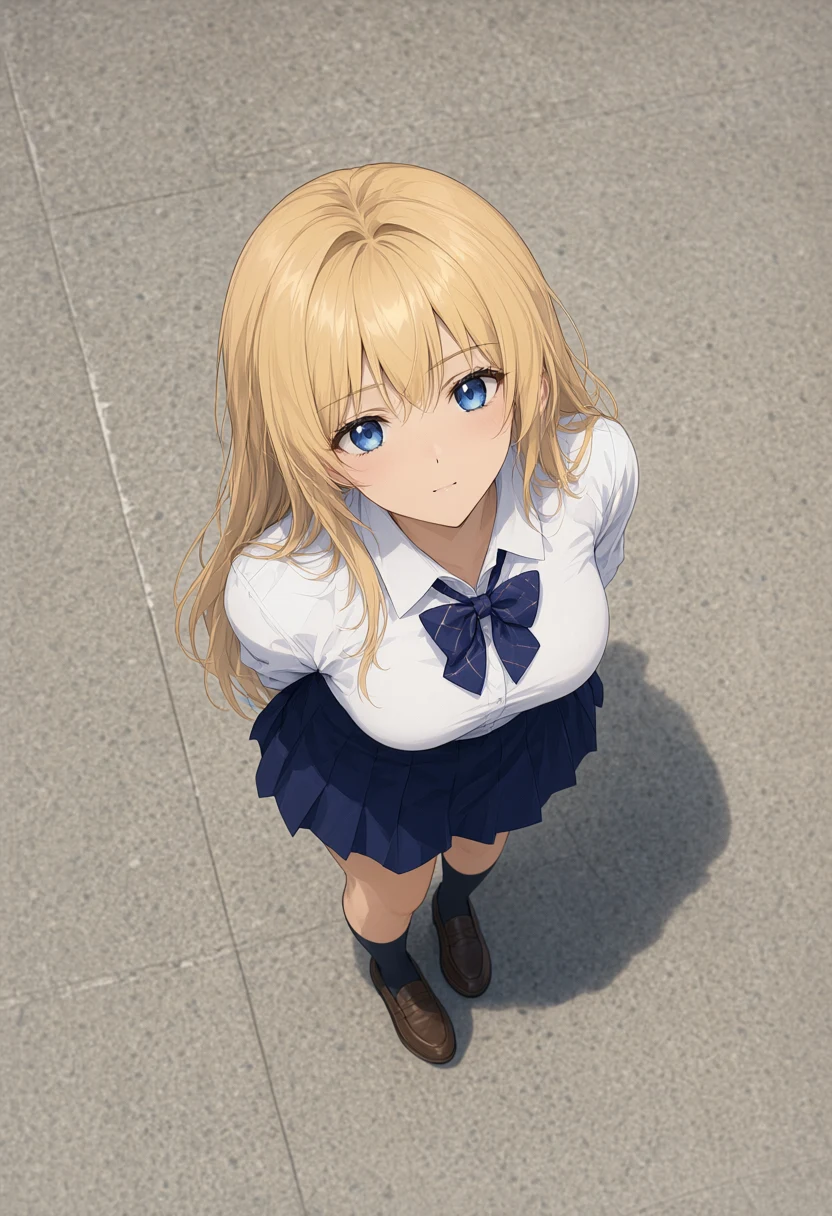
Update (2026-09-22): Measuring whether partial edits such as expression changes hold their position, plus a one-character outfit change and a transparent background → Qwen-Image 2.1 Edits: One Argument Cut Position Drift to About 0.1px
Update (2026-09-26): The workaround for the KV cache collision reported here was submitted upstream to Diffusers as an issue and PR, and merged into main within four days → Qwen-Image 2.1 + TaylorSeer fix merged in Diffusers: 4-day turnaround
In my previous post, Qwen-Image 2.1 local on M1 Max vs Anima, one 832×1216 image took about 10 minutes on an M1 Max 64GB, and an edit with a reference image took about 12.
Anima had a Turbo LoRA for few-step generation, but I couldn’t find one for Qwen-Image 2.1 when I looked on September 21. I tried speeding it up without retraining anything, in the Diffusers script I already use for generation.
Test environment
| Item | Details |
|---|---|
| Machine | MacBook Pro, Apple M1 Max, 64GB memory |
| OS | macOS 27.0 |
| Runtime | Python 3.12.12, PyTorch 2.14.0 (MPS), Diffusers 0.41.0.dev0 (commit 80c7ed26) |
| Model | Qwen-Image 2.1 (BF16, open weights downloaded from ModelScope) |
| Common settings | 832×1216, 40 steps, seed 42, CFG 1.0, no negative prompt |
| Baseline | Generation without a cache (outputs and timings reused from the previous post) |
As before, the time covers generation from reading the prompt to decoding the image, and excludes model loading. Each condition was measured once.
Is there a speed-up LoRA for Qwen-Image 2.1?
The older Qwen-Image has Lightning, a LoRA that enables 4-step or 8-step generation.
Qwen-Image 2.1 changed the Transformer architecture: the older model has 60 double-stream layers that process image and text separately, while 2.1 has 32 single-stream layers. Both the layer count and the width differ, so the old LoRAs can’t be used.
On September 21 I searched the Lightning distribution pages, Hugging Face, and ModelScope, and found no speed-up LoRA or distilled version for 2.1.
The Lightning repository has issue #90, opened on September 21, asking about 2.1 support; it had no replies as of September 22.
Training-free feature caches
On September 21, a ComfyUI node just for Qwen-Image 2.1, Comfyui-Spectrum-Qwen2.1, was published.
In a diffusion model, the values inside the Transformer change only gradually from step to step. This node actually computes only some steps, predicts the values for the remaining steps with a polynomial, and skips the Transformer for them. It is based on a paper called Spectrum, and needs no training.
I run generation with a Diffusers script, not ComfyUI.
Diffusers itself ships several feature caches of the same kind, and the Qwen-Image 2.1 Transformer supports enable_cache(). I used TaylorSeer, which predicts the next step’s values with a Taylor expansion from the differences between previous steps.
TaylorSeer Lite settings
TaylorSeer has a Lite mode that skips all Transformer blocks and only predicts the value of the final output layer. The Diffusers docstring describes it as a lightweight variant that minimizes memory usage, and that is what I used.
| Setting | Value | Meaning |
|---|---|---|
use_lite_mode | True | On predicted steps, skip all 32 blocks and fill in the output layer’s value by prediction |
disable_cache_before_step | 3 | Always compute the first 3 steps for real |
cache_interval | 3 | After that, compute for real once every 3 steps |
max_order | 1 | Predict with first-order differences |
Of the 40 steps, the Transformer actually runs on the first 3 steps and then on steps 5, 8, 11, … 38 (12 more), 15 times in total.
from diffusers import TaylorSeerCacheConfig

pipe.transformer.enable_cache(
    TaylorSeerCacheConfig(
        cache_interval=3,
        disable_cache_before_step=3,
        max_order=1,
        use_lite_mode=True,
    )
)
Loading the pipeline and calling it are the same as the code in the previous post.
The error with the KV cache, and a workaround
Run as-is, it stopped on the second step with this error.
RuntimeError: The size of tensor a (3952) must match the size of tensor b (4075) at non-singleton dimension 1The Qwen-Image 2.1 pipeline enables a KV cache by default (use_kv_cache=True).
The text and reference-image parts give the same result at every step, so their values are computed and stored on step 1, and from step 2 on only the image being generated is computed.
Both are called caches, but the KV cache reuses values that don’t change, while TaylorSeer fills in values by prediction. They are different things.
Because of this, the length of the Transformer output differs between step 1 and the rest. With the same overhead prompt as the previous post (832×1216), step 1 returned 4075 tokens (123 on the text side plus 3952 image tokens), and later steps returned only the 3952 image tokens.
TaylorSeer takes the difference between consecutive step outputs, so the lengths didn’t match and it errored out.
Setting use_kv_cache=False made it run, but for edits with a reference image the reference part is then recomputed every step, and one real step went from 17.4 s to 31.6 s.
As a workaround, when the output shape changes I discard the previous values and treat that step as the first one. I didn’t touch Diffusers itself; the script replaces TaylorSeerState.update at runtime (a monkey patch).
import diffusers.hooks.taylorseer_cache as ts

_orig_update = ts.TaylorSeerState.update

def _update(self, outputs):
    if not self.is_inactive and self.last_update_step is not None:
        for i, feat in enumerate(outputs):
            prev = self.taylor_factors.get(i, {}).get(0)
            if prev is not None and prev.shape != feat.shape:
                self.taylor_factors = {}
                self.last_update_step = None
                break
    return _orig_update(self, outputs)

ts.TaylorSeerState.update = _update
Since the first 3 steps are always computed for real, dropping step 1 still leaves steps 2 and 3 to start the prediction from. I only checked this setting, with the first 3 steps computed for real.
Compared with the TaylorSeer output at use_kv_cache=False, the patched output had a mean pixel difference (mean absolute RGB difference, 0–255) of 0.0. That held for both text-to-image and the reference-image edit, so the workaround did not change the output.
I reported the reproduction and this workaround to Diffusers as issue #14829. A maintainer replied asking for a PR, so I opened PR #14831 with the same fix. It isn’t merged yet, so I put the generation script with the workaround in LiltingChannelLabo.
Overhead text-to-image and the Kana-chan edit
I compared the same two cases as the previous post: an overhead image generated from text only (T2I in the tables), and an edit that turns a standing image of my original character Kana-chan into an overhead shot. Prompts and the reference image are unchanged. The prompts are still the tag lists from that post, not rewritten into sentences.
| Case | Condition | Generation | Real steps | Avg per real step | GPU-side allocated memory, peak |
|---|---|---|---|---|---|
| T2I overhead | No cache | 614.7 s | 40 | 15.1 s | About 45.8GB |
| T2I overhead | TaylorSeer, KV cache off | 224.6 s | 15 | 14.5 s | About 45.8GB |
| T2I overhead | TaylorSeer + KV cache | 218.8 s | 15 | 14.2 s | About 45.8GB |
| Edit, Kana-chan overhead | No cache | 721.2 s | 40 | 17.4 s | About 49.0GB |
| Edit, Kana-chan overhead | TaylorSeer, KV cache off | 484.4 s | 15 | 31.6 s | About 47.0GB |
| Edit, Kana-chan overhead | TaylorSeer + KV cache | 277.6 s | 15 | 16.8 s | About 48.4GB |
A predicted step takes under 0.1 s, so generation time was almost entirely set by the number of real steps.
T2I went from 614.7 s to 218.8 s, about 2.8x. The edit only reached about 1.5x (484.4 s) with the KV cache off, but with the workaround keeping the KV cache it reached 277.6 s, about 2.6x. Peak memory was about the same as without a cache.
614.7 s
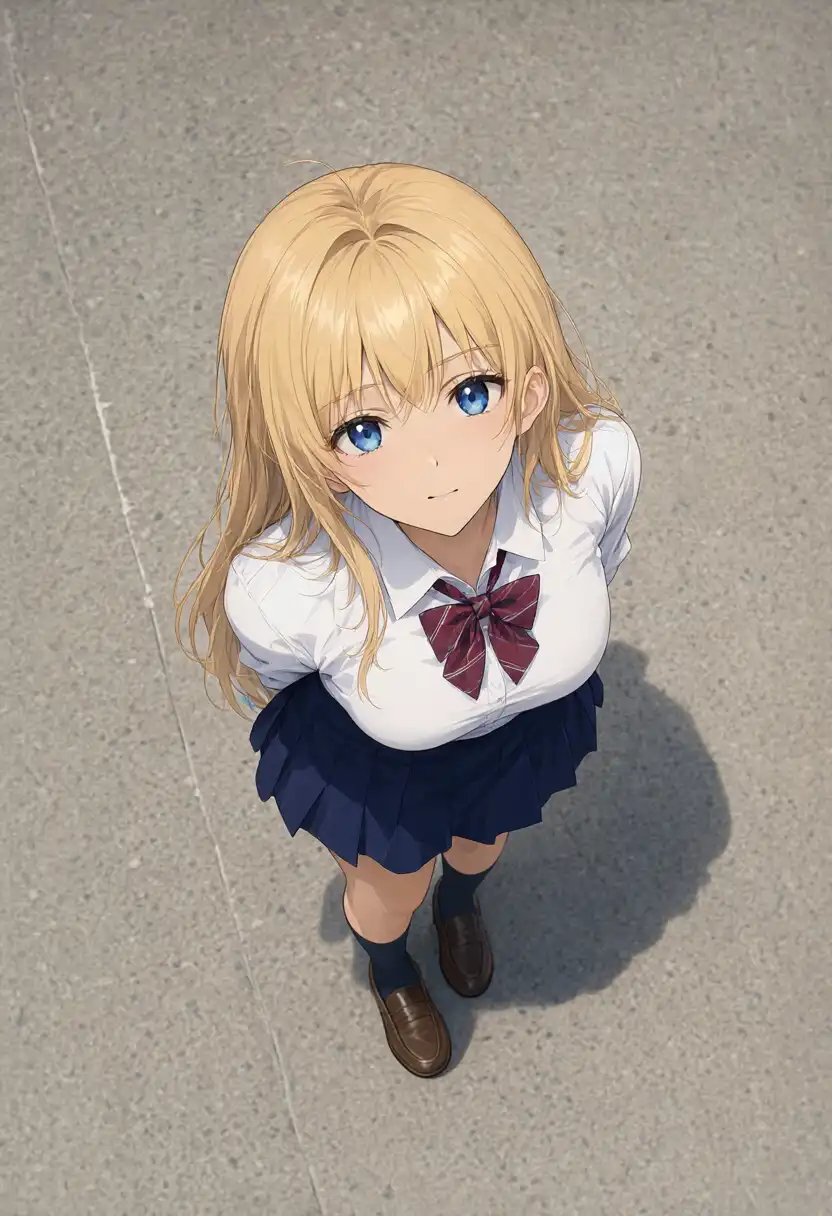
218.8 s
721.2 s
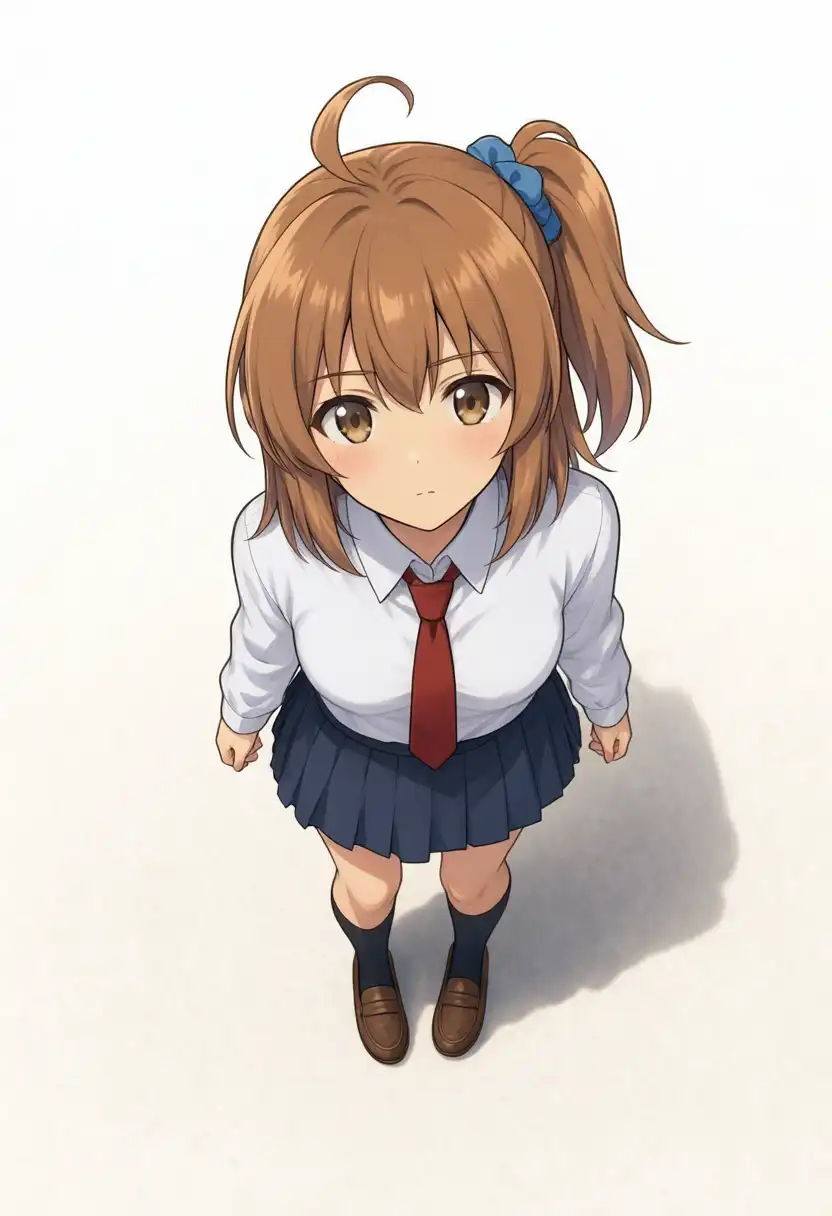
277.6 s
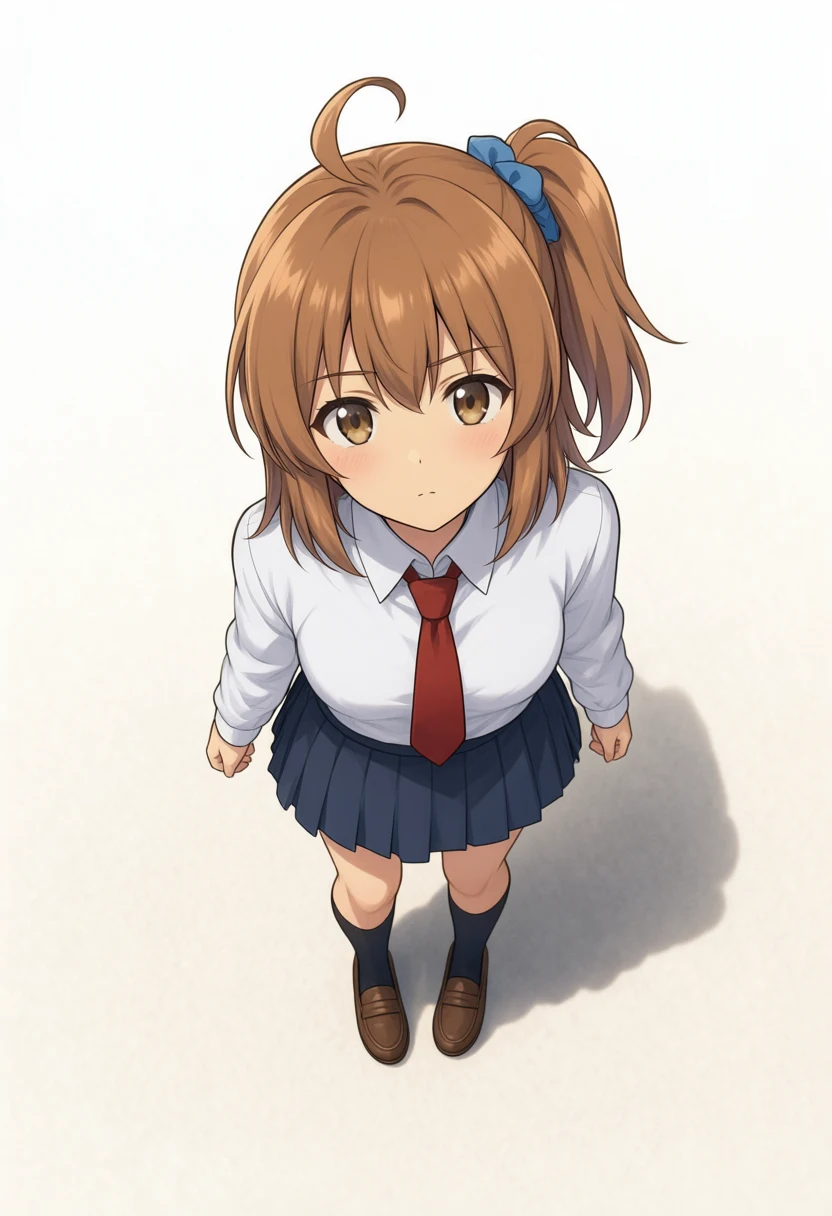
| Case | Difference from no cache |
|---|---|
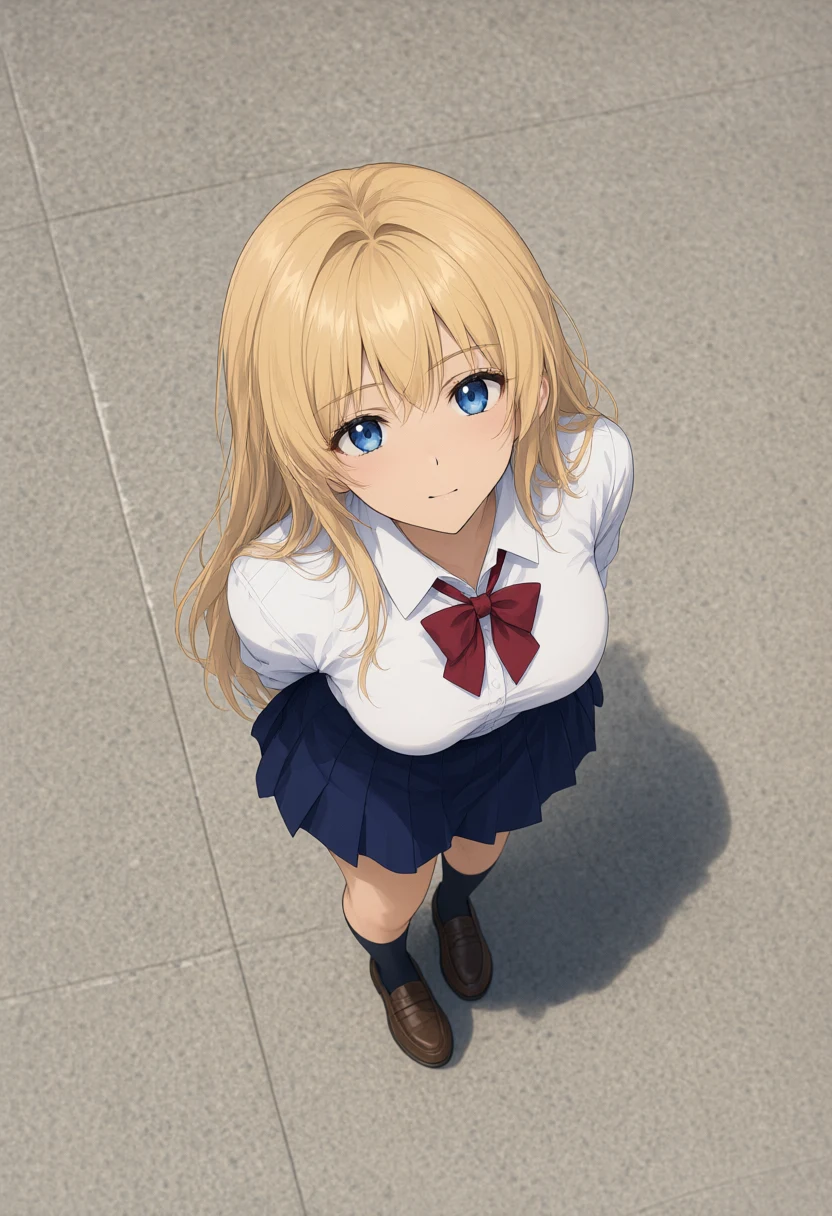
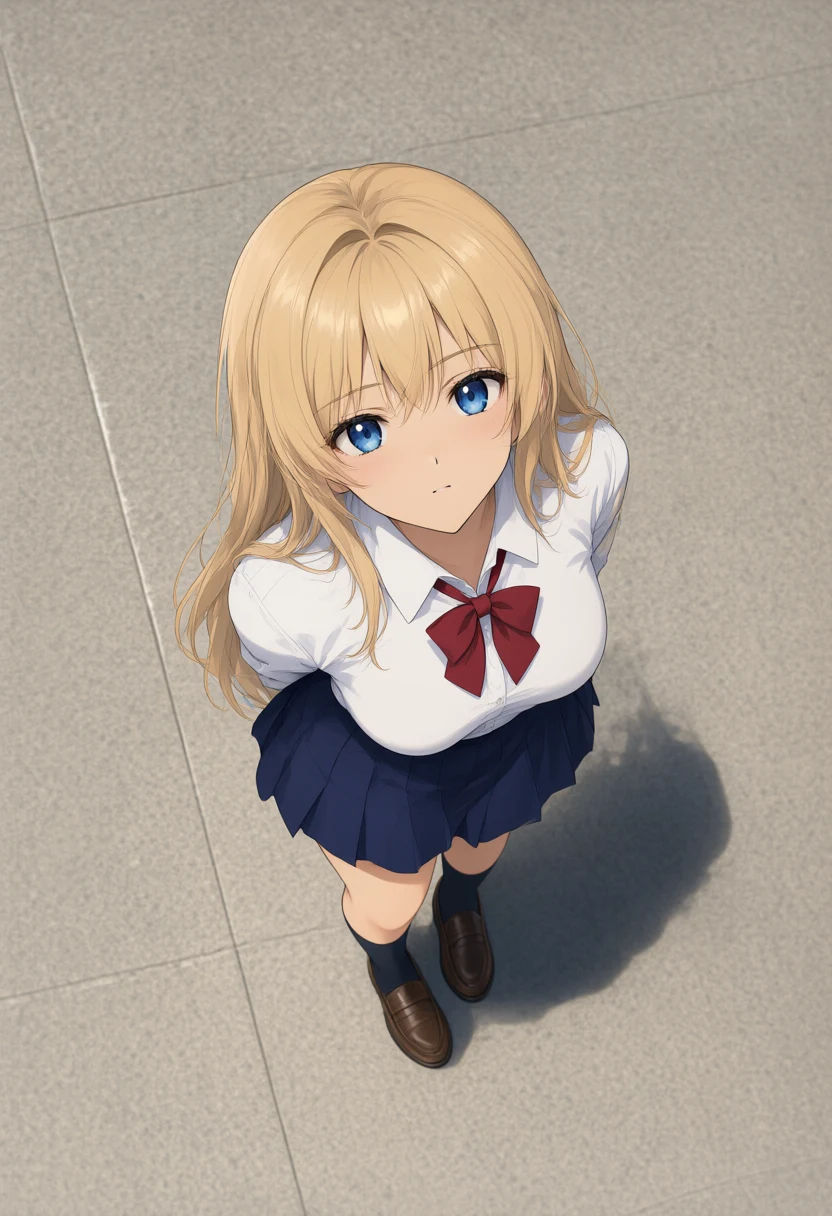
| T2I overhead | Same composition, figure, and shadow direction. The ribbon changed from red stripes to navy plaid |
| Edit, Kana-chan overhead | Nearly identical, down to the side ponytail, blue scrunchie, uniform, and the shadow at her feet |
Standing, running, and rear view
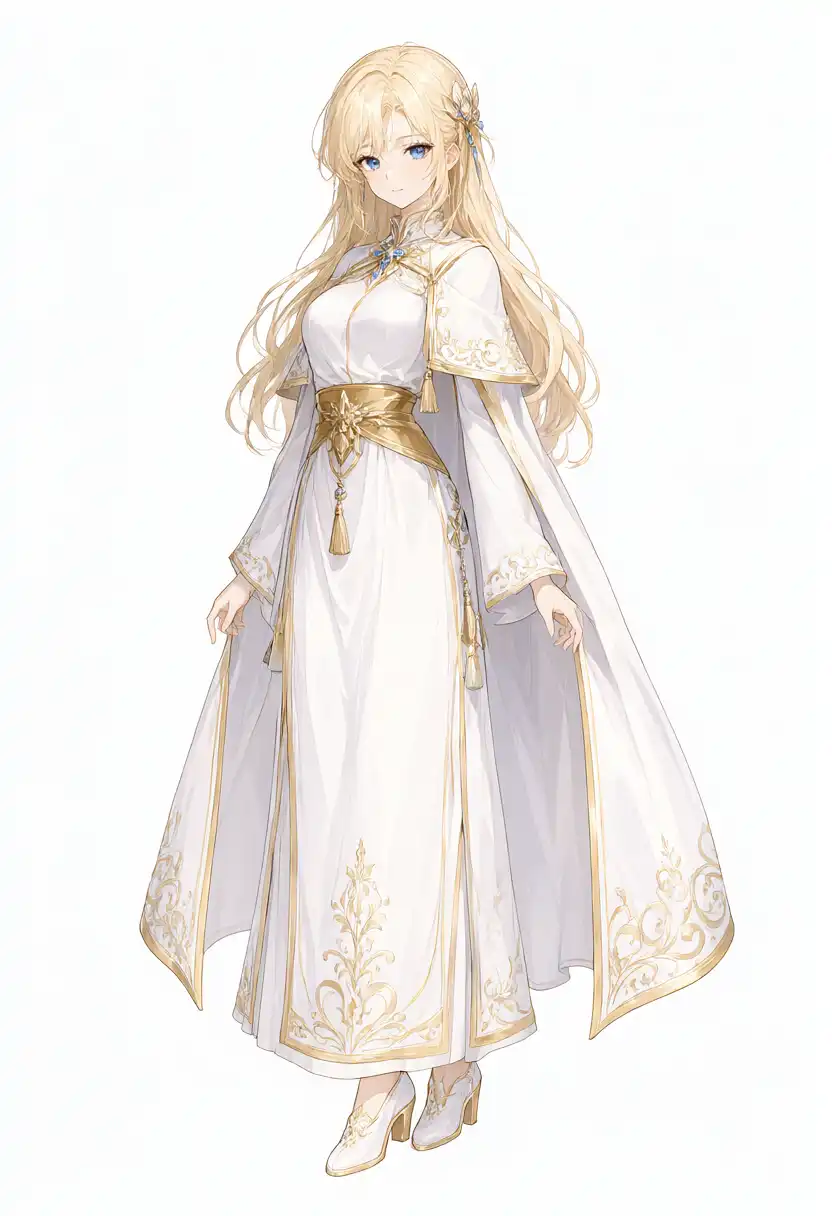
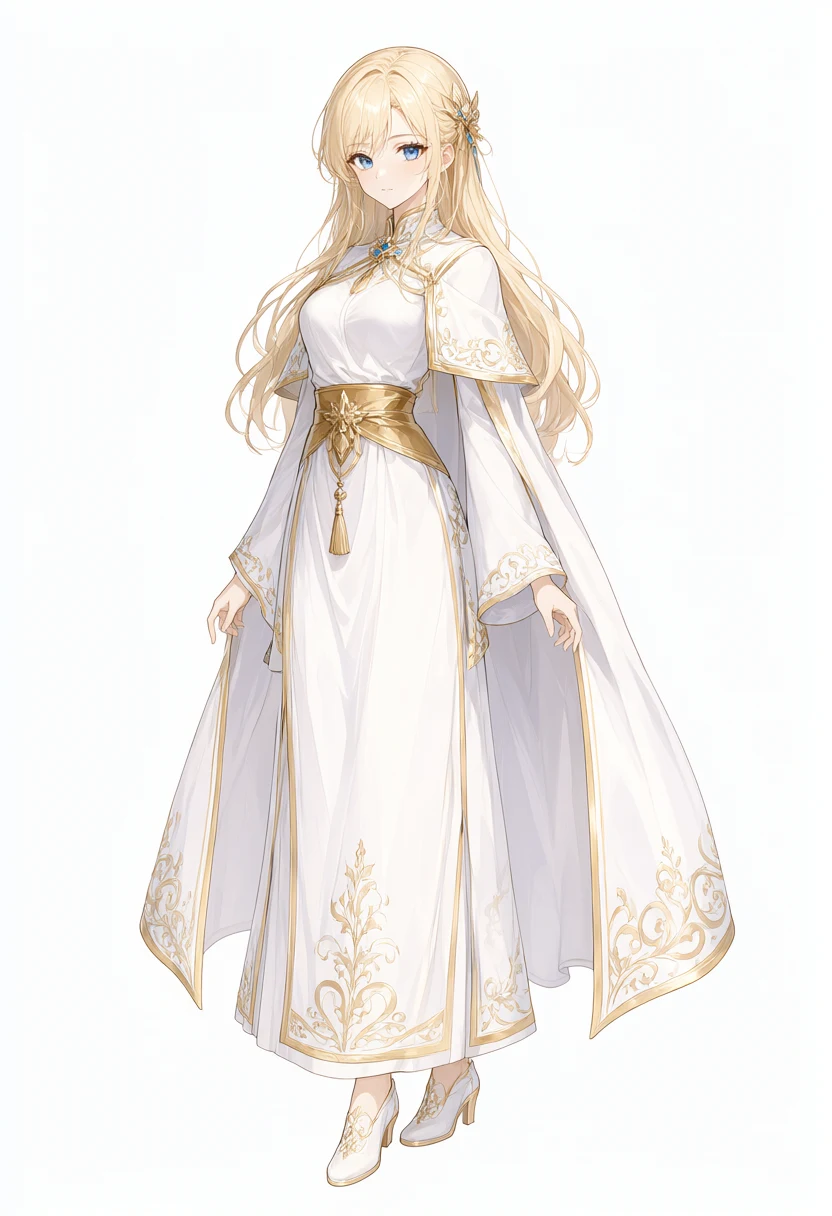
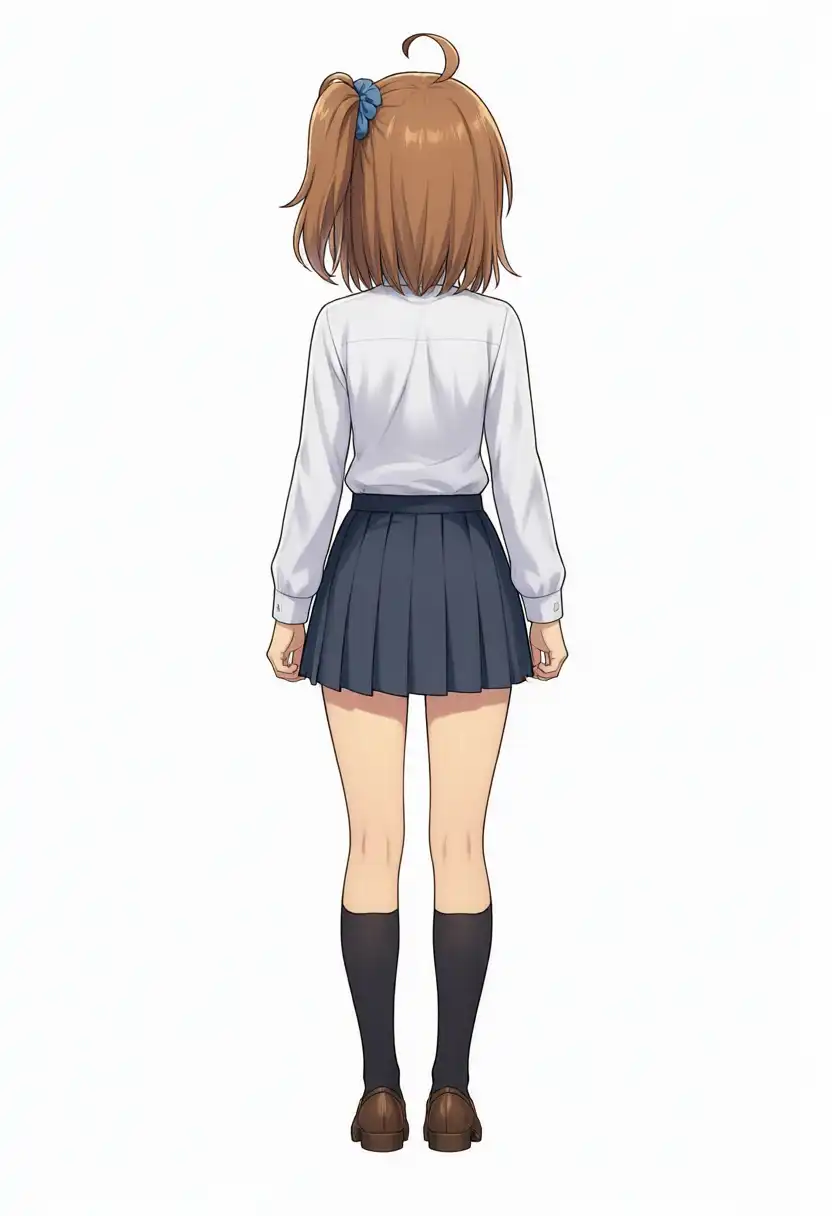
I also generated the three cases that have uncached outputs in the previous post, with the same TaylorSeer settings. The robe standing image and the running scene are text-to-image; the rear view is an edit using Kana-chan’s standing image as the reference.
| Case | No cache | TaylorSeer + KV cache | Speed-up | Mean pixel difference (0–255) |
|---|---|---|---|---|
| T2I robe, standing | 588.2 s | 216.4 s | 2.72x | 2.76 |
| T2I running scene | 584.1 s | 218.0 s | 2.68x | 5.98 |
| Edit, Kana-chan rear view | 722.0 s | 280.2 s | 2.58x | 0.62 |
588.2 s
216.4 s
584.1 s

218.0 s

722.0 s
280.2 s
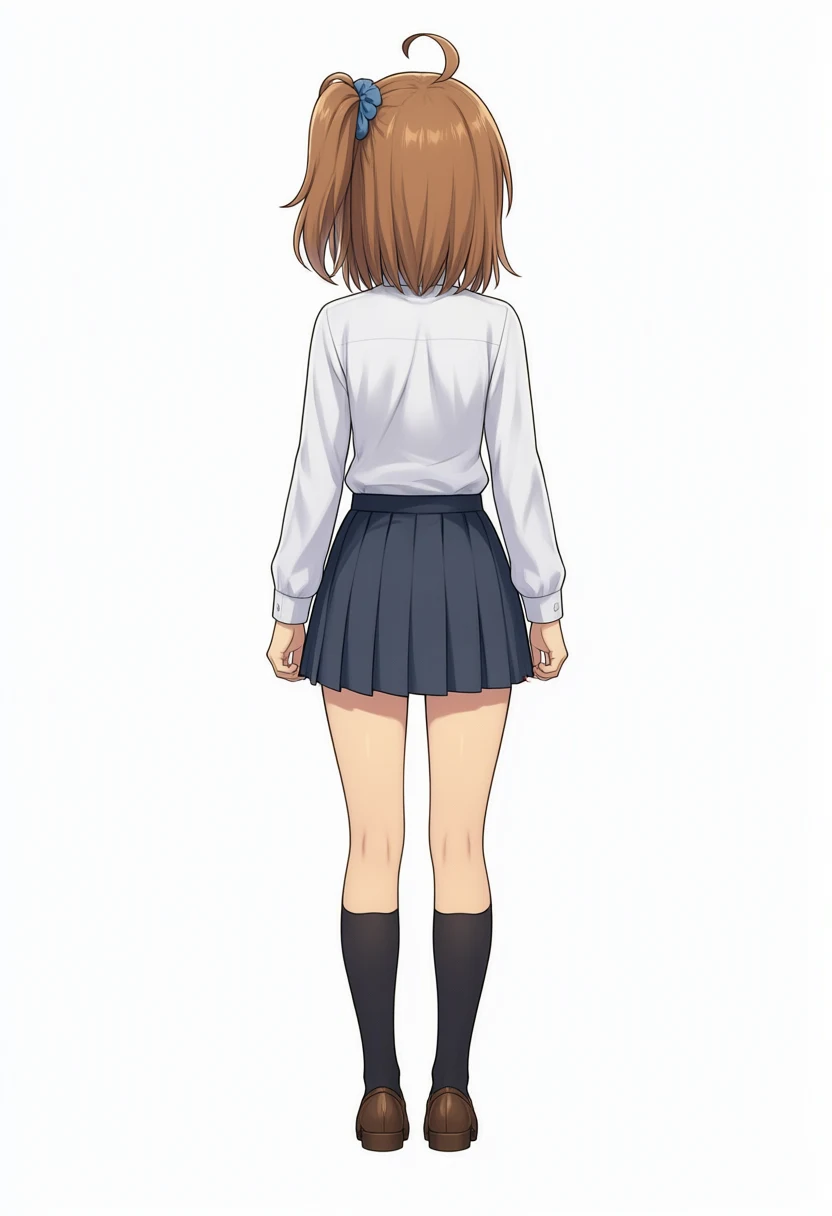
All five cases came out about 2.6–2.8x faster. None of them changed the composition, pose, outfit, or character features; the differences were limited to details like the color and pattern of the ribbon in the overhead image.
The mean pixel difference ranged from 0.62 for the rear view to 5.98 for the running scene. Even in the running scene, where the difference is largest, the figure and composition were the same.
Widening the interval to 5 and 8
For the overhead T2I, I changed cache_interval from 3 to 5 and 8 to cut the number of real steps further.
cache_interval | Real steps | Generation | Speed-up | Mean pixel difference (0–255) |
|---|---|---|---|---|
| No cache | 40 | 614.7 s | − | − |
| 3 | 15 | 218.8 s | 2.81x | 4.73 |
| 5 | 11 | 161.0 s | 3.82x | 7.21 |
| 8 | 8 | 118.9 s | 5.17x | 13.23 |
614.7 s
218.8 s
161.0 s
118.9 s
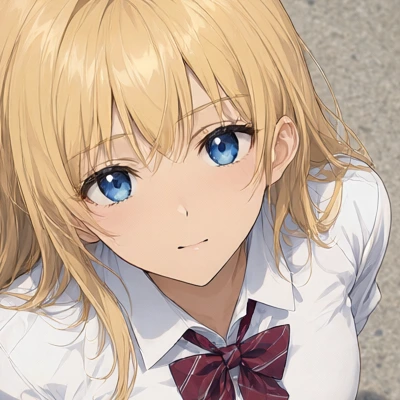
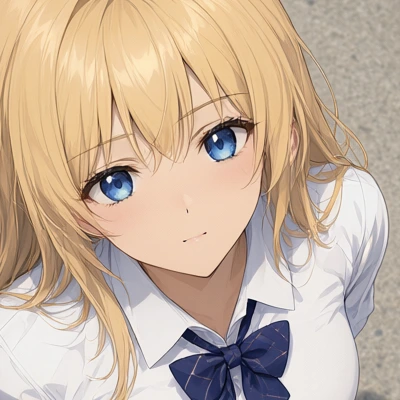
These are crops around the face at the same position.
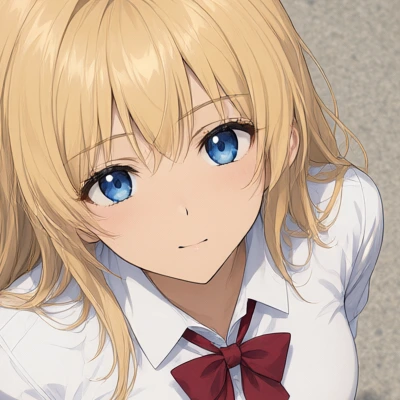
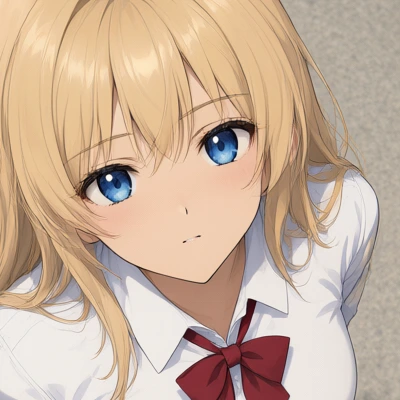
cache_interval | Difference from no cache |
|---|---|
| 3 | The ribbon changed from red stripes to navy plaid. Line detail is about the same |
| 5 | The ribbon became plain red |
| 8 | The ribbon is plain. Fewer fine hair lines, softer overall |
At interval 8 the composition and figure still held, but the image got softer.
The author of Comfyui-Spectrum-Qwen2.1 also notes in the README that the output is softer than the base.
Related articles
My other Qwen-Image 2.1 posts.
- Testing Qwen-Image 2.1 Early Access: Composition Prompts and Multi-Reference Limits: Early access on ModelScope Studio: 10 composition presets, a 4-member band, and edits of Kana-chan’s orientation, outfit, and pose
- Qwen-Image 2.1 Local on M1 Max vs Anima: 10 min/Image, Faces Kept in i2i: Running the released weights on an M1 Max 64GB, with the same overhead prompt as Studio and the same prompts as Anima, WAI-Anima, and WAI-Illustrious
- Qwen-Image 2.1 Edits: One Argument Cut Position Drift to About 0.1px: Measuring whether partial edits such as expression changes hold their position, plus a one-character outfit change and a transparent background