Testing Qwen-Image 2.1 Early Access: Composition Prompts and Multi-Reference Limits
 Contents
Update (2026-09-21): Follow-up running the released weights locally on an M1 Max 64GB, checking whether the same overhead prompt and Kana-chan edits still work → Qwen-Image 2.1 Local on M1 Max vs Anima: 10 min/Image, Faces Kept in i2i
Update (2026-09-22): The TaylorSeer cache in Diffusers cut about 10 minutes per image on M1 Max to about 3.5 → Qwen-Image 2.1 on M1 Max: TaylorSeer Cache Cut 10 min/Image to 3.5 min
Update (2026-09-22): Measuring whether partial edits such as expression changes hold their position, plus a one-character outfit change and a transparent background → Qwen-Image 2.1 Edits: One Argument Cut Position Drift to About 0.1px
Early access to Qwen-Image 2.1 arrived through the Qwen Ambassador program.
It was made available via a ModelScope Studio interface, and I ran my local tests using outputs generated after the model was swapped to its final release weights.
In previous tests with Anima-3.8B, nearly half of the 10 camera composition presets failed, and role assignments in a 4-member band fell apart.
Later, when re-drawing the monochrome icon in Anima’s style, changing the facing direction of Kana with Qwen-Image-Edit was difficult.
I fed these exact test setups to Qwen-Image 2.1 to see how much it could follow.
Test Environment on ModelScope Studio
Access was provided through ModelScope Studio (a browser-based Gradio UI), with no public API endpoint available yet for this model.
Without API access, I ran tests manually by entering prompts and triggering generation through the UI.
Elapsed generation times are not displayed on screen, so durations mentioned in this post are rough estimates.
Settings in the UI:
| Field | Default Value | Setting in This Test |
|---|---|---|
| Enhance prompt | Enabled by default according to the UI notes | Disabled (to isolate whether compliance came from the model itself or prompt rewriting) |
| Seed | 0, Randomize seed enabled | Unchecked Randomize and fixed the numeric value |
| Negative prompt | Blank | Standard negative prompt exported from previous test scripts |
| Customize output size | Off (automatic sizing) | Enabled, specifying explicit width and height (allowed range: 256 to 2688) |
Up to 10 input images can be provided. Within prompts, they are referenced in upload order as “image 1”, “image 2”, and so on.
Leaving the image input empty performs text-to-image (T2I), while providing images switches to image-to-image editing (I2I).
10 Composition Presets
I generated images using the identical English prompts from the Anima-3.8B test, with seed 42 and a resolution of 832×1216.
The Anima-oriented quality tags were left intact.
The examples in the official README, published together with the weights, are descriptive or instructive English with no tag lists. The ratings below come from English prompts mixed with tags.
Evaluations were checked at a high level: whether the requested angle and crop were delivered.
The baseline ratings (Anima Base, 2.9B, 3.8B native, 3.8B expanded) are carried over from the previous article.
| Preset | Base | 2.9B | 3.8B native | 3.8B expanded | Qwen-Image 2.1 |
|---|---|---|---|---|---|
| From above (bird’s-eye) | Misinterpreted | Misinterpreted | Close | Close | Pass |
| From below (worm’s-eye) | Pass | Pass | Pass | Pass | Pass |
| From behind | Pass | Fail | Fail | Pass | Pass |
| From side (profile) | Pass | Broken | Close | Fail | Pass |
| Dutch angle | Weak | Weak | Weak | Weak | Weak |
| Wide shot | Pass | Pass | Close | Close | Pass |
| Negative space | Close | Pass | Pass | Close | Close |
| Cowboy shot | Fail | Fail | Close | Close | Close |
| Head out of frame | Broken | Close | Close | Fail | Fail |
| Lower body only | Broken | Fail | Fail | Fail | Fail |
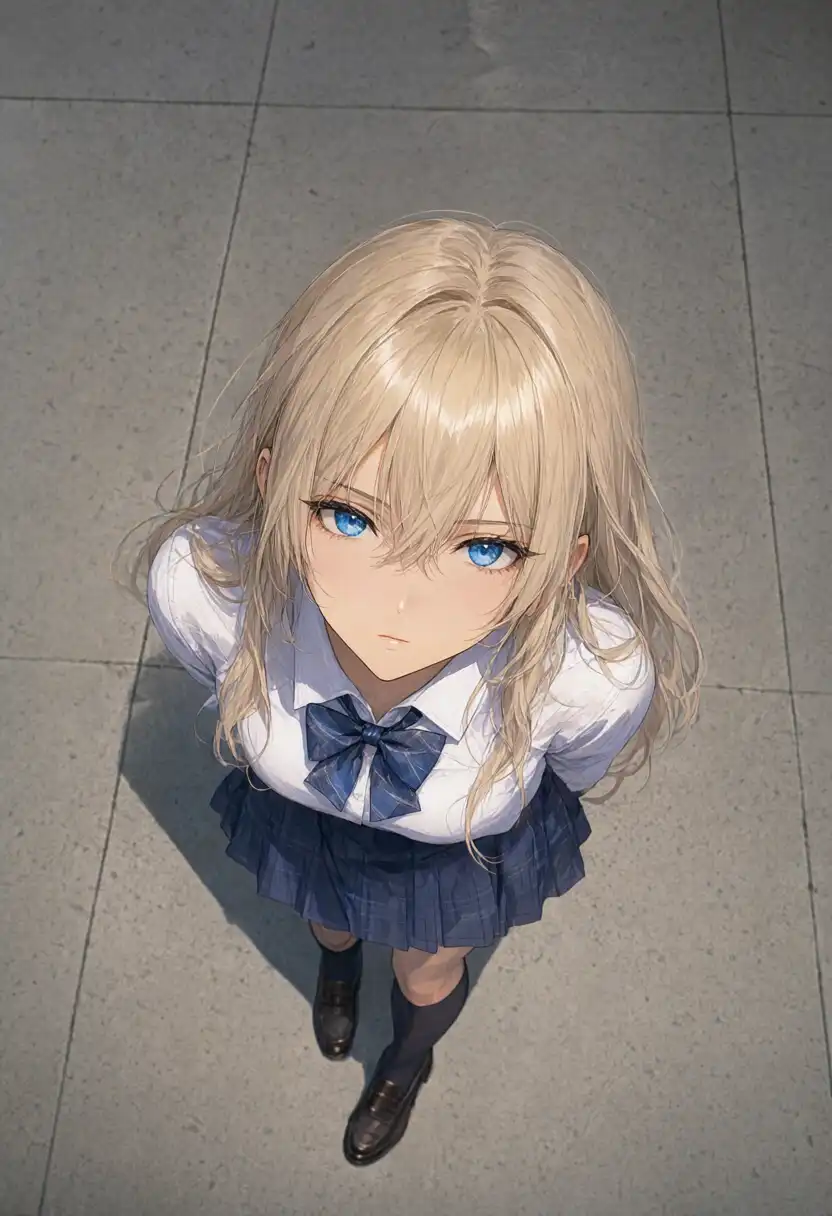
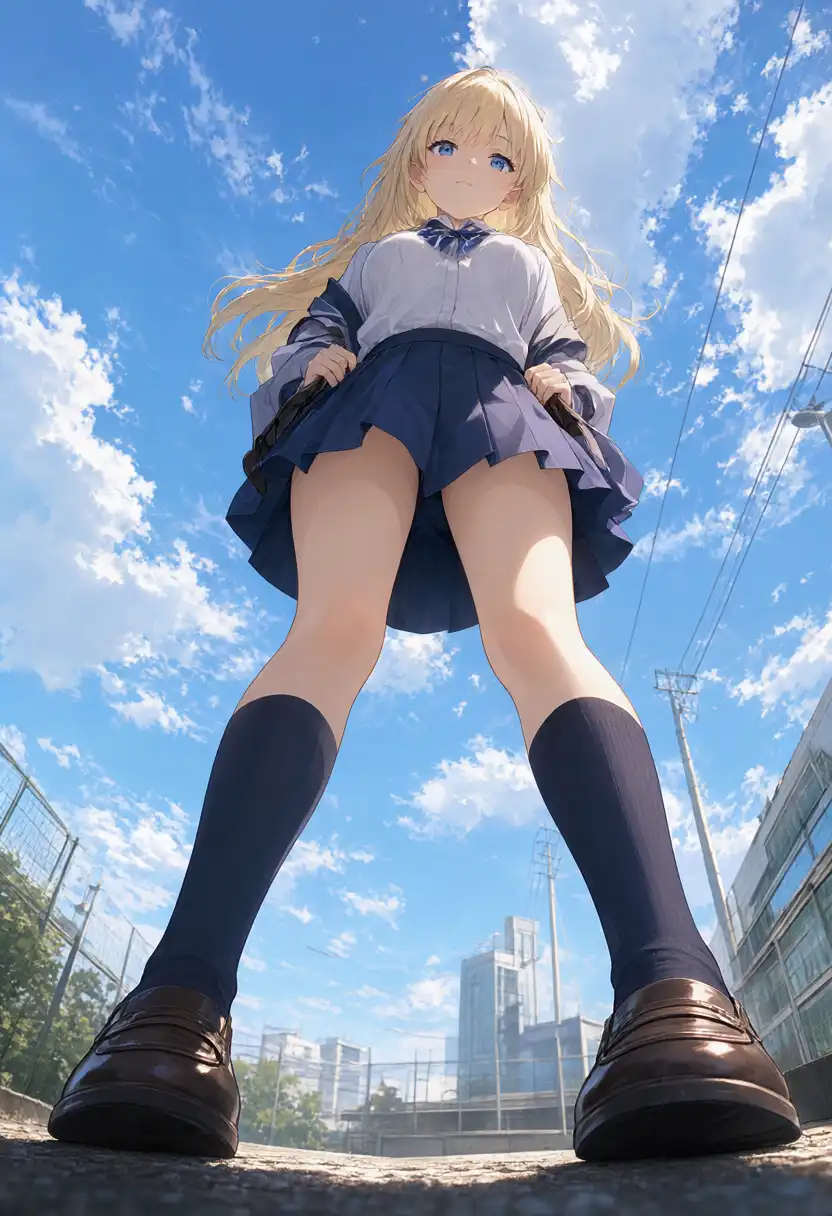
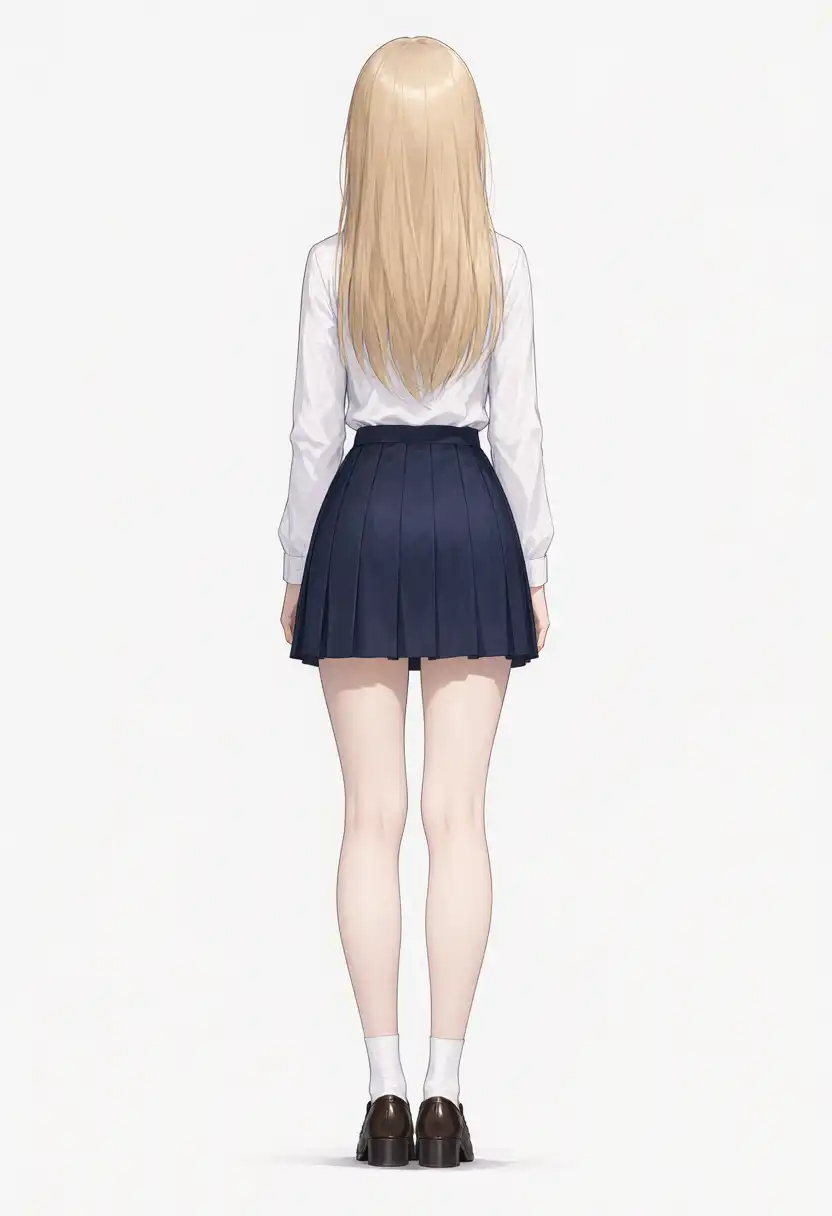
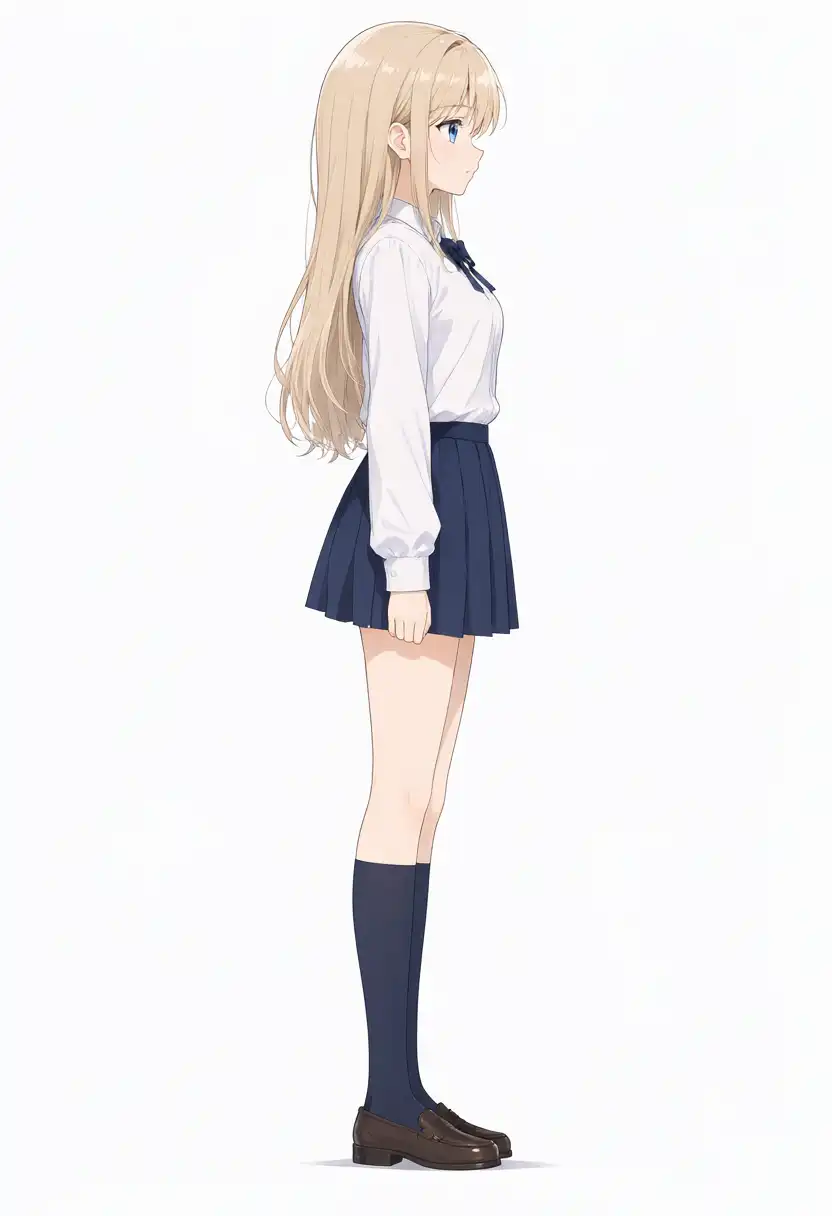
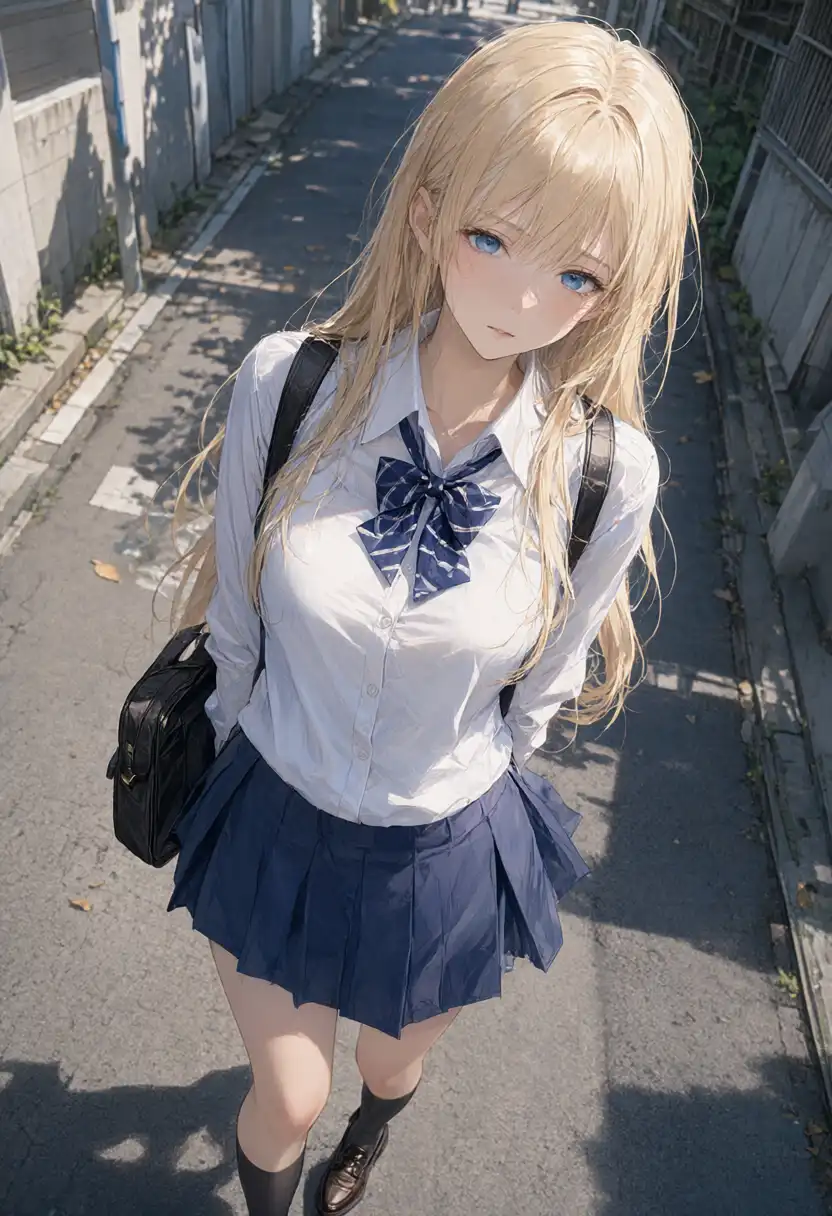
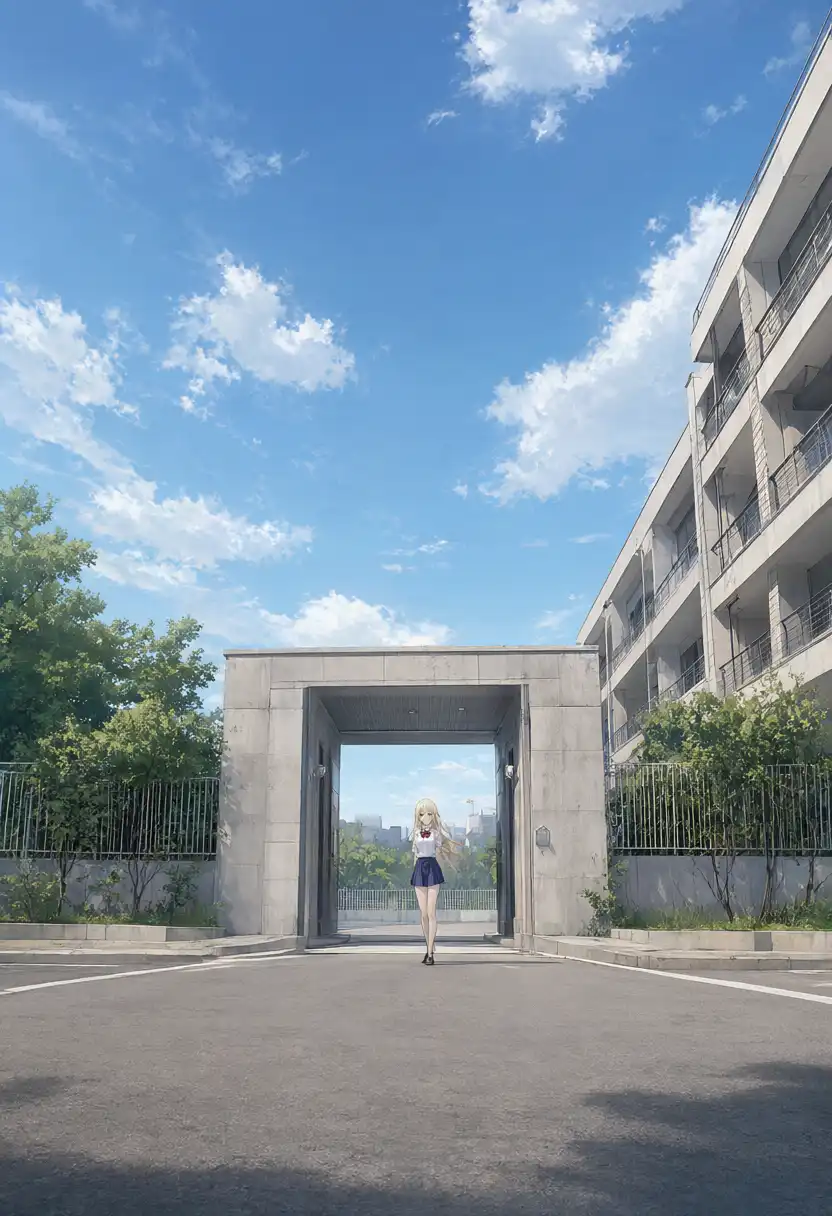
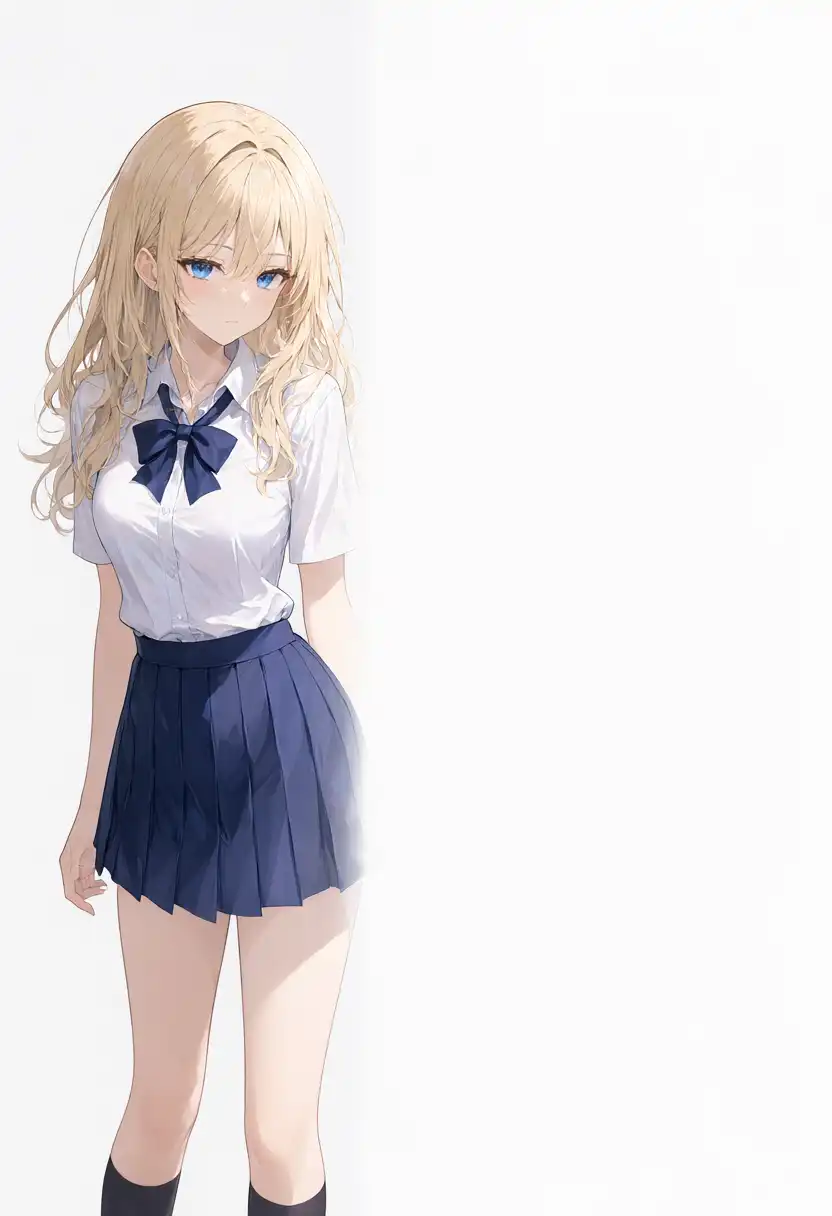
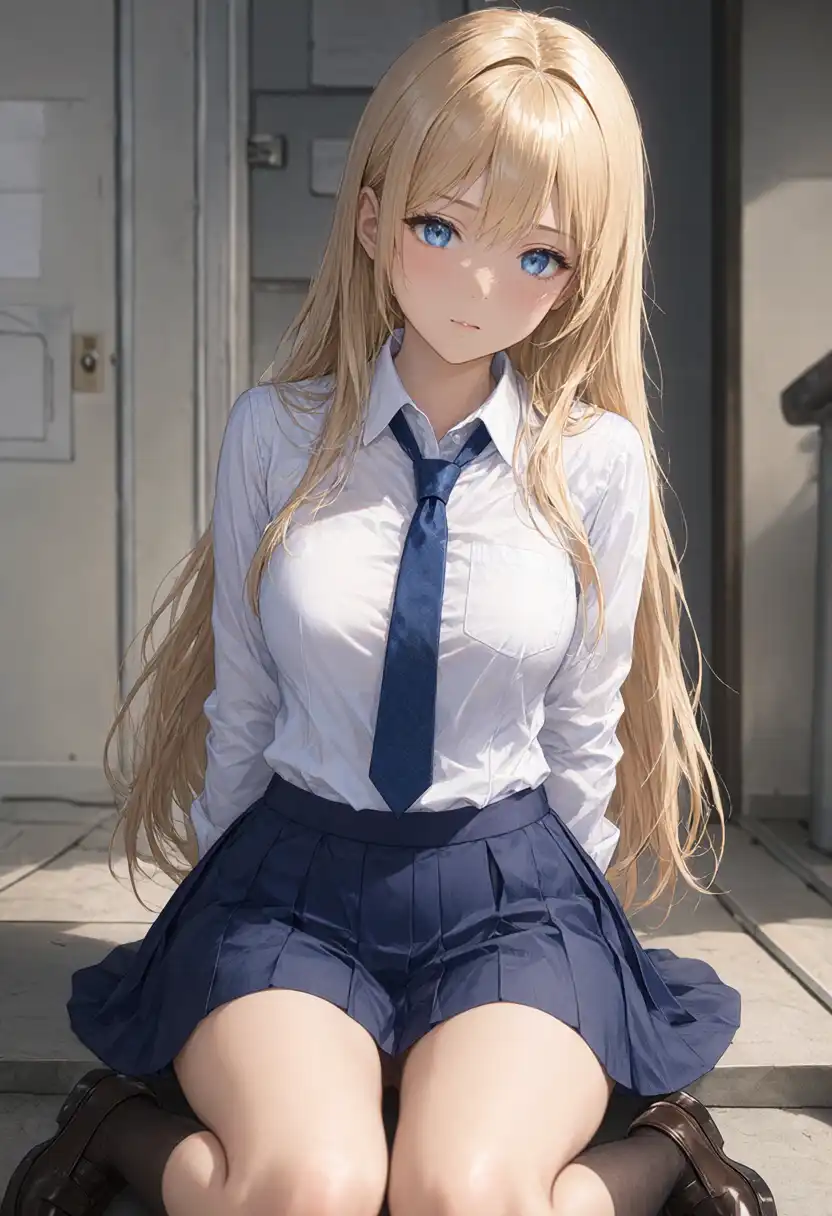
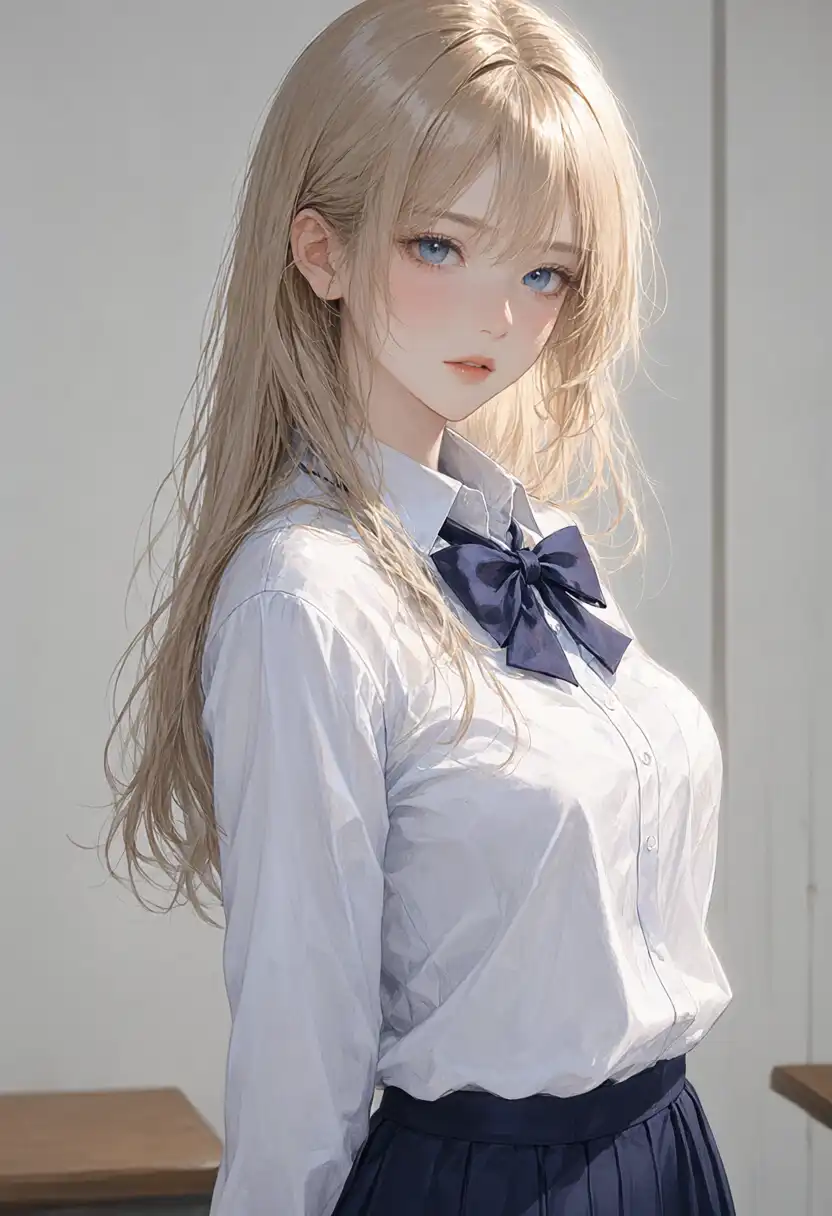
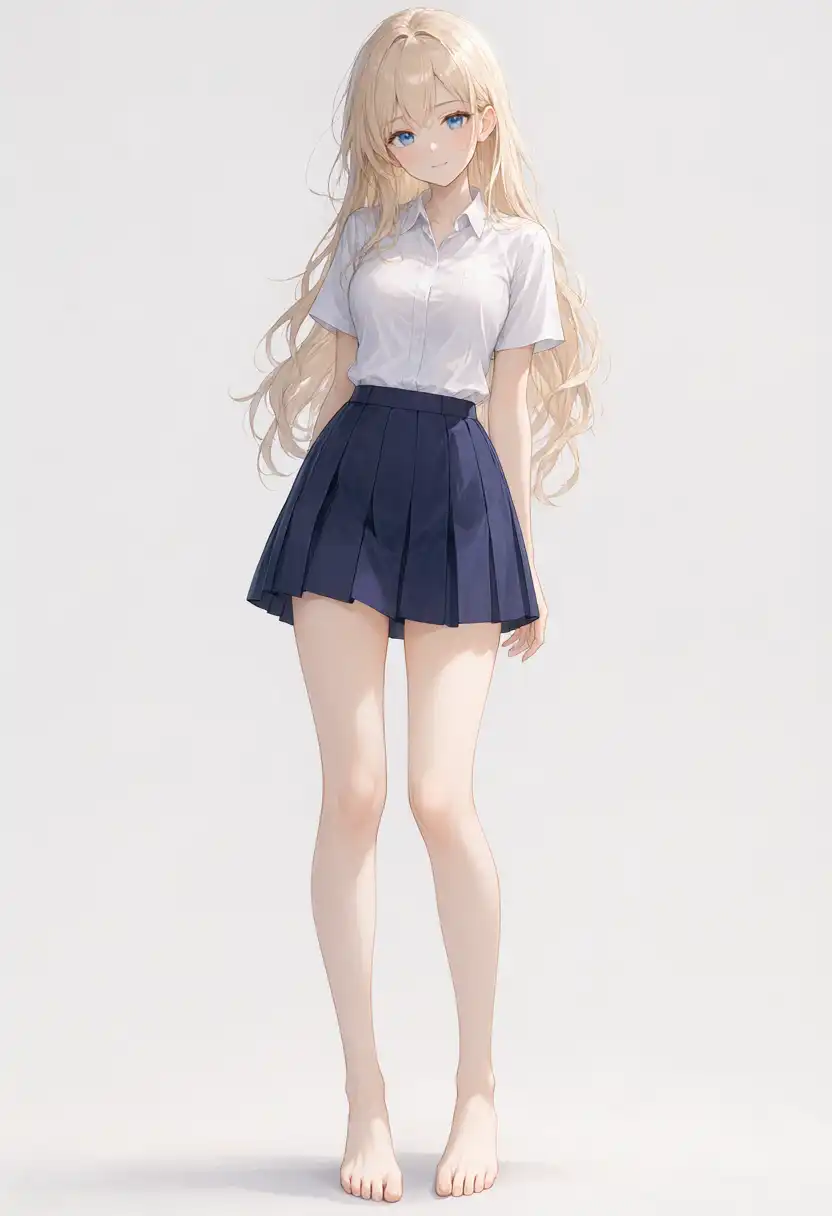
All five presets specifying camera position and orientation (from above, from below, from behind, from side, wide shot) passed.
”From above” requested looking down at a standing girl with her head tilted up; all four Anima variants had misinterpreted this as bending forward or lying on her back.
Across the five models compared, 2.1 was the only one that produced a standing bird’s-eye view.
“From side” produced a figure facing right.
The prompt contained both “camera at the subject’s right side” and “left-facing silhouette”; viewing a subject from their right side naturally makes them face right, so the prompt instructions conflicted internally.
Since the baseline Base model was also rated “Pass” when facing right, facing direction was not counted against it.
The Dutch angle generated an outdoor alleyway viewed diagonally from above.
The camera tilt itself was minimal. When looking downward without a horizon line or vertical building edges, tilt is difficult to perceive distinctly.
Negative space cleared the right half of the frame, but the character occupied roughly 40% of the image width and fell outside the requested “left third” and “under 35% width” limits.
The cowboy shot included the top of the head, but the character knelt on the floor, bringing the hem, knees, and shoes into the frame.
Where 3.8B missed on the upper boundary (cropping the head), 2.1 missed on the lower boundary.
“Head out of frame” and “lower body only” failed, just as they did on Anima.
Both included the face. Instructions to crop parts of the body out of the frame were ignored.
4-Member Band Role Assignments
I tested the same 4-member band role assignment prompt from the previous article across 3 seeds each for both tag lists and natural language.
Resolution was set to 1344×768.
The prompt assigned the appearances of my four original characters: left, rose-brown long hair on bass (Kurara); center, blonde hair with blue ribbon on vocals and white guitar (Kei); right, brown side ponytail with red guitar (Kana); back row, short black hair with red eyes on drums (Koharu).
The Description: delimiter originally added for 3.8B was removed from the natural language prompt.
All 6 outputs contained exactly 4 people, and the positions and instruments of the front-row trio matched the prompt completely.
| Format | Seed | Back-Row Drummer |
|---|---|---|
| Tag list | 42 | Present (holding drumsticks) |
| Tag list | 1234 | Present (hands hidden behind guitars) |
| Tag list | 9999 | Present (hands hidden behind guitars) |
| Natural language | 42 | Present (hands near snare) |
| Natural language | 1234 | Present (part of hand visible) |
| Natural language | 9999 | Present (holding drumsticks) |
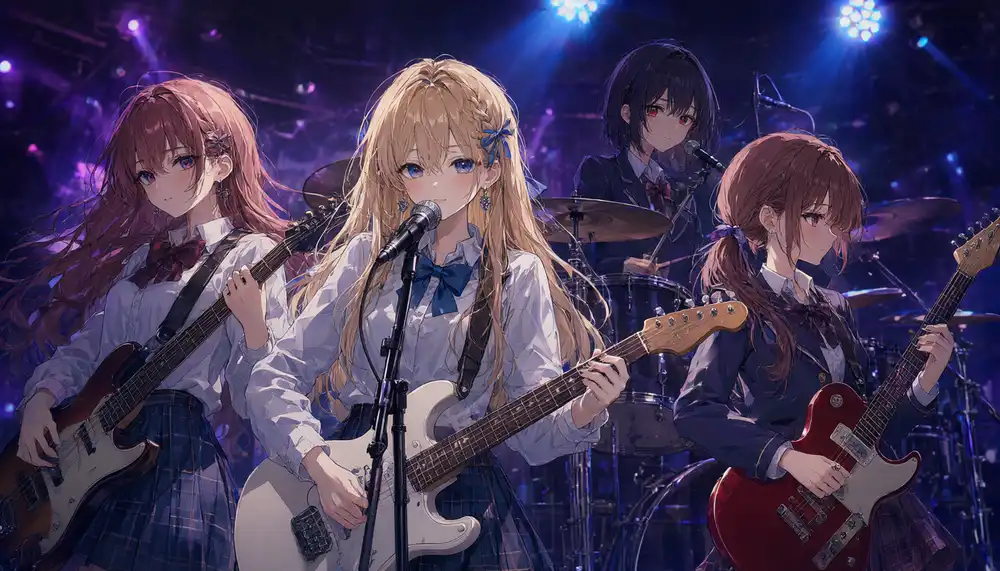
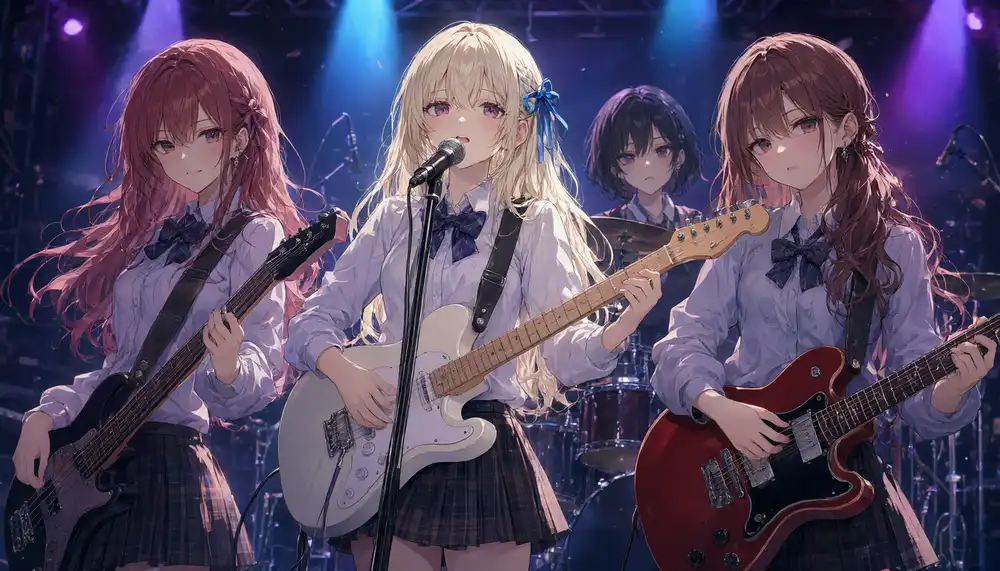
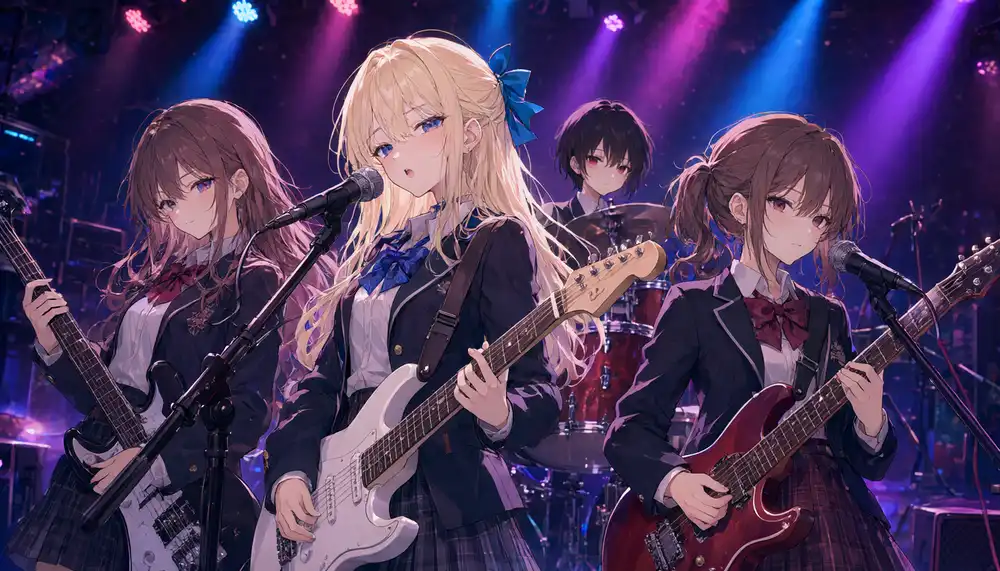
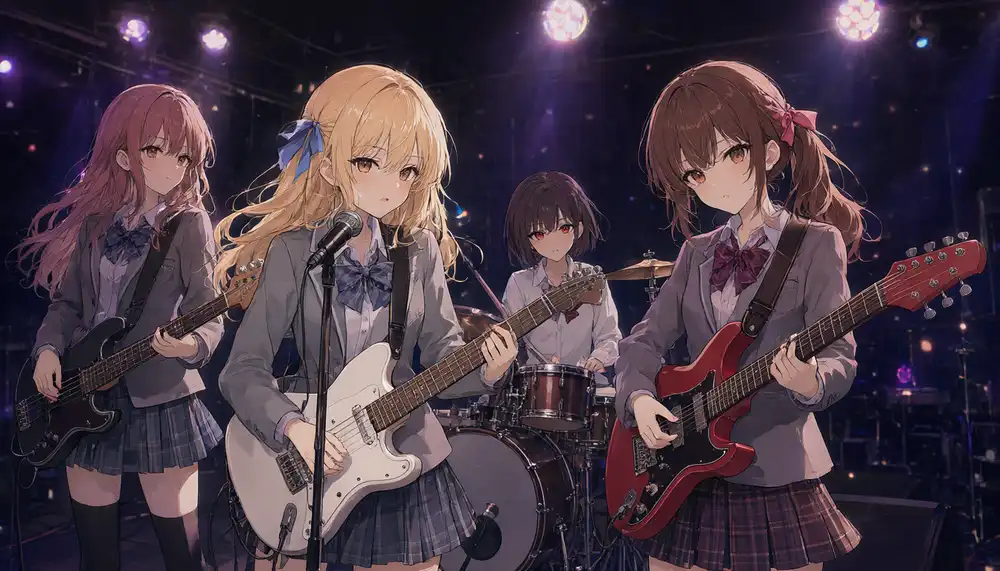
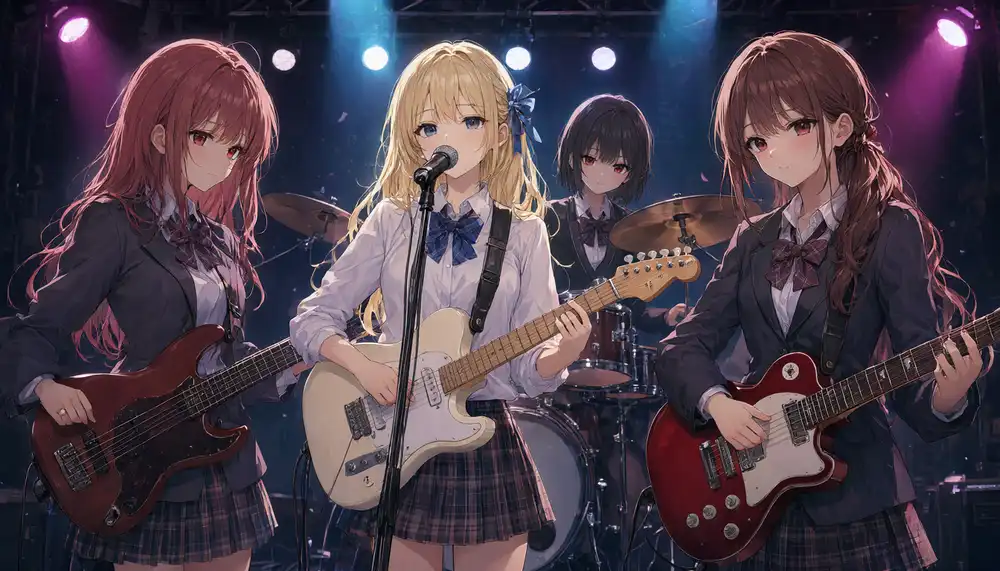
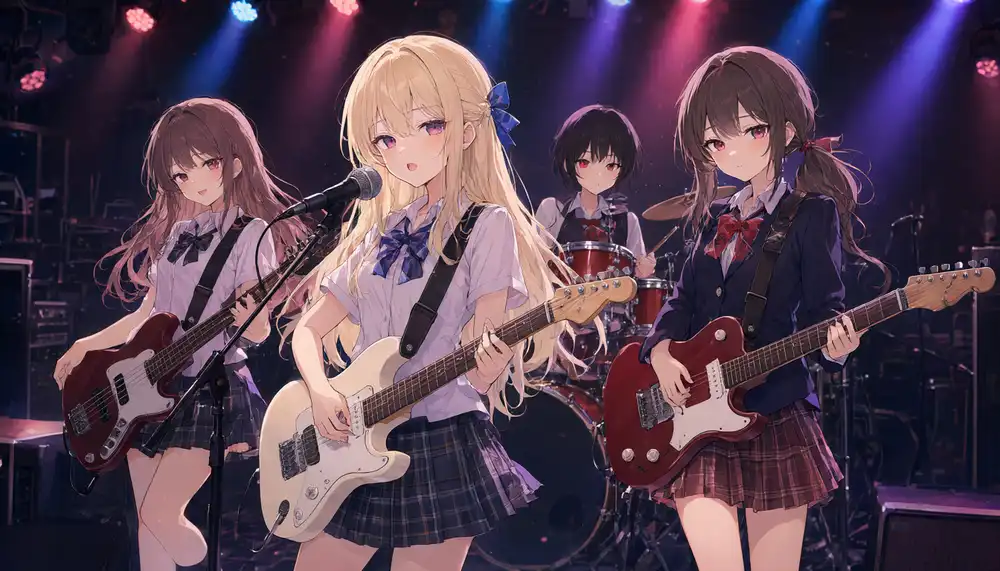
Across all 6 images, the count never expanded to 5, nor did the drummer disappear.
In the previous article, Base and 2.9B simply lined up 4 people in the front row without any drummer across all 3 seeds, while 3.8B expanded added a drummer in the back row to create 5 people.
The only inconsistency was slight variation in the leftmost girl’s hair color, shifting between rose-brown and reddish brown depending on the seed.
The drummer’s hands were frequently obscured behind the front row’s guitars, with active stick drumming visible in only a few outputs.
Image-to-Image with Kana’s Standing Pose Reference
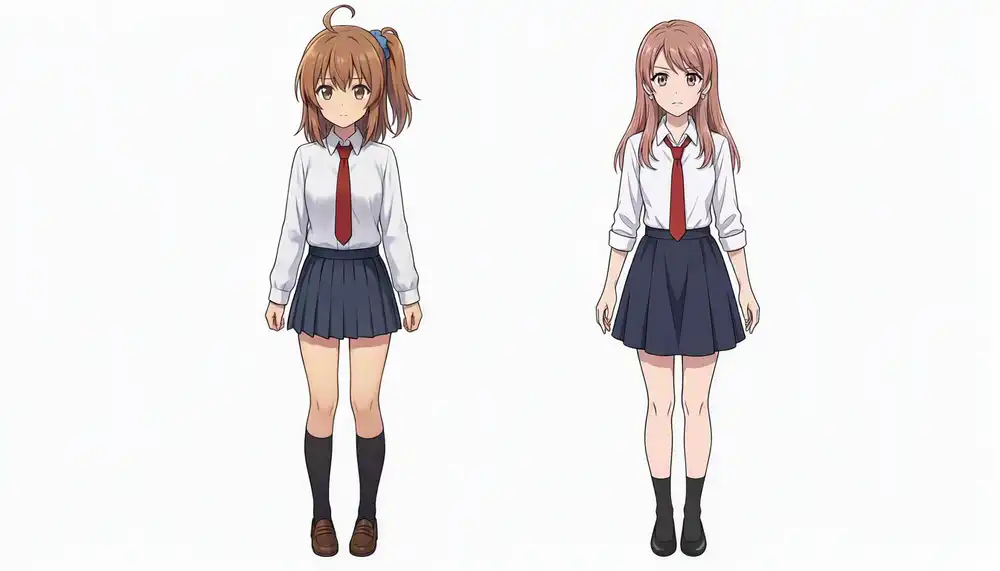
For image-to-image editing (I2I), the front-facing reference from an earlier post (left) had a pose with a finger pressed to her lips, which tended to bias output poses.
To establish a cleaner baseline for pose edits, I picked a neutral standing illustration (right) with both arms down at her sides as the input reference.
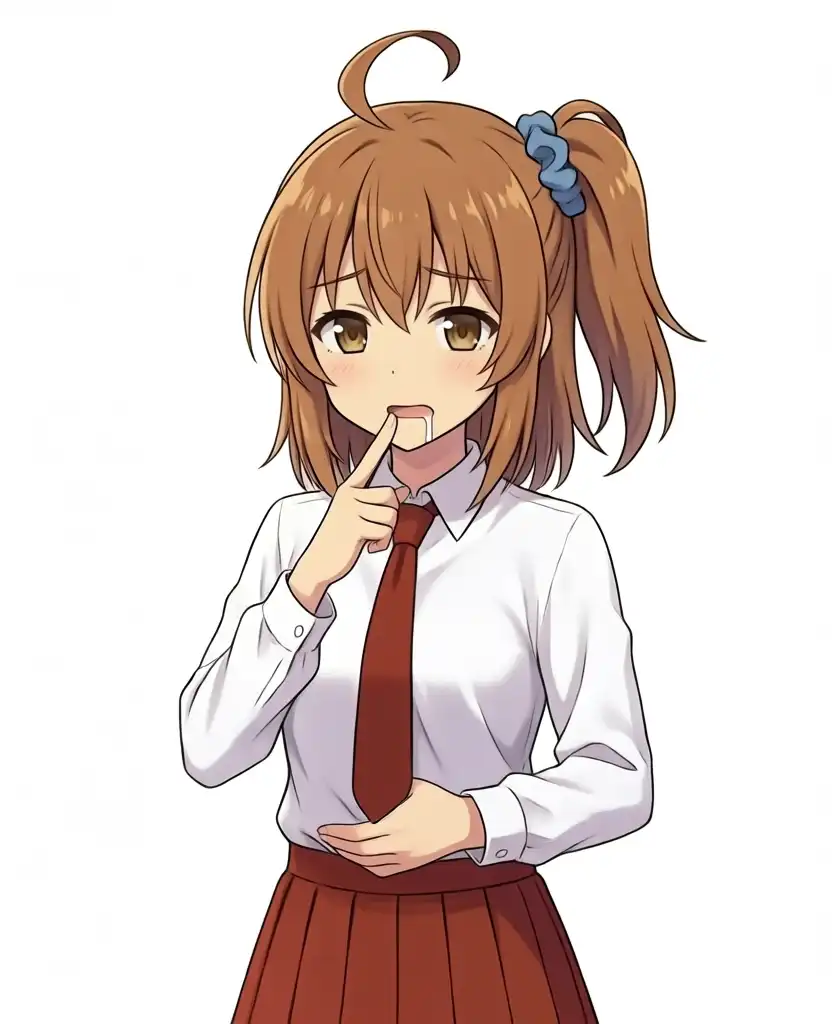
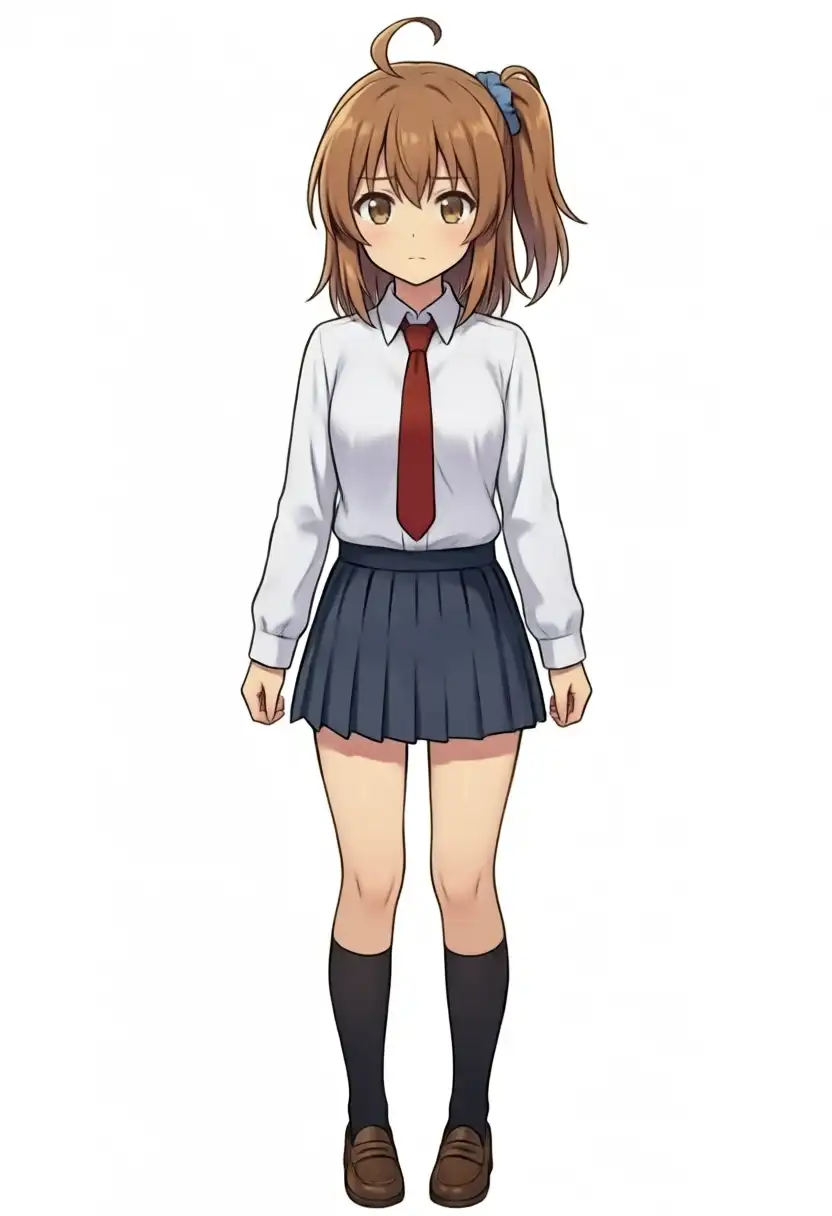
Kana has brown hair in a side ponytail with a blue scrunchie, a single ahoge cowlick, brown eyes, a white shirt, and a red necktie.
Since the reference illustration has a navy skirt, outfit reproduction was verified against the input image.
I2I Testing on Passing Compositions
I tested the compositions that passed the T2I presets by providing this standing illustration as the input image.
The character appearance description in the prompt was replaced with the girl from image 1, keep her face, hairstyle and outfit exactly as in image 1.
All requested compositions passed.
| Composition | Feature Fidelity |
|---|---|
| From above | Matches reference |
| From below | Matches reference |
| From behind | Visible rear features match (side ponytail correctly mirrors to the left of the frame) |
| From side (from subject’s right) | Side ponytail shifts into a standard rear ponytail |
| From side (from subject’s left) | Side ponytail shifts into a standard rear ponytail |
| Wide shot | Matches reference (small character size makes eye color hard to verify) |
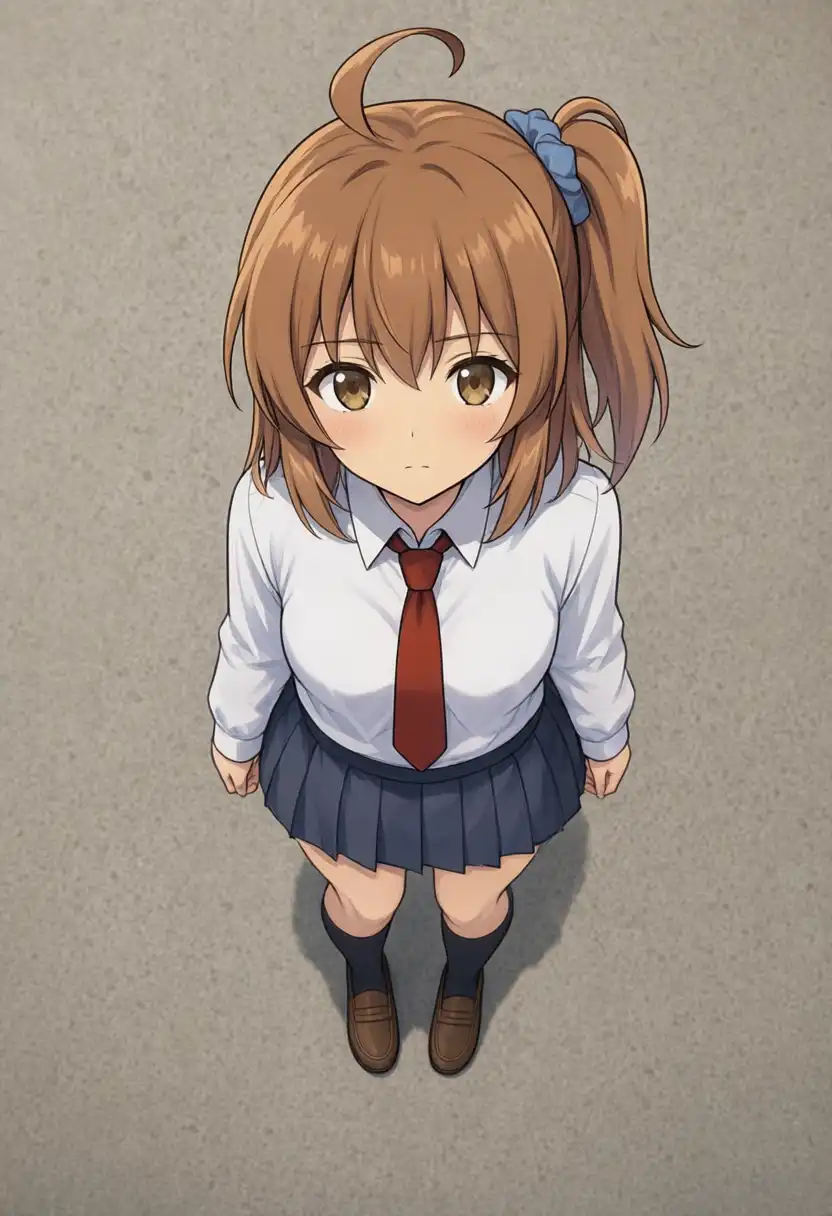
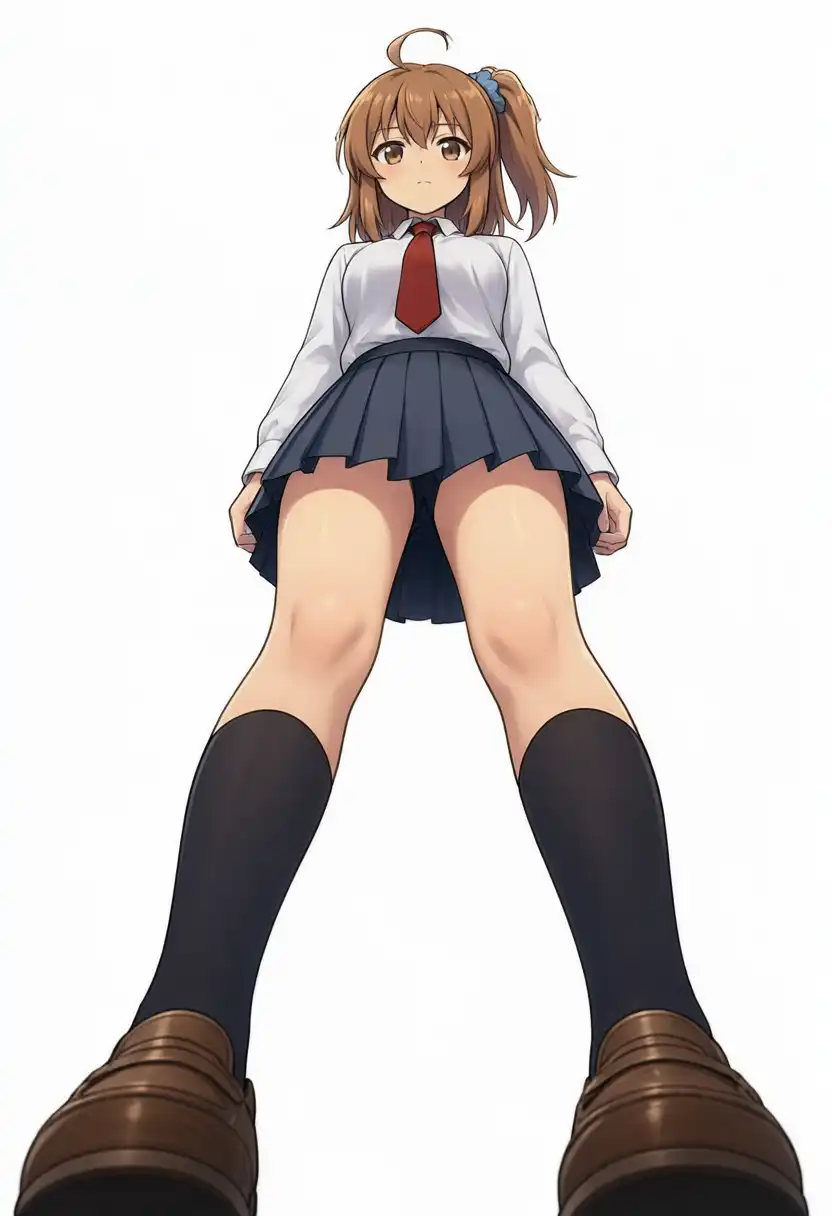
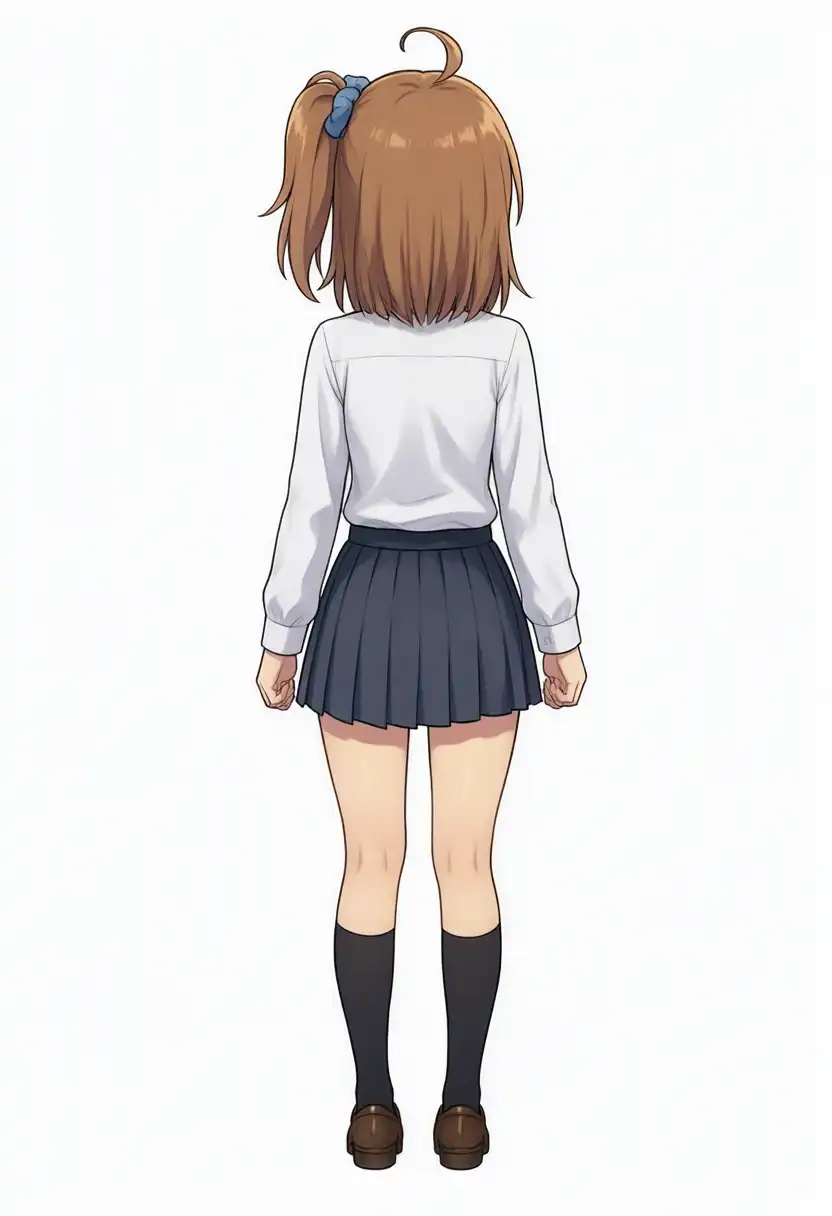
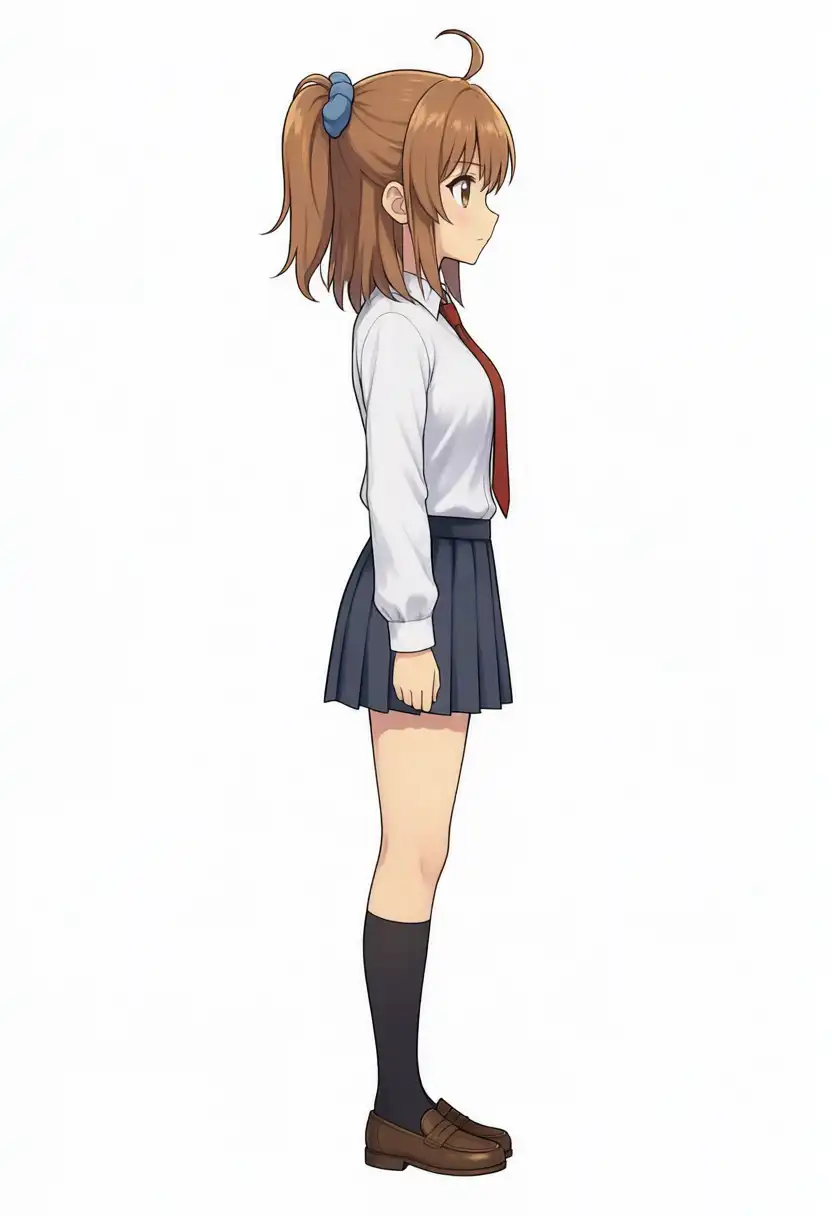
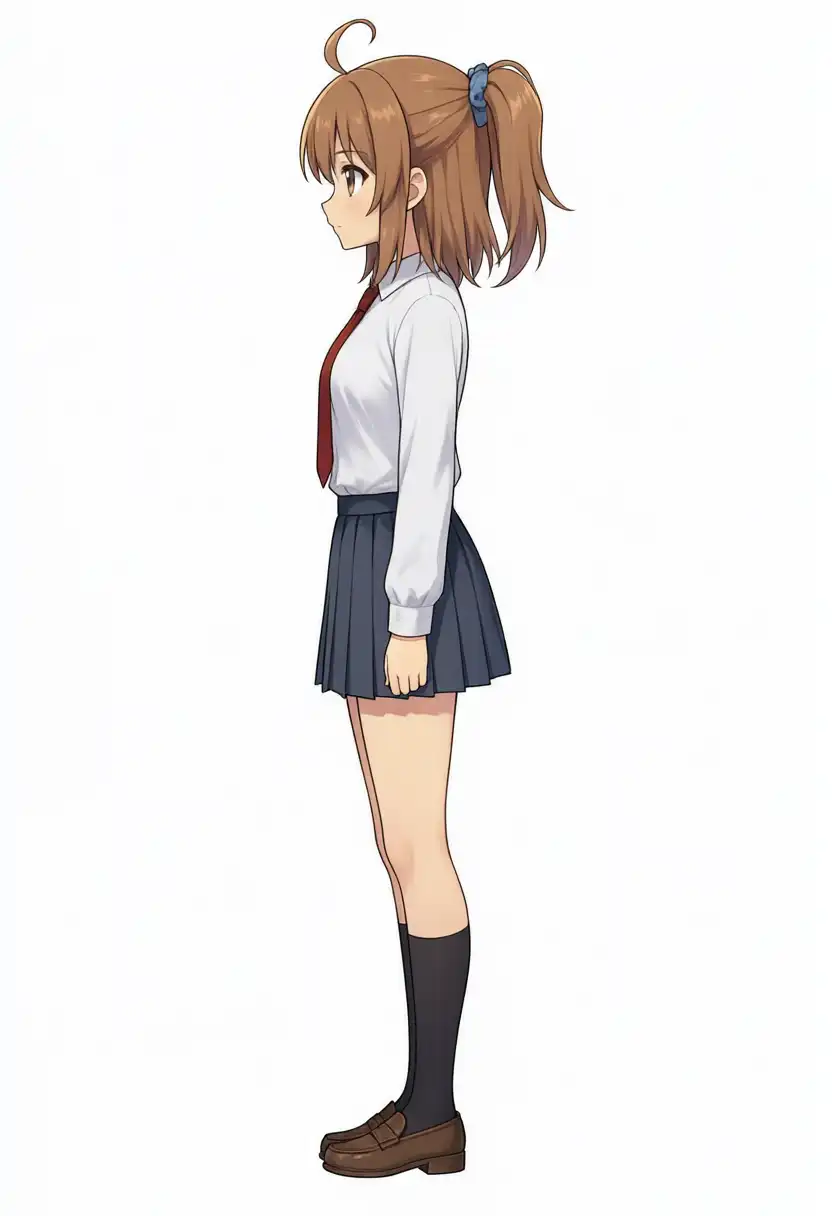
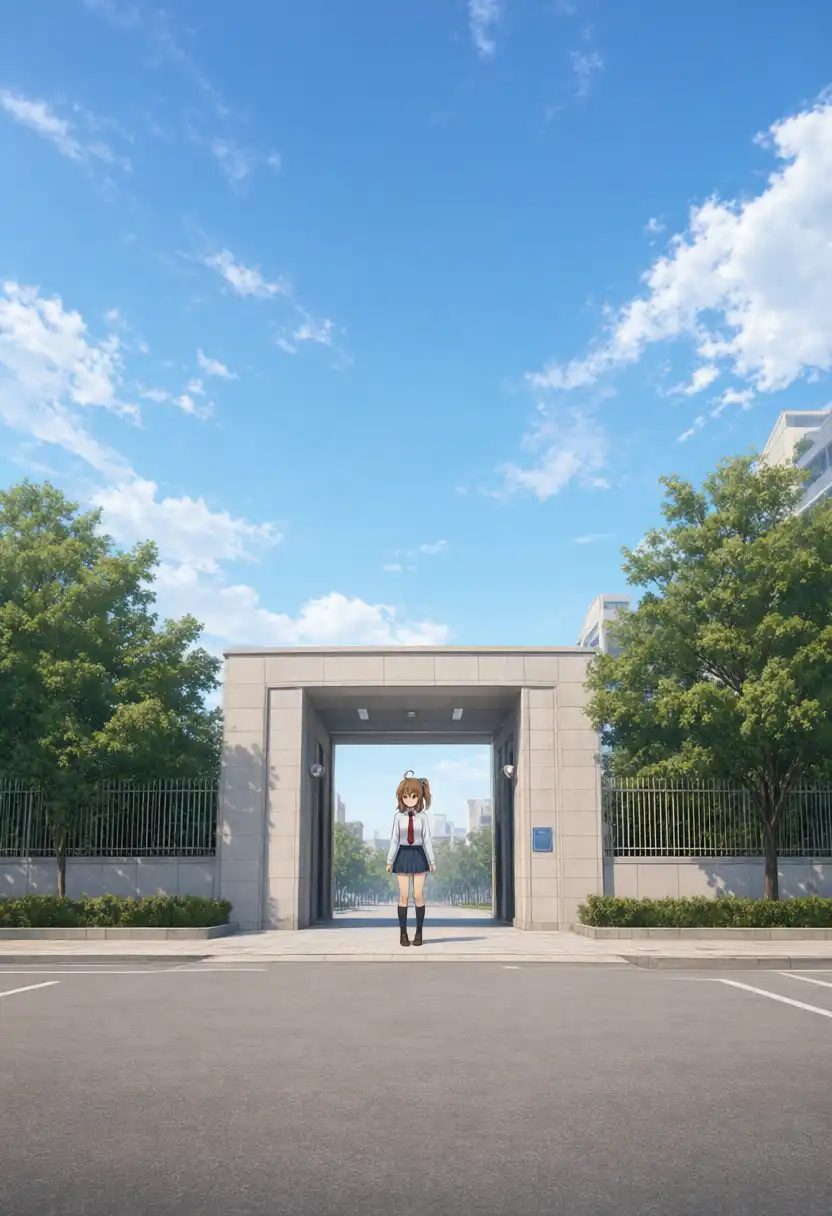
While all 6 compositions passed, the art style and upright posture remained heavily influenced by the input image.
The cel-shaded anime texture carried over directly, and the arms-down posture tended to persist.
Backgrounds remained pure white for the worm’s-eye and rear views, matching the input, whereas the bird’s-eye floor and wide-shot school gate were fully painted in.
The background layout in the wide shot closely mirrored the T2I generation with the same seed, indicating that seed selection drives scene layout.
Generation times took roughly 18–23 seconds, compared to 10–15 seconds for T2I.
In profile shots, side ponytail placement showed a clear bias.
In the front view, the ponytail sits on the right side of the frame (tied on Kana’s left side).
A profile facing right looks at her right side, so the ponytail should be occluded behind her head; instead, the hairband was drawn on the visible rear of her head.
Even when regenerating from the left side (facing left), the scrunchie was still placed at the back of the head.
Head comparison across angles (front input, rear, profile from right, profile from left):
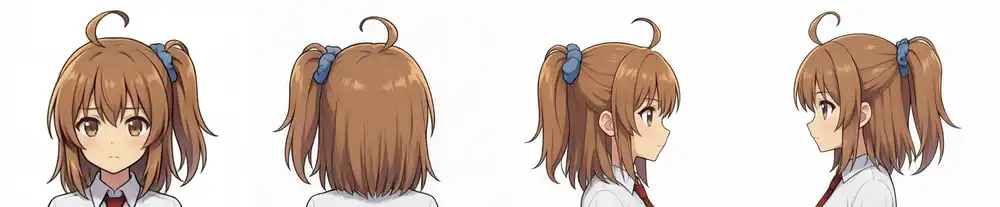
| Angle | Hairband Placement | Appearance |
|---|---|---|
| Front (input) | Upper right on the frame | Side ponytail |
| Rear | Upper left on the frame | Still a side ponytail |
| Profile (from right) | Upper back of head | Standard ponytail |
| Profile (from left) | Upper back of head | Standard ponytail |
Both profile shots placed the hairband at the center back of the head regardless of viewing direction; the model interpreted the side ponytail as a conventional rear ponytail.
Because the rear view successfully kept the side placement, this collapse into a center ponytail only happens at profile angles.
With Qwen-Image-Edit, turning a character fully into profile was almost impossible, so directional control worked substantially better here.
Outfit and Pose Edits
Starting from the single standing reference, I tested changing the outfit alone, the pose alone, and both together.
The second line of the prompt listed features to retain — face, hairstyle, side ponytail, scrunchie, ahoge, eye color, and whichever of outfit or pose was kept — while the third line specified elements to alter.
The outfit change replaced the school uniform with a hoodie, black denim shorts, white socks, and white sneakers.
For the pose change, I requested a mid-air jump to move away from a static stance.
| Edit Target | Prompt Instructions | Result |
|---|---|---|
| Outfit only | Full hoodie outfit | Replaced as requested. Socks slightly long. Face, hair, and pose matched input |
| Pose only | Front-facing mid-air jump: right knee raised, left leg extended downward, right fist held straight up, left arm out | Matched instructions except left leg bent backward. Left/right limbs were not confused |
| Outfit and pose simultaneously | Combined the two prompts above | All checklist items passed. Limb movement was closer to upright, with less dynamic energy |
| Outfit and pose simultaneously | Three-quarter view running left at full speed: right knee lifted high, left leg kicking back | Angle and running motion passed. Legs were not raised high, settling into a standard running form |
| Pose only | Same running prompt as above (keeping school uniform) | Both three-quarter angle and leg extension closely matched instructions |
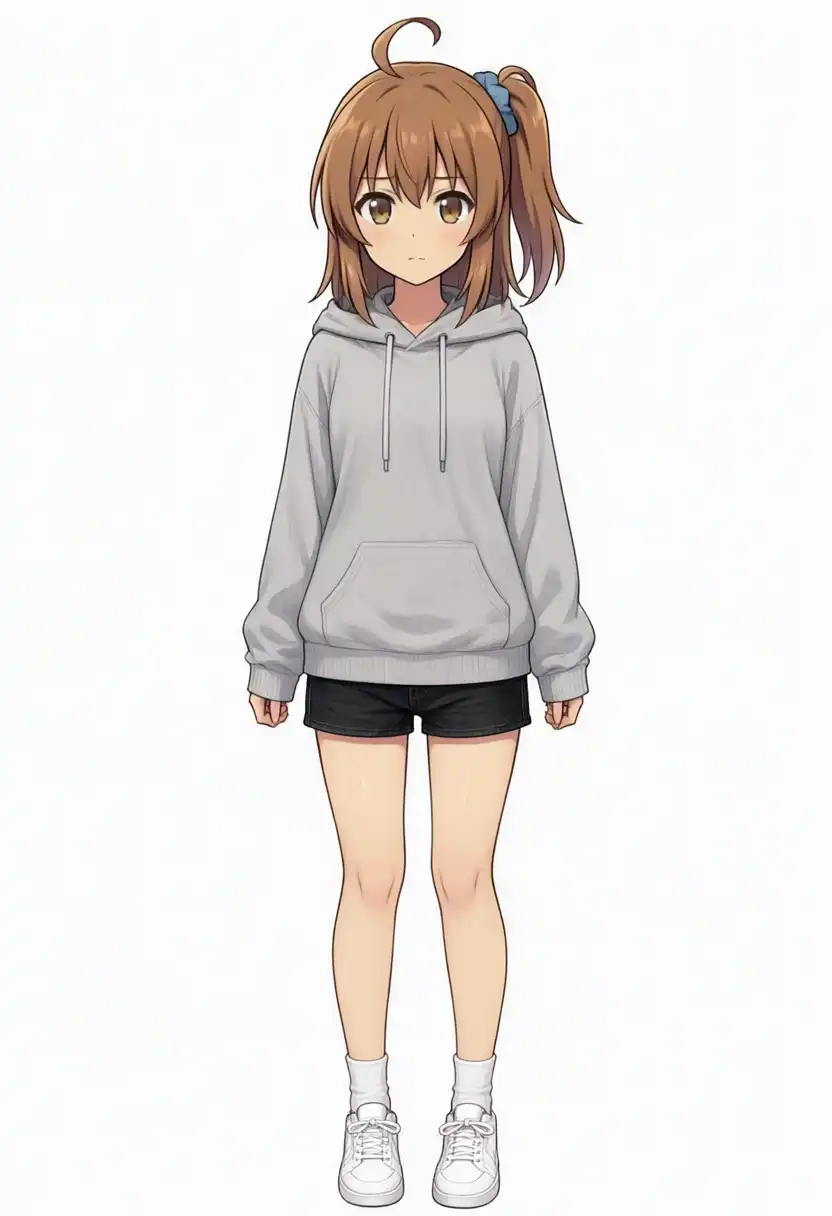
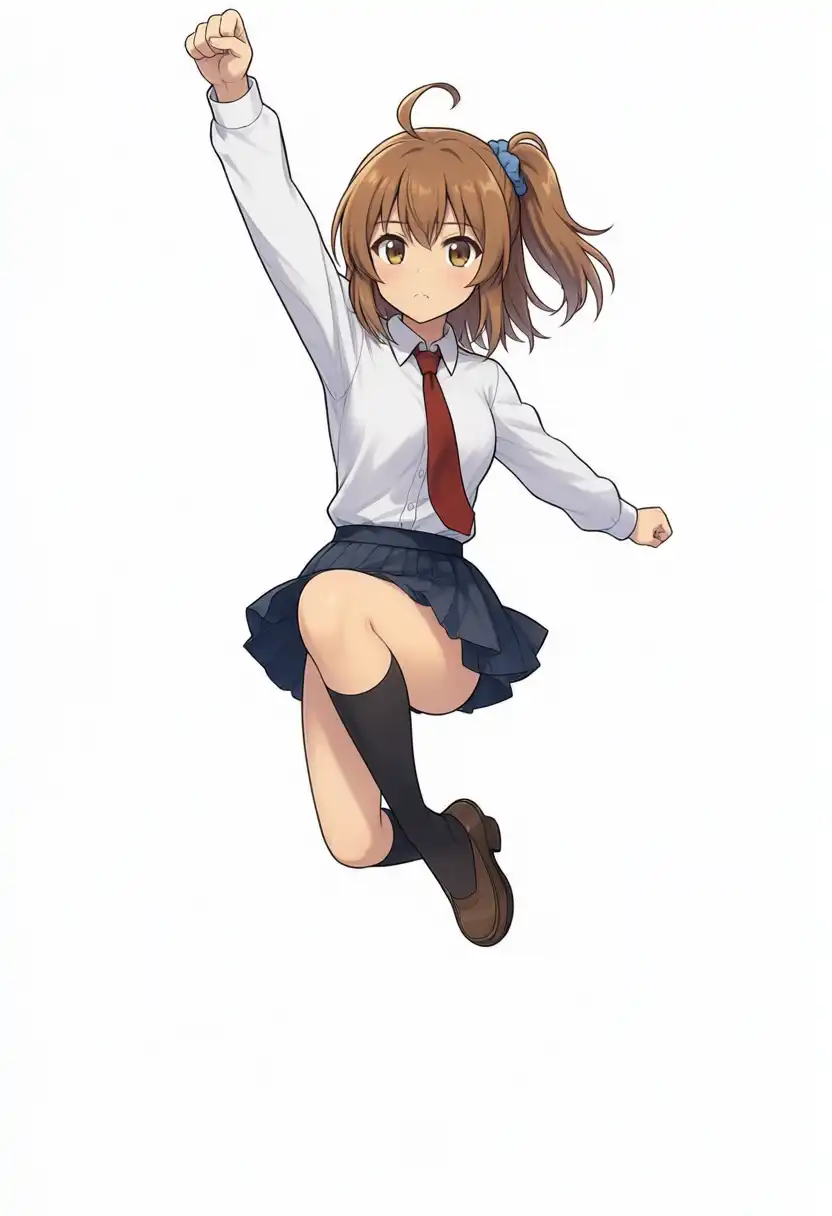
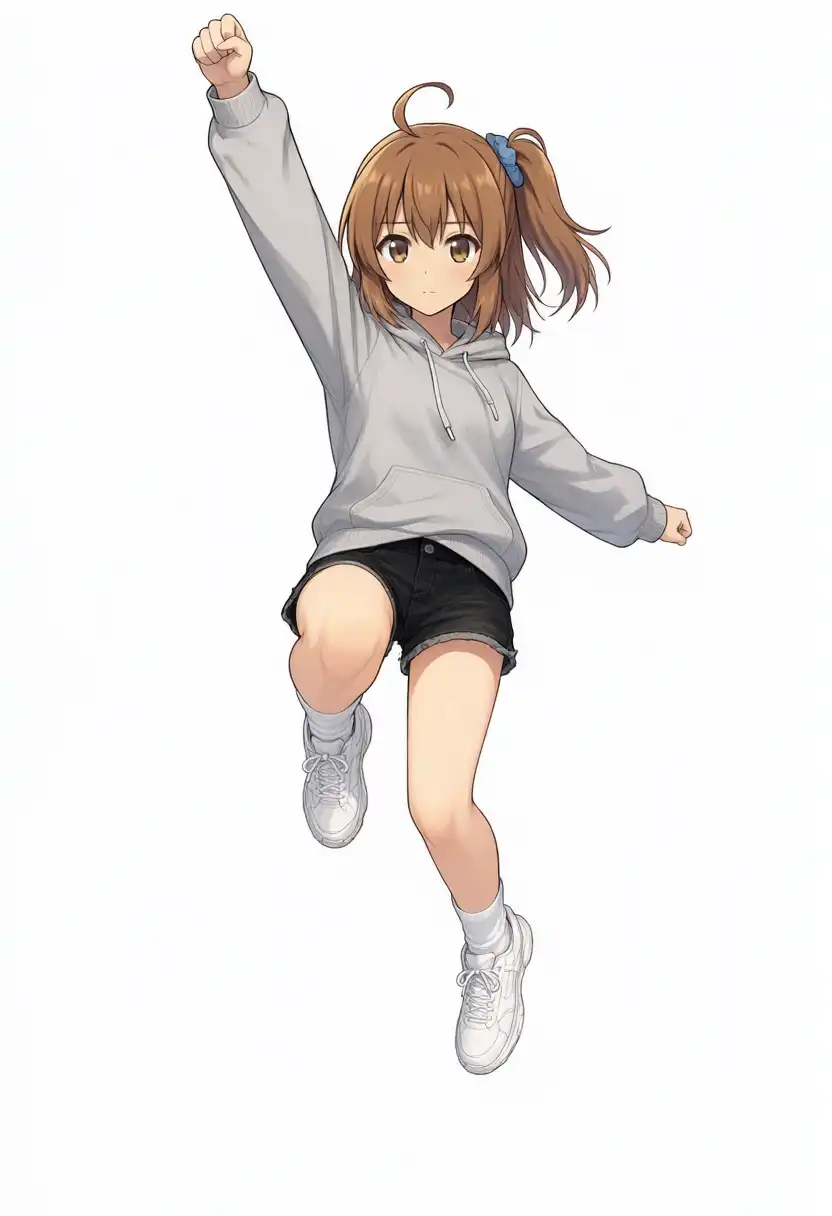
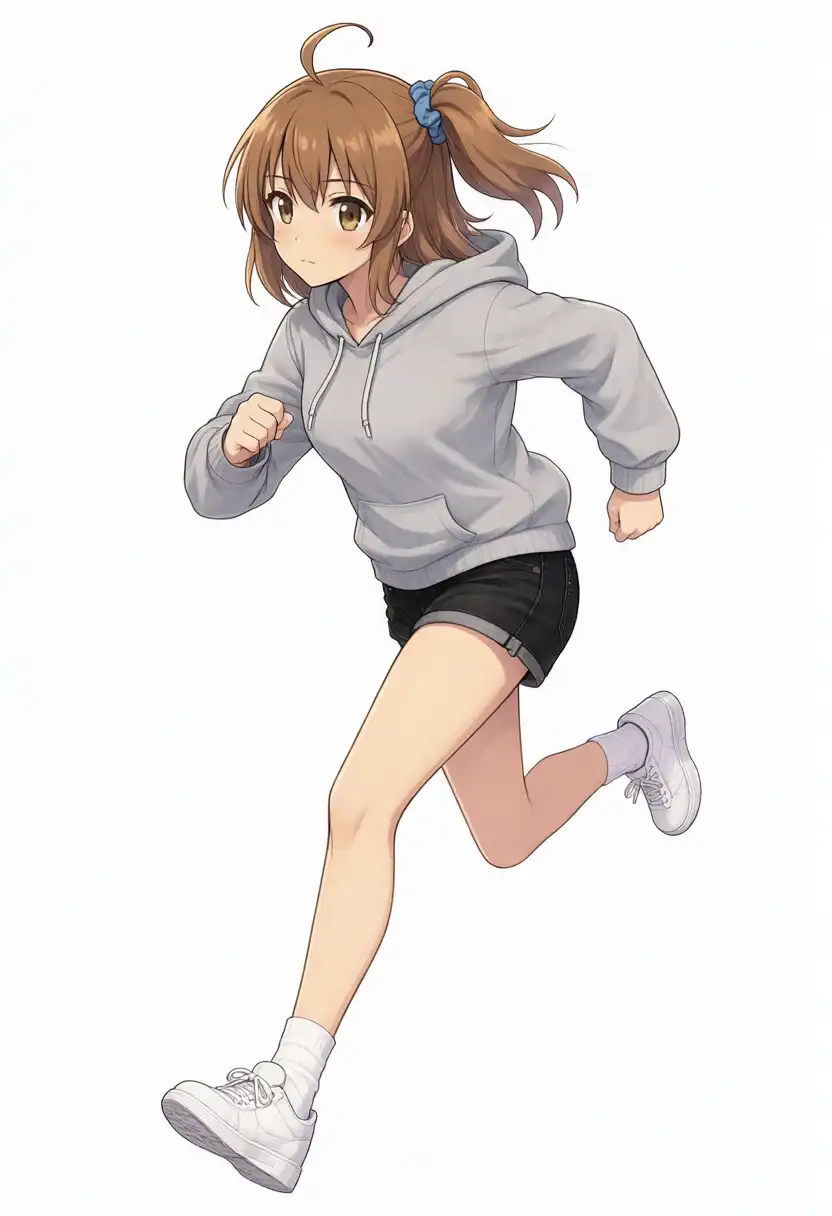
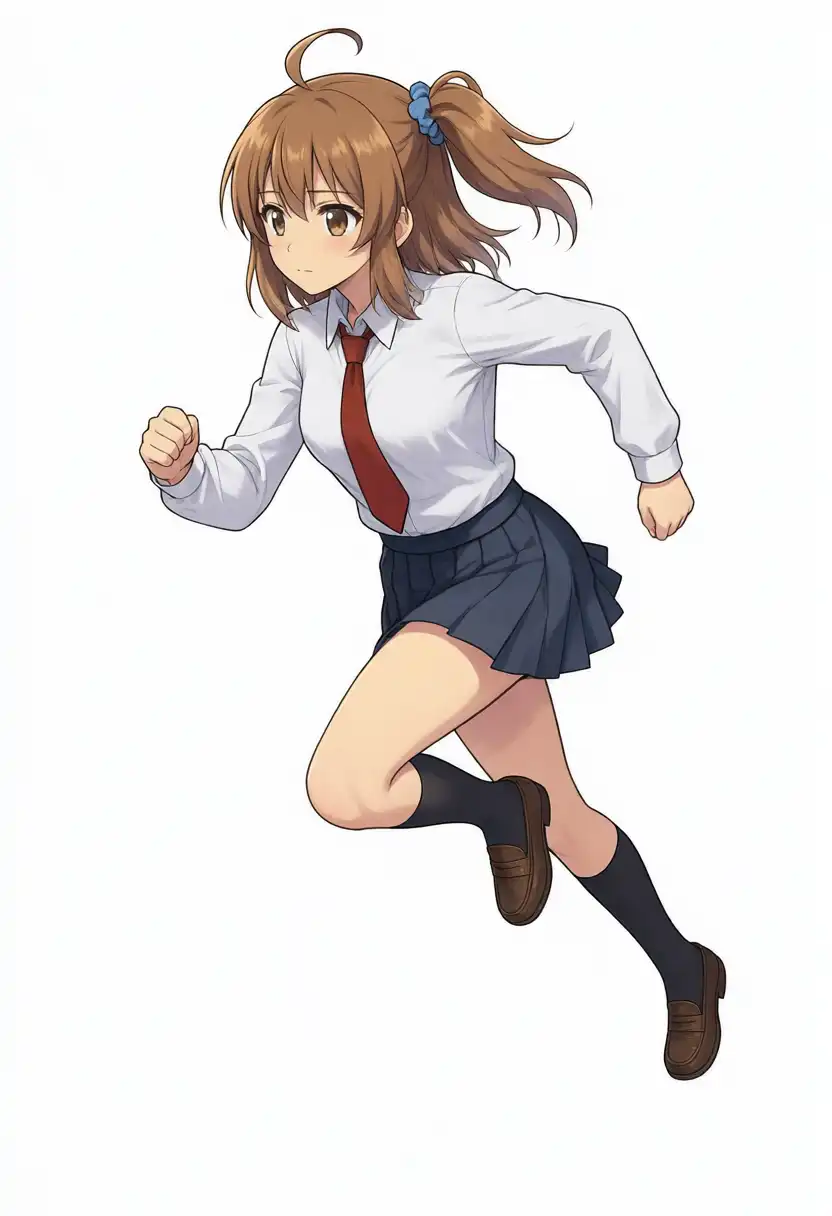
Across all outputs, the face, hairstyle, side ponytail with blue scrunchie, ahoge, and brown eyes remained consistent.
The outfit-only edit kept the exact head from the input and swapped only the body.
When changing outfit and pose at the same time, the jump lost dynamic momentum and the running leg extension became conservative.
Comparing them side-by-side with the pose-only edits makes the difference clear.
In the two three-quarter running shots, the side ponytail shifted toward the back of the head; while leaning toward a standard ponytail, the shift was less pronounced than in the true profiles.
Background Detail and Character Scaling in a Pool Cleaning Scene
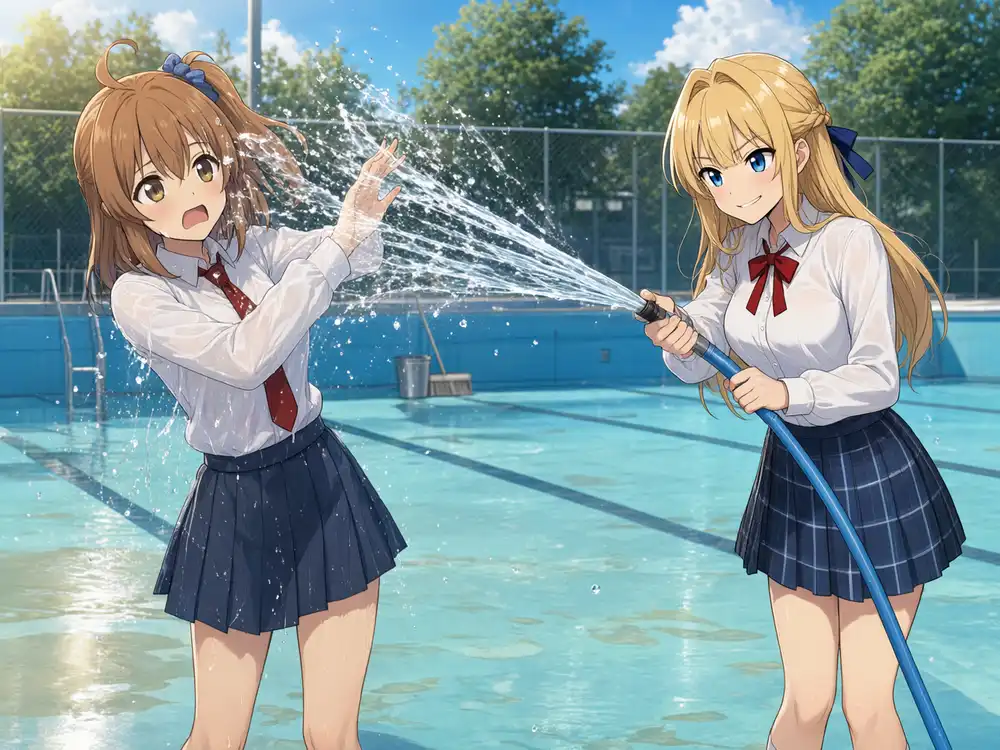
In the Kei and Kana dual-character LoRA post on Anima, close-up shots rendered backgrounds well, but wide shots struggled with hose handling and fine details.
Recreating that pool-cleaning scene with Kana alone allowed testing whether character rendering degrades as background complexity increases.
The scene was reconstructed from the earlier illustration: spraying water from a blue hose in an empty swimming pool, with light-blue lane markers, puddle reflections, buckets, deck brushes, chain-link fencing, trees, blue skies, and sunlight.
Resolution was set to 1344×1008 landscape to match the earlier composition.
When I ran the prompt without specifying a pose, the output defaulted to a stiff upright standing stance holding the hose.
Omitting pose instructions preserved the input standing pose, matching the behavior seen during composition testing.
I then added explicit pose instructions — stepping forward at a three-quarter angle, gripping the hose with both hands pointed up and left, laughing with mouth open — and tested varying distances.
| Composition Prompt | Character Height (% of Image Height) | Pose | Character Detail |
|---|---|---|---|
| Head to knees, no pose specified | Cut off at shins near bottom edge | Stiff standing | Intact |
| Head to knees, explicit pose specified | ~95% (full body visible) | Follows prompt | Intact |
| Full body at ~1/3 of image height | ~79% | Follows prompt | Intact |
| Composition preset wide shot format (10–30%) | ~60% | Mostly follows prompt, smiling with eyes shut | Intact |
| Distant small figure, pose simplified to spraying water | ~15% | Close to input standing pose | Clothing and hair intact, facial features degraded |
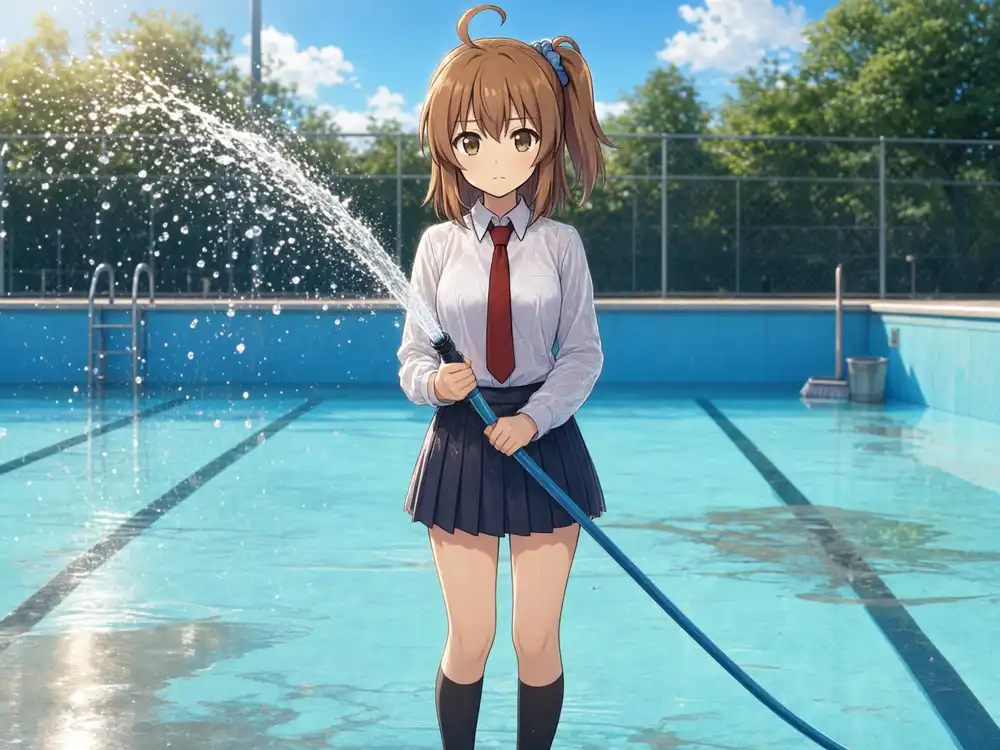
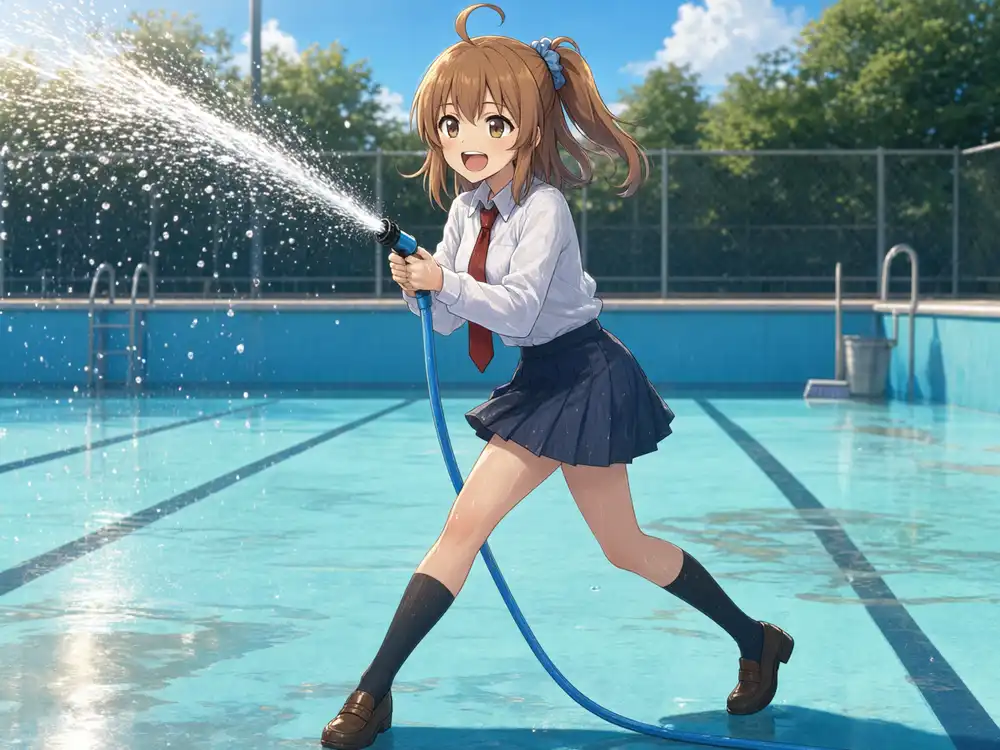
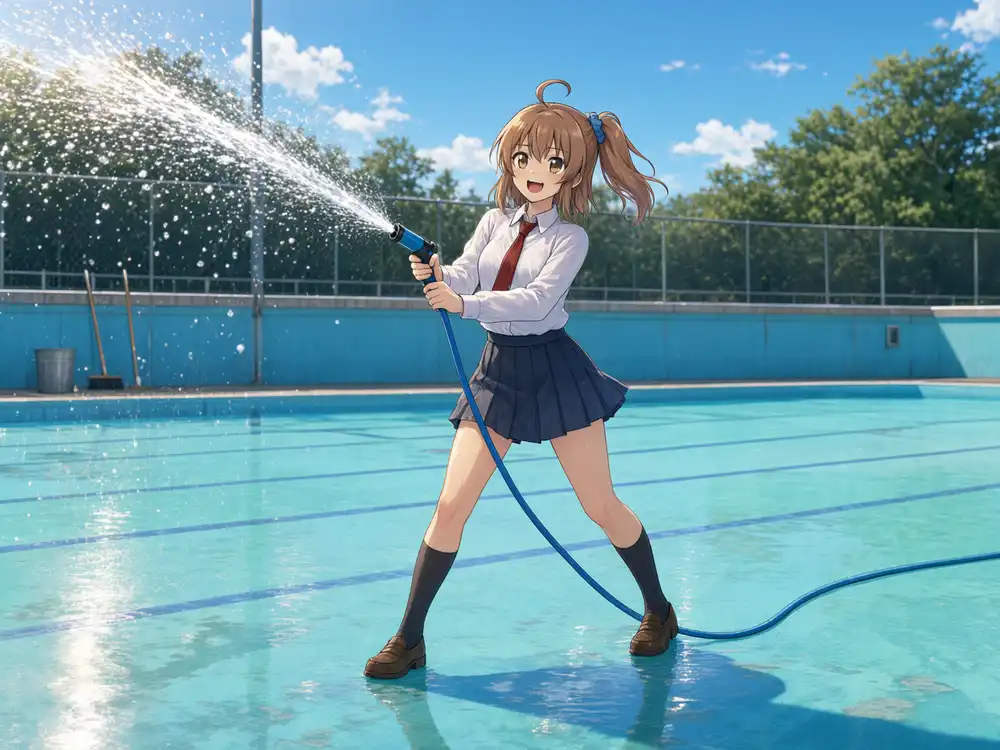
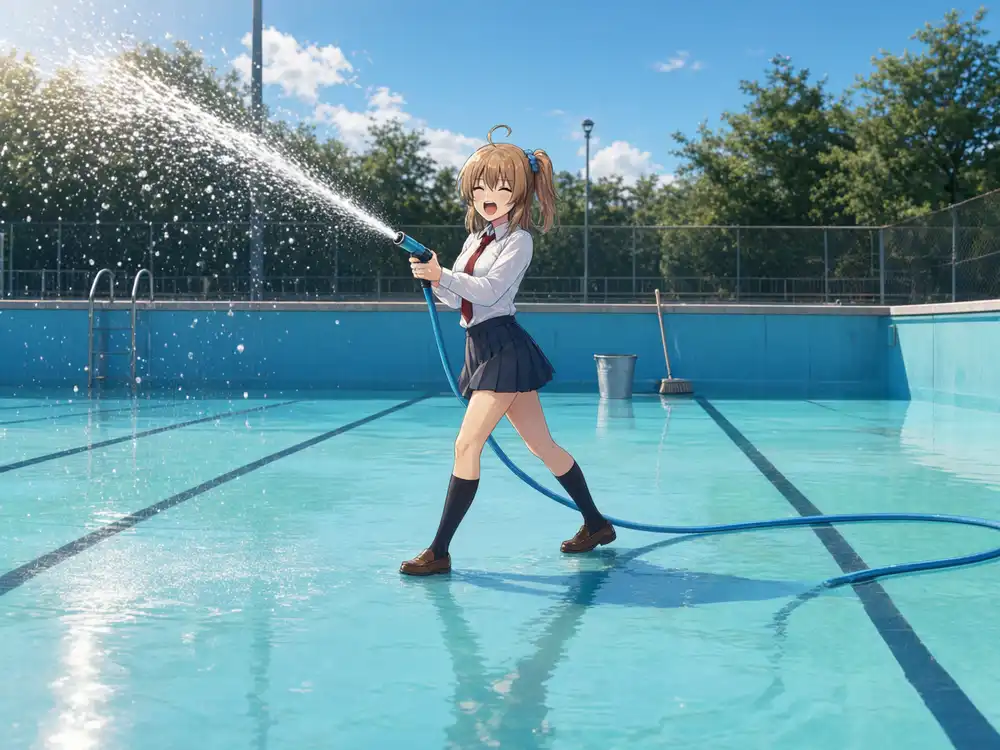
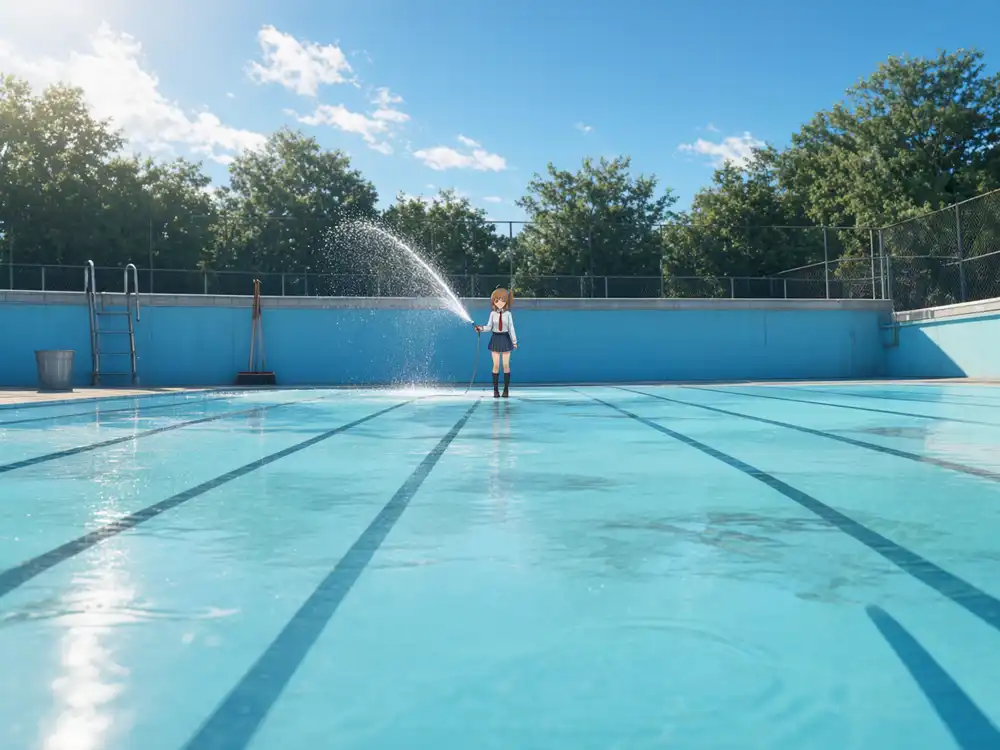
Specifying detailed poses prevented the character from scaling down.
Even with an explicit instruction for “full body at roughly 1/3 of image height”, the character occupied ~79% of the height.
Body proportions remained at ~5.3 heads (matching the reference), but the frame coverage was much larger than requested.
Because the wide-shot preset in T2I reached ~14% at the same seed, longer pose descriptions appear to suppress distance instructions.
Simplifying the pose to just “spraying water” brought the height down to ~15%, but the character reverted to the upright input stance.
Placing a small figure in a wide shot while detailing their pose did not work together under this prompt wording.
Even at ~15% height, the background held together.
Perspective lines on the pool floor, water reflections, and the hose connection from nozzle to floor rendered naturally.
Magnifying the character 5× shows that the clothing, necktie, shoes, ahoge, and side ponytail with scrunchie retained their shapes, but the eye shapes and colors became uneven between left and right.
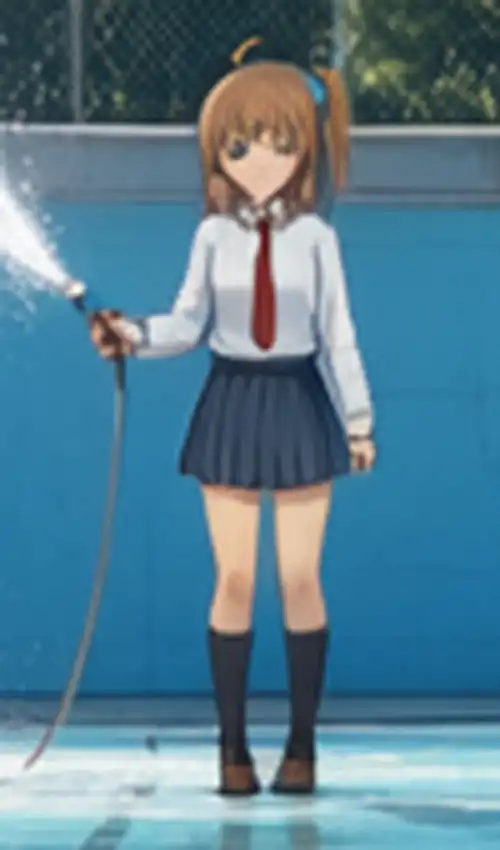
Where Anima lost background fidelity in wide shots, 2.1 preserved the background while facial features degraded.
At roughly 25 pixels in head height, however, resolving facial features at this scale is challenging for any diffusion model.
Multi-Character Disambiguation from Multiple Image References
Generating multiple characters often leads to broken poses and feature bleeding across subjects.
To test this, I added standing reference illustrations for Kei, Koharu, and Kurara.
All four are front-facing standing illustrations against white backgrounds wearing school uniforms; from left to right: Kurara, Kei, Kana, Koharu.
The character designs assigned in the earlier 4-member band test correspond to these four.
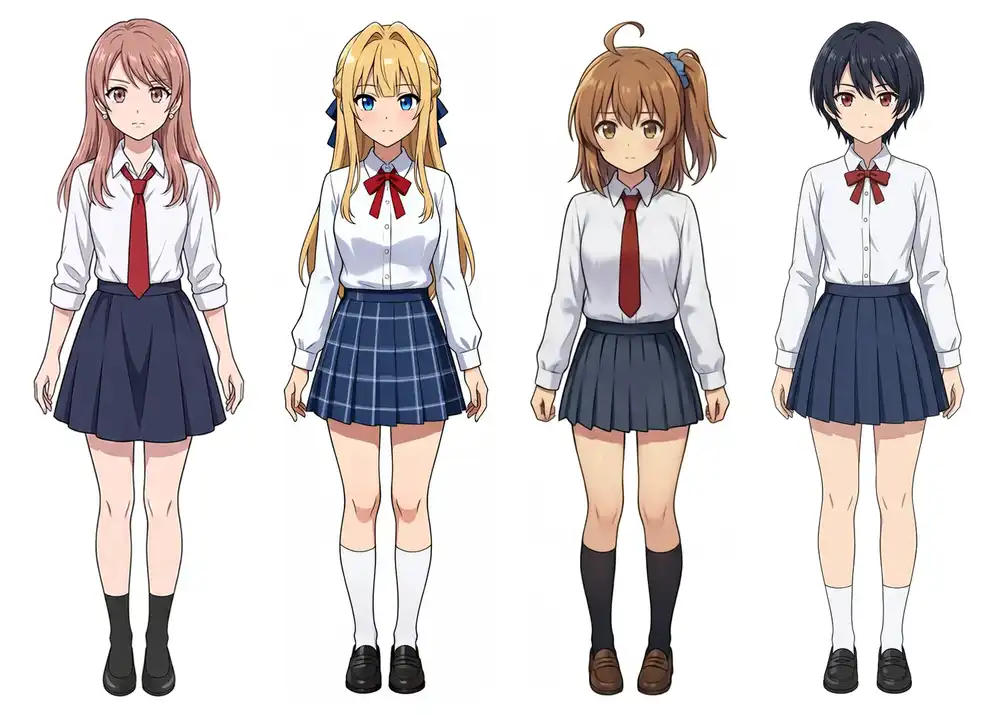
In the prompts, distinguishing features were detailed character by character, with explicit instructions to maintain each reference’s face, hair, eye color, and outfit without cross-character contamination.
Multiple reference images were supplied simultaneously through the multi-file selector.
| Reference Count | Characters | Scene | Result |
|---|---|---|---|
| 1 image | Kurara | Gyaru pose (horizontal peace sign, wink, tongue out, hand on hip) | Appears as Kurara. Pose matches instructions |
| 2 images | Kana, Kei | Pool cleaning: Kei sprays water on Kana | Both appear without feature bleed. Actions match prompt. Faces shift slightly from references |
| 2 images | Kurara, Kana | Simple side-by-side lineup | Both appear without feature bleed. Left/right placement flipped |
| 3 images | Kurara, Kei, Kana | Simple side-by-side lineup | Kurara’s head omitted; head/outfit pairings shift by one position |
| 3 images | Kei, Kana, Koharu | Simple side-by-side lineup | Kana’s side ponytail, scrunchie, and ahoge bleed onto both Kei and Koharu |
| 4 images | 4 characters | 4-member band (seed 42) | Two Keis appear. Kurara missing; Kana and Koharu positions shifted |
| 4 images | 4 characters | 4-member band (seed 1234) | Two Kanas appear (rightmost character has Kana’s head with another’s clothes). Kurara missing |
| 4 images | 4 characters | Simple side-by-side lineup | Kurara missing, replaced by an unfamiliar character |
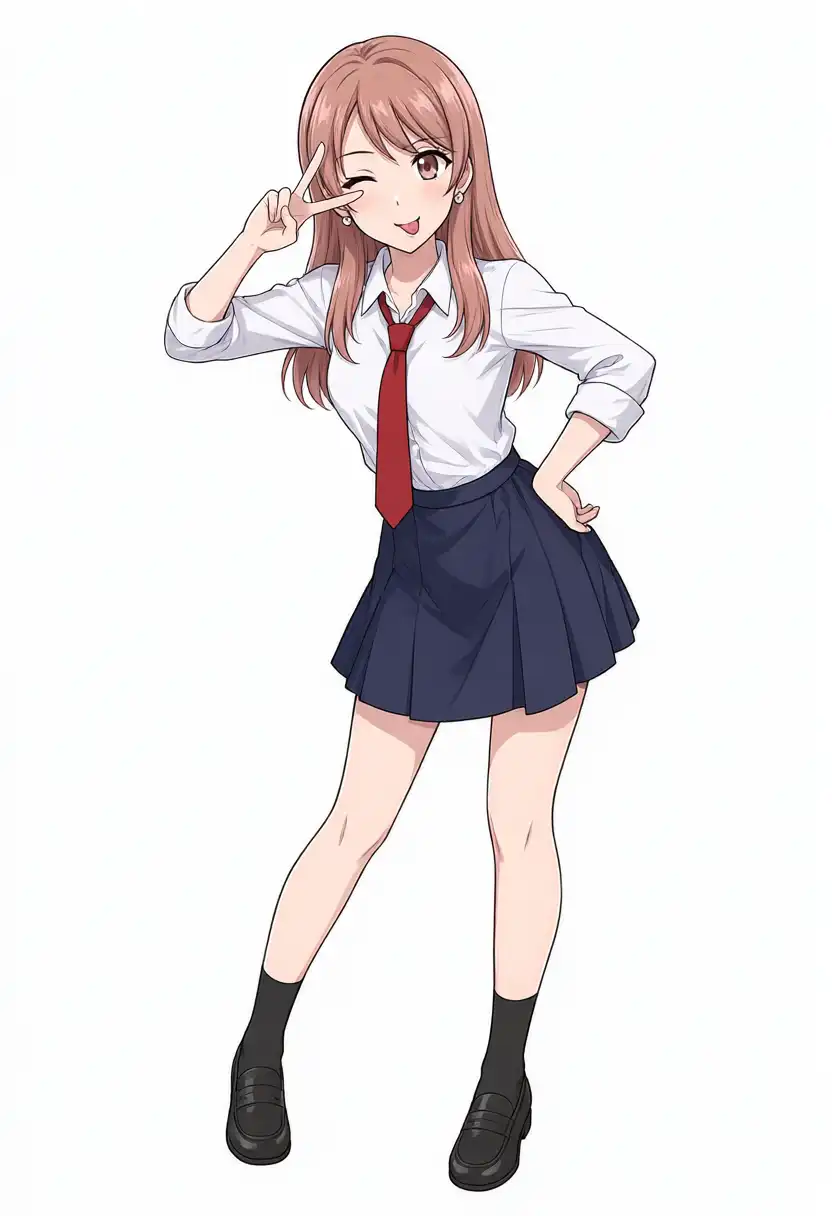
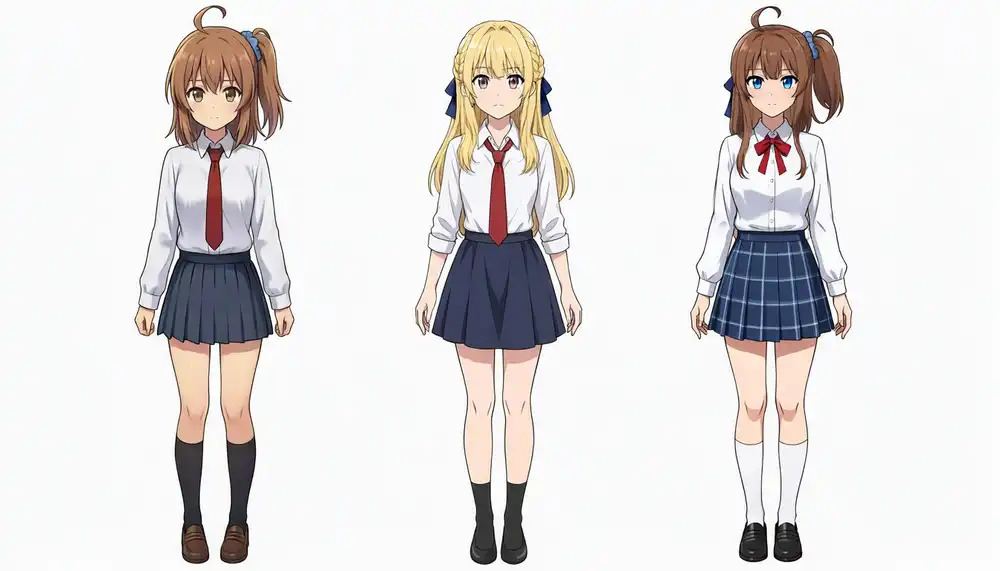
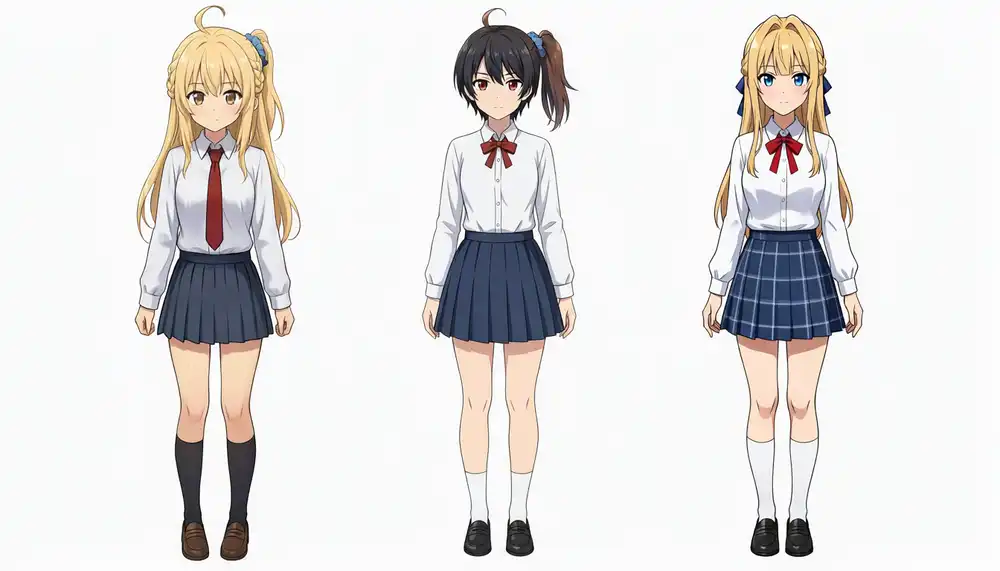
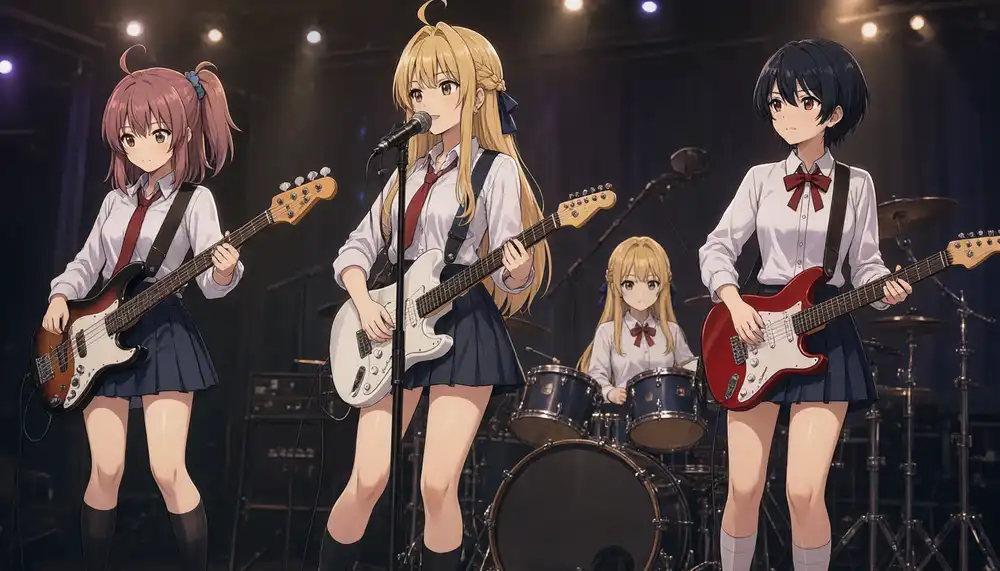
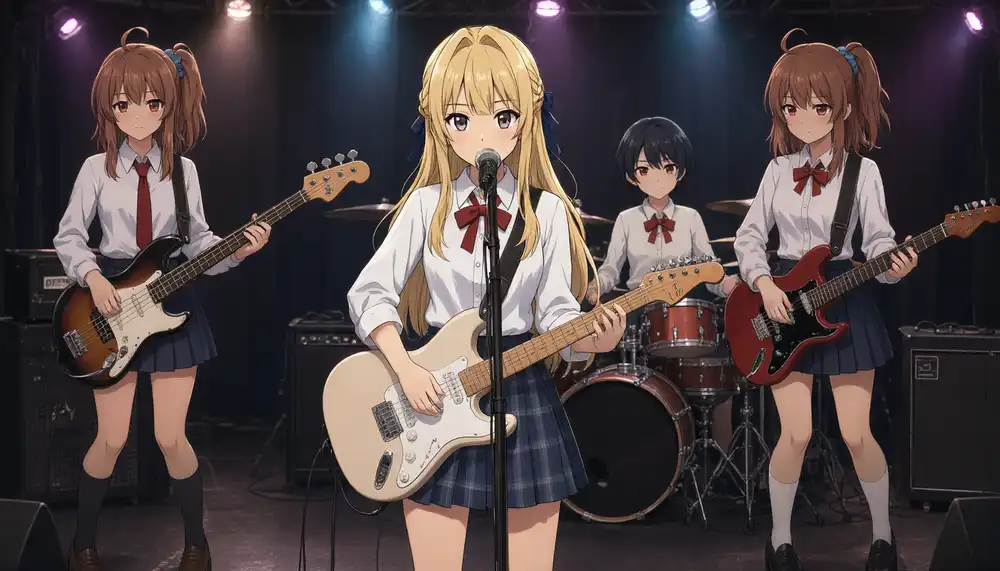
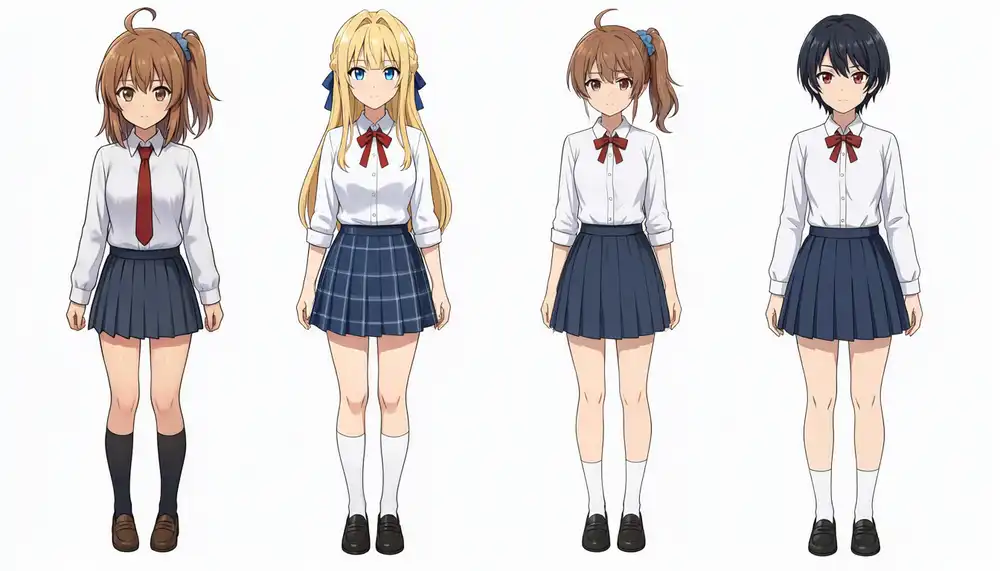
Up to 2 reference images separated cleanly; degradation began at 3 images.
In the two-person water spray test, Kei laughing while directing the hose and Kana recoiling with defensive hand gestures followed the prompt accurately. Necktie vs ribbon tie and plain vs plaid skirts remained unswapped.
Facial features drifted slightly from the references, with Kei appearing somewhat more mature.
In the 4-member band setup, instrument roles (bass, lead vocal/white guitar, red guitar, back-row drums) and stage positions appeared in both runs.
Character-to-role assignment degraded instead: while text-only generation without reference images paired positions and instruments cleanly, supplying 4 image references scrambled who stood where.
Due to the dark stage lighting, hair and eye colors were hard to verify directly, so identification relied on hair structures (side ponytail vs braids) and collars (necktie vs ribbon).
Kurara generated accurately with a single reference, and separated cleanly in the 2-character pairing with Kana.
At 3 or more references, her head was omitted and outfit details like rolled sleeves and red neckties bled onto other characters.
Even in the 3-reference test without Kurara (Kei, Kana, Koharu), Kana’s side ponytail and ahoge bled onto the other two girls. Feeding 3 or more references consistently triggered feature confusion.
Kana consistently appeared on the far left across all outputs with 2 or more reference images.
Because Kana’s reference file was an uncompressed high-resolution PNG with prominent silhouette markers, difference in image quality or feature salience may have influenced reference prioritization.
Related articles
My other Qwen-Image 2.1 posts.
- Qwen-Image 2.1 Local on M1 Max vs Anima: 10 min/Image, Faces Kept in i2i: Running the released weights on an M1 Max 64GB, with the same overhead prompt as Studio and the same prompts as Anima, WAI-Anima, and WAI-Illustrious
- Qwen-Image 2.1 on M1 Max: TaylorSeer Cache Cut 10 min/Image to 3.5 min: The TaylorSeer cache in Diffusers cut about 10 minutes per image on M1 Max to about 3.5
- Qwen-Image 2.1 Edits: One Argument Cut Position Drift to About 0.1px: Measuring whether partial edits such as expression changes hold their position, plus a one-character outfit change and a transparent background