Krea 2 tested on M1 Max ComfyUI: working Turbo settings, Raw fails at 52 steps, and how far NSFW goes
 Contents
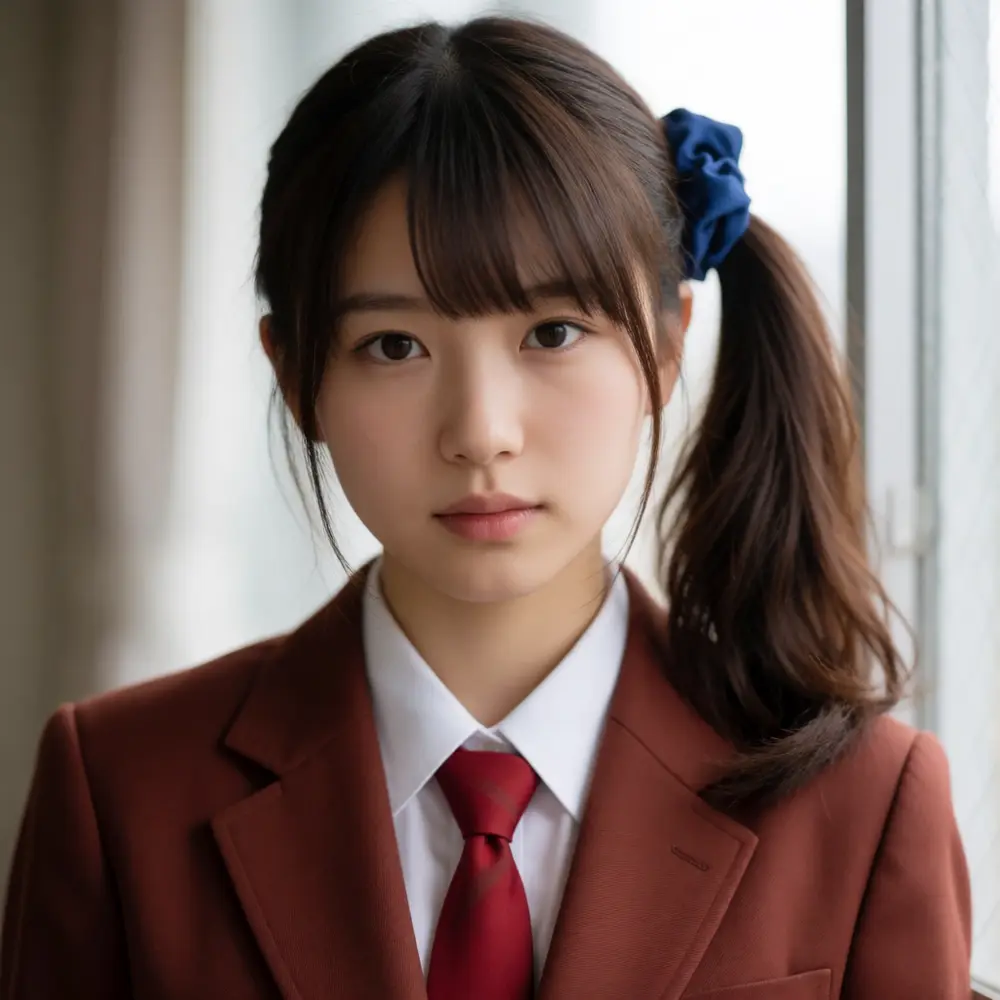
Krea 2 dropped on June 22, 2026. It’s a 12B Diffusion Transformer trained from scratch by Krea AI, an independent lab. Both Raw and Turbo shipped as open weights, and ComfyUI core added support.
The official repo assumes CUDA and says nothing about Mac. The only machine I can run it on locally is an M1 Max, so that’s what I test it on. The goal is to draw the line: does it barely run, or is it hopeless?
The part I’m most curious about is Raw. Krea themselves say “train on Raw, run on Turbo” — it’s an undistilled base model, and inference is recommended at 52 steps + CFG. Compared to distilled Turbo’s 8 steps, how close to a usable time does it land on a Mac (or not)? That’s the core of this post.
What Krea 2 is
Krea 2 is an image generation model Krea AI trained from scratch. They claim the #1 spot among independent labs on Artificial Analysis’s text-to-image leaderboard. It ships as two models with clearly split roles.
| Component | Details |
|---|---|
| Backbone | 12B Diffusion Transformer (single-stream DiT) |
| Text encoder | Qwen3-VL-4B |
| VAE | Qwen Image VAE |
| Variants | Raw (undistilled base) / Turbo (8-step distilled) |
| Steps | Raw 52 steps + CFG 3.5, Turbo 8 steps + no CFG |
| Resolution | Raw ~1k, Turbo 1k–2k |
Raw and Turbo are designed to work as a pair. The official recommendation is to train a LoRA on Raw and apply it on Turbo — “TRAIN on Raw, RUN on Turbo.” So Raw isn’t for generation; being undistilled and malleable, it’s positioned as a base for training and post-training.
In Comfy-Org’s repackaged release, the diffusion backbone comes in bf16 (26.28GB) and fp8 scaled (13.14GB); Turbo adds mxfp8 (13.53GB) and nvfp4 (7.67GB). The text encoder is Qwen3-VL-4B in bf16 (8.88GB) and fp8 scaled (5.24GB); the VAE is Qwen Image VAE (0.25GB). 13 style LoRAs are bundled too. nvfp4 needs NVIDIA Blackwell, so it’s off the table on Mac.
Test environment
| Item | Details |
|---|---|
| Machine | MacBook Pro M1 Max 64GB |
| OS | macOS 26.5 |
| Python | 3.12.12 |
| PyTorch | 2.10.0 (MPS) |
| ComfyUI | master tip (past the Krea2 support commit #14589) |
| Diffusion backbone | krea2_raw_bf16 / krea2_turbo_bf16 (26.28GB each) |
| TE / VAE | Qwen3-VL-4B fp8 scaled (5.24GB) / Qwen Image VAE (0.25GB) |
| Common settings | 1024×1024 / fixed prompt and fixed seed |
Test plan
I’m following the same framework as past local-model tests (Boogu-Image, Z-Anime): change one or two variables at a time and knock them down in order.
- Does it load and start? Load the bf16 diffusion backbone in ComfyUI and check whether the new architecture loads on MPS. Krea 2 shares the TE (Qwen3-VL-4B) and VAE (Qwen Image VAE) with Boogu, so I check up front whether it steps on the old landmines (fp8 diffusion unsupported on MPS, a ComfyUI update silently flipping the inference dtype to BF16 and making it crawl).
- fp8 diffusion is expected to be rejected on MPS. Like Boogu and Qwen, fp8 diffusion shouldn’t run on MPS. bf16 will likely be the only option, and I confirm that by actually hitting it. The fp8 TE should pass.
- Speed. Measure cold (first load included) and warm (subsequent) separately. Compare Turbo bf16 (8 steps / no CFG) and Raw bf16 (52 steps / CFG 3.5) at the same 1024px. With CFG, Raw effectively doubles the forward passes, so the gap is exactly the “cost of undistilled.”
- Resident memory. How much of the 64GB the bf16 backbone + fp8 TE fills, and whether it finishes without OOM.
- Output quality. With a fixed prompt, check how realism, anime, text, and style come out. LoRAs don’t apply, so I describe the character traits in natural language only.
I’ll append results below as they come in.
Results
1. Load check
It loaded. Once ComfyUI core is updated past #14589, comfy/ldm/krea2/model.py shows up and krea2 is added to the CLIPLoader types. The graph is the same layout as Boogu: the diffusion backbone in UNETLoader, CLIPLoader set to type=krea2 for Qwen3-VL-4B, and Qwen Image VAE in VAELoader. t2i uses the standard CLIPTextEncode, and the empty latent goes through EmptySD3LatentImage (16-ch Wan21 latent). The shift of 1.15 is baked into the model config, so it runs without inserting a ModelSampling node.
One launch flag to watch: the Qwen Image VAE outputs black images on MPS at the default bf16 (same as the March Qwen Image Edit case). Launching with --fp16-vae gave a normal image.
2. fp8 diffusion
The text encoder’s fp8 works. This run uses qwen3vl_4b_fp8_scaled (5.2GB) for the TE, and both CLIPTextEncode and KSampler ran fine. fp8 staying on MPS is the same as Boogu.
The diffusion backbone’s fp8 (krea2_turbo_fp8_scaled, 13GB), on the other hand, is rejected. The model loads, but KSampler dies like this.
TypeError: Trying to convert Float8_e4m3fn to the MPS backend
but it does not have support for that dtype.
MPS can’t hold float8 tensors at all. fp8 scaled is quantization that assumes CUDA fp8 ops, and it doesn’t load on Apple Silicon. Same root cause as the March Qwen and June Boogu cases — on Mac, the only diffusion backbone you can use is the bf16 one (26GB). You have to give up the lighter 13GB version.
3. Speed (Turbo)
Measured numbers for Turbo bf16 (8 steps / no CFG / 1024px).
| Condition | Time |
|---|---|
| cold (first load of ~26GB included, download running) | 278.8 s |
| warm (8 steps / 1024px) | ~212 s (~25 s/step) |
Three and a half minutes per image, warm. That’s the time for an 8-step distilled model, so the per-step cost is heavy. Boogu’s 10B was about 17 s/step, while Krea 2’s 12B is about 25 s/step. The per-step cost is heavier than the parameter gap alone — I think the attention cost of running the whole sequence at once in a single stream is showing. Running a distilled model this slowly on a Mac, the next section covers what happens with the undistilled Raw.
4. Memory
During the warm run, the bf16 backbone (26GB) plus the fp8 TE (5.2GB) brought free RAM down to 33GB of 64GB. Resident was about 31GB, landing almost the same as Boogu (about 31GB). The RAM pressure cache kicked in and it finished without OOM. On 64GB, bf16 diffusion + fp8 TE loads with room to spare.
5. Output quality (Turbo)
LoRAs don’t apply, so I described only the character traits in natural language and checked how realism, anime, text, and style come out.
Realism
Pile on quality words like professional photography, 85mm f1.4, soft window light and you get a clean, pro-shot-style person. Natural skin that isn’t over-idealized, with bokeh and shadows that don’t fall apart.
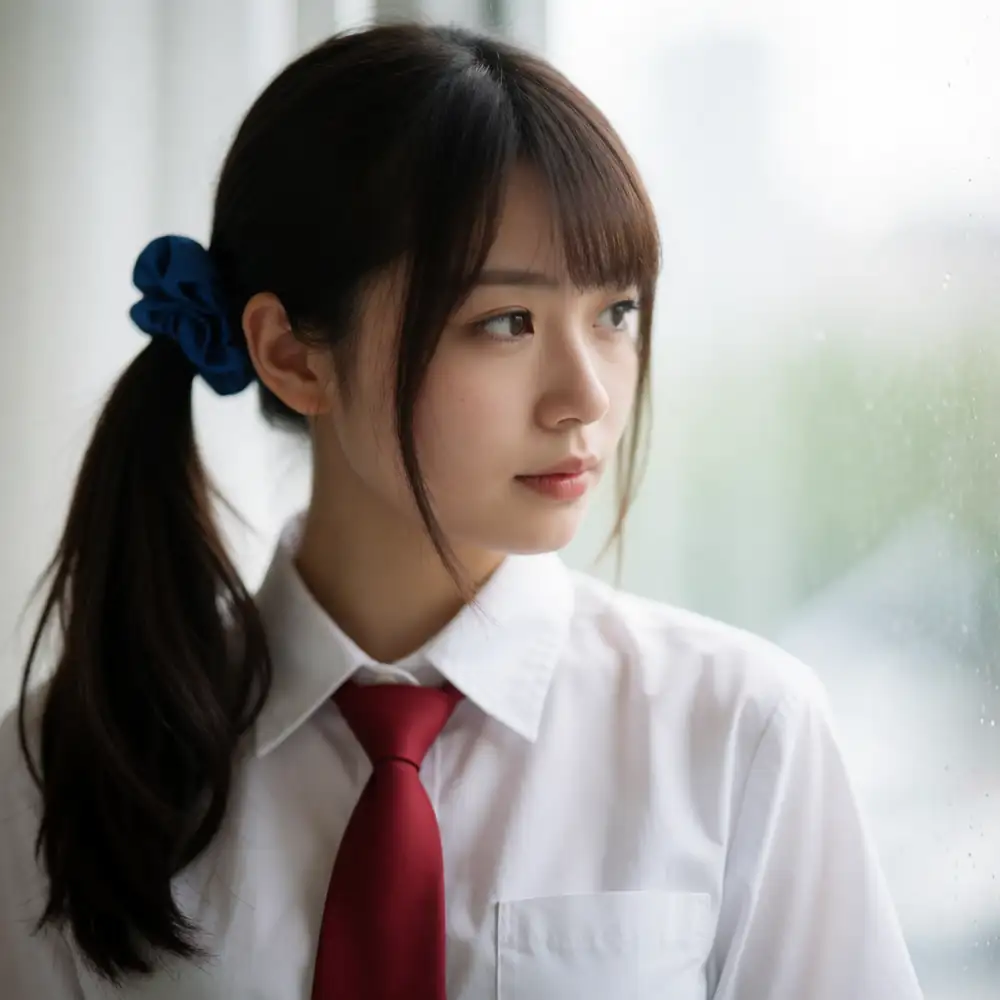
Going a step further, here’s my own character’s full spec (brown hair, side ponytail on the right of the frame, blue scrunchie, full uniform) pushed to a high-school-age render.
The brown hair, the hairstyle position, and the uniform all landed as specified. When I generated the same character on Boogu, it ignored the hair color, so Krea 2 clearly follows fine appearance attributes better. The side ponytail’s left/right wobbles by seed, but attributes like hair color and clothing are picked up consistently.
Anime
Even adding cel shading, vibrant flat colors, clean lineart, it doesn’t go crisp cel-shaded — it leans into a watercolor-ish Ghibli look. The hand-drawn anime-film style comes out strongly, a different thing from the cel shading of dedicated Anima/Illustrious models.

Text rendering
This is a strength. Not only is the KREA COFFEE headline spelled correctly, but even the small freshly roasted daily body text came out readable. Compared to Boogu, which only held up to a one-word headline before the body broke, Krea 2 keeps even small body text.

Style
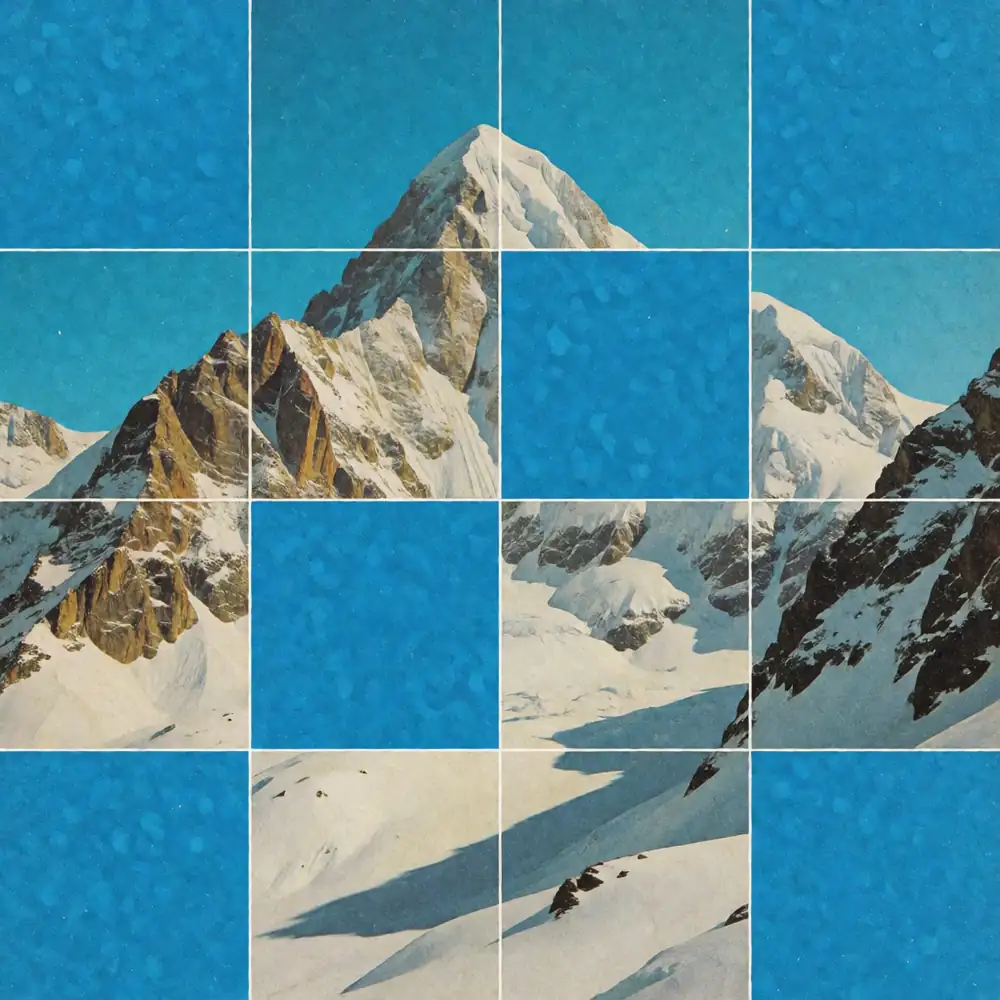
It follows complex composition prompts well too. With a prompt for a “vintage collage with a grid of tiles alternating with solid blue squares,” it reproduced the grid structure, the alternating layout, the paper texture, and the mid-century print feel. Style prompts come straight through into the image.
Raw (undistilled) hits a wall on M1 Max
Now the main event, Raw. I ran the same portrait prompt as Turbo at the official recommendation: 52 steps / CFG 3.5 / 1024px.
First, time.
| Condition | Time |
|---|---|
| Raw bf16 (52 steps / CFG 3.5 / 1024px) | 47 min 2 sec (~52 s/step) |
47 minutes for one image. With CFG active, it runs two passes (cond/uncond) every step, so the step cost is more than double Turbo’s. Memory during generation looked like this.
| Free RAM | Wired | Swap used | Pressure | |
|---|---|---|---|---|
| Turbo bf16 (8 steps / no CFG) | 33GB | ~21GB | almost none | comfortable |
| Raw bf16 (52 steps / CFG 3.5) | 22.8GB | 28.3GB | ~11GB | 55% |
Turbo fit with room to spare, but Raw put the model itself (28GB wired) plus the activations for CFG’s two passes over 64GB and dropped about 11GB into swap. Apple Silicon is unified memory, so the model itself shows up on the wired side, not in the process RSS.
And after waiting 47 minutes, the result was this.
A solid black image.
The ComfyUI log had this.
nodes.py:1659: RuntimeWarning: invalid value encountered in cast
  img = Image.fromarray(np.clip(i, 0, 255).astype(np.uint8))
NaNs crept into the decoded result; casting np.clip(NaN, 0, 255) to uint8 made every pixel 0 — black. The unet loaded as model weight dtype torch.bfloat16, and the numbers broke during the 52 steps of CFG 3.5 in bf16.
To narrow the cause to CFG, I ran the same Raw once more at no CFG (cfg 1.0), 8 steps, with the model still loaded.
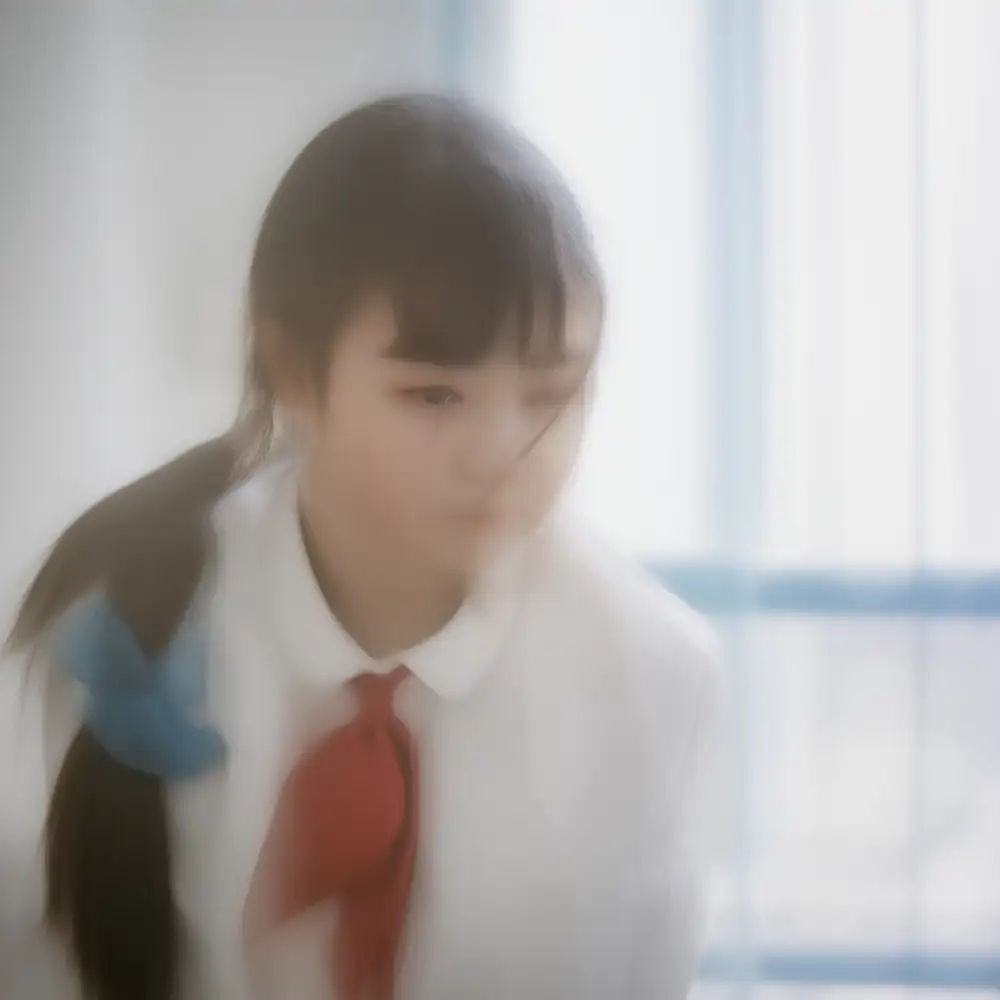
This time it didn’t spit NaNs and produced an actual image. The composition is there, but undistilled + low steps + no CFG leaves the whole thing hazy and soft. Raw needs CFG to come out sharp, and that very CFG breaks in bf16 on MPS.
You could work around it by running the unet in fp32, but that more than doubles the 47 minutes. Raw is a base for LoRA training and post-training in the first place; inference is meant to be left to Turbo. I hit “TRAIN on Raw, RUN on Turbo” firsthand on a Mac. For generation on a Mac, Turbo is the only pick.
NSFW behavior
A certain number of readers who search by model name come to check this, so I’ll be clear. All tests are Turbo bf16. The outputs are heavily blurred.
This started from seeing posts on X saying “Krea 2 is strong at NSFW” and “you can bypass the filter with a node called ConditioningKrea2Rebalance.” That node reweights and amplifies Krea 2’s conditioning (the 12 Qwen3-VL taps flattened into (B, seq, 12×2560)) per layer, and the author advertises “bypassing the quality dilution from the safety filter” and “unfiltering the model.” I checked whether the rumor holds up on real hardware.
First, plain Turbo with no node, specifying nudity directly.
It came through plain. No refusal, no blur, no sanitization, and the anatomy doesn’t fall apart. In contrast to Boogu, which turned a nude prompt into a melted-oil-painting render, Krea 2 produces a proper nude in its plain state. The “strong at NSFW” rumor is largely true even without the node.
Next, with the same prompt and same seed, I inserted the node between CLIPTextEncode and KSampler at the default settings (multiplier 4.0).
Whether a nude comes out or not doesn’t change (it already does plain). What changed is the density of the render: window light, skin shadows, room detail, and overall contrast all got a notch richer. The node’s effect, in my hands, is less “unlocking NSFW” and more amplifying the conditioning to boost prompt adherence and render density. The README’s “bypassing quality dilution” probably points to this effect. Basic nudity comes through plain in the first place, so there was nothing to “unlock.”
Note that this is also behavior that violates the license (next section). I kept this to verifying the rumor on real hardware and didn’t push into explicit generation.
License
The weights aren’t unconditionally open like Apache or MIT; they ship under Krea’s own Krea 2 Community License Agreement. A few clauses are worth knowing before you try it.
| Item | Details |
|---|---|
| Commercial use | Allowed if company-wide annual revenue is under USD 1,000,000. Above that, contact opensource@krea.ai for a commercial license |
| Redistribution / modification / LoRA training | Allowed, but you must bundle the license text, prefix derivative model names with Krea, and keep attribution notices |
| Content filter | Required. You “must implement reasonable and appropriate Content Filter measures to detect, prevent, and mitigate the generation or distribution of prohibited, harmful, or unlawful content” |
| Prohibitions | Beyond breaking the law or the AUP, it explicitly bans circumventing security, usage restrictions, content provenance, or watermarking mechanisms |
This ties back to the test. The ConditioningKrea2Rebalance from the previous section advertises “bypassing the safety filter,” which runs head-on into the license’s required Content Filter and its ban on circumventing usage restrictions. Verifying the behavior in private is one thing, but pushing such outputs into distribution or commercial use is a license violation. I kept the article to confirming whether the rumor holds on real hardware.
References
- krea/Krea-2-Raw — official Raw repository
- krea/Krea-2-Turbo — official Turbo repository
- Comfy-Org/Krea-2 — ComfyUI-repackaged weights
- krea-ai/krea-2 — official inference code
- Krea 2 Community License — full license text
- ComfyUI-ConditioningKrea2Rebalance — conditioning reweighting node (used in the NSFW section)
- Krea 2 Technical Report — architecture write-up
- Krea 2 on a Mac: same Qwen3-VL TE + VAE family as Boogu-Image — prior test of the same component stack