Qwen-Image-Edit 2511 pixel shift: stock ComfyUI nodes get 0.1px alignment
 Contents
Update (2026-09-22): The same source image and measurements applied to partial edits with Qwen-Image 2.1 → Qwen-Image 2.1 Edits: One Argument Cut Position Drift to About 0.1px
A post on X claimed that after modifying the main ComfyUI node and adding one helper node, Qwen-Image-Edit-2511 can do “pixel-position-perfect editing”. The author called it a problem rooted in how the DiT (Diffusion Transformer) works, and noted that if you ask an AI how to implement it you get hints, but never an explanation of what the helper node actually does. A demo video apparently showed line art extracted from an illustration that overlays on the original in Photoshop with zero shift.
My own impression of QIE was a model that rebuilds bodies and outlines every time it edits, so I never trusted it for anything that needs alignment. I have a local ComfyUI on an M1 Max and a 2511-based merged model, so I decided to check whether the claim reproduces, with the shift measured in numbers.
Test setup
| Item | Details |
|---|---|
| Machine | M1 Max 64GB |
| UI | Local ComfyUI 0.24.1 |
| Model | Qwen-Rapid-AIO v23 (merged model based on Qwen-Image-Edit 2511, lightning distillation included) |
| Common generation settings | 8 steps / sa_solver / beta / cfg 1.0 / fixed seed 42 |
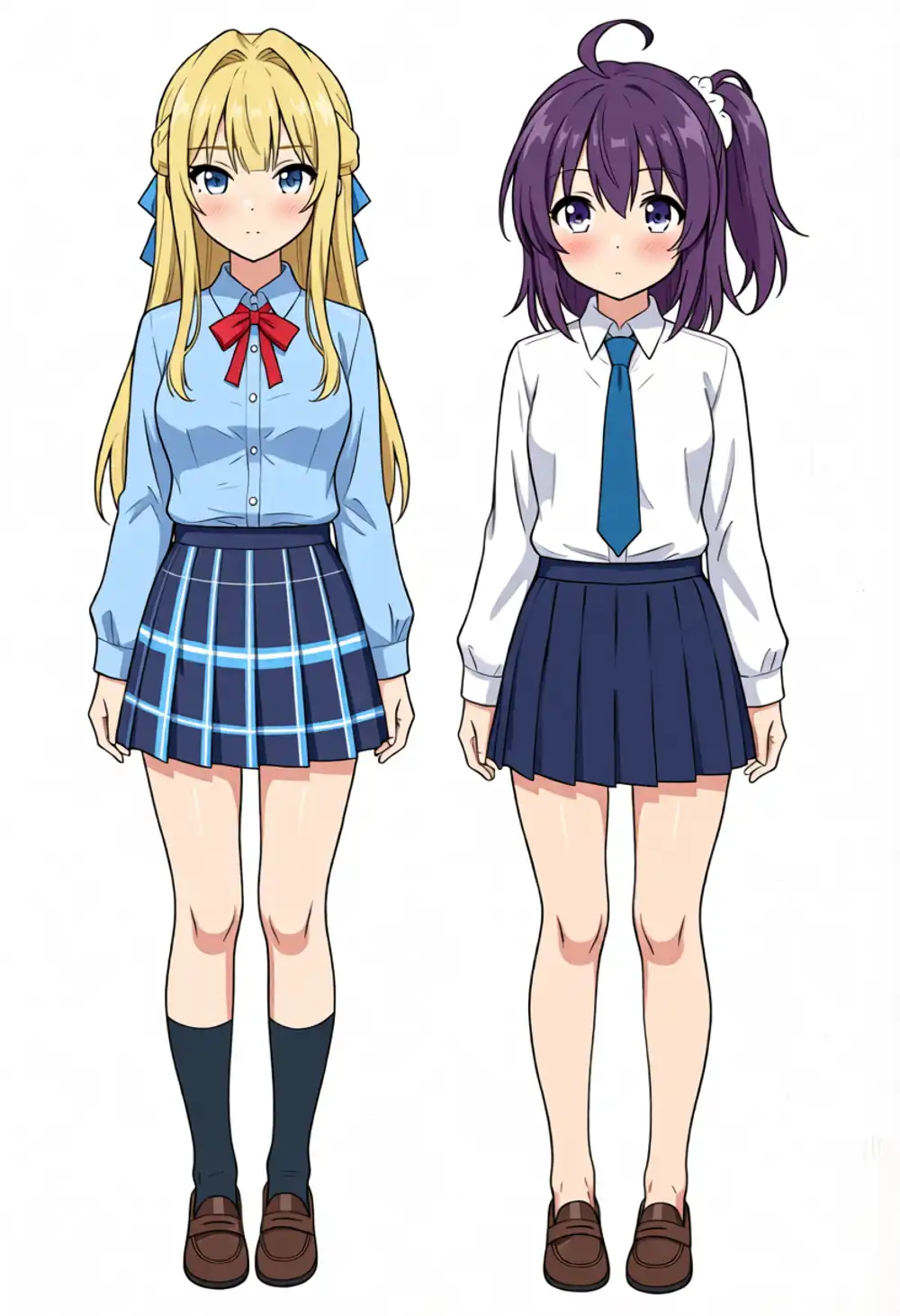
| Source image | Full-body standing art of two original characters, 832×1216 |
| Shift measurement | Phase correlation of edge maps (luminance gradients), whole image + 3×3 blocks |
I measure by taking edge maps of the source and the output, then estimating the shift with sub-pixel phase correlation. Besides the whole-image average, each of nine 3×3 blocks is measured separately. A pure translation makes all block vectors point the same way, while a scale mismatch makes direction and magnitude vary per block, so the type of misalignment is distinguishable too.
Where the shift comes from
The stock node that feeds a reference image to QIE in ComfyUI is TextEncodeQwenImageEditPlus, and it silently rescales the input image.
# comfy_extras/nodes_qwen.py (excerpt)
if vae is not None:
    total = int(1024 * 1024)
    scale_by = math.sqrt(total / (samples.shape[3] * samples.shape[2]))
    width = round(samples.shape[3] * scale_by / 8.0) * 8
    height = round(samples.shape[2] * scale_by / 8.0) * 8
    s = comfy.utils.common_upscale(samples, width, height, "area", "disabled")
    ref_latents.append(vae.encode(s.movedim(1, -1)[:, :, :, :3]))
The reference image is force-rescaled to roughly 1MP (1024×1024 worth of area), rounded to multiples of 8, and only then VAE-encoded into a latent. Feed in my 832×1216 source and the reference gets stretched to 848×1240. Meanwhile the output latent stays at the 832×1216 you set in EmptyLatentImage.
QIE’s DiT lays out the reference latent and the output latent as one token sequence, and denoises while matching “this position in the reference is this position in the output” through positional encoding. When the reference grid alone is about 1.9% larger, that mapping drifts more and more toward the image edges. The “problem rooted in the DiT” from the post is, as far as I can tell, this latent grid mismatch.
flowchart TD
    A[Input image 832×1216] --> B[TextEncodeQwenImageEditPlus]
    B --> C[VL path<br/>downscaled to ~384×384<br/>vision-language model reads content]
    B --> D[Reference latent path<br/>forced rescale to ~1MP<br/>832×1216 → 848×1240]
    E[EmptyLatentImage<br/>832×1216] --> F[KSampler]
    C --> F
    D --> F
    F --> G[Output 832×1216<br/>grid mismatched with reference by ~1.9%]
The VL (vision-language model) path’s downscale only exists so the model can recognize what is in the picture, so it does not affect positional accuracy. Only the reference latent path deviates from the real dimensions.
Experiment 1: measuring the shift with line-art extraction
I used the same line-art extraction as the original post for the edit task. Even a 1px line shift is instantly visible in an overlay, which also makes this the harshest possible test of position.
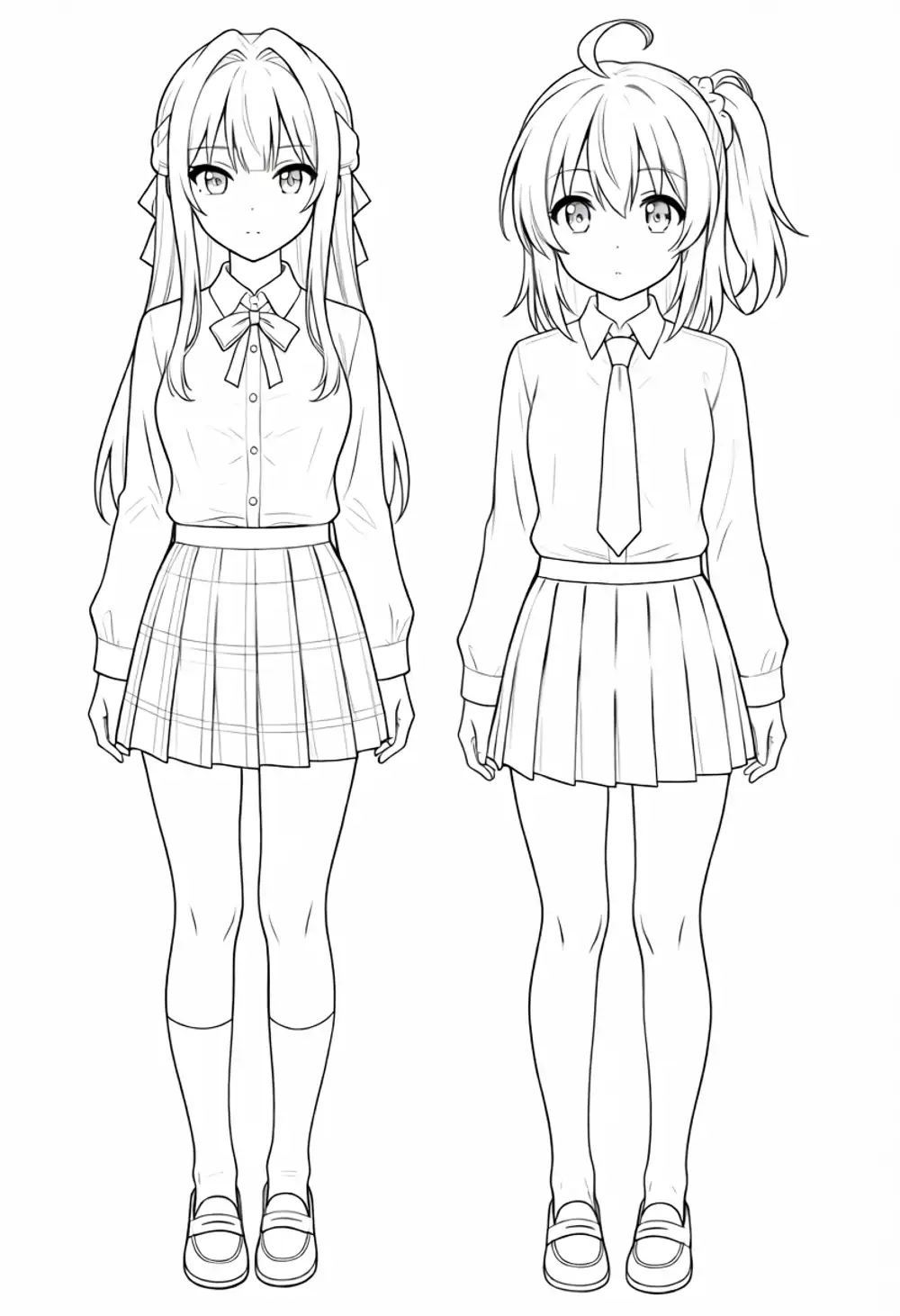
The source is a full-body standing shot of two of my original characters (Kei and Kana), generated with Anima.
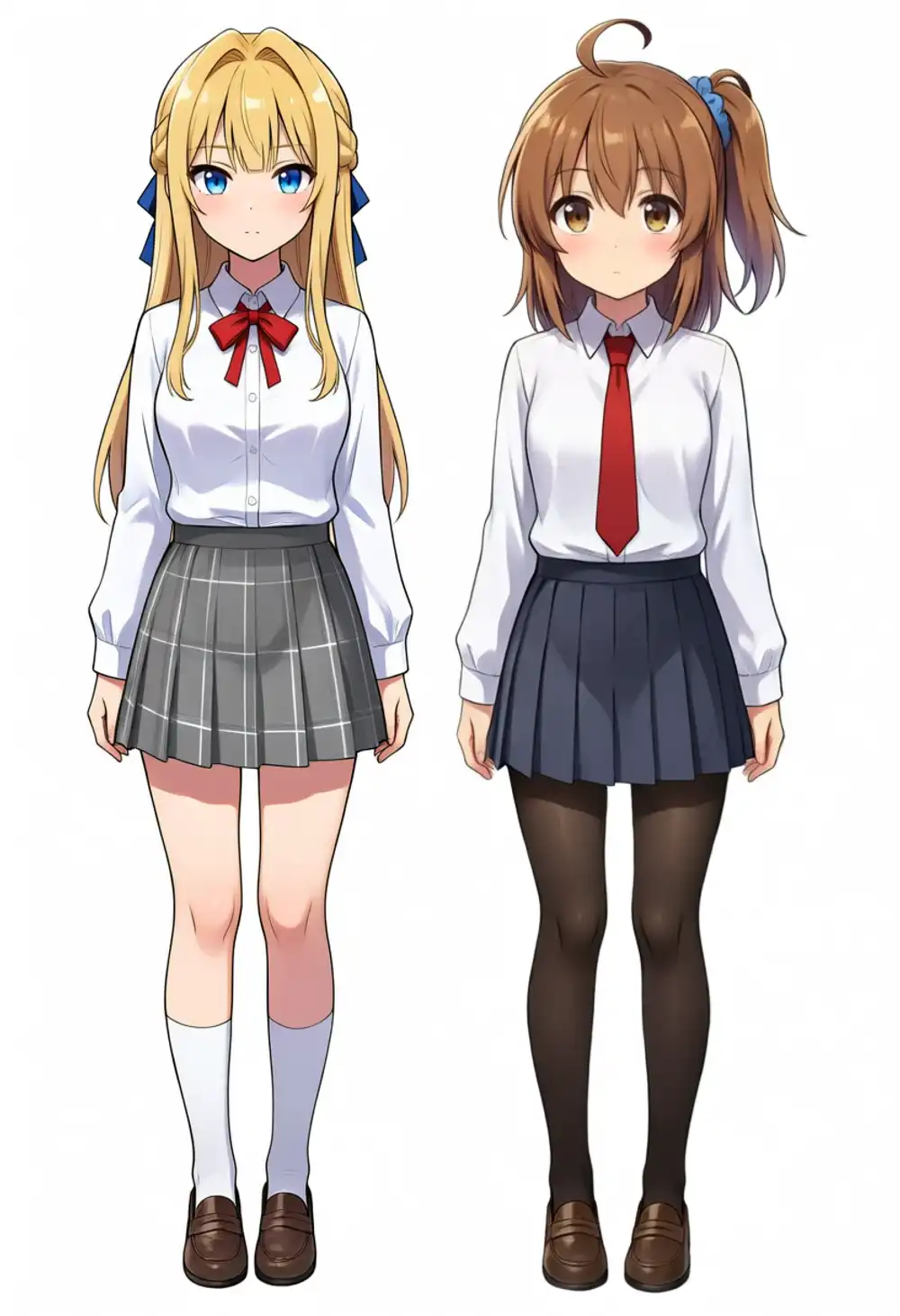
The prompt is a line-art instruction that explicitly forbids moving anything.
Convert Picture 1 into clean black line art on a pure white background.
Trace every contour and detail exactly where it is in the original image.
Do not move, resize, crop, or redraw anything. No color, no shading, no gray tones.
Three conditions.
| Condition | Setup | Input size |
|---|---|---|
| A | VAE wired straight into the stock node (the default usage) | 832×1216 |
| B | Stock node, but input cropped to exactly 1024×1024 | 1024×1024 |
| C | VAE input disconnected; native-size latent injected via VAEEncode + ReferenceLatent | 832×1216 |
B isolates the question “does the shift disappear when the internal rescale becomes an identity transform?”.
At exactly 1024×1024 of area, scale_by is 1 and the rescale effectively does nothing.
C is the setup that corresponds to the post’s “helper node”, and it can be built with nothing but the ReferenceLatent node that ships with ComfyUI.
Results
| Condition | Whole-image shift | 3×3 block pattern |
|---|---|---|
| A | dx +8.0px / dy −3.3px | Gradient from +3px at the left edge to +14px at the right. Scale mismatch |
| B | dx +0.1px / dy +0.2px | Near zero in every block |
| C | dx +1.1px / dy +0.5px | Uniform ~1px across all blocks |
A’s shift is not a translation. The horizontal shift grows in a straight line from +3px at the left edge to +14px at the right, which is exactly what a reference mapped in at 1.9% magnification looks like. Overlay the source edges in red and the output edges in cyan and every contour doubles.
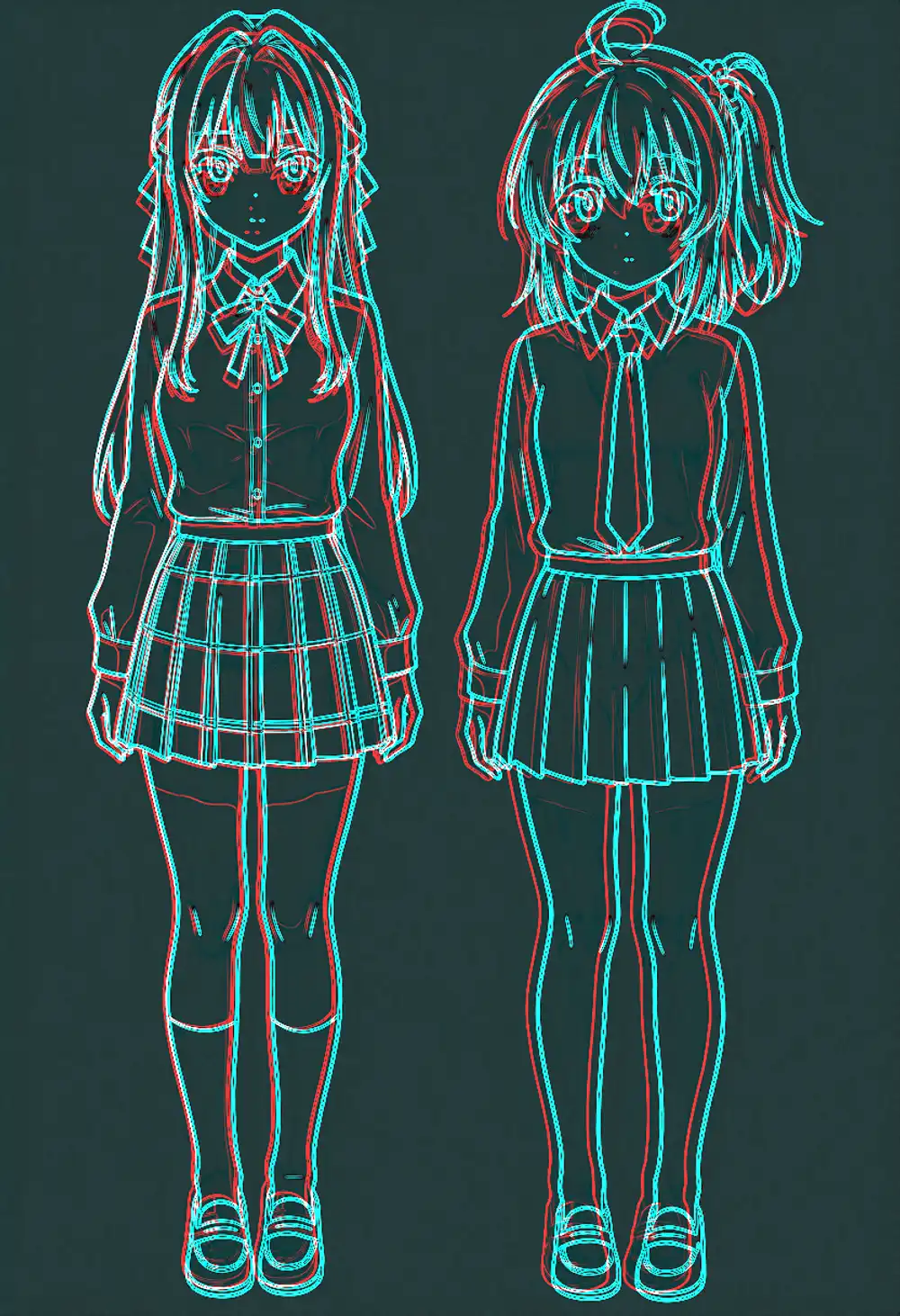
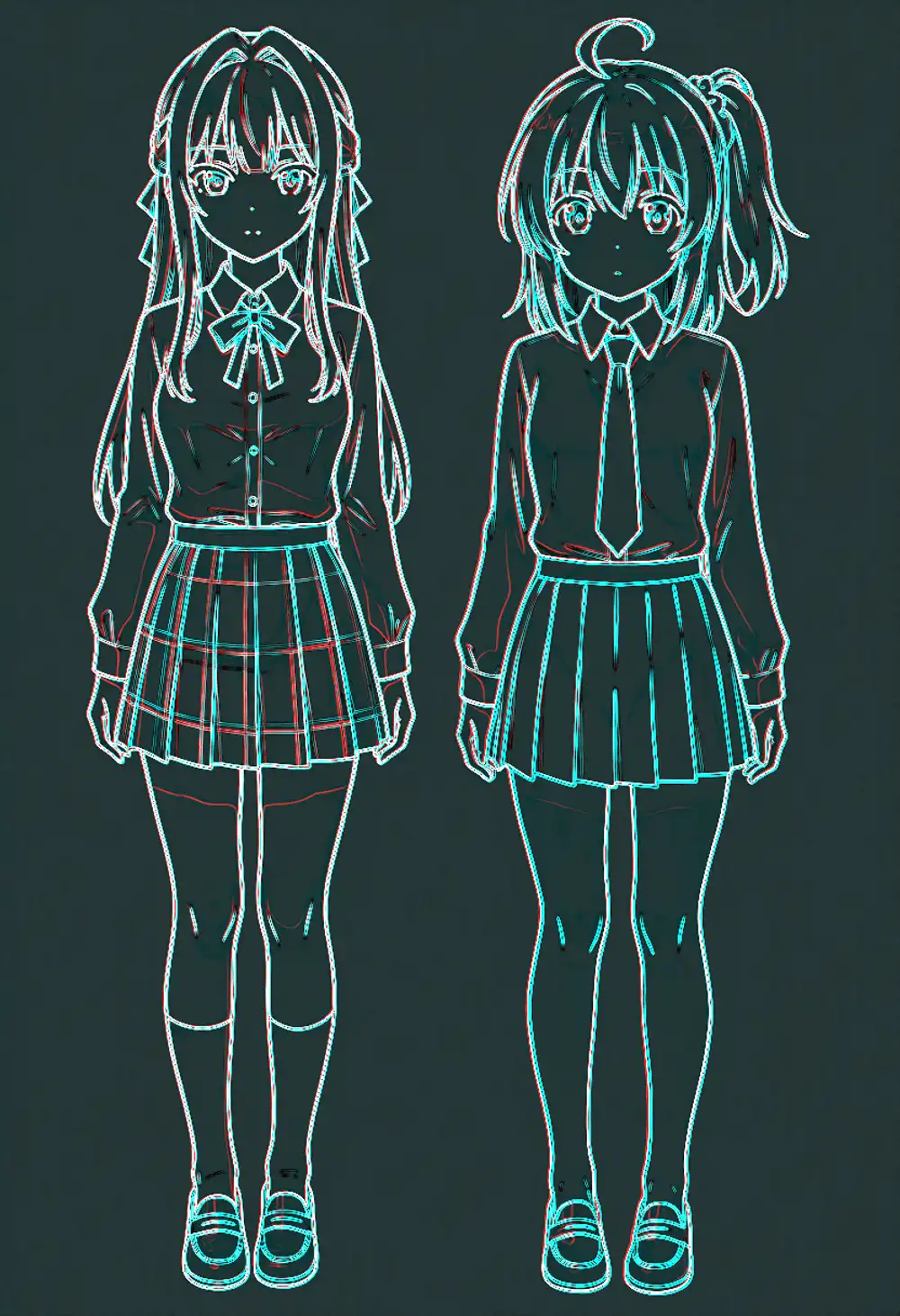
B drops to 0.1–0.2px. That is within the measurement error of edge detection, so effectively pixel-perfect. The model itself could hold position perfectly all along; the only thing that was off was the input-stage dimensions.
C keeps a uniform ~1px across the frame. There is no gradient in the per-block shifts, so the grid mapping holds; what remains looks like the VAE round trip plus line-width bias. Since it works at native size with no cropping, this is the setup you would actually use.
The output line art came out like this.
No training, no LoRA, and this line art comes out with the position intact. The post’s remark that “this model was absurdly capable from the start” held up once I measured it.
What I can say at this point is that modifying the main node is not actually required. The stock node with its VAE input disconnected, plus VAEEncode, plus ReferenceLatent — those three give you the same effect. However, if the input dimensions fall off multiples of 16 (the latent is an 8px grid, and the DiT’s patchification groups it 2×2), you need a preprocessing step that snaps the size. If you want that automated too, you end up writing your own node.
Experiment 2: change the expression — does the body stay put?
Line-art extraction redraws the whole picture, so position alone makes it work. What you want in practice is partial editing along the lines of “change the expression and nothing else”. QIE is a model notorious for rebuilding places you never asked about, so this is the real test.
The edit instruction is an expression change: both girls get a closed-eyes, open-mouth smile.
I also wanted to separate the prompt’s contribution. If the untouched regions survive, you cannot tell whether that came from the latent grid alignment or from a “keep everything else” line in the prompt. I prepared two versions, with and without the keep clause.
(with keep clause)
Change both girls' facial expressions to a big cheerful open-mouth smile
with happy closed eyes. Keep the pose, body shape, clothing, hair, colors,
lighting and background exactly the same. Do not move, resize, or redraw
anything except the faces.

(without keep clause)
Change both girls' facial expressions to a big cheerful open-mouth smile
with happy closed eyes.
Four conditions. The VAE-round-trip-only condition measures the floor of image change that necessarily happens the moment anything passes through QIE.
| Condition | Setup | Prompt |
|---|---|---|
| V | VAEEncode→VAEDecode round trip only (no generation) | none |
| A | VAE wired into the stock node | with keep clause |
| C-keep | Native-size injection via ReferenceLatent | with keep clause |
| C-min | Native-size injection via ReferenceLatent | without keep clause |
The metric is mean absolute RGB difference against the source. I count the share of pixels above a threshold (20/255), split into whole image, inside the face regions, and outside them. The face regions are two hand-drawn bounding boxes around the two faces.
Results
| Condition | Mean diff | Changed pixels (whole) | Inside faces | Outside faces |
|---|---|---|---|---|
| V (VAE round trip only) | 0.67 | 0.02% | 0.13% | 0.01% |
| A (stock node) | 21.3 | 21.6% | 58.8% | 19.0% |
| C-keep | 2.67 | 1.8% | 16.7% | 0.8% |
| C-min | 2.66 | 1.7% | 16.9% | 0.7% |
A changed 19% of the pixels outside the faces. I asked for an expression change, and thanks to the positional shift the entire body outline moved. At least part of my old impression that “QIE rebuilds bodies on its own” turns out to be not a model habit but the input-stage size mismatch.
C changes only 16–17% inside the face regions and drops to 0.7–0.8% outside them. Turn it into a diff heatmap and the change sits squarely on the eyes and mouths. The faint fringe left outside the faces is the ~1px offset from Experiment 1 showing up as pixel differences along contours.
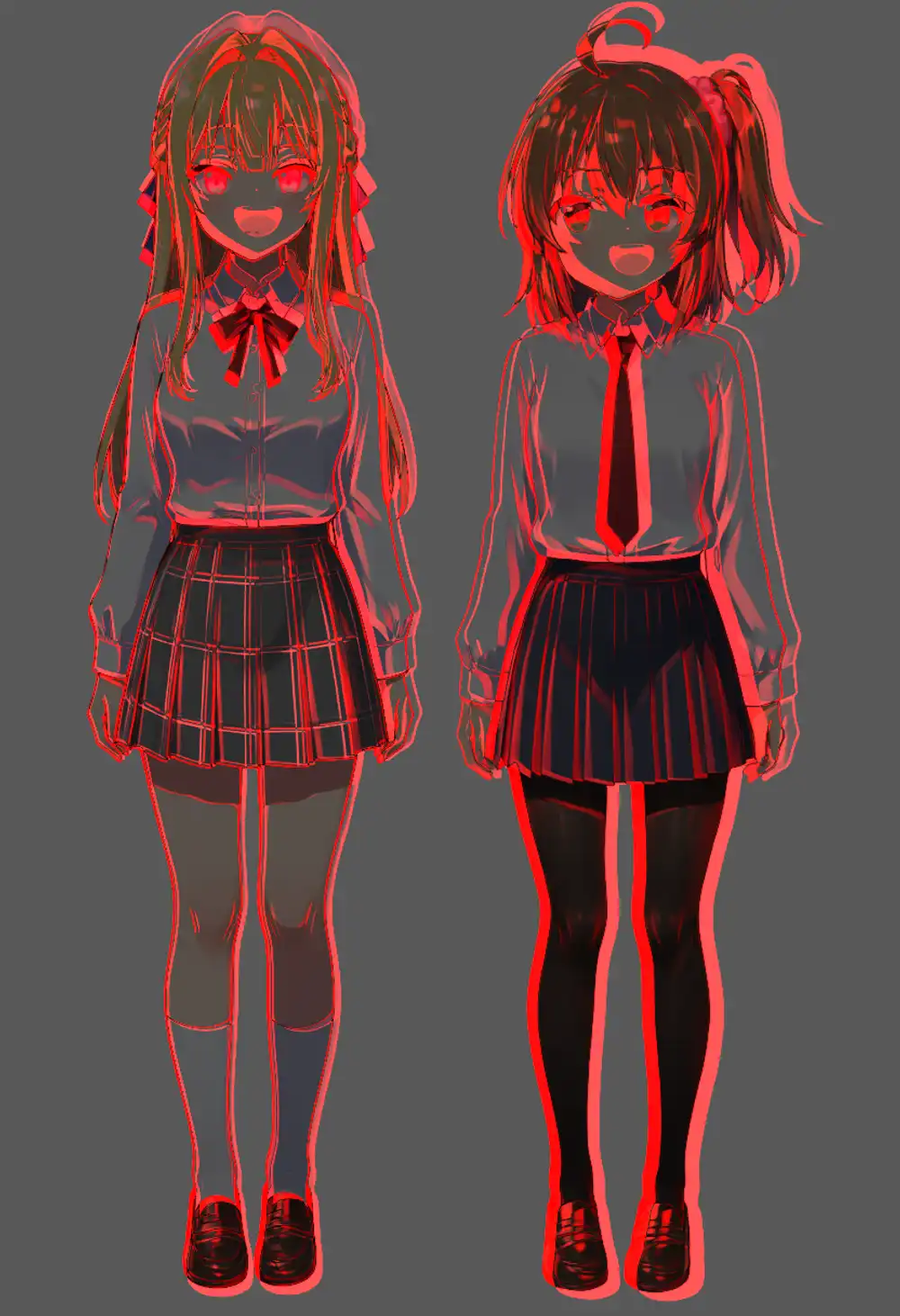
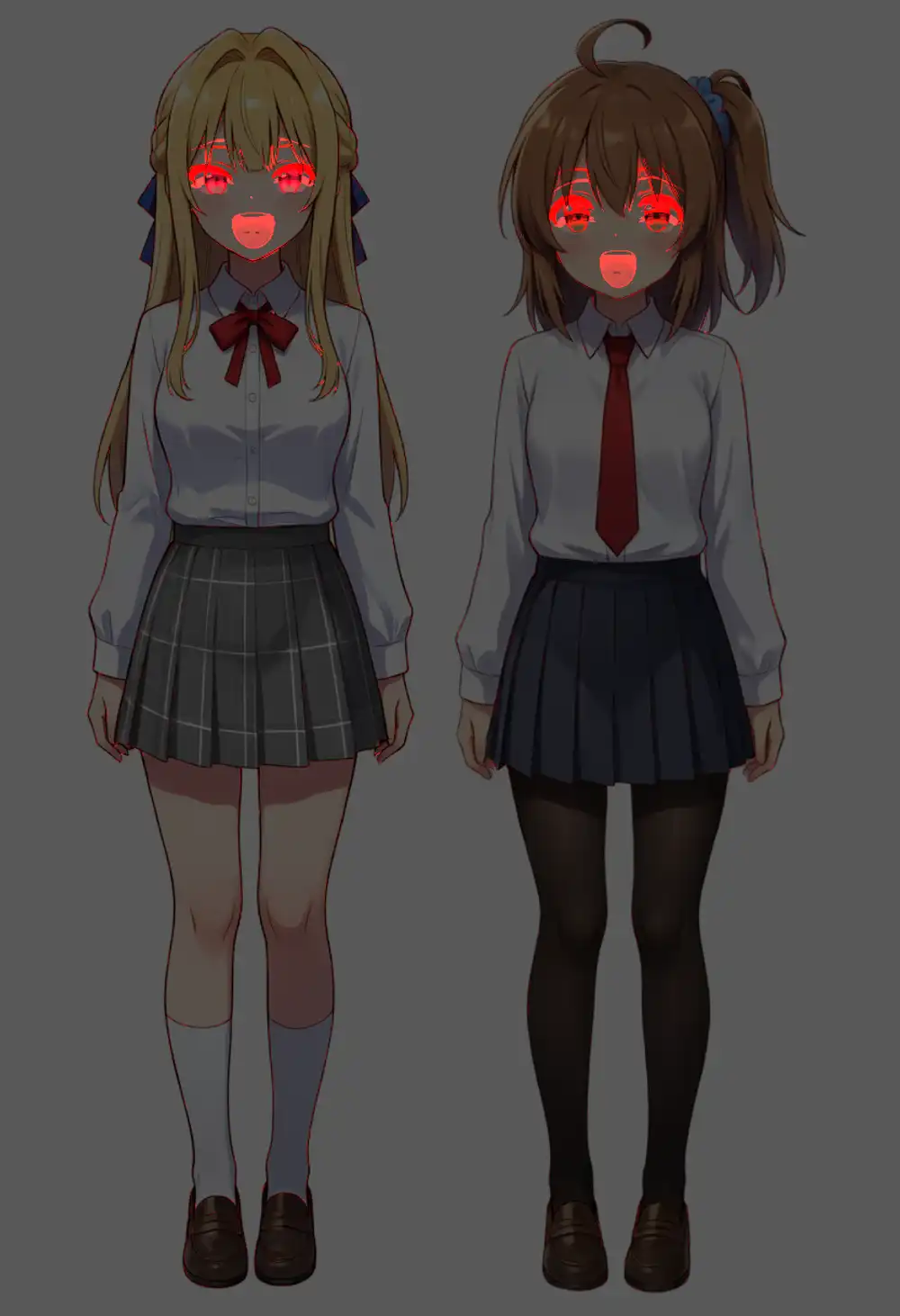
In the edited output, everything except the expressions — pose, clothing folds, hair flow — matches the source.
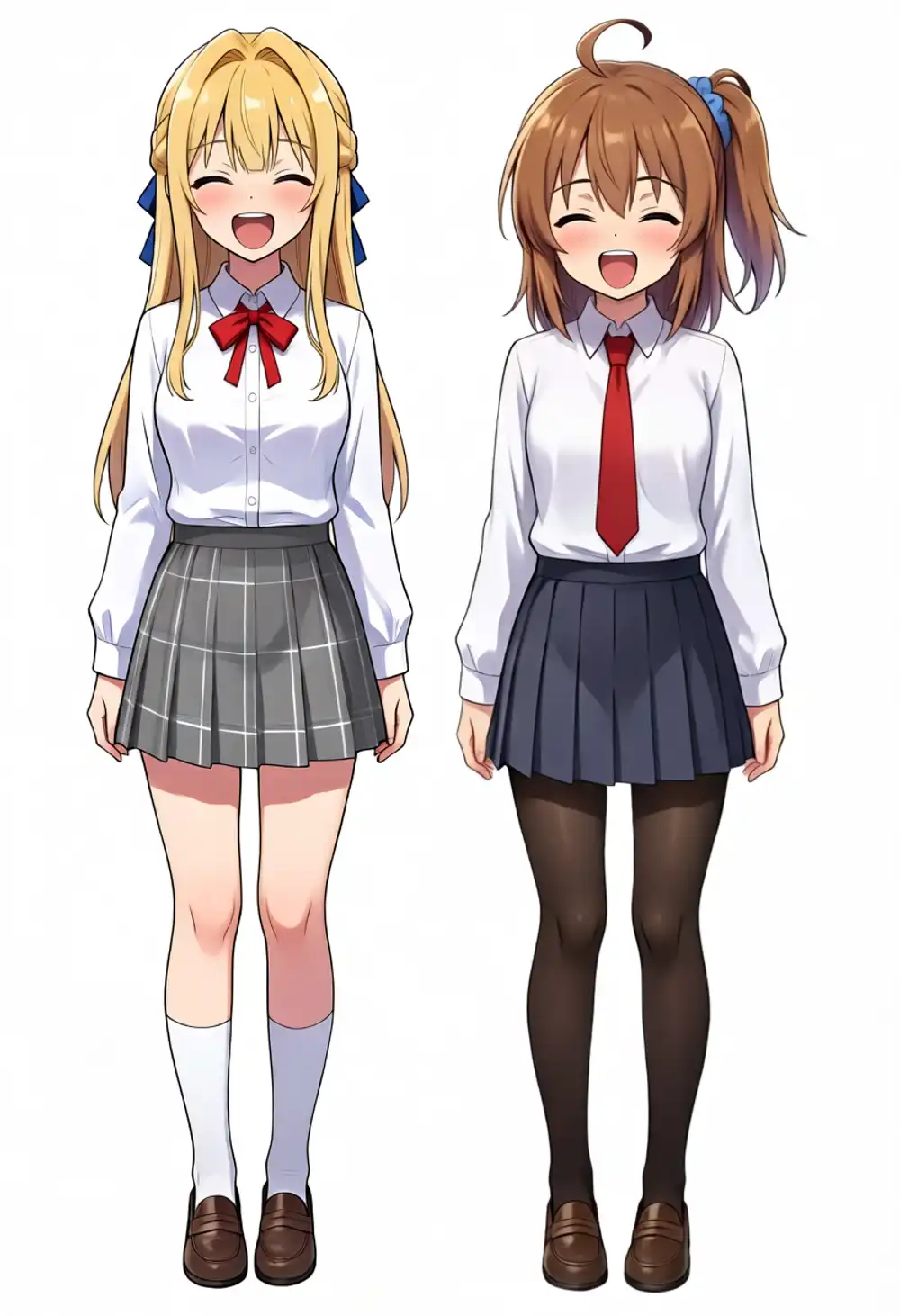
And the difference between having and not having the keep clause was essentially zero (0.8% vs 0.7%). Preservation of the untouched regions is not something you beg for in the prompt; it simply happens once the latent grids line up. In condition A, where the grids are mismatched, the whole body moved even with the keep clause. Telling the model “don’t change anything else” did not stop the positional shift.
Experiment 3: can you mass-produce diffs?
With the position-locking mechanism settled, I moved to a batch test that assumes real use. Everything runs the ReferenceLatent setup, and every prompt is the single edit line that Experiment 2 showed is enough. Five expressions, two outfit changes and a pose change, all generated from the same base image.
Five expressions
| Expression | Changed pixels (whole) | Inside faces | Outside faces |
|---|---|---|---|
| Angry | 1.5% | 13.9% | 0.67% |
| Crying | 1.7% | 17.0% | 0.70% |
| Surprised | 1.6% | 14.9% | 0.73% |
| Embarrassed | 2.6% | 29.2% | 0.73% |
| Wink | 1.6% | 15.7% | 0.68% |
The outside-face change rate stayed in a 0.67–0.73% band for all five. Together with Experiment 2’s smile (0.70%) that makes six: swap the prompt, hit run, and expression diffs with the body, clothes and background locked at the pixel level keep coming out.
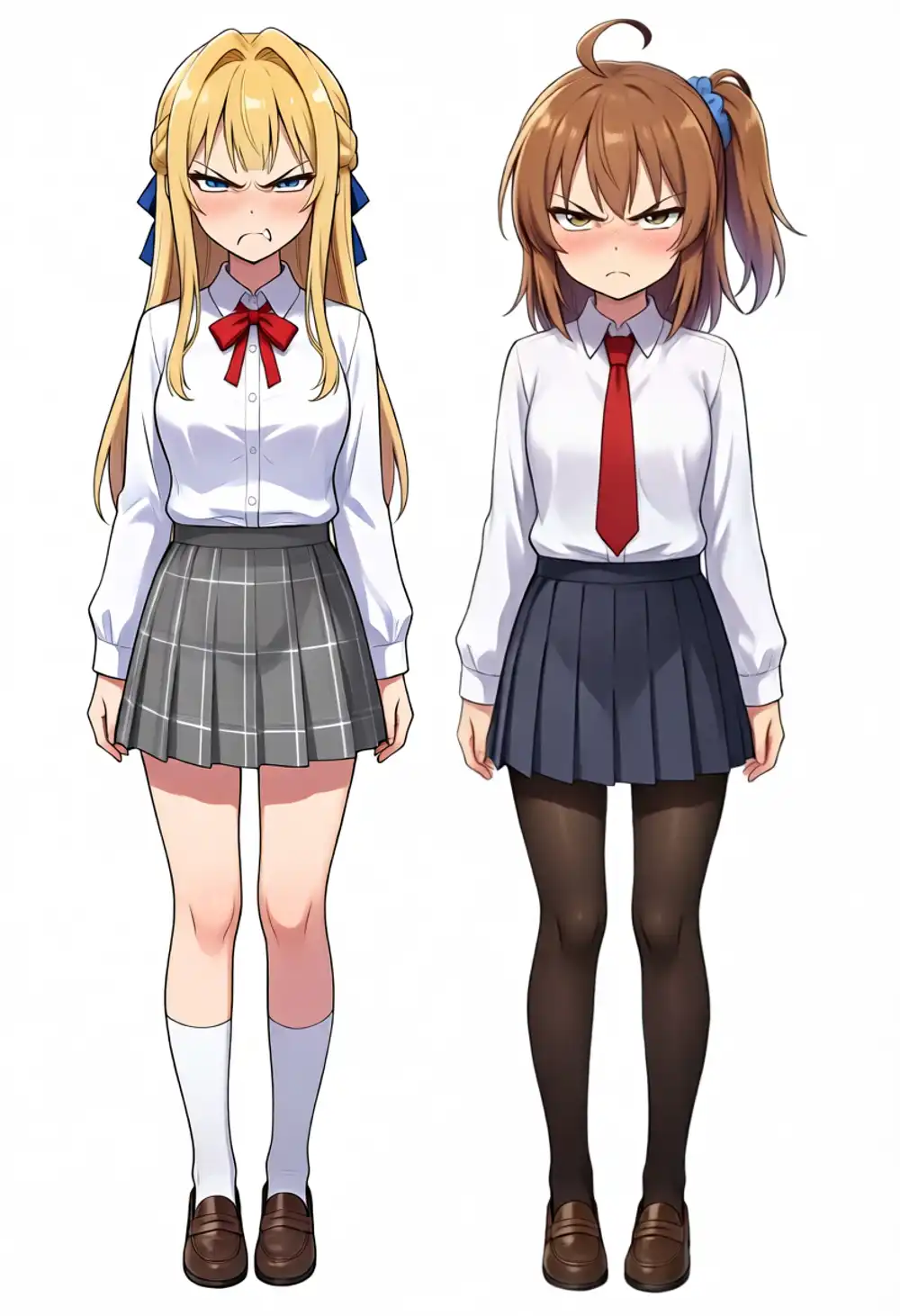
Line the outputs up, though, and a different problem from position remains. The redrawn faces are in QIE’s house style and don’t resemble the original faces. The angry faces get harsh, almost gekiga-style brows and eyes, and the crying faces lay the tears on thick. Instead of moving the facial features of the original drawing, it repaints “QIE’s idea of an angry face” at that position. Locking position and keeping the art style are separate problems, and the “16% changed inside the face” metric cannot tell you whether what changed still looks like the same character.
I also tried whether prompts can pull it back toward cute, with three phrasings of the angry face.
| Phrasing | Instruction | Output change |
|---|---|---|
| Explicit style keep | same cute anime art style, keep the original eye shape | Brows soften slightly |
| Lower intensity | slightly angry, cute pouting, puffed cheeks | Pivots from gekiga scowl to a pout, but the cheek puff is taken literally, balloon-like |
| Tag-style | annoyed, pout, puffy cheeks, large expressive eyes | Same tendency, settles on the pout |
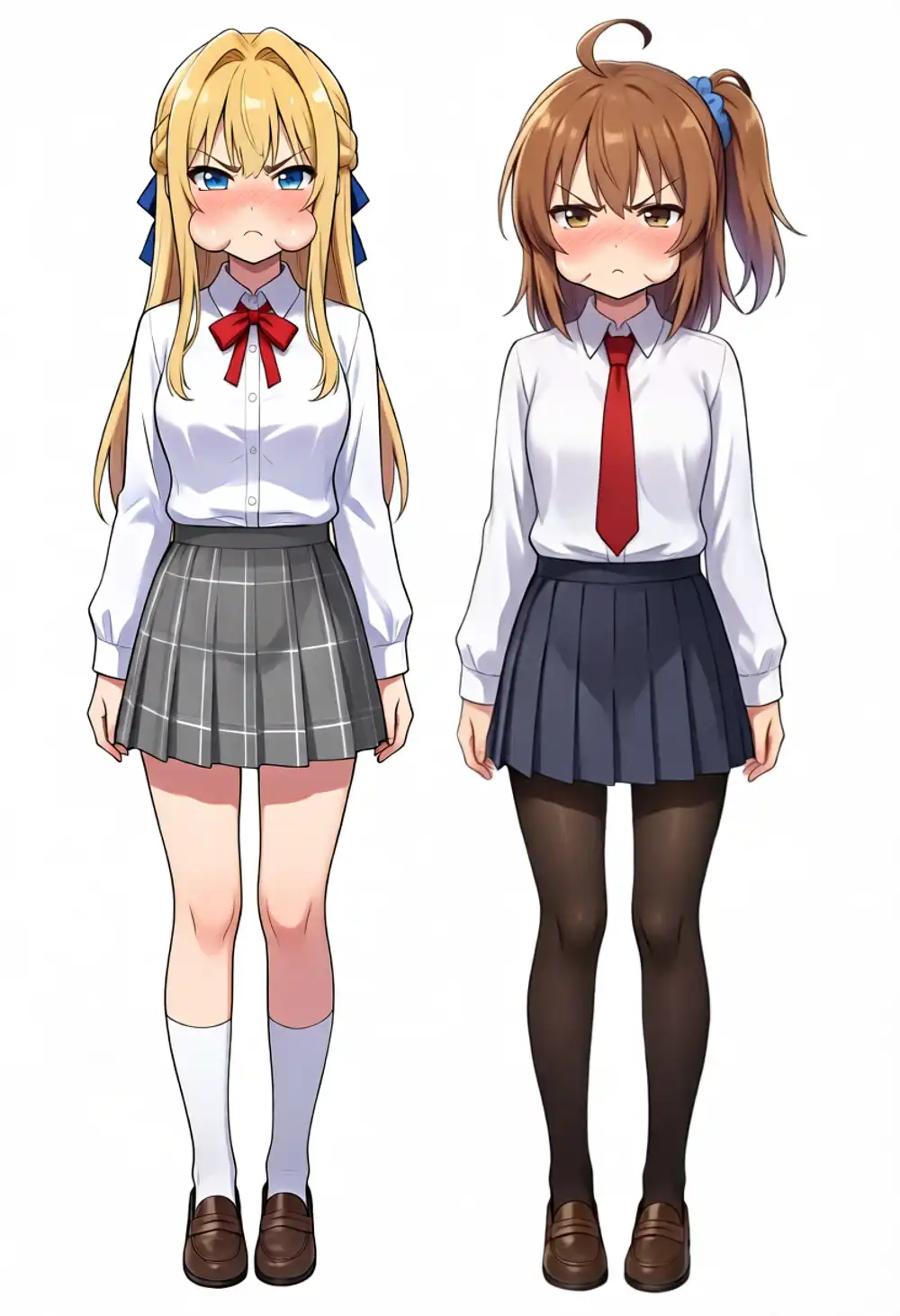
The direction and intensity of the expression can be changed by prompt. It managed the difference between a gekiga scowl and a pout, but none of the three phrasings brought back the original faces. Frankly, position can be pixel-perfect, but the redrawn faces don’t keep the characters’ features, so these are unusable as expression-diff material. Generation itself runs; what comes out isn’t usable. One option remains: specify the expression with an image instead of words. Experiment 5 tries that.
Outfit changes and per-character edits
| Edit | Whole | Inside faces | Left half | Right half |
|---|---|---|---|---|
| Both girls into white summer dresses | 16.3% | 4.4% | 16.3% | 16.3% |
| Only the left girl into a black sailor uniform | 14.6% | 3.4% | 28.8% | 0.42% |
Outfit changes mostly spare the faces (most of the 4.4% is the collar area). The number to look at is the right half in the left-only edit: the right girl, who was never mentioned, sits at 0.42% — nothing but the 1px contour fringe and the noise floor. Re-dressing just one character in a two-character standing image works as a per-character edit.
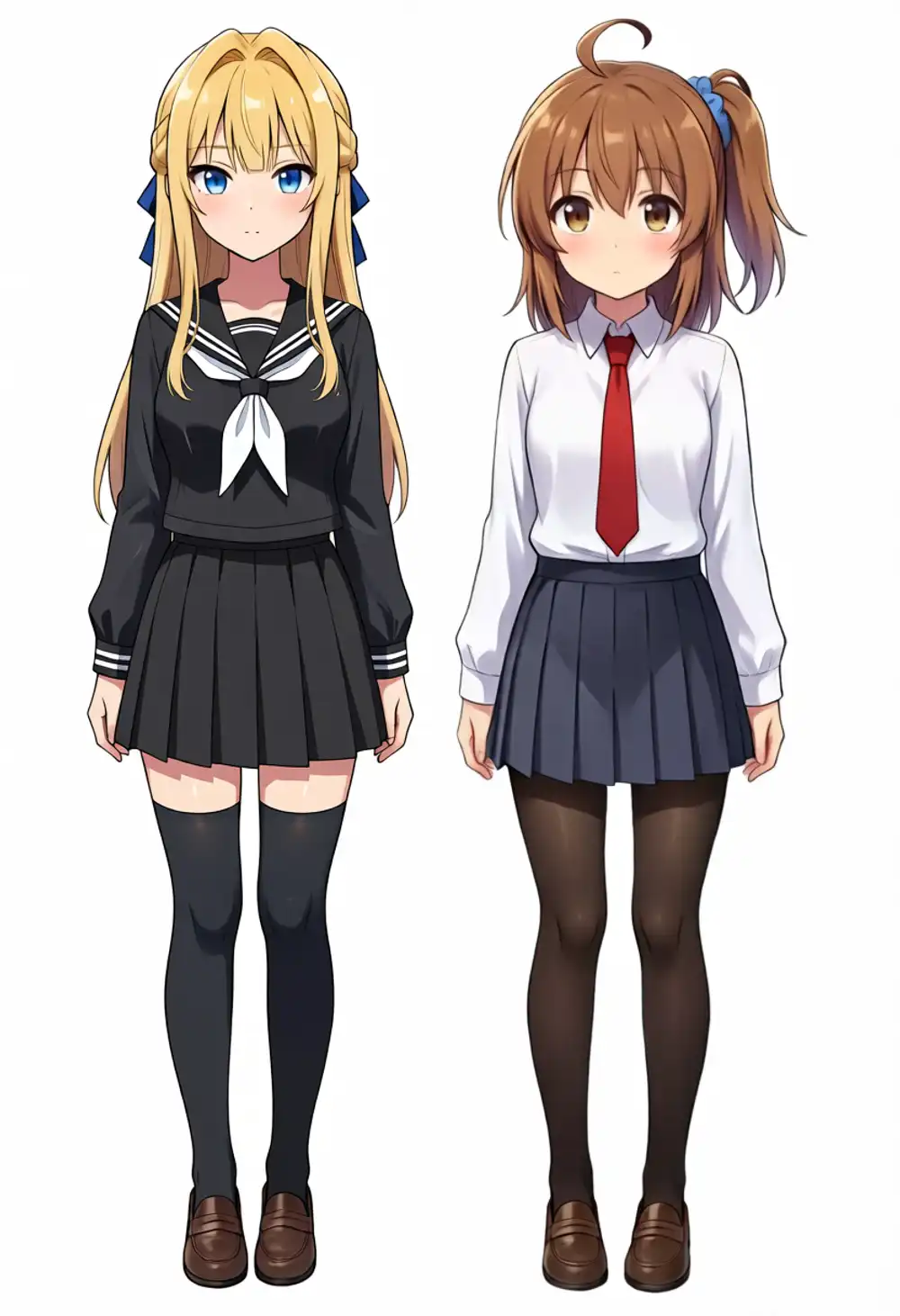
Matching the sailor-uniform request, her socks also turned into black knee-highs — QIE interprets “outfit” as the whole set.
Does body scale survive a pose change?
Change the pose and pixel identity is gone by definition. What I wanted to know is whether the body build gets rewritten along with it, because that is exactly where QIE used to bite me. I sent one identical prompt (“each girl raises one hand and waves”) to both the stock-node setup and the ReferenceLatent setup, then used the white background to measure each character’s silhouette — top-of-head position and height — in pixels.
| Left character height | Right character height | Head top (left/right) | |
|---|---|---|---|
| Source | 1167px | 1179px | y=24 / y=16 |
| ReferenceLatent | 1167px (exact) | 1179px (exact) | y=24 / y=16 (unmoved) |
| Stock node | 1190px (+2.0%) | 1203px (+2.0%) | y=9 / y=0 (touching the top edge) |
On the ReferenceLatent side, 14% of the pixels changed as the arms moved, yet the heights and standing positions did not move a single pixel. On the stock-node side the bodies scaled up by 2.0%, and the right girl’s head hits the top edge of the frame. The reference’s 1.9% rescale leaked straight into the output body size.
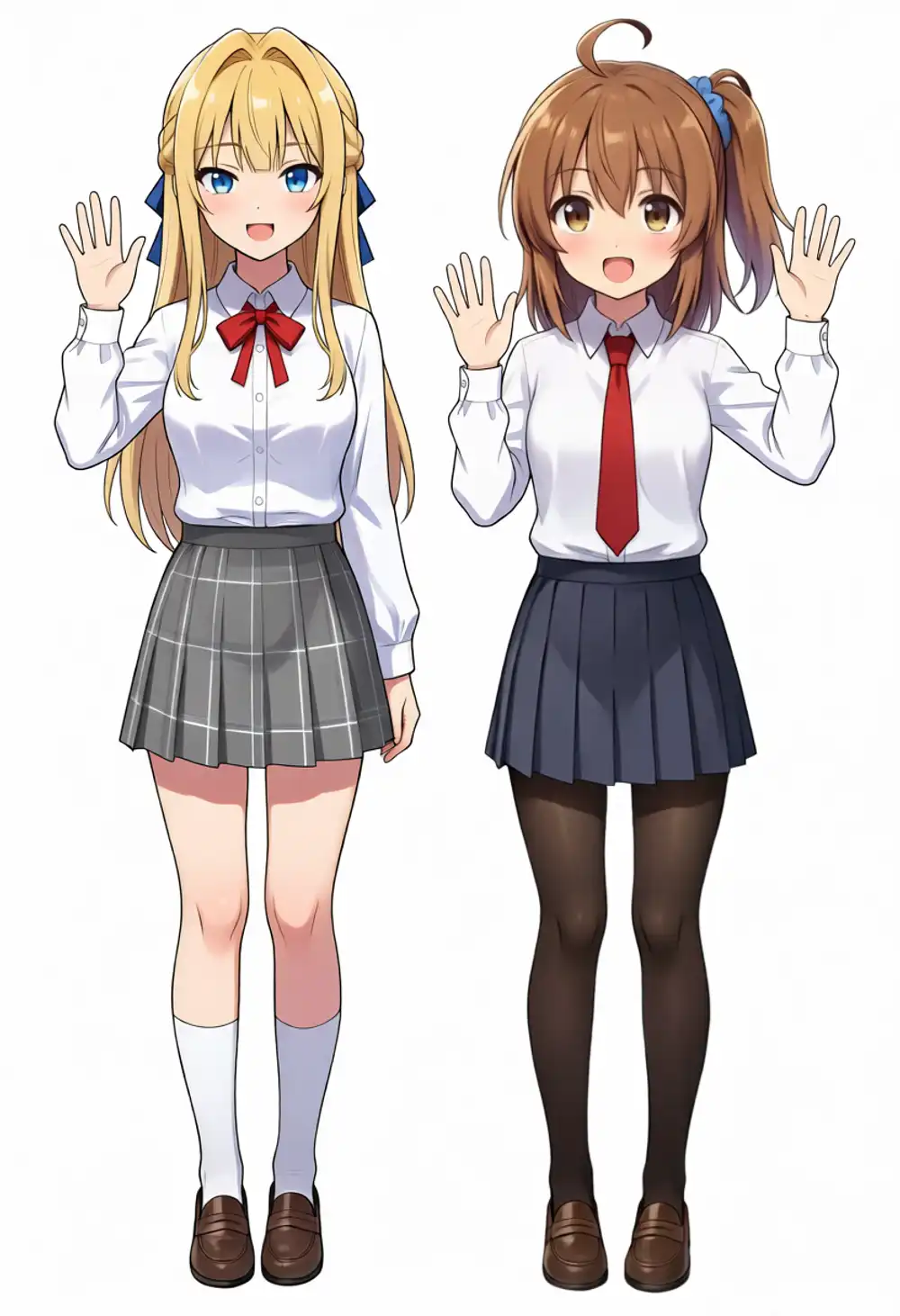
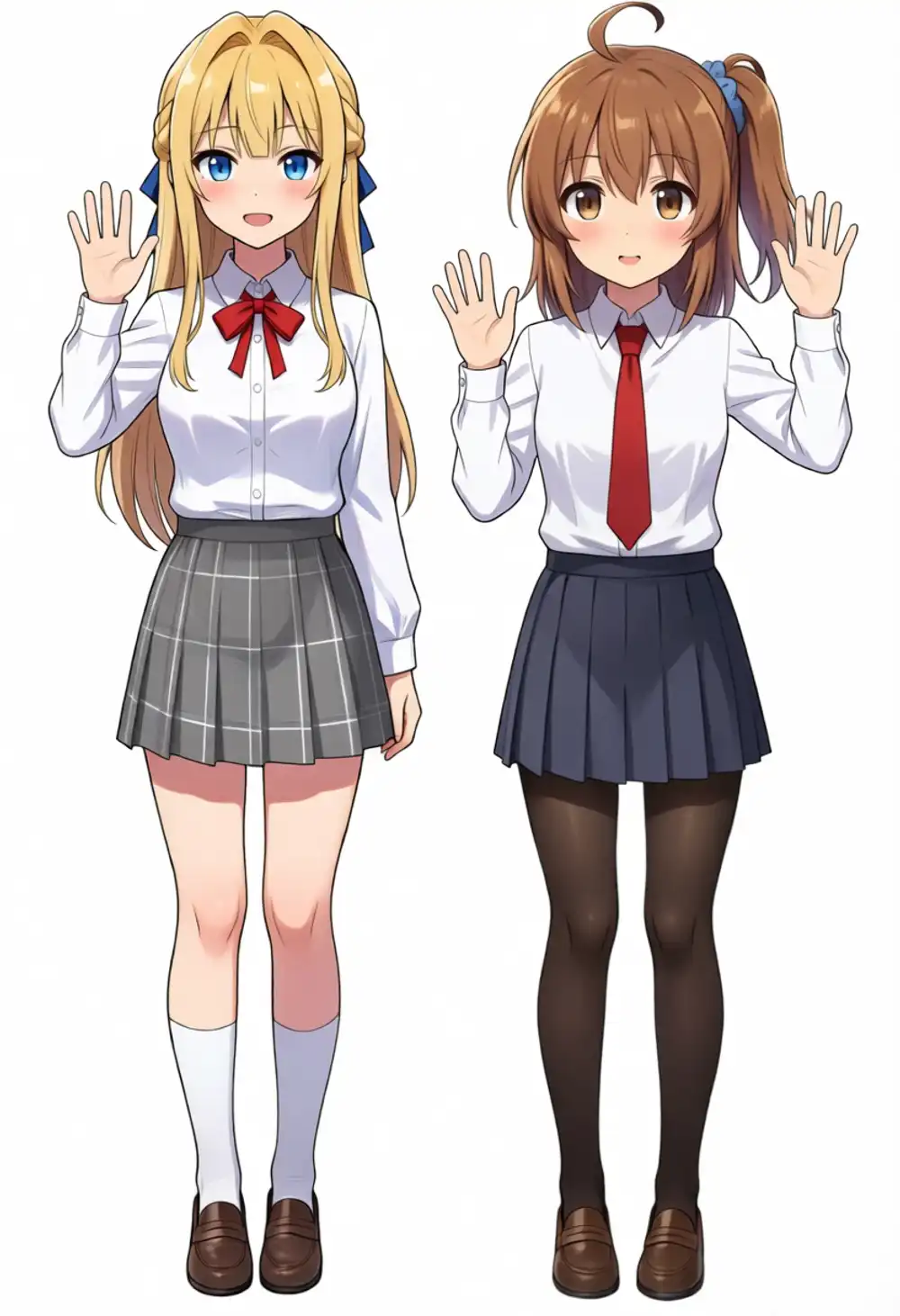
At least part of the “changing the pose in QIE changes the proportions” feeling was, again, not a model habit but the input-stage size mismatch. One thing to note: this pose change also switched the expressions to smiles without being asked (28.5% changed inside the faces). The model matched the expression to the “waving at the viewer” context, and locking position does not control that.
Experiment 4: boundary conditions and round-trip editing
I also checked three conditions likely to cause trouble when you build tools on this.
| Test | Result |
|---|---|
| Above 1MP (1248×1824 ≈ 2.3MP) line art | 0.2px shift. Position holds past 1MP |
| Non-multiple-of-16 size (831×1215) | No error; output silently floors to 824×1208 |
| Line art → recolor round trip | 0.01px against the line art. Colors are reinvented |
Above 1MP is something the stock node cannot even attempt, since it shrinks every reference to 1MP. With the ReferenceLatent setup a 2.3MP original goes in unshrunk, and position held at 0.2px. The cost is generation time on the M1 Max: about 16 minutes versus about 5 minutes at 832×1216.
The non-multiple-of-16 case did not fail by shifting. Feed in 831×1215 and the latent-stage floor-rounding returns an 824×1208 image; roughly 7px of the right and bottom edges vanish silently. No error is raised, which makes it easy to miss — if you build a tool on this, a snap-to-16 preprocessing step is mandatory.
For the round trip, I fed the line art from Experiment 1 back into QIE and had it colorized. The shift against the line art is 0.01px, so position survives two consecutive edits — color → line art → recolor — completely. But line art carries no color information, so the palette is QIE’s reinvention: the girl who had brown hair came back purple-haired. Same as the expressions in Experiment 3: position is kept, content is not.
Experiment 5: specify the expression with a reference image, not words
Experiment 3’s conclusion was “describe an expression in words and QIE repaints the face in its own style”. Then show it the expression itself as an image. I happened to have character expression portraits (angry, pouting, teary) made for LoRA training, so I fed them in as Picture 2 and Picture 3.
The setup is the same ReferenceLatent arrangement with two extra image inputs. The base image goes in as image1, entering both the VL path and ReferenceLatent; the expression references go in as image2/3 and enter only the VL path. No latent is injected for the references, so position stays anchored to the base image alone.
In Picture 1, change only the two girls' facial expressions.
The brown-haired girl's new expression should match the expression shown in Picture 2.
The blonde girl's new expression should match the expression shown in Picture 3.
Copy only the facial expressions from Picture 2 and Picture 3, nothing else.
Keep the clothing, pose and everything else in Picture 1 unchanged.| Test | Change outside faces | Transfer result |
|---|---|---|
| Teary | 0.80% | Both succeeded. Their own faces, now wearing the reference expression |
| Angry | 0.80% | The brown-haired girl succeeded. The blonde girl got an open-mouth yell despite a closed-mouth pout reference |
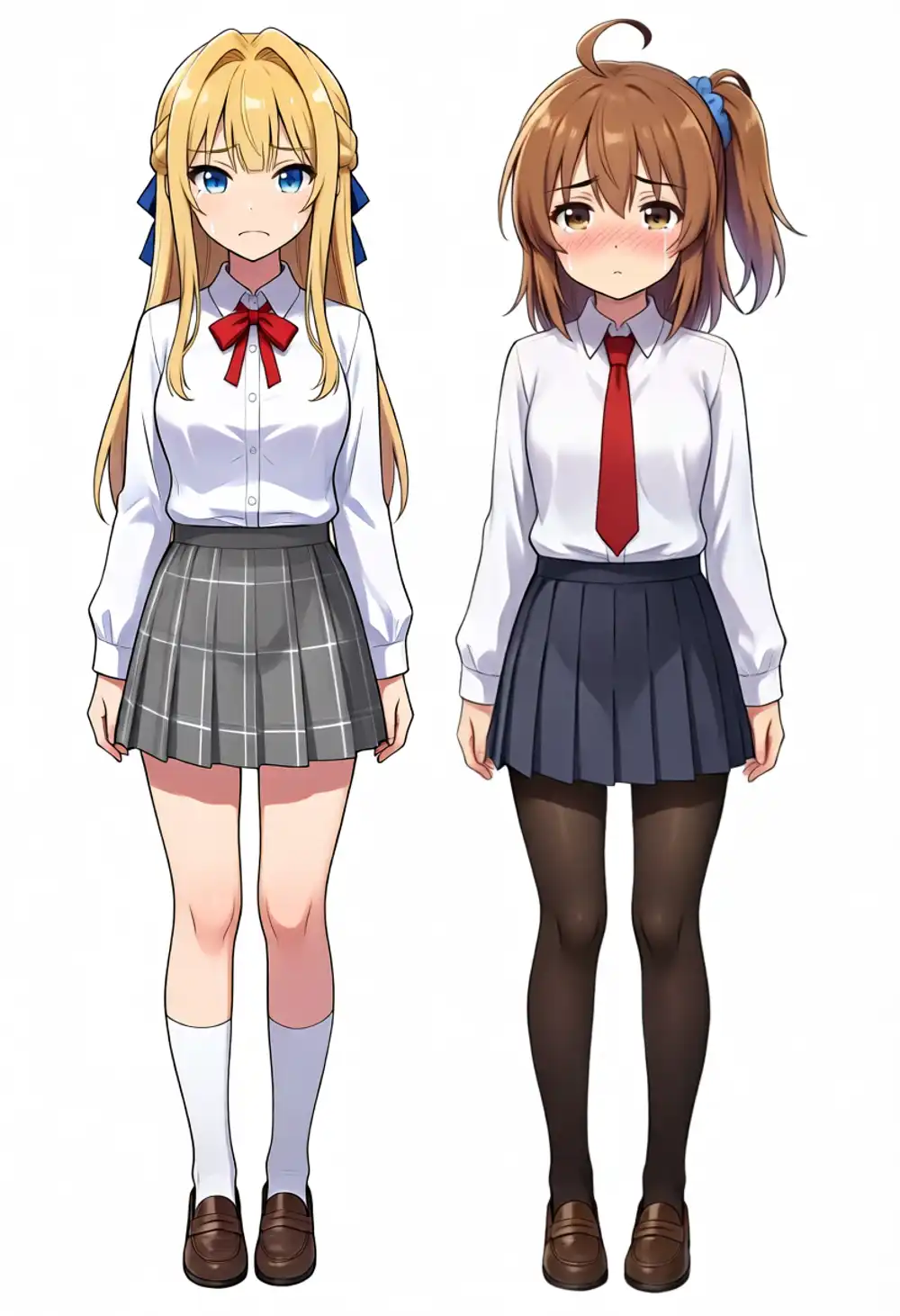
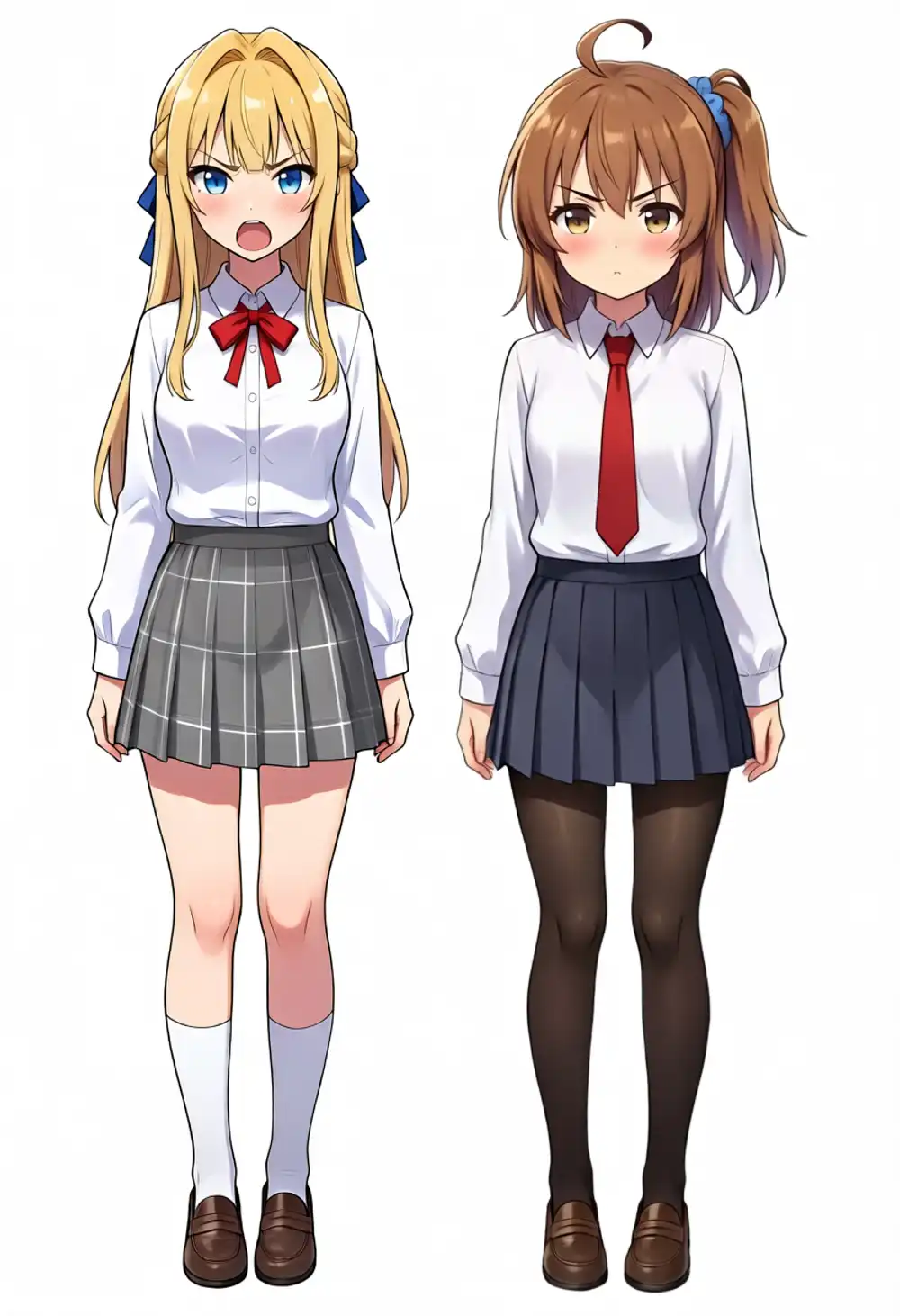
Three faces out of four changed to the reference expression while keeping their own features. The art-style problem that three prompt phrasings could not fix in Experiment 3 mostly went away by adding a single reference image. The teary Kana is faithful to the reference down to the watery eyes and the blush, and at this quality it passes as diff material.
The one miss is cross-talk: Kei’s reference is a closed-mouth pout, but she got pulled toward Picture 2’s anger and came out yelling. The constraint remains that giving two characters different expressions at once can wobble the reference mapping. If you need it reliable, process one character at a time and composite, using the locality shown in Experiment 3 (0.42% on the untouched half).
If you keep a LoRA training dataset, its expression portraits are direct input for diff production. One standing image plus N expression references now yields N position-locked expression diffs.
If you need zero diff
What remains is the VAE round-trip floor (0.02%) and the ~1px contour fringe. Colors and fine detail are also not bit-identical, so for use cases that demand “zero diff against the original”, you add one post-processing step that composites the output onto the original through a diff mask. With condition C the differences are localized to the edited area, so that mask can be built almost automatically with just a threshold.