SeFi-Image on M1 Max MPS from 13s on 1B turbo to 18 min on 5B RL
 Contents
While looking into AniMD-Krea2Turbo, an anime-leaning Krea 2 merge I spotted on Civitai, I noticed the top of the new-checkpoint feed was almost entirely Krea 2 derivative merges.
Muse by Stable Yogi, Amazing Reality, Project Chimera, Moody Krea 2 Mix: all variants of the same Krea 2, with nothing technically new beyond my earlier article (Krea 2 on M1 Max with ComfyUI).
Browsing the new arrivals on Hugging Face instead, I found SeFi-Image (arXiv:2606.22568).
It denoises semantic and texture latents separately and asynchronously; the VAE and DiT backbone are borrowed from the Flux.2 family (a fine-tuned Flux.2 VAE and a Flux.2 [klein]-style DiT), but the denoising design itself looks unlike any model I have covered before.
Even the largest 5B variant is half the parameter count of Boogu (10B). I checked whether it loads on an M1 Max with 64GB.
What SeFi-Image is
SeFi-Image is a text-to-image foundation model built on a method called Semantic-First Diffusion: denoising is split into a semantic (structure) stream and a texture (appearance) stream, with the semantic side running ahead asynchronously.
The texture latent comes from a fine-tuned Flux.2 VAE, while the semantic latent compresses frozen DINOv2 features through a dedicated SemVAE.
A DiT predicts the velocity over the concatenated latent space in one go, and the loss computation splits it back into the two streams.
The timestep embedding is not single either: a dual-timestep scheme conditions on each stream’s asynchronous noise level separately.
There are three sizes, 1B/2B/5B. The 1B and 2B come in Base/Turbo, and only the 5B has Base/Turbo/RL.
Base runs 50 steps with CFG; Turbo is a 4-step distilled variant.
The inference code is published under the MIT license, but the weights are CC BY-NC 4.0 (non-commercial).
Test environment
| Item | Detail |
|---|---|
| Machine | MacBook Pro M1 Max 64GB |
| OS | macOS 26.5 |
| Python | 3.12.12 |
| PyTorch | 2.13.0 (MPS) |
| diffusers | 0.39.0 |
| transformers | 5.14.1 |
| accelerate | 1.14.0 |
| Target model | SeFi-Image-1B-turbo (4-step) |
Test plan
Same framework as my earlier local model tests (Boogu-Image, Krea 2).
- Architecture pre-check. Check the code for CUDA-only pieces
- Load check. 1B turbo is the lightest, so first see whether it goes through
- Speed. Measure cold and warm separately
- Peak memory
- Output quality
Results
1. Architecture pre-check
Judging from the wrapper code on GitHub (sefi/modeling/flux2_sefi_transformer.py), the DiT backbone uses diffusers’ Flux2Transformer2DModel as a building block and reimplements the forward path for the dual-timestep embedding and the modulation coefficients.
The wrapper contains no .cuda() calls and none of the CUDA-only pieces like flash_attn/xformers/triton.
sefi/runner.py defaults its device argument to "cuda", but the caller can override it as SEFIInferencePipeline.from_pretrained(..., device="mps").
What stopped Krea 2 in my earlier article was fp8 quantized tensors (Float8_e4m3fn) with no hardware support on MPS; SeFi-Image’s Base/Turbo variants are bf16-based, so that particular problem should not appear.
2. Load check
Running python inference.py --checkpoint SeFi-Image/SeFi-Image-1B-turbo --device mps --dtype bf16 ... stopped with a 403 while downloading the weights.
huggingface_hub.errors.GatedRepoError: 403 Client Error.
Access to model SeFi-Image/SeFi-Image-1B-turbo is restricted
and you are not in the authorized list.
The SeFi-Image Hugging Face repos are gated behind a CC BY-NC 4.0 license agreement; you have to click “Agree and access repository” on the web page.
Generating on WaveCut’s Space
While sorting out the download, I first tried 1B turbo generation on the Hugging Face Space published by WaveCut (WaveCut/SeFi-Image, running on ZeroGPU).
The numbers come from ZeroGPU, not my M1 Max, so they say nothing about local speed; this was just to see what the output quality looks like.
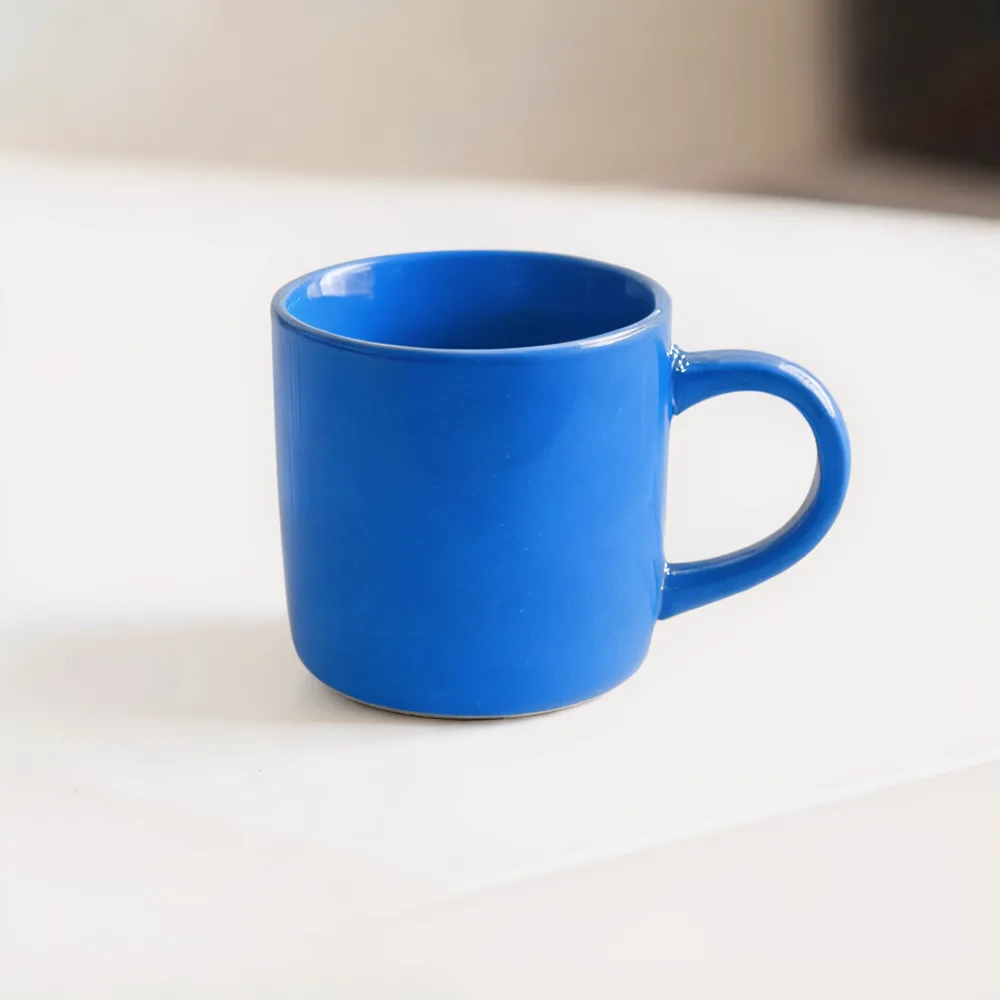
The prompt was A blue ceramic mug on a white desk., 4 steps, guidance 1.0, seed 523199491. The blue mug came out exactly as prompted, with clean material highlights and background bokeh.
The backend breakdown looked like this.
| Phase | Time |
|---|---|
| Model download/load/switch | 12s |
| Prompt and latent prep | 0.5s |
| Denoising (4 steps) | 0.5s (7.88 steps/s) |
| Decode and output | 0.4s |
Denoising itself took 0.5s for 4 steps.
But ZeroGPU allocates datacenter-grade GPUs (currently half or all of an RTX Pro 6000 Blackwell), so this number says nothing about what speed MPS on the M1 Max will reach.
Checking the ModelScope mirror
Meanwhile I found that the same developer mirrors the same lineup (1B/2B/5B, RL only for 5B) on ModelScope.
ModelScope needs no license-agreement click, and modelscope’s snapshot_download went through without logging in.
The catch: my connection managed only about 73KB/s to ModelScope, and the 6.80GB download for 1B turbo alone took 2 hours 21 minutes.
3. Load check and MPS run (via ModelScope)
Passing the downloaded local path to --checkpoint and running with --device mps --dtype bf16 went straight through.
python inference.py \
  --checkpoint ./ms_cache/models/SeFi-Image--SeFi-Image-1B-turbo/snapshots/master \
  --prompt "A blue ceramic mug on a white desk." \
  --steps 4 --guidance-scale 1.0 \
  --device mps --dtype bf16 --seed 42
000000.png came out with no errors. As the pre-check suggested, there was no fp8-style wall. Having it just work felt almost anticlimactic.
4. Speed
inference.py starts a fresh process and reloads the model on every CLI run; there is no resident mode like ComfyUI that makes the second run onward faster.
The plain CLI therefore only gives you load plus generation combined.
To separate load from generation, I used the Python API to run second and later generations in the same process and timed those.
| Phase | Time |
|---|---|
Model load (from_pretrained) | 7.30s |
| Generation 1 (1024×1024, 4 steps) | 13.23s |
| Generation 2 (same process, warm) | 13.14s |
| Generation 3 (same process, warm) | 13.09s |
Even warm, generation flattens out around 13s per image; at 4 steps that is about 3.3s per step.
Compared with 0.13s/step on WaveCut’s Space (ZeroGPU), that was about 25x slower.
Whether the gap comes from memory bandwidth or the attention implementation cannot be told from this measurement.
A full CLI run (load plus generation) was stable at 21.2–21.3s across repeats.
5. Memory
Measuring one CLI run with /usr/bin/time -l gave a peak memory footprint of about 15.8GB (maximum resident set size shows about 4.95GB, but it cannot capture MPS unified memory, so I used the peak memory footprint value).
On the 64GB machine it simply fit in memory.
The number reflects the light 1B DiT plus Qwen3-VL-2B text encoder combination: about half of Krea 2 Turbo (bf16 diffusion 26GB plus fp8 text encoder, about 31GB resident when warm).
6. Output quality
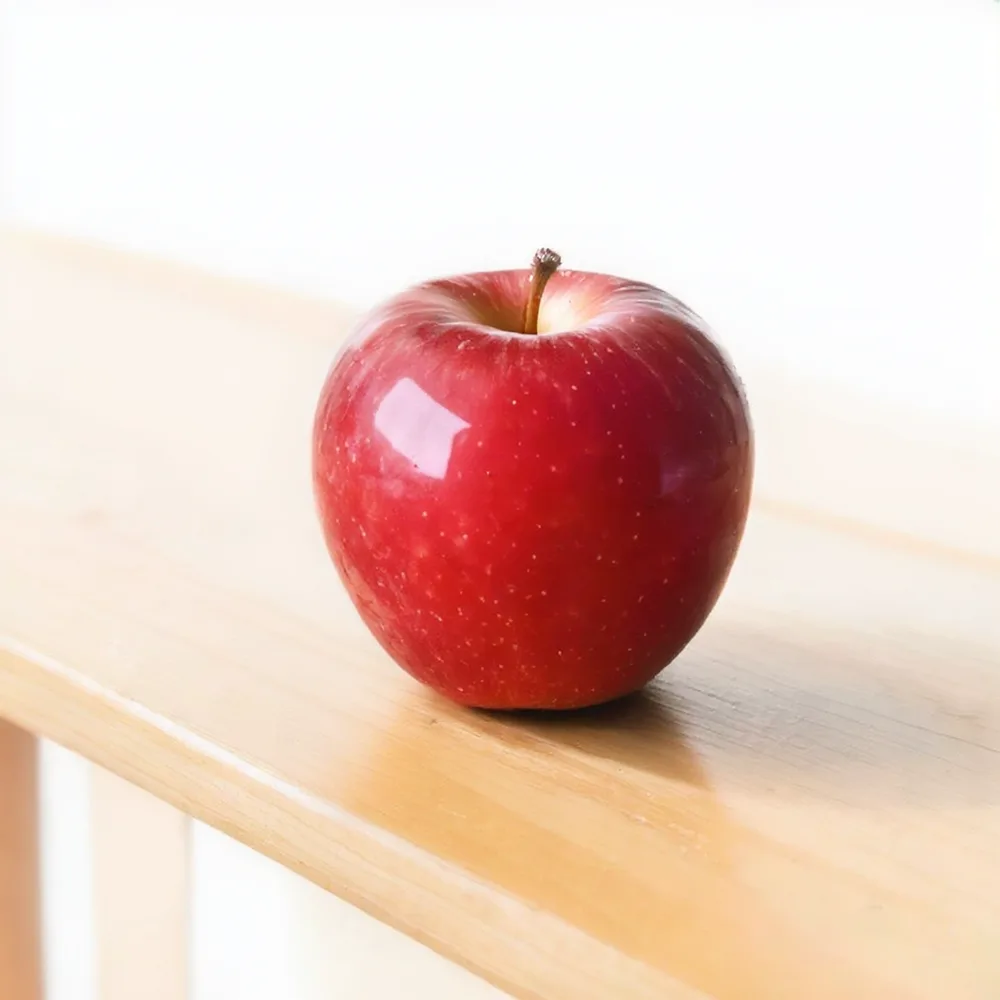
I tried A blue ceramic mug on a white desk. and A red apple on a wooden table. (the default examples in the README).
Both produced exactly the prompted subject, with natural material texture, reflections, and bokeh.
On simple photorealistic still-life prompts, even 1B turbo shows no visible breakage.
2B turbo as well
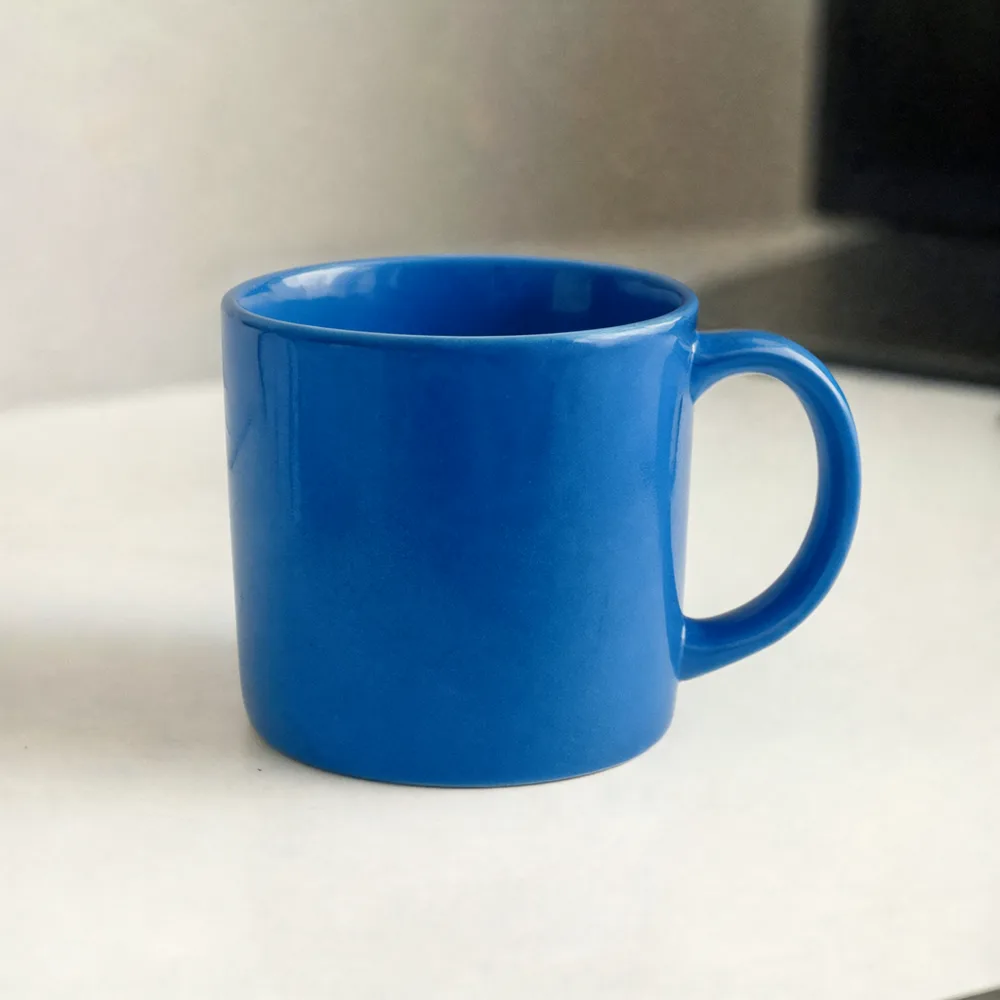
I ran 2B turbo (via ModelScope, 8.80GB) through the same procedure as 1B turbo. Load and MPS execution went through the same way.
| Phase | 1B turbo | 2B turbo |
|---|---|---|
| Model load | 7.30s | 12.09s |
| Generation (warm, 4 steps) | around 13.1s | 22.1–22.6s |
| Per step | ~3.3s | ~5.6s |
| Peak memory footprint | ~15.8GB | ~17.3GB |
Parameters nearly doubled from 1B to 2B, but generation time stayed within about 1.7x.
Peak memory footprint went from 15.8GB to 17.3GB, an increase of only 1.5GB.
Output quality was on par with 1B; the A blue ceramic mug on a white desk. mug showed no breakage.
People and anime prompts
Still-life prompts came out clean, so I tried prompts with people on 2B turbo. The photorealistic ones used professional photography portrait-style quality words, the anime ones cel shading.
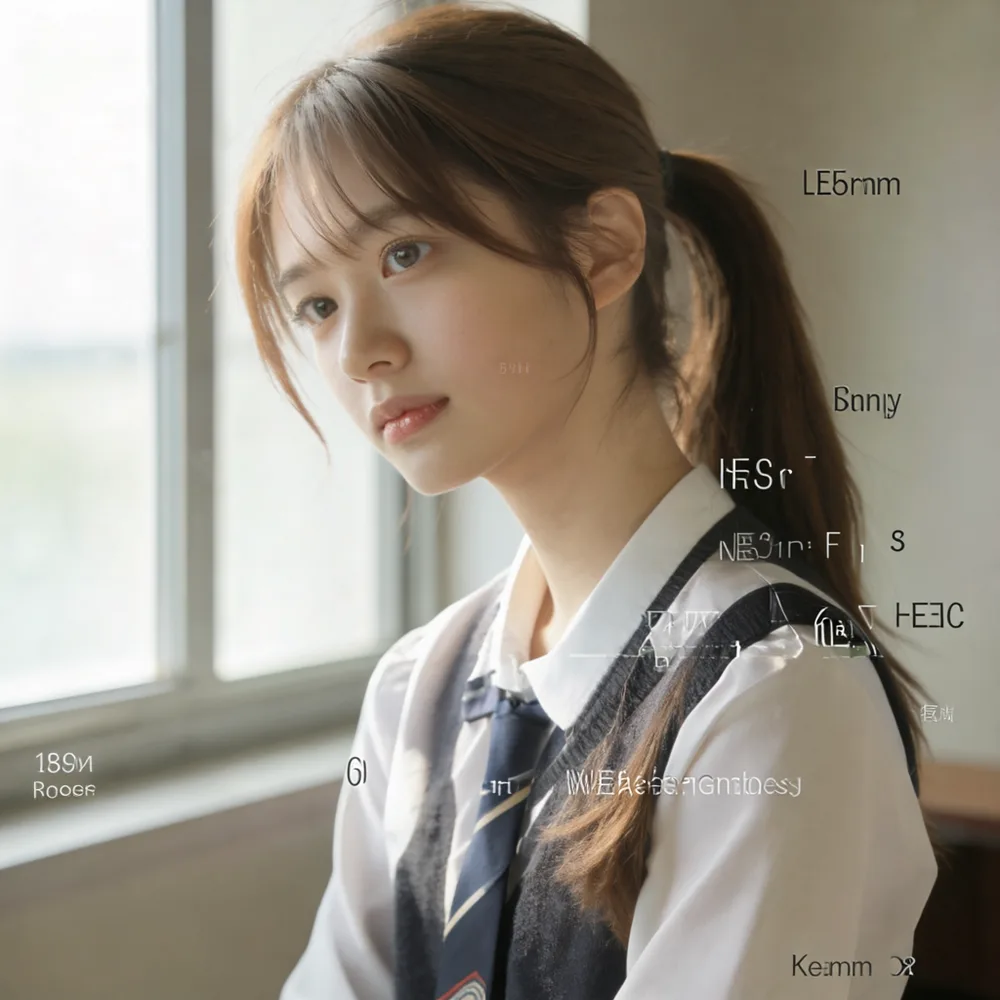
The person themselves (hair, uniform, lighting) shows no visible breakage. But with no text requested at all, meaningless alphabet labels like LE5mm and Bnnly floated over the background and clothes.
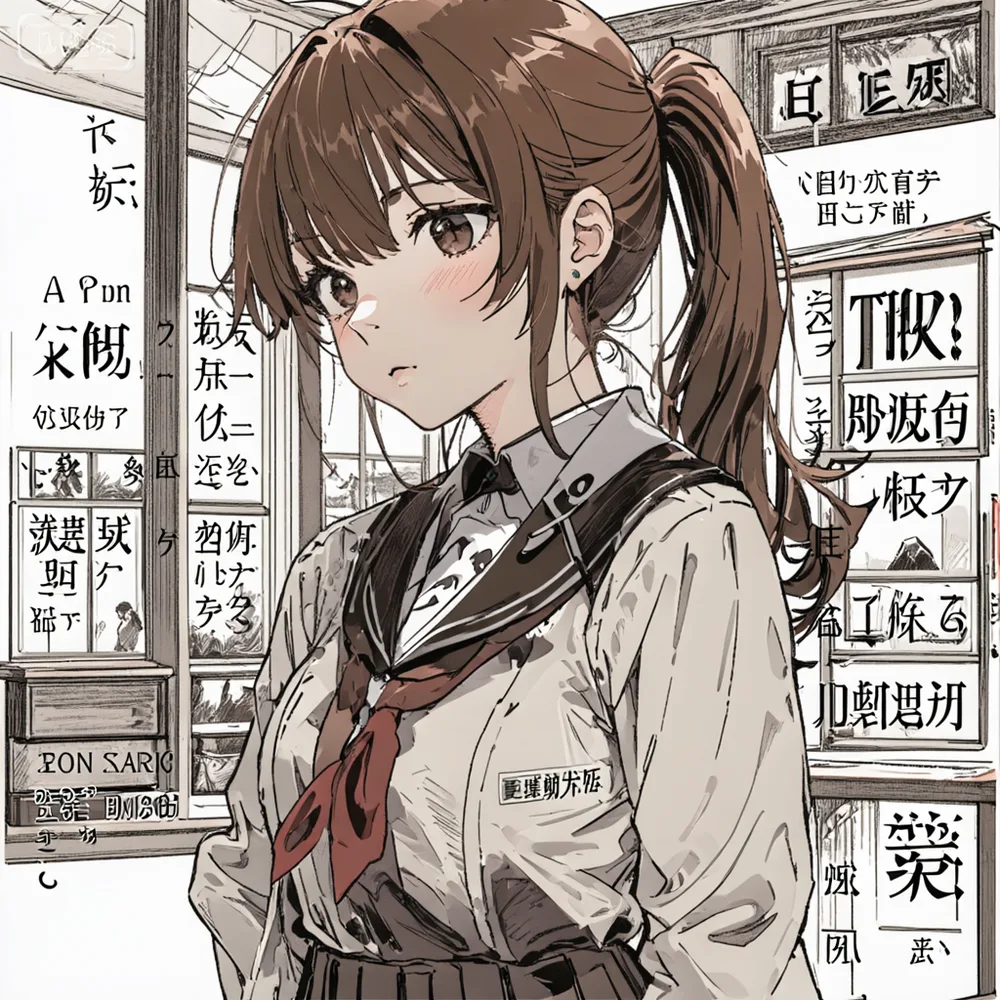
The anime one keeps the character intact (cel shading, ponytail, uniform), but the billboard-like background is packed with piles of unreadable fake kanji and kana.
SeFi-Image’s model card lists bilingual text rendering as a headline feature.
To see how far prompting can suppress this fake text, I ran four more images with changed conditions.
| Prompt change | Result |
|---|---|
Remove camera spec words like 85mm f1.4, set background to “plain room” (photorealistic, 2 seeds) | No fake text |
Remove only 85mm f1.4, keep professional photography portrait and cinematic (photorealistic) | No fake text |
| Set background to “plain background” (anime) | Mostly gone. One small fake-logo watermark top-left and one unreadable character on the school emblem remain |
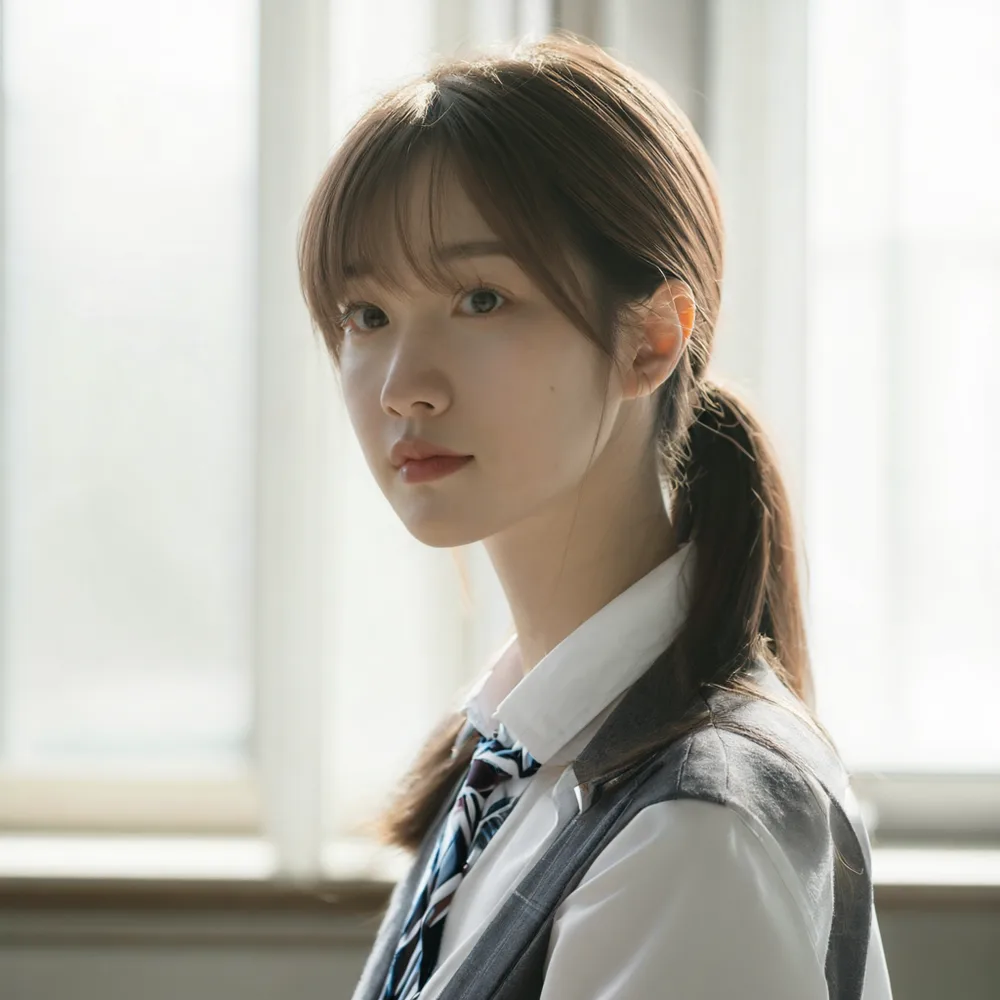
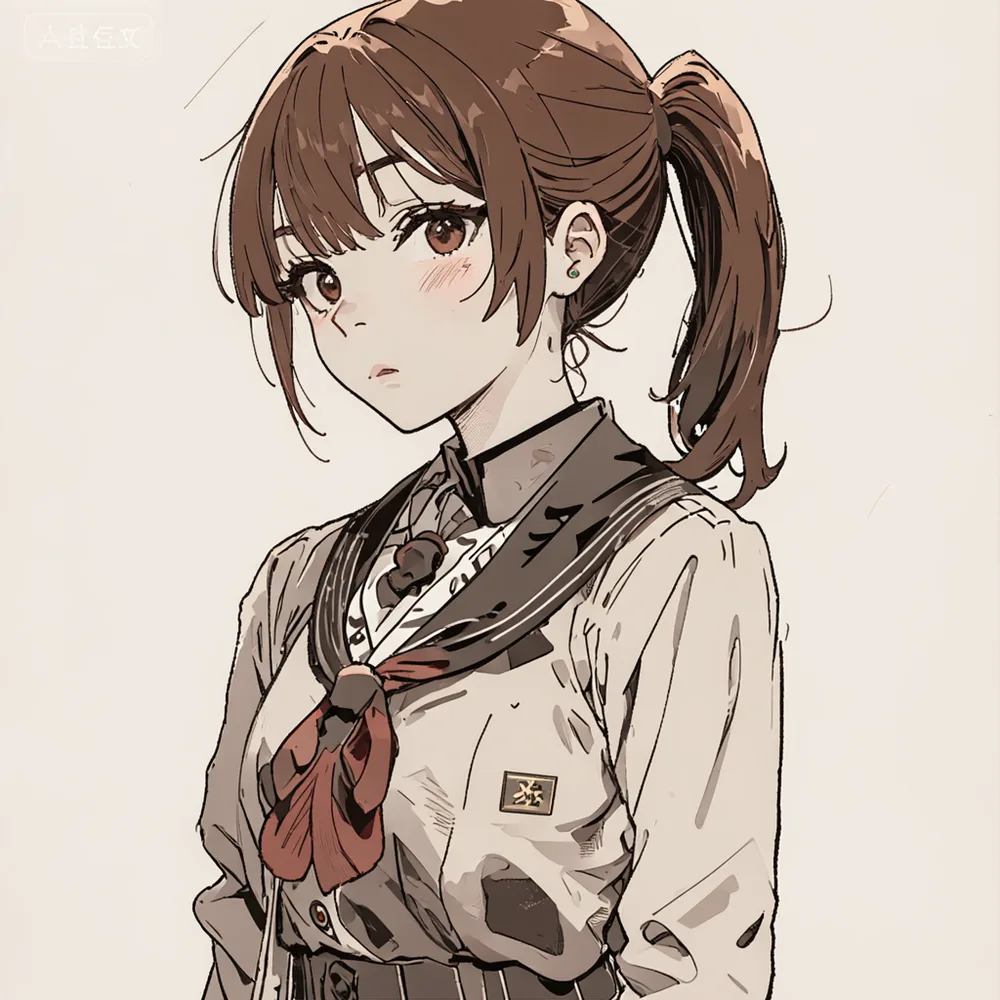
At this point the camera-lens spec 85mm f1.4 looked like the trigger, and in fact removing it and simplifying the background cleared the fake text from all three photorealistic images.
The anime one never fully cleared, but went from billboard-filling text down to a single small watermark.
These are 4-step turbo results though; how the 50-step Base/RL variants differ comes later.
Grepping sefi/pipeline.py, sefi/cli.py, and sefi/runner.py turns up not a single negative string: there is simply no argument for a negative prompt, so you cannot suppress it deliberately.
I also checked the Examples on WaveCut’s Space in the app.py source. The portrait examples do use natural-language lens phrases like 85mm lens look and medium-format fashion photography, and no number-plus-f-stop notation like 85mm f1.4.
Those examples were generated with 5B RL at 50 steps and guidance 4.0 though, different conditions from the 2B turbo I was testing (4 steps, guidance 1.0).
I then fed the Anime cinematic portrait example prompt verbatim into 2B turbo at its regular settings (4 steps, guidance 1.0, same seed 7401).
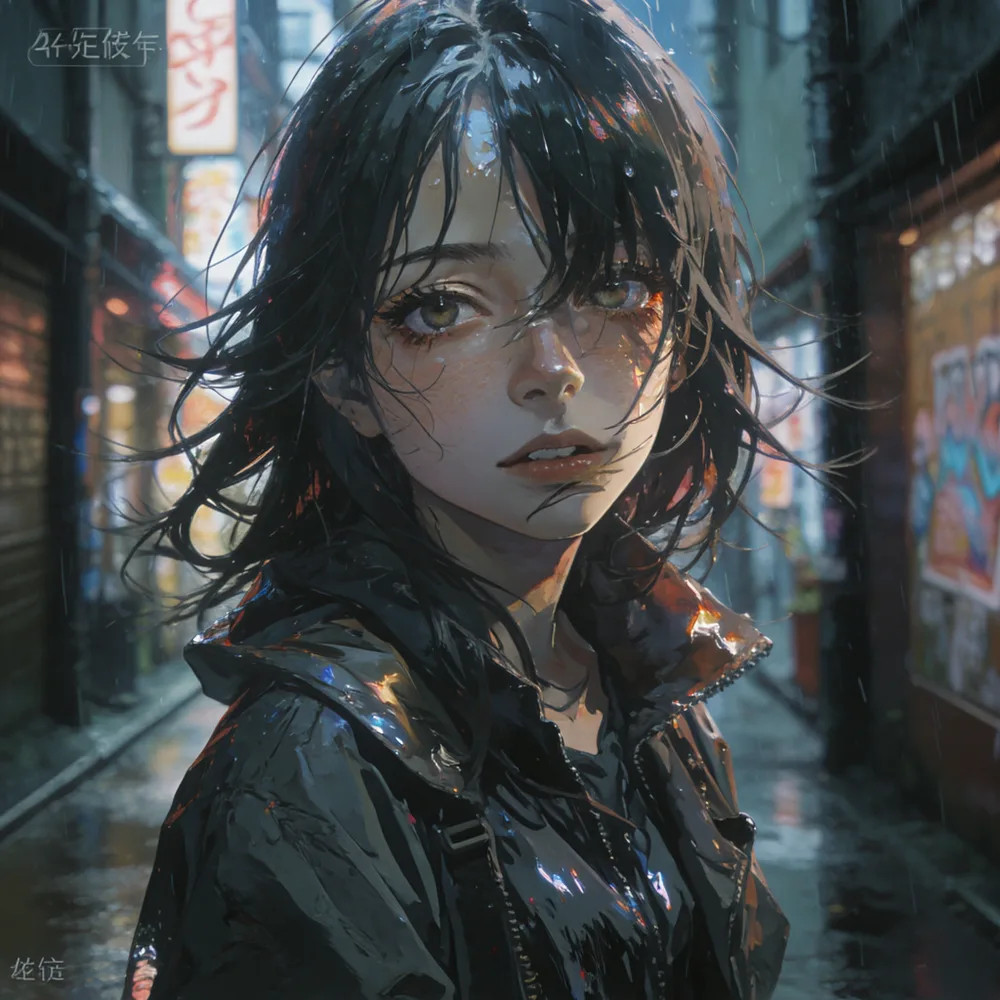
The colors and the rain-and-neon mood are there, but the figure’s outlines fall apart.
Even granting the prompt’s painterly anime realism, this is closer to breakage than painterly touch.
The same collapse and fake text showed up on the Space’s own example prompt, which never uses 85mm f1.4.
That ruled out the number-plus-f-stop hypothesis.
The turbo models only accept num_inference_steps of 4/8/10 (passing 50 raises a ValueError), so I could not test the official 50-step, guidance 4.0 settings.
Something on the turbo side, either the 4-step distillation or the guidance 1.0 inference setting, is suspect, but for now it is not clear.
5B turbo as well
I also tried 5B turbo (via HF, just under 19GB).
| Phase | 1B turbo | 2B turbo | 5B turbo |
|---|---|---|---|
| Model load | 7.30s | 12.09s | 31.83s |
| Generation (warm, 4 steps) | around 13.1s | 22.1–22.6s | 46.0–47.7s |
| Per step | ~3.3s | ~5.6s | ~11.6s |
| Peak memory footprint | ~15.8GB | ~17.3GB | ~33.7GB |
Memory use grows at 5B. From 1B to 2B it was +1.5GB, but from 2B to 5B it jumps +16.4GB, nearly doubling.
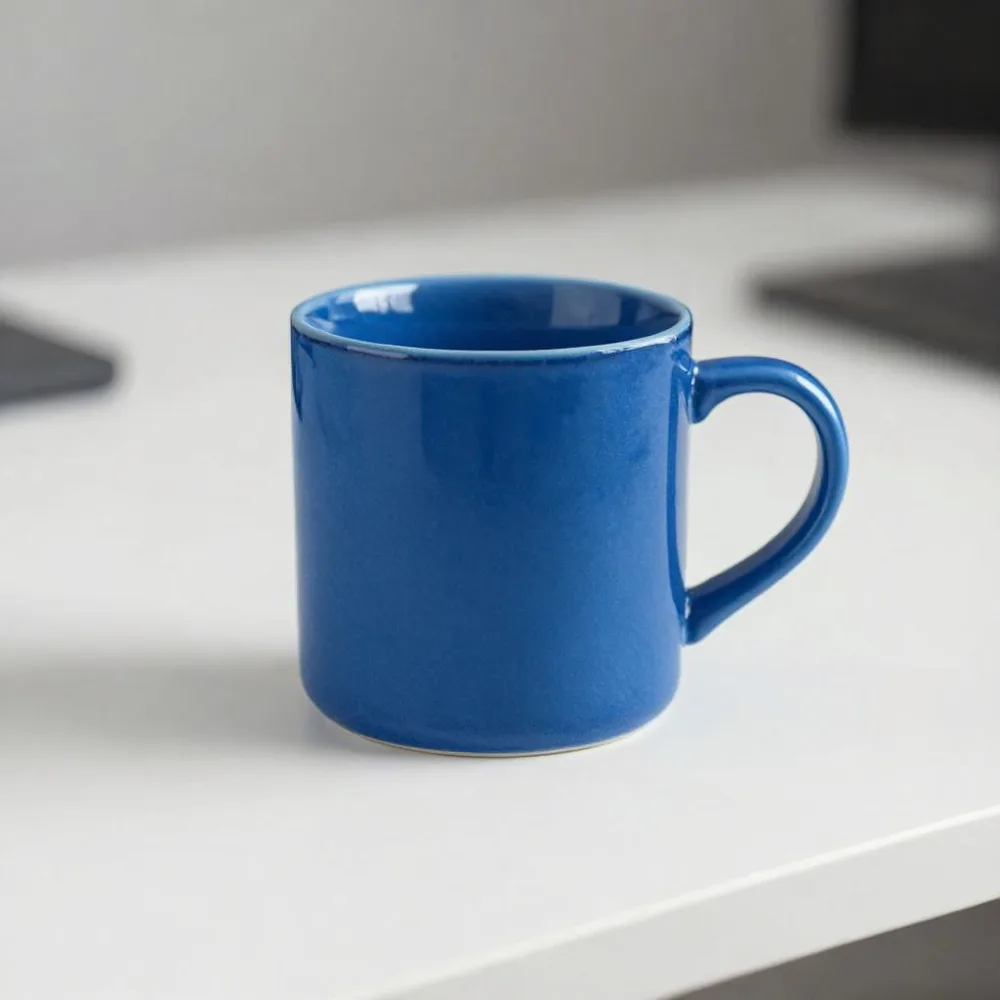
Compared with 1B/2B, the mug’s texture and highlight detail improved further.
Character comparison across the three sizes
On top of the still-life and fake-text tests, I threw a prompt equivalent to the full character spec from my earlier article (Krea 2) at all three turbo sizes with the same prompt, same seed (42), and same step count (4).
The prompt was A high school girl with brown hair in a side ponytail on the right side, wearing a blue scrunchie, in a school uniform, standing in a plain room, soft natural lighting.
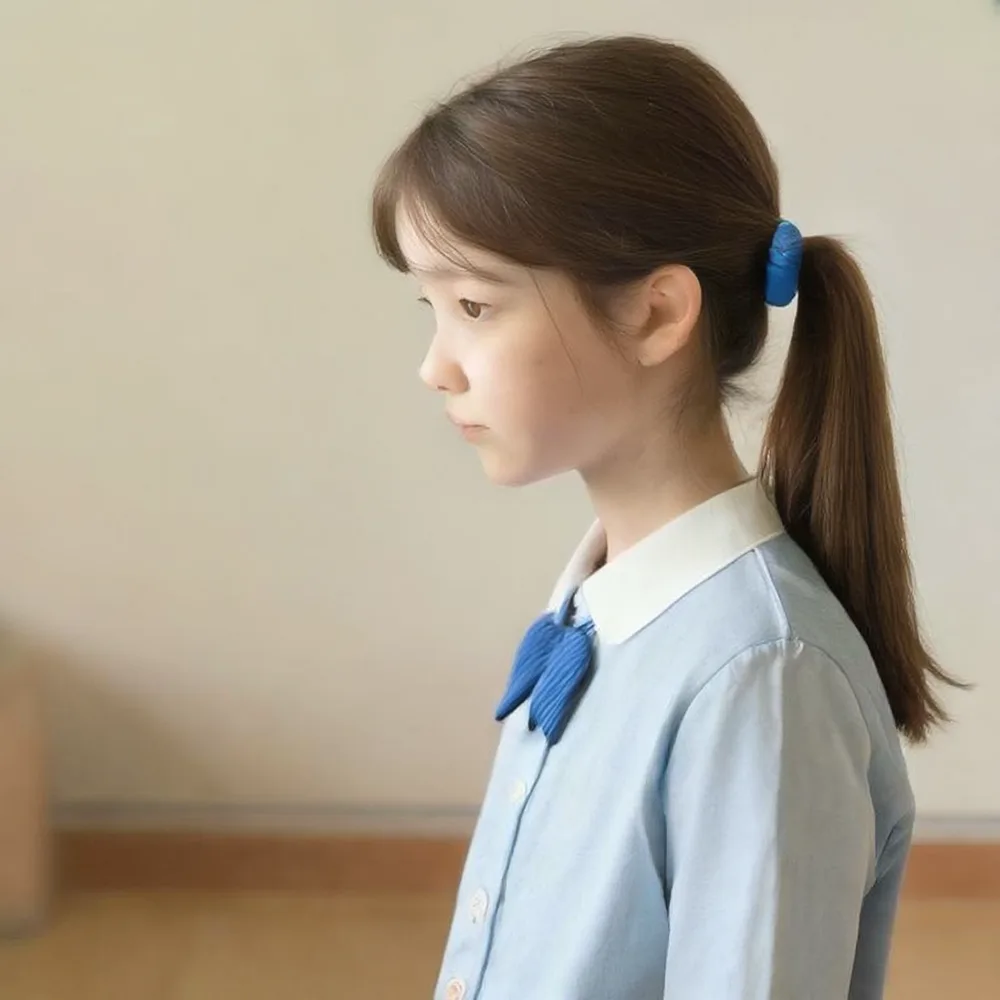
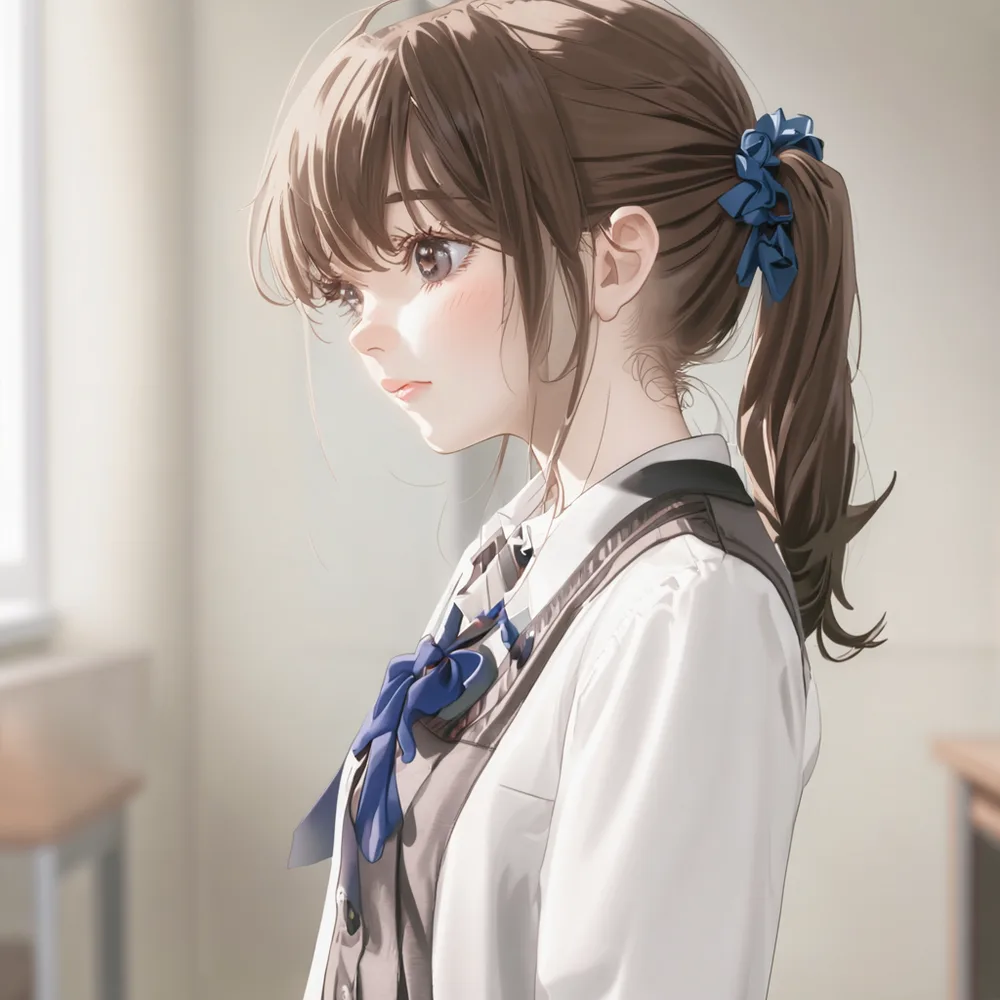
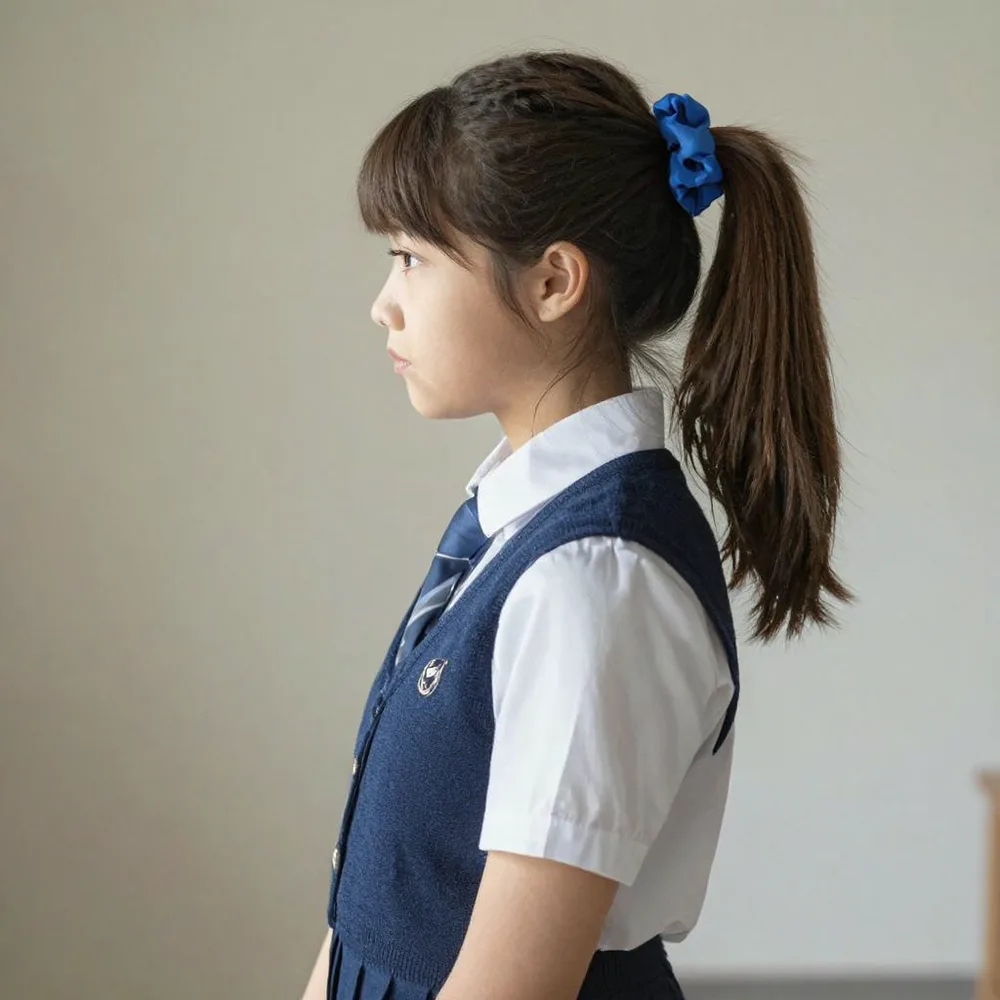
All three sizes honored the blue scrunchie and school uniform, and no fake text appeared.
1B leans photorealistic, 2B leans anime shading, and 5B is the most photorealistic and detailed; the same prompt splits into different interpretations by size.
With no camera jargon like 85mm f1.4 and no scenery that would bring in signage, a character spec of this size went through stably on every size.
All three faces turn to the left in profile though, which looks like a misreading of side ponytail on the right side.
Instead of “which side of the head the ponytail is tied on”, it appears to be read as “which way the ponytail points”, and a left-facing profile satisfies a rightward ponytail, which is likely why every size picked that composition.
Regenerating with a front-facing instruction
I added facing the camera, front view to the prompt and regenerated on 2B turbo.
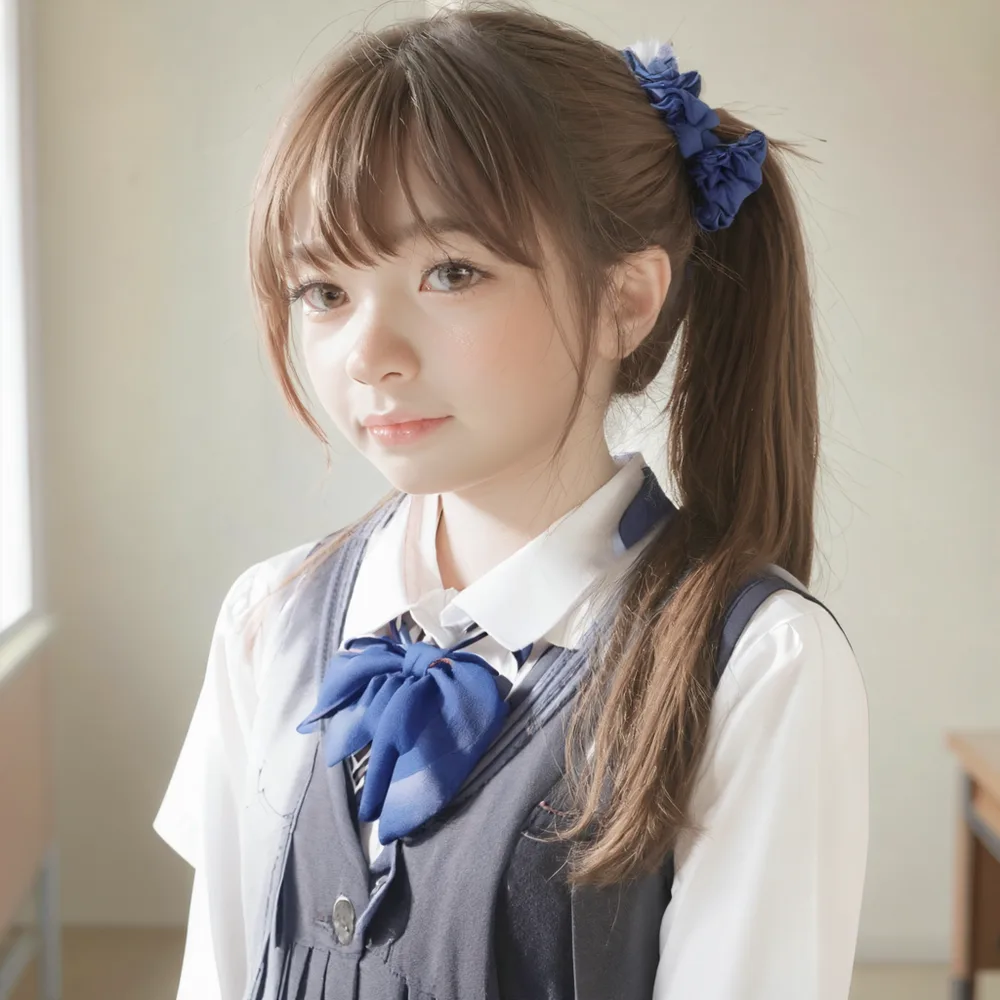
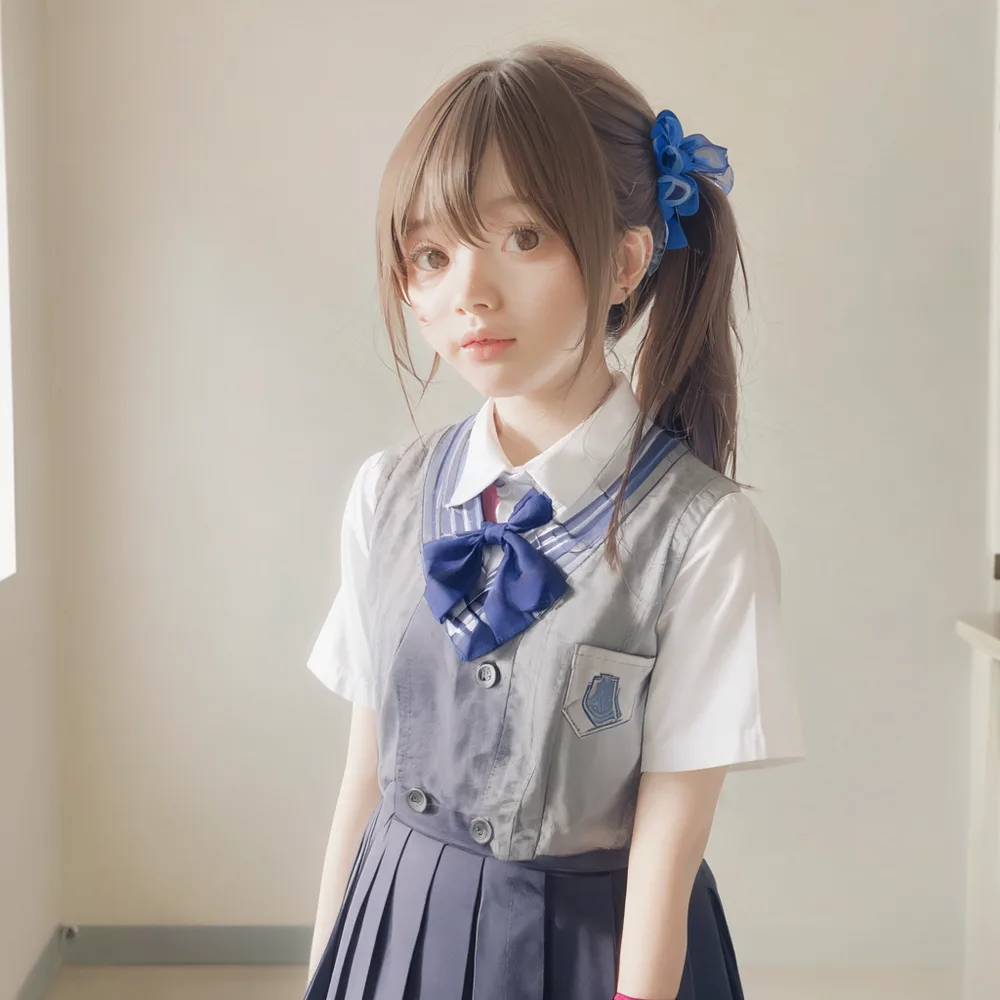
Looking again, it did not improve as much as hoped.
The angle stays three-quarter; facing the camera had almost no effect.
The ponytail knot sits at the top of the head, slightly to the left; “side” is mostly ignored and it just looks like a high ponytail draped over the right shoulder.
The face itself also picked up flaws.
The inner corner of the right eye is misshapen, unnatural shading sits on the cheek, and the irises are oversized with the gaze slightly off.
The uniform’s collar ribbon and chest pocket boundaries smear together and stop reading as fabric folds.
Adding facing the camera left the side ponytail on the right side misreading in place and added face and clothing breakage on top.
5B RL under the official settings
I also grabbed 5B RL (via HF, just under 19GB, 63 min 53 s download).
First I tried it under the same conditions as the turbos (mug, 4 steps, guidance 1.0) and got a soft, out-of-focus result.
The official Model Zoo lists 50 steps and guidance 4.0 as the recommended inference settings for 5B RL, and 4 steps falls outside them, which is likely the reason.
Next I regenerated the same mug prompt at the Model Zoo settings, 50 steps and guidance 4.0.
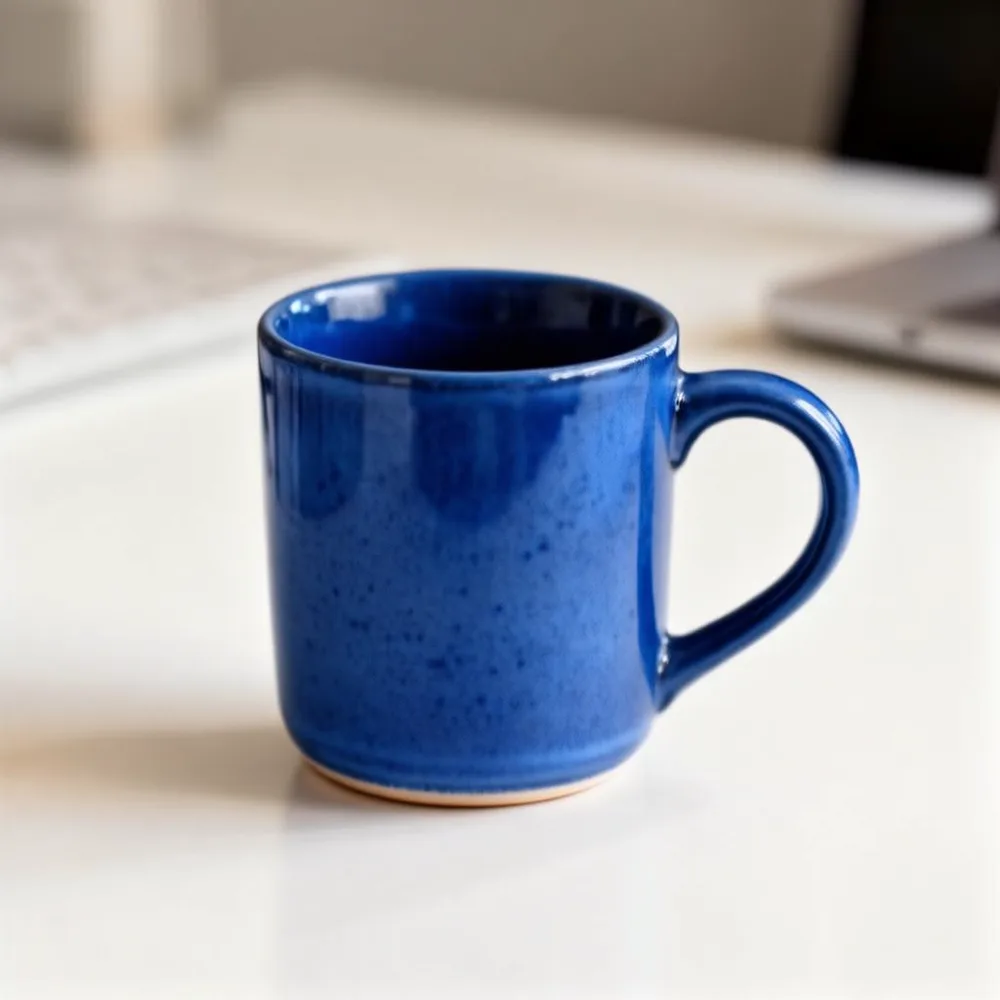
The 4-step soft focus is gone and the focus itself is sharp.
But the surface carries speckled noise, closer to grain than to a uniform glaze.
| Phase | 5B turbo (4 steps) | 5B RL (50 steps, guidance 4.0) |
|---|---|---|
| Model load | 31.83s | 35.74s |
| Generation (warm) | 46.0–47.7s | 1066–1117s (about 17 min 46 s to 18 min 37 s) |
| Per step | ~11.6s | ~21.3–22.3s |
| Peak memory footprint | ~33.7GB | ~33.7GB |
In these measurements, changing the step count and guidance scale left peak memory at the same level as turbo, and only generation time stretched out.
Per-step time is about 2x turbo, because CFG (guidance 4.0) runs two forward passes, conditional and unconditional.
Steps are 50÷4 = 12.5x, and the product predicts about 22–24x turbo’s time, matching the measured ~23x (1116s ÷ 47.7s).
Rerunning the anime cinematic portrait example on 5B RL
I regenerated the anime cinematic portrait example under exactly the Space Examples’ conditions (5B RL, 50 steps, guidance 4.0, seed 7401).
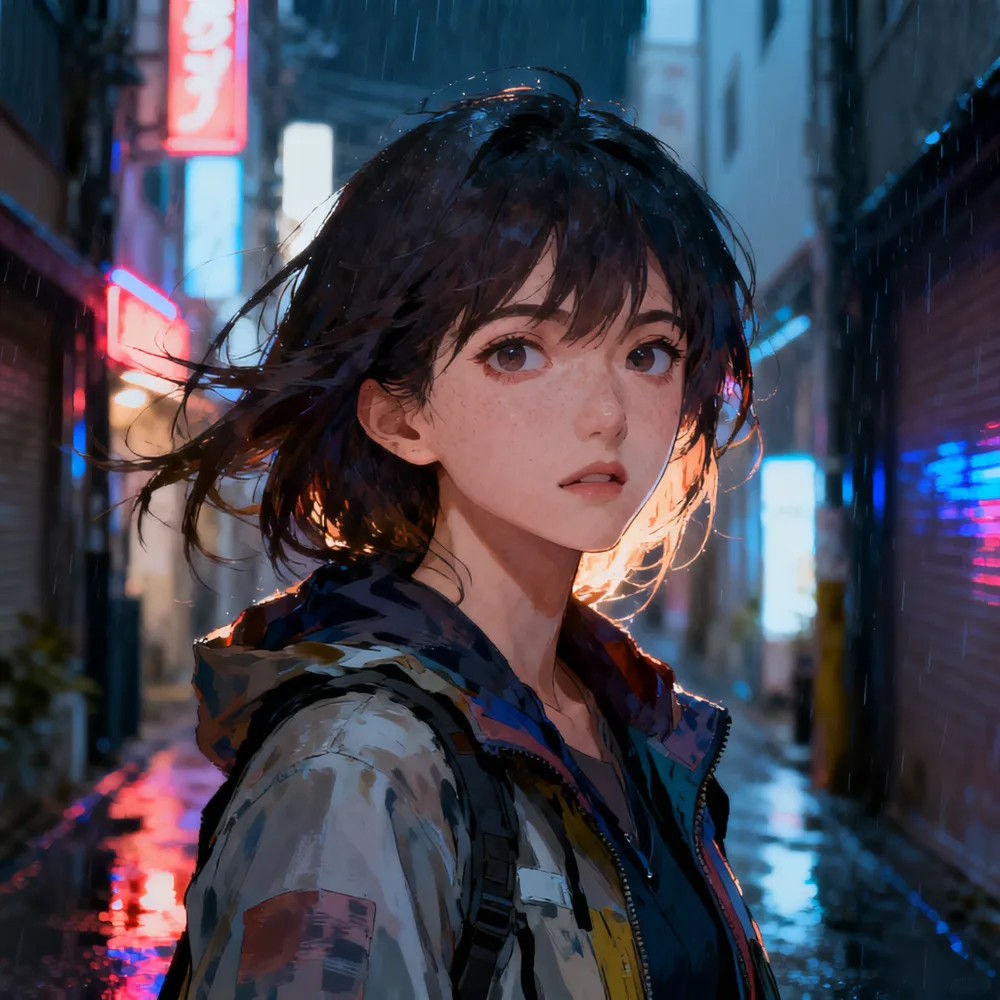
The face breakage from 2B turbo (misshapen eye corner, odd cheek shading, off-axis gaze) is gone.
The fake text seen in the school-uniform tests also settles into plausible neon-sign artwork on the billboards, with none of 2B turbo’s unreadable character strings or corner logos.
Rain-soaked hair, the camo fabric of the jacket, even freckles are rendered distinctly, with no visible breakage.
The fake text and face breakage do not seem to be a matter of prompt wording like 85mm f1.4.
But the available comparison is 2B turbo against 5B RL, which differ in both size and post-training, so turbo distillation alone cannot be blamed.
For what it is worth, 5B RL at 50 steps and guidance 4.0 clears both, at about 18 minutes per image.