WAI-Anima character LoRA on RunPod with AnimaLoraToolkit: $1.22 to train, but ponytail direction won't follow prompts
 Contents
In Retrained the LoRA After Removing Sweat/Decoration from 6 Source Images I rebuilt a LoRA for WAI-Illustrious v17. Since the same data was at hand, I wanted to feed it into the Anima ecosystem (WAI-Anima v1) too — to see if the LoRA could fix the i2i identity-loss issue.
For Anima LoRA training there’s the new GUI-based Anima-LoRA-Factory, but it just shipped at v2.0beta and feels unstable. Since the February initial Anima review, the community-built AnimaLoraToolkit has matured. YAML config + sd-scripts based, outputs ComfyUI-native format directly. If you’re CLI-comfortable this is much faster.
Beyond this first run, I’ve reworked Anima character LoRAs several times, changing settings, base models, and dataset. The individual experiments are collected in the LoRA test log at the end.
Picking WAI-Anima v1 as the Base
WAI-Anima v1 is a fine-tune of Anima preview3-base. Plain preview3-base pulls faces toward an American comic look in i2i, but WAI-Anima improves tag responsiveness and character consistency. As a foundation to layer a LoRA on, this one is more stable.
WAI-Anima itself is a 3.9GB safetensors file, intended as the --pretrained_model_name_or_path= value for anima_train.py. The architecture is the same as preview3-base (DiT 2B + Qwen3 0.6B TE + Qwen Image VAE), so AnimaLoraToolkit accepts it as-is.
RunPod Setup
Same CPU+GPU two-stage flow as the previous IL training.
| Pod | Use | Spec | Price |
|---|---|---|---|
| CPU Pod | Model transfer / prep | 2 vCPU / 8GB RAM | $0.08/h |
| GPU Pod | Training | RTX 6000 Ada (48GB) | $0.77/h |
| Network Volume | 50GB | us-wa-1 | $0.005/h |
For the GPU, A40/L40S availability was Low in this region, so I picked the older Ada-generation RTX 6000 instead of the newer RTX PRO 6000 Blackwell. Blackwell (sm_120) doesn’t run on the stock CUDA 12.4 stack and needs torch + cu128/130 nightly setup, so for stability stop at Ada generation.
The region is us-wa-1. Network Volume is region-locked, so the safe order is: check GPU availability first, then create the volume in that region.
Model Layout
AnimaLoraToolkit expects models/text_encoders/ as a Hugging Face-style directory. The single safetensors file (qwen_3_06b_base.safetensors) published by circlestone-labs/Anima for ComfyUI use can’t be dropped in directly.
Correct layout:
AnimaLoraToolkit/
├── models/
│   ├── transformers/
│   │   └── waiANIMA_v10.safetensors   ← symlink to /workspace/models/
│   ├── vae/
│   │   └── qwen_image_vae.safetensors
│   ├── text_encoders/                  ← HF-style directory
│   │   ├── config.json                 (in repo)
│   │   ├── merges.txt                  (in repo)
│   │   ├── tokenizer_config.json       (in repo)
│   │   ├── tokenizer.json              ← from Qwen/Qwen3-0.6B-Base
│   │   ├── vocab.json                  ← same
│   │   └── model.safetensors           ← same (1.2GB)
│   └── t5_tokenizer/                   (in repo, no action needed)
WAI-Anima itself (3.9GB) was uploaded from the local ComfyUI folder via scp. Issuing a CivitAI API token felt like extra work, so I burned home upload bandwidth instead. About 5 minutes for 3.9GB.
The Qwen3 portion under text_encoders/ comes from the official Qwen/Qwen3-0.6B-Base HF repo via hf CLI:
hf download Qwen/Qwen3-0.6B-Base \
  tokenizer.json vocab.json model.safetensors \
  --local-dir models/text_encoders
If you keep the ComfyUI-format VAE and TE (split_files) on the Network Volume, you can reuse them later in setups like the RTX 4060 Laptop run.
xformers Replaces torch with cu130 — A Dependency Trap
This was the biggest landmine of the run. Just running pip install against AnimaLoraToolkit’s requirements.txt causes xformers to drag in a newer torch, and the base image’s torch 2.4.1+cu124 gets uninstalled.
Attempting uninstall: torch
  Found existing installation: torch 2.4.1+cu124
  Uninstalling torch-2.4.1+cu124:
    Successfully uninstalled torch-2.4.1+cu124
...
Successfully installed torch-2.11.0+cu130
Right after, import torch looks like this:
UserWarning: CUDA initialization: The NVIDIA driver on your system is too old (found version 12080).
torch: 2.11.0+cu130
cuda available: False
Driver tops out at CUDA 12.8, torch wants cu130. The Ada card goes completely dark.
Recovery:
# Strip out the cu13 family
pip uninstall -y torch torchvision torchaudio xformers triton \
  nvidia-cublas-cu13 nvidia-cuda-cupti-cu13 nvidia-cuda-nvrtc-cu13 \
  nvidia-cuda-runtime-cu13 nvidia-cudnn-cu13 nvidia-cufft-cu13 \
  nvidia-cufile-cu13 nvidia-curand-cu13 nvidia-cusolver-cu13 \
  nvidia-cusparse-cu13 nvidia-cusparselt-cu13 nvidia-nccl-cu13 \
  nvidia-nvjitlink-cu13 nvidia-nvshmem-cu13 nvidia-nvtx-cu13

# Reinstall torch cu124
pip install torch==2.4.1 torchvision==0.19.1 \
  --index-url https://download.pytorch.org/whl/cu124

# Install cudnn 9 (torch 2.4 requires it)
pip install --upgrade 'nvidia-cudnn-cu12>=9.0'

# Smoke test
python -c 'import torch; print(torch.__version__, torch.cuda.is_available())'
# → 2.4.1+cu124 True
xformers is dropped and xformers: false is used in the config. With the RTX 6000 Ada’s 48GB VRAM, Anima 2B + LoRA runs comfortably without memory-efficient attention.
Also install tiktoken and sentencepiece, otherwise the T5 tokenizer crashes:
pip install tiktoken sentencepieceTraining Config
config/train_kanachan.yaml:
transformer_path: "models/transformers/waiANIMA_v10.safetensors"
vae_path: "models/vae/qwen_image_vae.safetensors"
text_encoder_path: "models/text_encoders"
t5_tokenizer_path: "models/t5_tokenizer"

data_dir: "/workspace/training-data/kanachan"
resolution: 1024
repeats: 4
shuffle_caption: true
keep_tokens: 1            # protect leading "kanachan" trigger
flip_augment: true
prefer_json: false        # captions are .txt
cache_latents: true

lora_type: "lora"
lora_rank: 32
lora_alpha: 32.0

epochs: 12
batch_size: 1
grad_accum: 4              # effective batch 4
learning_rate: 1.0e-4
mixed_precision: "bf16"
grad_checkpoint: true
xformers: false

output_dir: "/workspace/output"
output_name: "kanachan-waianima"
save_every: 4
seed: 42

sample_every: 4
sample_prompt: "kanachan, 1girl, solo, standing, smile, white background"| Setting | Reason |
|---|---|
repeats: 4 | 53 images × 4 = 212 samples / epoch |
keep_tokens: 1 | kanachan leads each caption as the trigger word |
lora_rank: 32 | AnimaLoraToolkit’s official recommendation |
learning_rate: 1.0e-4 | same |
epochs: 12 | save_every 4 → 3 snapshots at ep04 / ep08 / ep12 |
xformers: false | Skipped to protect the torch install |
The official README warns that “training the LLM adapter (the 6-layer Transformer between TE and DiT) tends to degrade quality”, but AnimaLoraToolkit’s defaults exclude it, so no extra setting is needed.
Launch:
cd /workspace/AnimaLoraToolkit
python anima_train.py --config ./config/train_kanachan.yaml
macOS ._* AppleDouble Files Sneak Into the Dataset
When you tar a Finder-touched folder on macOS and upload it, AppleDouble extended attribute files like ._kanachan_maidcafe.png get pulled along. tar --exclude='.DS_Store' alone won’t catch them.
The dataset code registers every *.txt it finds as a sample, so the 53 ._kanachan_*.txt companions get added too, producing 106 samples / TXT: 106. During VAE latent caching, Image.open('._kanachan_maidcafe.png') blows up with UnidentifiedImageError.
# Clean from the RunPod side
cd /workspace/training-data/kanachan
find . -name '._*' -delete
find . -name '*.npz' -delete  # also nuke caches left from the failed run
The proper fix is at the source: pass --exclude='._*' to tar, or run with COPYFILE_DISABLE=1 tar ....
Training Results
| Metric | Value |
|---|---|
| Training time | 35 min 49 sec (about 45 min including model load etc.) |
| Total steps | 636 (53 steps × 12 epochs) |
| Speed | 0.30 it/s |
| Final loss | 0.0095 (min 0.0076 / max 0.1095) |
| LoRA size | 93MB each (rank 32) |
Sample images are auto-generated every 4 epochs during training. The prompt is kanachan, 1girl, solo, standing, smile, white background (no hair or outfit specs).

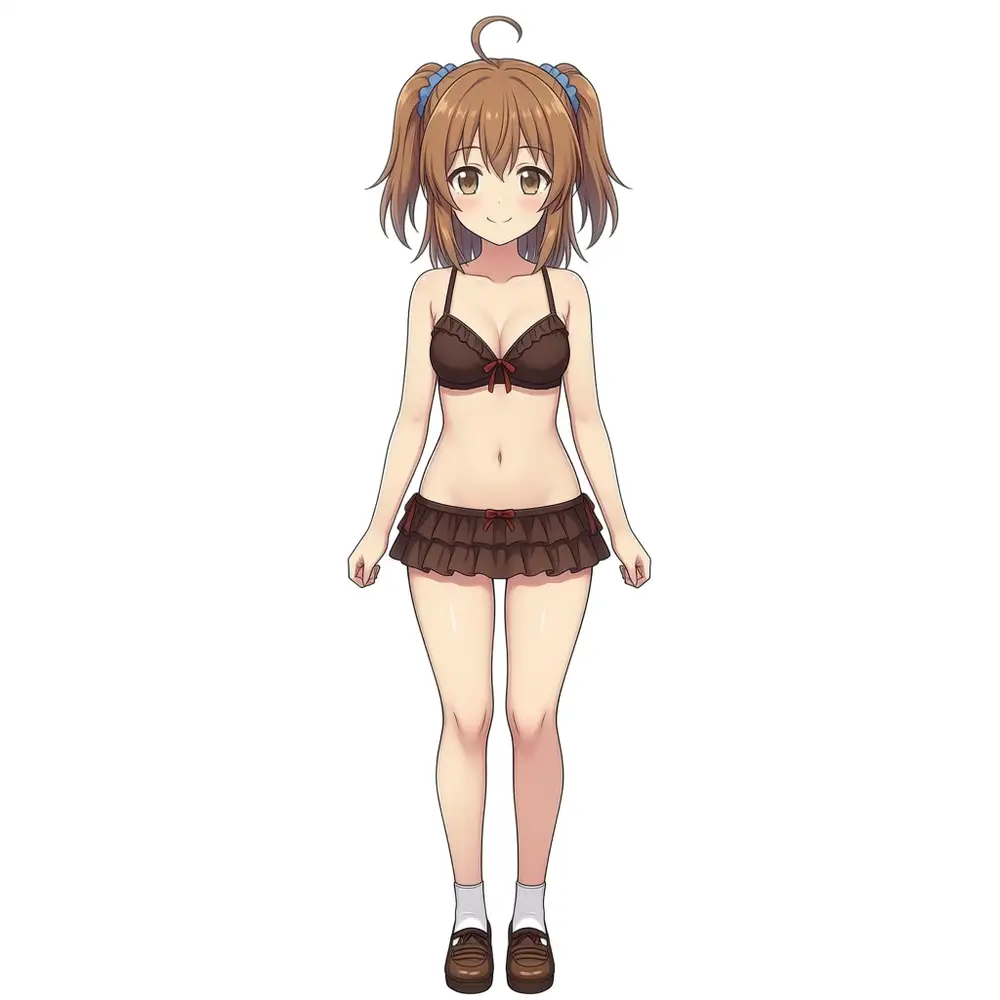
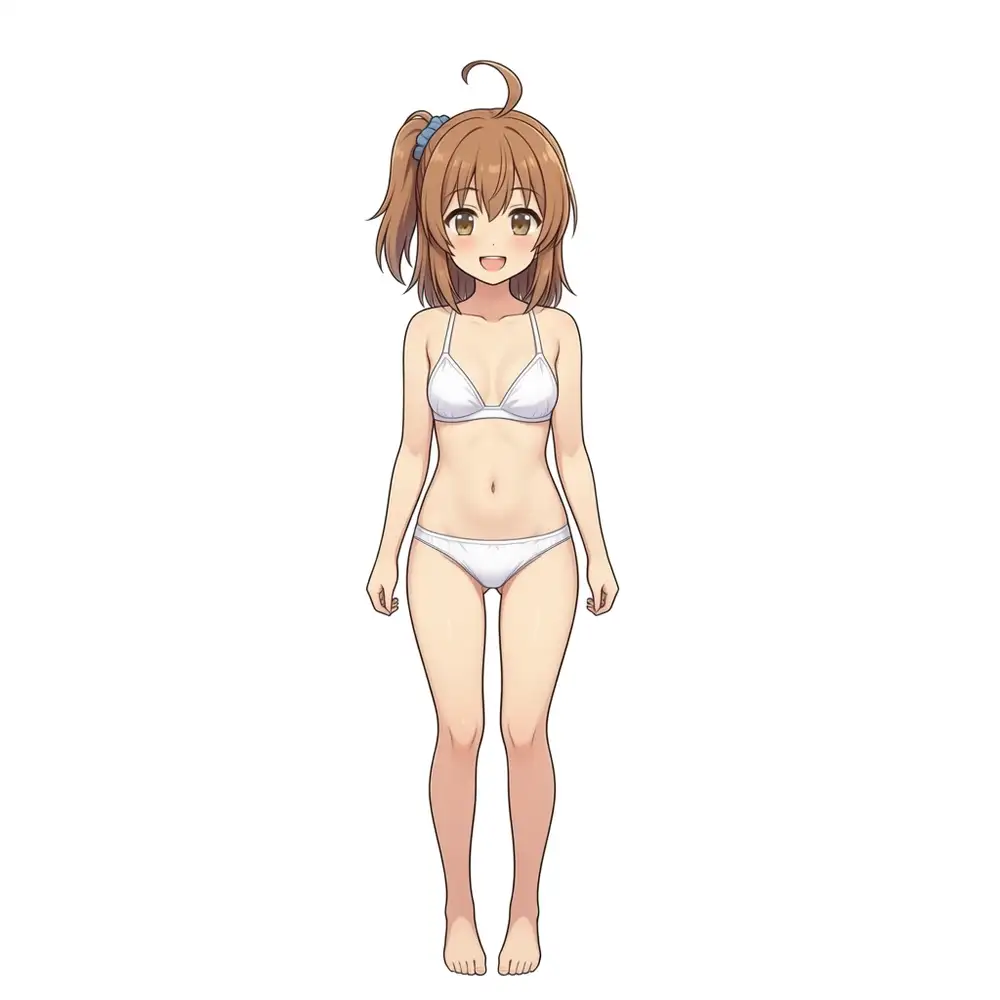
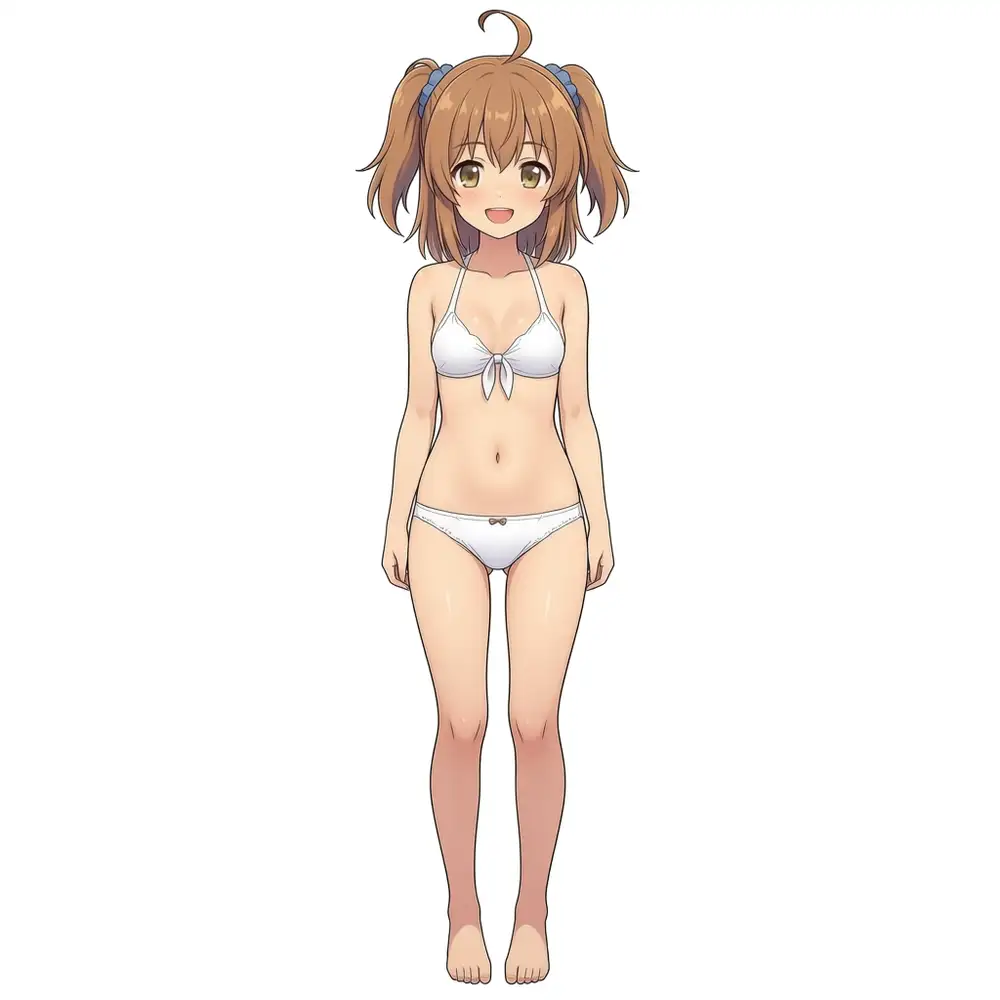
The baseline is plain WAI-Anima v1 with no LoRA injected. The kanachan token is treated as unknown and ignored, so Anima’s default tendency — blonde twin tails — comes out.
From ep04 → ep12 the hair color (brown) and eye color (brown) move toward the source character. Hair style is unstable though. The source is a side ponytail on the character’s left (right side of the image) with an ahoge, but in the samples only ep08 hits it once; ep04 and ep12 fall back to twin tails.
At a glance ep04 already looks reasonably close. Going by impression alone, ep04 is acceptable.
How the WAI-IL LoRA Differs
For the LoRA trained on the same source set for WAI-IL, the kanachan trigger alone doesn’t lock the hair style either; the local ComfyUI workflow handles it with explicit positive tags and negatives that shoot down the wrong styles:
positive:
kanachan, 1girl,
left side ponytail, left side up, medium hair, double parted bangs, ahoge,
...

negative:
right side ponytail, twin tails, twintails, low twintails, high ponytail,
two side up, half updo, right side up,
blue hair, grey hair, silver hair, ...
AnimaLoraToolkit’s built-in trainer sampler emits one image per epoch with a stripped-down prompt that doesn’t even mention hair style, so judging the LoRA by those alone is too early.
Throwing Real Prompts at It in Local ComfyUI
On the M1 Max (64GB) ComfyUI, I generated 6 images: ep04 / ep08 / ep12 × seed 42 / 100. Settings: 832×1216, er_sde + simple, 30 steps, CFG 4.0, LoRA strength model=1.0 / clip=0.8.
Positive:
kanachan, 1girl, solo,
safe, general,
left side ponytail, left side up, medium hair, double parted bangs, ahoge,
medium breasts,
white collared shirt, red necktie, navy pleated skirt,
black pantyhose,
black leather loafers,
standing, looking at viewer, full body,
white background, simple background,
masterpiece, best quality, amazing quality, absurdres,
Negative (knocking out twin-tail variants, wrong hair colors, lewd elements, broken poses):
right side ponytail, twin tails, twintails, low twintails, high ponytail, two side up, half updo, right side up,
huge breasts, large breasts, navel,
nsfw, nipples, panties, panty pull, panty shot, lifted skirt, skirt lift, skirt pull, from below, upskirt, ass, butt, thigh gap,
squatting, sitting, lying, kneeling, bent over, leaning forward,
blue hair, grey hair, silver hair,
... (boilerplate lowres, bad anatomy, watermark, etc. omitted)
About 4–5 min per image, 28.5 min total for the 6.
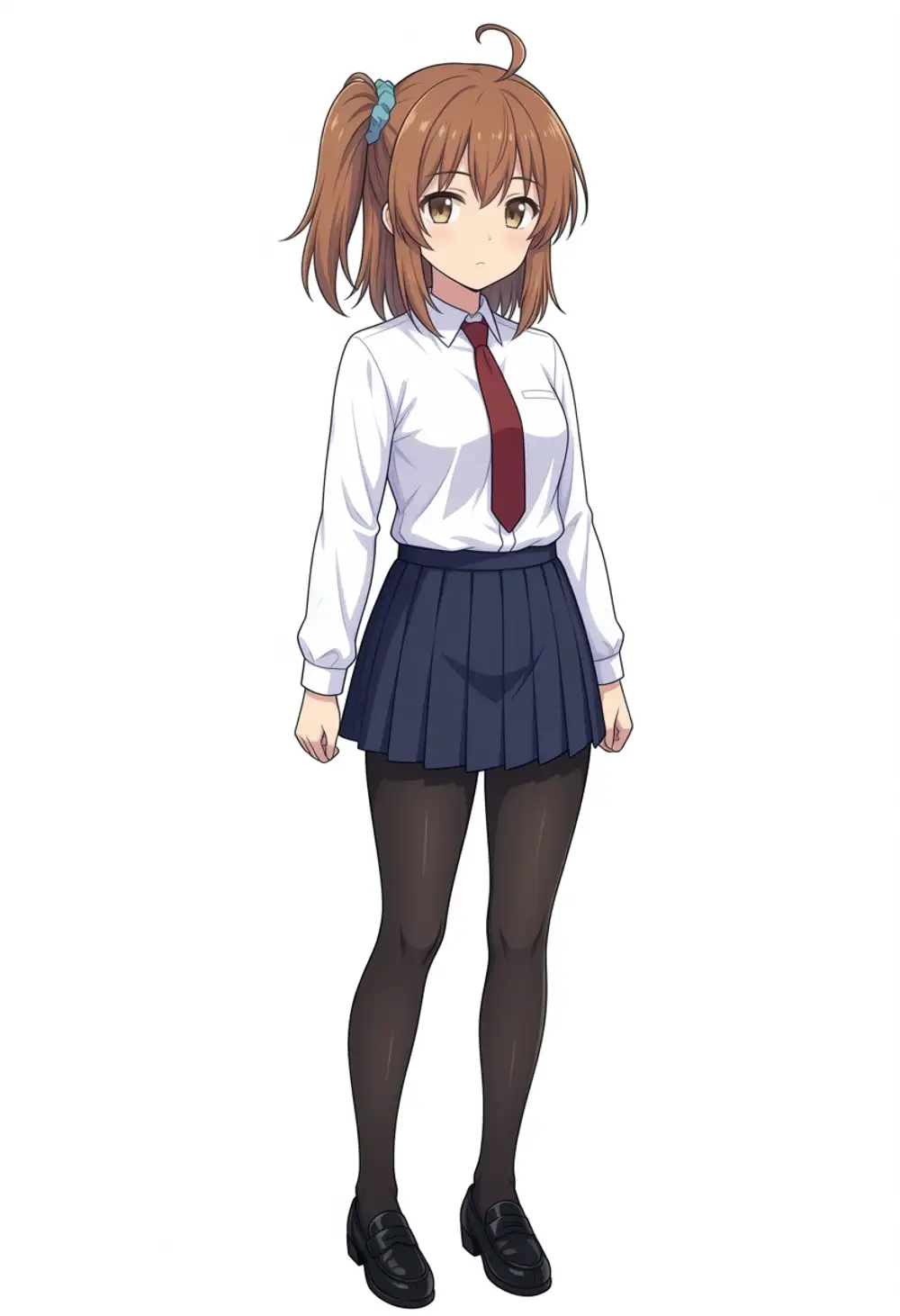
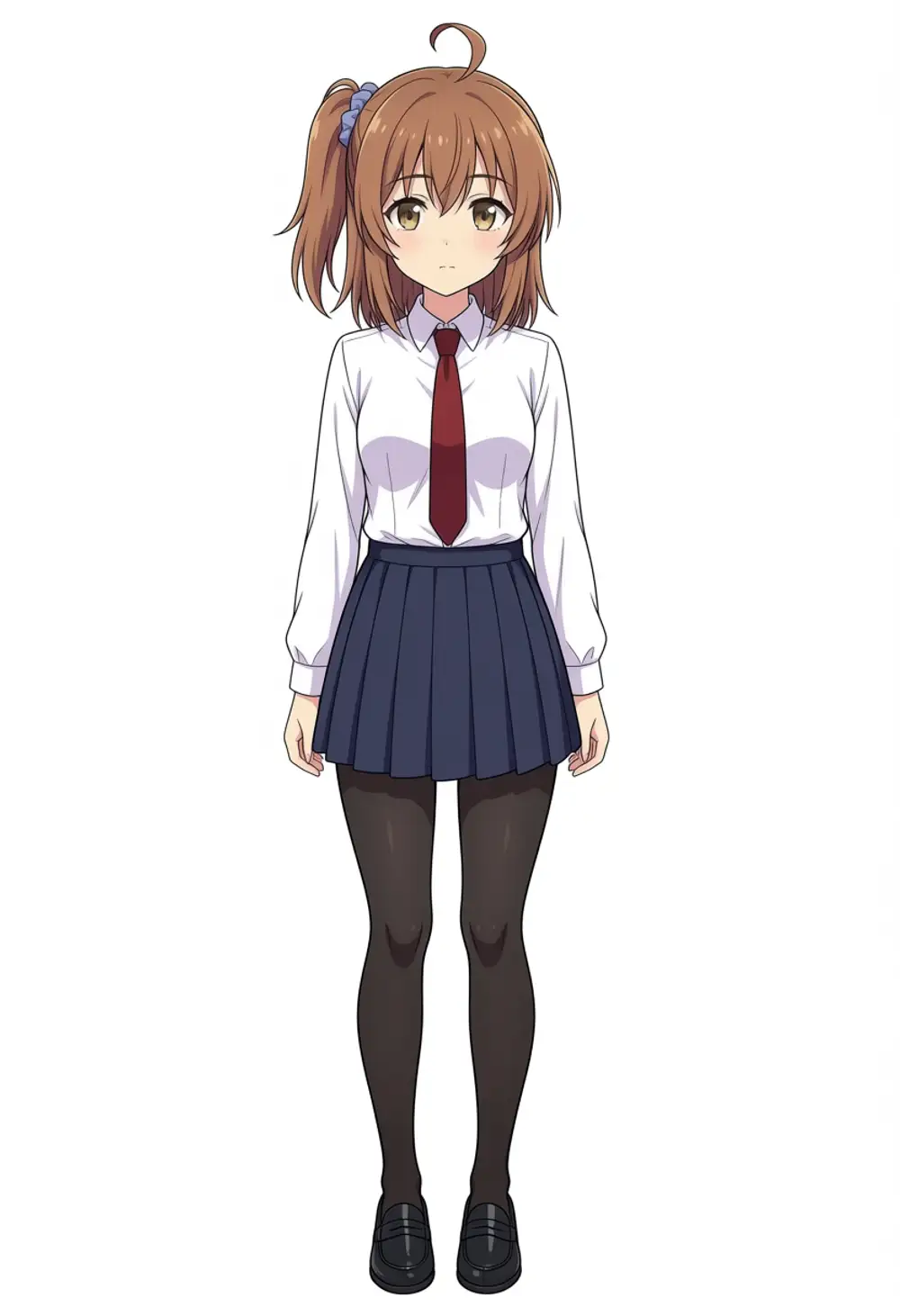
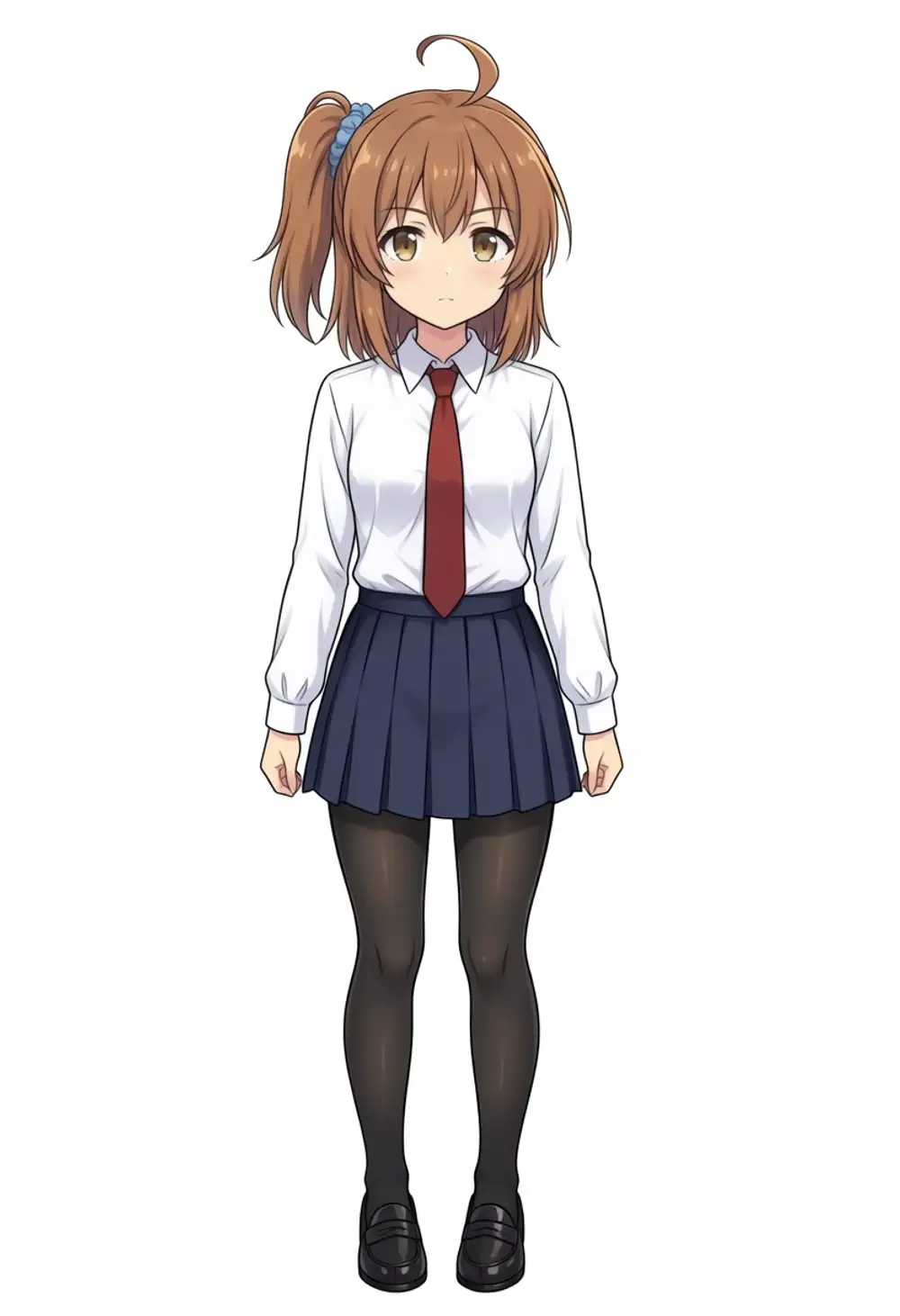
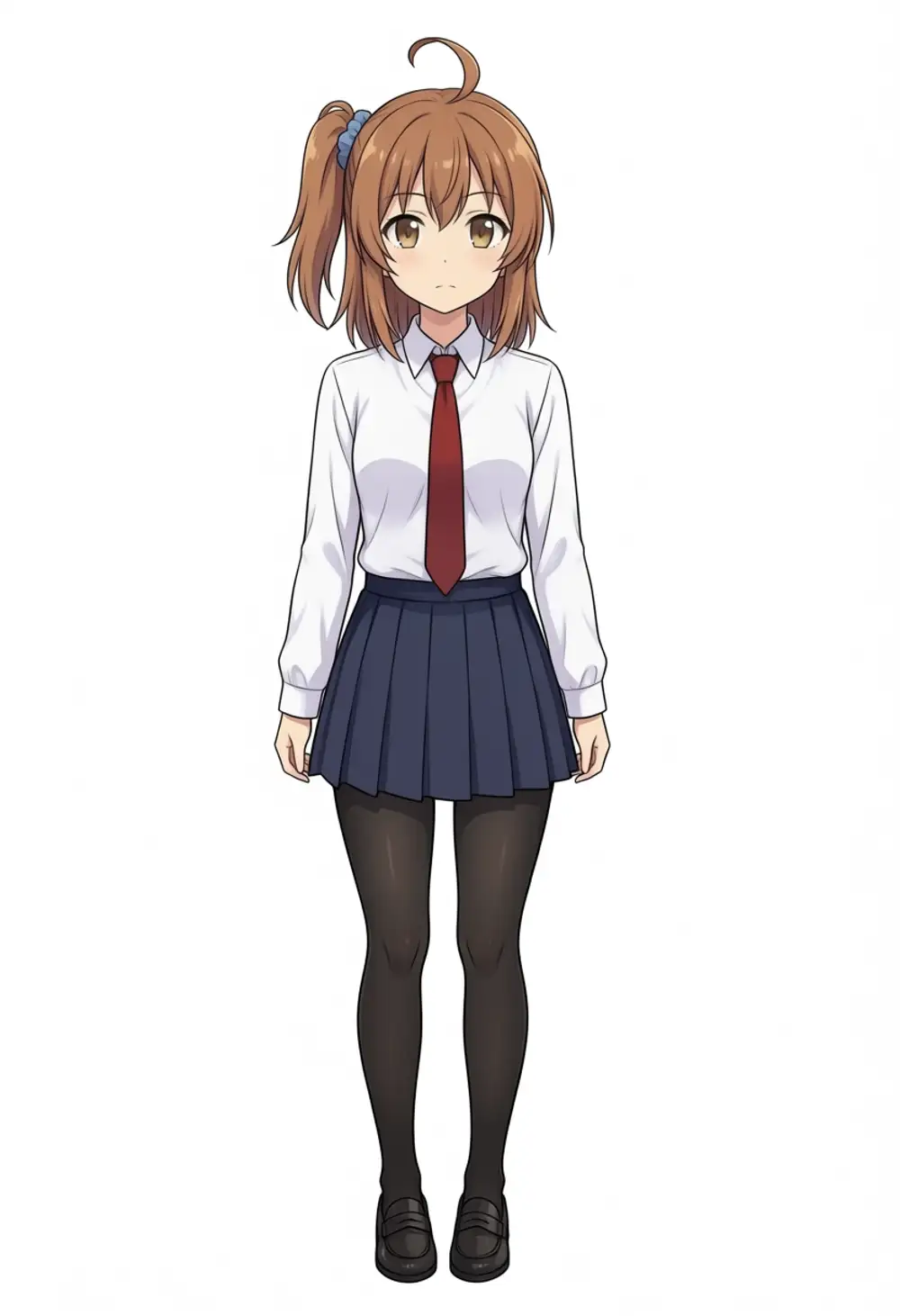
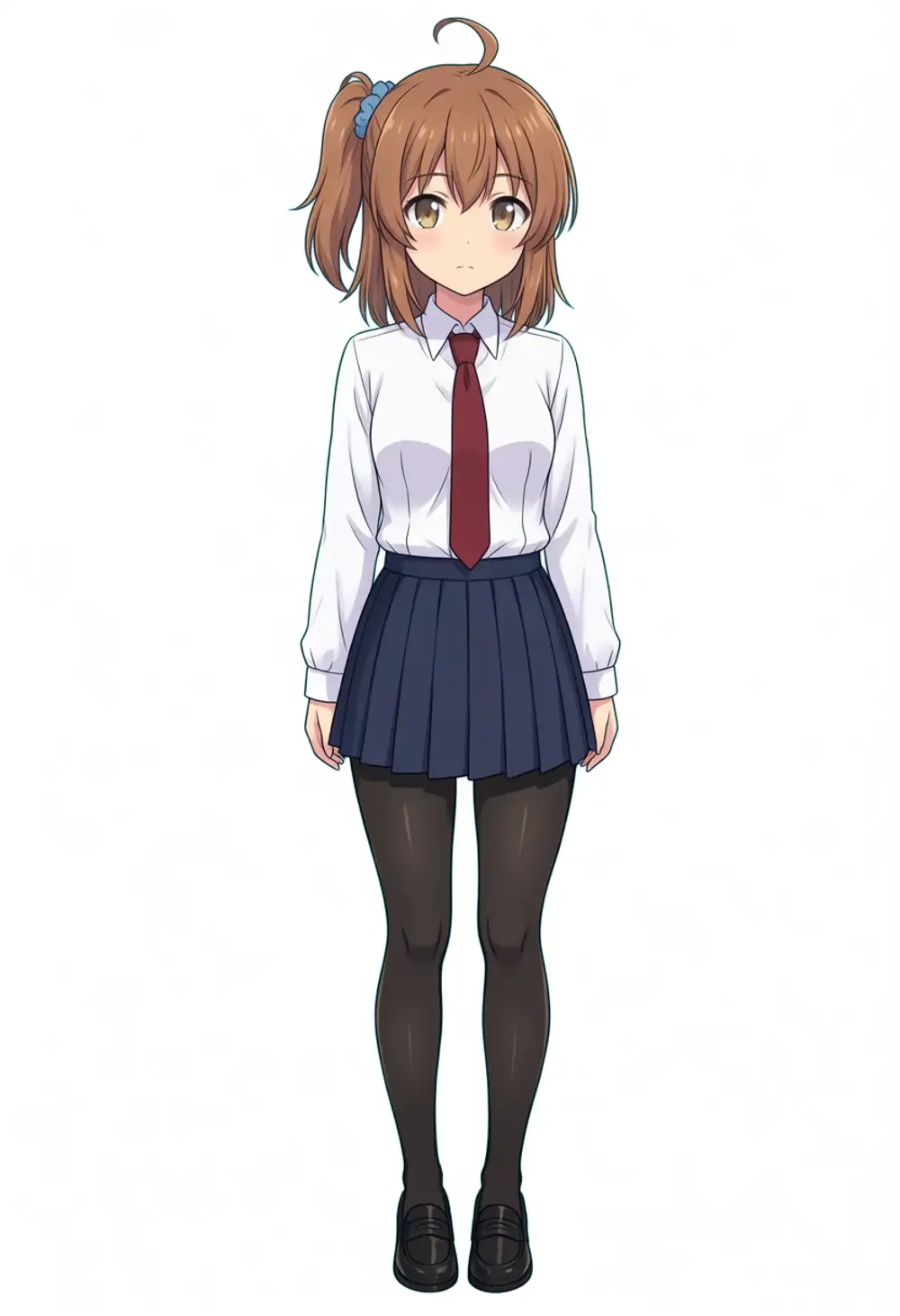
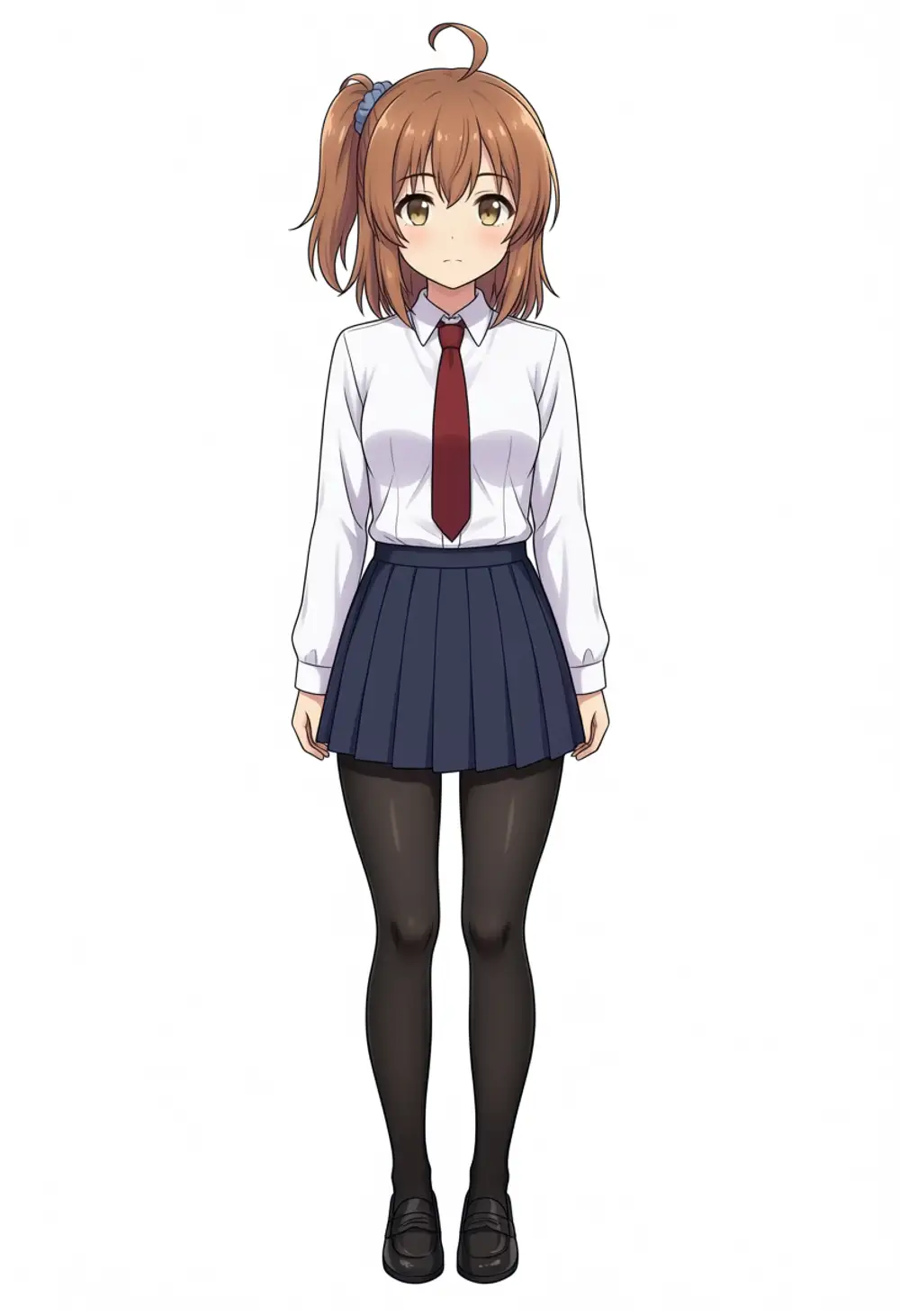
All 6 land in stable full-body standing poses. Side ponytail, ahoge, double-parted bangs, hair color (brown), eye color (brown), and the full uniform (white shirt + red necktie + navy pleated skirt + black tights + black loafers) are reproduced consistently. The “falling back to twin tails” effect that the trainer sampler showed was just interpretation drift on the minimal prompt.
Differences between epochs barely show up in prompt fidelity. Facial expression stiffness and outline shift slightly between ep04 → ep12, but composition stability is similar. Character likeness is already on at ep04, so to avoid overfitting, ep04 to ep08 should be the sweet spot.
There’s one critical problem though. The side ponytail is on the wrong side compared to the source. All 53 source images have the ponytail on the character’s left (viewer’s right), but every one of the 6 LoRA outputs has it on the opposite side — character’s right (viewer’s left). Swapping left side ponytail for right side ponytail in the prompt doesn’t shift the output either; the Danbooru-style direction tags are being ignored by the LoRA.
I suspected the YAML’s flip_augment: true. Horizontal flip augmentation produces both-direction samples during training, so the LoRA may have learned the “side ponytail” concept but forgotten the direction, then drifted to the Anima base’s bias toward viewer-left at inference. I retrained with everything identical except flip_augment: false.
Retraining with flip_augment: false
Two lines changed: flip_augment: true → false and output_name: kanachan-waianima-noflip. Restart the RTX 6000 Ada and retrain — about 45 min and $0.58 of additional cost. Generated with the noflip LoRAs at the same prompt + seed 42 (left = flip version, right = noflip version):
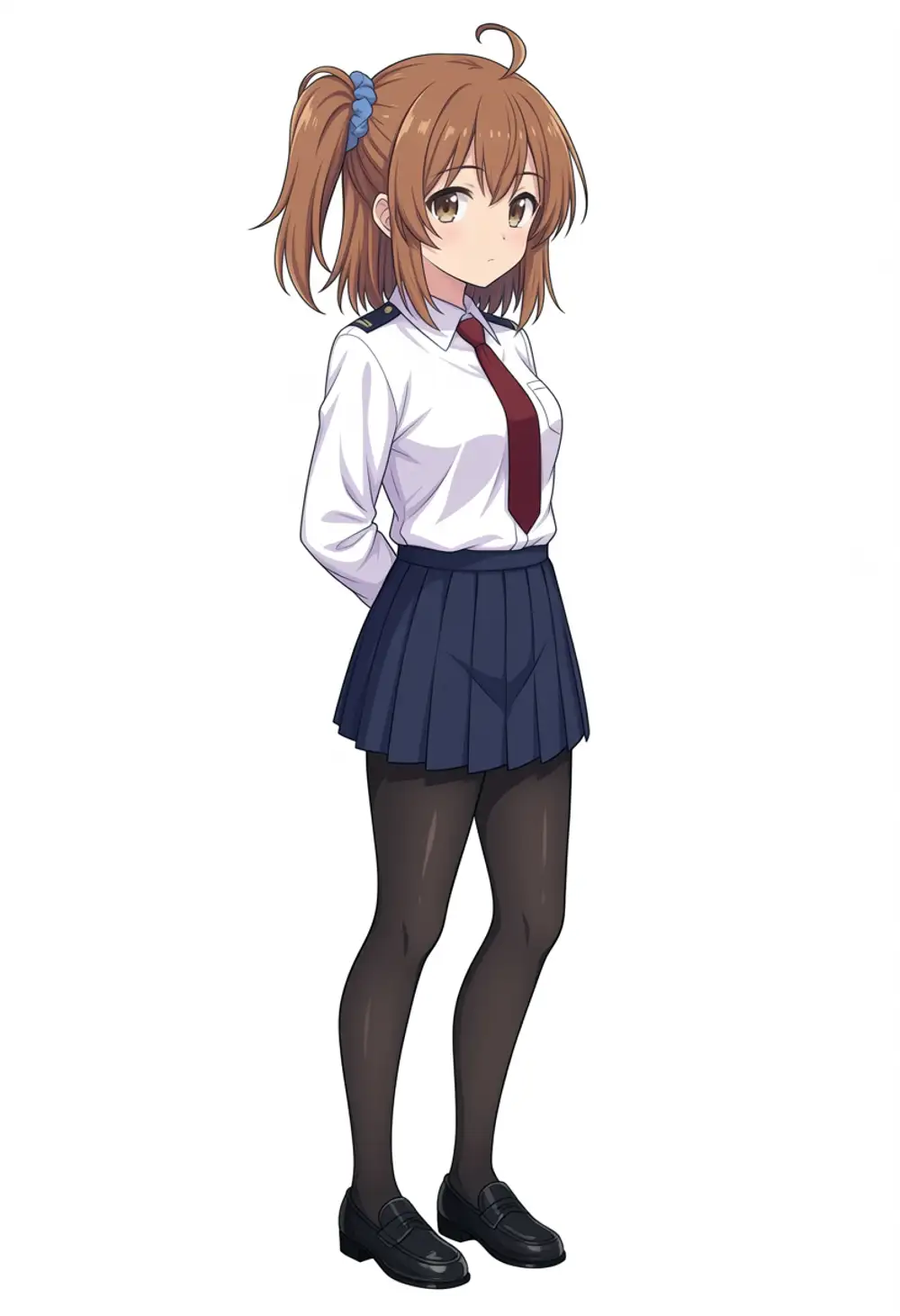
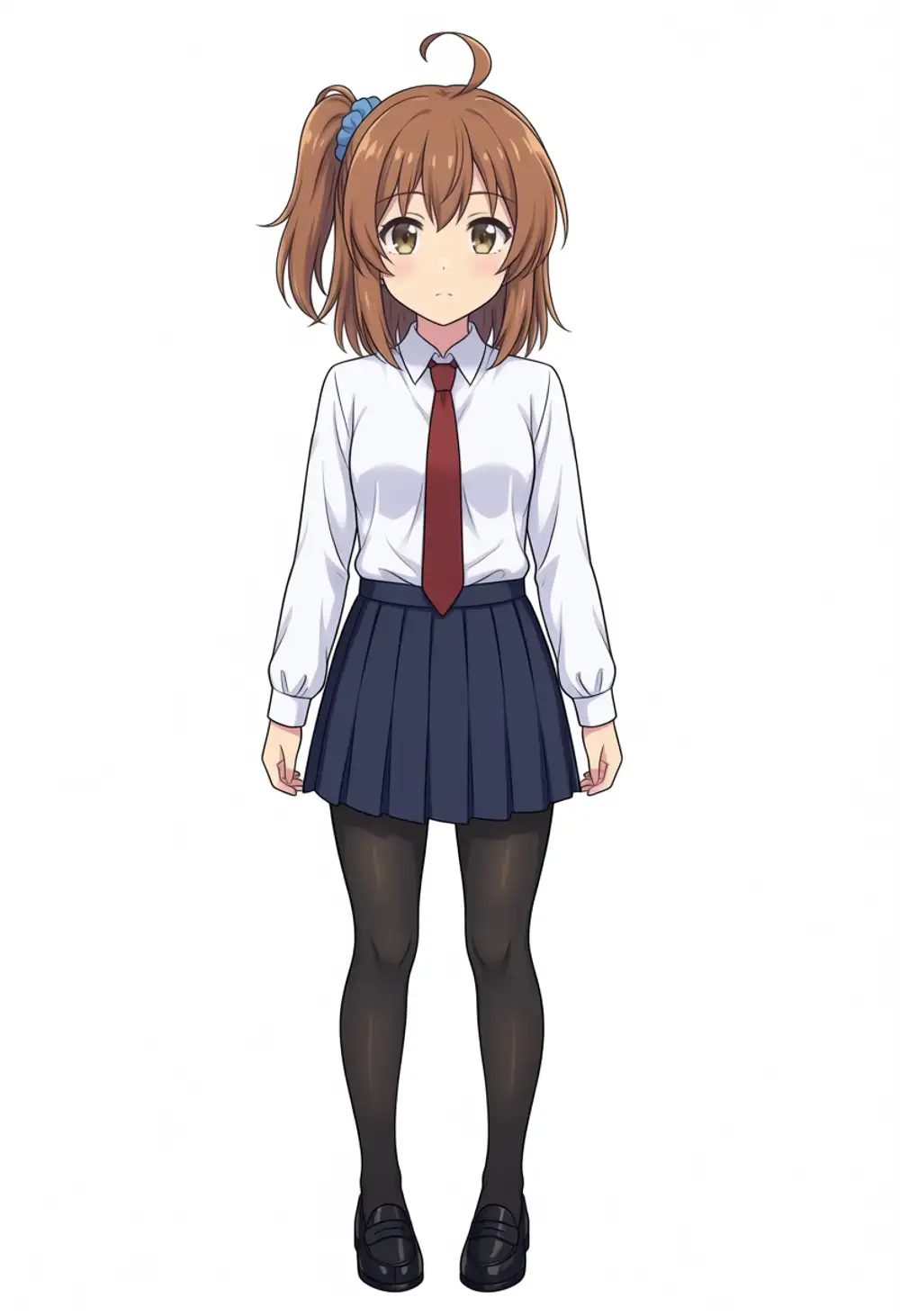
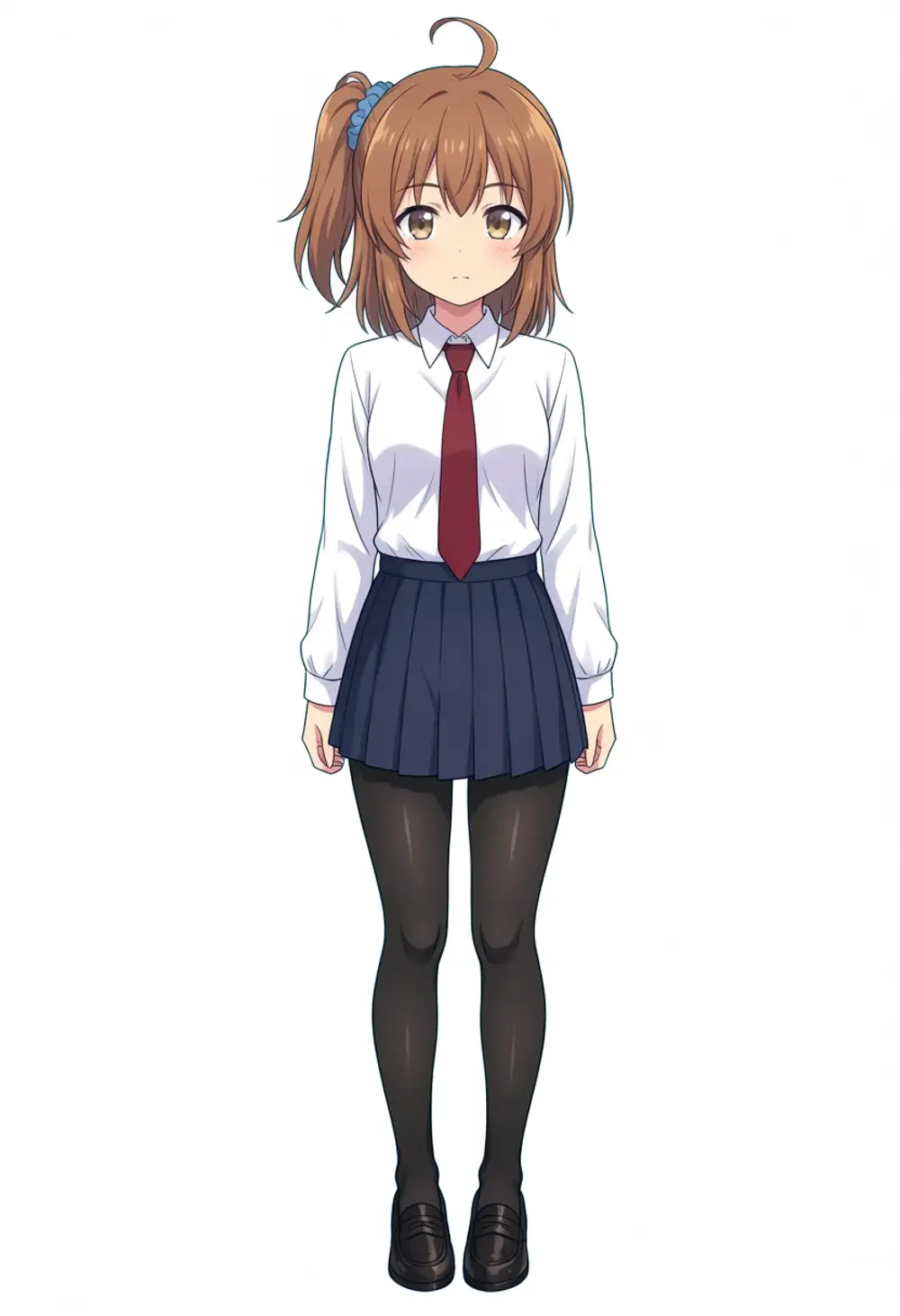
The result was different from what I expected: nothing changed compared to the flip version. All three epochs still put the ponytail on the side opposite the source (viewer’s left = character’s right). At a 3/4 angle one frame momentarily looks like ep04 might have it right, but on closer look every one is fixed on the character’s right.
So even turning off flip_augment didn’t pull direction information into the LoRA. The 53 source images all face the same way, yet the LoRA absorbs zero directional information.
Possible causes:
- The Anima base model holds the canonical position of “side ponytail” fixed at viewer-left, and a rank 32 LoRA can’t override it
- Position information doesn’t ride the attention path through Qwen3 TE, so the LoRA can’t learn the spatial feature either
- 53 images aren’t enough to overcome the DiT’s directional bias
Sorting out which one dominates needs more experimentation, but at least with “this source set + AnimaLoraToolkit defaults”, reproducing the source’s side-ponytail orientation isn’t possible. WAI-IL (CLIP + UNet) didn’t show this on the same data, so it’s reasonable to call it an Anima-side (DiT + Qwen3 TE) quirk.
Things to try next: bump rank to 64 / 128, raise learning_rate, switch the trigger word to a totally unknown token like kana_chr_001.
Additional Verification with Anima-Recommended Prompt Format
Afterwards I read the Anima community’s recommended prompt structure and noticed our prompt was outside it. For Anima:
- Recommended order is
[quality/rating], 1girl, character, natural language + tags - Use
safe, notgeneral(changed from the SDXL era) - Natural language should be at least 2 sentences
- Japanese / Chinese instructions don’t work (English only)
- Tags with underscores lose effectiveness sharply
I regenerated along those lines and used the chance to narrow the cause down. Tests are all locked at 832×1216 / er_sde + simple / 30 steps / CFG 4.0 / seed 42 / LoRA strength model=1.0 clip=0.8.
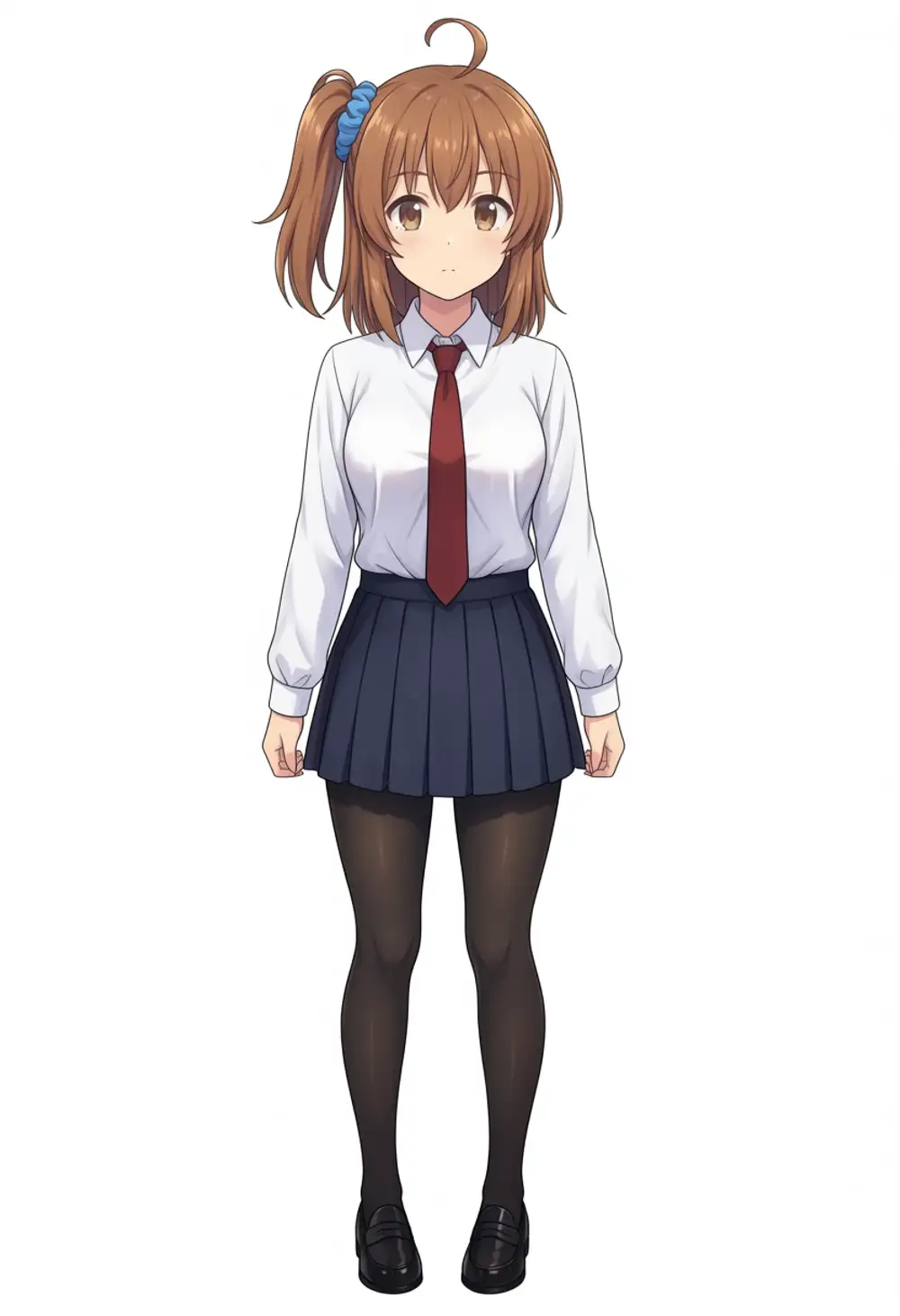
A. Anima-recommended format + noflip ep08 LoRA + kanachan trigger
Base is waiANIMA_v10.safetensors + kanachan-waianima-noflip_epoch8.safetensors.
Positive:
masterpiece, best quality, amazing quality, absurdres, safe, year 2024,
1girl, solo, kanachan,
A girl with medium brown hair tied in a side ponytail on the left side of her head, with a blue scrunchie. She has double-parted bangs and a small ahoge.
brown eyes, medium breasts,
white collared shirt, red necktie, navy pleated skirt, black pantyhose, black leather loafers,
standing, looking at viewer, full body,
white background, simple background,
Negative:
worst quality, low quality, score_1, score_2, score_3, 6 fingers, 6 toes, ai-generated, bad eyes, bad pupils, bad iris, bad hands, bad fingers, watermark, patreon logo,
twin tails, twintails, high ponytail, two side up, half updo,
nsfw, panties, panty pull, lifted skirt,
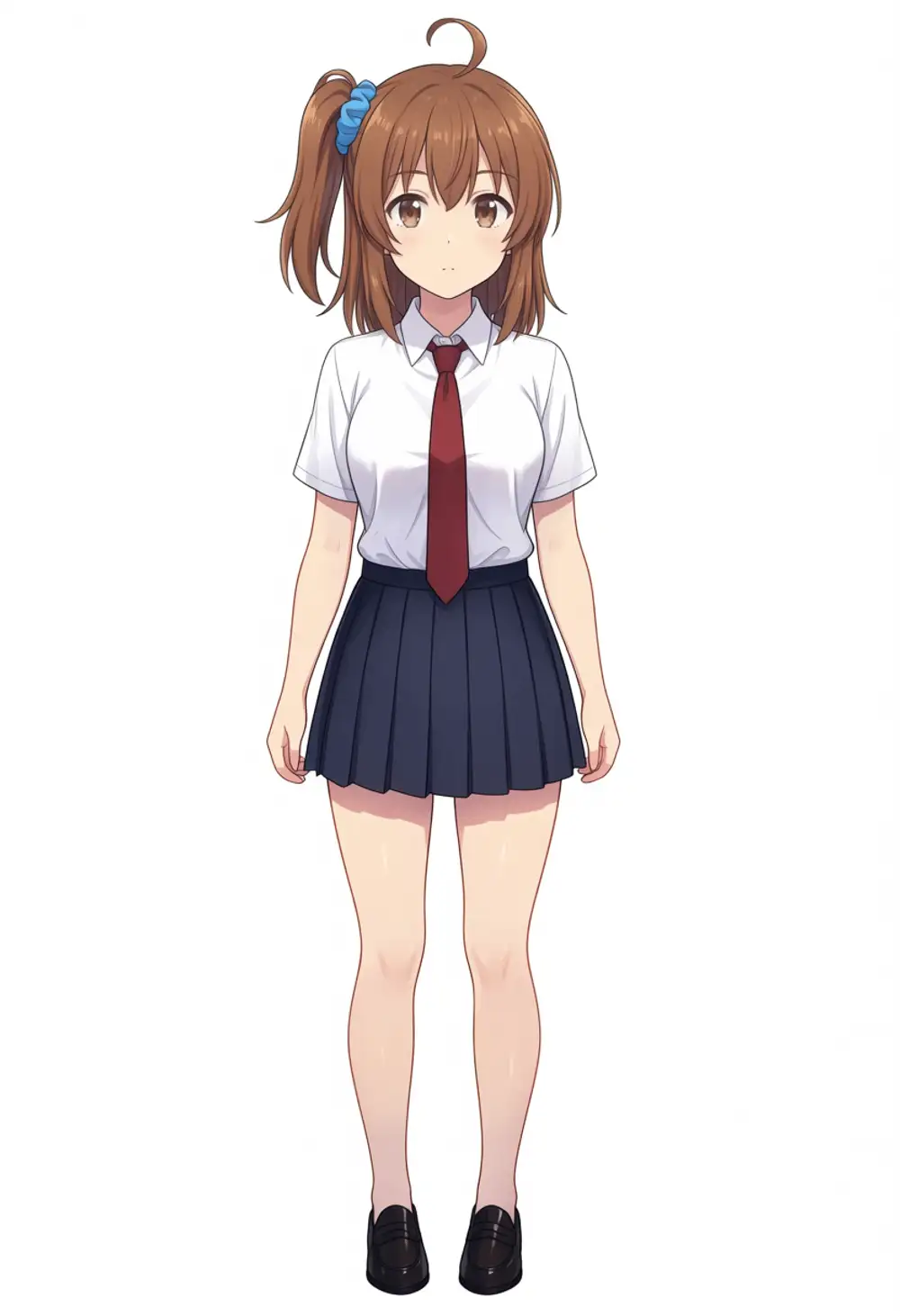
B. Drop kanachan trigger from A, also drop black pantyhose
To check whether the LoRA effect goes through the trigger word or just rides on the LoRA being loaded. pantyhose may be tokenized as panty + hose, so I pulled it out.
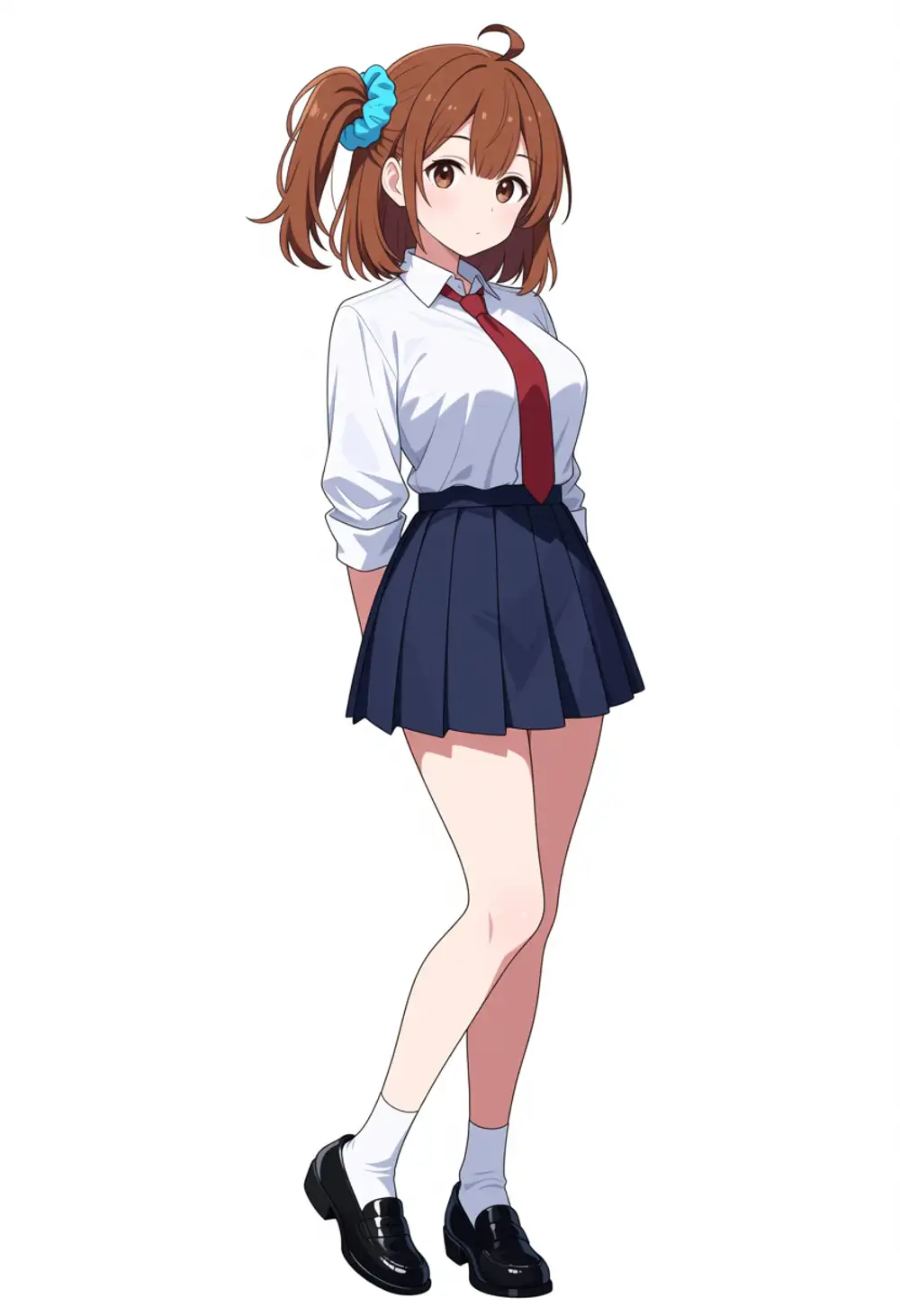
C. Drop the LoRA, base WAI-Anima with the same prompt as B
Removes the LoRA to observe WAI-Anima base alone. Prompt is identical to B.
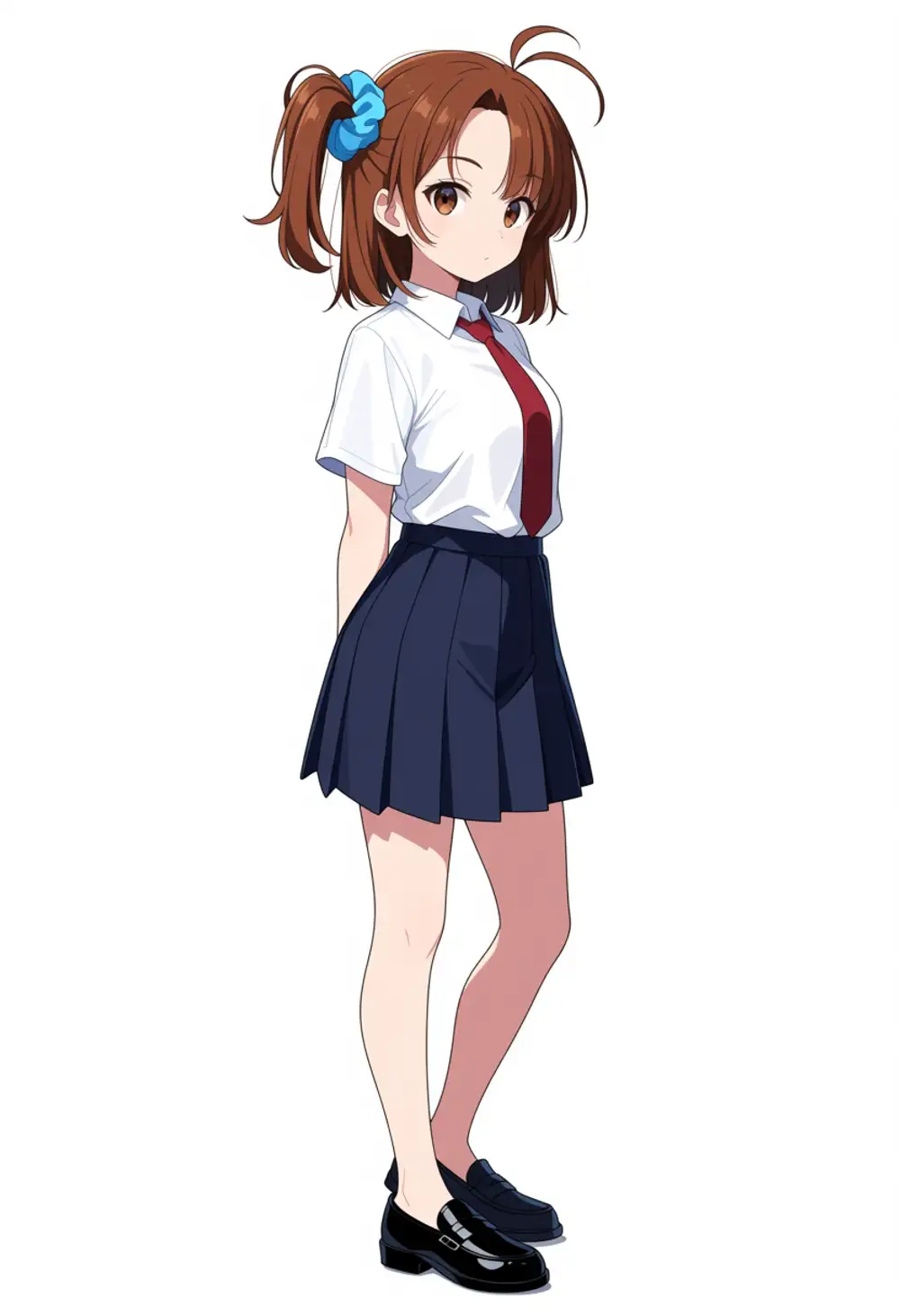
D. From C, drop the Danbooru hair tags entirely and direct hair only via natural language
Positive:
masterpiece, best quality, amazing quality, absurdres, safe, year 2024,
1girl, solo,
A young girl with medium-length brown hair. Her hair is tied into a single side ponytail with a blue scrunchie. The ponytail is on her left side, which means it appears on the right side of the image when she faces the viewer. She has small bangs parted in the middle and a single tuft of hair sticking up like an antenna.
brown eyes,
white collared shirt, red necktie, navy pleated skirt, black leather loafers,
standing, looking at viewer, full body,
white background, simple background,
The “left/right interpretation” ambiguity is fully eliminated in English. No side ponytail Danbooru tag.
Observations
- A through C all put the side ponytail on viewer-left (character’s right). Opposite of the source orientation (character’s left)
- B (without the kanachan trigger) still produces kanachan-like hair color, eye color, hair style, and outfit. The LoRA’s influence leaks past the trigger word into the whole generation
- C (no LoRA, base Anima alone) lands at the same position. The LoRA is innocent — Anima base itself has a deterministic “side ponytail = viewer-left” bias
- D (pure natural language) was supposed to specify a single side ponytail and instead got a twin-tail-ish style. Without the Danbooru
side ponytailtag, Qwen3 TE doesn’t grasp the “single side ponytail” concept
E. Swap the base to Anima preview3-base (same prompt as C)
To check whether the bias is from WAI-Anima’s fine-tune or shared across Anima, I swapped only the base from waiANIMA_v10.safetensors to animaOfficial_preview3Base.safetensors and ran C’s prompt.
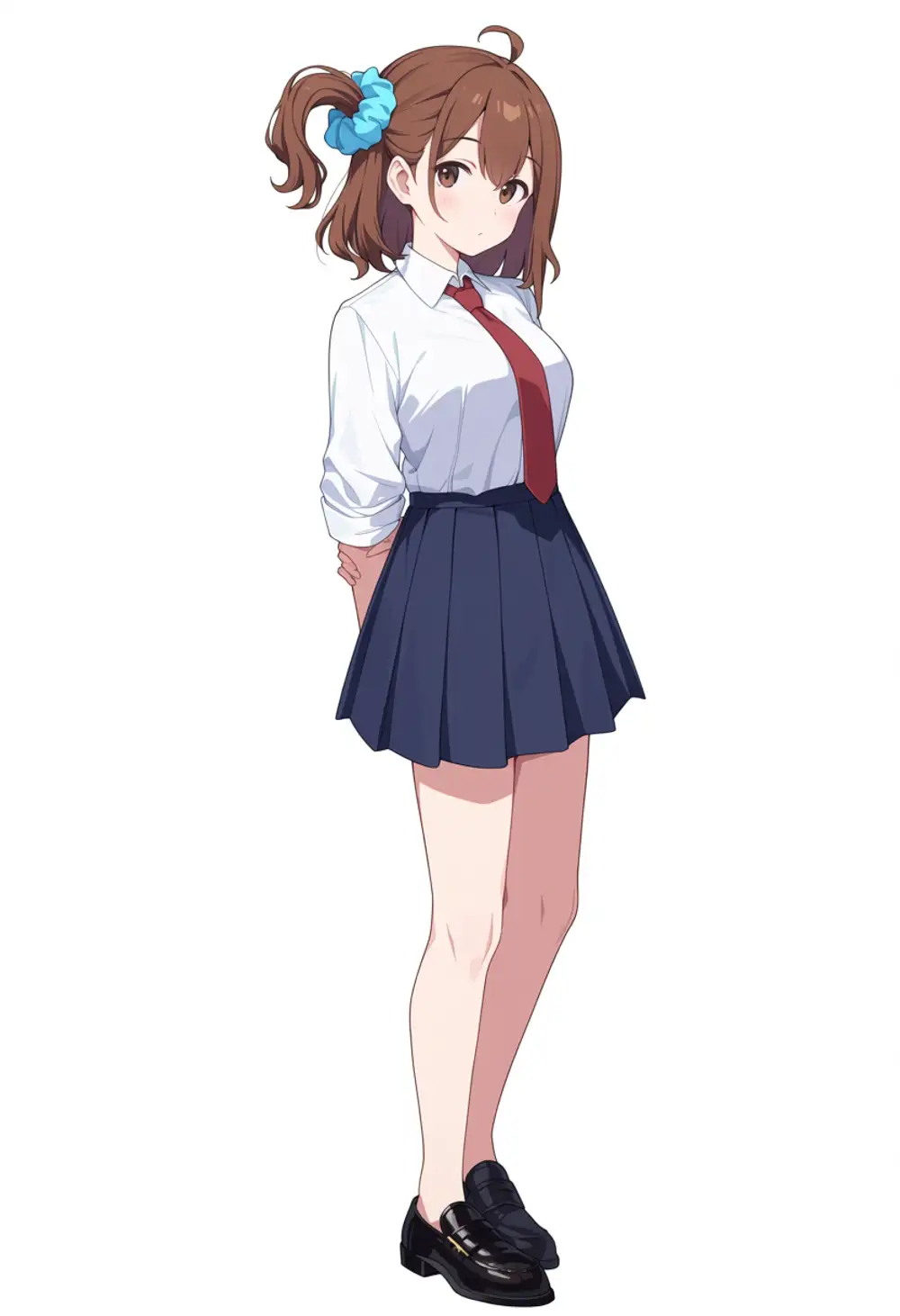
preview3-base also puts the ponytail on viewer’s left. Exact same position as WAI-Anima. So the directional bias wasn’t introduced by WAI’s fine-tune — it’s an issue inherited from preview3-base (or further upstream from Cosmos-Predict2 / Qwen3 TE), shared across the entire Anima ecosystem.
Tentative Conclusion
The side-ponytail direction control issue isn’t the LoRA’s fault — it’s an architecture-level constraint from Anima base + Qwen3 TE.
- Qwen3 0.6B TE likely doesn’t differentiate left/right direction tokens enough to send them downstream
- The Danbooru tag
side ponytailreads as a concept, but the difference betweenleft side ponytailandright side ponytaildoesn’t get through - Even when natural language eliminates ambiguity (“left side of her head, which means it appears on the right side of the image”), the result is the same
- Once the LoRA is loaded, the kanachan features leak into the whole output without the trigger word, so the “character pull” itself is plenty strong
Workarounds:
- Horizontally flip the output post-generation
- Force pose / hair style with ControlNet
- Mirror all source images horizontally during training and emit with
right side ponytail - Try the community Qwen 3.5 4B TE swap and see if directional resolution improves
Those are for a separate article. This one closes as: “The LoRA trained fine via AnimaLoraToolkit, but directional control is a separate problem.”
The Training Captions Were Also Outside Anima’s Recommendation
A side observation: the training captions for this run weren’t in Anima’s recommended format either:
kanachan, 1girl, solo, angry, portrait, front view, white backgroundOrder is the SDXL-era pattern of kanachan trigger → 1girl → attribute tags, which falls outside Anima’s recommended [quality/rating], 1girl, character, natural language + tags. No rating tag like safe. No natural language describing direction.
Since all 53 captions follow this format, there was no material from which Qwen3 TE could extract directional information during training. Next round will improve:
- Reorder captions to Anima-recommended layout
- Add a natural-language sample description that includes direction (manual rewrite for 53 images)
- Add rating / quality tags
Then re-verify. The Network Volume still holds the model, base data, and toolkit, so retraining only requires the captions to be swapped out.
Changing the Prompt Language Doesn’t Move the Direction
Before pinning blame on the LoRA bias, I wanted to rule out Qwen3 TE prompt interpretation. Locked at ep08, I regenerated with three language patterns (English tag, Japanese natural language, Chinese natural language). Qwen3 is from Alibaba, so a check on whether Chinese-native phrasing carries direction better was included.
| Language | Positive direction directive |
|---|---|
| EN | right side ponytail, right side up (specifying the opposite since left appeared) |
| JP | 左側頭部にサイドポニーテール, ponytail on the left side of the head |
| CN | 头部左侧的侧马尾, 左侧侧马尾 |
Negatives were swapped to bar the opposite side too.
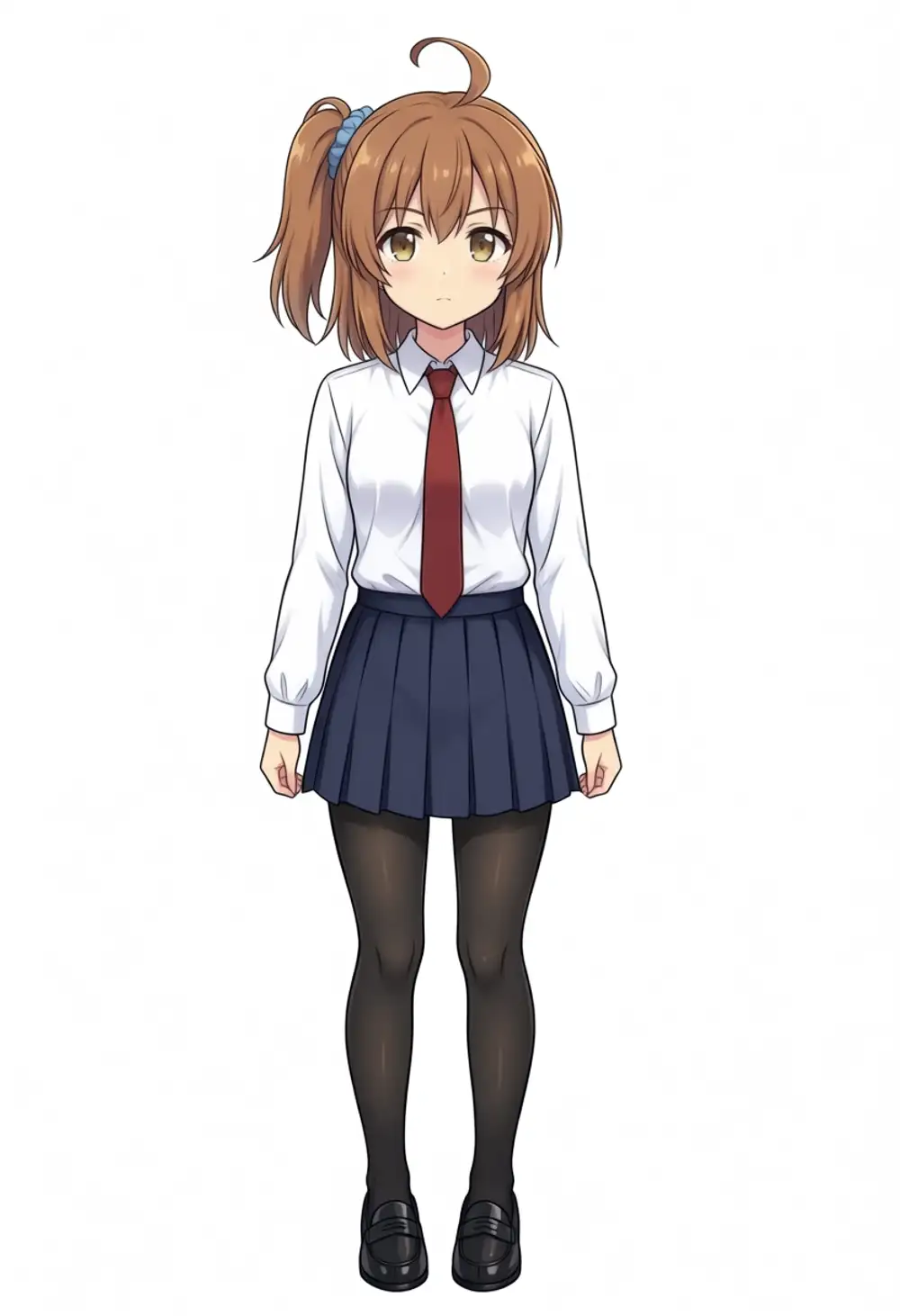
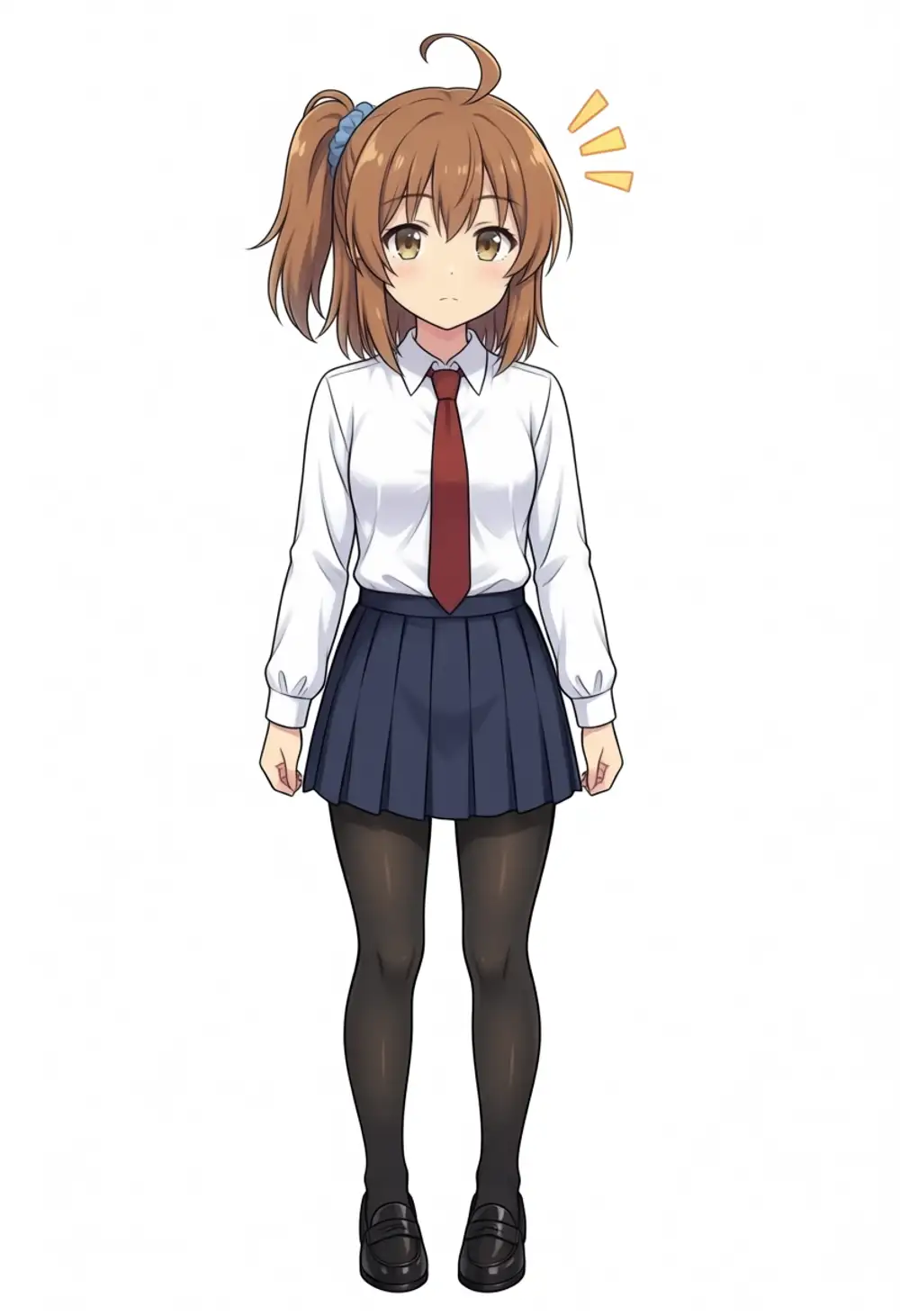
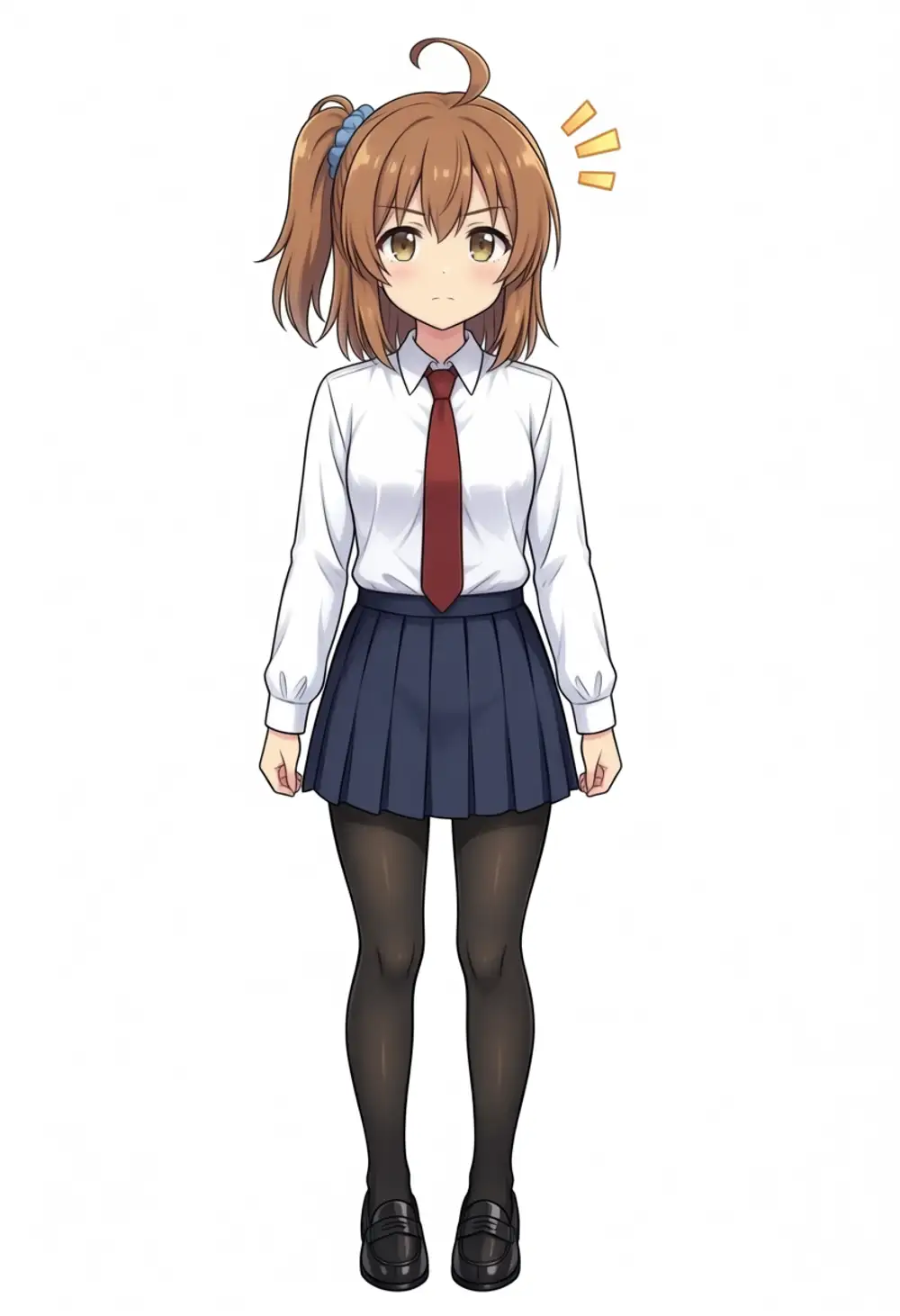
All three put the ponytail on viewer’s left. The prompt’s direction is fully ignored. Whether EN (Danbooru tag) or JP/CN (natural language), Qwen3 should grasp direction tokens, yet the LoRA’s bias overrides them.
As a side effect, the JP and CN natural-language versions added ”!?” manga-style emotion marks in the upper right. Qwen3 LLM probably read the Japanese / Chinese sentences as a “manga scene description” and tossed in emotion symbols. The English Danbooru-tag version doesn’t show this side effect. Since changing the prompt language even shifts the scene atmosphere, the takeaway is that Qwen3 TE handles multiple languages but English in Danbooru-tag style gives the most reliable control.
On rendering style, the output is pulled toward Anima base’s clean anime shading, with the source’s muted palette barely surviving. LoRAs learn character features, but the base model dictates style — that empirical rule holds. If you can accept the Anima look, the result is arguably visually nicer than the WAI-IL LoRA’s.
The original motivation for this article was: when character images generated with a WAI-Illustrious LoRA are passed through Anima via i2i, Anima’s style bias makes faces look younger and rounder, and the character’s identity drifts. Could that be solved by training a character LoRA for Anima? The idea: if both the i2i source (WAI-IL + existing LoRA) and target (WAI-Anima + this LoRA) carry the character LoRA, you might preserve the character while shifting to the Anima look. That verification belongs in a separate article.
Cost Breakdown
| Item | Rate | Used | Subtotal |
|---|---|---|---|
| Network Volume 50GB | $0.005/h | ~1 hour | $0.005 |
| CPU Pod (model prep) | $0.086/h | ~10 min | $0.014 |
| RTX 6000 Ada (env setup + training) | $0.77/h | ~48 min | $0.62 |
| RTX 6000 Ada (noflip retrain) | $0.77/h | ~45 min | $0.58 |
| Total | ~$1.22 (≒¥186) |
Compared to the WAI-IL Illustrious LoRA that ran on RTX 4090 for around $1, the RTX 6000 Ada has a higher rate but trains faster, so the per-LoRA cost is actually a touch cheaper. Anima 2B has lower VRAM demands than SDXL 3.5B and 48GB is overkill, so a 24GB-class card (RTX 4090) would have done the job for less if one were available.
LoRA test log
These follow the first AnimaLoraToolkit run above, rebaking the character LoRA as I changed settings, data, and models. Grouped by theme.
Training parameters and config
- Pushing training to the official 12,000 steps made direction control worse; ep150 hit 100%
- Rewriting the training captions with natural language and hairstyle tags
- A custom LoRA on WAI-Anima for multi-character generation on Mac, with caveats
Picking the base or derivative model
- Character LoRA on Anima-Base vs WAI-Anima: face fidelity up, intakes capped
- One LoRA on 6 Anima derivatives: trigger-only unstable, RDBT runs wild
Building the dataset
- WAI-Anima LoRA trained on its own generations: ep20 sweet spot, 7.5x faster
- Tested 6 characters for a front-view plus hair-intakes LoRA seed
- Character LoRA won’t stand straight: cut posed data, don’t add it
Two characters in one LoRA