WAI-illustrious-HSWQ vs WAI v17 on M1 Max: 28-34s fast mode
 Contents
Basic Info
WAI-illustrious-HSWQ v17.0 base was published on 2026-06-13. The model file is waiIllustriousHSWQ_v170Base.safetensors, SafeTensor, pruned, fp8, and about 4.4GB. The author is unexpectedlyprovided. On Civitai, it is categorized as an Illustrious checkpoint.
The model card describes it as a low-step merge built on the HSWQ FP8 edition of WAI-illustrious-SDXL v17.0, mixed with DMD2, Stabilizer IL, and SPO-SDXL_4k-p_10ep.
HSWQ should be separated from plain uniform FP8 quantization. The name stands for Hybrid Sensitivity-Weighted Quantization. The idea is to use layer-by-layer sensitivity, protect layers that matter more, and compress less sensitive parts more aggressively. The public HSWQ implementation also describes a method that combines FP8 E4M3 with sensitivity analysis and weighted histogram optimization.
The goal is to keep the WAI v17 look as much as possible while taking the lighter FP8 file and low-step operation. I tested how image quality and generation time behave on my M1 Max machine.
The model card recommends the following settings.
| Item | fast workflow | higher quality |
|---|---|---|
| Sampler | Euler a | Euler a |
| Steps | 10 | 15-20 |
| CFG | 1.0 | 2.0-3.0 |
| Size | 1024x1024 | 1024x1024 or larger |
Comparison Targets
| Label | Model | Role |
|---|---|---|
| WAI v17 | waiIllustriousSDXL_v170 | Baseline. Normal WAI-illustrious-SDXL v17 |
| HSWQ fast | waiIllustriousHSWQ_v170Base | 10step / CFG1, as recommended by the model card |
| HSWQ quality | waiIllustriousHSWQ_v170Base | Same HSWQ model at 20step / CFG2.5 |
Generation Settings
For WAI v17, I use the normal-ish settings I have been using in previous Illustrious tests. For HSWQ, I split the run into the model-card fast setting and a 20-step quality setting.
| Item | WAI v17 | HSWQ fast | HSWQ quality |
|---|---|---|---|
| Steps | 30 | 10 | 20 |
| CFG | 6.0 | 1.0 | 2.5 |
| Sampler | Euler a | Euler a | Euler a |
| Scheduler | Karras | normal | normal |
| Size | 832x1216 | 832x1216 / partly 1024x1024 | 832x1216 |
| Seed | 42 | 42 | 42 |
For the character LoRA test, I use my Kana LoRA for WAI-Illustrious. The LoRA setting is strength_model 1.0 / strength_clip 0.8.
Base Style
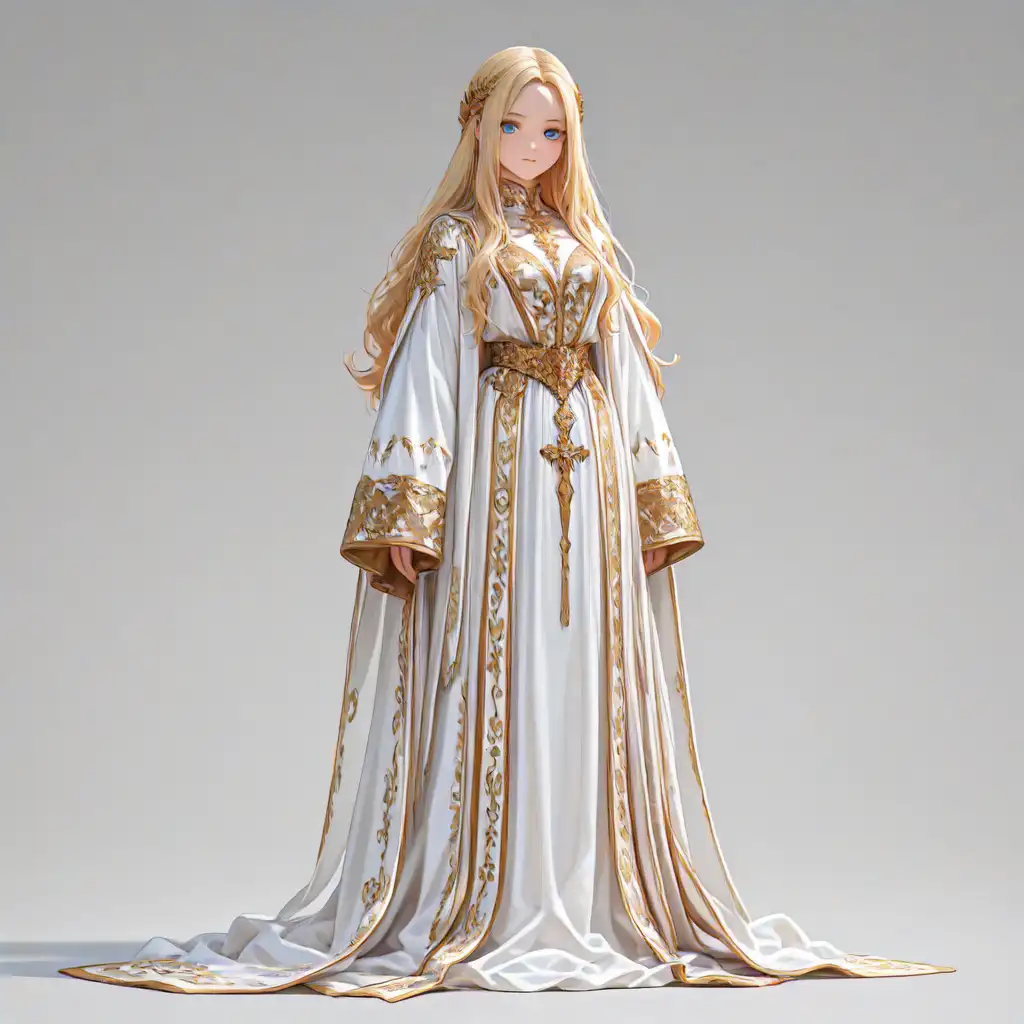
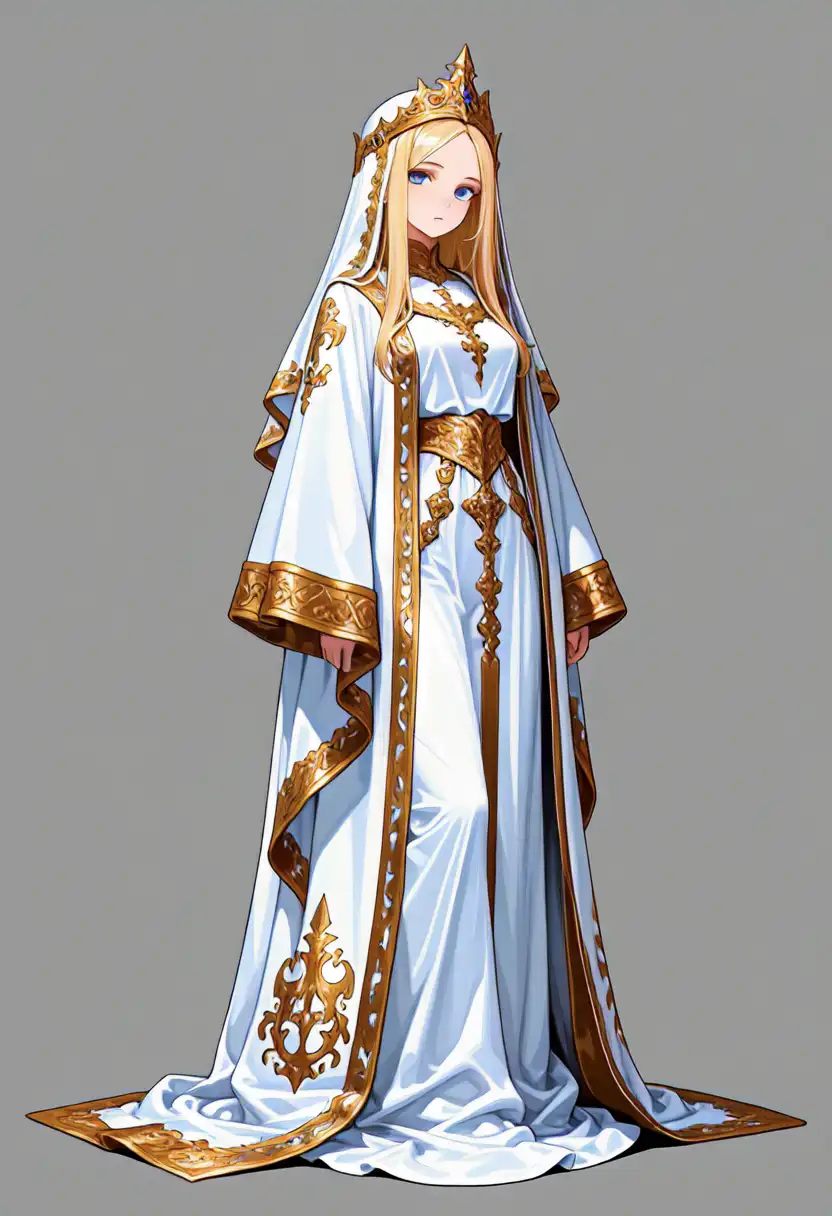
No character LoRA here. I use the usual blond character, white robe, and gold embroidery prompt to compare the model’s plain color, line work, and outfit decoration.
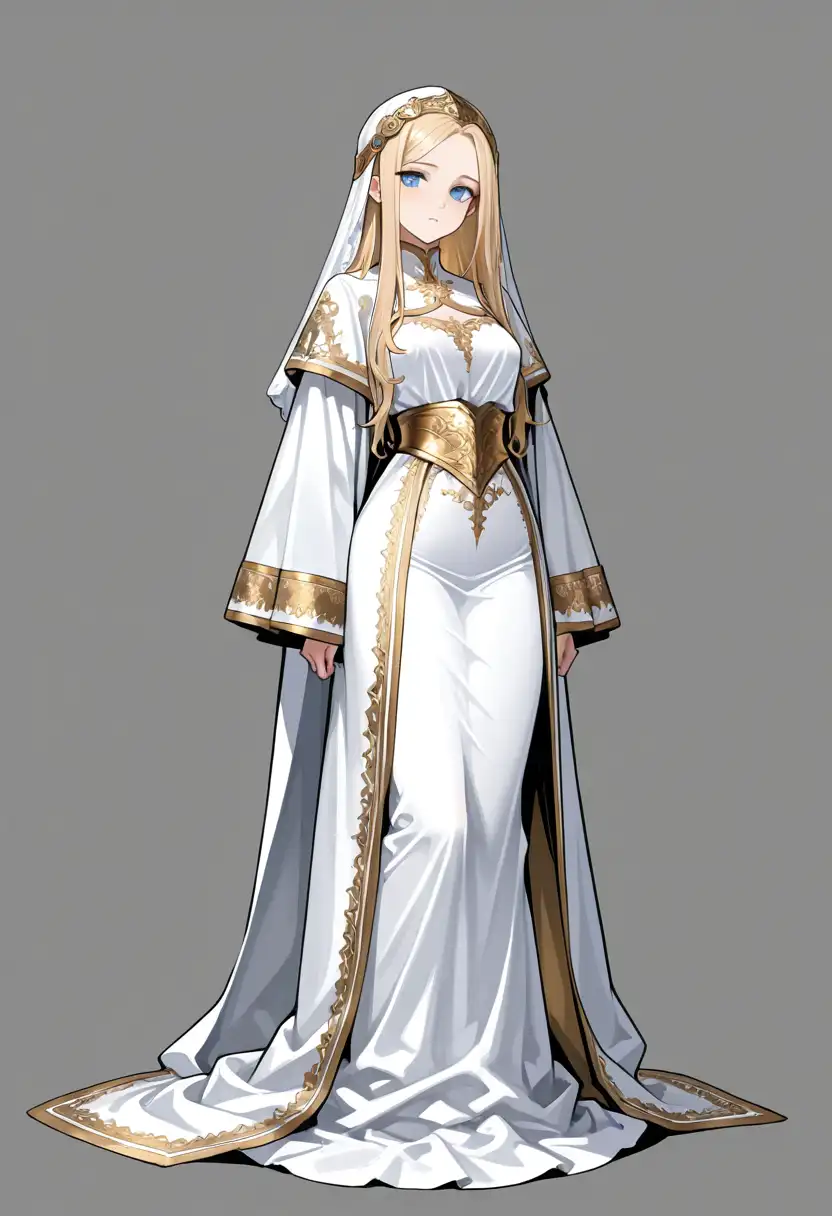
WAI v17 has heavier lines and lands as a typical WAI-style standing character sheet. The background is gray. The outfit shadows and gold decoration are easy to read, but the image is quite controlled.
HSWQ fast keeps the gold embroidery even at 10 steps / CFG1. The face is a little smaller, and the paint is softer. It feels less like a typical moe illustration and more like a western doll face and texture. Compared with WAI v17, the line work is less assertive, while the blond hair and white outfit are brighter. For 10 steps, this supports the low-step claim.
HSWQ quality moved closer to WAI v17’s vertical standing composition than fast did. It adds a lot more gold decoration and stronger shadows on the white outfit. The face and pose still do not match WAI v17, so it becomes its own HSWQ-side image. That is likely not only quantization, but also the influence of the DMD2, Stabilizer IL, and SPO-SDXL_4k-p_10ep merge.
Kana LoRA
kanachan trigger, full body and bust-up. The identifying traits are brown hair, side ponytail on the viewer’s right, ahoge, brown eyes, blue hair clip, white shirt, and red necktie.
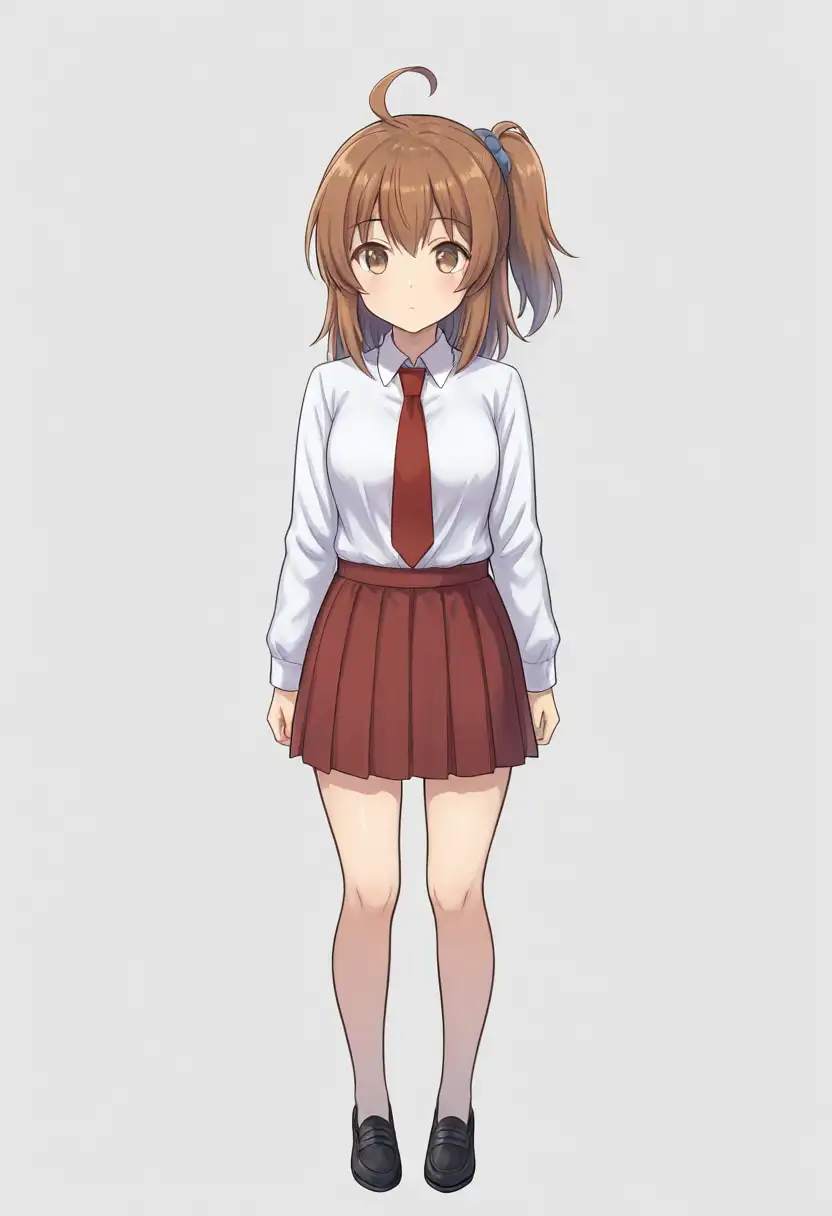
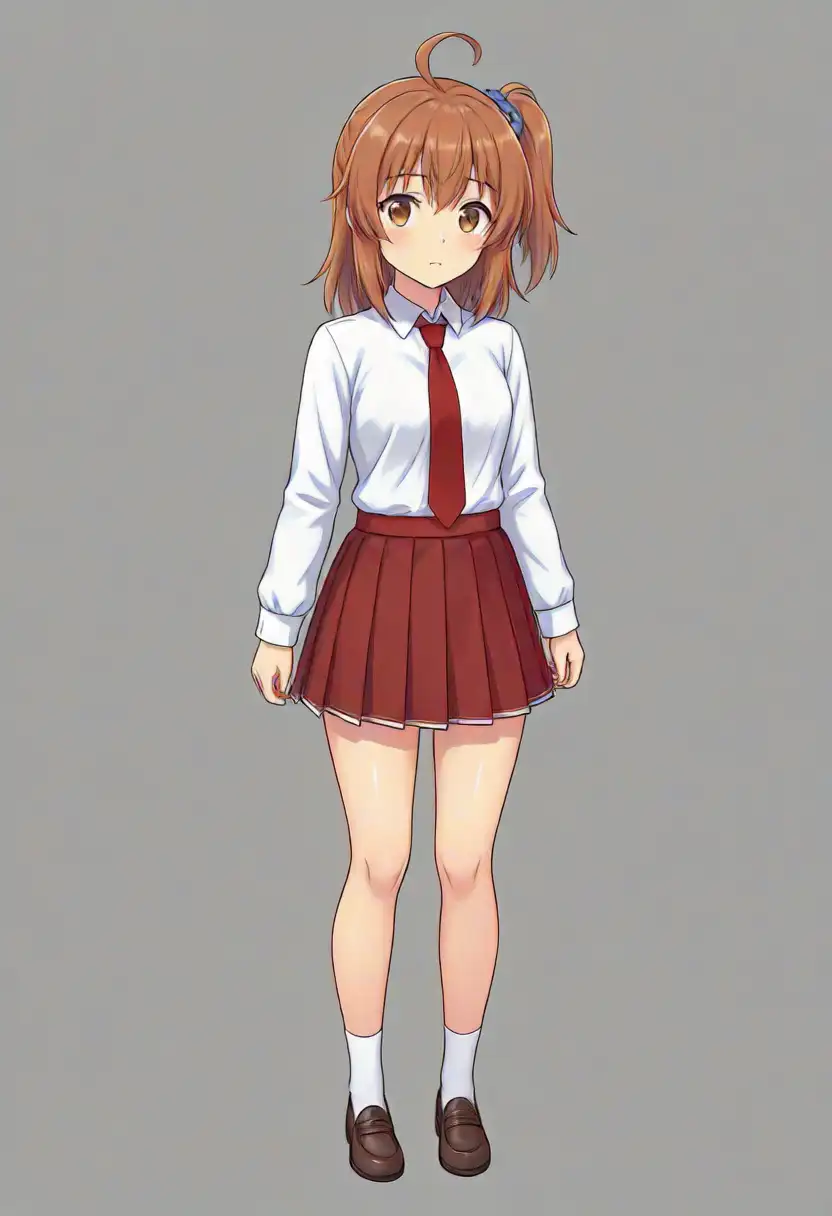
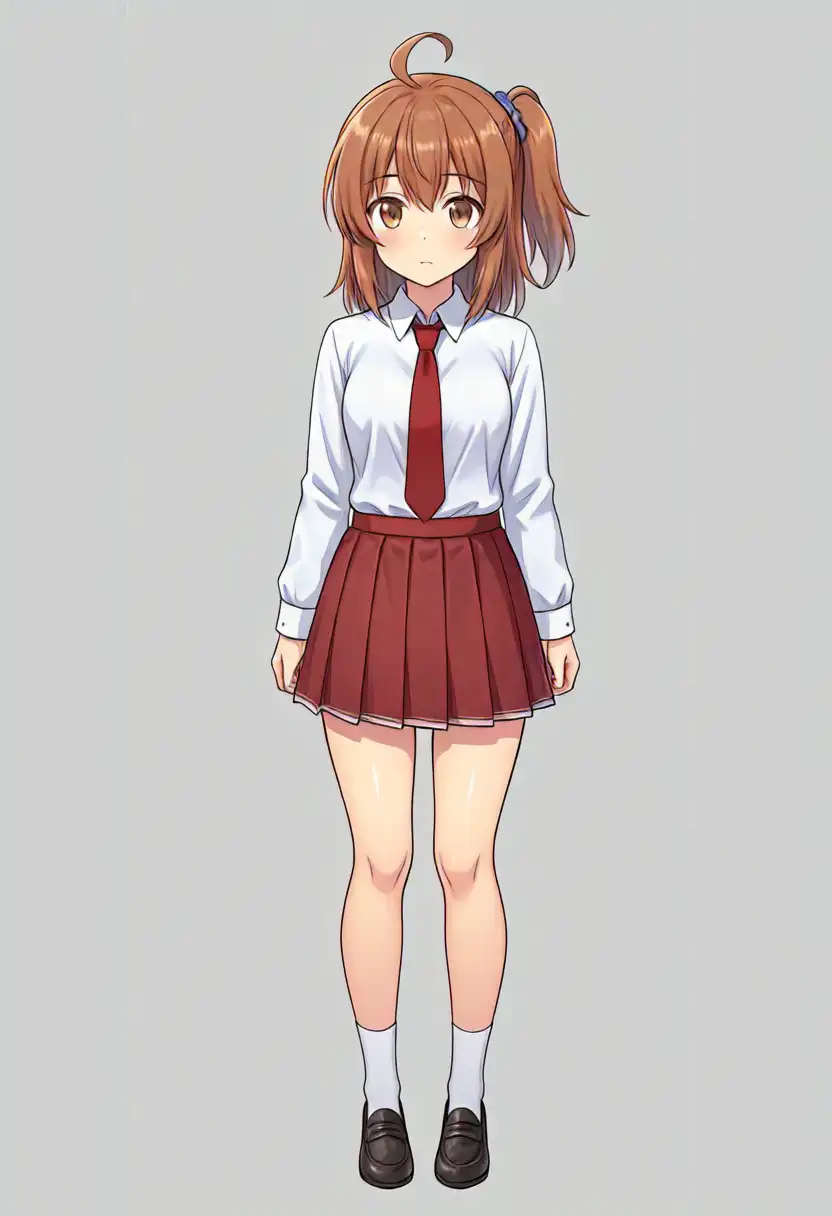


In the full-body tests, HSWQ still keeps the LoRA character traits. Brown hair, side ponytail on the viewer’s right, ahoge, blue hair clip, and red necktie appear in both fast and quality. Since this is a WAI v17 LoRA, I expected more breakage, but this single cut does not show a major compatibility problem.
The differences are composition and face. WAI v17 keeps the full body framed well, and the white shirt, red necktie, and black loafers are close to the prompt. On the other hand, the prompt says navy skirt, but both WAI v17 and HSWQ output a red skirt. The LoRA training data does not contain red skirts, so it is more likely that the red necktie prompt is spilling into nearby clothing elements than that the LoRA memorized red as a skirt color. Anima handled this kind of color separation better.
HSWQ fast is framed slightly closer, and the shoes shift toward brown. In the full-body images, the three outputs do not show a large age difference. With Kana LoRA applied, HSWQ makes the facial outline and hair bundles look crisper. In the plain style test, WAI v17 looked heavier in the lines, but with the LoRA, the HSWQ-side line tightness stands out. It does not return to the WAI v17 image; it becomes an HSWQ-side Kana.
The colors are better on HSWQ. WAI v17 is a little pale and settled, while HSWQ makes the skin and hair brighter, and the red necktie and skirt color read more clearly. Looking only at color, HSWQ is more visually attractive than WAI v17.
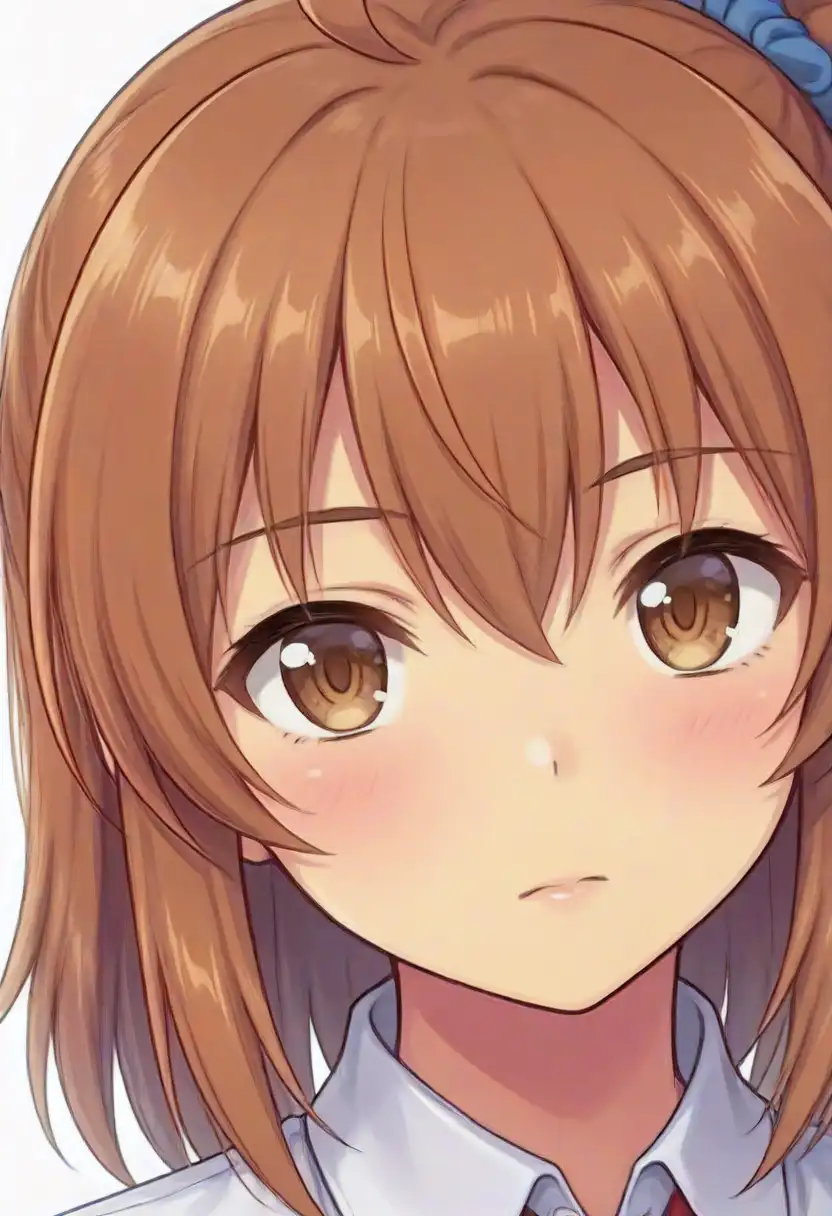
For bust-up, HSWQ crops in quite close. WAI v17 also makes the face large, but it still includes the neck and necktie. HSWQ fast almost fills the frame with the face, and HSWQ quality goes in the same direction. The face, eyes, hair, ahoge, side ponytail, and blue hair clip are preserved, so the character comes through, but the screen occupancy does not match WAI v17. With HSWQ, upper body alone tends to move closer.
In the bust-up comparison, fast looks the most adult. Quality has good line and eye appeal, with clear facial lines, eyes, and hair highlights, and as a Kana illustration it is quite strong. Whether this is better than the Anima family is a matter of preference, but this bust-up image shows HSWQ’s strengths well.
Background Density
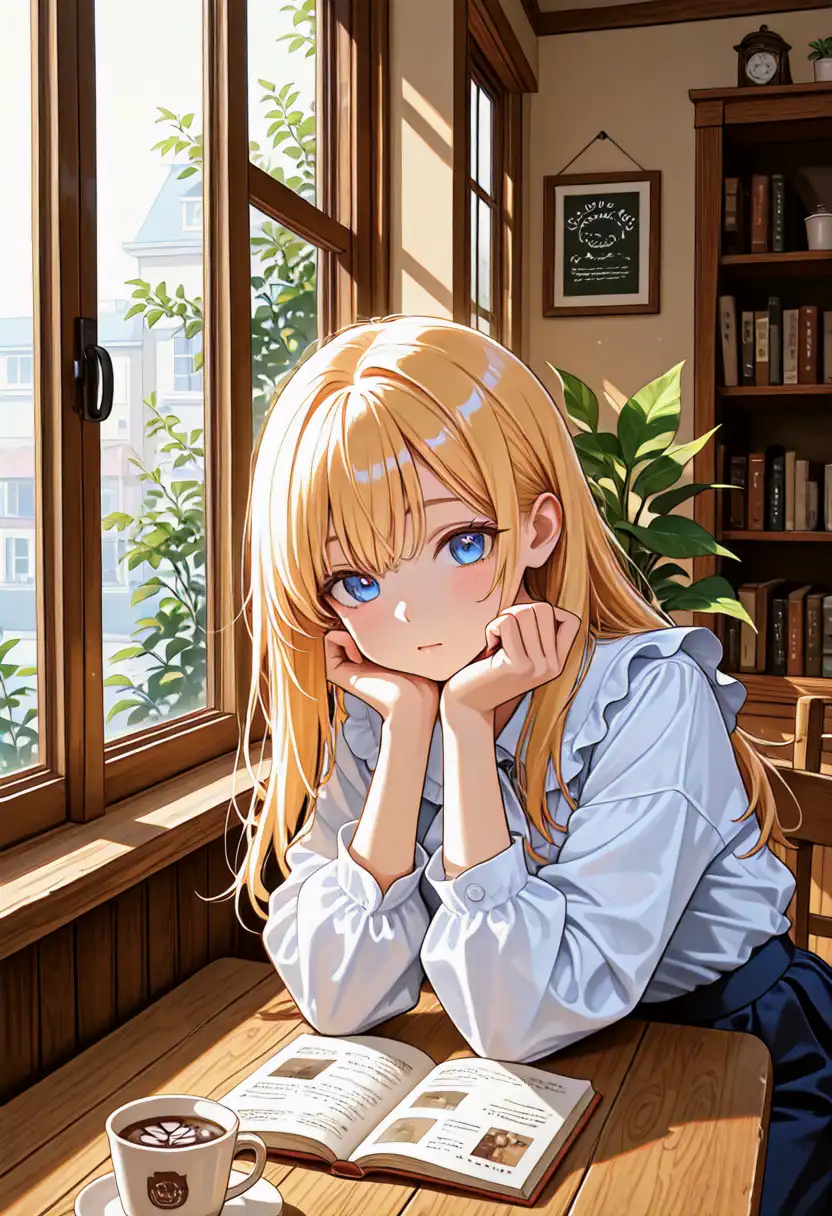
Cafe scene. Low-step models can hold up for a single character while becoming thin in bookshelves and small background props, so I also compare a background-heavy image.
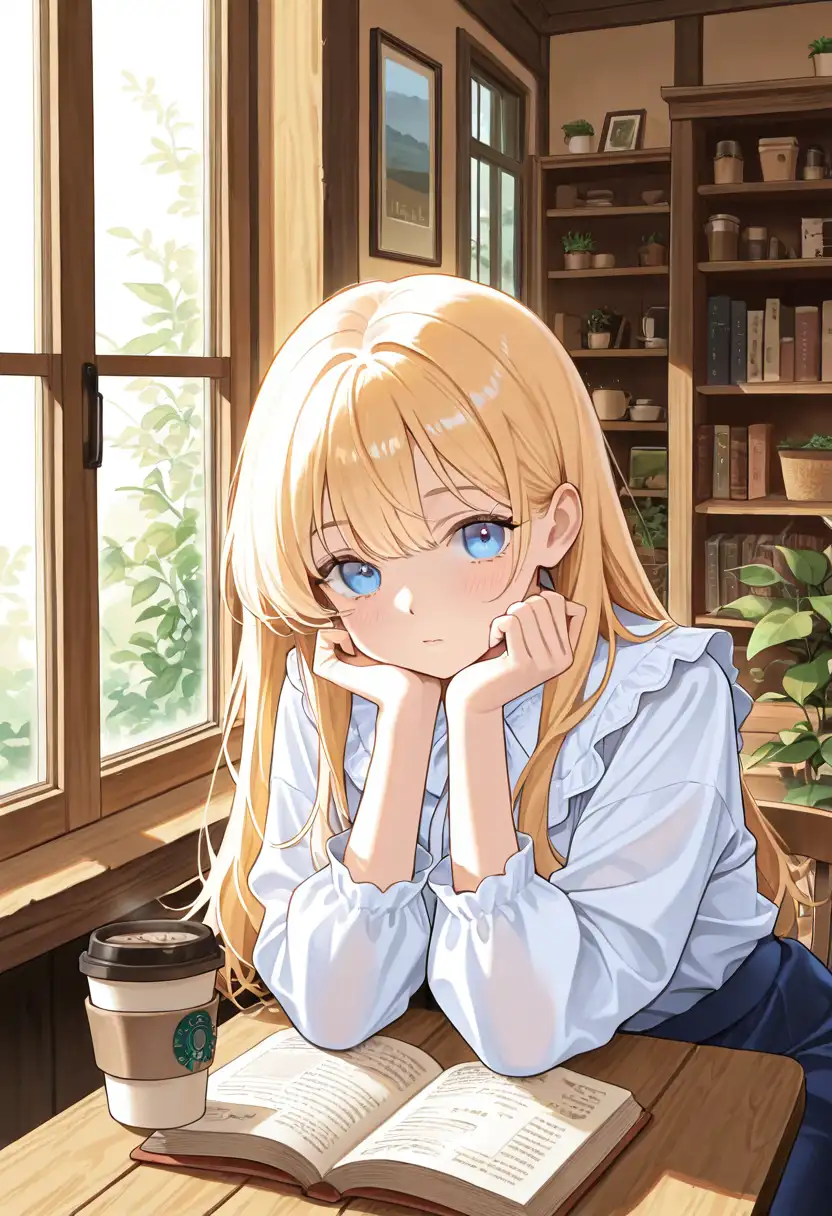
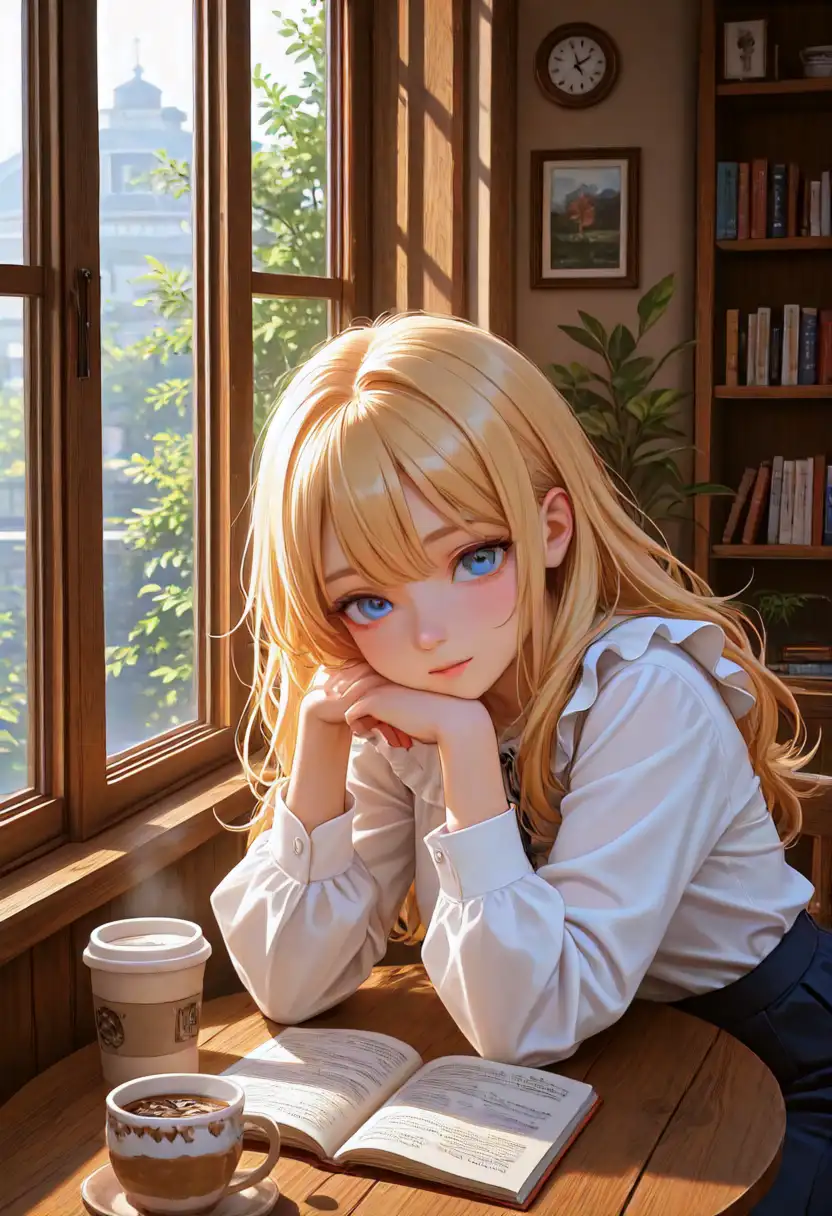
The cafe scene makes the HSWQ difference easiest to see. WAI v17’s background works: the window, bookshelf, plant, table book, and cup are all there. Still, the image is somewhat quiet, and both the character and background settle into the usual WAI v17 look.
HSWQ fast has strong light despite being only 10 steps, and it keeps information in the window, outside scenery, clock, bookshelf, and houseplants. The character’s face is also bright, so as a full scene it looks better than WAI v17. The low-step claim is especially easy to understand in this cafe test.
HSWQ quality has the best background rendering. The window frames, outdoor buildings, houseplants, bookshelf, and open book all gain density, and the line and light become tighter. Fast is already good for the time it takes, but for a denser background image, quality is stronger. I would use fast for normal work and quality when I want more background density in a finished image.
Generation Time
Measured on M1 Max 64GB ComfyUI, using the same script and running the jobs in order. The time is from submitting the prompt to saving the image.
| Image | Model | Steps / CFG | Time |
|---|---|---|---|
| Plain | WAI v17 | 30 / 6.0 | 110.4s |
| Plain | HSWQ fast | 10 / 1.0 | 32.1s |
| Plain | HSWQ quality | 20 / 2.5 | 64.2s |
| Kana full body | WAI v17 | 30 / 6.0 | 110.3s |
| Kana full body | HSWQ fast | 10 / 1.0 | 34.3s |
| Kana full body | HSWQ quality | 20 / 2.5 | 64.2s |
| Kana bust | WAI v17 | 30 / 6.0 | 110.4s |
| Kana bust | HSWQ fast | 10 / 1.0 | 32.1s |
| Kana bust | HSWQ quality | 20 / 2.5 | 64.2s |
| Cafe | WAI v17 | 30 / 6.0 | 108.3s |
| Cafe | HSWQ fast | 10 / 1.0 | 28.1s |
| Cafe | HSWQ quality | 20 / 2.5 | 64.2s |
Fast finishes in about one third of the WAI v17 time, and quality still finishes in about 60% of the time. At that point, the main question is not whether it produces exactly the same image as WAI v17, but whether this output is worth using at this speed. From these images, HSWQ fast is usable enough. If the image needs a denser background, I would raise it to quality.