JANIMA vs Hexer Minimal Toon (M1 Max): LoRA fidelity flips per character
 Contents
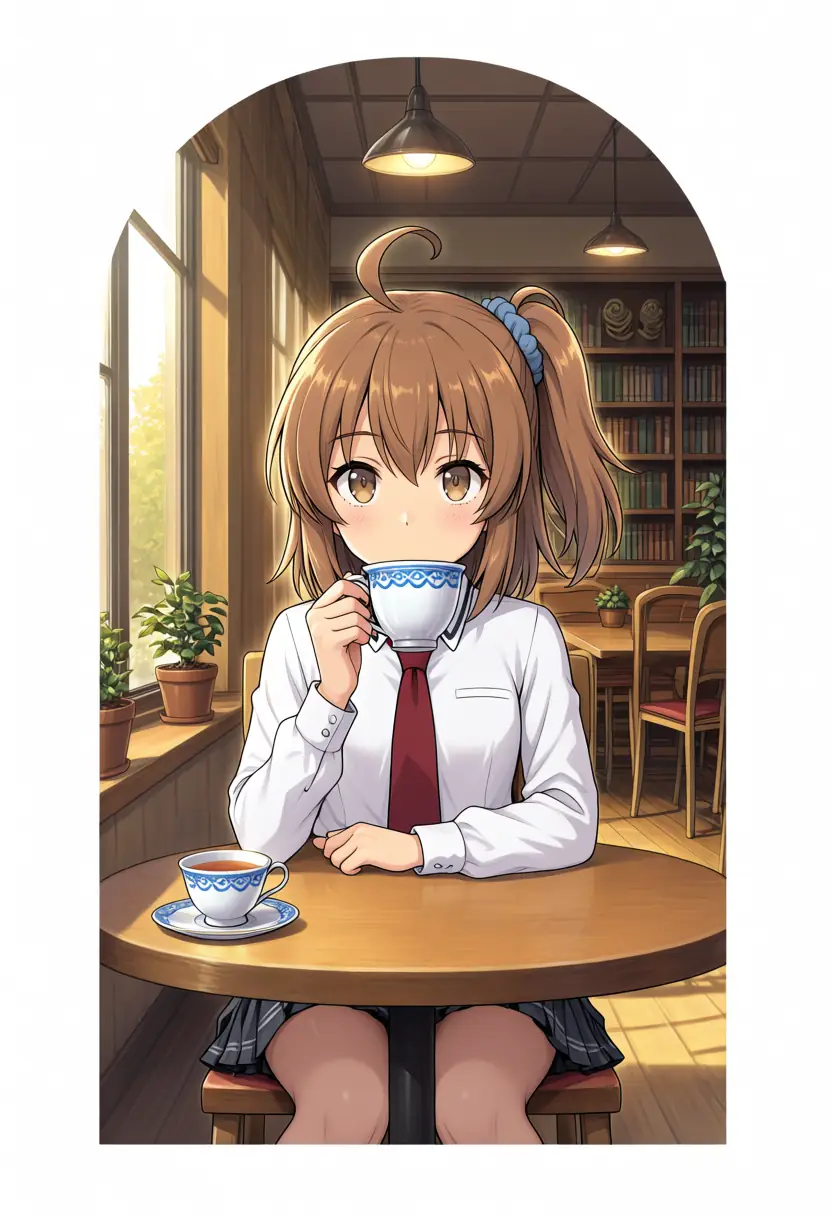
JANIMA dropped its early-access paywall and went free, and Hexer Minimal Toon picked up an Anima version, so I lined both up against anima-base-v1.0 on an M1 Max (64GB) ComfyUI with the same prompt, the same seed, and my own character LoRA. The short version: the most faithful model flips per character, JANIMA keeps layering clothes that aren’t in the prompt, and the quietest backgrounds come from JANIMA, the model tuned for more detail.
JANIMA sat out the earlier comparison of one LoRA across six Anima derivatives because the download was paid at the time. Hexer Minimal Toon’s new Anima version is covered in its own post; with it, the two newest Anima derivatives were ready to test.
What pushed me to test them wasn’t image quality. Anima-family outputs tend to over-detail into that unmistakable AI-generated density, and I wanted a derivative that produces simpler images natively. Hexer Minimal Toon, which by design dials rendering down, was the favorite going in.
Test environment, with every model run on the same prompt and seed.
| Item | Detail |
|---|---|
| Machine | M1 Max (64GB unified memory) |
| UI | ComfyUI |
| Baseline | anima-base-v1.0 |
| Challengers | JANIMA v1.0 / Hexer Minimal Toon Anima V1 |
| Character LoRA | keikana-animabase-v2 (trained on Anima-Base, Kana and Kei merged into one file) |
| Switching | Solo and duo shots selected by trigger |
What the two checkpoints are
Both are anima-base-family DiT checkpoints sharing the text encoder (Qwen3 0.6B) and VAE (Qwen Image VAE). Both go into diffusion_models/.
| Item | JANIMA v1.0 | Hexer Minimal Toon Anima V1 |
|---|---|---|
| Author | janxd | Mexes |
| Base | anima-base-v1.0 | Anima |
| Size | 3.9GB | 3.9GB (bf16 full) |
| Design aim | Sharper details than base, more micro-detail | Between toon and anime, doesn’t pile on detail |
| Distribution | Formerly early access, now free | Free |
JANIMA’s model card states it produces more detail, texture, and micro-detail than the base at the same resolution and step count. That is a tuning aimed at increasing rendering density. Hexer goes the other way and advertises “detailed but not too detailed”. The two are tuned in opposite directions.
Recommended settings
JANIMA ships official recommendations. Hexer is a different story.
| Setting | JANIMA | Hexer Anima V1 |
|---|---|---|
| Sampler | er_sde | Not listed |
| CFG | ~5 | Not listed |
| Steps | 24-30 (max 50) | Not listed |
The “40 steps, 836x1254, Euler A / DPM++ 2M Karras, CFG 7” on Hexer’s model page belongs to the Illustrious (SDXL) version; the Anima version has no per-version recommendation yet. Euler A and DPM++ are SDXL-side samplers, so they don’t necessarily transfer to a DiT checkpoint. I used er_sde, the Anima-family standard. Having to feel out the settings by hand is itself the first snag with the Anima version.
Generation conditions
Components (text encoder, VAE, character LoRA) stayed fixed for every model; only the UNet was swapped. Character-fidelity shots use Turbo (8 steps), and for the detail comparison I also rendered native runs closer to each model’s recommendation.
| Item | Turbo | Native |
|---|---|---|
| Turbo LoRA | anima-turbo-lora-v0.1 (strength 1.0) | None |
| Steps | 8 | 30 |
| CFG | 1.0 | base/Hexer 4.5, JANIMA 5 |
| Sampler | er_sde / simple | er_sde / simple |
| Character LoRA | keikana-animabase-v2 ep140 (strength_model 1.0 / clip 1.0) | Same |
| Seed | 42 (fixed) | 42 (fixed) |
Instead of relying on my own eyeballing, I passed every image to Codex to check feature match, composition, and breakage, and folded its readings into the comparison below.
Raw style
With the character LoRA removed, a blonde girl in a white robe with gold embroidery, standing, shows each checkpoint’s native style.
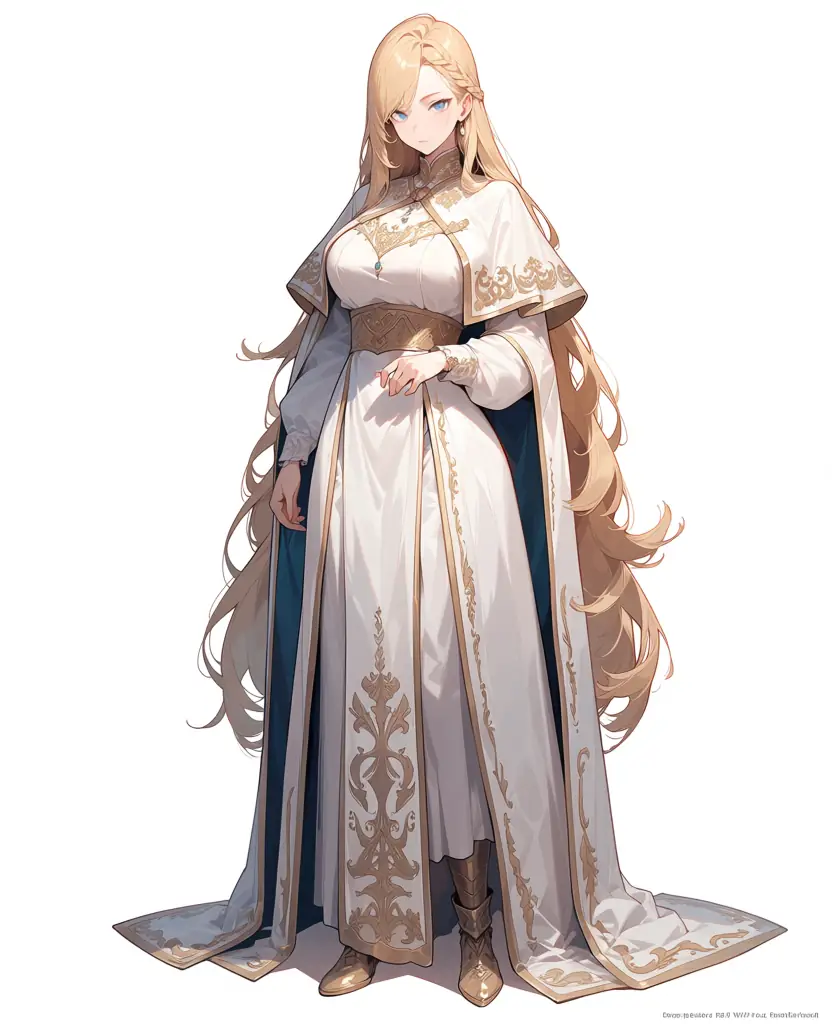
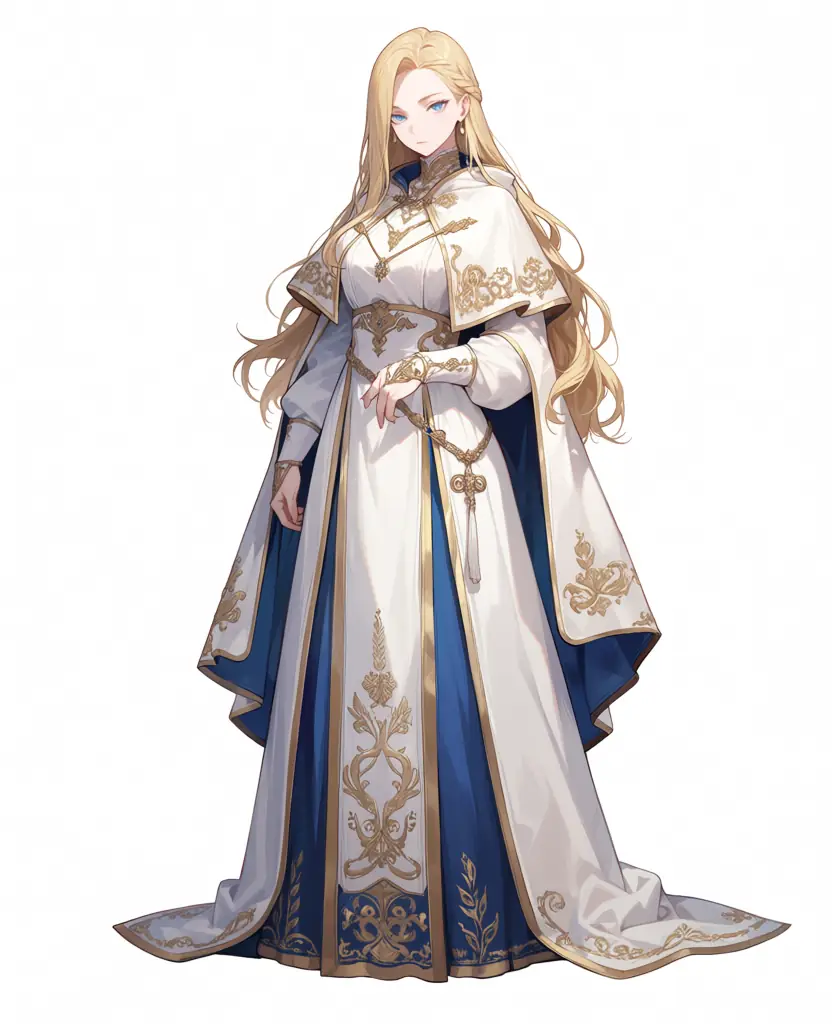
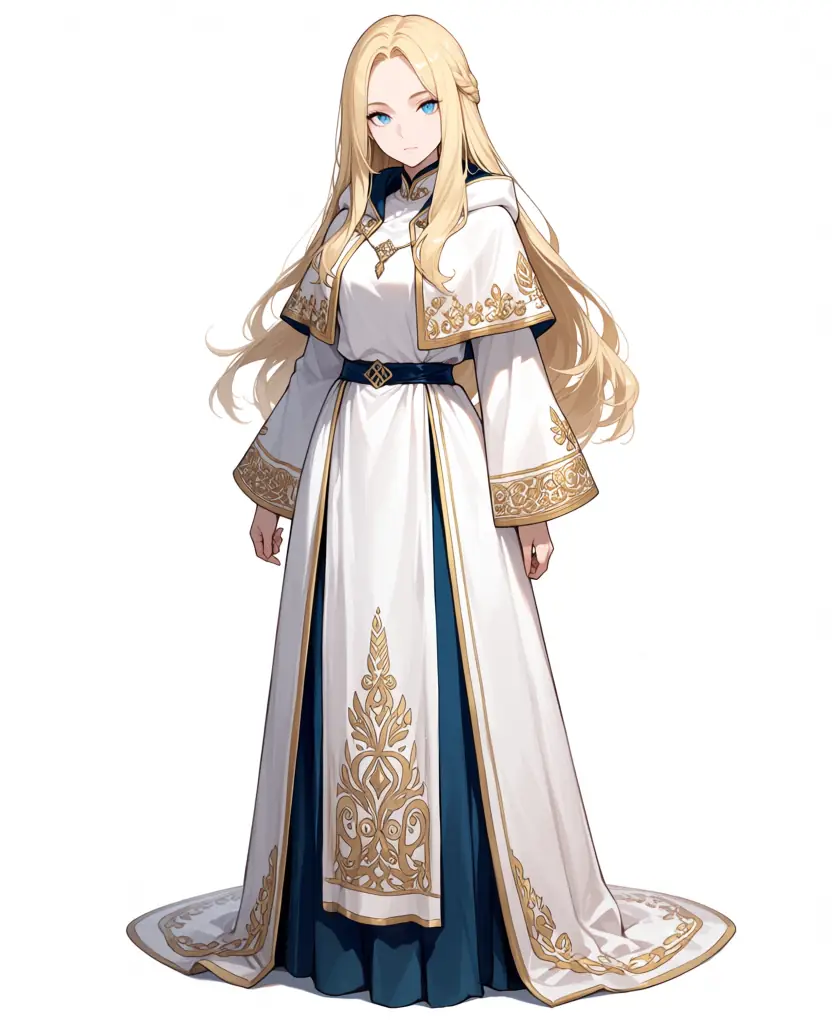
The same robe gets different embroidery and accent colors. JANIMA packs in the gold embroidery and adds navy accents, the densest costume rendering of the three. Hexer flattens the same robe with sparse decoration, keeping the volume but not the density. anima-base lands in between, with slightly muted colors and a faint watermark. Here the model cards hold up: JANIMA piles costume detail on and Hexer strips decoration off. The cafe scene later shows this pattern does not carry over to backgrounds.
Kana, full body and bust
kanachan trigger, full-body standing and bust-up. Kana’s identifiers: brown hair, a side ponytail on the viewer’s right, a single ahoge, brown eyes, white shirt with a red necktie.
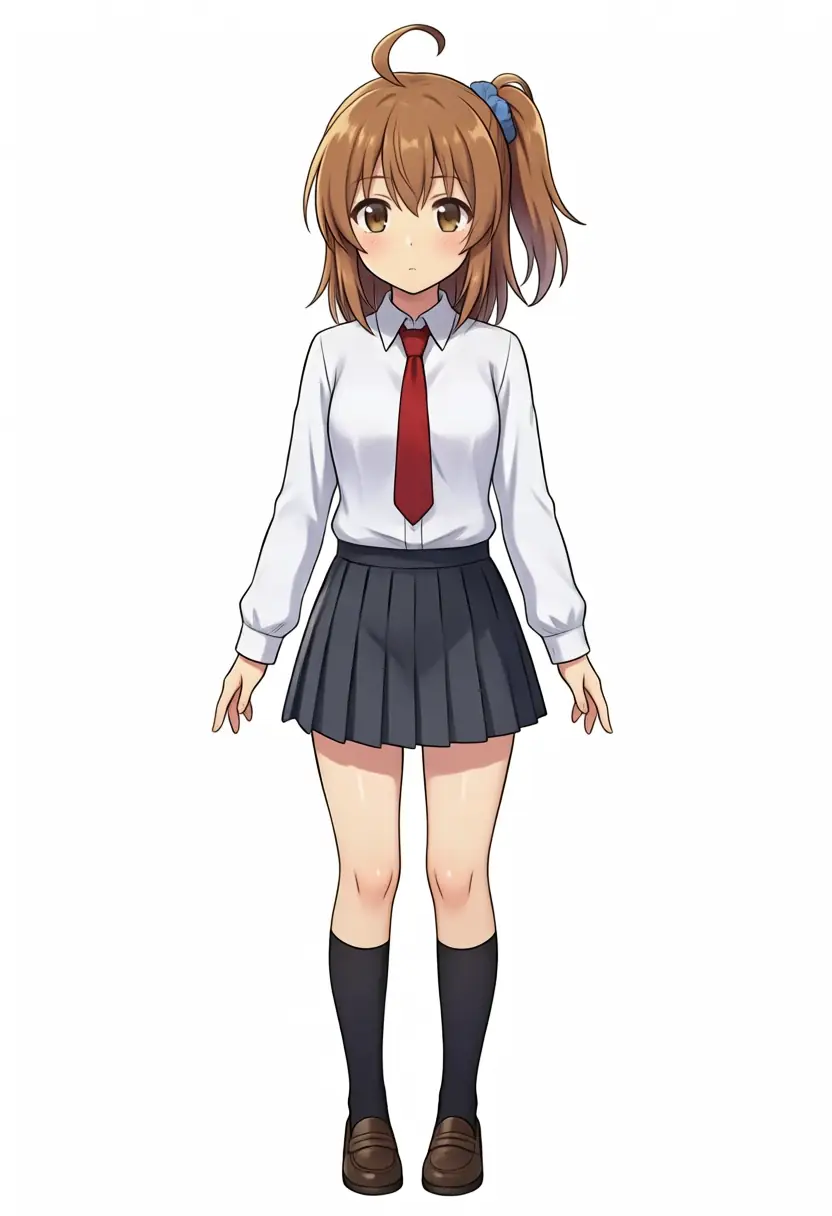
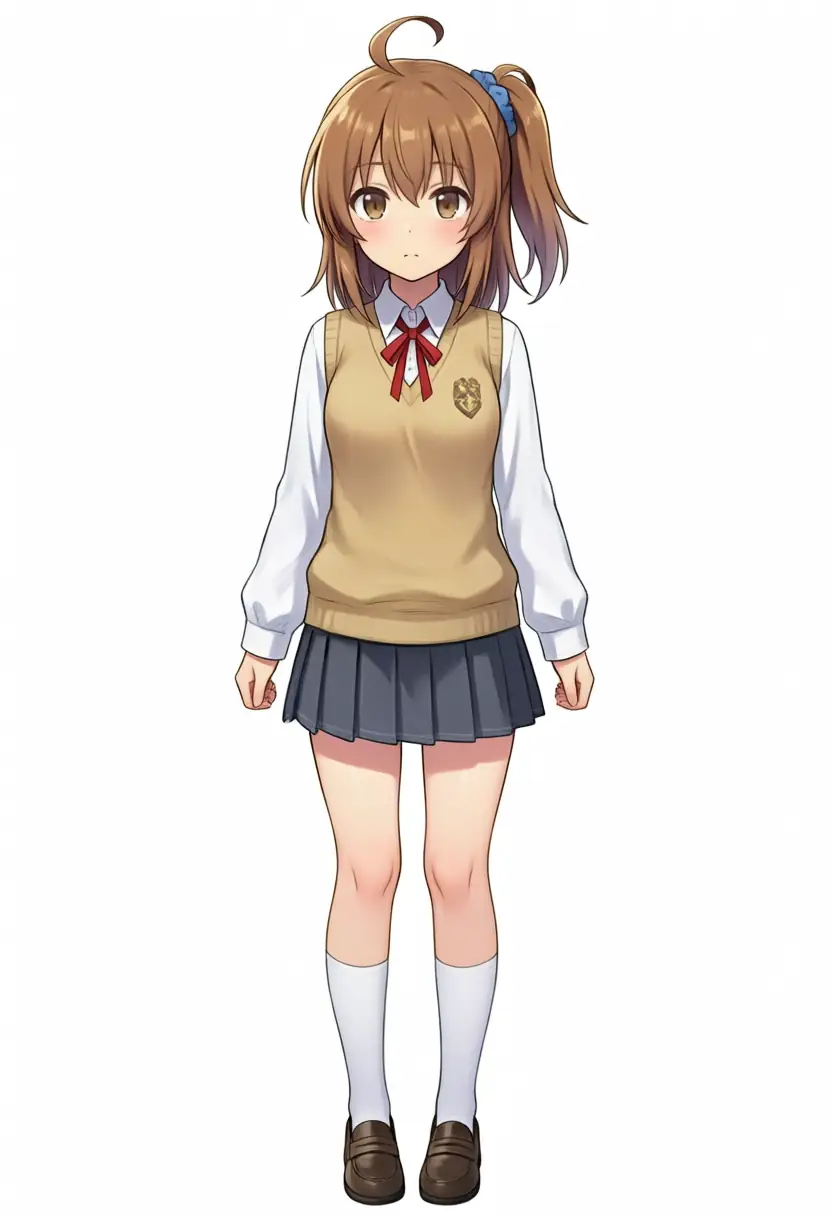
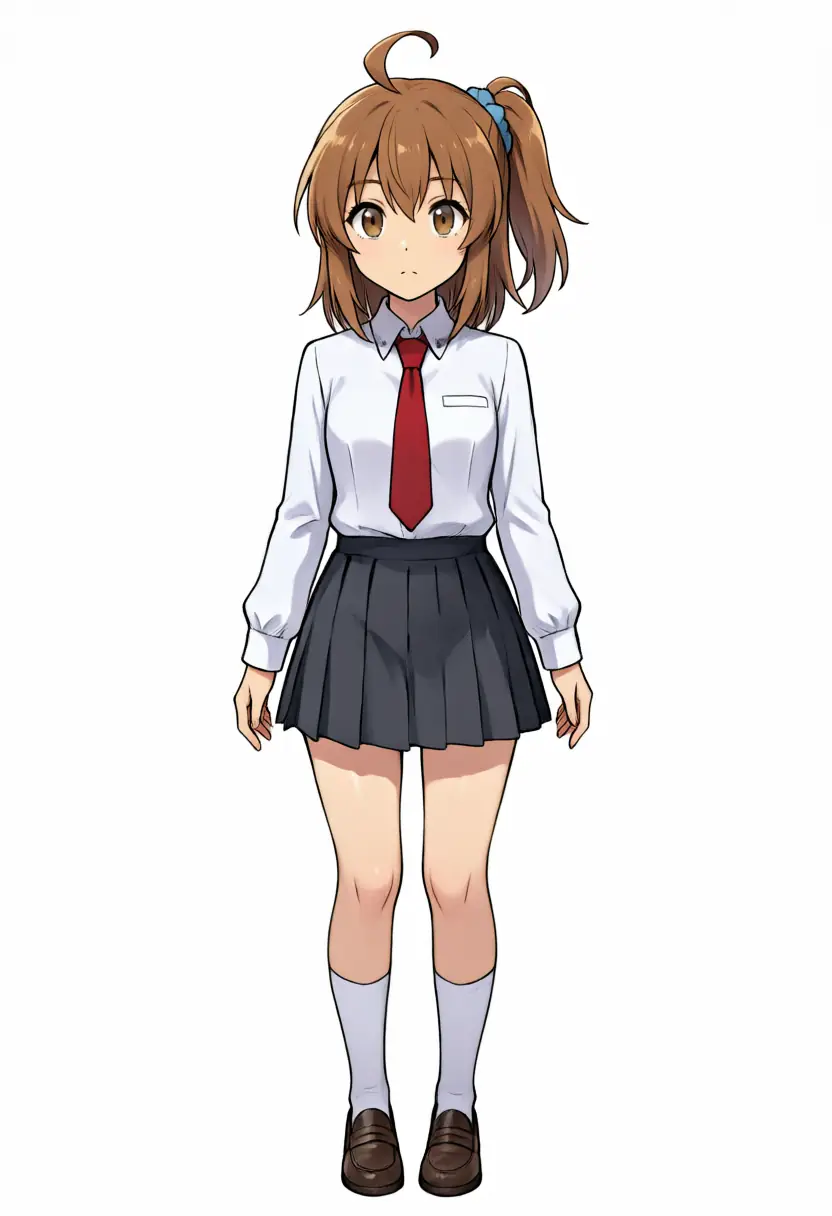



All three get the side ponytail, ahoge, brown hair, and brown eyes. The split is the outfit, and JANIMA keeps layering clothes that aren’t in the prompt. The full body adds a beige sleeveless knit and a red ribbon with an emblem; the bust swaps in a navy vest with a red ribbon, drifting from the white-shirt-red-necktie spec. It’s the same move as the gold embroidery on the raw robe: this model decorates the subject, so the school uniform gets an extra layer too. Hexer keeps the red necktie, and its full-body shot comes out with lighter painting in the pulled-back framing. anima-base renders the bust’s tie closer to a ribbon tie but doesn’t layer clothing like JANIMA. Codex’s ranking put Hexer closest to spec for both full body and bust, with JANIMA showing the features but breaking the uniform.
Kei, full body and bust
keichan trigger, same two shots. Kei’s identifiers: long blonde hair, blunt bangs, a half-up braid, a blue ribbon in the back hair, blue eyes, and a red ribbon tie instead of a necktie. Her hairstyle is symmetric, so there is no side-ponytail-direction confound and reproduction drift is easier to read.
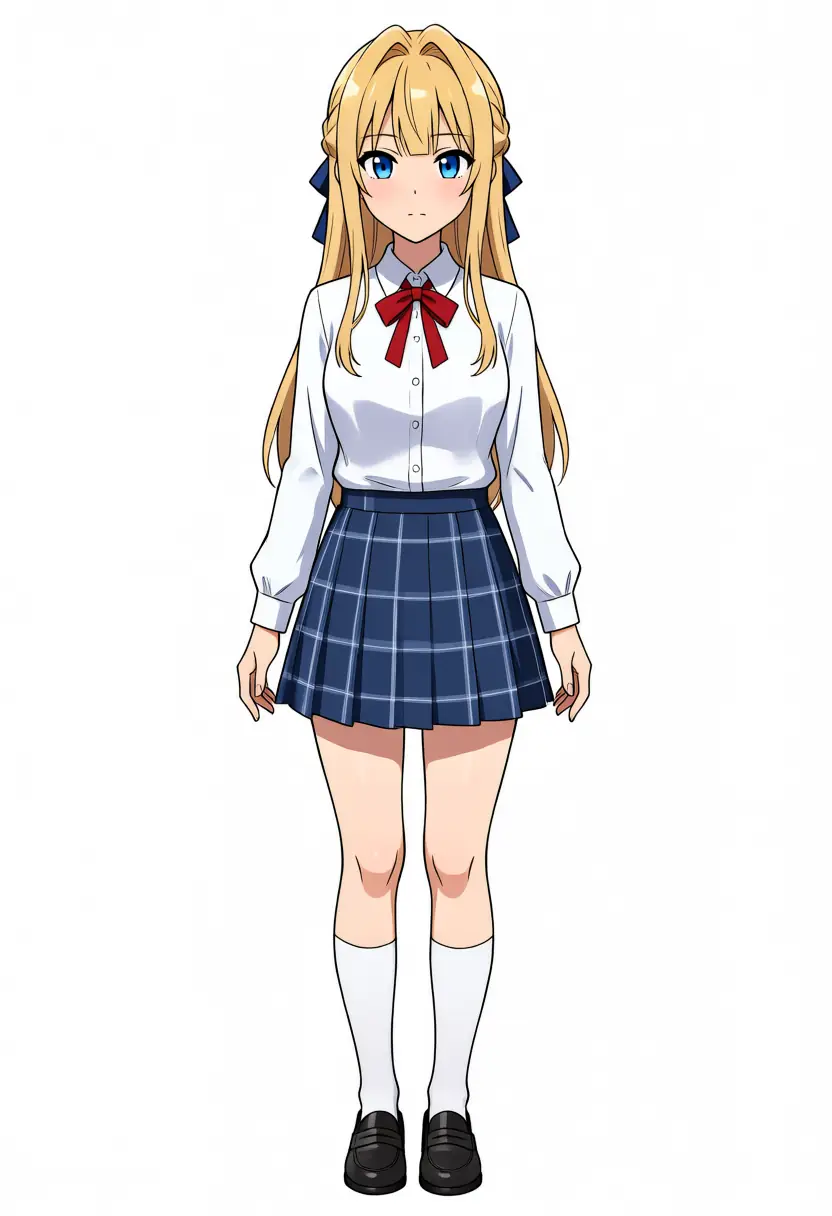
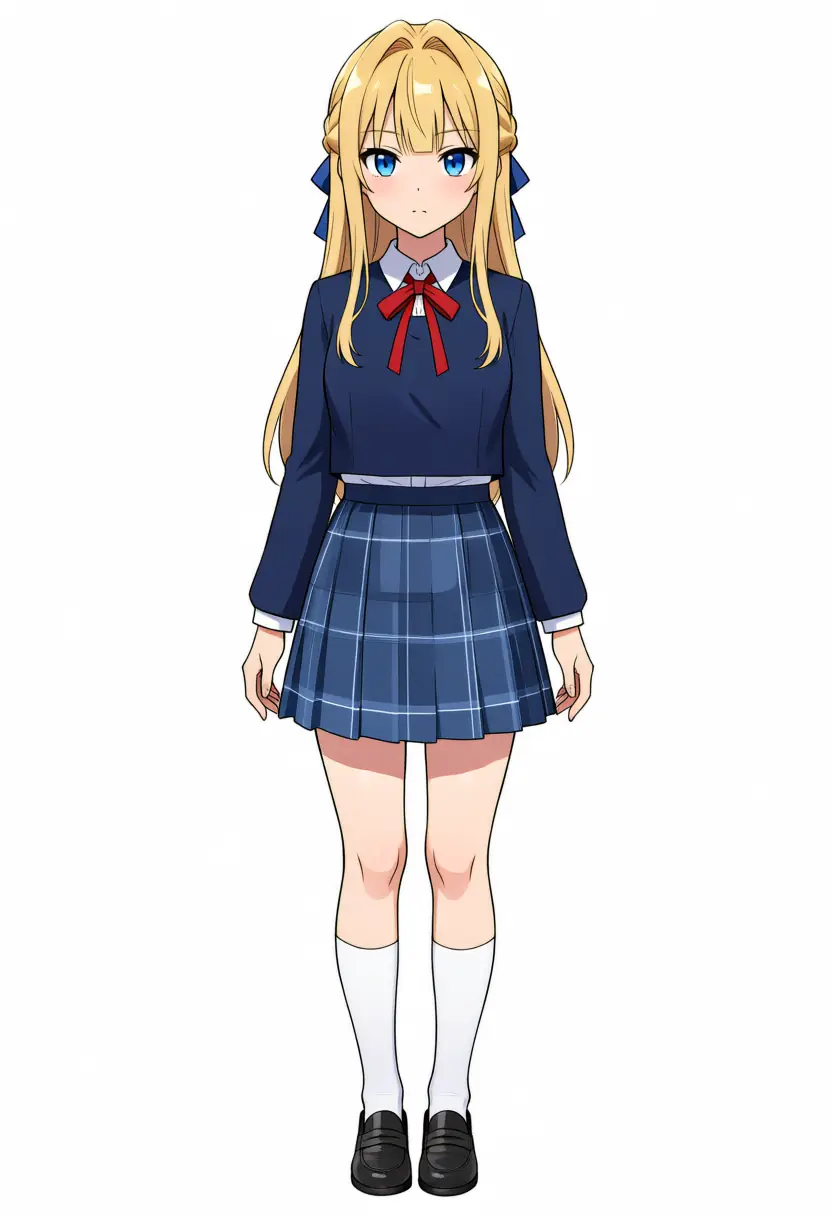
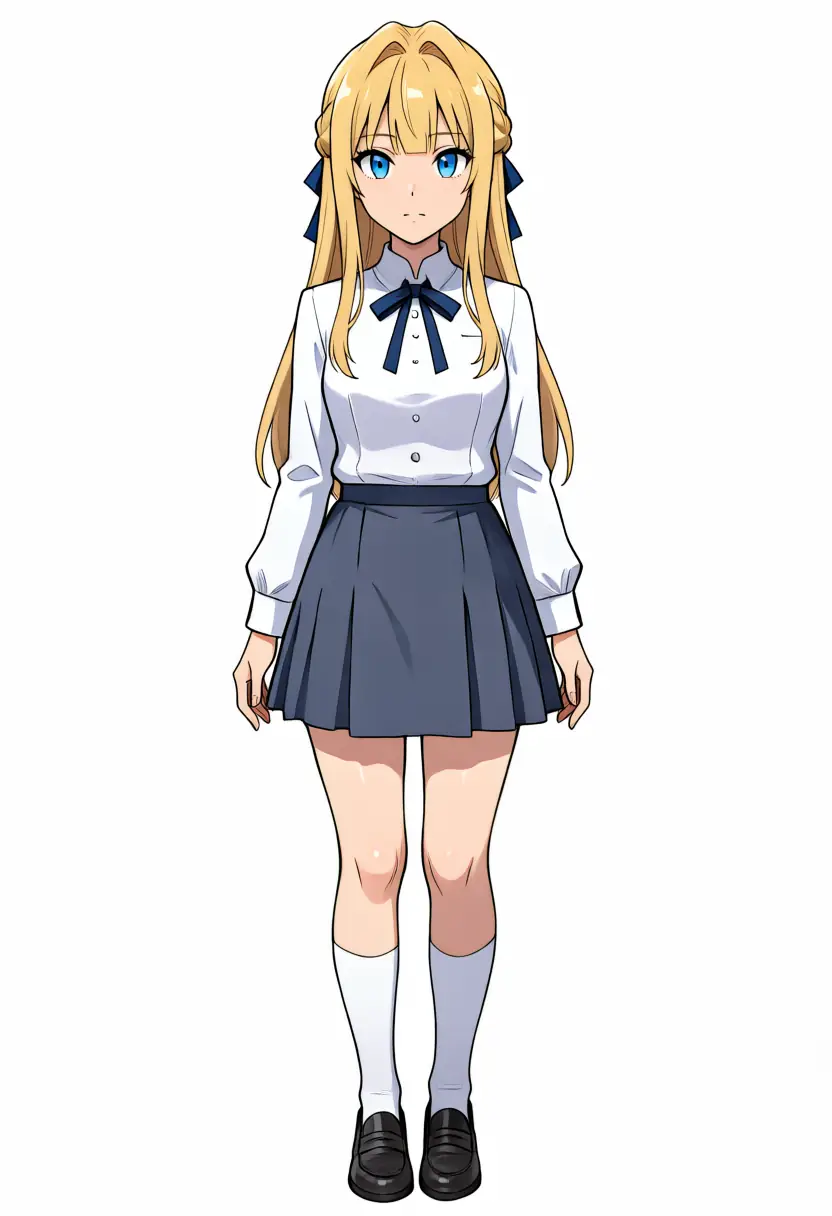



Kei split the verdict. Per Codex, the full body is most stable on anima-base (hands and fingers hold up), while the bust is most stable on JANIMA (the red ribbon tie and blue back ribbon come out natural, lines and painting steady). Hexer turned the bust’s red ribbon blue. Hexer was the strong one for Kana yet swaps places on Kei, so which model is strongest at character fidelity changes per character.
Two characters in one image
Since it’s a merged LoRA, calling kanachan and keichan in one image puts the two together. For two characters, writing positions and per-character features in natural language, plus they are two different girls and anti-fusion negatives (fused limbs and the like), is the stable recipe. Kei on the left, Kana on the right, hugging.
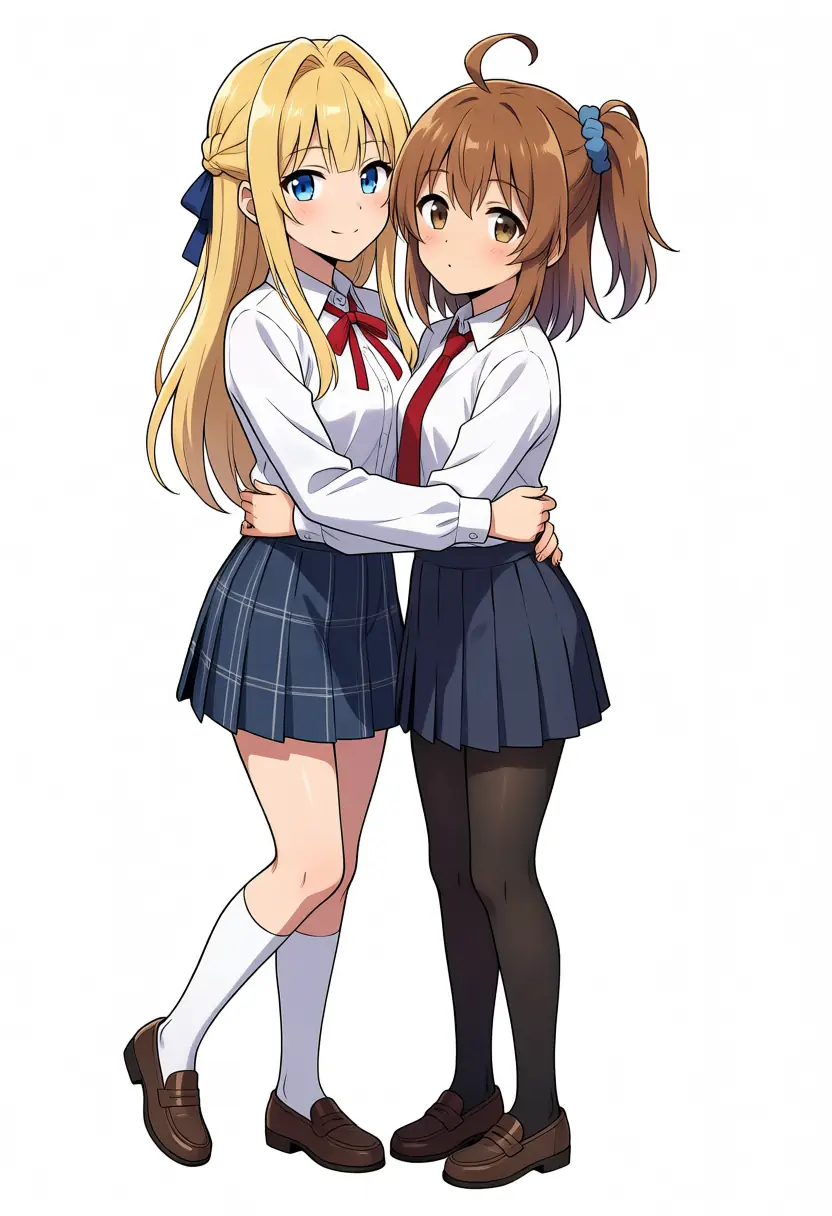
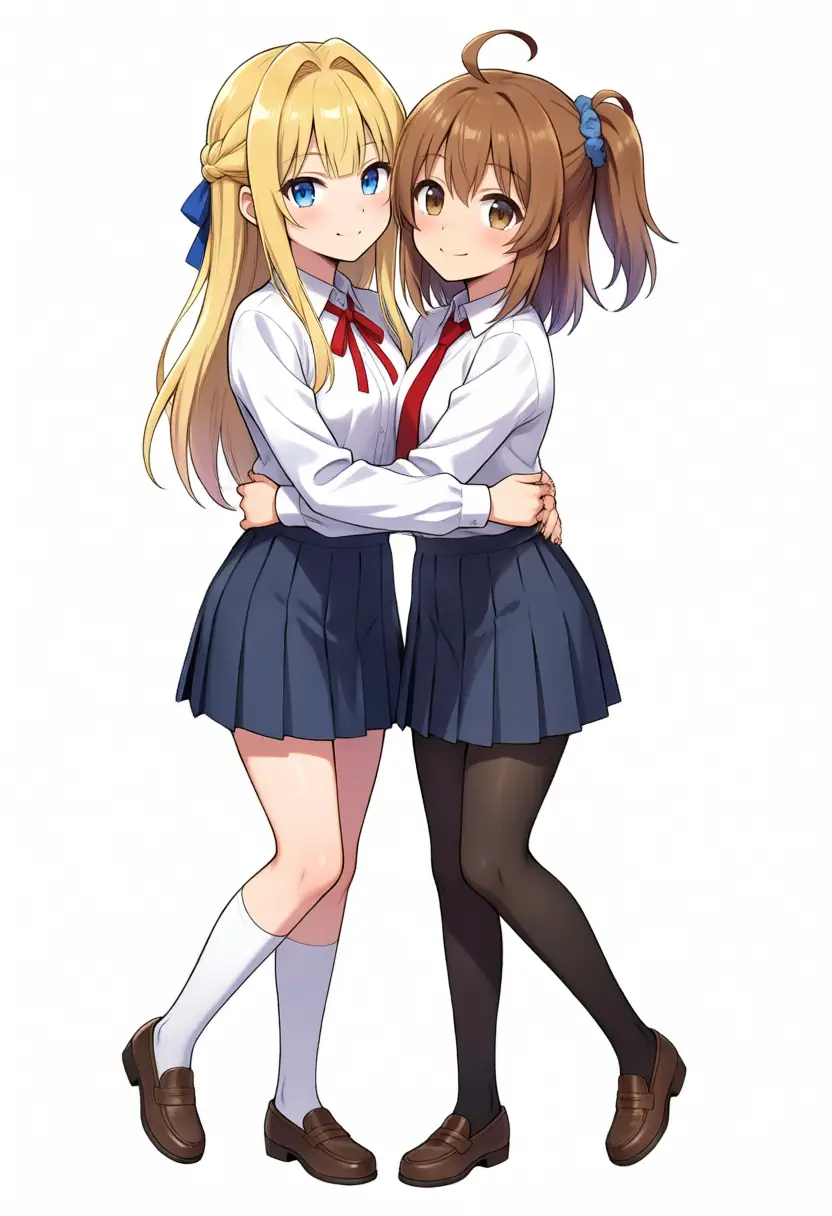
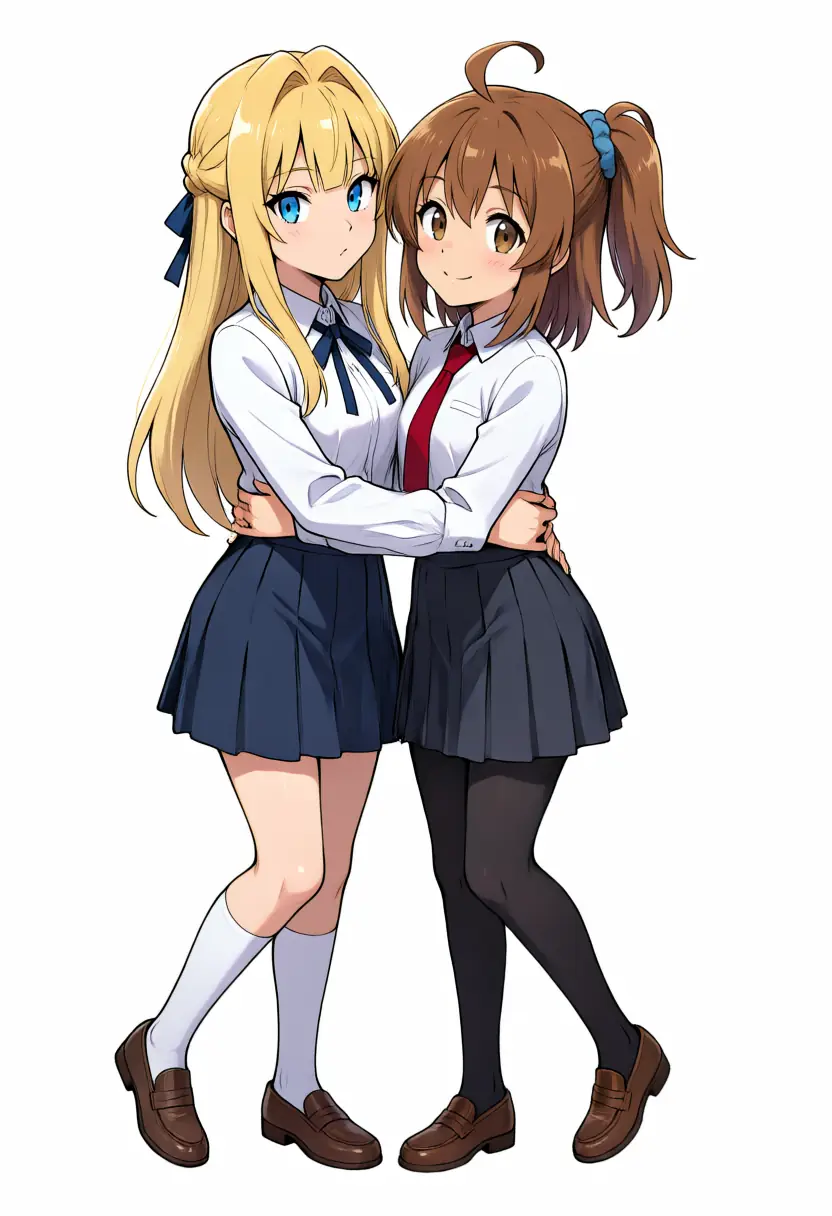
All three keep the two girls separated as distinct characters, with no attribute bleed of Kana’s ahoge onto blonde Kei. Codex ranked Hexer’s separation first, but the gap between the three is small. Hexer turned the neck ribbon blue here too, so its color fidelity drops by that much. Two-character separation comes from the base model and mostly survives across derivatives.
Fine detail changes with and without Turbo
To compare rendering density, Kana sits in a cafe with a full background, in two runs per model: native (30 steps) close to each model’s recommendation, and Turbo (8 steps), my everyday fast path.
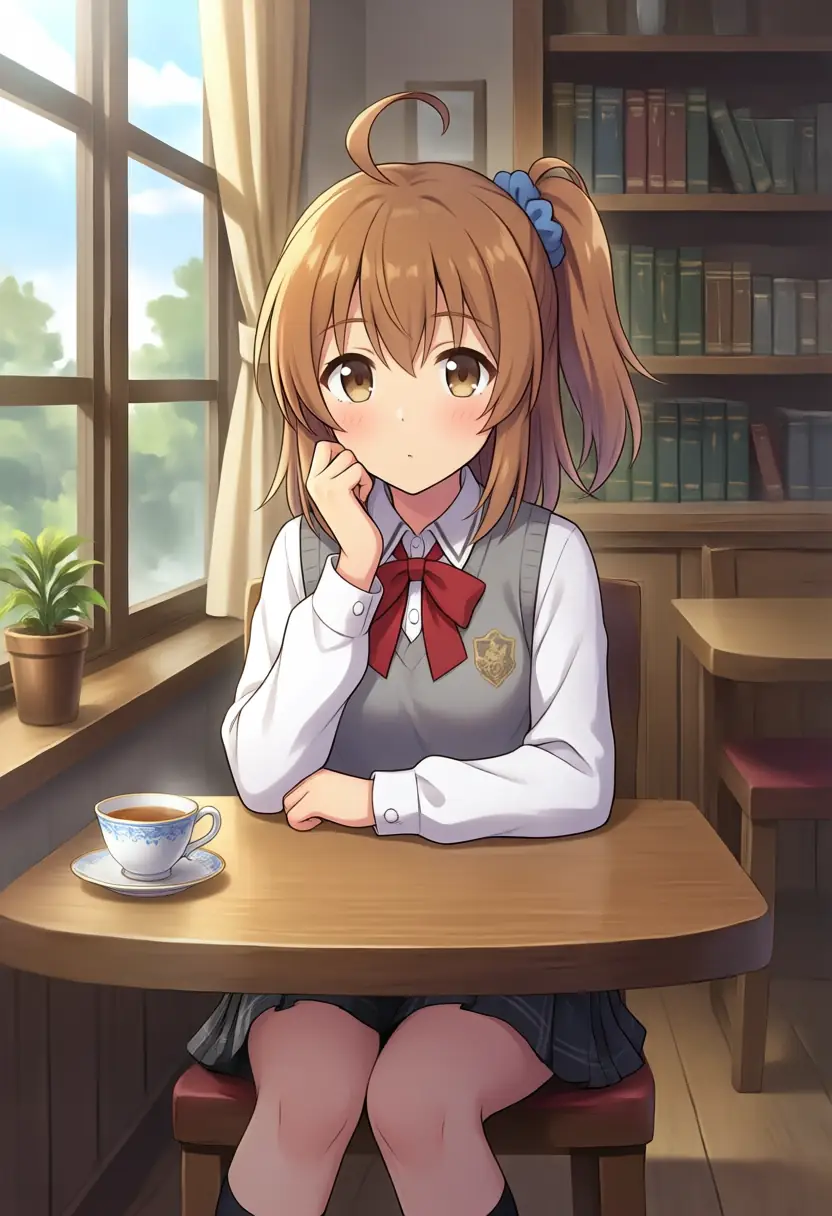
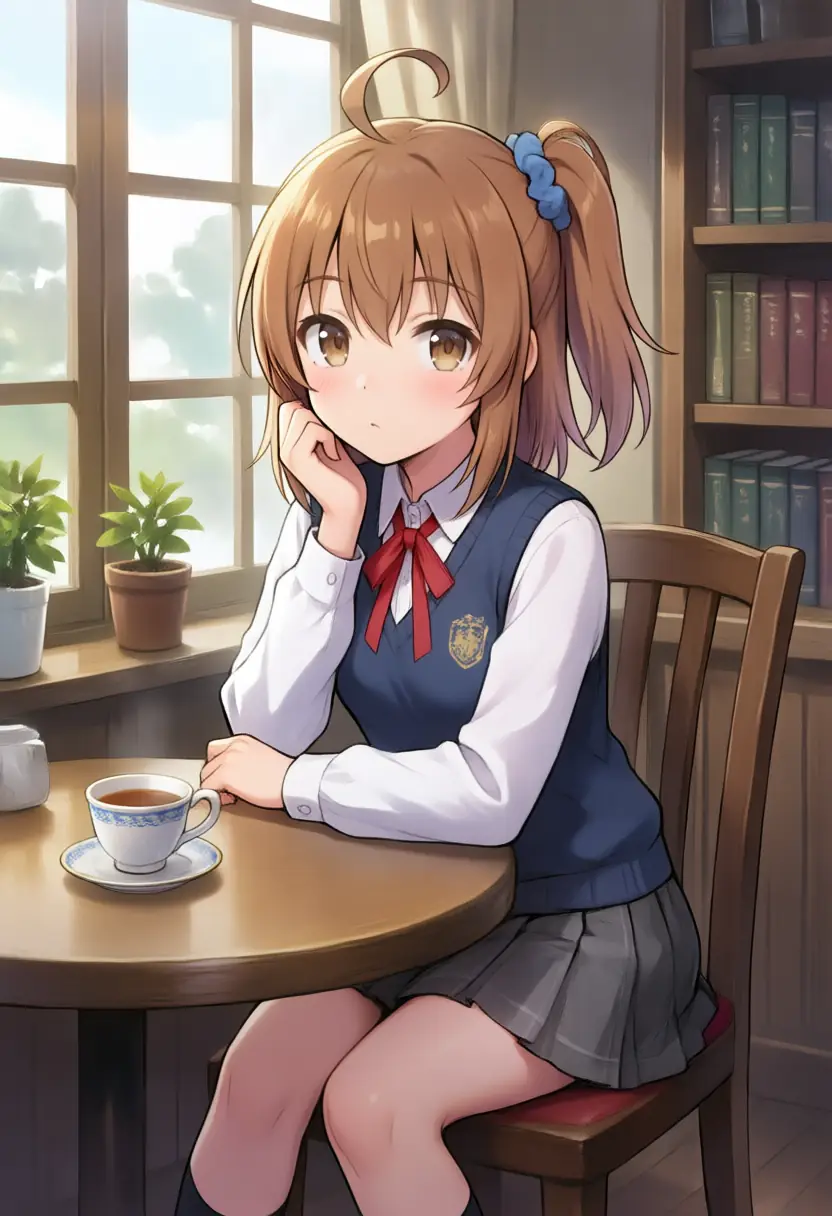
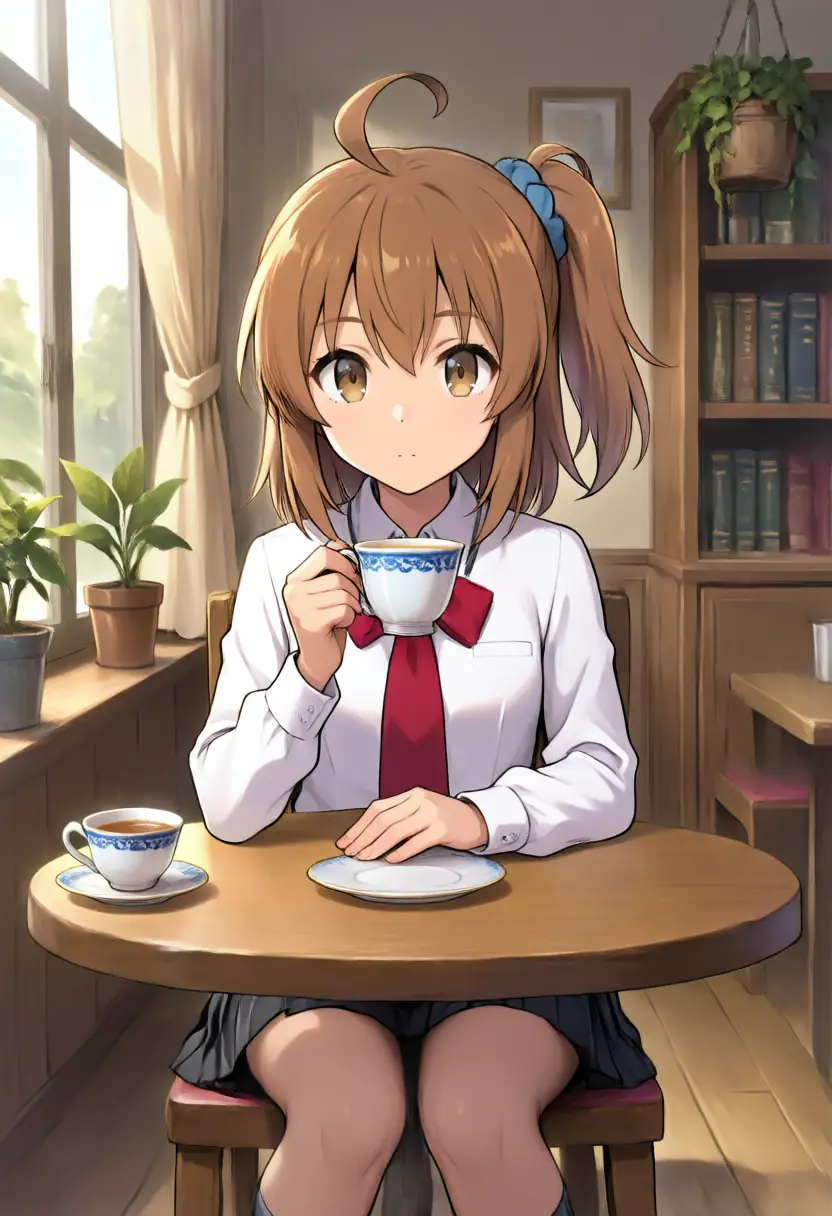
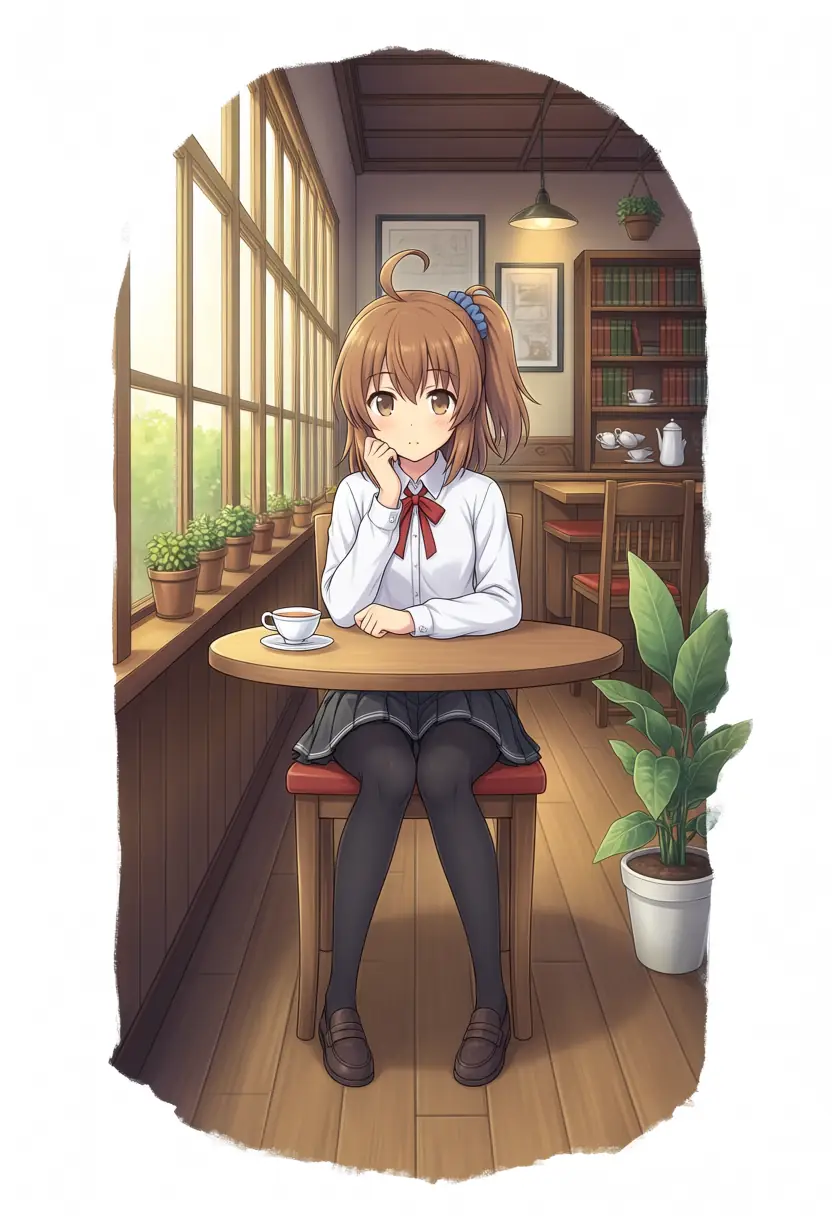
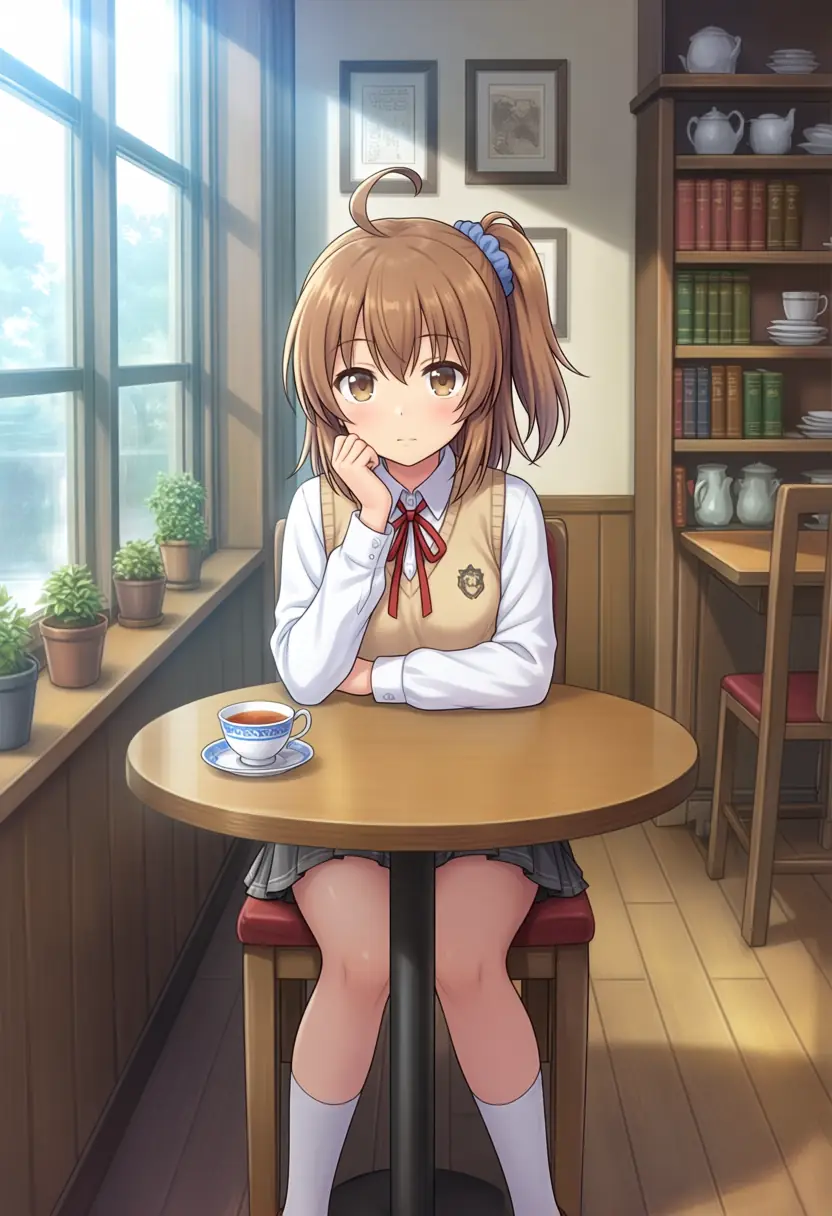
Codex’s read of the six images was the clearest part of the test. Turbo pulls the subject in large, trading background density for a stronger face, upper body, and foreground props. Native pulls back into a wider framing and adds background, room, and prop detail (though it tends toward a white-bordered, framed-print look). Background density including the native runs came out base ≒ Hexer > JANIMA, with JANIMA tidy and clean but lowest in background information.
This is where the raw style flips. JANIMA loaded the most embroidery onto the robe, yet renders the cafe background the plainest of the three. JANIMA leans toward detailing the subject and tidying the background rather than packing it, while Hexer and base raise the density down to the background props. Rendering density splits between subject and background even within a single model.
Which one to use
Character fidelity swapped winners per character, and no single model stayed strongest. You pick by the character and the framing you want.
On the original motivation, getting simpler images natively, the answer depends on where you look. To suppress costume and prop detail on the subject, Hexer, with its flat painting. To keep backgrounds uncluttered, JANIMA is actually the tidier, lower-density one. And since Turbo zooms into the subject and drops background rendering on every model, the fastest route to simpler output was simply not raising the step count.
Hexer Anima V1 shipping without per-version recommended settings is the snag you hit before anything else; sampler and CFG have to be guessed from Anima-family defaults. Within this test, er_sde, CFG 5, 30 steps (Turbo: 8 steps, CFG 1) ran without drama.