Three-character Anima LoRA on RTX 5090 (Blackwell): the caption-asymmetry trap and ControlNet-free separation at ep143
 Contents
Update (2026-07-13): Added a fourth character with a makeup toggle to these three and merged all four into one LoRA (518 images, rank256) → Four characters in one Anima LoRA: makeup toggle survival and 6/6 one-shot rate
In the two-character combined LoRA (keikana v2), I merged Kei and Kana into a single LoRA and cleared the ahoge bleed and body fusion that showed up when the two touched. rank128 plus 20 two-character training images removed the interference — that’s where the last post ended.
This time I add a third character (Koharu) and merge three characters into one LoRA. On top of the solos, the training set includes three pairs (Kei + Kana, Koharu + Kei, Koharu + Kana) and the trio (all three), for a total of 294 images.
There’s a second first here: this is the first time I run training on Blackwell (RTX 5090 / B200, sm_120). Every Anima-family LoRA so far was trained on a 4090 (Ada, sm_89), but Blackwell is a different architecture generation, so the environment stack doesn’t carry over as-is. Without swapping the torch and attention implementations, it won’t even start — you get “no kernel image.” This is a new landmine that doesn’t connect to the past posts.
I ran the training on RunPod’s RTX 5090. Whether Blackwell can run training at all, and whether a third character fits into a single LoRA — this is the record of checking both as it ran.
Three things I wanted to check.
- rank capacity hit a ceiling from interference even with two characters; how far do I need to raise it for three? This time I go up to rank256
- The multi (two- plus three-character) ratio is 23.8%, higher than v2’s 13%. Will multiple people show up on their own from a single trigger?
- How does the Blackwell environment swap (cu128 / torch2.7+ / SDPA / FlashAttention disabled) differ from the landmines I hit on the 4090 plan?
Test environment
| Category | Detail |
|---|---|
| Training machine | RunPod RTX 5090 (32GB GDDR7, 60GB RAM, 12 vCPU, Blackwell sm_120, $0.99/h). B200 (192GB) if VRAM is tight |
| Training tool | AnimaLoraToolkit (Moeblack build, official RTX 50-series support) |
| Base model | Anima-Base v1.0 |
| Comparison | keikana v2 (rank128 / 2 characters / 152 images / trained on 4090) |
| This LoRA | Three-character merge (rank256 / 294 images / trained on Blackwell) |
| Generation / eval machine | M1 Max 64GB local ComfyUI |
| Common generation settings | Turbo LoRA 8-step / er_sde / simple / cfg1.0 |
Training on RunPod’s Blackwell, generation and evaluation on the usual local M1 Max — that’s the split. As in the past Anima posts, the generation side is fixed at Turbo 8-step.
The data, by the numbers
| Category | Images |
|---|---|
| kei solo | 79 |
| kana solo | 65 |
| koharu solo | 80 |
| pair_keikana (two-character) | 20 |
| pair_koharukei (two-character) | 20 |
| pair_koharukana (two-character) | 20 |
| trio (three-character) | 10 |
| Total | 294 |
Against 224 solo images, the multi (two- plus three-character) total is 70, for a 23.8% multi ratio. Every image is captioned, and filenames are ASCII alphanumerics only. v2 kept the multi ratio at 13% with 152 images (Kei 79 + Kana 53 + two-character 20), so this run is a notch heavier on both count and ratio.
Settings and rationale
The baseline is keikana v2’s settings (rank128 / lr2e-5 / repeats2 / ep150 / Anima-Base v1.0), recomputed for 294 images and three characters. v2 was two characters; this time, with three characters plus three pairs adding interference, I don’t hold rank steady — I push it a bit higher.
| Parameter | Value | Rationale |
|---|---|---|
| Base model | Anima-Base v1.0 | Same as v2. Generation assumes quality tags like masterpiece, best quality |
| rank (network_dim) | 256 | With 294 images, the larger capacity is supported. The data/rank ratio 294/256≈1.15 is nearly the same as v2’s (152/128≈1.19), inside a proven balance. It leaves headroom for three-character face fidelity and separation |
| alpha | 256 | v2’s alpha=rank convention. Apply it strongly |
| learning_rate | 2.0e-5 | Anima’s official, proven-stable value. Higher is unstable; lower (1e-5) is untested |
| repeats | 2 | v2’s two-character value. This gives 300 exposures per image (repeats2 × ep150) |
| epochs | Up to 120–150 (save early epochs too and compare each) | With more multi images and a larger rank, overfitting comes sooner. It’s likely to break before ep100, so I’ll adopt a lower epoch |
| batch_size / grad_accum | 1 / 4 (effective batch 4) | toolkit config (same as keichan/v2) |
| steps/epoch | 147 (= 294×2 ÷ 4) | |
| Total steps | ~22,050 (147 × 150) | v2 was 11,400. The 2× is because the image count is ~2×, not overfitting |
| Exposures per image | 300 (repeats2 × ep150) | Same as v2, in the safe zone |
| save_every | 1 (save every epoch) | Overfitting is expected early. Storage is cheap, so I keep every epoch and don’t miss the one where it breaks |
| resolution | 1024 | |
| precision | bf16 | |
| flip_augment | false | true is banned. It destroys left/right information |
Total steps at 22,050 is nearly double v2, but that only went up because the image count is about double; exposures per image stay at v2’s 300. If you panic at the large total-step number and cut epochs, you instead get under-exposure and features that scatter across seeds. The axis to judge by is exposures per image, not total step count.
For a rough time estimate, the baseline is v2’s (rank128 / 152 images / 4090) ~10 hours and ~$10. This run has roughly double the images, but I expected the 5090’s speed (reported faster than the 4090) to offset rank256’s higher per-step cost. I’d estimated 18–24 hours up front, and that was wrong. Measured, one epoch is ~339 seconds (147 steps), so a full 150 epochs is ~14 hours and ~$14. GPU is $0.99/h ($1.01/h with container and storage). Step speed on Blackwell was a first, so I pinned it down in the first few epochs. The actual cutoff epoch and time come later.
The Blackwell environment stack that replaces the 4090’s
This is the new part of this run. Past Anima training was fixed on torch 2.5.1+cu124 (for Ada / sm_89), but carrying that straight to Blackwell (sm_120) fails with “no kernel image.” AnimaLoraToolkit itself says it supports the RTX 50-series, so swapping the foundation should be enough to run. Still, getting training to pass on Blackwell is a first, and I treat it as separate from the inference side (my ComfyUI 5090 track record).
| Item | 4090 (Ada, sm_89) | Blackwell (5090/B200, sm_120) |
|---|---|---|
| torch | 2.5.1+cu124 | 2.8.0 / cu128 (RunPod official runpod/pytorch:1.0.2-cu1281-torch280-ubuntu2404. 2.7 stable was the first with sm_120 support) |
| sm support | sm_89 | sm_120 (the 2.5 line fails to start with “no kernel image”) |
| Attention | drop xformers (it’s a landmine) | use SDPA (xformers is even more broken on Blackwell; the toolkit officially uses SDPA too) |
| FlashAttention | not used | still unstable on Blackwell (reports of missing kernels). Disable it and fall back to SDPA |
| transformers | >=4.51,<5.0 | qwen3 support (>=4.51) is required, but bump to a version consistent with torch2.7+. Saving pip freeze is the same |
On VRAM, the 5090’s 32GB has more margin than the 4090’s 24GB. rank256 × three characters is heavy, so where 24GB would all but require grad_checkpoint, 32GB should run it as-is. Go up to B200 and 192GB is completely comfortable. The FP4/FP8 path is faster than the 4090.
Don’t pick a cu124 template; start from one that ships cu128. RunPod’s official PyTorch 2.8.0 template is runpod/pytorch:1.0.2-cu1281-torch280-ubuntu2404 (CUDA 12.8.1 / torch 2.8.0 / Ubuntu 24.04), and that’s the foundation. The ComfyUI template I have a 5090 track record with on the inference side (cu128) is just heavy for training, so I don’t use it. Right after boot, check that torch.cuda.get_device_capability() returns (12, 0) and that nvcc is present (in case a dependency needs compiling) before installing dependencies.
Training on Blackwell just ran
The biggest unknown this time — LoRA training on Blackwell — just ran with nothing more than the environment swap. I’d assumed it was a different beast from inference (my ComfyUI 5090 track record), but there was no “no kernel image” and no dependency conflict, and it never crashed once from the smoke test through the real run.
Here’s the configuration that actually worked.
| Item | Actual value |
|---|---|
| Template | runpod/pytorch:1.0.2-cu1281-torch280-ubuntu2404 |
| torch | 2.8.0 + cu128 |
| Attention | SDPA (don’t install xformers) |
| device capability | (12, 0) = sm_120 |
| Transformer weight match | 685/688 (99.6%; the missing 3 are non-trained layers on Anima’s side, harmless) |
| VAE weight match | 194/194 (100%) |
| LoRA injection | 316 layers |
| Steps per epoch | 147 (294 images × repeats2 ÷ grad_accum4) |
| Step speed | ~339 sec/ep |
With step speed pinned, I could estimate the time. One epoch is ~339 seconds, so a full 150 epochs is ~14 hours and ~$14. My up-front 18–24 hour estimate was off — the 5090 offset rank256’s higher per-step cost more than expected. This time I judged Kana wasn’t stabilizing and cut it at ep75, so the training itself stopped at about 7 hours. With save_every=1, I kept every checkpoint from ep1 to ep74 on a 120GB Network Volume.
The environment side (torch / cu128 / xformers disabled / transformers) went exactly as I’d pre-empted and was never a problem in the real run. AppleDouble contamination was avoided by tarring things up. What tripped me up in this post wasn’t the environment — it was the data itself (Kana).
Kei and Koharu stabilize; only Kana won’t show up
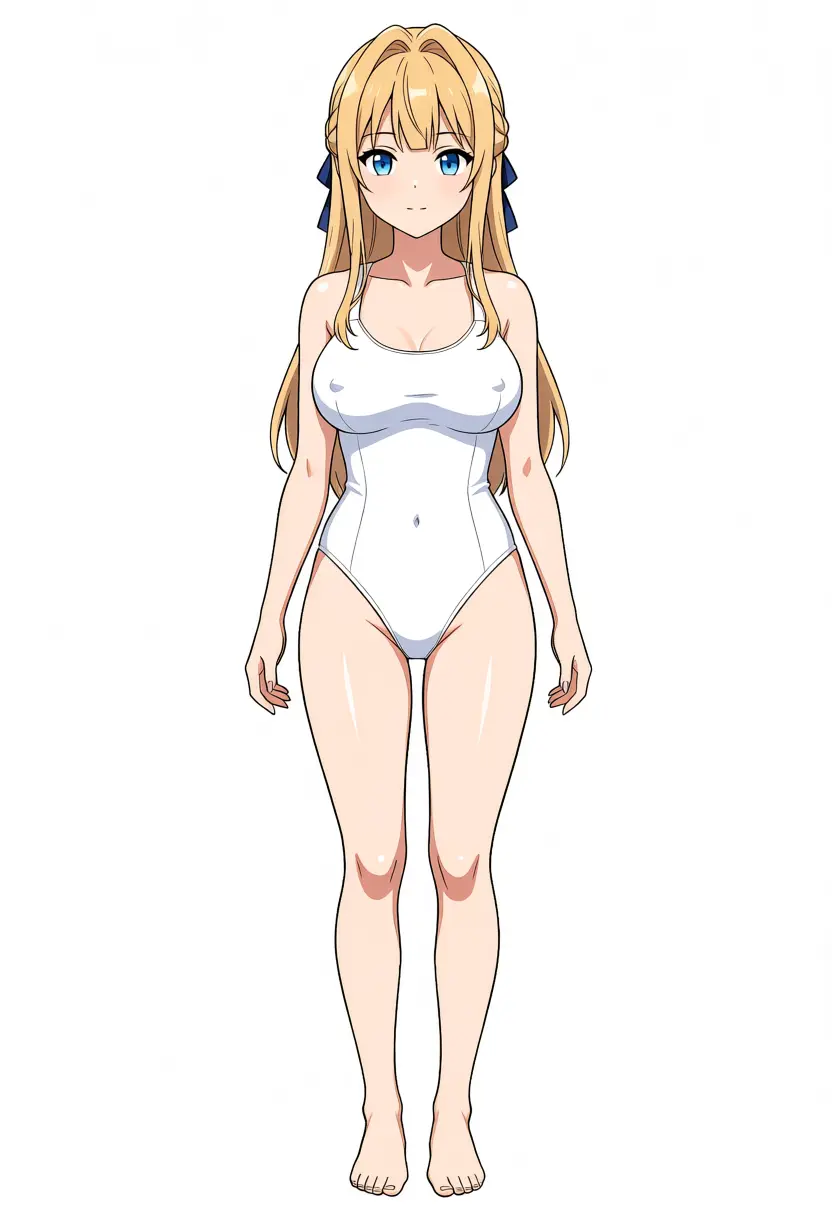
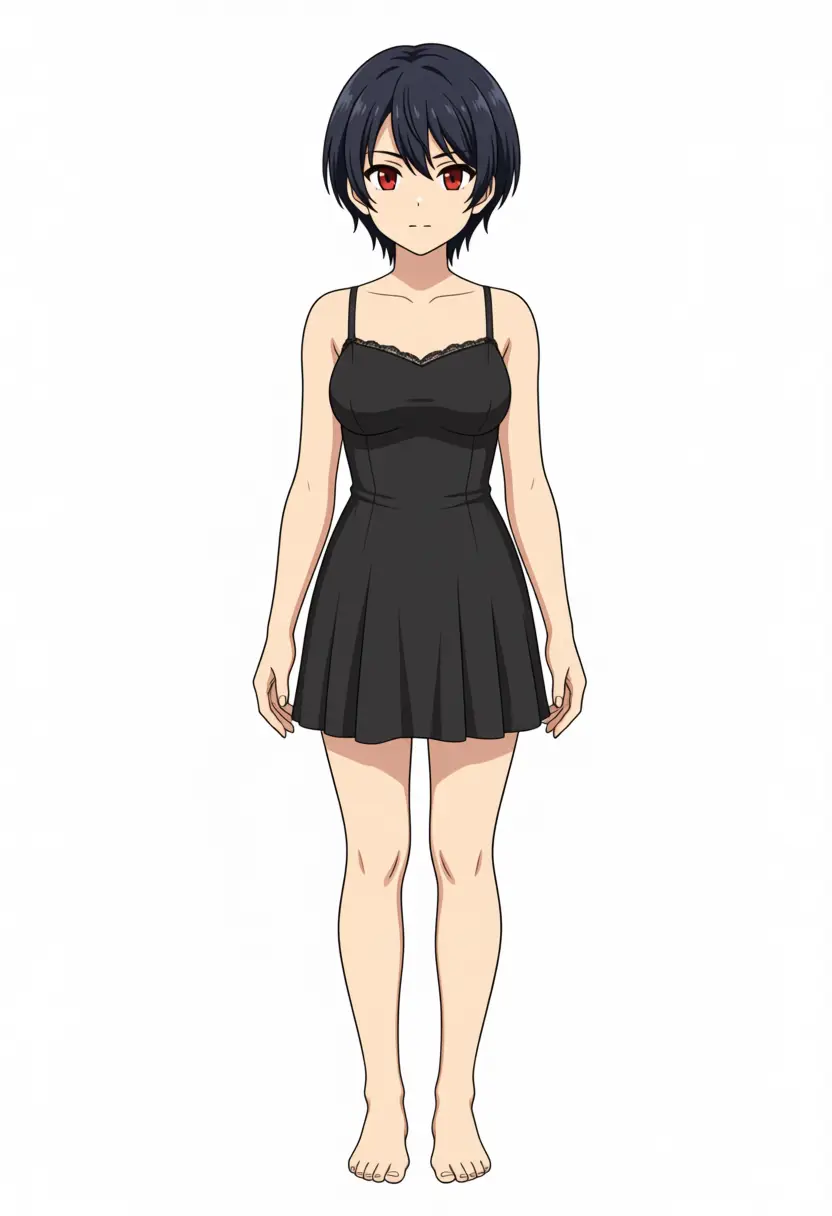
Around ep15, Kei’s outline (long blonde hair, blue ribbon, blue eyes) was basically set, and Koharu (short dark hair, reddish-brown eyes) followed and stabilized. Below are Kei solo at ep64 and Koharu solo at ep73, both reproducing the original character from a single trigger.
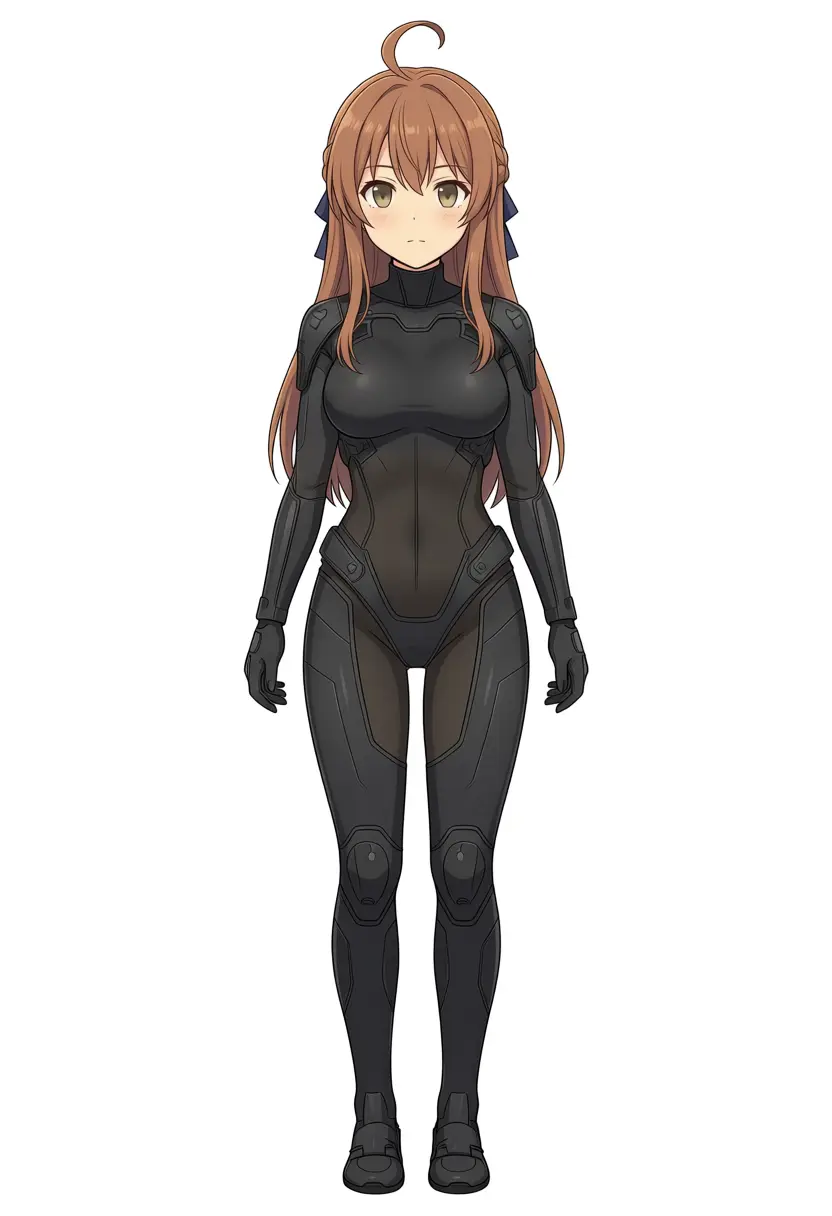
The problem is Kana. Even running to ep72 (the last Kana solo sample), her defining trait — the side ponytail — doesn’t show. The ahoge stays, but the hair grows long and the silhouette skews toward Kei. Kei and Koharu stabilized at the same exposure, yet Kana alone was in this state even after 140 exposures.
Kana gets absorbed into Kei
Why Kana won’t stabilize became clear in two-character output. Below is “kanachan and keichan” at ep74, where the left should be Kana and the right Kei, but both came out as long-blonde-haired Kei. Kana’s trigger is being overwritten by the stronger Kei.
Among the three, Kana has the fewest training images at 65; against Kei’s 79 and Koharu’s 80, her exposure and gradient share are thin. Capacity is finite, so the weaker Kana gets absorbed into the stronger Kei. The past two-character LoRA (v2) separated the same Kei + Kana, so this combination isn’t fundamentally impossible. The big factor is that Koharu, as a third character, took capacity and shrank Kana’s share further.
In the trio, nothing of Kana’s original remains
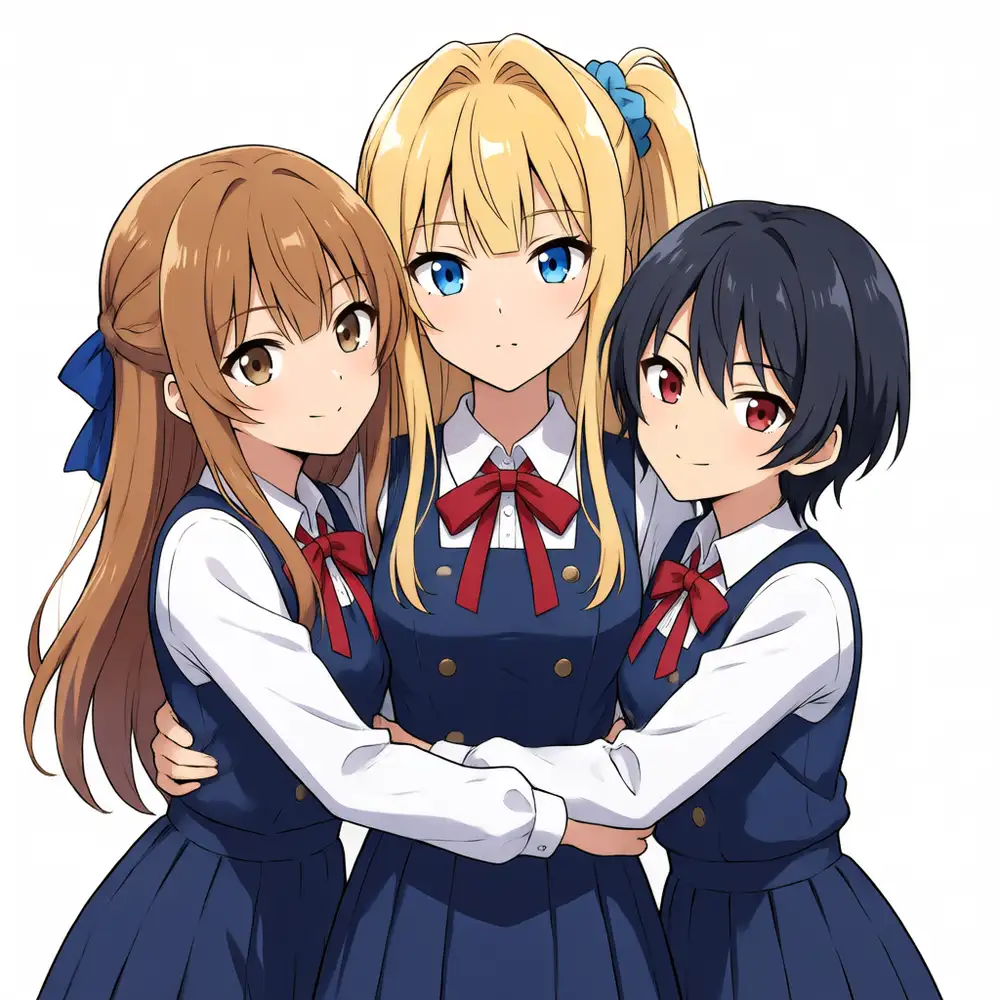
It’s the same in the trio (three characters): Kei and Koharu come out separately, but Kana becomes a generic long-haired girl you can’t identify as Kana. Below is the trio at ep70 (left: Kei / center: Koharu / right: the girl who should be Kana).
The one exception is ep56, the only place Kana came out with the ahoge and ponytail. But in that same image, Koharu’s hair grows out and breaks. Bring Kana out and Koharu breaks; keep Koharu and Kana disappears. It’s become a zero-sum fight over fixed capacity among three people.
It’s neither overfitting nor too little rank
Isolating the cause of the failure, it was neither overfitting nor insufficient rank.
- From ep1 to ep74, no sample shows artifacts, ghosting, or semi-transparency. The exposure design isn’t on the over-trained side
- Kei and Koharu separate cleanly and stay stable, so the settings themselves (rank256 / lr2e-5 / repeats2 / SDPA) are fine
- Even at rank256 there’s zero sign of overfitting; if anything, capacity is to spare
More epochs or higher rank, and Kana still won’t show. The cause is data balance and separation, not training count or capacity. Kana’s data is weak relative to Kei in both image count and captions, and with Koharu taking capacity as the third character, Kana’s share dropped below the threshold needed for separation.
The re-training plan
Keep the same settings and re-train with the data side rearranged. I don’t touch rank, lr, or repeats (no sign of overfitting means that’s not the cause). Ordered by likely impact:
| Lever | What it fixes | Rationale |
|---|---|---|
| Kana data consistency | Kill the hairstyle/color variance among Kana’s images and drop material that reads as Kei-like (blonde, long hair) | Not stabilizing even after 140 exposures strongly suggests the images contradict each other |
| Raise Kana’s repeats / image count | Increase exposure for Kana alone to close the gradient-share gap with Kei | At a minimum of 65 images, exposure is thin — about 18% fewer than Kei’s 79 and Koharu’s 80 |
| Lower Kei’s dominance | Cut Kei’s image count or scatter the trigger to weaken her pull | Kana always gets absorbed into Kei. Lower the strongest pull |
| Add more Kana solo / trio | Add separation examples of Kana solo and the trio | Nothing of Kana’s original survives in the trio. There are too few separation examples |
rank stays at 256 (it’s the max value; no need to raise or lower it). If Kana still won’t show after that, I split into a two-character LoRA (Kei + Koharu) and a Kana-only LoRA, and give up on cramming a third character into one.
Re-training revealed the main cause: caption asymmetry
Inspecting the data before re-training, I found the real reason Kana got absorbed. It wasn’t the settings (rank, lr, repeats) — it was that the captioning was asymmetric across the three characters.
In LoRA training, an attribute written in the caption gets detached from the trigger word and bound to the generic-tag side, while an attribute you don’t write gets memorized into the trigger word. Counting this difference across the three characters’ solo images, it was blatant.
| Character | Hair / eye description | Result |
|---|---|---|
| Koharu | 0 / 80 (none) | Locked |
| Kei | 0 / 79 (color/length almost never written) | Locked, strongest |
| Kana | 65 / 65 (side ponytail etc. on every image) | Absorbed, lost |
Koharu’s dark short hair and red eyes are never written. Kei’s blonde, long hair and blue ribbon aren’t written either. Because the traits get memorized into the trigger itself (koharu / keichan), they don’t break even solo. Only Kana had side ponytail, ahoge, medium hair, and blue scrunchie written on every image, so the side ponytail binds to the generic-tag side and kanachan itself goes hollow. On conflict, she’s overwritten by the strongly-memorized Kei and turns long-blonde. This matches the behavior where only the ahoge remains and the side ponytail disappears.
With two characters (Kei + Kana), the conflict was weaker, and Kana held up even with this asymmetry. Once the third character Koharu took capacity and gradient, Kana’s already-thin trigger fell below the threshold.
The fix is the reverse: stop writing it and let it be memorized. I did two things.
- Unify all characters’ captions to no hair/eye description: Remove hair/eye tokens and “Her side ponytail…” type sentences from Kana’s 65 solo images. For pairs and trio too, I stripped hair description and left only the left/right position
- Increase Kana from 65 to 81 images: Matched Kei’s and Koharu’s counts. Since QIE can’t stably reproduce Kana’s side ponytail (it gets pulled toward the front base body and breaks), for the 16 added images I used images where the side ponytail was captured correctly as references, and generated different outfits and poses via reference-image-guided generation to fill in
rank256, lr2e-5, and repeats2 stay put. Since there was no sign of overfitting, capacity and steps aren’t the cause. I re-train on data reflecting these two points and check in the next run whether Kana shows up.
Re-training v2 and Kana showed up
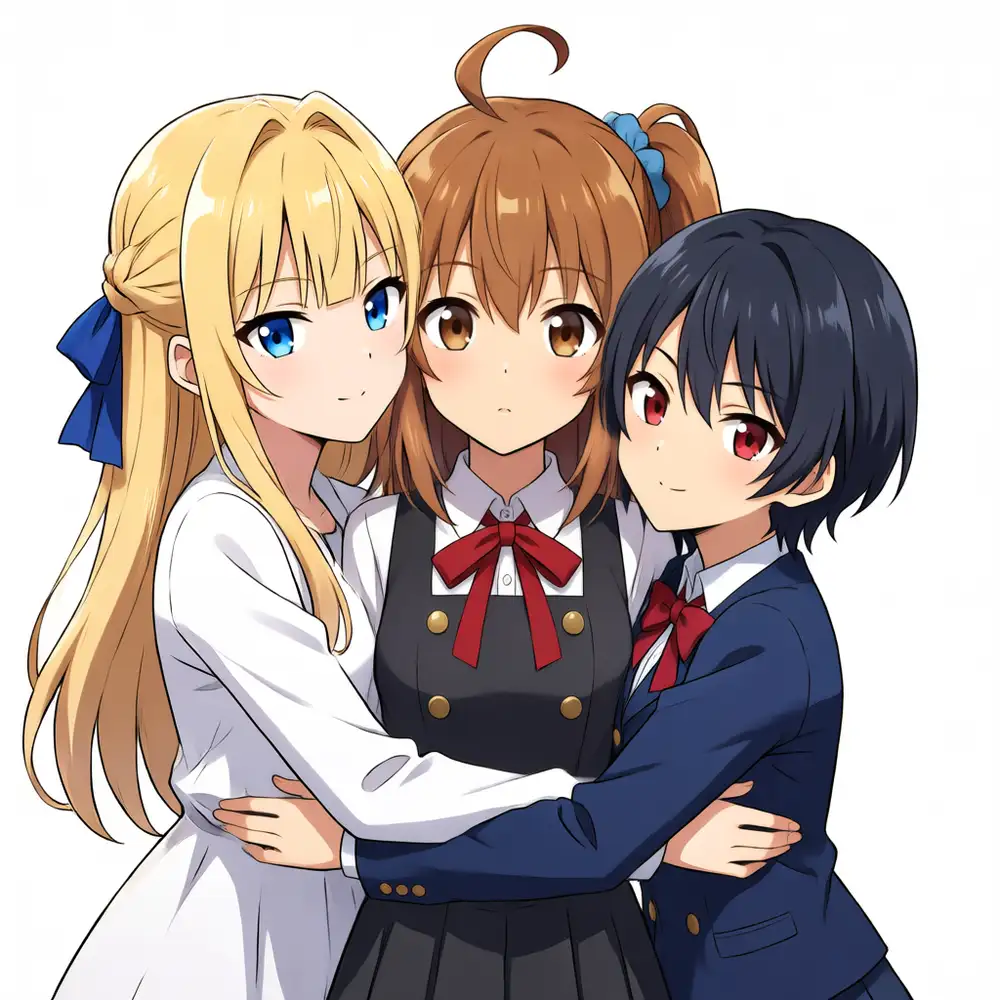
I re-trained the caption-fixed v2 in the same Blackwell environment and compared epochs in local ComfyUI. Kana showed up. Thanks to leveling all characters to no hair/eye description, kanachan’s side ponytail got memorized into the trigger itself and stopped being absorbed into Kei. The Kana that had become a generic long-haired girl in the previous v1 now comes out as herself — side ponytail, ahoge, brown hair — even in the trio (output from the adopted ep143).
Don’t write memorized attributes into the generation prompt
But generating v2 with a straightforward prompt didn’t separate well at first. Write each character’s appearance into the prompt, and Kana’s brown washes out and blonde increases, while the side ponytail and blue scrunchie float free and move to another character.
Here’s a comparison at the same ep143 and same seed 7, changing only the prompt. Left is the version with each character’s appearance written in; right is the version with only trigger names and positions.
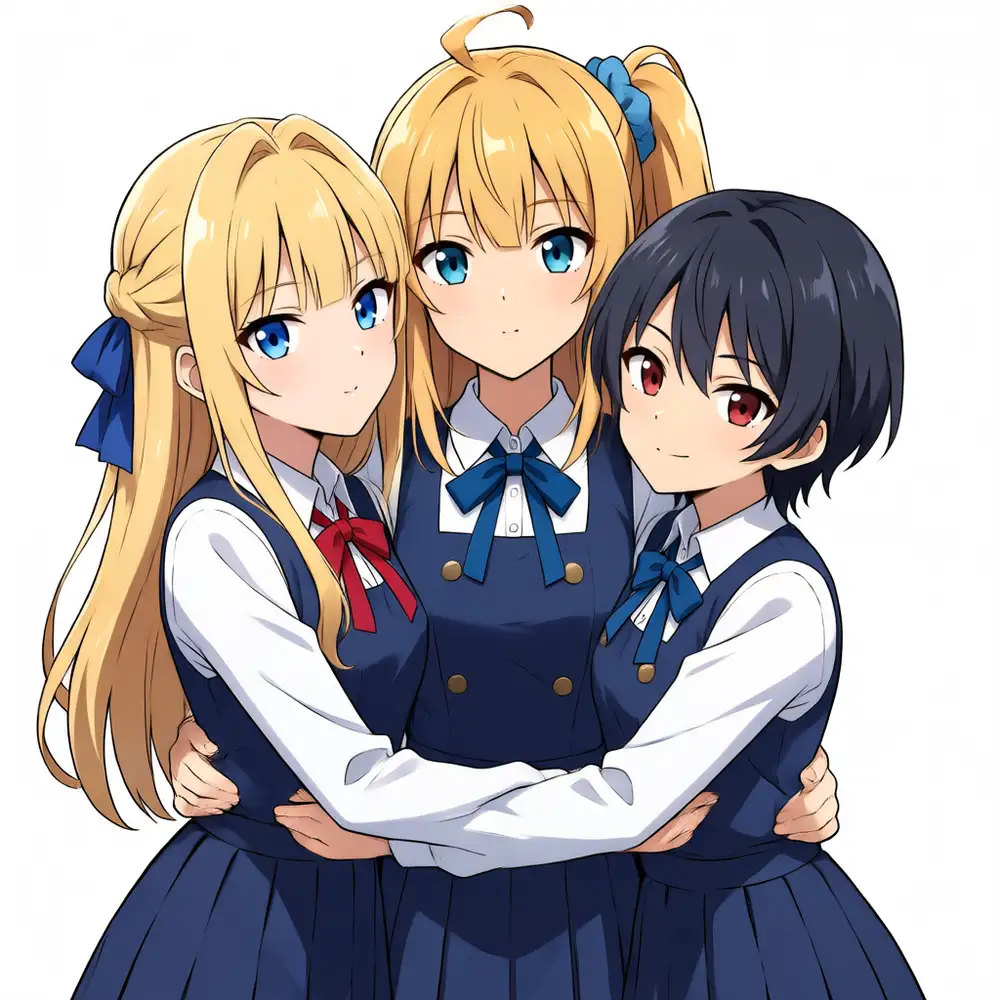
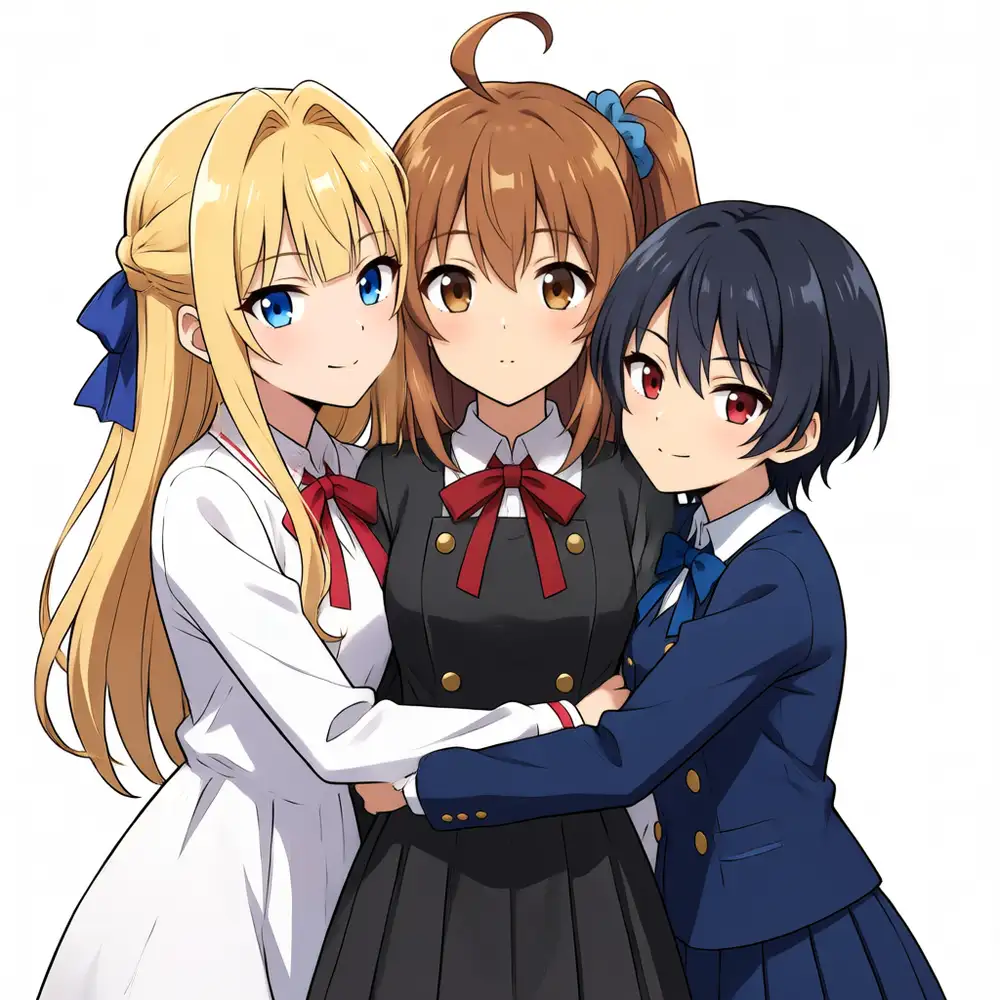
The cause was the prompt, not the LoRA. v2 pulled Kana’s hair and accessories out of the captions and memorized them into the trigger, yet the generation prompt wrote the attributes back in as brown side ponytail, blue scrunchie, ahoge. Spell out a memorized attribute in the prompt and that token splits off from the trigger and moves into another character’s slot. I was manually recreating, at generation time, the very caption asymmetry I’d fixed in training.
The fix is “don’t write memorized attributes.” Each character gets only a trigger name and a position. With that, Kana comes out with a brown side ponytail, and blonde is Kei alone.
How to separate three close-packed characters without ControlNet
This LoRA’s aim is to render multiple characters distinctly with the prompt alone — no ControlNet, no Regional Prompter. Here’s the prompt I actually use, verbatim.
The positive is JSON, with each character reduced to name / lora_trigger / position. As noted, write the memorized hair, eyes, or clothing and it slips off and moves next door. Don’t write any appearance at all.
{
  "scene": "three girls hugging each other tightly, cheek to cheek, close together, upper body, white background, simple background",
  "left_character":   { "name": "Kanachan", "lora_trigger": "kanachan", "position": "left" },
  "center_character": { "name": "Keichan",  "lora_trigger": "keichan",  "position": "center" },
  "right_character":  { "name": "Koharu",   "lora_trigger": "koharu",   "position": "right" },
  "rule": "three different girls, keep each girl visually distinct, do not mix or merge them, each girl keeps her own appearance"
}
Negative. Put both 1girl, solo and 2girls, 4girls in the negative, and the headcount locks to three.
worst quality, low quality, lowres, blurry, jpeg artifacts, bad anatomy, bad hands,
fused fingers, fused limbs, extra arms, conjoined twins, merged faces, deformed face,
1girl, solo, 2girls, 4girls, monochrome, text, watermark, signature
Generation settings.
| Item | Value |
|---|---|
| Base model | Anima-Base v1.0 |
| Character LoRA | anima-trio-v2 ep131 / strength_model 1.0 / strength_clip 1.0 |
| Speedup | Turbo LoRA alongside (8-step) |
| Sampler / scheduler | er_sde / simple |
| CFG | 1.0 |
| Resolution | 1024×1024 (832×1216 also works; first-try rate is equivalent) |
| Seed | Random |
Only three things to tune. Don’t write appearance. LoRA strength_model at full 1.0 — lower it and Kei’s blonde fades to pale brown. Don’t raise cfg — push it to 3–10 and Koharu’s short hair grows out and the scrunchie shows up on everyone. Since multiple characters are packed into one LoRA, each character’s identity is held by the trigger. Try to override it with the prompt and it slips off and moves next door.
Separate each area with sentences
This structure is based on a multi-character prompt for DiT-family models that Saika (@saika_aiart) published on X. People who don’t use a LoRA and write appearances into the prompt to produce multiple characters write it the same way. Two key points.
Declare areas with spatial labels. Use left side: / center: / right side: to fix each character’s location first. Split it finely down to far left / center left / center right / far right and it stays relatively stable up to four or five people.
Stop listing comma tags; group within each area in natural sentences. Line up words like character A, blue hair, techwear and the AI can’t tell which character they belong to, so the blue hair and techwear migrate to the neighbor. Instead, write a sentence with subject (a girl) + pronoun (she) + verb, and the prompt completes within that area (pinned by the sentence). Individual poses, too, go directly inside each area’s sentence rather than grouped at the end.
Without a LoRA, you write this appearance description straight into the sentence.
masterpiece, best quality, two girls standing in a classroom.
left side: a girl with long blue hair tied in a side ponytail, she is wearing an oversized cardigan, she is looking at the viewer.
right side: a girl with short red hair, she is wearing a black blazer, she is smiling and waving.
soft afternoon light, depth of field.
With this LoRA, you just replace the appearance description part — a girl with long blue hair ... — with the trigger name. The identity is already trained, so writing appearance breaks it. Rewriting the JSON above into natural sentences looks like this.
three girls hugging each other tightly, cheek to cheek, upper body, white background, simple background.
left side: kanachan, she is hugging the others.
center: keichan, she is in the middle.
right side: koharu, she is on the right.
keep each girl visually distinct, do not mix or merge them.
The structure (spatial labels + the she-constraint) is Saika’s method; the appearance content is held by the trigger. What keeps crosstalk and character duplication down is this “group sentences within an area” style, and that doesn’t depend on whether a LoRA is used.
To line up what’s clear so far: to put multiple characters in one image, stacking several character LoRAs alone just mixes them (that’s why I packed three into one). On top of that, Anima won’t render them distinctly with an Illustrious-style tag-list prompt — you need spatial labels plus natural sentences to partition the areas. Only when you split identity to the LoRA and placement to an Anima-oriented prompt do they separate even when close. LoRA alone and they mix; prompt alone and each character’s identity doesn’t come through.
First-try rate, the right epoch, and overfitting that breaks from Kana’s color first
Saying “it renders distinctly” off a single fixed seed is weak. What matters in real use is how many you generate on random seeds and how many are decent. Resolution barely changes the first-try rate between 832×1216 and 1024×1024 (6/6 on a good epoch). I jumped to “square breaks” after seeing one 1024 image fail, but generating six random ones gave the same rate as 832 — that was just a bad seed.
First-try rate by epoch (1024×1024, six random each, trigger-only, weight 1.0; scored on whether Kana’s brown stays a true brown).
| ep | 3 distinct people | Kana’s brown | Failures (extra people / color glitch) | Verdict |
|---|---|---|---|---|
| 119 | 6/6 | true brown | 0 | ◎ |
| 131 | 6/6 | true brown | 0 | ◎ |
| 143 | 6/6 | true brown | 0 | ◎ |
| 147 | 6/6 | warm tint starts appearing | 0 | ○ |
| 160 | 4/6 | warm / mixed | 1 (blonde duplication) | △ |
| 170 | ~4/6 | warm | 2 (ahoge + scrunchie migrate to Kei) | △ |
| 180 | ~5/6 | mostly orange | 1 (Kana → blonde) | △ |
| 190 | ~5/6 | orange throughout | 1 (blonde duplication) | △ |
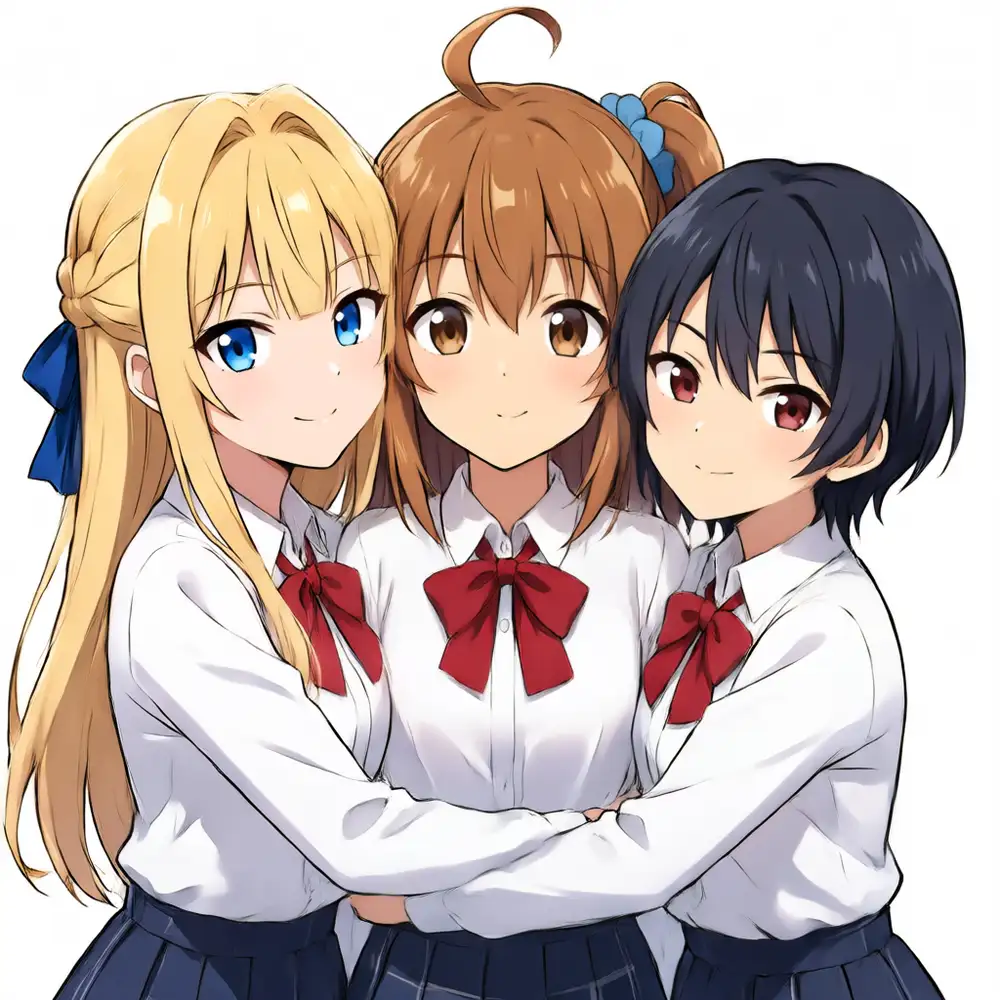
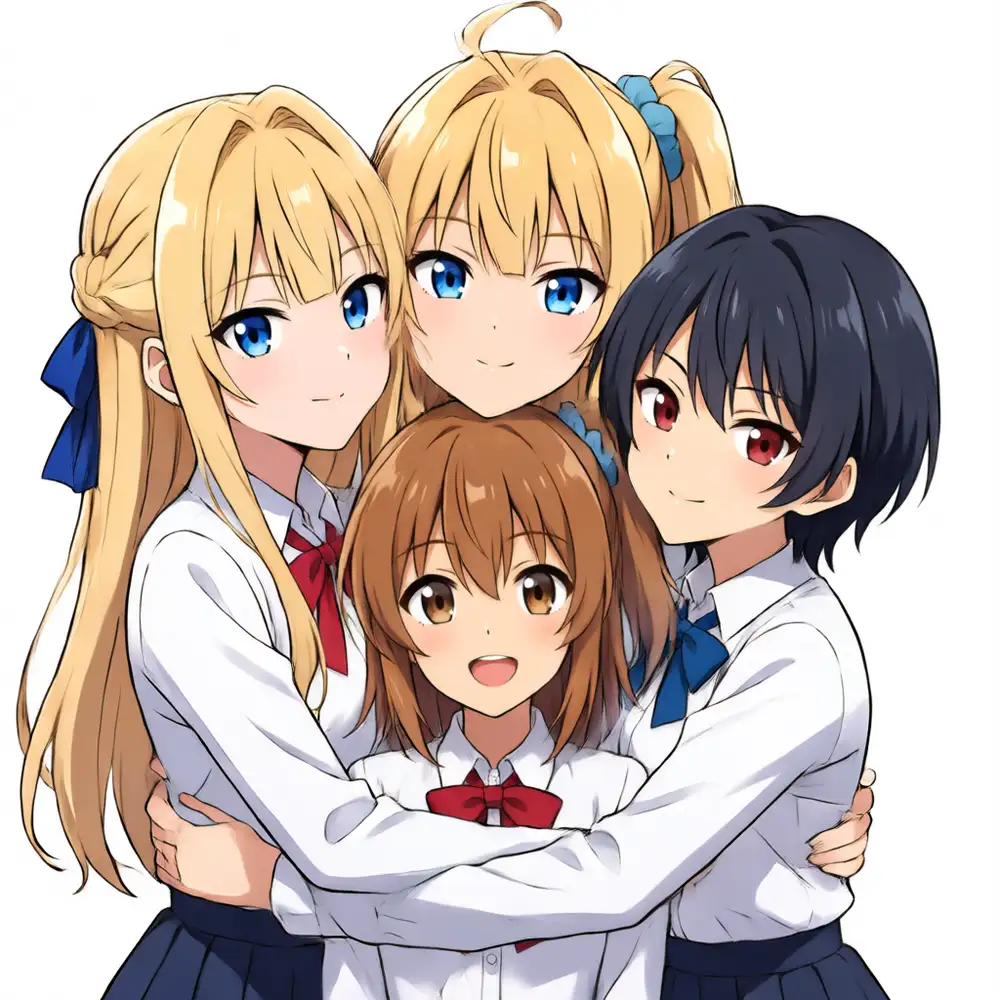
The peak isn’t a point but a flat band — ep119–143 are all 6/6. Fading (Kana → orange) and failures start around ep147 and become pronounced from 160 on. As I’d expected up front (“lots of multi + rank256 means early overfitting”), it began breaking from ep147. ep151–190, which I kept training to see, are fully in overfitting territory and unusable for this purpose.
The way it breaks is telling: the first to fade to orange is Kana — the only one with attributes written in the captions. Kei and Koharu, memorized into the triggers (no description), hold to the end. Caption asymmetry shows up not only in the weak start but in which character breaks first under overfitting.
Narrowing to ep143 with identical seeds
ep119/131/143 all line up at 6/6 on six random images, which alone doesn’t narrow it to one. So I used the same 10 seeds across the three epochs and compared one-to-one — directly seeing which epoch holds against identical noise and where it breaks.
| ep | Held (same 10 seeds) | Broken seed |
|---|---|---|
| 119 | 9/10 | seed 42 (Kana becomes a different long-silver-haired person) |
| 131 | 9/10 | seed 42 (silver again) |
| 143 | 10/10 | none |
Seed 42, which both ep119 and ep131 drop, was held only by ep143. The break isn’t color fading but an identity collapse where Kana is replaced wholesale by a different person (silver hair, red-purple eyes) — when that shows, it’s an instant fail.
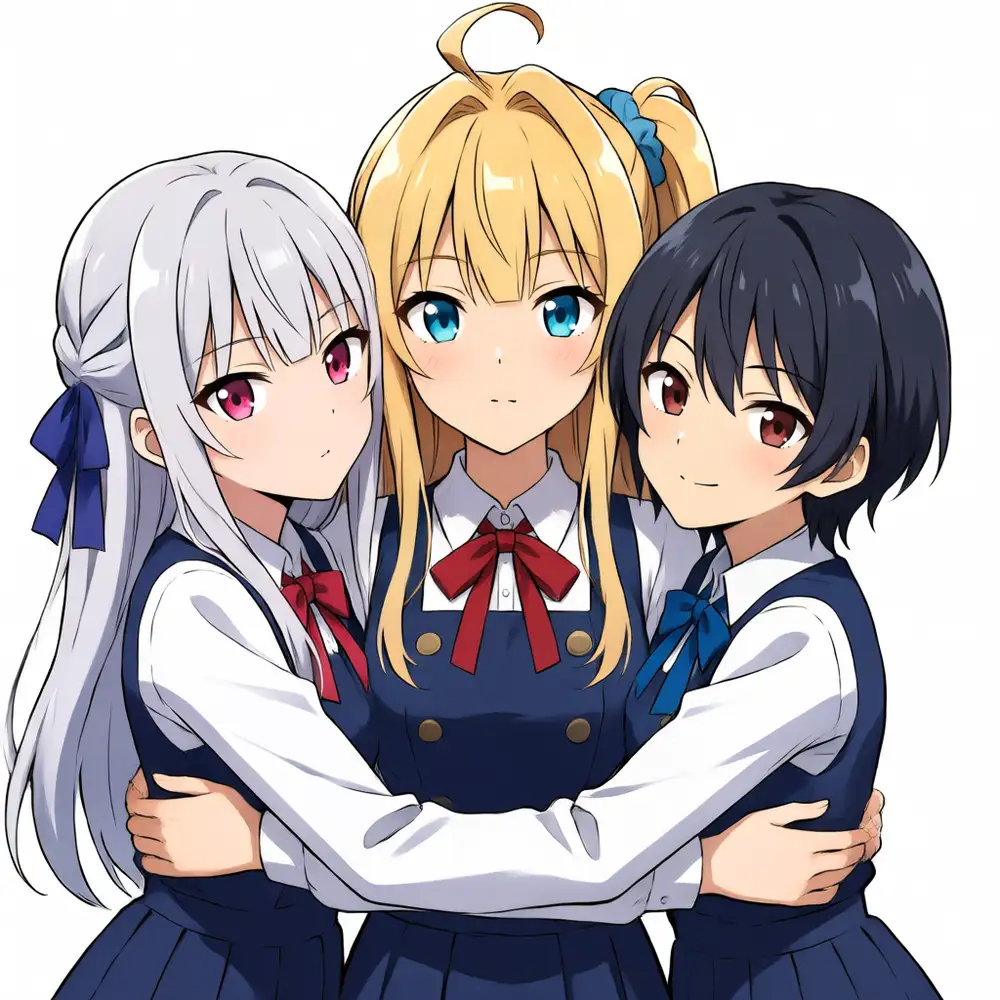
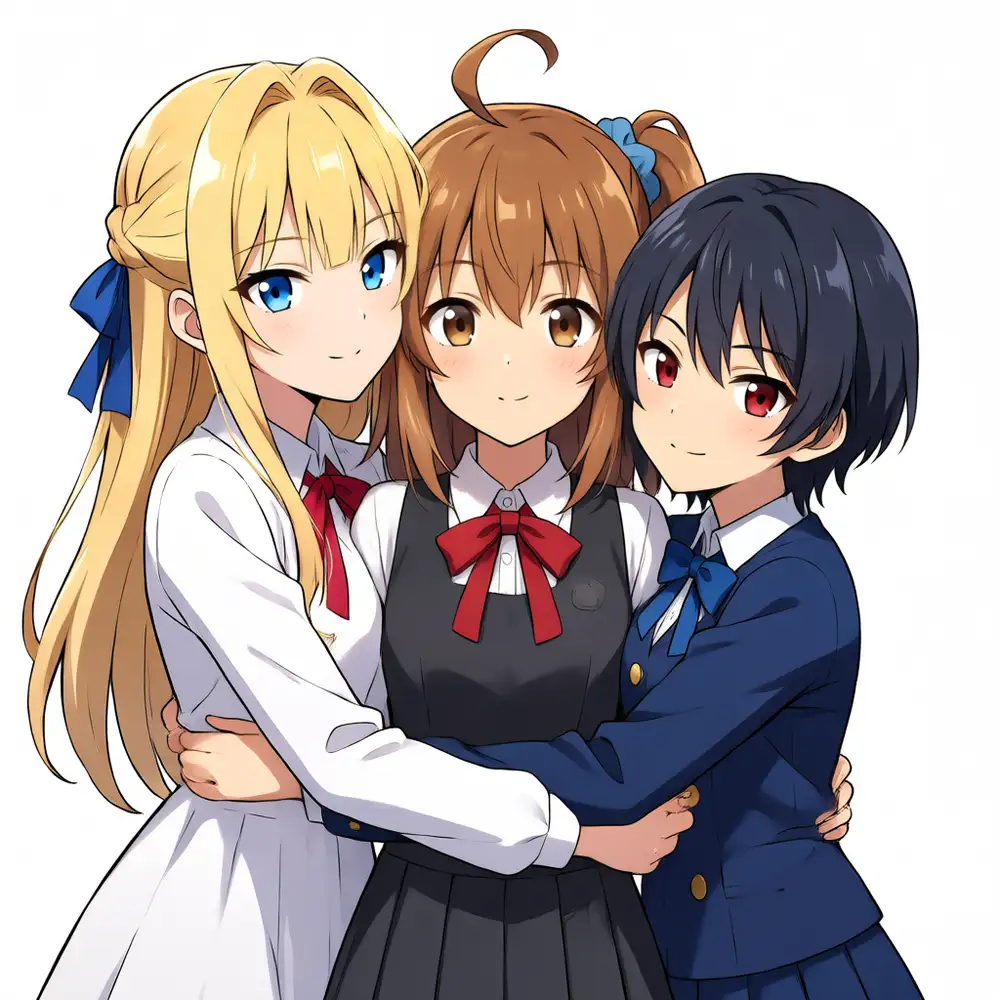
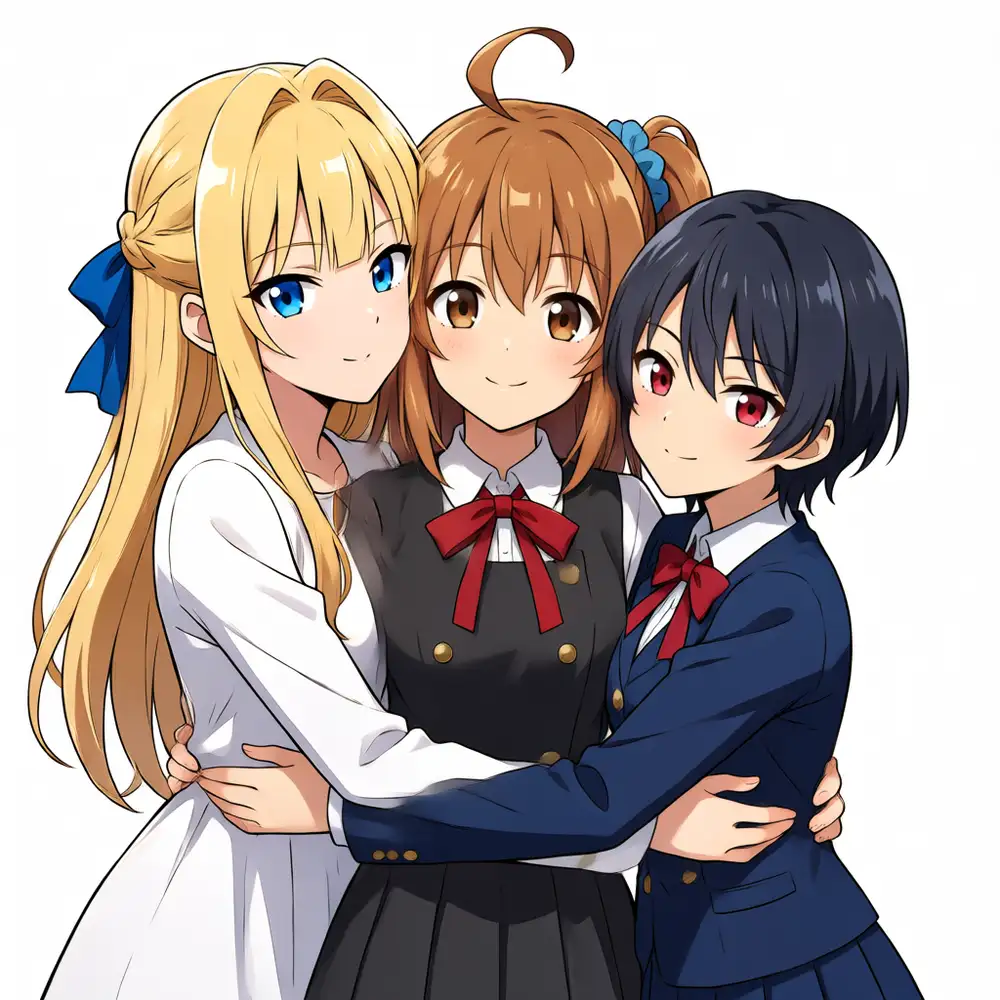
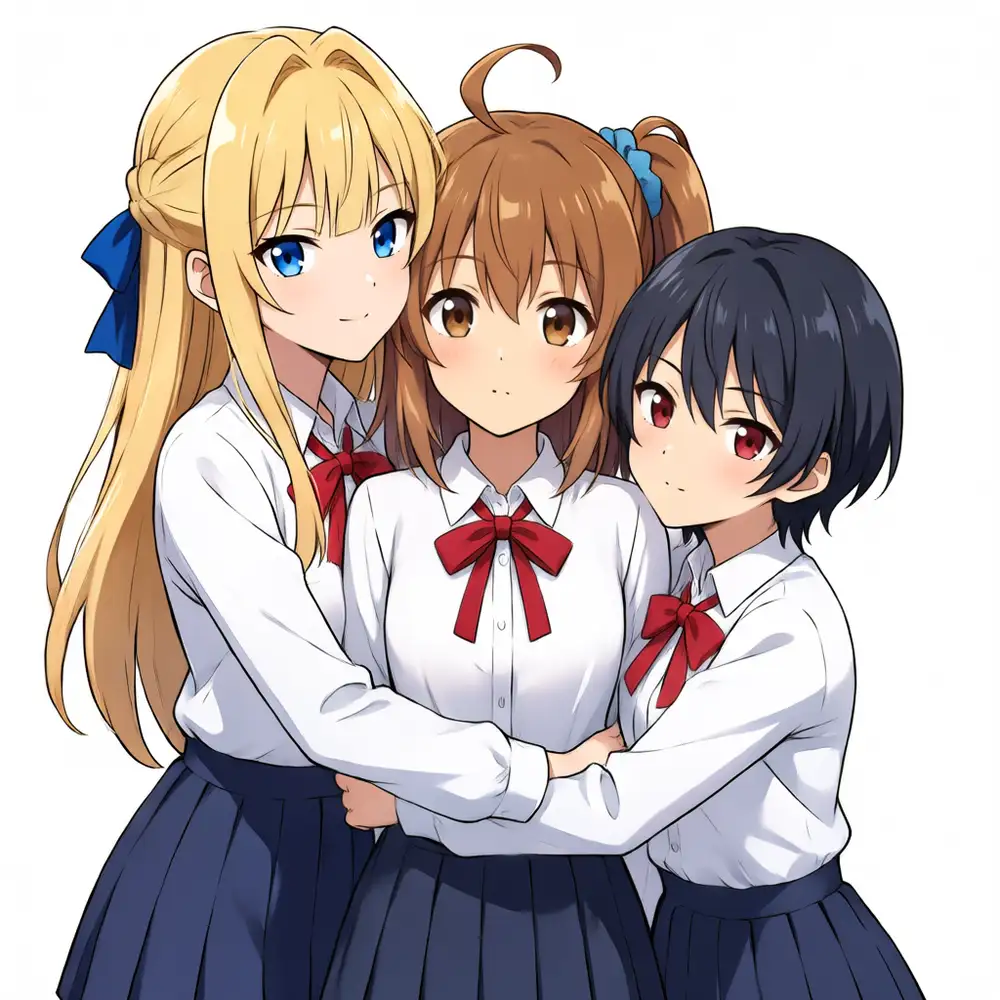
ep143 sits at the right edge of the flat band, just before ep147 where warming begins. Within this band, more training raises resistance to hard seeds, and ep143 — right before overfitting sets in — is the most stable.
The practical line is ep143 (right edge of the band) + trigger-only + weight 1.0 + Turbo cfg1.0. Under these conditions I can produce three close-packed characters at a 10/10 first-try rate. From where v1 was “shelved → re-bake,” v2 reached a practical level with no ControlNet.
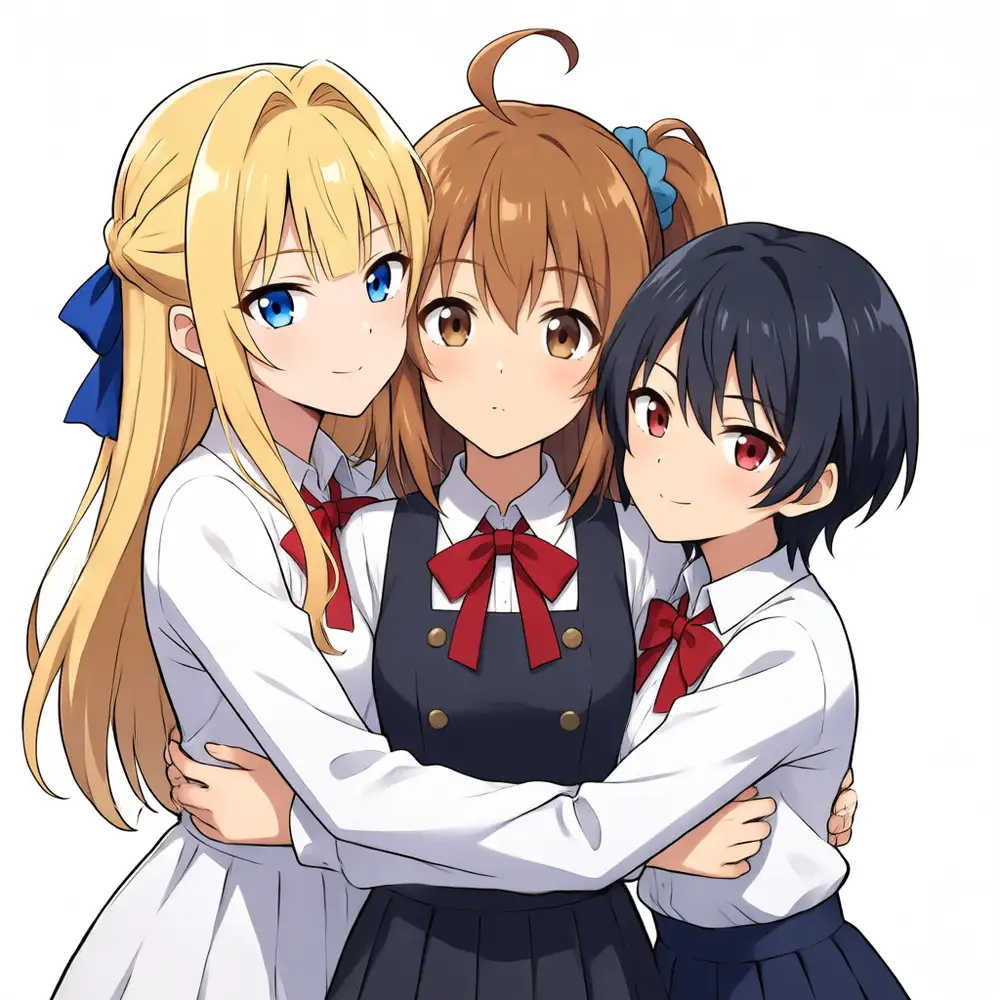
Here are real examples generated at this ep143, trigger-only, weight 1.0. Change the seed and the three still line up as distinct people, with Kana as a brown side ponytail.
Two-character pairs can be rendered distinctly with a descriptive prompt
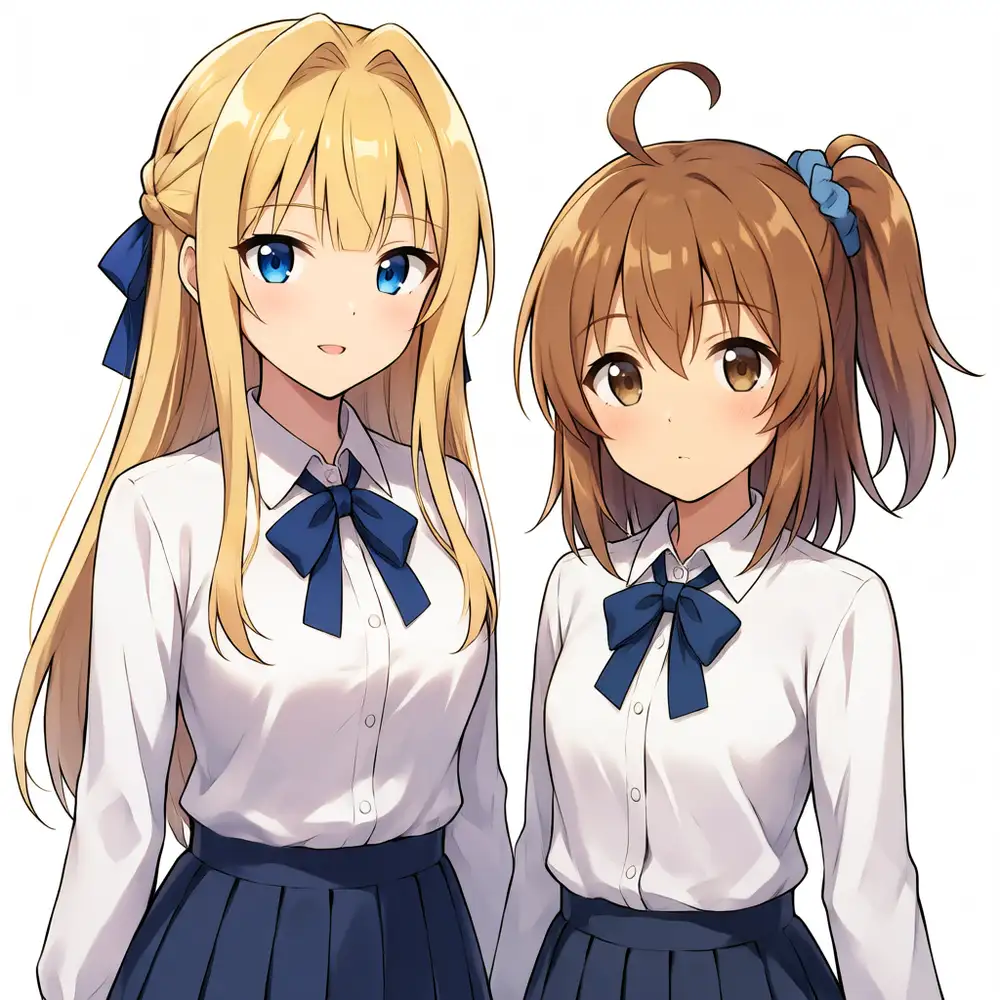
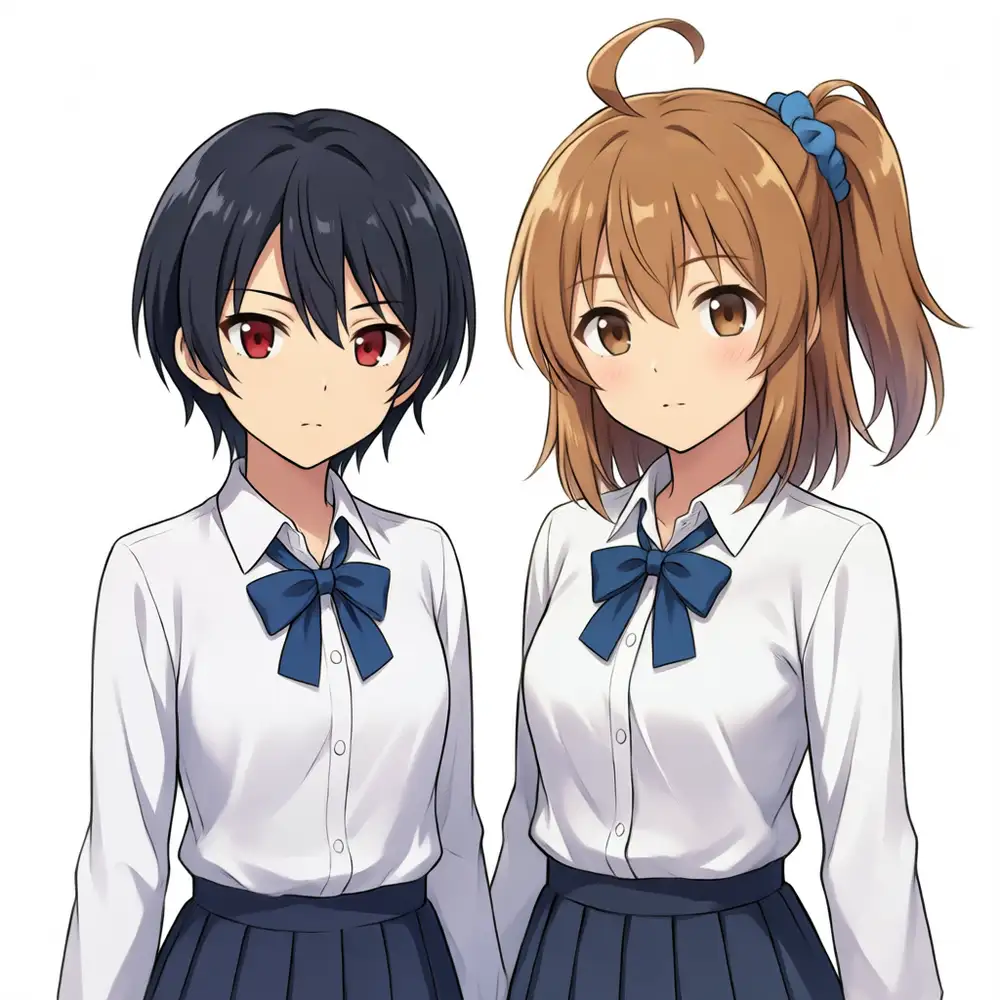
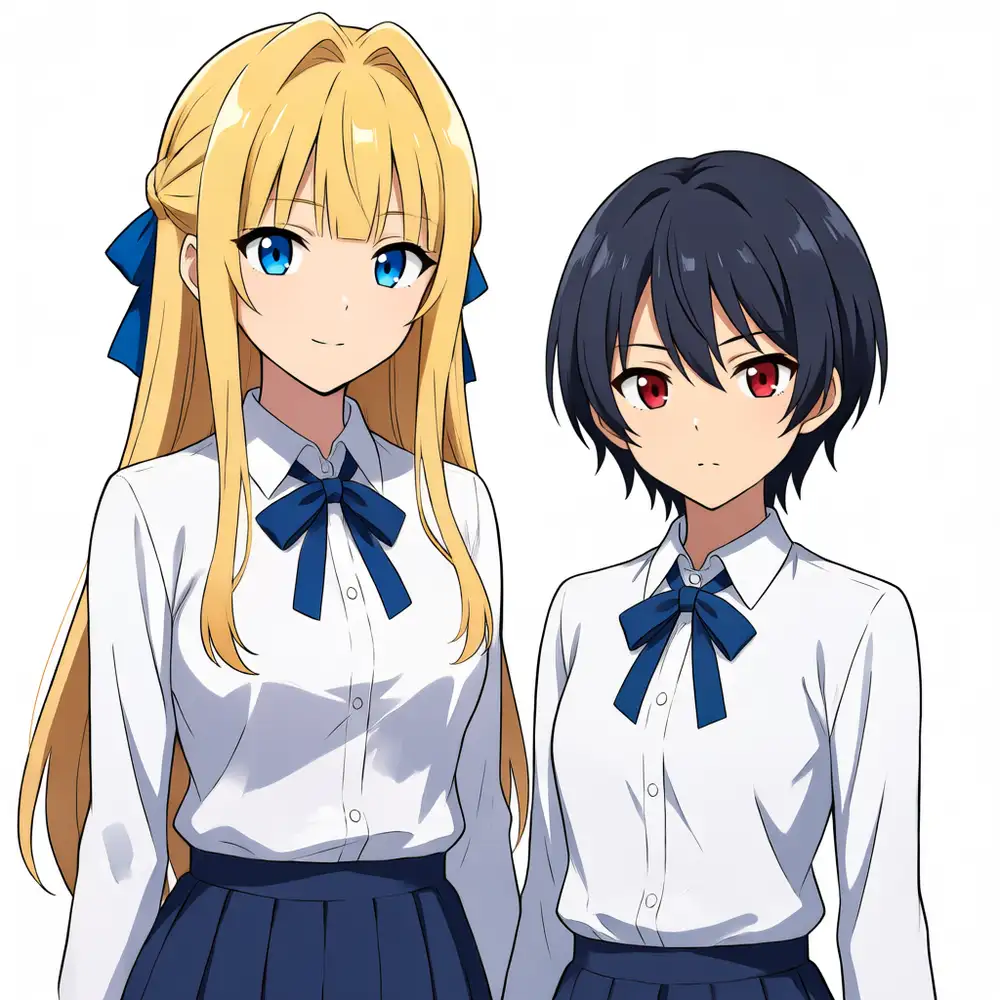
For rendering two characters distinctly, write each one in a natural sentence of “trigger name + appearance,” one at a time, and fix the clothing spec common across the three pairs — that’s stable. The three pairs below were all generated with the same clothing spec (both wearing crisp pure white shirts), split into distinct people, and even show the height difference.
masterpiece, best quality, very aesthetic, vivid colors, 2girls, keichan is a blonde girl with blunt bangs, hair intakes, a blue ribbon and blue eyes; kanachan is a brown-haired girl with a side ponytail, an ahoge and a blue scrunchie; both wearing crisp pure white shirtsTo swap the partner to Koharu, just replace Kei’s description part with Koharu’s (koharu is a girl with short messy black hair, a blue ribbon and red eyes) and keep the clothing spec fixed.
Even in contact, traits don’t swap
Just add a hug in natural language at the end of the same descriptive prompt. Don’t attach position labels (left / right).
... both wearing crisp pure white shirts, the two girls are hugging each other tightly, cheek to cheekFor all three pairs, even in close contact each character’s traits didn’t swap and stayed distinct. The hair at the contact point can mix slightly — full separation is hard — but as long as there’s no trait swap or face fusion, it’s fine in practice. The earlier impression that “two characters mix” was because I’d added position labels to contact or skimped on description without using this descriptive prompt — not a problem on the LoRA side.
Close contact works up to interactions that stack while staying separate — hugs, holding hands, an arm around the shoulder, piggyback rides, princess carries, standing side by side. Compositions where legs fuse, like a lap-sit, and crossed poses that tangle arms or fingers, are a limit of the base and the Qwen3 text encoder’s spatial understanding, and a LoRA can’t fix them.
You can add complex scenes in natural language too
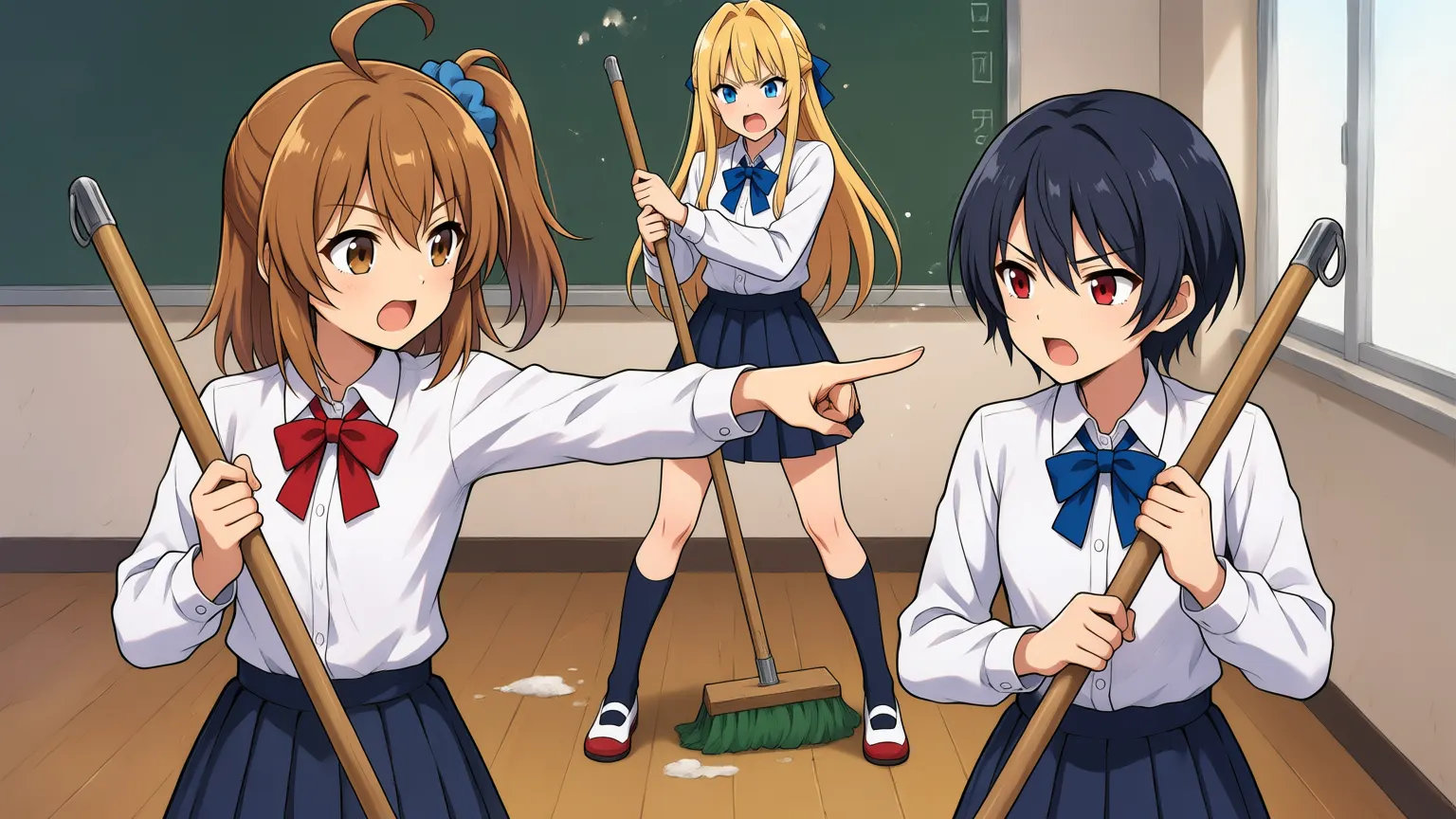
Pin each character’s description down firmly, and you can layer place, situation, props, and relationships on top in natural language. Below is a scene — “during cleaning time in a school classroom, Kana and Koharu face off with cleaning tools while Kei stands apart, angry” — generated at 1536×864 (16:9). Anima can output this size without being confined to 1024.
masterpiece, best quality, very aesthetic, vivid colors, 3girls, in a school classroom during cleaning time, kanachan and koharu are playfully facing off with their cleaning tools; kanachan is a brown-haired girl with a side ponytail, an ahoge and a blue scrunchie, she is holding a broom and pointing it toward koharu; koharu is a girl with short messy black hair, a blue ribbon and red eyes, she is holding a mop and pointing it back; keichan is a blonde girl with blunt bangs, hair intakes, a blue ribbon and blue eyes, she stands apart in the background, empty-handed, angry and scolding the other two; all three wearing crisp pure white shirtsAll three are held as distinct people, with the classroom, cleaning tools, and the face-off pose all there. Write a prop as “like a sword” and the broom morphs into a sword, so it’s better to plainly write “holding.” On the other hand, assigning individual actions — who holds what, who looks on — is still weak with three at once, and I can’t always get Kei fully empty-handed. Because identity is strongly fixed, the scene description gets reflected, but fine action assignment is something to refine.
Anime-OP-parody poses go on in natural language too
Keeping the descriptions fixed, I raised the resolution to 1536×1536, added quality tags (amazing quality, very aesthetic, absurdres, highres, ultra-detailed), and specified the group poses common in anime openings in natural language. All three are held as distinct people, and the poses are reflected without strain.
One thing that snagged me here was leaving out part of the clothing spec. Write only the upper body, like all three wearing crisp pure white shirts, and the skirts get no color and come out whitish. Only when you spell out the lower body too does the navy pleat get drawn.
all three wearing crisp pure white dress shirts and navy blue pleated skirtsThe pose part goes in natural language right after 3girls. Below are four kinds: “pointing at the sky,” “looking back in a nighttime downtown,” “rose petals dancing,” and “everyone jumping.”
masterpiece, best quality, amazing quality, very aesthetic, absurdres, highres, ultra-detailed, vivid colors, 3girls, all three pointing one index finger high up to the sky together with fired-up determined expressions, kanachan is a brown-haired girl with a side ponytail, an ahoge and a blue scrunchie; koharu is a girl with short messy black hair, a blue ribbon and red eyes; keichan is a blonde girl with blunt bangs, hair intakes, a blue ribbon and blue eyes, all three wearing crisp pure white dress shirts and navy blue pleated skirts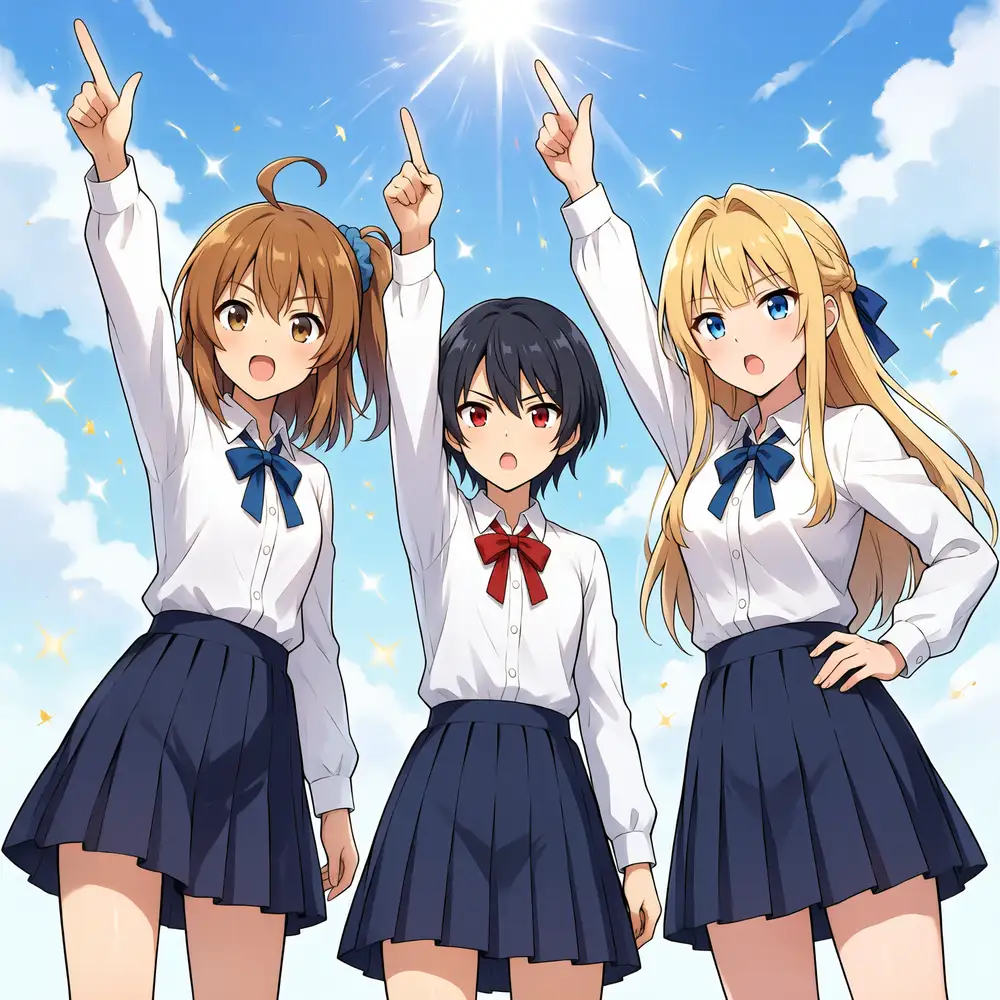
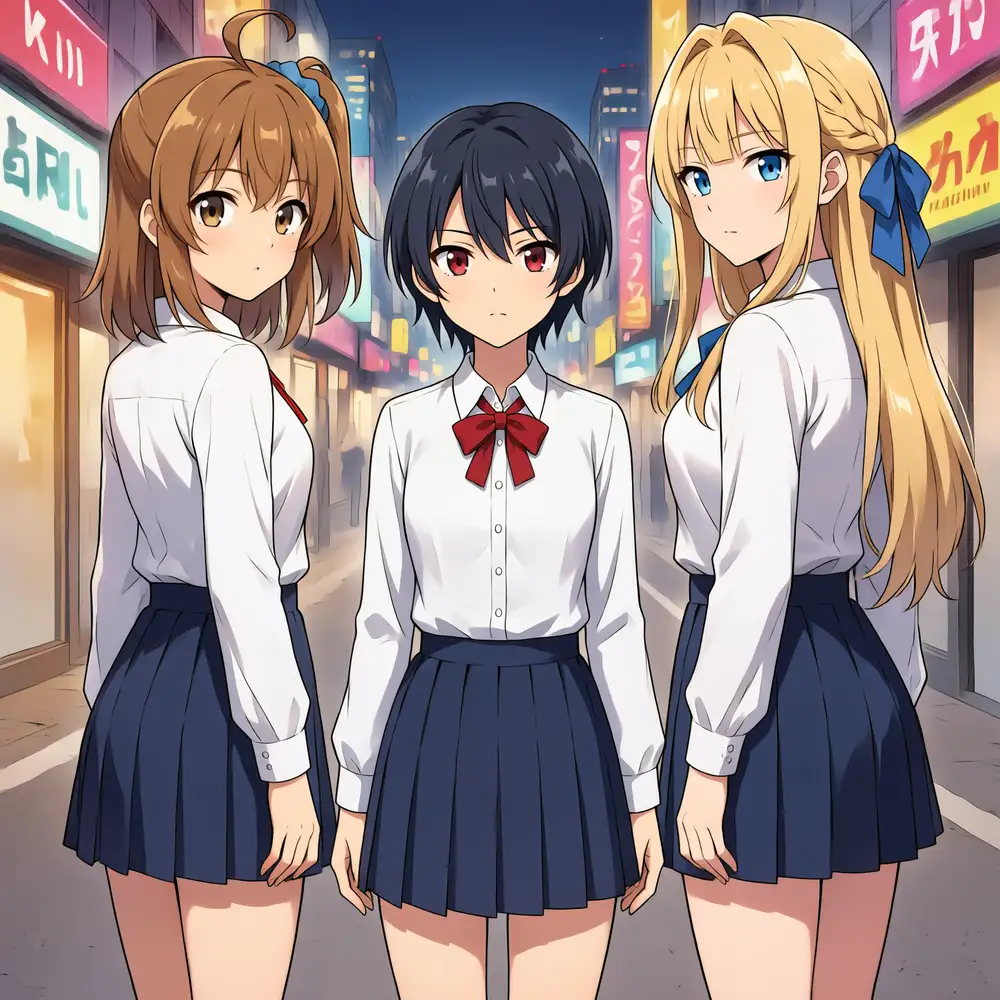
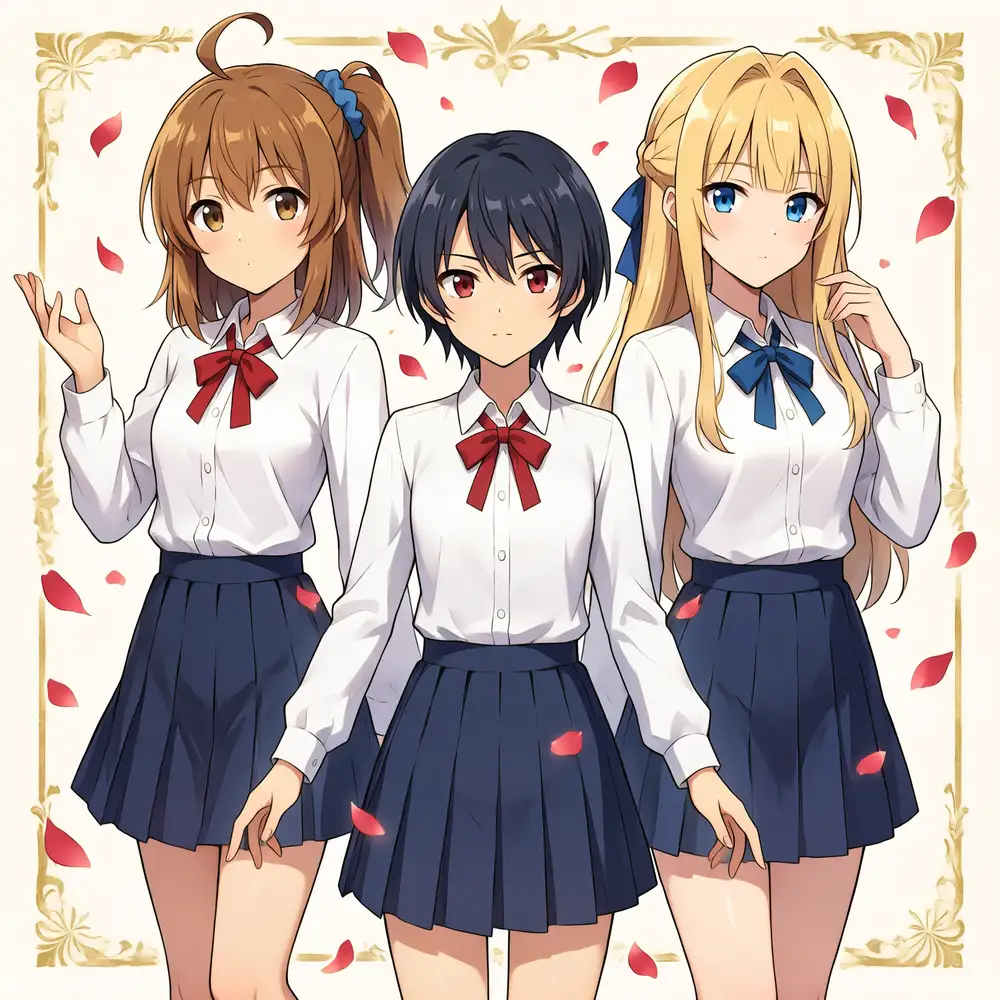
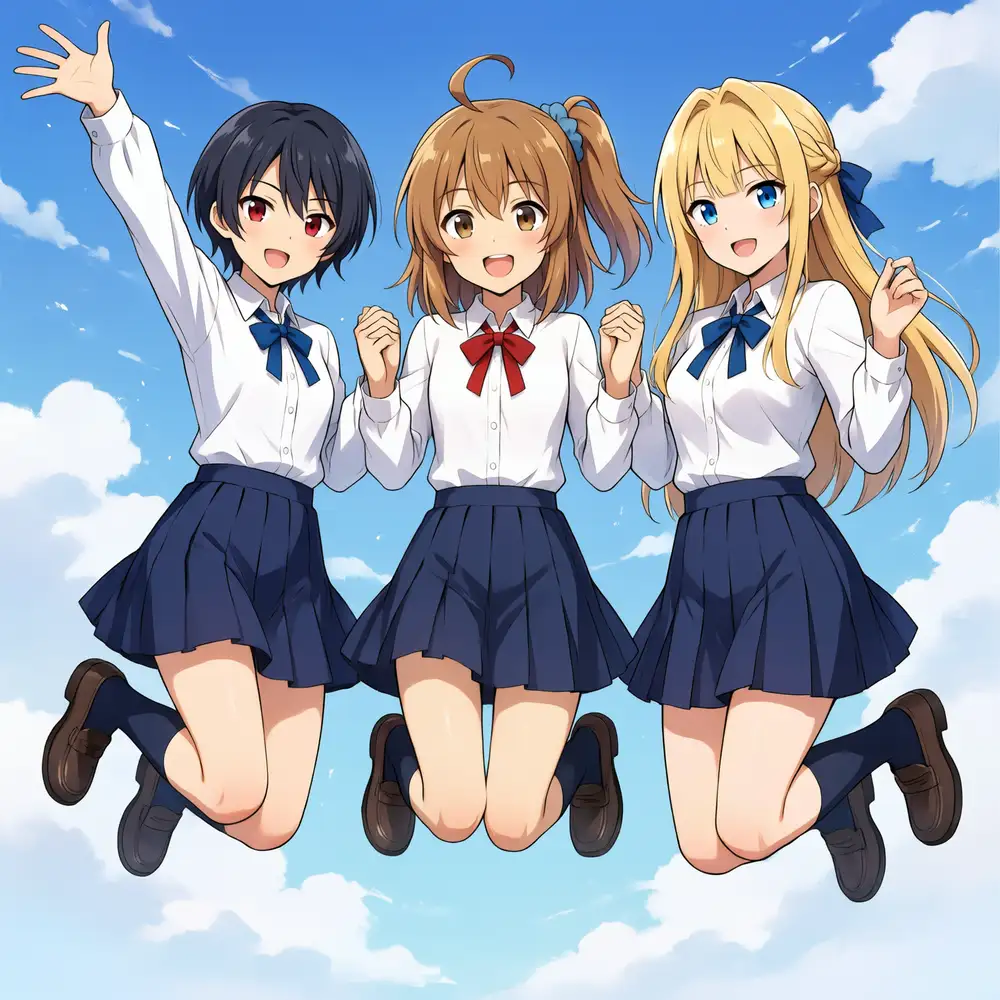
The directions that don’t work also became clear. Camera angle can’t be moved by the prompt alone — like a “Kirara jump shot of the main character from a low angle below-right,” no matter how many times I generate, it skews to a frontal view. Anima’s frontal bias is strong, and changing the angle moves into territory that needs ControlNet pose specification. Individual action assignment being weak with three at once is the same as the cleaning scene, and weak crosstalk remains — Kana’s blue scrunchie bleeds faintly into Koharu’s hair, or the ribbon colors scatter between red and blue. Even so, with the descriptions fixed and the situation and poses layered on in natural language, the distinct rendering of the three holds even in complex compositions.