13 Failed LoRA Training Runs on Mac M1 Max, Then Success on RunPod
 Contents
Update (2026-04-25): Published a follow-up at Training a LoRA for $1 on RunPod with a CPU Pod + GPU Pod Two-Stage Workflow, covering the workflow that cuts each training run to about $1 and four sd-scripts gotchas I hit along the way.
I have a Mac Studio M1 Max 64GB. Surely it can handle SDXL-class LoRA training locally. Thirteen attempts later, all failures. Multiple AI agents helped me adjust settings throughout, but on Mac it was “broken hands” and “ERROR” text in every sample image until the bitter end. Here’s the complete record, through migrating to RunPod RTX 4090 and finally getting it to work.
Environment
- Mac Studio (M1 Max, 64GB RAM)
- Python 3.10 / PyTorch 2.x (MPS)
- Base model: Illustrious-XL v1.0 (waiIllustriousSDXL_v160.safetensors)
- Training script: kohya-ss/sd-scripts
I prepared 59 images of the character like this for training data:

Symptoms
Training starts and loss stabilizes around 0.06, dropping steadily — looks like learning is happening. But sample images from Epoch 1 through Epoch 10 consistently show broken hands or the word “ERROR” in the output. No sign of the character whatsoever.
13 Rounds of Trial and Error
v1–v5: Basic setting adjustments
Started from standard SDXL training settings. Switched mixed_precision between fp16 and bf16, tried both AdamW and AdamW8bit as optimizers. Hit a wall: bitsandbytes doesn’t work on Mac, so AdamW8bit was off the table.
Result: nothing but broken hands.
v6–v9: Mac-specific optimization
Suspected the MPS backend and tried to optimize for Mac:
- Forced fp32 with
mixed_precision="no"(more memory, but prioritizing accuracy) - Used PyTorch 2.0’s sdpa (Scaled Dot Product Attention)
- Disabled xformers (not available on Mac)
Result: still “hands.” Just slower.
v10–v11: UNet-only training and full cache purge
Hypothesized that text encoder training was behaving incorrectly on MPS, so I restricted to UNet only with network_train_unet_only = true. Also wiped and regenerated all existing .npz caches in case they were corrupted.
Result: still “hands.” The “ERROR” text actually got clearer.
v12: Single image test
To rule out dataset issues, ran training on just one clean image.
Result: whether it’s 59 images or 1, the hands come out. Nearly gave up here.
v13: Revisiting step count (Claude’s suggestion)
At this point I consulted Claude (Claude Code), which flagged that “the number of steps per epoch is too small — only 12 steps.” Increased num_repeats from 1 to 5 and dropped learning_rate from 1e-4 to 5e-5.
Running an inference script confirmed the base model itself was generating characters normally. The model and environment weren’t broken.
Result: Epoch 1 produced something that looked like a face. But it ran out of steam heading into Epoch 2.
The AI Agents Involved
Multiple AI agents were part of this process:
| Agent | Role |
|---|---|
| Antigravity | Created and maintained the failure log. Handled setting changes and log output across v1–v13 |
| Claude (Claude Code) | Flagged the insufficient step count in v13. Also created the RunPod v3 settings, quick-start procedure, and final cheat sheet |
| Gemini | Produced a research report on success cases. Collected 6 success examples and generated a comparison table against the failing settings |
Each was brought in at different points with different contexts, which is why files ended up scattered across multiple locations. Antigravity and Claude were central during the Mac failure phase; Gemini was added for root cause research; Claude then led the RunPod migration setup.
What the Successful Configs Had That Mine Didn’t
Gemini compiled 6 success cases and compared them against my failing settings. Clear differences emerged.
Definitely the problem
text_encoder_lr = 0 (disabled)
Every success case had text encoder training enabled. Setting this to 0 prevents the character’s features from being tied to the prompt. The DCAI case used 5e-5; the Prodigy-based case used 1.0 (auto-adjusted).
clip_skip = 1
Illustrious-based models require clip_skip = 2 — that’s the standard. Every single success case used 2.
sdxl_no_half_vae not set
SDXL VAE is known to break in fp16. Success cases all had sdxl_no_half_vae = true explicitly set.
Likely the problem
network_dim=32, alpha=32 (ratio 1.0)
Success cases had alpha/dim ratios of 0.125–0.5. A ratio of 1.0 makes the LoRA effect too strong and can cause sample collapse.
repeats=1
59 images × 1 repeat = 59 steps/epoch. Success cases had repeats=5–10, targeting 1,400–3,000 total steps.
Settings comparison table
| Parameter | Failing | DCAI (success) | Kazuya’s brother (success) |
|---|---|---|---|
| Optimizer | Adafactor | AdamW8bit | Prodigy |
| text_encoder_lr | 0 | 5e-5 | 1.0 (auto) |
| network_dim | 32 | 8 | 8 |
| network_alpha | 32 | 1 | 4 |
| alpha/dim ratio | 1.0 | 0.125 | 0.5 |
| clip_skip | 1 | 2 | unknown |
| no_half_vae | not set | unknown | unknown |
| repeats | 1 | 5 | 10 |
Trying Again on RunPod — Success
Gave up on Mac and moved to RunPod RTX 4090. After Gemini’s research report and working through the settings with Claude, finalized a v3 configuration.
Environment
RunPod Template:  RunPod Pytorch 2.1
GPU:              RTX 4090
PyTorch:          2.1.2 + CUDA 11.8
sd-scripts:       v0.8.7
xformers:         0.0.23.post1
The Three Fatal Parameters
These three parameters were never set correctly across all 13 Mac attempts:
| Parameter | Correct value | Wrong value | Why it breaks |
|---|---|---|---|
no_half_vae | true | not set (false) | VAE overflows in fp16 → sample images corrupt |
text_encoder_lr | 5e-5 | 0 | Trigger word can’t bind to character features |
clip_skip | 2 | 1 | Illustrious-based models were trained with clip_skip=2 |
Final Configuration (excerpt)
[additional_network_arguments]
unet_lr = 1e-4
text_encoder_lr = 5e-5          # don't set to 0
network_dim = 8
network_alpha = 1               # ratio = 0.125
network_train_unet_only = false # don't set to true

[optimizer_arguments]
optimizer_type = "AdamW8bit"
learning_rate = 1e-4
lr_scheduler = "cosine"

[training_arguments]
max_train_epochs = 10
clip_skip = 2                   # don't set to 1
no_half_vae = true              # required
mixed_precision = "fp16"
xformers = true

[dataset]
num_repeats = 10
Automation Scripts
Together with Claude, I wrote two scripts to run training on RunPod with a single command.
runpod_train_final.sh — Fully automated from environment setup through training completion. Installs PyTorch 2.1.2+CUDA 11.8, clones sd-scripts v0.8.7, installs xformers and bitsandbytes, generates the config file, runs pre-flight checks (verifies base model and training data exist, calculates step count, auto-computes warmup), then launches training.
setup_comfyui_final.sh — Sets up ComfyUI after training completes to do generation tests. Symlinks the base model and output LoRA, and makes them accessible via a browser on RunPod’s Port 8188.
The workflow:
- Launch RunPod with RTX 4090 / RunPod Pytorch 2.1 / 50GB disk
- SCP both scripts, the base model, and training data (png+txt) to the instance
- Run
bash runpod_train_final.shto start training - After completion, run
bash setup_comfyui_final.shto launch ComfyUI - Compare epochs 3, 5, 7, and 10 to pick the best
Results
59 images × 10 repeats × 10 epochs = 5,900 steps. RTX 4090 at 1.3 it/s, finished in about 75 minutes. Loss stabilized around 0.06.
Test generation images from RunPod:





I also downloaded the trained LoRA and tested it in local ComfyUI:
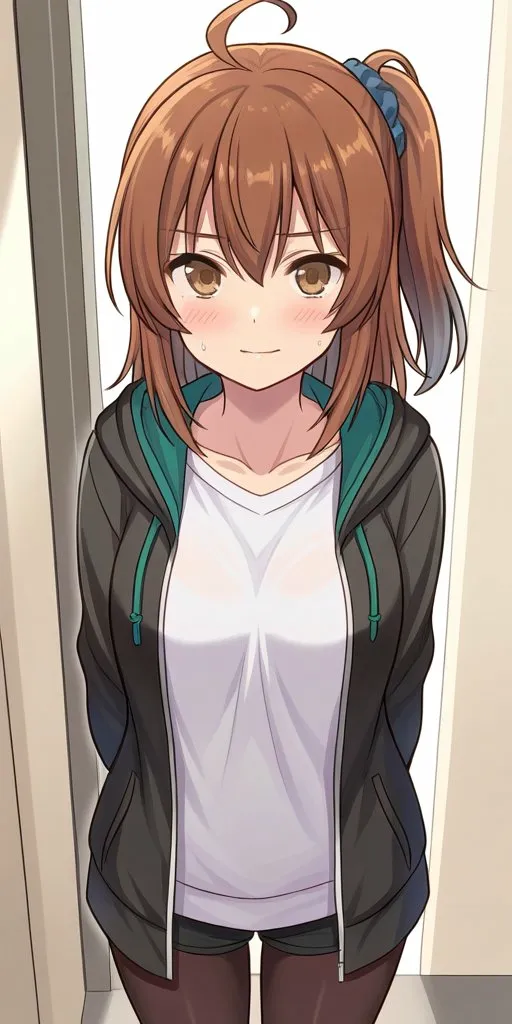
Works fine on both RunPod and locally. The 13 Mac runs of nothing but “broken hands” feel like a bad dream now — the character actually comes out properly.
Why Direct sd-scripts Usage Is a Trap
People using the kohya_ss GUI rarely hit this problem. The reason is simple: the GUI sets the correct defaults.
no_half_vae: “No half VAE” checkbox is ON by default in the GUItext_encoder_lr: The input field is visible, so you naturally fill it inclip_skip: The GUI has presets per model type
Using sd-scripts directly means all of these default to false/0/1. If it’s not in your config file, it’s as if it doesn’t exist. I spent 13 attempts poking at MPS settings because I assumed it was a Mac problem — but most of it was a configuration problem all along.
In Retrospect
The 13 Mac failures were likely more “configuration problem” than “MPS limitations.” That said, Mac genuinely can’t use AdamW8bit (bitsandbytes) or xformers, so it can’t compete on the same level as an NVIDIA setup.
RunPod RTX 4090 costs a few yen per hour. Compared to the hours of debugging and mental toll on Mac, I should have just rented cloud GPU from the start.