FLUX.2 Klein 9B + NSFW LoRA on M1 Max 64GB via mflux: 1m51s/512, 5m37s/1024 q4
 Contents
In the previous desk study, three things were left unresolved: whether mflux could actually run the 9B variant, whether a 9B-trained LoRA would match the keys mflux expects, and whether NSFW prompts would actually produce NSFW output at all.
This time I ran flux2-klein-9b and diroverflo/FLux_Klein_9B_NSFW for real on mflux 0.17.5 on M1 Max 64GB, and got answers to all three.
Results up front:
- The 9B model runs. 512 in 1m51s, 1024 in 5m37s (4-bit quantization, 20 steps)
- The LoRA loads with all 224 keys matched, inference overhead is within noise
- NSFW prompts at LoRA scale 1.0 produce uncensored, anatomically clean output
- “Local Klein 9B NSFW” is viable. The bottleneck is disk space and per-image wait time, nothing else
Environment
- M1 Max / 64GB unified memory
- macOS (Darwin 25.3.0)
- Python 3.13 (miniconda base)
- mflux 0.17.5 (
mflux-generate-flux2natively supports--base-model flux2-klein-9b) - Logged in to HuggingFace with a personal token
- Free disk: 38GB at start of test, 6.8GB after the full 9B cache lands
9B is gated, but it’s a single click of the agreement form
black-forest-labs/FLUX.2-klein-9B is set to gated: "auto" on HuggingFace.
The model page surfaces an “Agree and access repository” button for the FLUX Non-Commercial License Agreement and the Acceptable Use Policy. Clicking it grants access immediately. There is no manual review queue.
CLI token authentication alone gets a 403. You have to log into the browser side once and click through the form.
The token and the browser session are independent: even if hf auth whoami succeeds, the agreement still has to be acknowledged separately. After that there is nothing else to do.
Downloading the 9B weights
On first invocation, mflux pulls every file via snapshot_download.
20 files, about 30GB total. On my connection it took 10m23s.
Fetching 20 files: 100%|██████████| 20/20 [10:23<00:00, 31.19s/it]After download, ~/.cache/huggingface/hub/models--black-forest-labs--FLUX.2-klein-9B/ weighs 32GB.
The breakdown: transformer (the BF16 DiT), text_encoder (T5 family), tokenizer, vae.
The 4B model was 15GB on disk, so this is roughly twice that.
The disk pressure is the most painful part of this experiment.
Free space dropped from 38GB to 6.8GB in one go. Make sure you have at least 40GB headroom before you start.
4-bit quantization at 512×512
Small size first, just to confirm the run completes. With --quantize 4, mflux quantizes the BF16 weights to 4-bit at load time.
The on-disk cache stays as BF16, so the upfront cost is not negligible.
mflux-generate-flux2 \
  --model flux2-klein-9b \
  --quantize 4 \
  --prompt "a portrait photo of a young woman, soft natural light, photorealistic" \
  --steps 20 --width 512 --height 512 --seed 42 \
  --output base_q4_512.png
20 steps in 1m51s, 5.30s per step.
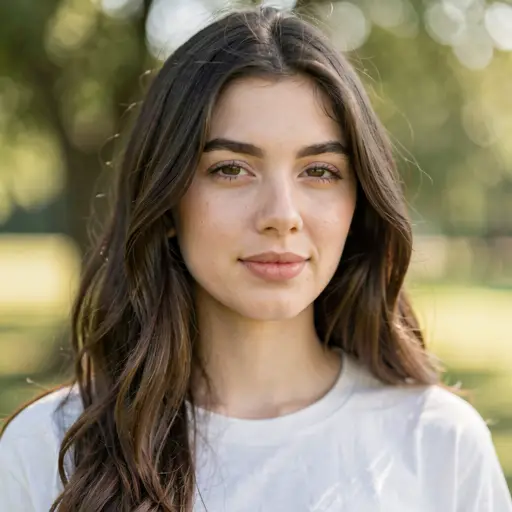
This is the no-LoRA baseline. Photoreal portrait of a young woman, outdoors, natural light, T-shirt.
The output sticks closely to the prompt, and the skin and hair detail are surprisingly solid for 512. Compared to the 4B 512 output, the fine texture (eyes, individual locks of hair, skin pore-level detail) is a noticeable step up.
Loading the NSFW LoRA
diroverflo/FLux_Klein_9B_NSFW is a single file: Flux Klein - NSFW v2.safetensors, 158MB.
From its metadata: trained with ai-toolkit 0.7.20 for 8000 steps over 77 epochs, ss_base_model_version=flux2_klein_9b, rank 32, bfloat16.
Key naming follows the ai-toolkit convention: diffusion_model.double_blocks.X.<sublayer>.lora_A/B.weight.
Passing it through mflux’s --lora-paths shows this in the startup log.
📦 Loading 1 LoRA file(s)...
🔧 Applying LoRA: Flux Klein - NSFW v2.safetensors (scale=0.7)
   ✅ Applied to 144 layers (224/224 keys matched)
✅ All LoRA weights applied successfully
All 224 keys mapped to corresponding 9B layers, with the LoRA hooking 144 of them.
Not surprising for a LoRA explicitly trained on 9B, but it’s good to confirm on real hardware that mflux’s expected key names and the ai-toolkit-emitted key names line up exactly.
LoRA inference overhead at 9B
Same conditions as the base run (512×512, 20 steps, scale=0.7).
mflux-generate-flux2 \
  --model flux2-klein-9b \
  --quantize 4 \
  --lora-paths "Flux Klein - NSFW v2.safetensors" \
  --lora-scales 0.7 \
  --prompt "a portrait photo of a young woman, soft natural light, photorealistic" \
  --steps 20 --width 512 --height 512 --seed 42 \
--output 9b_lora07_512.png1m49s, 5.35s per step.
Versus 1m51s and 5.30s/step without the LoRA, the difference is within noise. At rank 32, inference cost is essentially negligible.
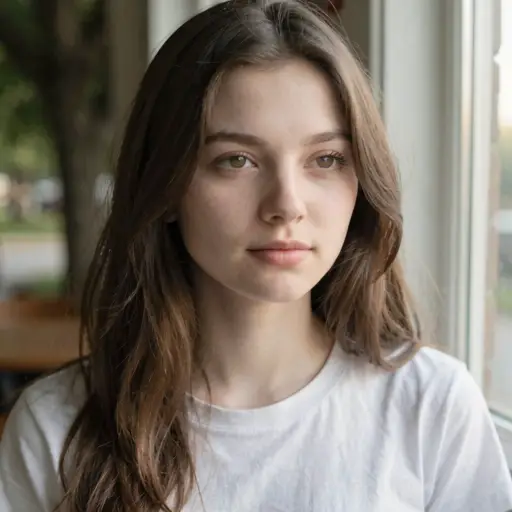
The prompt is still SFW so this isn’t pushing the LoRA toward its trained domain, but the output already shifts.
Face shape, hair texture, and composition all change, and the lighting moves to an indoor window-side setup. The LoRA’s data distribution is pulling the framing and lighting toward what it was trained on.
To actually exercise what the LoRA was made for, you bump the scale or move the prompt closer to the training distribution.
Either way, “the LoRA loaded correctly and the generation behavior is provably different” is established at the SFW-prompt stage.
Does an NSFW prompt actually produce NSFW output
This was the central question of the previous post.
With 4B, “NSFW prompts get rounded off mid-generation”: clothing or shadows fill in, or the area is muddied with noisy paint. The point of testing 9B + the 9B NSFW LoRA is whether that ceiling lifts.
Scale at 1.0, prompt closer to the LoRA’s training distribution.
mflux-generate-flux2 \
  --model flux2-klein-9b \
  --quantize 4 \
  --lora-paths "Flux Klein - NSFW v2.safetensors" \
  --lora-scales 1.0 \
  --prompt "a topless portrait photo of a young woman, soft natural light, photorealistic, bare chest, nude" \
  --steps 20 --width 512 --height 512 --seed 42 \
--output 9b_nsfw_lora10_512.png1m49s, 5.36s per step. Same speed as the SFW prompt.
(Image heavily blurred for this article — the unblurred original is uncensored and clean.)
The output is a topless portrait as prompted. No censorship, no blurring, no anatomical breakdown.
The 4B failure modes (“chest fades into fabric or shadow”, “muddled noisy paint”) don’t appear here. The framing and texture follow the LoRA’s training data through to the actual subject.
So with “Klein 9B + 9B NSFW LoRA + NSFW-leaning prompt + scale 1.0”, local generation works.
The model’s mild built-in safety bias is overridden by the LoRA, and even at 512 the output is usable.
Can you specify Japanese subjects
Every output so far has skewed Western-looking.
FLUX models inherit a training-data bias: a bare “person” prompt defaults to Western faces. For Japanese readers, “if I can’t specify it, the model is useless”.
I added Japanese woman plus black hair and asian features as supporting tokens, and a geographic context (taken in Tokyo).
mflux-generate-flux2 \
  --model flux2-klein-9b \
  --quantize 4 \
  --lora-paths "Flux Klein - NSFW v2.safetensors" \
  --lora-scales 0.7 \
  --prompt "a portrait photo of a young Japanese woman, black hair, asian features, soft natural light, photorealistic, taken in Tokyo" \
  --steps 20 --width 512 --height 512 --seed 42 \
  --output 9b_japanese_lora07_512.png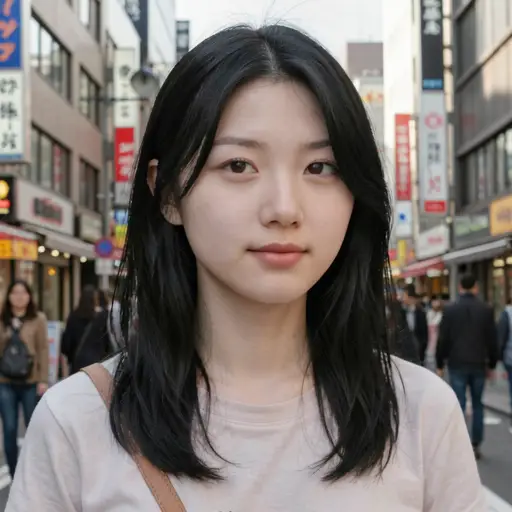
Clearly East Asian / Japanese-looking face, black hair, with Japanese-language street signage in the background.
Japanese woman alone can lose to the Western bias, but with black hair and asian features as anchors it goes through reliably. Adding taken in Tokyo swaps the background to a Japanese cityscape.
Race specification still goes through cleanly even with the LoRA active.
This LoRA targets pose and exposure, not facial racial features, so anything you specify on the base prompt comes out as specified. The 9B’s expressivity for Asian faces is on par with Western faces — no obvious degradation in skin or hair detail.
Magazine-layout comparison vs ChatGPT image generation
Someone on X posted a prompt like the following and ran it through ChatGPT (GPT-Image-2):
Make a two-page swimwear fashion magazine spread (advertising page).
4:3, nano-bikini + T-front + T-back special. Japanese model.
Casual everyday magazine design.
Light natural makeup, everyday expression, not over-styled.
Shot in the Maldives.
Bright lighting.
Photograph the model from various angles and poses.
Tight and wide compositions.
Zoom-ins on upper body and lower body separately.
Minimal text, large prominent model photos.
4 different style variations.
ChatGPT output (for reference):
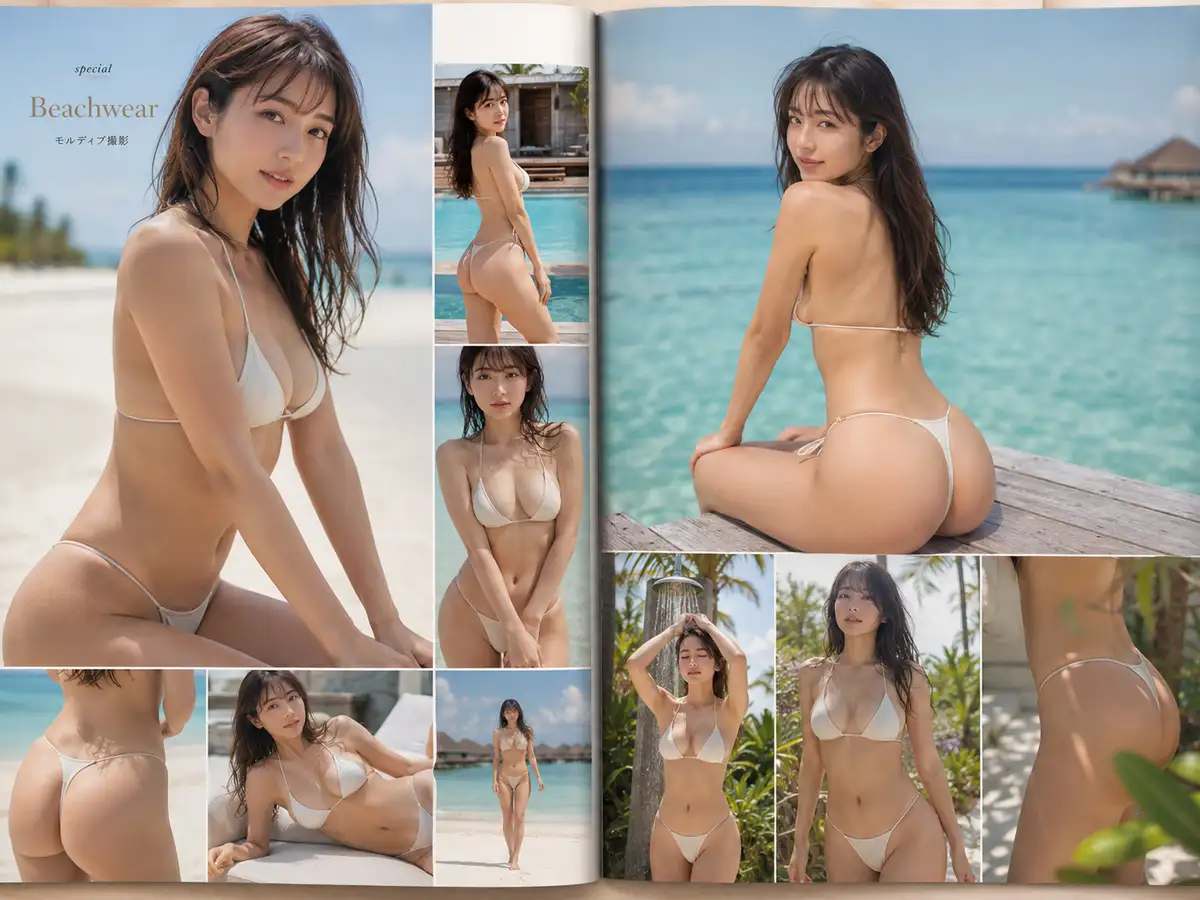
A spread with 4 panels, multiple angles, magazine-style typography (“Beachwear” title, “モルディブ撮影” / “Shot in the Maldives” subhead, a “special” tag), and identity consistency across panels.
This is GPT-Image-2’s strength: an LLM lays out composition, typography, and panel structure internally before rendering, so layout instructions actually carry.
FLUX is a pure diffusion model. Composing several independent scenes inside one image, or rendering complex typography accurately in any language, is not its forte.
The fair local comparison is to reduce the prompt to a single-portrait equivalent and see how close FLUX gets.
So I tested the same prompt as a single-portrait shot.
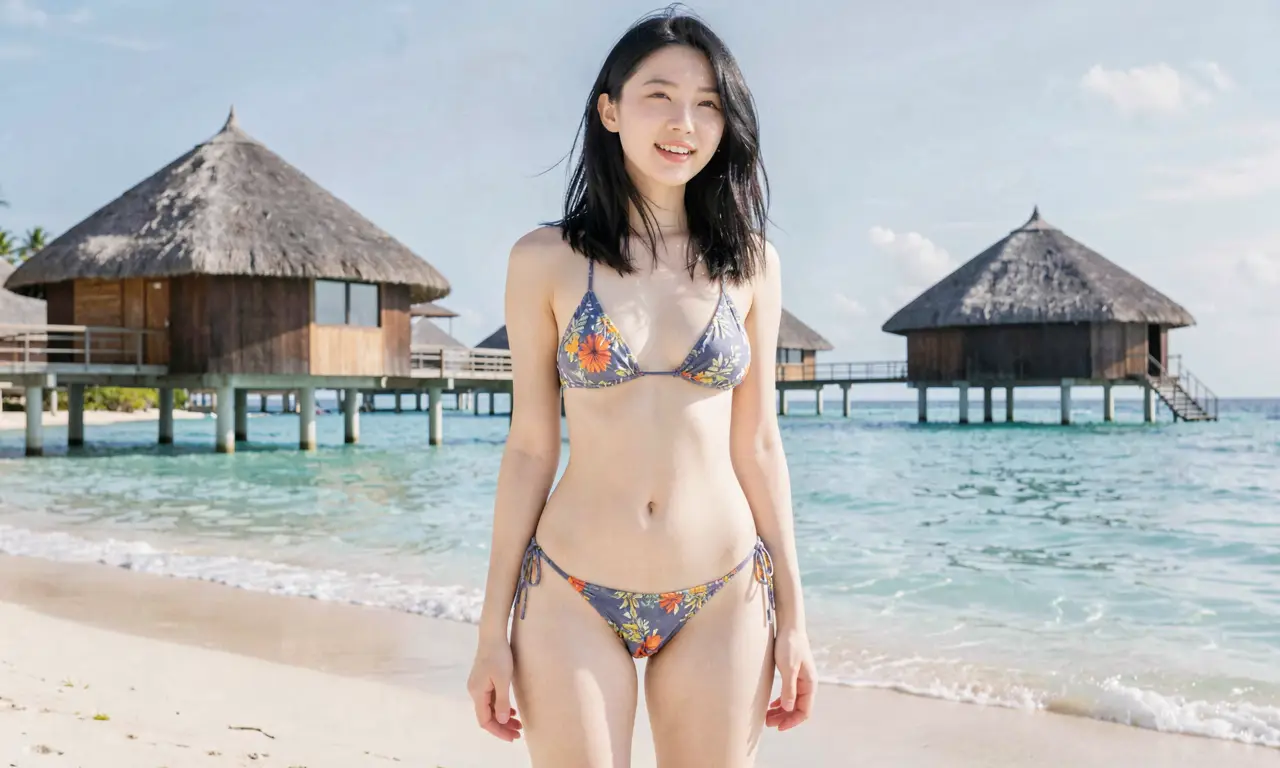
”Nano bikini + T-back + Maldives + casual + magazine style + Japanese” — can FLUX carry it?
No LoRA vs LoRA(0.7)
Same seed, same prompt, 768×1024, 20 steps, 4-bit quantization, with one of them carrying the LoRA.
No LoRA:

The model attempts to render a magazine cover layout (a “UHER HAPLB”-ish title, “NANO” subtext). The text breaks down, but the editorial-style interpretation is actually stronger here than with the LoRA.
The swimwear ends up as a normal floral-pattern bikini. The specifics like “nano bikini” or “T-back” don’t carry; the model rounds to a safer fabric coverage. Klein 9B base does not refuse swimwear outright, but it pulls exposure-level instructions back toward something safer.
LoRA scale 0.7:

The composition flips to a straight portrait shot, and the magazine-cover layout attempt disappears. The LoRA’s training distribution is mostly single-portrait, so it suppresses the editorial-style direction.
Exposure level on the swimwear is roughly the same as the no-LoRA version — at scale 0.7, the model still doesn’t push to “nano bikini” / “T-back”.
What the comparison shows
- Klein 9B base does not refuse swimwear outright (it generates without rejection)
- Specific exposure instructions like “nano bikini” or “T-back” don’t go through at scale 0.7; they round to a normal bikini
- The LoRA’s main effect is shifting composition and style rather than boosting exposure. Because its training data is single-portrait centric, the editorial / magazine-layout direction actually weakens with the LoRA on
- To reliably push exposure, scale needs to climb toward 1.0 or trigger words need to be added (the NSFW test above worked at scale 1.0)
- ChatGPT image generation’s “4-panel spread + magazine typography” is structurally out of reach for FLUX. If you want it locally, you generate multiple shots in ComfyUI and composite afterward
1024×1024 production timing
512 was the smoke-test size; the practical resolution is 1024. Same conditions, larger output.
mflux-generate-flux2 \
  --model flux2-klein-9b \
  --quantize 4 \
  --lora-paths "Flux Klein - NSFW v2.safetensors" \
  --lora-scales 0.7 \
  --prompt "a portrait photo of a young woman, soft natural light, photorealistic" \
  --steps 20 --width 1024 --height 1024 --seed 42 \
--output 9b_lora07_1024.png5m37s, 16.86s per step.
3.2× the 512 time. Versus 4B at 1024 (around 30 seconds on mflux 0.17.5), it’s about 11× slower.
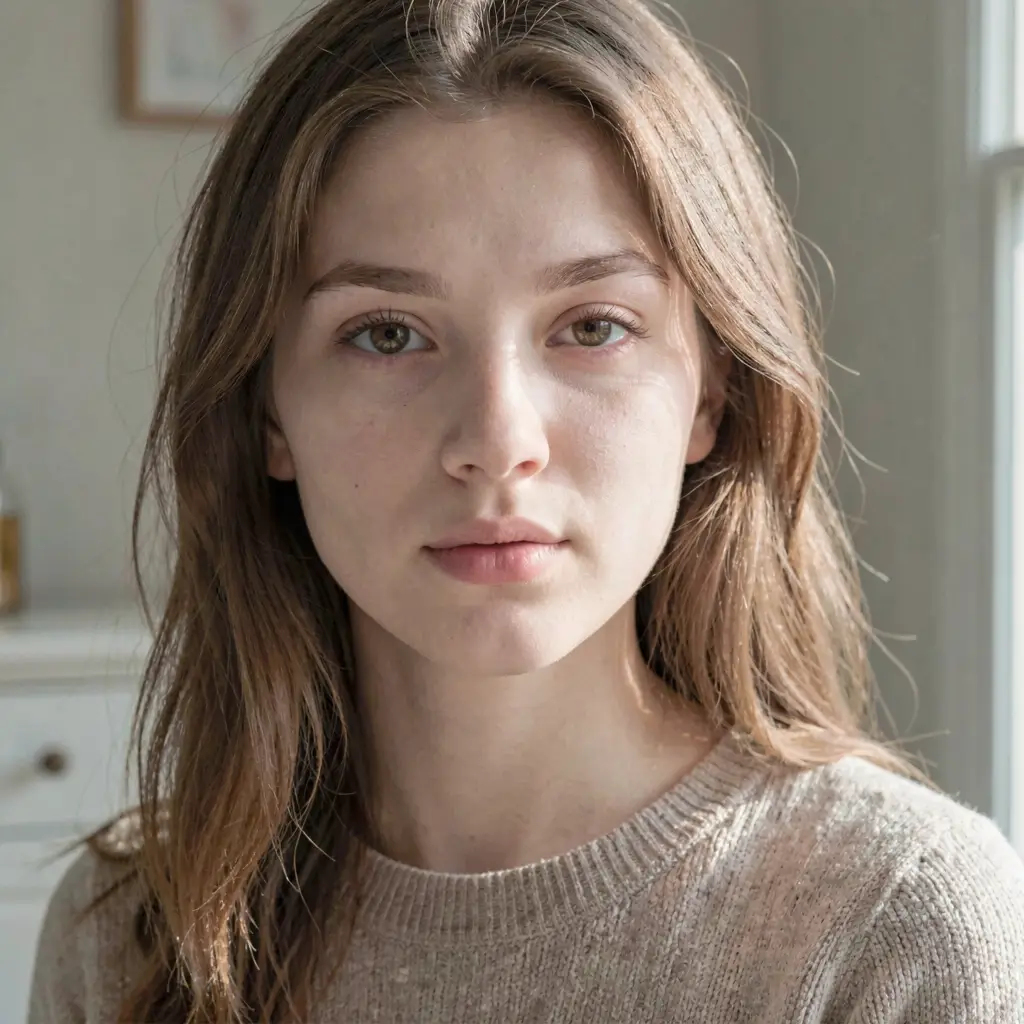
Skin texture, hair detail, indoor background falloff — everything you’d expect from going to 1024 lands in the image.
You can read the knit weave of the sweater and individual highlight grains. The 4B 1024 and the 9B 1024 are clearly different-resolution images. If you’re aiming for photoreal output, 9B 1024 is the baseline.
Memory, disk, practical feel
Memory
Peak RAM during inference is around 30GB Wired. The remaining 30GB is available for other work, but it’s not enough to run two or three Chrome windows comfortably alongside generation. Avoid heavy concurrent processes during a run.
Disk
A full 9B cache occupies 32GB. Keeping the 4B alongside takes you to 47GB; keeping a Qwen-family cache too pushes you near 100GB. If you plan to use 9B continuously, prune other FLUX/Qwen caches.
Speed
5.5 minutes for a single 1024 is heavy as an iteration unit. 50 generations is 4.5 hours.
For prompt tuning and LoRA-scale sweeps, the realistic workflow is to nail down the right setup at small size first, then run only the keepers at 1024. At 512, 20 steps is 2 minutes; sweeping scale through 0.3, 0.5, 0.7, 1.0 takes under 10 minutes.
Tuning room for LoRA scale
At scale 0.7 the model can’t push specific exposure instructions like “nano bikini” or “T-back” through; it rounds to a normal coverage. At scale 1.0 with NSFW-leaning prompts, the LoRA pulls in the intended direction. In practice, you sweep prompt and scale combinations across 0.5–1.0 to find the right setting.
When to use 4B vs 9B
The previous 4B post showed 1024 generation at around 30 seconds.
9B 1024 runs at 5.5 minutes, so you spend 11× the time per image. You’re trading off richer texture for raw throughput, and the speed difference reflects exactly that.
For “spray-and-pray to find a hit”, use 4B locally.
For “I want the chosen 1–2 images at high resolution and high detail”, use 9B.
LoRA effects don’t transfer between 4B and 9B because the bases differ — a 9B-trained LoRA only works on 9B. For anime-leaning output, a separate stack (WAI-Anima-family SDXL checkpoints + ComfyUI) is faster to reach.
The remaining question from the previous post — “can Klein 9B + a 9B NSFW LoRA be made to work locally on M1 Max 64GB” — gets a yes.
You don’t have to escape to a remote GPU on RunPod or similar; mflux’s --lora-paths takes the LoRA cleanly.
The only friction is disk capacity and the wait per image.