Adding a Local Front Desk and Wake Word to an Xperia Smart Photo Frame
 Contents
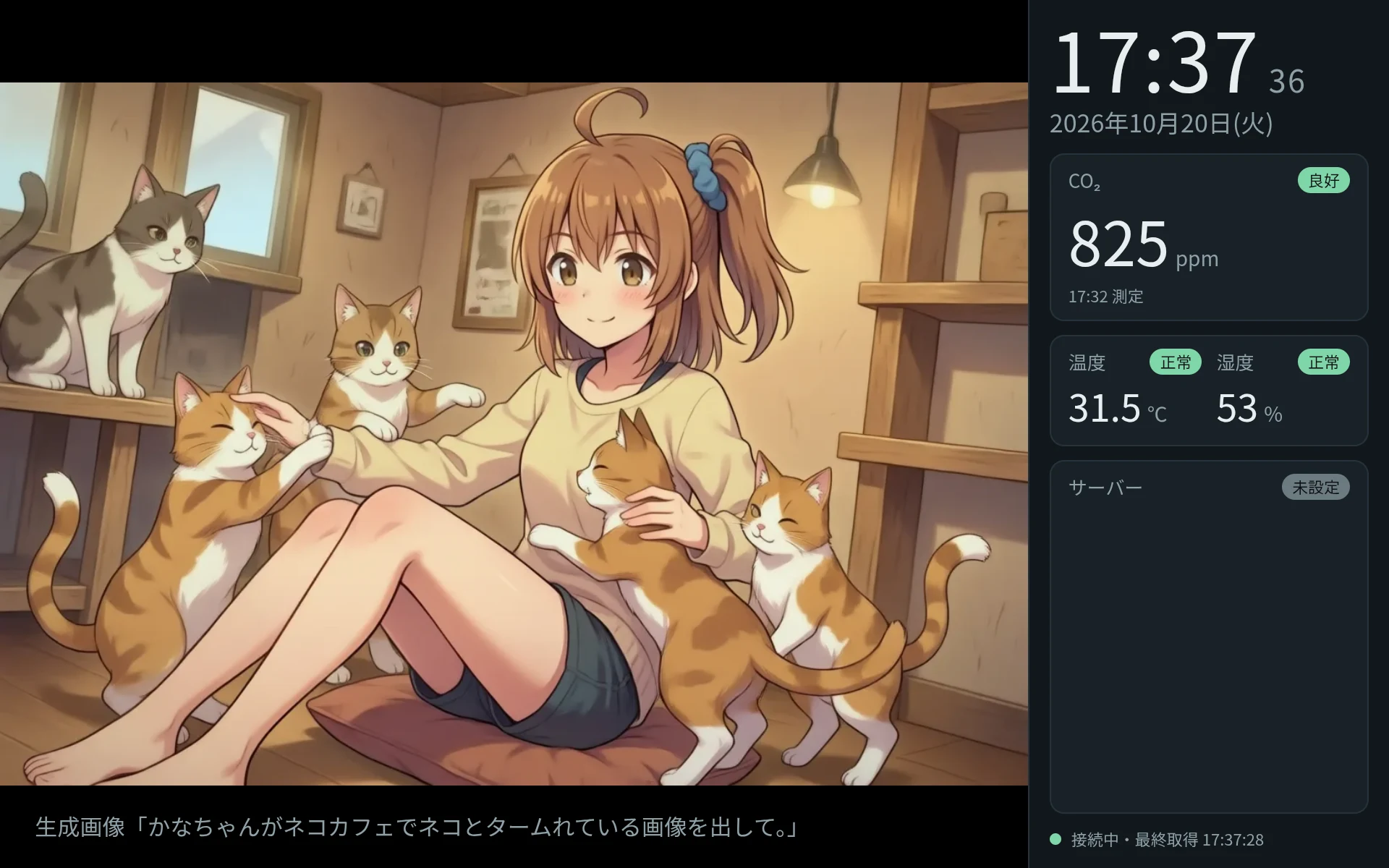
In the previous article, I set up an old Xperia Z3 Tablet Compact (SGP611) as an always-on digital photo frame that connects to a voice chat server for conversation and on-demand image generation.
When I put it in the living room and used it daily, two practical issues stood out.
First was response latency. For everyday questions like “What time is it?” or “What is the room temperature?”, the system sequentially ran speech-to-text, an LLM call (Qwen3.8-Max), and speech synthesis. It took about 10 seconds before audio started playing.
Second was its desktop PC dependency. The display server ran on my main PC, so putting the PC to sleep halted the tablet screen and broke the voice assistant.
To solve this, I migrated the display server to an always-on Linux machine and introduced an intermediate “Front Desk” proxy to answer fixed queries and RSS news briefs locally.
I also integrated an offline wake word on the tablet so it responds to “Kana-chan” without touching the screen.
Environment and Architecture
| Item | Details |
|---|---|
| Device | Xperia Z3 Tablet Compact SGP611 (Wi-Fi model) |
| OS | LineageOS for microG 18.1 (Android 11) |
| Kiosk App | Custom WebView app v0.9.6 (with integrated Vosk) |
| Display Server | Latitude 5310 (Ubuntu, systemd user service) |
| Voice Chat Server | Qwen3-ASR (speech-to-text), Qwen3.8-Max, Irodori-TTS (speech synthesis) |
| Image Gen Server | genserver (Anima) |
| Network | Tailscale (Always-on VPN) |
Previously, the display server ran on my main Windows PC, and the tablet connected over the local LAN.
For this setup, I moved the display server to an always-on Ubuntu laptop (Latitude 5310) and installed Tailscale on the tablet, connecting it directly to all backend services without relying on my desktop PC.
flowchart TD
  subgraph Tablet [Xperia Z3 Tablet Compact]
    A["Kiosk App v0.9.6<br/>Vosk Wake Word"]
  end

  subgraph LinuxServer [Display Server]
    B["Proxy & Web UI"]
    C["Front Desk"]
    D["Topic Desk"]
  end

  subgraph VoiceServer [Voice Chat Server]
    E["Speech-to-Text /stt"]
    F["Chat Handler /chat_async"]
    G["Turn Logger /turn"]
  end

  subgraph OtherServers [Backend Services]
    H["Speech Synthesis"]
    I["Image Gen genserver"]
    J["StackChan Telemetry"]
  end

  A <-->|Tailscale HTTP| B
  B --- C
  B --- D
  C -->|STT Request| E
  C -->|Forward General Chat| F
  C -->|Sync Logged Turn| G
  C -->|Single TTS Call| H
  B -->|Request Image| I
  J -->|Periodic Post| VoiceServer
  C -->|Fetch Telemetry| VoiceServer
The Front Desk is an immediate responder placed between the tablet and the voice chat server.
For fixed questions like time or room temperature, the Front Desk replies immediately without querying the voice server’s LLM. The main LLM only handles open-ended conversation.
Moving the Display Server to an Always-On Linux Machine
I deployed the display server code to the Linux machine and registered it as a systemd user service with an automatic 10-second restart on failure.
On the tablet, I installed Tailscale (v1.102.4) from F-Droid and configured it as Android’s always-on VPN (always_on_vpn_app).
Whenever the tablet reboots, Tailscale connects within about 10 seconds, automatically re-establishing the link to the Linux display server.
Now the photo frame runs continuously even when my main desktop PC is turned off or sleeping.
Implementing the Front Desk to Reduce Latency
To pinpoint latency bottlenecks, I benchmarked each stage from the Latitude server:
| Stage | Duration | Details |
|---|---|---|
Speech-to-Text (/stt) | 1.6 to 2.8s | Qwen3-ASR-0.6B |
Speech Synthesis (/tts, 40 steps) | 2.5 to 2.9s | Irodori-TTS (for a ~2.7s clip) |
| Speech Synthesis (12 steps) | 1.14s | Same clip |
| Full Voice Chat (via LLM) | ~10s | STT + LLM reasoning + initial sentence TTS |
Speech recognition took around 2 seconds and synthesis took roughly 3 seconds. Combined with LLM generation latency, reaching the first spoken audio took around 10 seconds.
However, questions asking for the time or room metrics have predictable answers. Letting an intermediate proxy return pre-made or direct responses cuts down that delay.
Tuning TTS Steps and Trailing Silence
I tuned the synthesis parameters used by the Front Desk.
Comparing 40, 20, and 12 steps revealed negligible audible difference for short phrases, so I settled on 12 steps, which finishes in 1.14 seconds.
In addition, the TTS output ended abruptly right after the final syllable.
Examining the waveform showed only 0.1 seconds of silence after speech stopped. Leaving the text intact, I appended 0.5 seconds of silence to the audio file so the sentence ends naturally.
Pre-Generating 1,440 Time Clips
I initially tried concatenating two pre-rendered clips, such as “It is 12 o’clock” and “34 minutes.”
However, the junction between the clips distorted pitch and inflection, and sounded artificial.
Instead, I pre-rendered all 1,440 minute-by-minute combinations across 24 hours as complete sentences (from “It is 0:00” to “It is 23:59”).
Running a batch script rendered each clip in about 1.1 seconds and finished all 1,440 WAV files in roughly 30 minutes.
How the Front Desk Dispatches Queries
When the tablet sends a voice clip, the Front Desk routes the query directly based on its content.
It first sends the audio to the voice server’s /stt endpoint for transcription. If the query asks for the time, it returns the pre-rendered WAV file corresponding to the current minute. If the query asks for room metrics (temperature, humidity, CO₂), it extracts the latest readings provided by StackChan from /context, constructs the answer sentence, and runs a single TTS call.
If the query is general conversation or telemetry is stale, it forwards the request to the standard voice chat pipeline.
Measured response times through the proxy:
| Query | Processing Mode | Reply | Latency to Playback |
|---|---|---|---|
| What time is it? | Front Desk (Pre-rendered WAV) | It is 1:06 PM. | 2.07 to 2.17s |
| What temperature is it? | Front Desk (Single TTS call) | The room is 30.9°C. | 4.03s |
| What is the humidity? | Front Desk (Single TTS call) | Room humidity is 54%. | 4.32s |
| What is the CO₂ level? | Front Desk (Single TTS call) | Room CO₂ is 1,558 ppm. | 5.39s |
By fetching the pre-generated clip immediately after transcription (~1.8s), time queries start playing in about 2 seconds, down from 10 seconds.
Adding New Server Endpoints for Proxy Integration
While the Front Desk answered fixed queries quickly, two architectural issues emerged.
First, forwarding general queries to the voice server was inefficient. Because the server only accepted audio inputs, the proxy had to re-send the original recording, transcribing it a second time and adding 2 unnecessary seconds.
Second, local answers broke conversation continuity. Responses generated directly by the Front Desk never reached the voice server. Follow-ups like “What time did you just say?” or “Tell me more about that news item” failed because the LLM had no record of the exchange.
I defined the requirements and had the voice server backend updated with new endpoints.
Direct Text Entry via POST /chat_async
This endpoint accepts transcribed text directly in JSON instead of raw audio:
POST /chat_async?sr=16000&client=frame&frame_prompt=...
Content-Type: application/json

{"text": "What is tomorrow's weather?"}
It bypasses voice activity detection (VAD) and STT, routing the text straight to the LLM.
Memory retrieval, tool invocation (weather, web search, and draw_image), and client callbacks function identically to the voice pipeline. This avoids running transcription twice.
Injecting Turns via POST /turn
This endpoint records a turn directly into the conversation log without calling the LLM or TTS:
POST /turn
Content-Type: application/json

{
  "user": "What time is it?",
  "kana": "It is 2:34 PM.",
  "emotion": "smile",
  "client": "frame",
  "long_term": false
}
Here, short-term history tracks recent conversation flow, while long-term memory retains persistent facts.
Setting long_term: false appends the exchange to short-term history (history) while omitting it from long-term memory extraction. This prevents routine time or room queries from polluting long-term memory storage.
For news topics where users might ask for follow-up details, the endpoint accepts a note field (up to 2,000 characters).
The content of note is kept out of the spoken transcript and instead provided to the LLM system prompt as reference material for recent turns.
Silence Detection in /stt
Previously, when an audio clip contained only silence or ambient noise, /stt returned generic hint keywords (such as seasonal terms).
The updated /stt endpoint incorporates VAD silence checking, returning {"text": "", "no_speech": true, "reason": "vad: 0.00s of speech"} when no speech is detected.
This allows the Front Desk to terminate cleanly without sending false text to the LLM.
Testing Proxy Endpoints on Hardware
I wired these endpoints into the proxy and tested them from the tablet:
| Utterance | Processing Mode | Response | Latency to Playback |
|---|---|---|---|
| What time is it. | Front Desk (Pre-rendered WAV) | It is 2:34 PM. | 2.7s |
| What is the temperature. | Front Desk (Single TTS call) | The room is 30.8°C. | 4.2s |
| What time did you say earlier? | Main LLM (/chat_async) | Earlier I said it was 2:34 PM. | 8.6s |
| Draw a cat. | Main LLM (/chat_async) -> draw | I’ll draw a cat and display it when ready. | 9.4s |
Even after interjecting a temperature query, asking “What time did you say earlier?” prompted the LLM to recall the Front Desk’s answer correctly.
Turn synchronization via /turn functioned as intended.
Image generation also worked reliably through /chat_async: asking to draw a cat triggered the tool, and a new picture appeared on the frame 38 seconds later.
Answering “Got any news?” with a Local Topic Desk
Beyond time and room metrics, I added a “Topic Desk” to answer “Got any interesting news?” with immediate curated topics.
It polls 18 RSS feeds covering web development, AI, and cybersecurity every 60 minutes, caching articles in SQLite.
For unreviewed articles within the last 48 hours, Qwen3.8-Max on ModelScope scores and selects notable stories, drafting an 80-character spoken summary and source reference notes. Up to 5 selected stories per batch have their voice clips pre-rendered immediately.
When asked “Got any news?”, the Front Desk plays the highest-rated unread story (playback starting in 3.1 seconds). Asking “Anything else?” immediately plays the next story. Only stories actually spoken are synced to the voice server via POST /turn (with long_term: true and note), while unread candidates expire after 48 hours.
During API key setup, stripping trailing whitespace and carriage returns resolved initial header validation issues on Linux.
Voice Quality Inconsistency on Complex Texts
Testing the Topic Desk revealed an unexpected voice anomaly.
Reading a standard Japanese cybersecurity brief sounded like the familiar assistant voice. However, another story containing technical English terms shifted drastically into a completely different vocal tone.
The TTS engine (Irodori-TTS) operates on a one-shot reference voice architecture.
When handling technical English loanwords or long compound sentences, synthesis often drifts away from the target reference characteristics.
Stabilizing this requires speaker embedding tuning or a dedicated LoRA model trained on cleaned voice datasets. I logged this requirement for future dedicated voice model training and kept it separate from this kiosk milestone.
Integrating Offline Wake Word Recognition
Up to this point, voice recording was initiated manually over ADB using voicetest chat.
For hands-free living room use, the frame needed voice activation.
I integrated the lightweight offline speech recognizer Vosk into the Android app.
Lightweight Always-On Listening with Vosk
I used the Japanese compact model vosk-model-small-ja-0.22 (94MB uncompressed) with a restricted grammar:
["かな ちゃん", "[unk]"]This triggers wake detection only when the words “Kana” and “chan” are recognized consecutively.
Initial standalone tests achieved 5/5 detections on test voices and 0 false positives across 12 control phrases.
I bundled vosk-android and the armeabi-v7a native libraries into the APK, keeping the model files on external storage.
On hardware, model loading took roughly 5 seconds, memory usage stabilized around 250MB, and CPU usage averaged ~24% on a single core. Battery temperatures remained below 34°C, safe for always-on use.
Refinements from Hands-On Testing
Hands-on testing identified several usability gaps, addressed in app updates v0.9.0 through v0.9.6:
| Issue | Resolution |
|---|---|
| 8-second fixed recording was too long | Added VAD that waits for speech onset and stops recording after 0.8s of silence |
| A simple sine beep felt robotic | Replaced it with a pre-rendered assistant acknowledgment saying “Mm?” |
| Long silence while waiting for LLM replies | Played filler phrases (“Let me see…”) only when routing queries to the main LLM |
| No feedback when image generation finished | Monitored image job completion and voiced “Done! Take a look at the screen.” |
Calling “Kana-chan” prompts an immediate “Mm?” acknowledgment. Speaking “What time is it?” cuts off recording 0.8 seconds after speaking ends, with no physical interaction needed.
The spoken time begins playing roughly 3.5 seconds after the initial wake call.
Volume Discrepancies across Clips
During playback, perceived volume varied noticeably between the acknowledgment, filler phrases, answers, and completion alerts.
Measuring file audio levels showed variations between -12.6 dBFS and -16.5 dBFS across different clips.
I added a runtime normalization step (Loudness) in the app to scale audio to -18 dBFS before playback and unified the sample rate to 16 kHz.
Even with normalized files, subtle perceptual volume differences lingered through the tablet’s small speaker, likely caused by frequency response and speech onset dynamics.
I decided to address final volume balancing alongside the broader voice LoRA re-synthesis in a subsequent update.