StackChan Body Voice Chat on CoreS3: Head Tap, Ghost ASR Fix, Lip Sync
 Contents
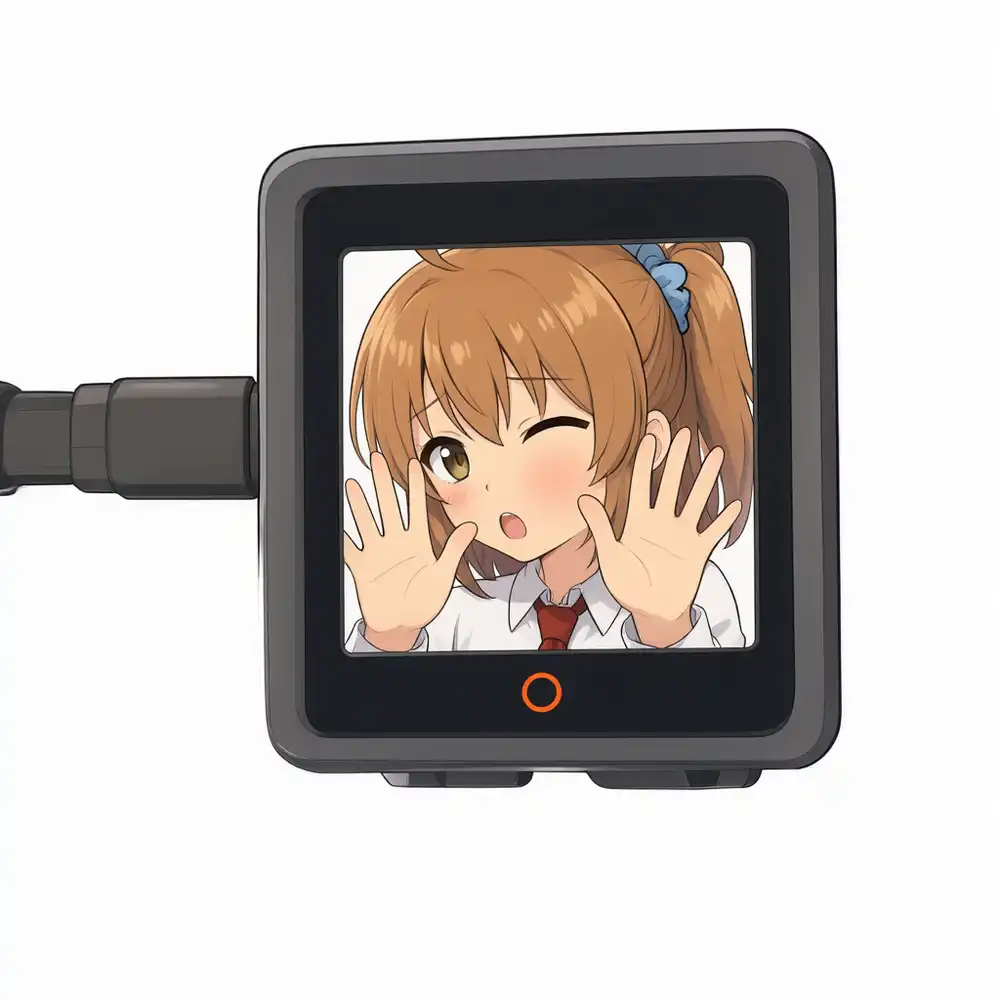
Now that head touch sensing and the Kana-chan face display were each working independently, I integrated both into the asynchronous voice chat previously powered by a Key unit.
I replaced the push-to-talk button with a tap on the head pad, changed the screen to Kana-chan’s illustration, and added lip syncing while replies played.
After flashing and powering on, the robot immediately started behaving as if it were capturing audio—even though nobody had touched it.
I powered it off immediately and traced through the serial logs and server-side records.
Test Environment
| Item | Details |
|---|---|
| Hardware | M5Stack CoreS3 + StackChan Body |
| Dev Environment | Windows 11 + arduino-cli + ESP32 core 3.3.10 |
| Board Config (FQBN) | esp32:esp32:m5stack_cores3:PartitionScheme=custom |
| Libraries | StackChan-BSP, M5Unified |
| Voice Server | Home laptop with RTX 3050 Ti Laptop (4GB). Speech recognition via Qwen3-ASR-0.6B (CPU), LLM replies via Qwen3.7-Plus (ModelScope API), voice playback via Irodori-TTS |
| Pipeline | CoreS3 → VPS PHP relay → Tailscale → Voice server |
The voice server kept the same setup hosting STT, LLM, and TTS on a single 4GB GPU.
After the post switching to Omni-Flash, I reverted to the pipeline that runs speech transcription first.
flowchart TD
    A[Tap head to start recording] --> B[Tap again to send]
    B --> C[VPS relay]
    C --> D[Voice server]
    D --> E[Transcribe with Qwen3-ASR]
    E --> F[Generate reply with Qwen3.7-Plus]
    F --> G[Synthesize audio sentence by sentence with Irodori-TTS]
    G --> H[CoreS3 fetches and plays sequentially]
Program Changes
The implementation builds on the asynchronous chunking voice chat: sending audio returns an immediate ticket number (job_id), and the client fetches reply sentences as they are synthesized.
While waiting, the robot plays pre-cached filler audio fetched during boot (short phrases like “Let me think about that…”).
Three main changes were made:
| Item | Key Unit Version | StackChan Version |
|---|---|---|
| Talk Trigger | Press Key unit | Tap head (release within 0.8s; ignores swiping/stroking) |
| Face | 128x128 pixel art | 320x240 Kana-chan illustration. Continuous blinking, lip sync during playback |
| LED | Key unit LED | On-body RGB LED (Red = recording, Blue = thinking, Green = playing) |
The push-to-record, push-to-send control scheme remained identical to the Key unit build.
Recordings were capped at 10 seconds; if 10 seconds elapsed without a second tap, whatever was captured was sent.
Recording Triggers Without Touch
Here is the serial log upon powering on:
VoiceChat Step7: StackChan Body + head touch + kana face
rec buffer: OK (937 KB PSRAM)
face sprites: OK (decode 394 ms) PSRAM free 6665 KB
volume: 3/10 (NVS)
WiFi接続中...
filler[0]: 433964 bytes
filler[1]: 353324 bytes
filler[2]: 403244 bytes
fillers: 3本をPSRAMへ (6530 ms)
head: dur=2269 swipe=0 -> ignore
head: stuck -> recalibrate
head: dur=99 swipe=0 -> tap
rec: Speaker.stop/end
rec: Mic.begin -> OK
録音開始: 最大10秒 48000Hz/16bit/mono gain=16 mode=1
rec: Mic.end
録音完了: 480000 samples (10526 ms)
async: POST 960187 bytes (WAV 960044 bytes)
async: HTTP 200 (5009 ms) {"job_id":"3274df078cbf","poll":"/job/3274df078cbf"}
filler再生: 433964 bytes
fillerつなぎ2本目 [4639 ms]
head: dur=289 swipe=0 -> tap
停止(頭タッチ)
Up to fetching the three filler clips, everything followed the standard startup sequence.
After that, touch event evaluation proceeded like this:
| Log | What Happened |
|---|---|
dur=2269 -> ignore | A 2.3s touch was registered without anyone touching it. Exceeded 0.8s, so not treated as a tap |
stuck -> recalibrate | The next contact lasted 10 seconds, so the driver treated it as stuck and recalibrated baseline capacitance |
dur=99 -> tap | A 0.1s fluctuation immediately after recalibration was misidentified as a tap |
rec 10526ms | With no one tapping to stop, it recorded room noise up to the 10-second cap |
POST 960187 bytes | Sent the entire 10-second recording as-is; filler audio began playing |
From testing touch earlier, I already knew the capacitive sensor often stayed triggered after servo movement without resetting.
During boot, a centering motion (goHome()) executed, but the firmware did not yet recalibrate afterwards.
The stuck-touch recovery logic itself was generating a false-positive tap.
The final dur=289 -> tap that aborted the session was likely registered when reaching to turn off the power.
Prompt Hints Hallucinated from Silence
The transmitted 10-second recording was processed all the way through on the voice server, and polling the ticket number returned this result:
{"transcript":"立春、雨水、啓蟄、春分、清明、穀雨、立夏、小満、芒種、夏至、小暑、大暑、立秋、処暑、白露、秋分、寒露、霜降、立冬、小雪、大雪、冬至、小寒、大寒、元日、成人の日、建国記念の日、天皇誕生日、春分の日、昭和の日、憲法記念日、みどりの日、こどもの日、海の日、山の日、敬老の日、秋分の日、スポーツの日、文化の日、勤労感謝の日、正月、節分、ひな祭り、お彼岸、お盆、七夕、お月見、十五夜、お中元、お歳暮、ハロウィン、クリスマス、大晦日、かな、かなちゃん、StackChan、スタックチャン","reply":"わあ、日本の行事や二十四節季がずらっと並んでるね。全部覚えるの大変そうだけど、季節の移り変わりを感じられて素敵だな。","done":true,"error":null}A recording of complete silence was transcribed as a list of the 24 solar terms, Japanese national holidays, and annual festivals.
On the voice server, Qwen3-ASR is configured with contextual prompt hints (context) for seasonal holiday names and keywords like “Kana” and “StackChan” to improve recognition accuracy.
Faced with audio lacking human voice, the model output those contextual hint words verbatim as its transcript.
The reply LLM ingested that list, replied “Wow, that’s quite a list of Japanese events and solar terms…”, and synthesized two sentence audio clips. Because I halted the robot halfway through, it never played this reply.
Even if device-side false detection was fixed, transmitting silence accidentally would trigger the same hallucination.
Therefore, I added defenses across the device, voice server, and VPS relay.
Because the voice server runs on a separate laptop, those edits were performed via Claude Code on that laptop, while the relay was updated directly on the VPS.
Dropping Silence on the Voice Server
I added two validation gates: one before transcription, and one after.
| Position | Check | Abort Condition |
|---|---|---|
| Before Transcription | Evaluates 30ms audio chunks: voice is detected if volume exceeds both -50 dBFS (digital scale where 0 dB is peak) and “ambient noise floor + 10 dB” | Total voice duration under 0.25 seconds |
| After Transcription | Counts contextual hint keywords present in the transcript | 3 or more hint words while non-hint characters make up <=30% of total text, or transcript is completely empty |
When aborted, the server skips LLM generation and TTS synthesis, and returns error: "no_speech" immediately.
Test results on the voice server (using synthesized speech at both 48 kHz and 16 kHz):
| Input | Result | Latency |
|---|---|---|
| 10s silence | no_speech (0.00s speech) | 0.04s |
| 10s background noise | no_speech (0.00s speech) | 0.02s |
| ”I’ve been feeling a bit tired lately.” | Normal response | 15.4s |
| ”What should I send for the midsummer gift?” | Normal response | 10.3s |
Feeding silence and noise into the pre-filter transcription reproduced the exact list of hint words.
However, because the server deletes audio inputs after transcription, the original 10-second recording was no longer available, so I could not retest with that exact file.
The volume threshold validation also remains verified only with synthesized voice.
Switching Recording and Playback to 16kHz
Internally, Qwen3-ASR on the voice server resamples incoming audio to 16 kHz before running recognition.
If 48 kHz recordings are downsampled to 16 kHz anyway, sending at 16 kHz from the start shrinks a 10-second capture from 960 KB to 320 KB.
For reply audio (Irodori-TTS outputs 48 kHz by default), I updated the server endpoint to return 16 kHz when requested via sr=16000.
However, when fetching fillers through the VPS relay with sr=16000, the server still returned 433,964 bytes at 48 kHz.
The PHP relay script was not forwarding the sr query parameter to the backend.
While fixing the relay, I also updated it to pass voice server errors straight to the client. Previously, failed filler or audio requests were masked as 502 with an empty body, while all other responses returned a blanket 200.
| Payload | Without sr param | With sr=16000 |
|---|---|---|
| Filler 1 | 433,964 bytes (48 kHz) | 144,684 bytes (16 kHz) |
| First reply sentence (tested using filler input) | - | 79,404 bytes (16 kHz) |
I considered connecting the CoreS3 directly to the voice server via Tailscale, but the current setup routes through a single Tokyo DERP relay, achieving only ~47 KiB/s download.
If uploads ran at the same speed, transferring a 960 KB recording would take nearly 20 seconds. The PHP relay completed transfers in ~5 seconds, so I chose to keep the relay and reduce the payload size instead.
Device-Side False-Trigger Safeguards
| Safeguard | Details |
|---|---|
| Post-Recalibration Lockout | Disables tap input for 1.5 seconds after recalibrating the touch baseline. Recalibrations run in three places: after centering the neck, after WiFi connection, and on stuck touch |
| Drop Recordings Capped at Limit | Discards any recording that reaches the 10-second limit without being tapped to stop, displaying ”10s -> Not sent” |
Handling no_speech | Stops playing filler audio and displays “Could not hear you.” Avoids showing red error text |
Because ghost recordings run unattended until they hit the duration cap, discarding recordings that reach 10 seconds prevented false transmissions.
The trade-off was that speaking for more than 10 seconds resulted in the audio being discarded.
Emotion-Aware Facial Expressions
With five facial expressions (Smile, Joy, Anger, Sorrow, Fun) prepared for Kana-chan, I set up dynamic expression switching based on replies.
Calling an LLM a second time solely to pick an expression would add unacceptable latency.
Instead, I prompted the LLM to prepend emotion tags like [joy] to its response, which the voice server strips before sending text to TTS.
The stripped tag is returned under emotion in the poll status JSON.
The device caches emotion, switches the expression right as the first sentence begins playing, and reverts to a smile once dialogue finishes.
Initially, merely listing the five tags in the system prompt caused even “I lost my wallet” to receive a smile instead of sorrow.
I clarified the prompt: the tag represents Kana’s expression while replying, not the speaker’s mood, and added specific trigger scenarios for each tag.
| Tag | Context |
|---|---|
| smile | Standard responses, factual answers, greetings |
| joy | Celebrating good news, offering praise |
| sorrow | Sympathizing with misfortune, distress, or illness |
| anger | Light pouting or scolding for staying up late, reckless behavior, or insults. Never genuinely hostile |
| fun | Invitations to play, jokes, exciting upcoming plans |
I tested 12 text prompts across 3 runs each against the LLM, counting the returned tags. The environment matched production: web search enabled, no thinking mode, current timestamp injected, no audio processing.
| Prompt | Target | Before Tuning | After Tuning |
|---|---|---|---|
| I lost my wallet | sorrow | smile x3 | sorrow x1, smile x2 |
| I got a perfect score on my test! | joy | joy x3 | joy x3 |
| I’m going to an amusement park tomorrow | fun | fun x2, joy x1 | fun x3 |
| What is the highest mountain in Japan? | smile | smile, joy, fun (1 each) | smile x3 |
| What day of the week is today? | smile | smile x3 | smile x3 |
| Kana, you’re pretty clumsy, aren’t you? | anger | smile x1, fun x2 | anger x3 |
| I caught a cold and have a fever | sorrow | smile x3 | sorrow x3 |
| I won the lottery! | joy | joy x3 | joy x3 |
| Let’s play shiritori | fun | fun x3 | fun x3 |
| I stayed up gaming until 3 AM again | anger | smile x2, fun x1 | anger x3 |
| What should I send for the midsummer gift? | smile | smile x2, fun x1 | smile x3 |
| My pet cat passed away | sorrow | sorrow x3 | sorrow x3 |
| Target Accuracy | 20/36 | 34/36 |
Of the 2 mismatches after tuning, both involved the lost wallet prompt, where the response offered practical advice like “Are you okay? First, report it to the police.” Because it provided advisory instructions, the model categorized it under factual guidance (smile).
Scolding responses were mild, like “You were up that late again? Go to sleep before you ruin your health.”
Reply length averaged 25.4 characters (down from 27.3 in Japanese), and stage directions like “(sadly)” appeared zero times across all 36 runs.
Embedding face data for all five expressions bloated the firmware to 4,069,283 bytes.
By default, the CoreS3 partition scheme allocates only 3 MB for the application binary.
Although the board has 16 MB flash, no stock partition scheme provided an app partition larger than 3 MB. I placed a custom partitions.csv in the sketch folder expanding the app partition to 6 MB and set FQBN to PartitionScheme=custom.
Because NVS offset and size matched defaults, stored settings like volume were preserved.
# Name,   Type, SubType, Offset,   Size,     Flags
nvs,      data, nvs,     0x9000,   0x5000,
otadata,  data, ota,     0xe000,   0x2000,
app0,     app,  ota_0,   0x10000,  0x600000,
app1,     app,  ota_1,   0x610000, 0x600000,
ffat,     data, fat,     0xC10000, 0x3E0000,
coredump, data, coredump,0xFF0000, 0x10000,
Testing Conversation on Hardware
After flashing, I tapped the head, said “What day of the week is today?”, and tapped again to send.
The reply came back: “Today is Thursday. Almost the weekend!” It took 12.5 seconds from send to the first spoken sentence. The facial expression remained smiling.
Next, I said “I lost my wallet.”
| Elapsed from Send | Event |
|---|---|
| 0.0s | Filler 1 plays |
| 3.8s | Filler 2 plays |
| 5.6s | ASR result (“I lost my wallet.”), reply text (“Oh no, that’s terrible! Did you report it to the police?”), and sorrow emotion received |
| 8.0s | Filler 3 plays |
| 9.0s | First reply sentence audio finishes downloading |
| 12.5s | Starts speaking sentence 1; face switches to sorrow |
| 17.0s | Finishes speaking; face reverts to smile |
The facial expression switched as intended.
However, playing a “Please hold on a moment” style filler after being told “I lost my wallet” felt jarringly unnatural.
Furthermore, even though reply text arrived at 5.6s and sentence 1 audio arrived at 9.0s, speech start was delayed by 3.4 seconds while waiting for Filler 3 (which triggered at 8.0s) to finish playing.
Rebuilding Filler Audio
The original fillers generated with Irodori-TTS all sounded like answers to questions.
Changing filler 1 to “Hmm…” (“ふむふむ”) and filler 2 to “Let’s see…” (“えーっと”) fits regardless of what the user says.
I invoked the TTS server directly, generated three seed variations each for “Hmm…”, “Let’s see…”, and “Umm…”, listened to them, and selected one of each.
After converting to 16 kHz and trimming silence, I embedded them into flash. This removed the startup download process entirely.
| Order | Filler Phrase | Duration |
|---|---|---|
| 1 | Hmm… (ふむふむ) | 0.78s |
| 2 | Let’s see… (えーっと) | 1.34s |
| 3 | Umm… (うーん) | 1.35s |
Fillers play in sequence from #1 for every turn. Once response text arrives, subsequent fillers are suppressed, and the moment sentence 1 audio finishes downloading, active fillers are cut short to begin playback immediately.
At first, playing each filler right after the previous one caused three clips to fire at 0s, 0.95s, and 2.26s. That left more than 4 seconds of silence before the reply started.
Because old fillers lasted ~4 seconds each, back-to-back playback had naturally masked latency.
Adding a 2-second pause after each filler balanced the pacing.
| Condition | Time to First Spoken Sentence |
|---|---|
| Original fillers (wallet prompt) | 12.5s |
| New fillers, back-to-back | 8.0s |
| New fillers with 2s pause (“Hot today, isn’t it?”, “What are you doing?“) | 8.8s, 8.2s |
Touch Sensitivity and Responsiveness Issues
Conversations were working, but head-tap responsiveness remained poor.
Tapping hard or tapping soft often failed to trigger recording.
Missing the Second Tap to Stop Recording
Recording would start on the first tap, but the stop tap was often missed, so the recording hit the 10-second limit and was discarded.
During recording, touch polling only occurred in between 50ms microphone buffer reads.
By checking touch every 5ms while waiting for microphone reads, maximum polling latency dropped from 86ms to 37ms.
Touch Unresponsive After Speaker Playback
After finishing the reply to “I lost my wallet,” tapping registered no contact at all. Even with verbose logging of touch strength (0-3), not even a level 1 signal appeared.
Triggering baseline recalibration via serial immediately restored tap recognition.
After playing audio, speaker vibration shifted the baseline, so subsequent taps were no longer registered as contact.
I configured the firmware to recalibrate baseline capacitance at the end of every conversation. If a hand is resting on the pad during recalibration, it treats touch as the baseline, so recalibration waits until the pad is untouched.
Touch Strength Updates Throttled to ~200ms Intervals
Examining serial logs revealed that touch strength values only updated roughly every 200ms.
A light tap occurred during the 200ms gap and was missed, while rapid taps failed to register release in time. This merged multiple taps into a single 1-to-5 second touch, failing the <0.8s tap threshold.
Suspecting sleep polling on the touch controller, I called setSleep(false), but intervals did not change.
I then checked the Response Time Cycle (RTC) setting, which controls consecutive scan requirements for touch confirmation. The BSP default is 2, requiring 4 consecutive matches.
Switching RTC to 0 via serial (2 consecutive scans) enabled clean detection of taps spaced 0.6 to 1.2 seconds apart.
Leaving the device idle for 11 minutes produced zero ghost detections.
However, running a conversation with RTC=0 locked in caused a ghost touch (strength 1, 40ms) the moment sentence 2 began playing; this registered as a tap and cut off the reply.
Recalibrating in an unstable state caused continuous ghost contacts across both front and rear touch zones.
Within roughly one minute, recording started 25 times; 4 progressed to transmission, all aborted by the server as no_speech (0.03-0.24s voice).
I reverted RTC to 2 via serial. Idle testing had shown no ghost touches only because the speaker was silent; RTC=0 was unusable.
Switching to Tap-to-Start and Silence-to-Send
Keeping RTC at 2 meant occasional missed taps and duplicate triggers remained inevitable.
In a tap-to-start, tap-to-stop workflow, a duplicate trigger on the stop tap restarts recording immediately and picks up unintended background noise.
I changed the scheme to tap only for starting recording, and ended it when voice input paused.
| Phase | Behavior |
|---|---|
| Standby | Single tap starts recording. Rapid multi-taps within 2s merge into one trigger |
| Recording | Taps ignored. Sends once speech pauses for 1.5 seconds |
| No Speech | Discards without sending after 5s; displays “Could not hear you” |
| In Conversation / Playing | Taps ignored |
Voice activity detection matches the server: 50ms audio chunks exceeding the greater of “ambient noise floor + 10 dB” or -50 dBFS are treated as speech.
I initially tested a 1.0-second silence timeout, but normal conversational pauses triggered premature sends, so I adjusted it to 1.5 seconds.
Voice detection trace when saying “Good evening” (“こんばんは”):
| From Recording Start | Audio Level | Classification |
|---|---|---|
| 0.20 - 1.20s | -27.5 to -35.5 dB | Not speech (threshold ~ -25.5 dB) |
| 1.25 - 1.75s | -11.8 to -21.8 dB | Speech |
| 1.80 - 3.25s | -26.0 to -36.0 dB | Not speech |
| 3.25s | - | Speech paused for 1.5s -> Send |
Because the sent recording cuts off 0.3s after the last speech, payload size was kept down to 3.8s and 66 KB.
The initial safeguard of discarding at 10 seconds was replaced with discarding if speech does not start within 5 seconds.
Even if false detection starts recording, without voice input nothing reaches the voice server.
During real testing, spoken voice was never falsely rejected by server-side silence detection.
Filtering Ghost Touches by Signal Strength
After updating the trigger scheme, ghost touches appeared immediately on boot.
For 12 to 18 seconds after connecting to WiFi and recalibrating, intermittent level 1-2 contacts triggered recording twice. Both timed out at 5.6s and were discarded.
Previously, downloading fillers for ~3s delayed recalibration; embedding fillers may have hastened baseline calibration before signals settled.
I set the firmware to wait until contacts ceased for 3 consecutive seconds before recalibrating, and blocked taps during that window. If not quiet after 15 seconds, it forces recalibration.
However, testing a two-turn conversation broke the second turn.
Tapping after each reply was treated as “still touching.” This prolonged the wait and locked out taps until the 15-second forced recalibration ran.
I compared signal strength (0-3) between ghost touches and real taps:
| Type | Peak Signal Strength |
|---|---|
| Ghost touches after boot / playback (RTC=2) | Mostly 1, occasionally 2 |
| Physical head taps | Almost always 3 |
I adjusted the filter to require strength 3 for tap recognition, while allowing strength 3 taps through even during stabilization wait periods.
Light taps below strength 3 do not respond, so I settled on tapping slightly firmer in practice.
Verification with a Two-Turn Conversation
After reflashing, ghost contacts appeared again on boot, but peaked at strength 2 and were completely ignored.
| Time | Event |
|---|---|
| 23:21:05 | Strength 3 tap starts recording |
| 23:21:09 | Speech pause triggers send. Transcript: “What are you doing now?”, Reply: “It’s getting late. I think I’ll head to bed soon.” |
| 23:21:33 | Playback completes. Immediate level 1 ghost touch ignored |
| 23:21:36 | Tap at 3.6s after playback (strength 3) starts second turn recording |
| 23:21:41 | Sent. Speech transcribed, reply: “Good night. Sweet dreams.” |
| 23:21:54+ | Subsequent ghost touches are all strength 1 and ignored |
In turn 1, transcript latency was 13.2 seconds, compared to 4.6-6.7 seconds in typical sessions.
Earlier when I asked “What time is it?”, it correctly replied “It’s 11:05 PM. Getting close to bedtime.”
When I followed with “What’s the weather like?”, it replied “Sorry, I can’t see outside so I don’t know. Could you look out the window and tell me?”
It could answer the time because the server injects current time into the prompt, not because Qwen retrieved it independently.
The server simply calls Qwen via the ModelScope API without an agent setup like Qwen Code, so it cannot look up weather or recent events.