Creating a Body Reference Image for Gems with Flow
 Contents
Problem: Flow Keeps Inflating the Body Shape
In the previous article, I tested Flow and ran into a problem: it tends to exaggerate body shape.
You can suppress that a bit by putting words such as petite or slim figure into the prompt, but then the result risks looking childish.
Hypothesis: Could a Reference Image with Body Shape Information Fix It?
In the side-ponytail article, I created four reference images of the head from different angles and loaded them into Gem. That greatly improved hairstyle consistency.
Using the same idea, if I prepare a body reference image that includes figure information, maybe Flow and Gem will also stabilize the body shape.
Approach: Start Clothed, Then Gradually Remove Clothes
Trying to generate a body reference image in one shot risks triggering safety filters if I use suspicious wording. I also do not want the result to be deleted.
So I came up with a different approach: start from an image with clothes, then gradually remove them.
For the starting point, I used the hero image from the retroactive Advent Calendar post. It looked like something I could strip down gradually.

Creating the Body Reference Image
Step 1: Draw the Full Body with No Background
First, I asked for the full body with no background.
A composition that includes the girl's entire body, with the background painted in one color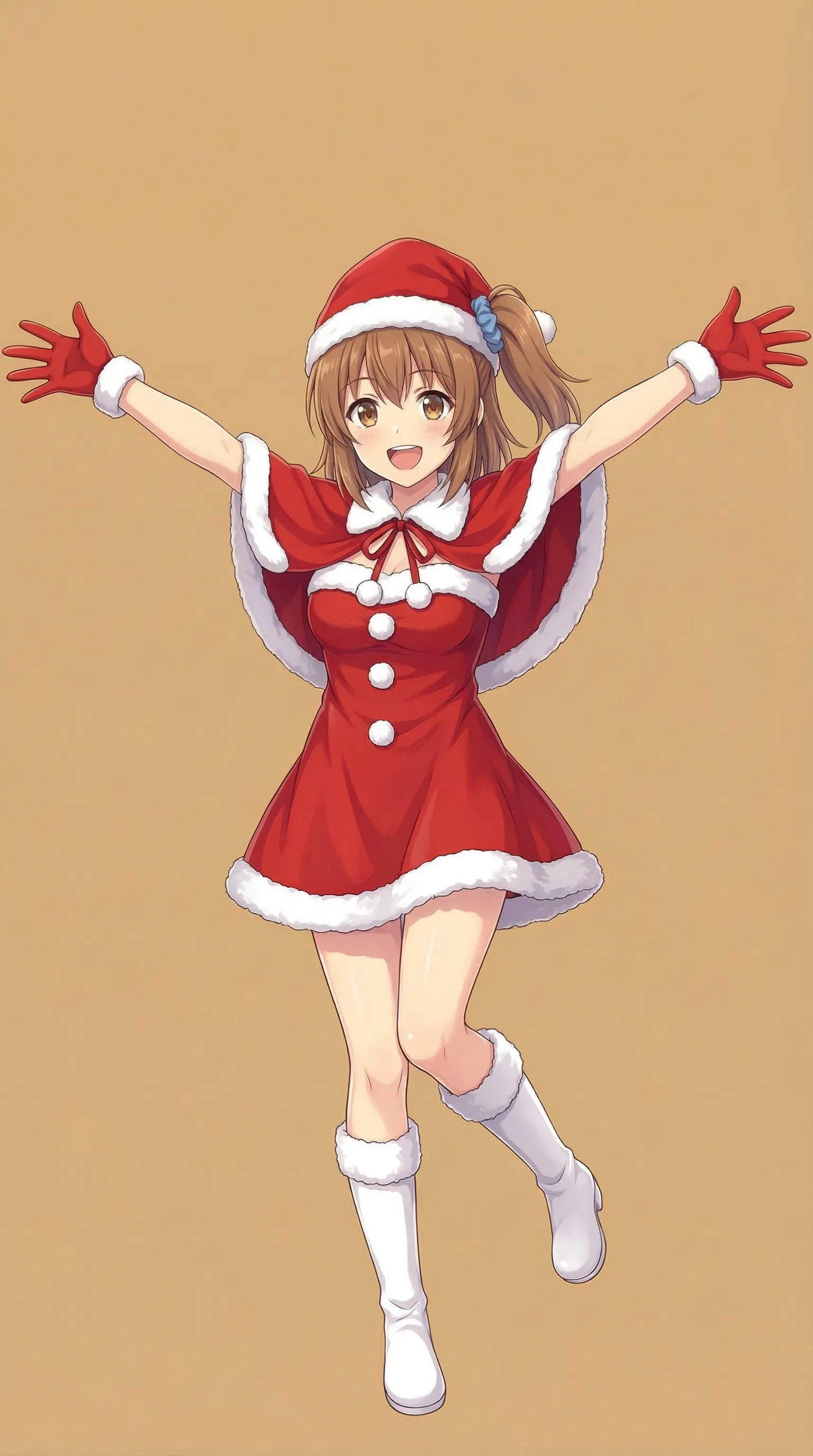
It looks a bit odd, but I decided to call it good enough for now.
Step 2: Remove the Outer Clothes
At this point I thought, “If I keep asking it to take clothes off, will it get mad?” So I started by removing the outer layers first.
Remove the cape and hat and hold them in your hands, with your arms down.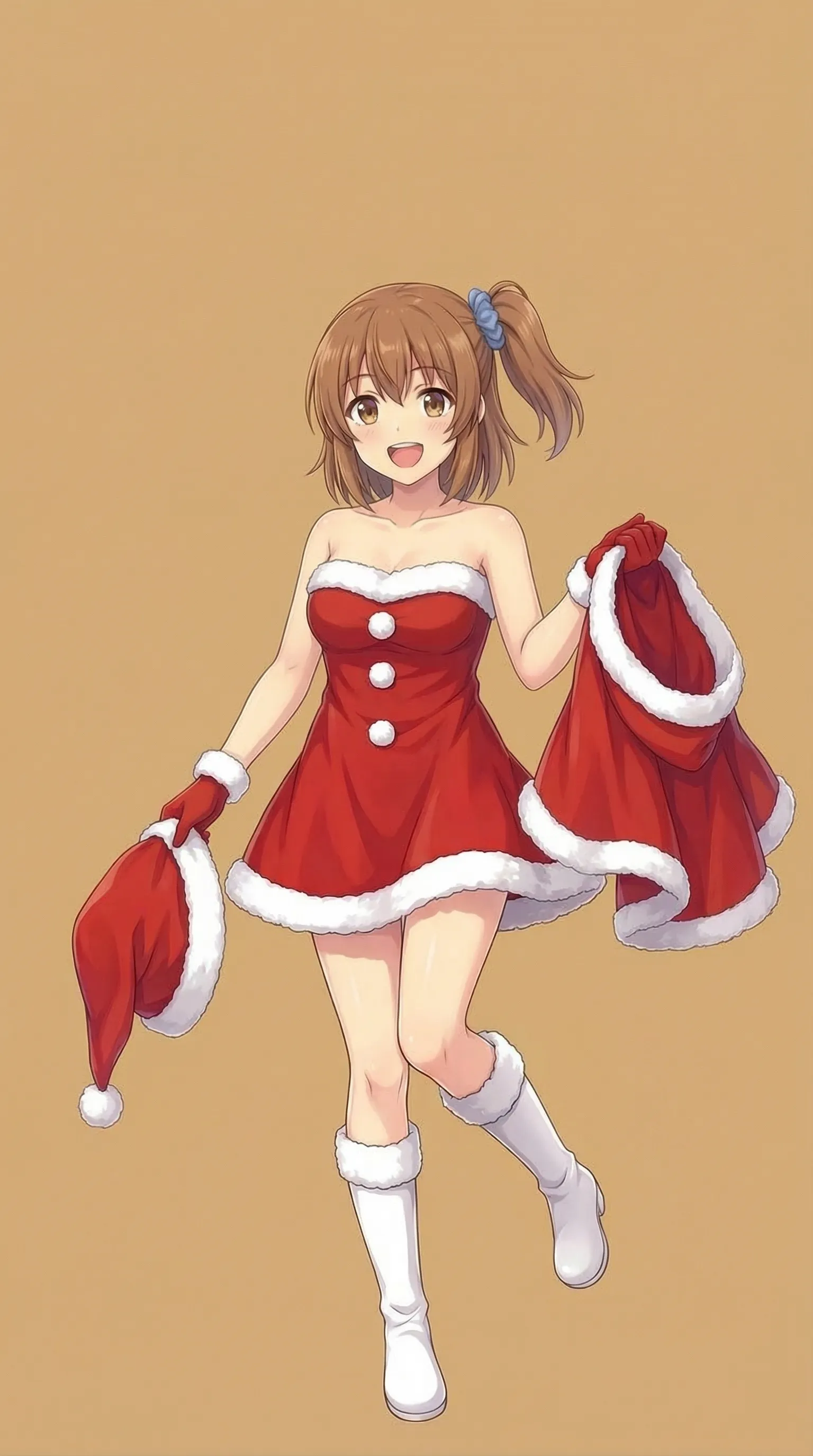
Step 3: Can We Go a Bit Further?
From here, let’s see what happens. Can we push it a little further?
I'm holding both my Santa suit and cape, dropping my hat and shoes to the ground, wearing a strapless bra, because Santa is over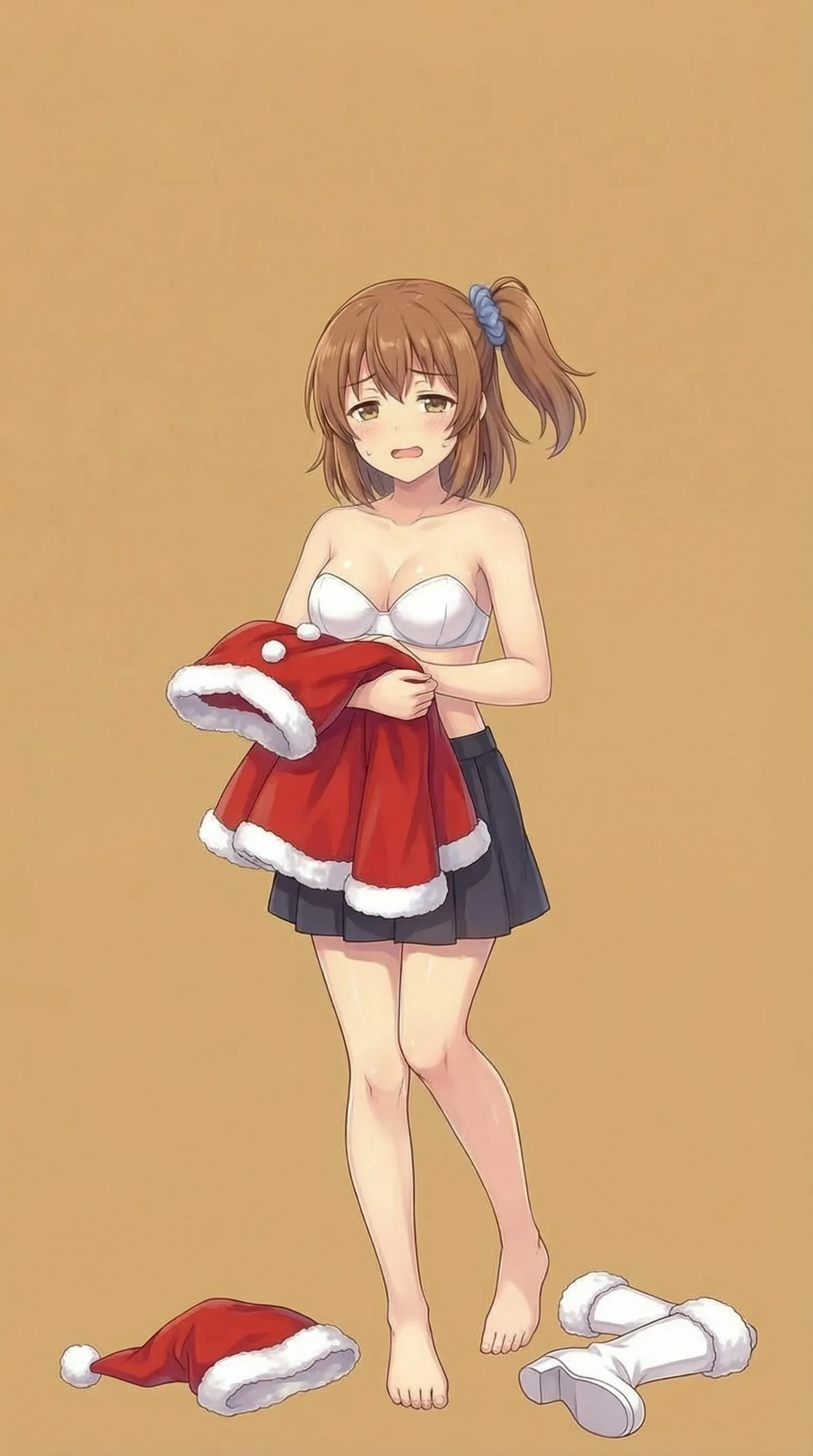
It came out after I gave it the bizarre excuse that Santa was tired.
Step 4: Remove the Skirt Too
The skirt was still in the way. Can I remove that too?
The composition of the picture is as I said, so it's OK,
but I don't think she was wearing a skirt under her Santa outfit, so it's underwear along with the top.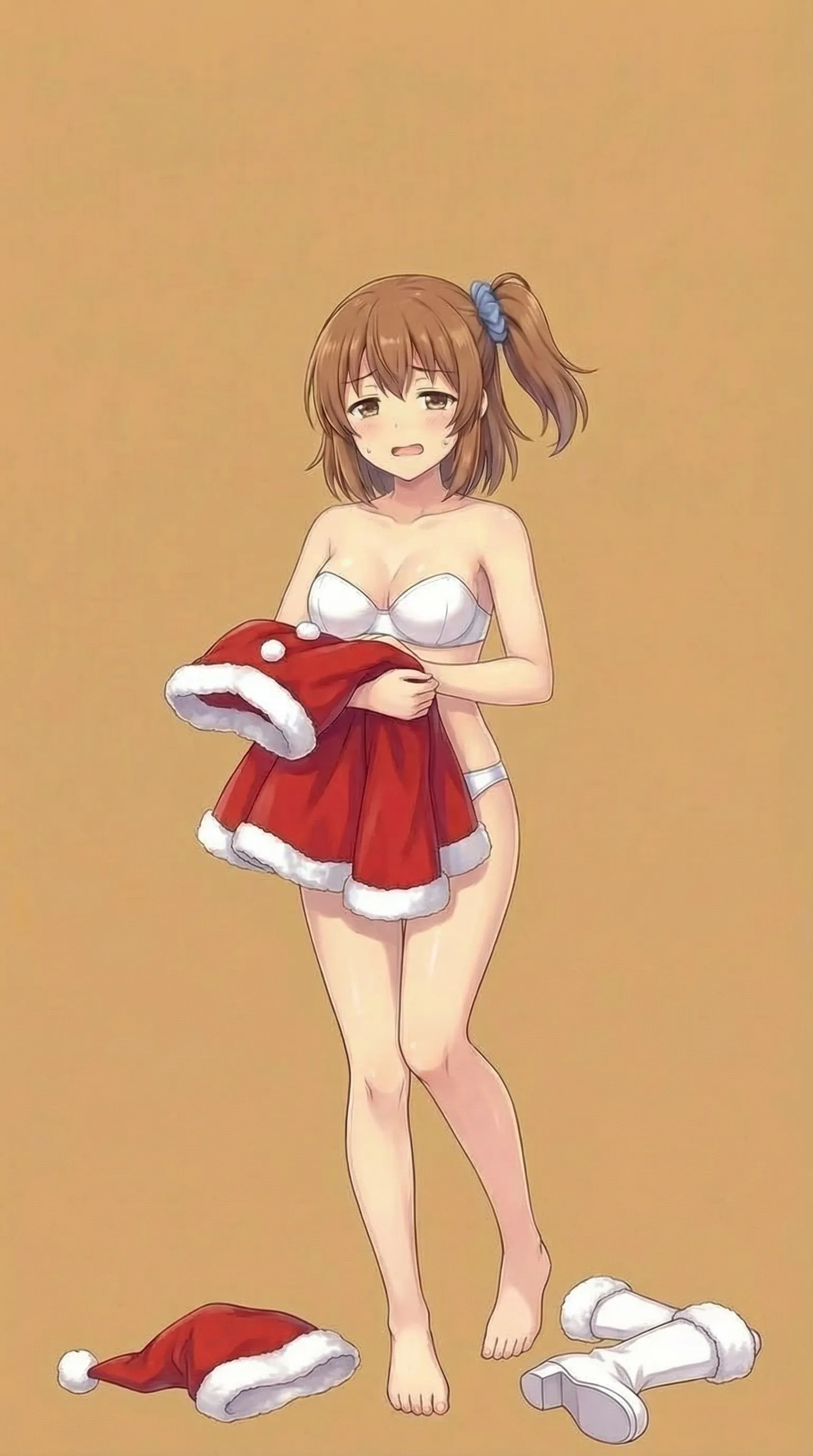
Step 5: Clean Up the Clothes Pile
The scattered clothes were getting in the way, so I wanted to clean them up.
Remove the dialogue and onomatopoeia text
Remove the scattered clothes
Make it a pose with a big stretch
Express a sense of "Ah, it's over"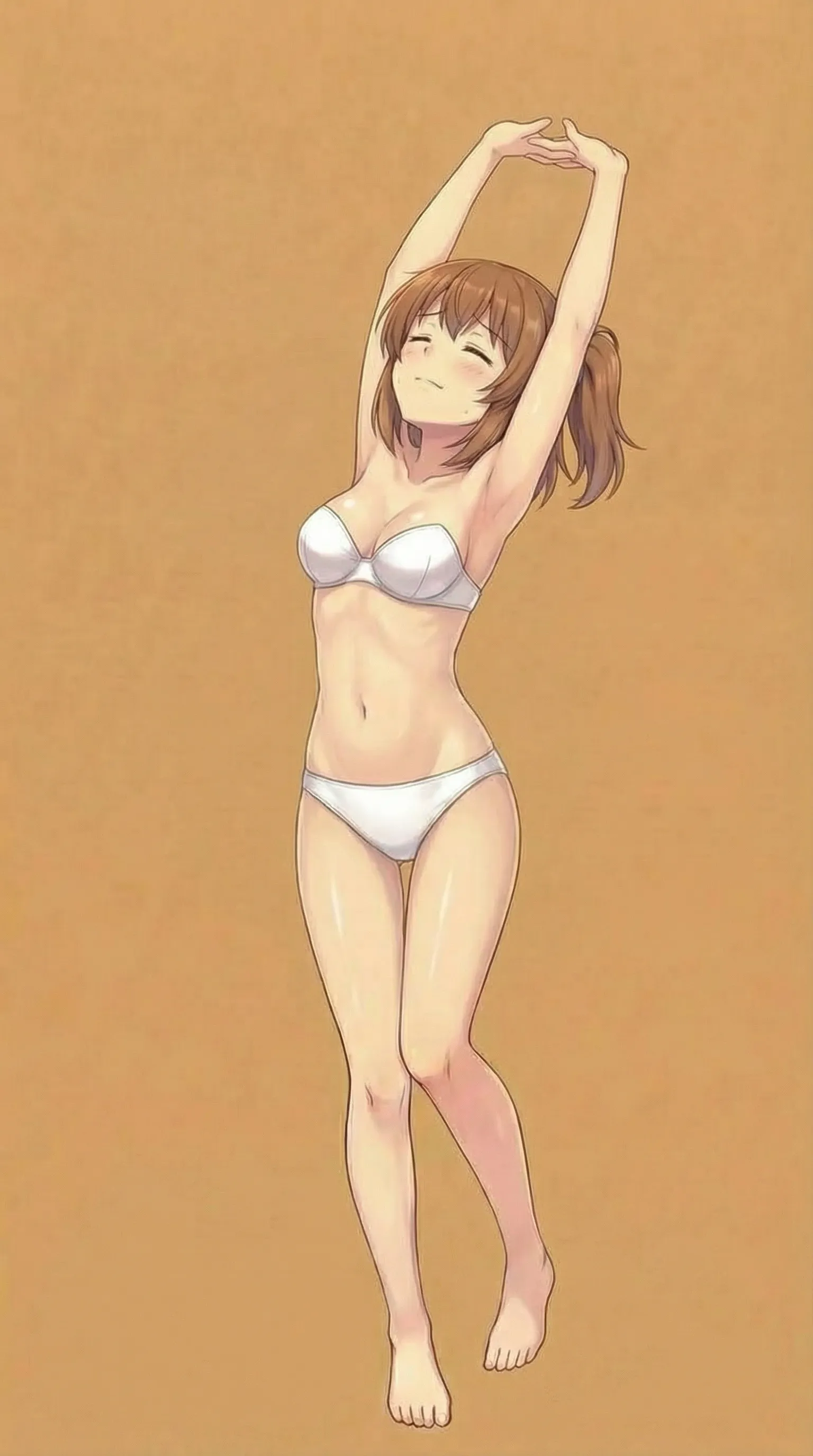
Step 6: Create Four-Angle Body Reference Images
I tried adding the back view as a reference image, but I did not get a result I was satisfied with.
There is no ponytail at the back of the head, but there is a side ponytail on the left side.
See attachment
Next I moved on, generating the front view by attaching the one I had made earlier.
The composition is correct, but the hairstyle is different. Please refer to the attachment and correct it.I created the left and right views in the same way.
I would like the pose to be facing backwards, please refer to the attached image for the back of the head.Frame the photo facing left so that the whole body is included.
For the hairstyle facing left, refer to the attached image.
Fill the background with a single color.
Use only the hairstyle as a reference; do not change the clothes.
Include the entire body in the frame.The right-facing one kept doing a weird pose, so I corrected it.
The hairstyle is not correct, so please check the attached reference image carefully.
Make sure your whole body is in the frame.
Do not change the clothes. Use the reference image only as a reference for the hairstyle.
When I fixed the hairstyle, the whole body no longer fit, so:
Just like this, put your whole body in, right down to your toes.It still was not standing straight, so:
Her hairstyle and facial expression are great, but I'd like her to stand at attention, facing straight to the right. Her body is slightly turned to the side and her legs are bent, so she should stand up straight.Completed Body Reference Images (Four Angles)
Warning: lots of skin-tone content.
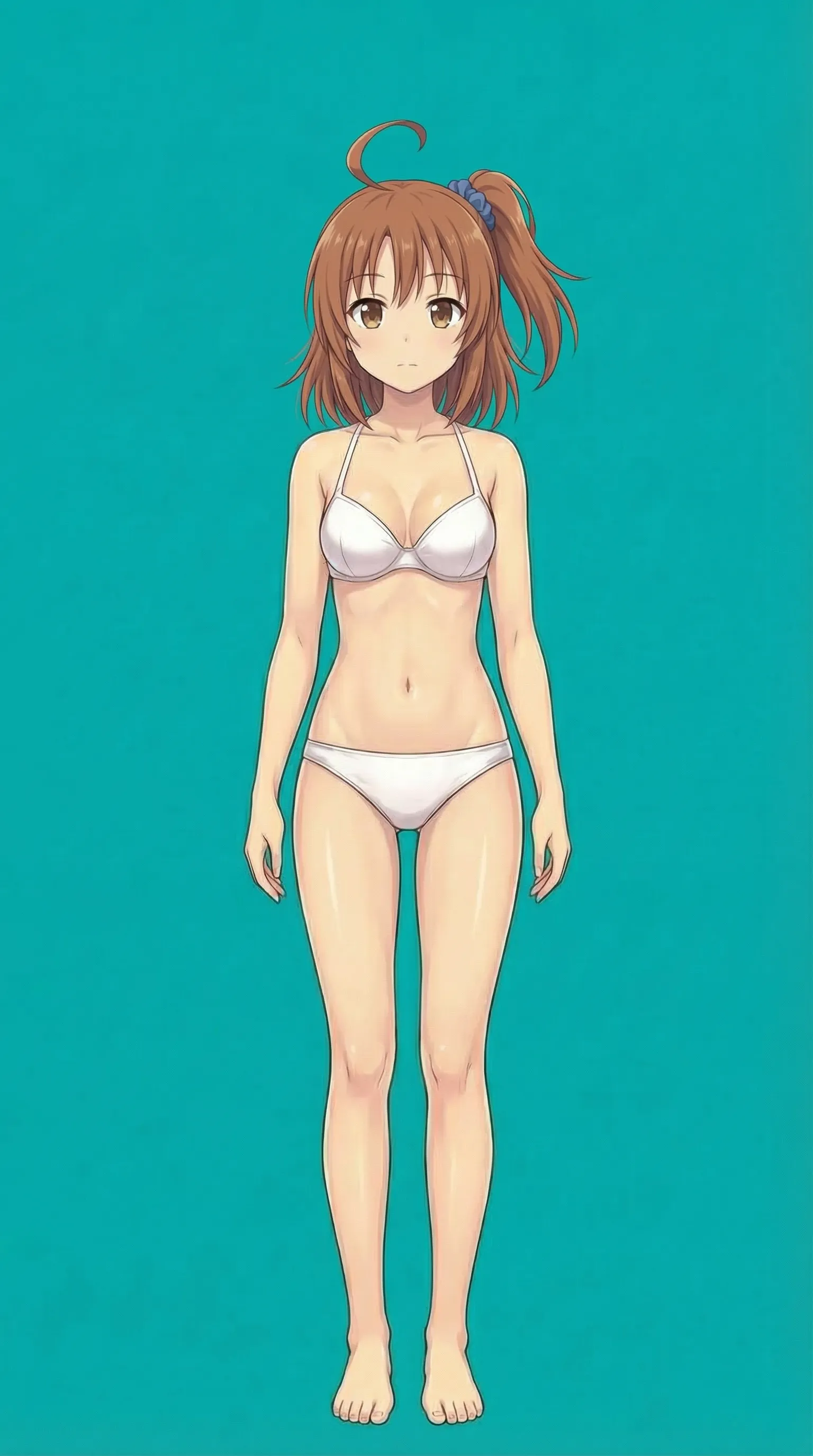
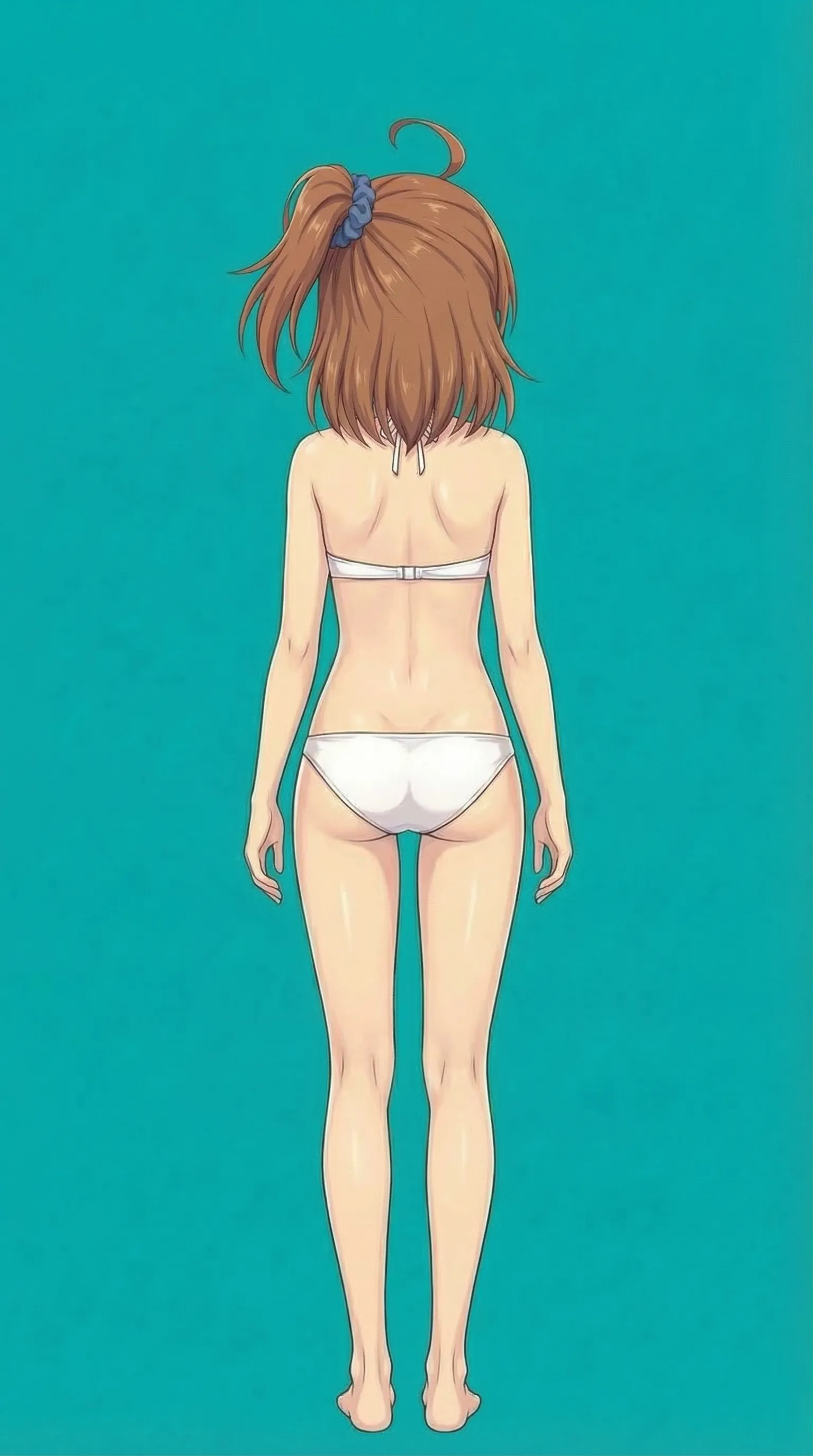
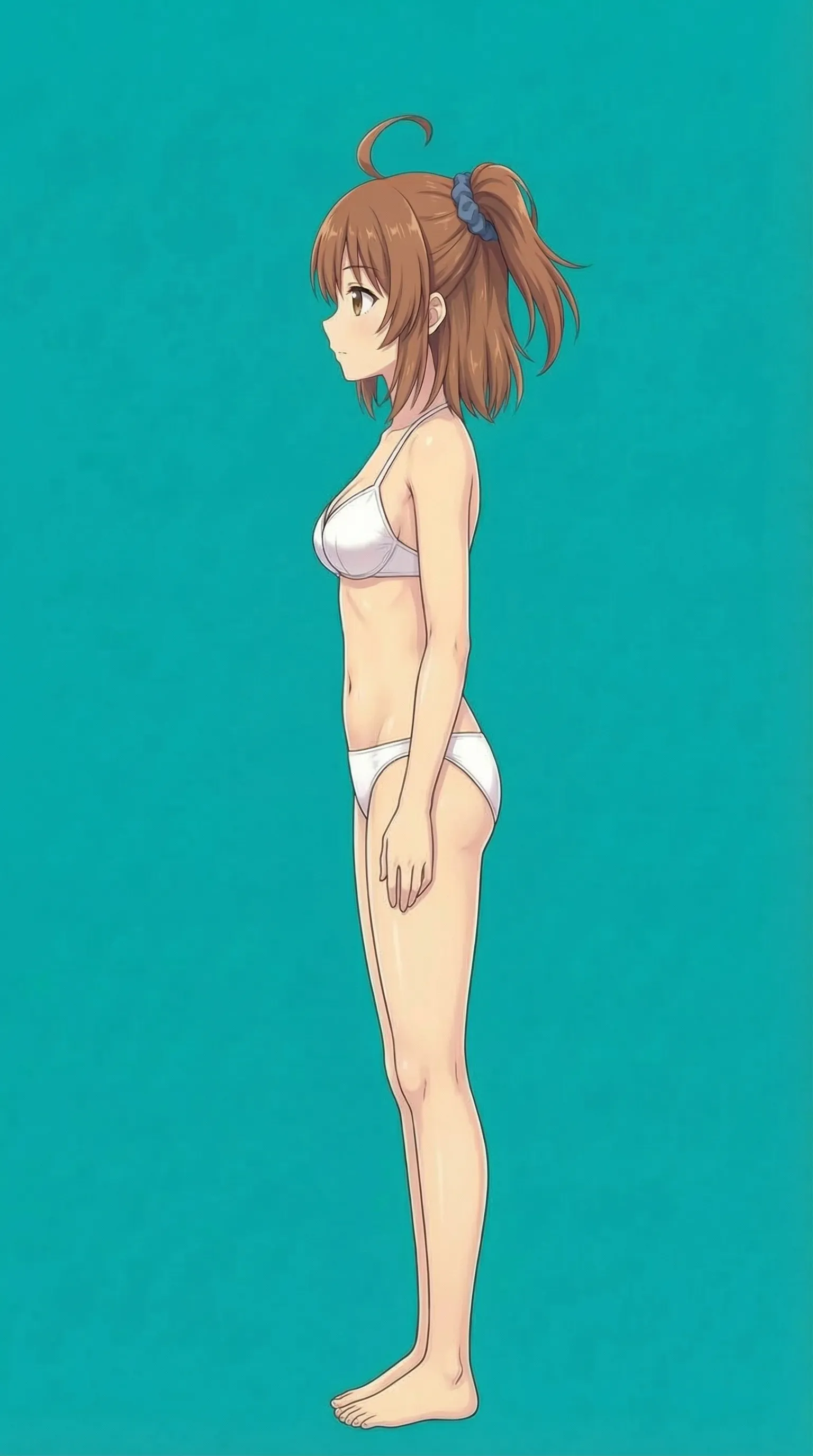
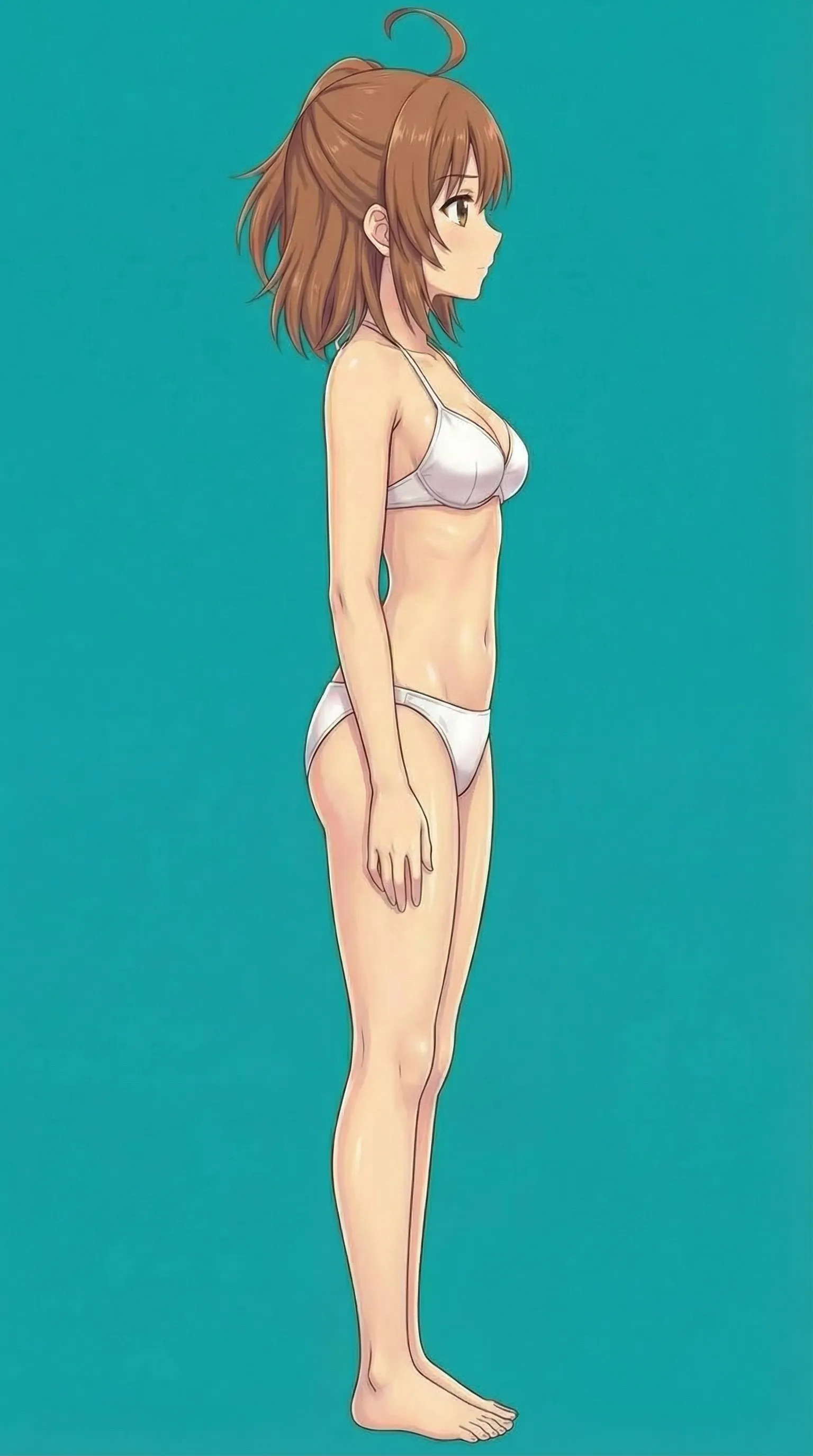
The right-facing one is oversized, but I do not think it causes much trouble.
Load It into Gem and Test
I decided to try it. The prompt is almost the same as in the side-ponytail article. Because using only the head might produce nothing, I included the bust-up four-angle set, the four body reference images I created this time, and a diagonal composition so Gem could recognize the ponytail position.
Since the lower half has no clothes, I added this to the Gem prompt:
## 5. Output
The user specifies the scenario, pose, and outfit.
The character's appearance should always follow the reference images.
If you dress her in a skirt and do not specify a color, use dark navy.
Test 1
A girl striking a smug pose, left hand on her hip, right hand held out in front making a peace sign, legs spread wide
Background filled with a single color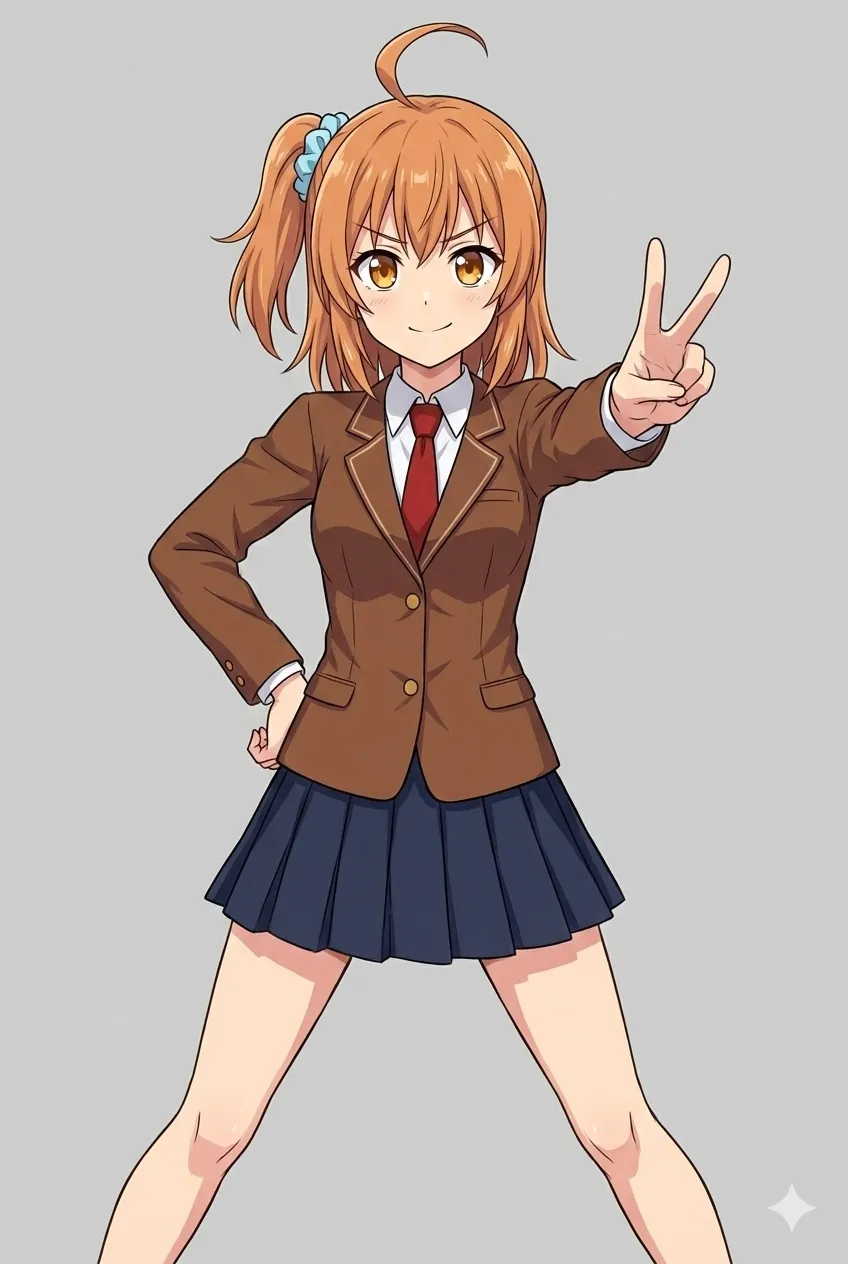
Hmm, the hair color is too bright. And the ponytail position is wrong.
Test 2
A girl striking a smug pose, left hand on her hip, right hand held out in front making a peace sign, legs spread wide
Background filled with a single color
Include the whole body
Pay close attention to the attached reference image in Gem's knowledge so the hair does not become too bright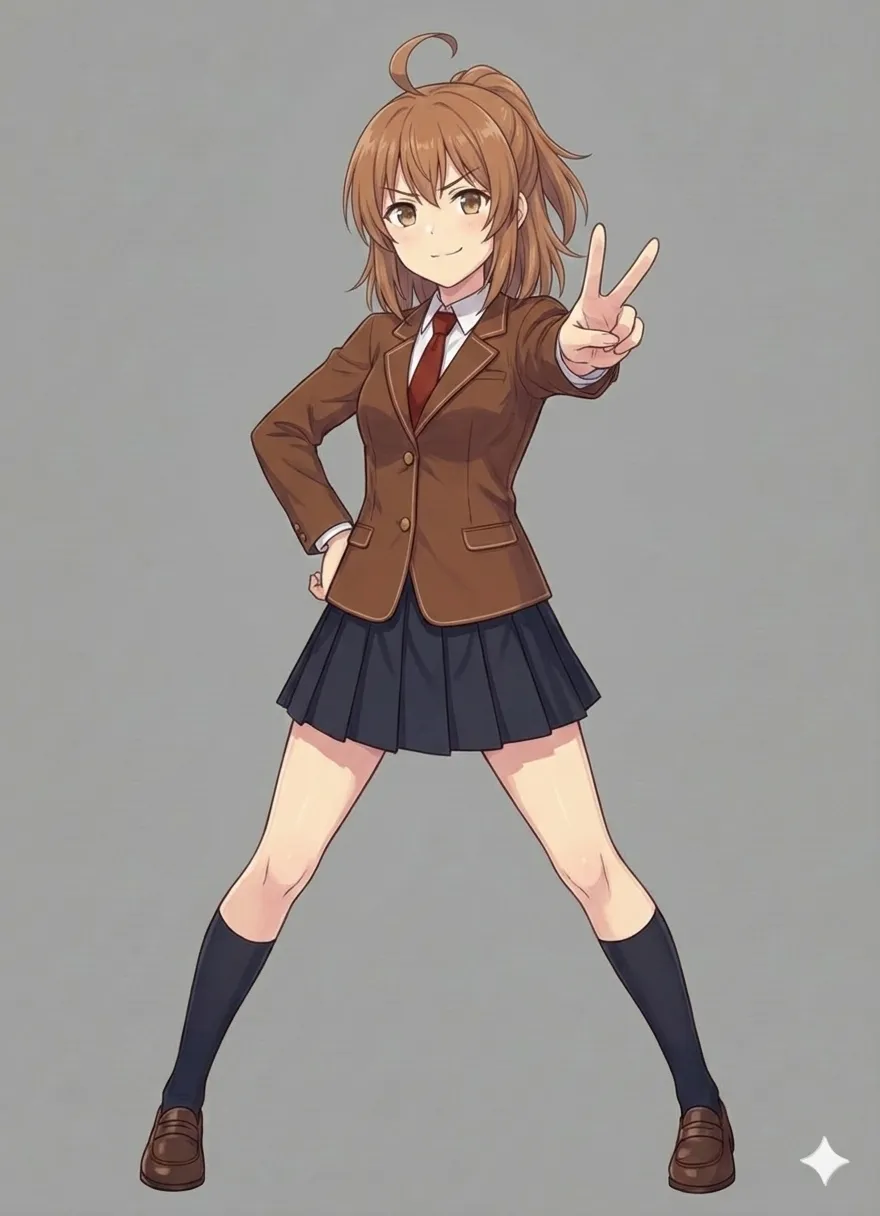
The ponytail position is wrong.
Test 3
A girl striking a smug pose, left hand on her hip, right hand held out in front making a peace sign, legs spread wide
Background filled with a single color
Include the whole body
Pay close attention to the attached reference image in Gem's knowledge so the hair does not become too bright
Also check the side-ponytail position carefully against the reference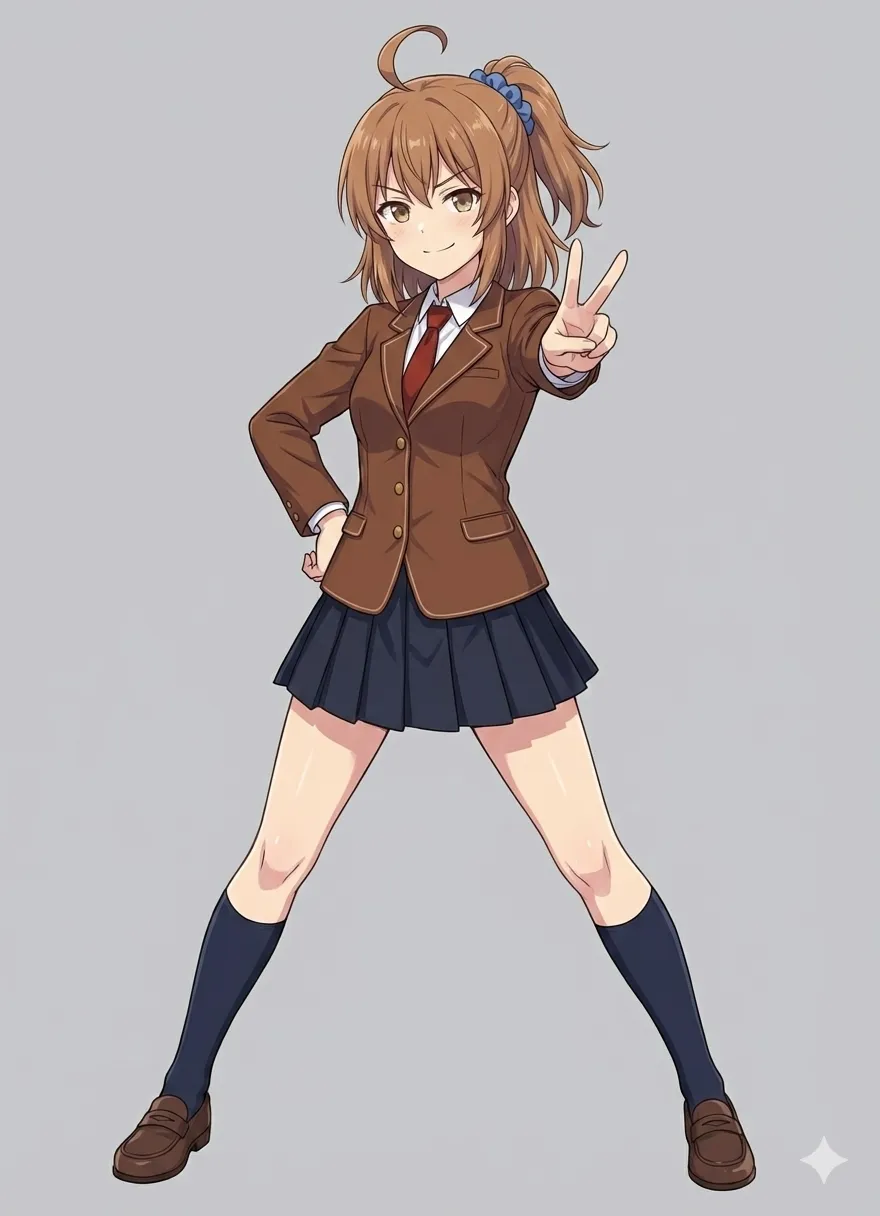
Maybe this is good enough. I saved one version.
Test 4
I generated it again.
A girl striking a smug pose, left hand on her hip, right hand held out in front making a peace sign, legs spread wide
Background filled with a single color
Include the whole body
Pay close attention to the attached reference image in Gem's knowledge so the hair does not become too bright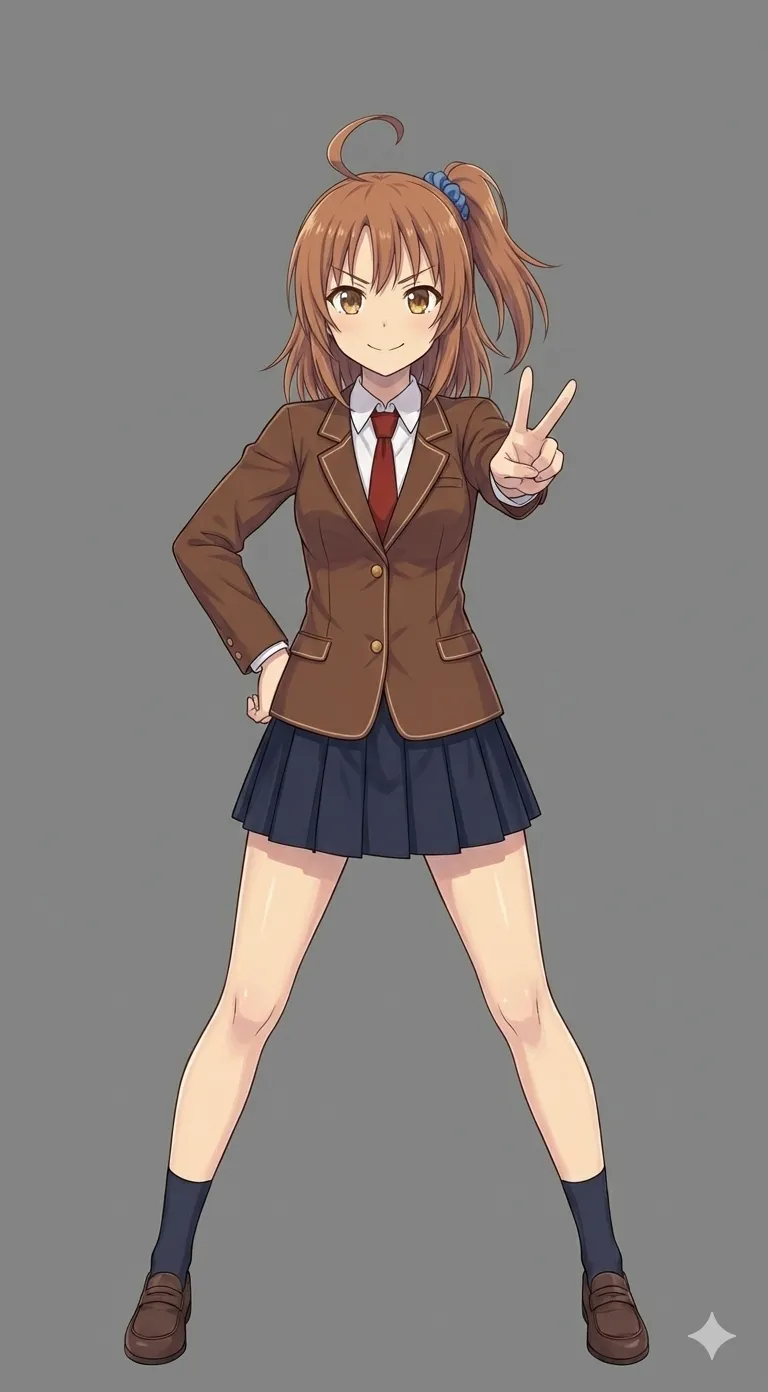
The proportions feel too tall… but since further correction would not produce anything, I stopped here.
Summary
Conclusion: not much changed
Strangely enough, the body reference image itself does not actually look that tall. I have no idea where the proportions in the last test image came from.