Can Anima I2I Reproduce Blender 3D Poses Across Four Models
 Contents
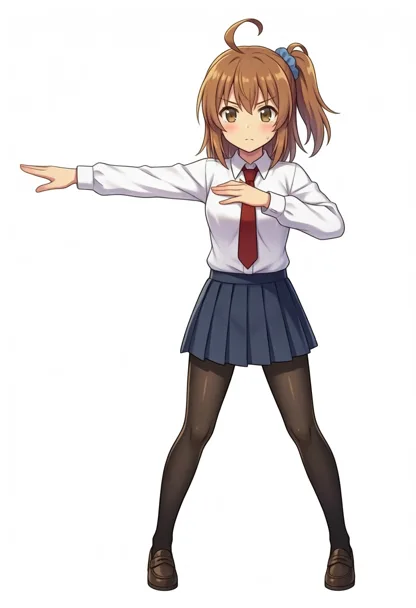
When I generate images of this blog’s character “Kana” using her character LoRA (a lightweight add-on file trained to draw a specific character) on my home image generation server genserver (a custom Web UI running ComfyUI, a local node-based image generation tool, underneath), her side ponytail sometimes breaks down. Eventually I want to generate multiple characters with explicit poses, so first I tested whether posing Kana’s 3D model in Blender, rendering it out, and feeding that render into I2I (image-to-image, where noise is added to an input image before redrawing it) can keep both her hairstyle and pose intact.
The 3D model belongs to the same lineage as the one Codex used as a 3D pose guide in Fixing a 3D Pose Guide Head and Face by Measuring the Official Art. That earlier post passed the 3D render and outfit reference images to Codex CLI’s built-in image generator, which uses a different model. Here I used four local Anima-family anime image models and compared T2I (text-to-image), I2I, and character LoRA on/off while specifying a white shirt and navy pleated skirt.
Test Environment
| Item | Details |
|---|---|
| Machine | MacBook Pro M1 Max 64GB |
| 3D | Blender 5.3.0, EEVEE render engine, orthographic camera (parallel projection without perspective) |
| Generation | ComfyUI via genserver (ANIMA FLAT run directly in ComfyUI) |
| Models | Anima-Base v1.0 + Turbo LoRA v0.1 (a LoRA for fast low-step generation), Anima Turbo v1.1, Anima Aesthetic v1.1, ANIMA FLAT v1.0 |
| Character LoRA | kanachan-animabase-v2_epoch150 (strength 1.0) |
| Resolution | 832x1216 |
| Seeds (random initial values) | 424246, 424247, 424248 (three patterns to check variation from randomness) |
Anima models combine a text encoder (Qwen) that processes prompts, a DiT (Diffusion Transformer) backbone that generates the image, and a VAE that decodes latent data back into pixels. Only the DiT differs across these four models—two fast 8-step variants (Anima-Base + Turbo LoRA and Anima Turbo v1.1) and two standard 30-step checkpoints (Anima Aesthetic v1.1 and ANIMA FLAT v1.0)—while the text encoder and VAE are identical. The character LoRA was trained on Anima-Base, and I applied the same file to all four models.
Step count (number of denoising steps) and CFG (how strongly the prompt is enforced) were left at each mode’s genserver defaults. Because genserver has no preset mode for ANIMA FLAT, I sent the same ComfyUI node graph (workflow of processing blocks) directly to ComfyUI and matched the model card’s recommended settings. Those recommended settings are detailed in Does ANIMA FLAT Produce Flat Shading Compared to Anima-Base.
All four models used the same sampler (denoising algorithm) and scheduler (step schedule): er_sde / simple.
| Model | Steps | CFG |
|---|---|---|
| Anima-Base + Turbo LoRA | 8 | 1 |
| Anima Turbo v1.1 | 8 | 1 |
| Anima Aesthetic v1.1 | 30 | 4.5 |
| ANIMA FLAT v1.0 | 30 | 5 |
3D Model and Input Renders
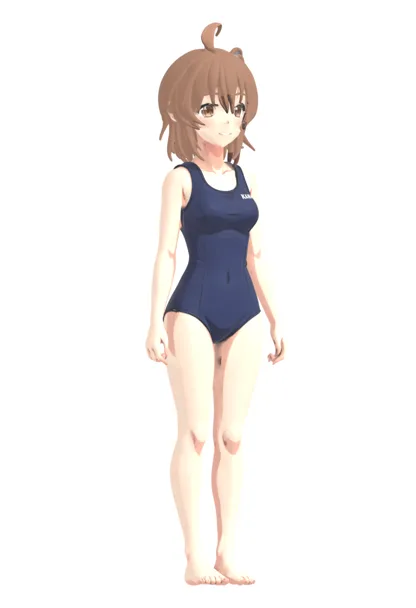
The 3D model file (kana.blend) contained one mesh (3D geometry) with roughly 1.04 million vertices and a rig (skeleton) with 22 bones (joints). The hair has no bones, so the side ponytail moves rigidly with the head. The model wears a school swimsuit and is barefoot. Since the file had no camera, I added an orthographic camera and one sun light before rendering.
Kana ties her hair on the left side of her head, so when she turns to a right-facing three-quarter angle (3/4 view), her side ponytail naturally hides behind her head. I prepared two poses.
| Pose | Setup | Side ponytail visibility |
|---|---|---|
| Pose 1: Right-facing 3/4 standing | Reset all bones to a straight standing pose with arms down, and rotated the camera 30 degrees from the front (nose pointing right) | Rotated behind the head and mostly hidden, with only the ahoge (the small stray hair sticking up on top of her head) visible |
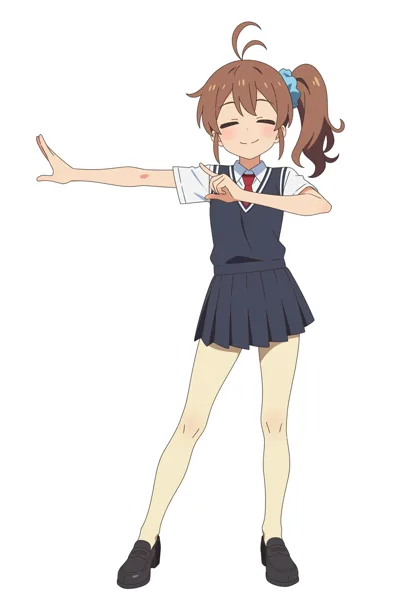
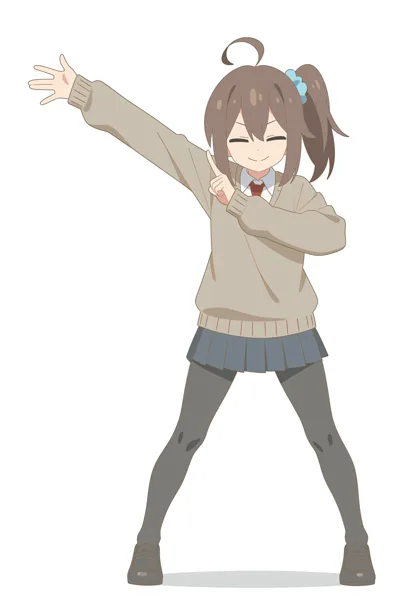
| Pose 2: One arm raised | Kept the pose saved in kana.blend, viewed from the front: right arm stretched diagonally up and out (extending toward the left side of the frame since she faces the camera), left hand in front of the chest | Fully visible on the right side of the image |
For each pose, I created two I2I input renders: a textured version (with surface colors and patterns) and a flat gray version. Because textured inputs might pull the output toward the swimsuit’s color and pattern, I also made a flat gray version by overriding all materials (surface color and shading settings) with a single gray color so only the body silhouette would guide generation. A light gray blended into the white background and made the outline faint, so I darkened the gray.
Textured
Flat Gray
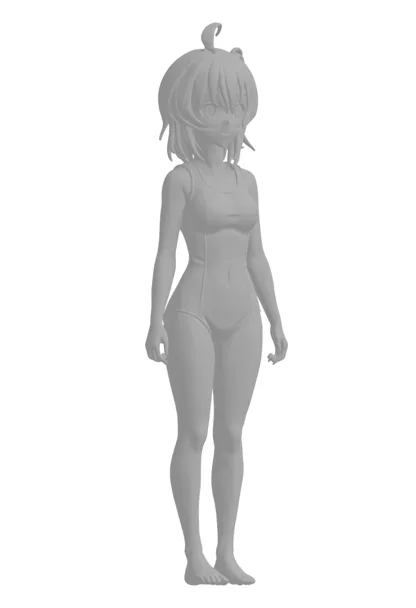
Textured
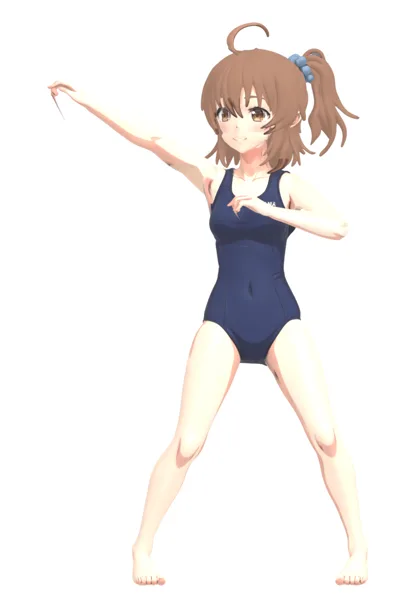
Flat Gray
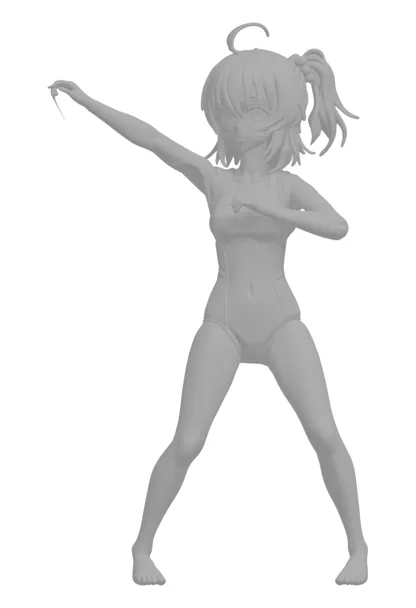
T2I and I2I Comparison Conditions
I compared five conditions in total: one T2I condition plus four I2I conditions crossing the two input render types with character LoRA on/off.
| Condition | Input image | Character LoRA |
|---|---|---|
| T2I + LoRA | None | On |
| Textured I2I | Textured | Off |
| Textured I2I + LoRA | Textured | On |
| Flat Gray I2I | Flat gray | Off |
| Flat Gray I2I + LoRA | Flat gray | On |
In the prompt, I specified a white collared shirt, red necktie, navy blue pleated skirt, black pantyhose, and black loafers to test whether the models could change her outfit without being pulled toward the 3D model’s swimsuit.
When using a character LoRA, genserver automatically prepends the trigger word kanachan (the keyword that activates the LoRA) and a hairstyle description to the prompt. For I2I without the LoRA, I removed only the trigger word and manually prepended the exact same hairstyle description so everything except the LoRA matched.
That automatic description states “her side ponytail with a blue scrunchie is visible on the right side of the image,” which matches Pose 2, but conflicts with Pose 1 where her side ponytail should stay hidden behind her head.
Prompts
T2I + LoRA and I2I + LoRA (the leading description is auto-prepended by genserver)
kanachan, side ponytail, ahoge, double parted bangs, medium hair, blue scrunchie, her side ponytail with a blue scrunchie is visible on the right side of the image, and a small antenna of hair rises from the top of her head, masterpiece, best quality, safe, 1girl, solo, white collared shirt, red necktie, navy blue pleated skirt, black pantyhose, black loafers, <pose prompt>, white background, simple backgroundI2I without LoRA uses the same prompt minus the leading kanachan, .
Pose 1 prompt
standing, arms at sides, full body, a three-quarter view of her with her head and body turned to face the viewer's rightPose 2 prompt
standing with her legs apart, she stretches her right arm diagonally up and out to the side, her left hand is held in front of her chest, full body, facing viewerNegative prompt (exclusion prompt; genserver default for Anima models)
worst quality, low quality, lowres, blurry, jpeg artifacts, dull colors, multiple views, split view, split screen, comic panels, manga panels, diptych, triptych, collage, contact sheet, inset image, picture-in-picture, repeated scene, same character repeated, frame border, panel border, text, letters, words, captions, subtitles, speech bubble, dialogue, sound effects, logo, watermark, signature, username, artist name, camera overlay, recording indicator, UI, bad anatomy, bad hands, fused fingers, fused limbs, extra fingers, extra arms, extra hands, mutated hands, fewer digits, missing fingersOnly ANIMA FLAT replaced the quality tags with its recommended masterpiece, best quality, amazing quality, very awa, absurdres, newest, very aesthetic, depth of field, highres (without safe) and used its recommended negative prompt.
Pre-Test to Pick Denoise
In I2I, denoise controls how much noise is added to the input image before redrawing it. At 1.0 the input is completely replaced by noise (equivalent to T2I), while lower values preserve more of the original image. Before the main run, I ran 24 test images on Anima-Base + Turbo LoRA with seed 424246 across three denoise levels (0.5, 0.65, 0.8), both poses, both input types, and LoRA on/off. Generation took about 45 seconds per image, almost identical to T2I.
With the textured Pose 1 input (LoRA off), denoise 0.5 kept the swimsuit intact and only added a necktie, while 0.65 turned it into a jumper-skirt-like outfit with beige tights. The white shirt and skirt only appeared at 0.8.
Textured
denoise 0.5
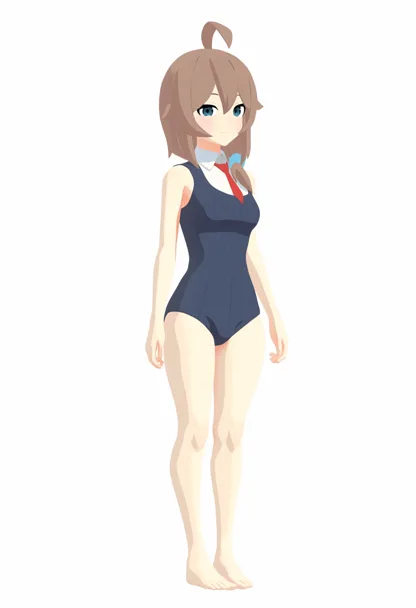
denoise 0.65
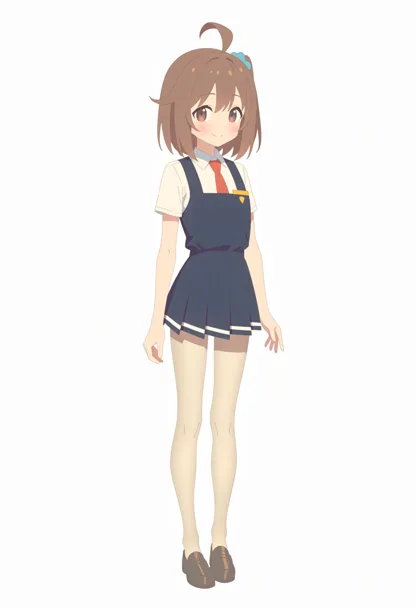
denoise 0.8
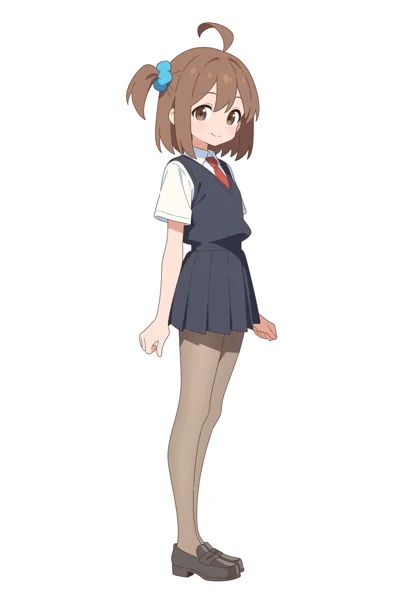
denoise 0.5
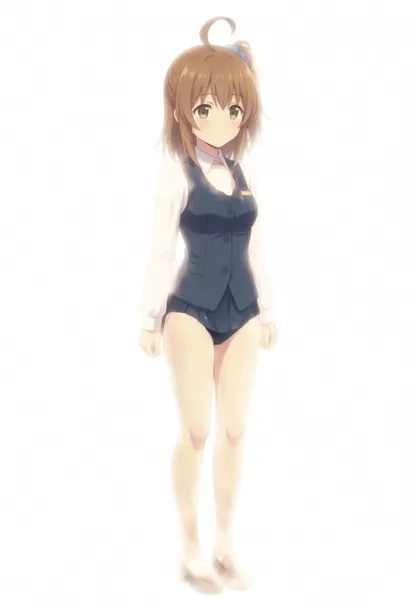
denoise 0.65
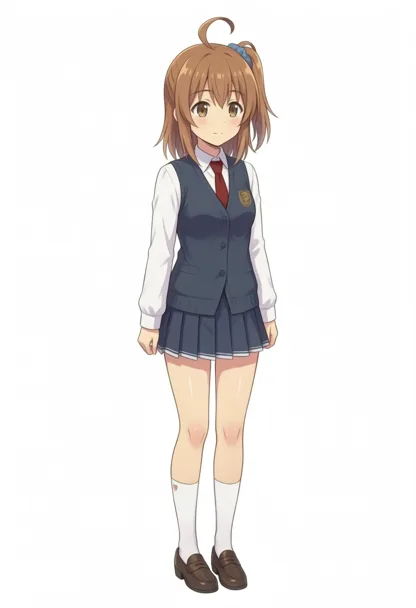
With LoRA enabled at 0.5, both textured and flat gray inputs produced faded, semi-transparent figures. Because denoise 0.5 runs only the second half of an 8-step Turbo schedule (about 4 actual denoising steps), it is probably not enough steps to finish drawing the image. With the flat gray input, the figure stayed gray up through 0.65.
Flat Gray
denoise 0.5
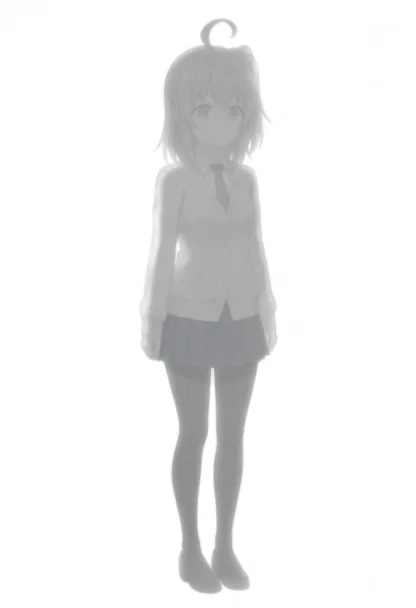
denoise 0.65
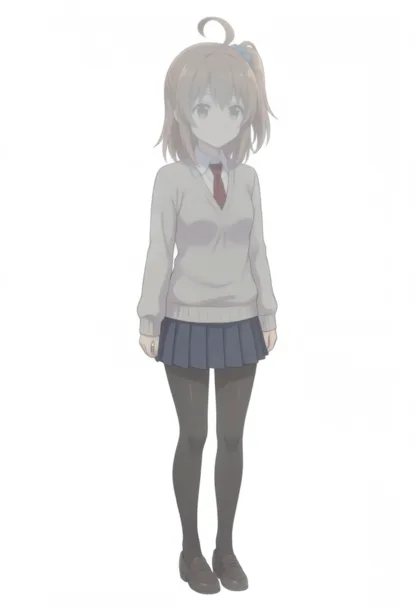
denoise 0.8
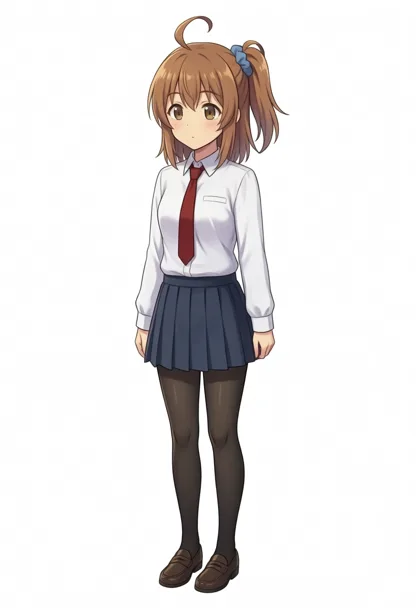
Based on this, I fixed the main run at denoise 0.8 (a strong setting that overwrites roughly 80% of the input with noise before redrawing). The main run generated 120 images across 4 models, 2 poses, 5 conditions, and 3 seeds. Average generation time per image was 43.2s for Anima-Base + Turbo LoRA, 43.1s for Anima Turbo v1.1, 271.5s for Anima Aesthetic v1.1, and about 262s for ANIMA FLAT v1.0. At denoise 0.8, the swimsuit never survived in any model or condition.
Pose 1: Right-Facing 3/4 Standing
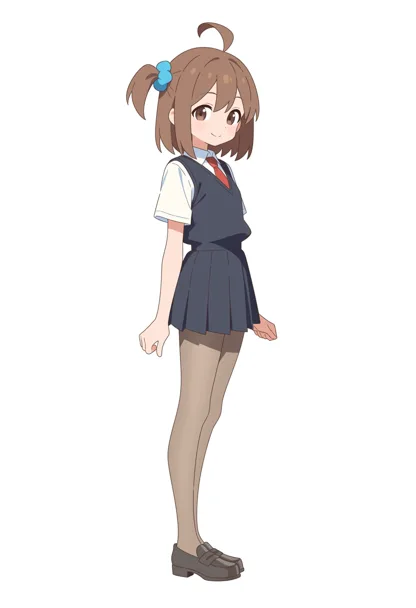
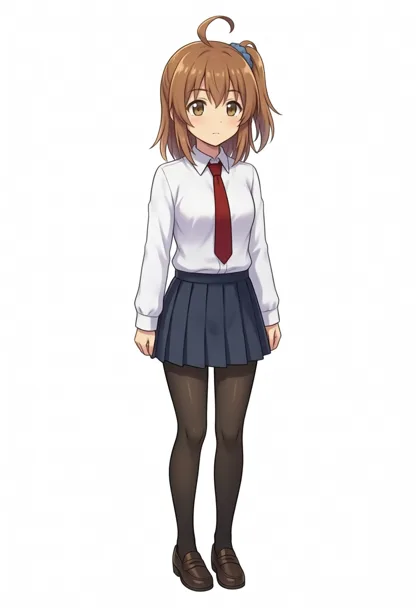
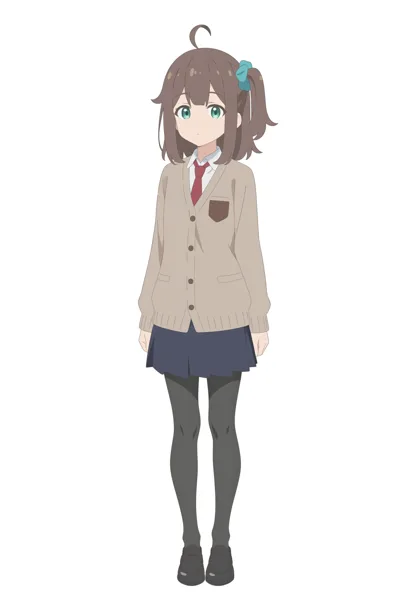
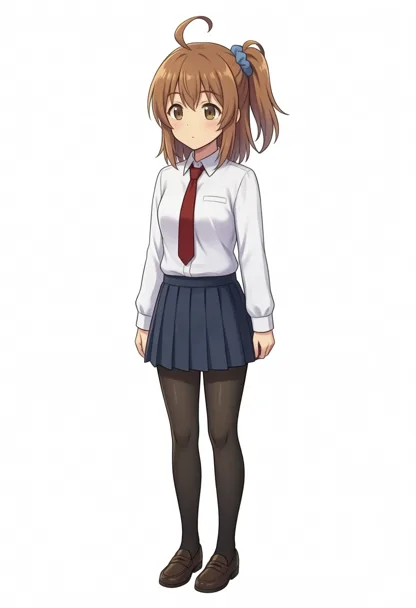
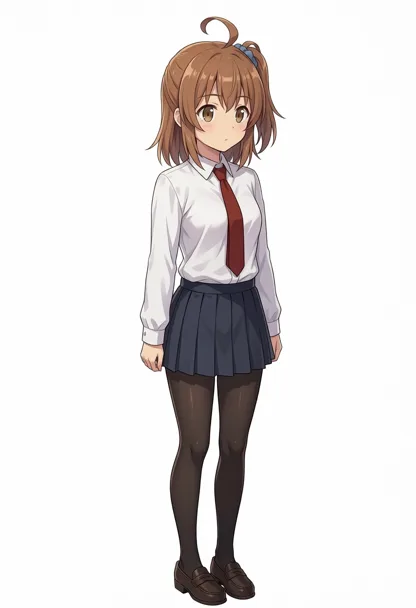
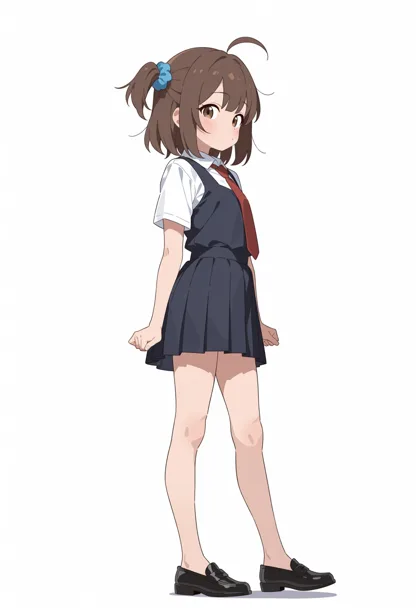
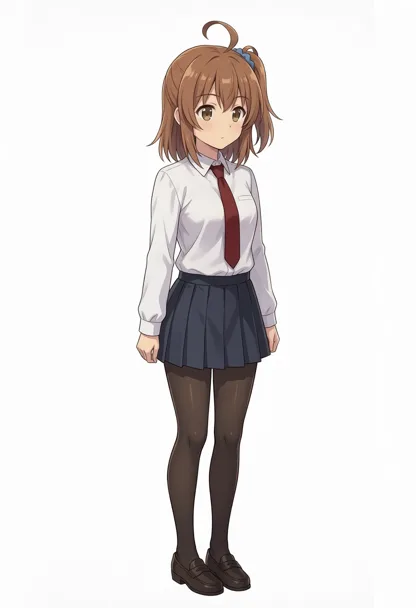
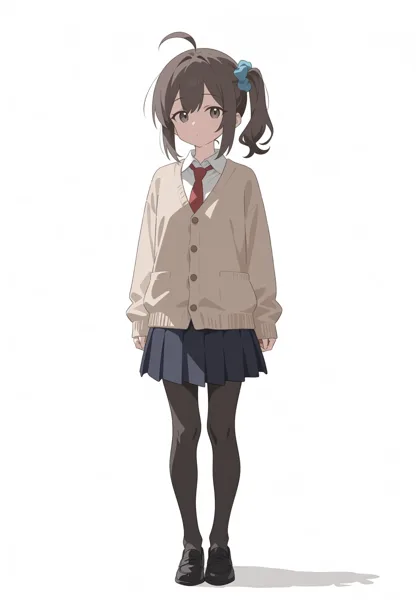
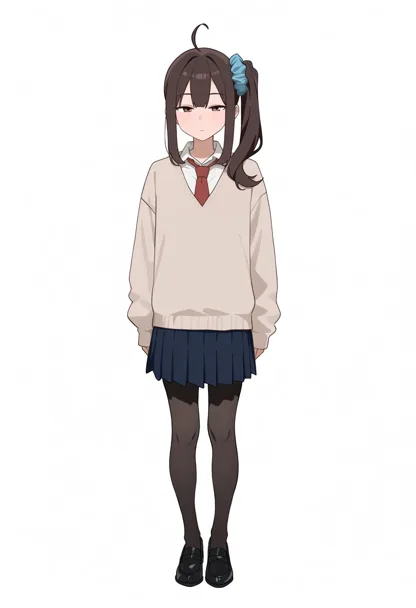
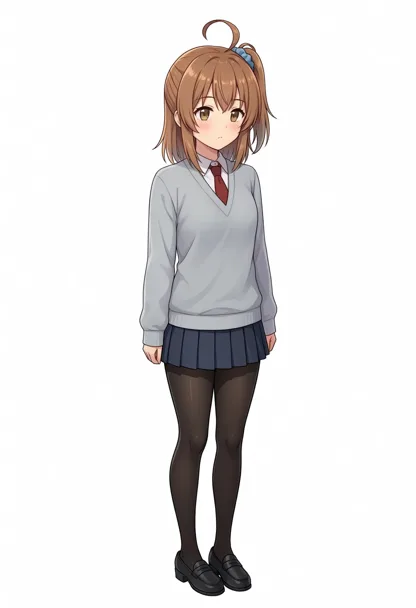
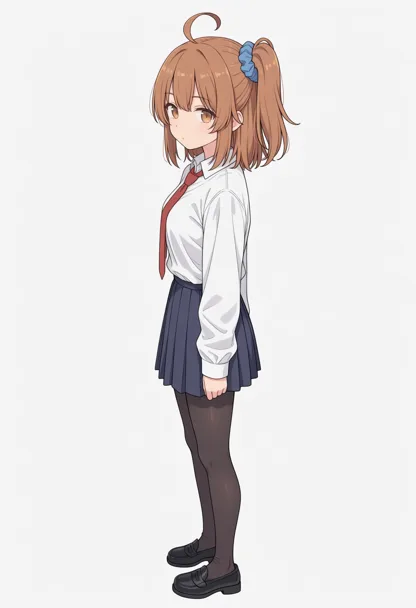
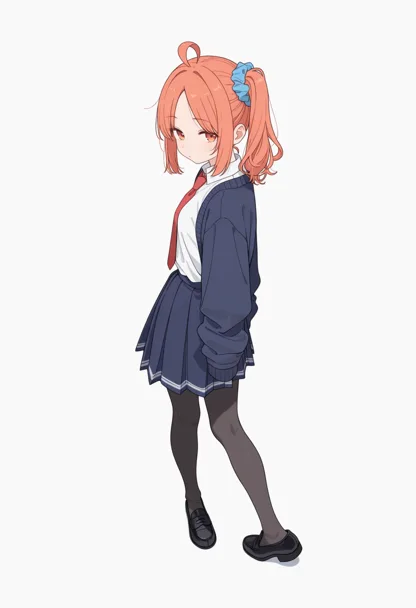
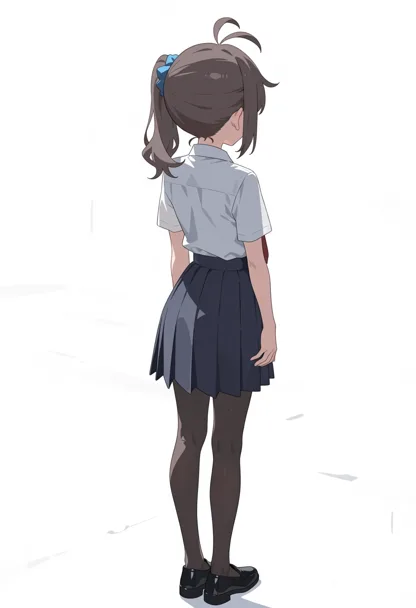
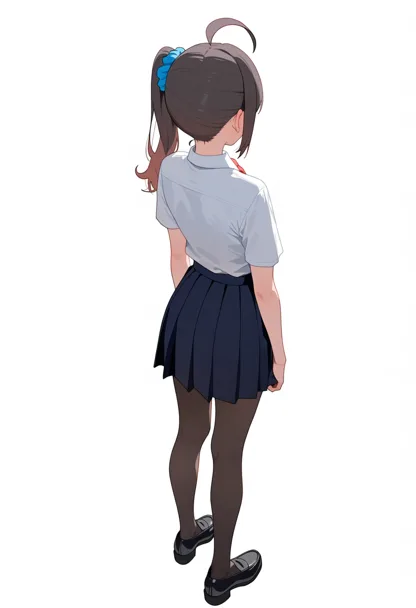
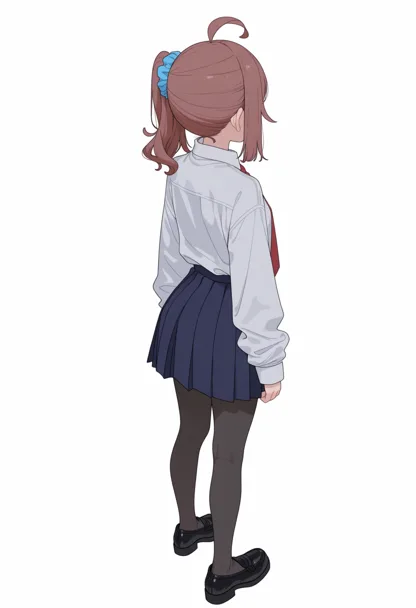
The key things to check here are body orientation and side ponytail visibility. Below are all 20 outputs for seed 424246, with models as rows and conditions as columns.
T2I + LoRA
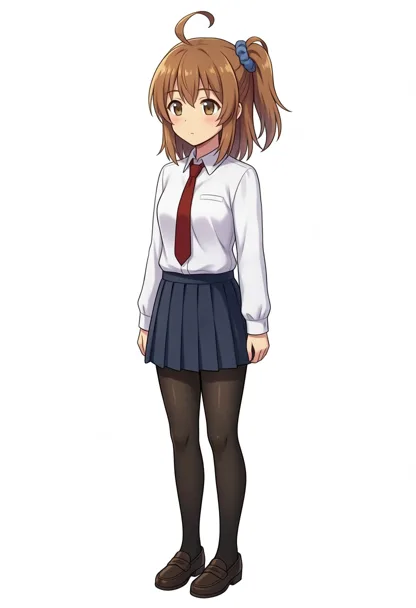
Textured
I2I
Textured
I2I + LoRA
Flat Gray
I2I
Flat Gray
I2I + LoRA
T2I + LoRA
Textured
I2I
Textured
I2I + LoRA
Flat Gray
I2I
Flat Gray
I2I + LoRA
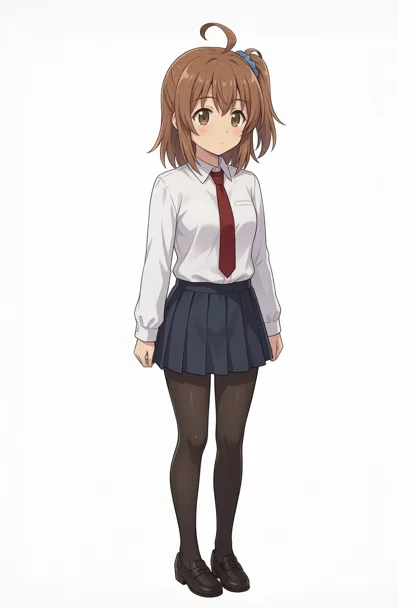
T2I + LoRA
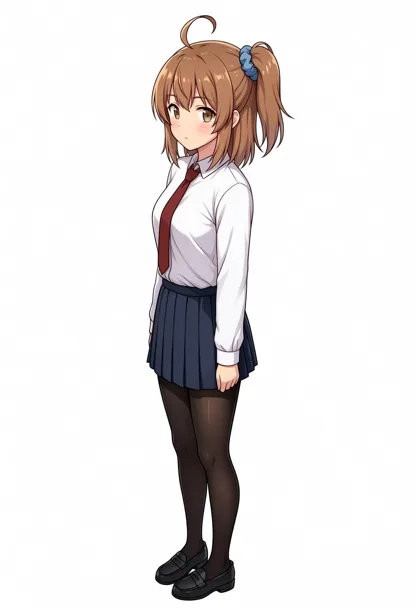
Textured
I2I
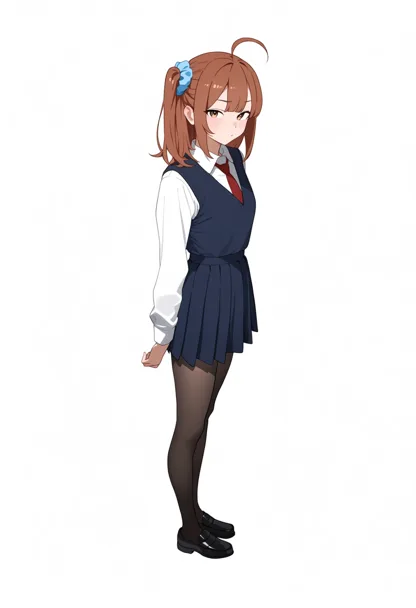
Textured
I2I + LoRA
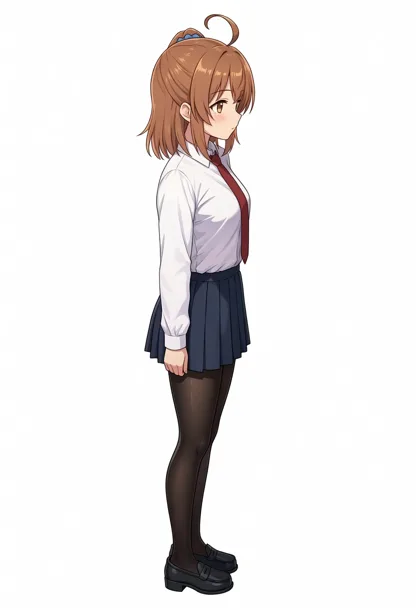
Flat Gray
I2I
Flat Gray
I2I + LoRA
T2I + LoRA
Textured
I2I
Textured
I2I + LoRA
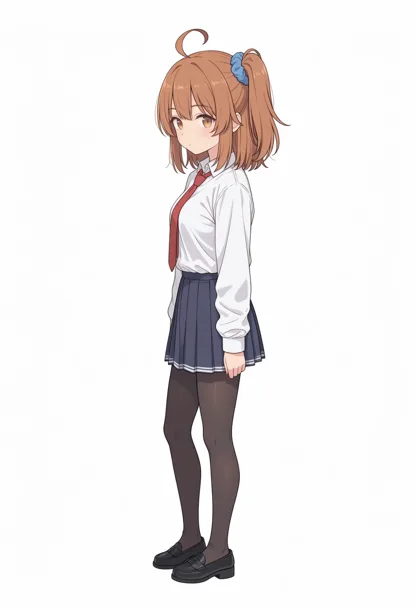
Flat Gray
I2I
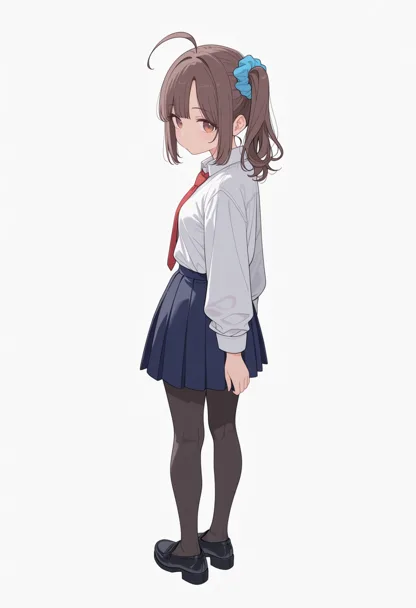
Flat Gray
I2I + LoRA
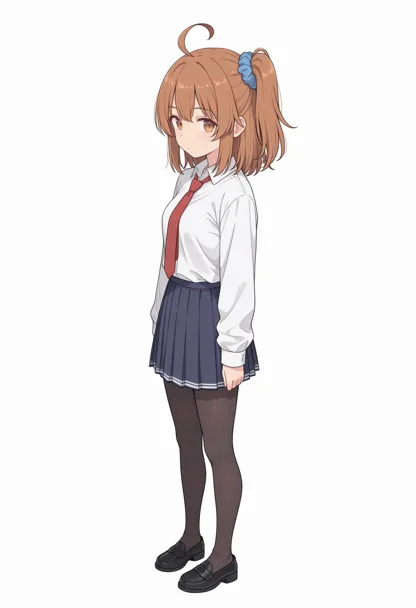
Here is the trend across all three seeds.
| Condition | Body orientation | Character and outfit |
|---|---|---|
| T2I + LoRA | Anima-Base + Turbo LoRA, Turbo v1.1, and Aesthetic faced almost straight forward or slightly left, showing the full side ponytail on the right. Only ANIMA FLAT faced right (near profile) in all 3 seeds, with the side ponytail tucked behind the head | Kana’s face, side ponytail, and blue scrunchie appeared in all outputs. Loafers were dark brown in the two Turbo models and black in Aesthetic and ANIMA FLAT |
| Textured I2I | All 4 models faced right as in the input | Did not look like Kana. Hair color varied across brown, black, blonde, and orange, with blue or green eyes. Outfits mixed in vests, blazers, and short sleeves, with beige tights or bare legs |
| Textured I2I + LoRA | Both Turbo models turned front-facing in all 6 images. Aesthetic and ANIMA FLAT stayed right-facing in all 3 seeds each | Looked like Kana. 10 of 12 images matched the outfit; exceptions were 1 bare-legged Aesthetic output and 1 navy blazer on ANIMA FLAT |
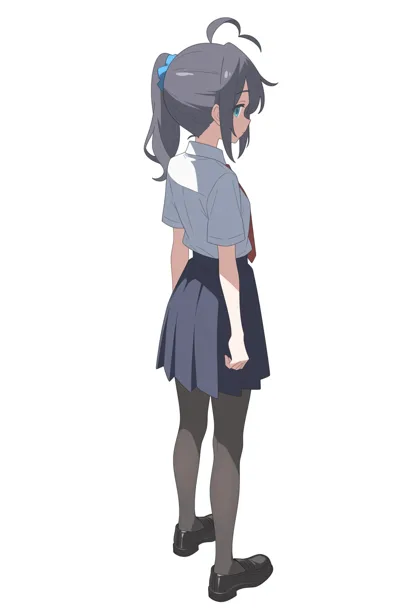
| Flat Gray I2I | Many outputs turned toward the front, while ANIMA FLAT stayed right-facing. Seed 424248 turned backward in all 4 models | Did not look like Kana. Beige cardigans and gray vests appeared frequently |
| Flat Gray I2I + LoRA | Anima-Base + Turbo LoRA, Turbo v1.1, and Aesthetic turned front-facing. Only ANIMA FLAT faced right in all 3 seeds | Looked like Kana. 2 of 12 images layered a gray vest or sweater on top |
In Pose 1, what missed the input was body orientation rather than the side ponytail itself. Whenever the figure turned front-facing, the side ponytail appeared fully on the right side just as the automatic prompt description asked. Under I2I + LoRA, only Aesthetic (textured input only) and ANIMA FLAT kept the right-facing 3/4 view; under T2I, only ANIMA FLAT did.
With flat gray input, LoRA off, and seed 424248, all four models turned the character around to face away from the camera. Because the single-color gray input gives weak facial direction cues, all four models may have been pulled by the same seed’s initial noise (the starting random noise pattern).
Pose 2: One Arm Raised
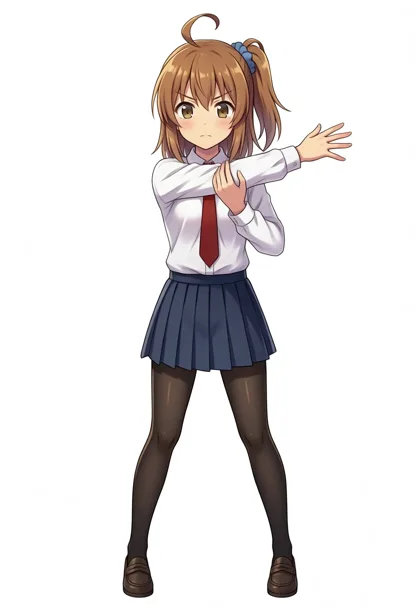
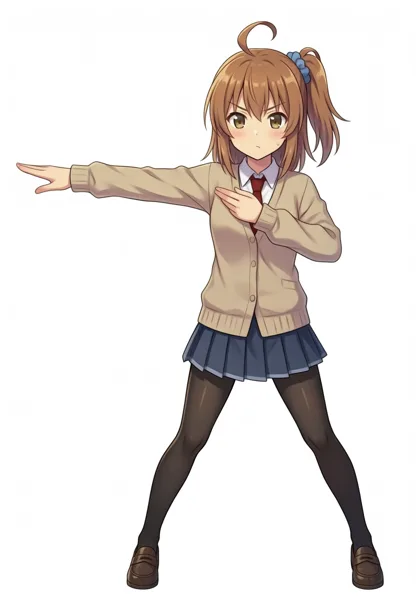
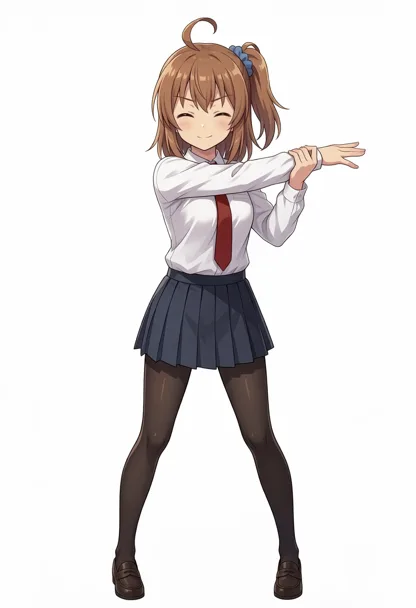
Here the key points are the angle of the raised arm and outfit accuracy. Below are the 20 outputs for seed 424246.
T2I + LoRA
Textured
I2I
Textured
I2I + LoRA
Flat Gray
I2I
Flat Gray
I2I + LoRA
T2I + LoRA
Textured
I2I
Textured
I2I + LoRA
Flat Gray
I2I
Flat Gray
I2I + LoRA
T2I + LoRA
Textured
I2I
Textured
I2I + LoRA
Flat Gray
I2I
Flat Gray
I2I + LoRA
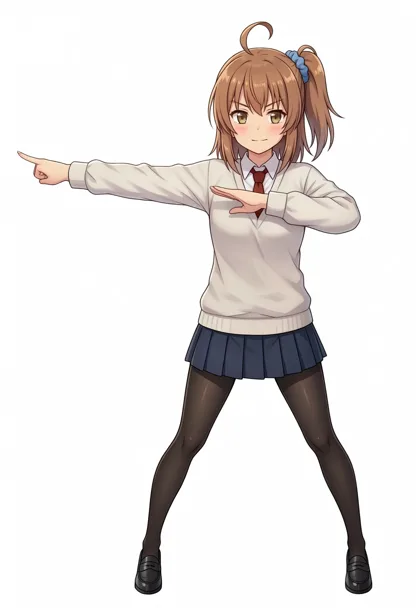
T2I + LoRA
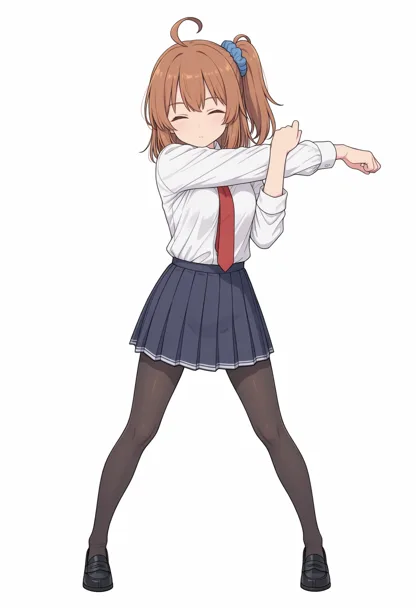
Textured
I2I
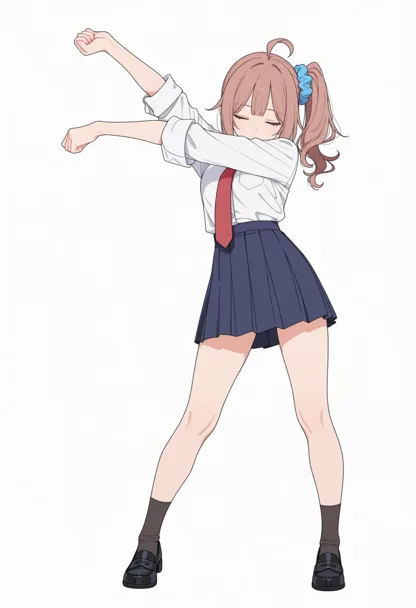
Textured
I2I + LoRA
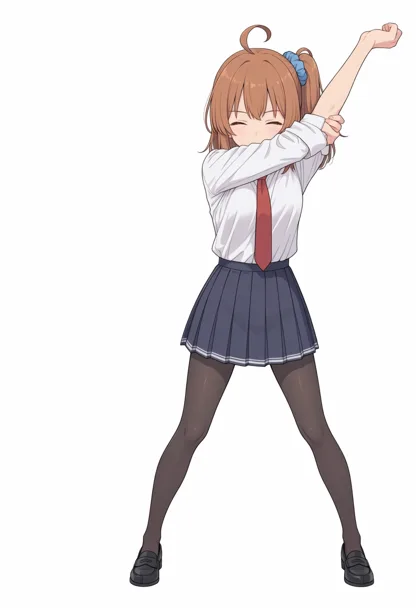
Flat Gray
I2I
Flat Gray
I2I + LoRA
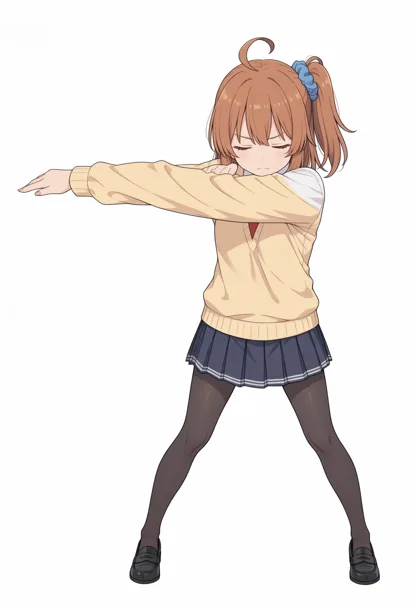
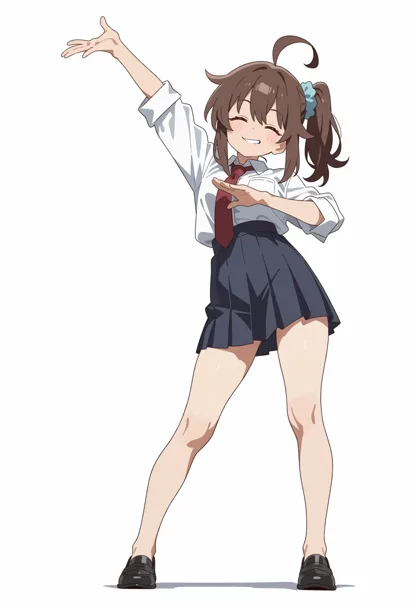
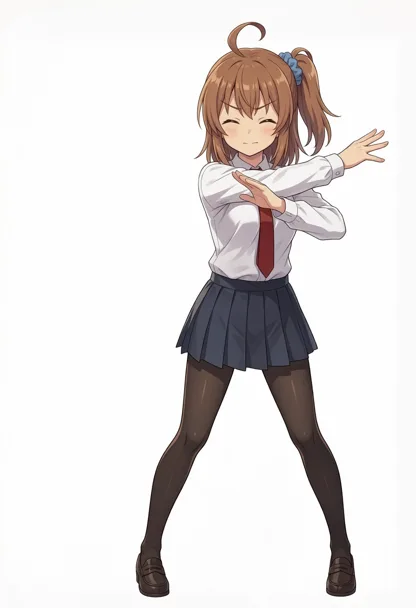
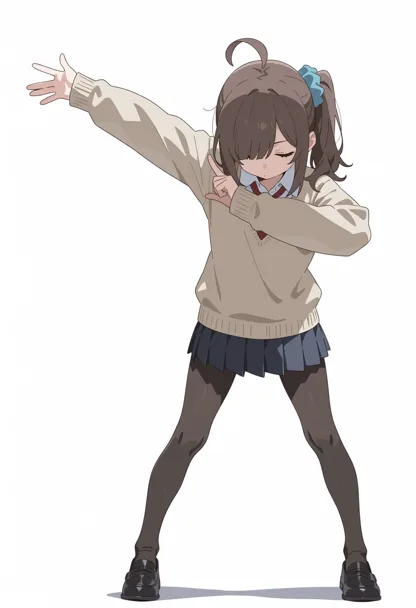
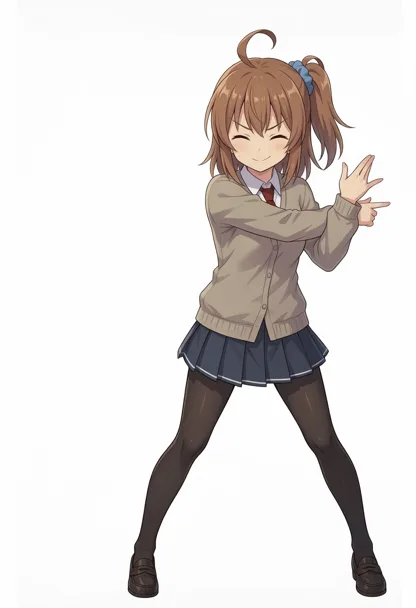
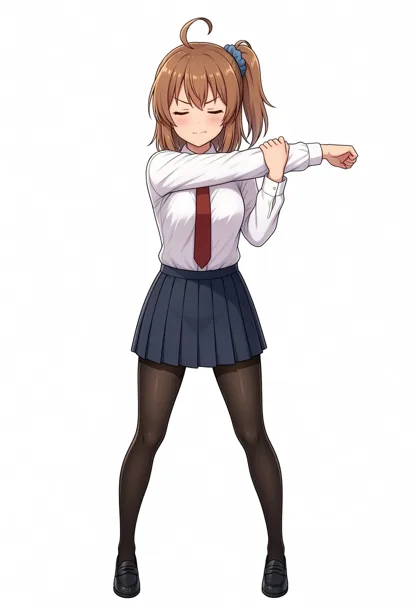
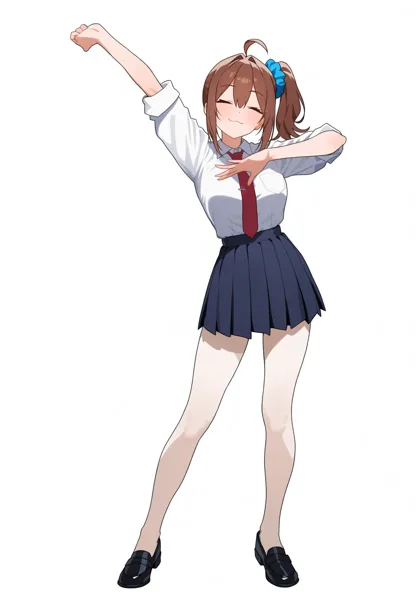
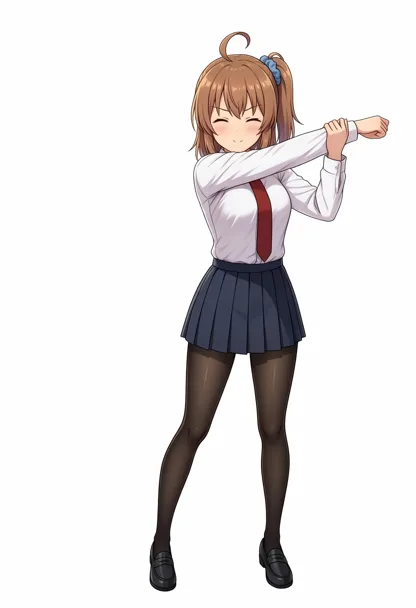
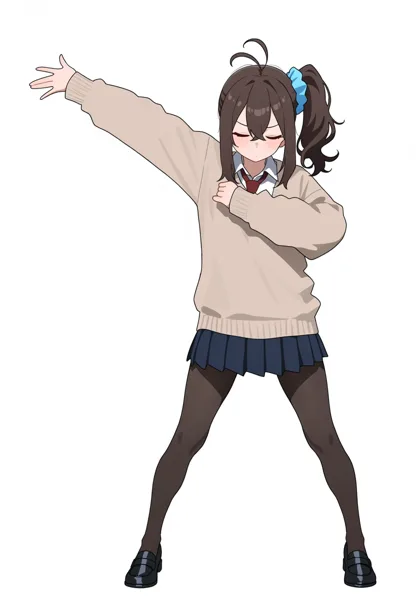
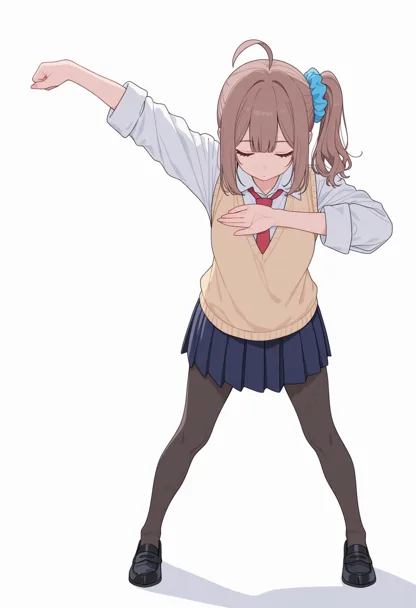
Because the two LoRA-off conditions never produced Kana’s face in any model, I left them out of the table below and counted how many of the 3 seeds reproduced the input arm pose (one arm extended to the left of the frame and the other hand in front of the chest) across the three LoRA-on conditions.
| Model | T2I + LoRA | Textured I2I + LoRA | Flat Gray I2I + LoRA |
|---|---|---|---|
| Anima-Base + Turbo LoRA | 0/3 | 3/3 | 3/3 |
| Anima Turbo v1.1 | 0/3 | 2/3 | 2/3 |
| Anima Aesthetic v1.1 | 0/3 | 2/3 | 3/3 |
| ANIMA FLAT v1.0 | 0/3 | 1/3 | 2/3 |
Under T2I, all four models drew her crossing her arm across her chest like a shoulder stretch. They probably interpreted the word stretch in stretches her right arm from the Pose 2 prompt as a stretching exercise. The I2I + LoRA outputs that missed the input pose mostly drifted toward this same crossed-arm pose, and even the ones that kept the extended arm tended to hold it closer to horizontal rather than angled up as high as the render.
For LoRA-off I2I, Anima-Base + Turbo LoRA, Turbo v1.1, and Aesthetic kept the arm close to the input while ANIMA FLAT mixed in the crossed-arm pose, though none of the four produced Kana’s face.
Flat gray inputs also introduced an outfit side effect: across Anima-Base + Turbo LoRA, Turbo v1.1, and Aesthetic without LoRA, 8 of 9 images drew a beige cardigan or sweater, likely reinterpreting the gray torso as knitwear. Even with LoRA enabled, 7 of 12 flat gray outputs included a cardigan or sweater, whereas textured I2I + LoRA produced the requested white shirt in all 12 images (with 1 ANIMA FLAT image changing the tights to navy knee-high socks).
How Closely Outputs Followed the 3D Silhouette
Looking at the grids, even I2I outputs did not match the input pose exactly. To measure how much the input silhouette carried over, I computed silhouette overlap between each input render and output image.
Both images were resized to 416x608, and any pixel whose minimum RGB value (out of 0 to 255) was below 235 was treated as part of the figure, excluding the near-white background. I then computed IoU (Intersection over Union): the overlapping area divided by the combined total area. An exact match is 1.0 and no overlap is 0.0. T2I has no input image, so I compared it against the same input render as a baseline.
Because light skin and white areas in textured renders sit closer to the white background and drop out of the silhouette mask more easily, textured inputs produce lower IoU numbers than flat gray inputs. Since the two input types do not share the same baseline, I compared them separately. In Pose 1, both T2I and I2I are standing straight, so T2I already averaged 0.45 to 0.66 and I2I averaged 0.52 to 0.82, leaving little separation in IoU. Below are the three-seed averages for Pose 2, where the gap was clear.
Compared against textured input
| Model | T2I + LoRA | Textured I2I | Textured I2I + LoRA |
|---|---|---|---|
| Anima-Base + Turbo LoRA | 0.28 | 0.53 | 0.51 |
| Anima Turbo v1.1 | 0.25 | 0.50 | 0.56 |
| Anima Aesthetic v1.1 | 0.21 | 0.44 | 0.46 |
| ANIMA FLAT v1.0 | 0.23 | 0.43 | 0.49 |
Compared against flat gray input
| Model | T2I + LoRA | Flat Gray I2I | Flat Gray I2I + LoRA |
|---|---|---|---|
| Anima-Base + Turbo LoRA | 0.28 | 0.73 | 0.69 |
| Anima Turbo v1.1 | 0.27 | 0.67 | 0.73 |
| Anima Aesthetic v1.1 | 0.23 | 0.68 | 0.69 |
| ANIMA FLAT v1.0 | 0.23 | 0.56 | 0.60 |
For Pose 2, I2I scored roughly two to three times higher than T2I, showing that even at denoise 0.8, rough limb placement carried over from the input render. Among the four models, ANIMA FLAT scored lowest and drifted furthest from the input silhouette.
Texture Color Bleed and Broken Outputs
In the Codex 3D pose guide article mentioned at the start, the input render’s texture pulled the outputs toward orange-tinted hair, a bright cyan scrunchie, and sharper eyes. Across the textured inputs here (24 images each for LoRA on and LoRA off, from 4 models x 2 poses x 3 seeds), that color shift barely showed up with LoRA enabled, and hair color stayed at the LoRA’s brown. Without LoRA, orange-tinted hair appeared in 3 of 6 ANIMA FLAT outputs and 1 each on Anima-Base + Turbo LoRA and Turbo v1.1.
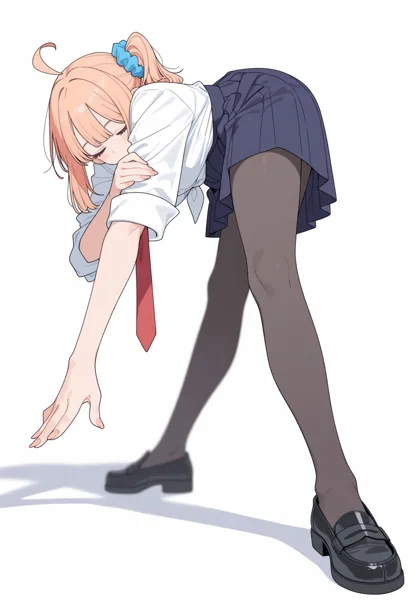
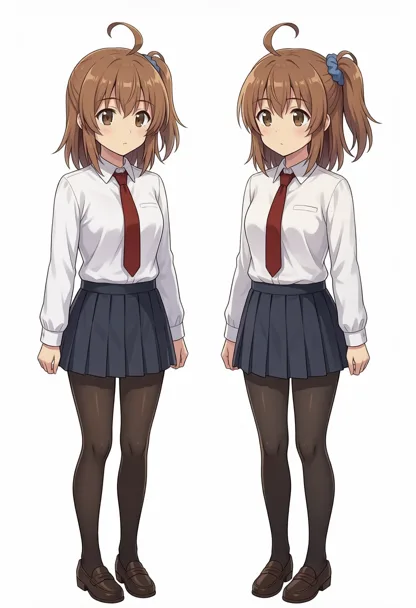
Out of the 120 images, a couple also broke down badly: Turbo v1.1 on Pose 1 (T2I + LoRA, seed 424247) duplicated the character into two identical figures, and ANIMA FLAT on Pose 2 (Flat Gray I2I, seed 424247) collapsed into a hunched, distorted posture.
Pose 1 T2I + LoRA
seed 424247
Pose 2 Flat Gray I2I
seed 424247