Testing Z-Image i2i for Pixel Art Conversion
 Contents
In Testing Pixel Art Conversion with Qwen Image Edit, I compared 5 patterns for photo-to-pixel-art conversion. The winner was Illustrious i2i + pixel-art-xl LoRA (Pattern E) at 1:30 processing time and 6.5GB memory.
But there was one option I hadn’t tried: Z-Image i2i.
I’ve written several articles about Z-Image on this blog already. Comparison with FLUX and SD, RunPod feasibility, derivative models, Z-Image-Distilled. But I never considered it for pixel art conversion. When I found out multiple pixel art LoRAs exist for Z-Image, I decided to investigate.
pixel-art-xl LoRA Doesn’t Work with Z-Image
The pixel-art-xl v1.1 used previously is an SDXL LoRA. Illustrious is SDXL-based, so it works directly.
Z-Image uses S3-DiT (Single-Stream Diffusion Transformer), a completely different architecture. It processes text and image as a single sequence from the start, unlike SDXL’s U-Net with its downsample/upsample structure. Since LoRA inserts low-rank matrices into specific model layers (attention weight matrices, etc.), different architectures mean no compatibility.
graph LR
    subgraph SDXL
        A[pixel-art-xl LoRA] --> B[Illustrious<br/>WAI-SDXL]
        A --> C[NoobAI-XL]
    end
    subgraph Z-Image
        D[Z-Image<br/>pixel art LoRA] --> E[Z-Image Turbo]
        D --> F[Z-Image Base]
    end
    A -..->|Incompatible| E
To do pixel art conversion with Z-Image, you need Z-Image-specific pixel art LoRAs.
Pixel Art LoRAs for Z-Image
Found several.
| LoRA | Platform | Features |
|---|---|---|
| Pixel Art Style LoRA | HuggingFace | SNES-style retro pixel art. Strength 0.6 for detailed, 1.0 for classic |
| PixelArt Perfect | Civitai | Pixel shader-like conversion. Trigger word pixelart |
| Elusarca’s Detailed Pixel Art | Civitai | Higher detail |
| ZIT - PixelSIN | Civitai | Z-Image Turbo specific |
All targeting Z-Image Turbo. Surprisingly, there are already more pixel art LoRAs for Z-Image than SDXL (which only had pixel-art-xl). The Z-Image ecosystem is growing fast.
The Fused QKV Attention Trap
Z-Image Turbo fuses its QKV attention mechanism for faster inference. Standard LoRAs handle Q/K/V projections separately, but fused QKV combines them into a single matrix. ComfyUI’s standard LoRA loader can’t handle this.
Comfyui-ZiT-Lora-loader is a custom node that auto-converts LoRAs for fused QKV. Required for any LoRA on Z-Image Turbo.
Z-Image base (non-Turbo) doesn’t use fused QKV, so the standard loader works. But it needs 28-50 steps, which is too slow for a pixel art conversion pipeline.
Amazing Z-Image Workflow
The Amazing Z-Image Workflow v4.0 ComfyUI workflow includes style presets.
| Workflow | Content |
|---|---|
| amazing-z-image-a | General styles (18 types) |
| amazing-z-image-b | Unique styles |
| amazing-z-comics | Comics, anime, pixel art |
| amazing-z-photo | Photography |
amazing-z-comics has a pixel art preset. Convenient if it works without LoRA, but unlikely to apply style as strongly. Primarily a txt2i workflow, so i2i conversion quality is unknown.
Z-Image-Edit: The Editing-Specialized Model
Z-Image series includes Z-Image-Edit, specialized for image editing.
| Model | Approach | Use Case |
|---|---|---|
| Z-Image Turbo | i2i + LoRA | Style transfer via pixel art LoRA |
| Z-Image-Edit | Instruction-based editing | ”Convert to pixel art” via prompt |
Same concept as Qwen-Image-Edit: give editing instructions via prompt on an input image. The same approach as Pattern A in Testing Pixel Art Conversion with Qwen Image Edit.
Supports img2img and inpainting. According to the official docs, it can process facial expression changes, background replacement, and caption addition simultaneously in a single prompt.
Weights Not Released (as of April 2026)
However, Z-Image-Edit weights are not yet publicly available. GitHub model zoo still shows “To be released”. Nothing on HuggingFace or ModelScope.
| Model | Status |
|---|---|
| Z-Image (base) | Released (Jan 2026) |
| Z-Image-Turbo | Released (Jan 2026) |
| Z-Image-Omni-Base | Unreleased |
| Z-Image-Edit | Unreleased |
Web demos (z-image-edit.com etc.) offer API access, but no local execution. Since a pixel art conversion pipeline requires local execution, Z-Image-Edit isn’t an option right now.
When it’s released, I want to compare it against the Qwen test under the same conditions. Qwen only managed “fake pixel art” at best.
Pipeline Comparison (Pre-Test Estimates)
graph TD
    A[Source Image]
    A --> B1[Illustrious i2i<br/>+ pixel-art-xl LoRA]
    A --> B2[Z-Image Turbo i2i<br/>+ pixel art LoRA]
    A --> B3["Z-Image-Edit (unreleased)<br/>Prompt instruction"]
    B1 --> C1[Pixel Art<br/>1:30 / 6.5GB]
    B2 --> C2[Pixel Art<br/>Unknown / 20GB]
    B3 --> C3[Pixel Art<br/>Untested]
Illustrious i2i (Current)
| Item | Value |
|---|---|
| Architecture | U-Net (SDXL) |
| Parameters | ~6.6B |
| Memory | ~6.5GB |
| Inference Steps | 25 |
| LoRA Loading | Standard node |
| Processing Time (M1 Max) | 1:30 |
Z-Image Turbo i2i (Candidate)
| Item | Value |
|---|---|
| Architecture | S3-DiT |
| Parameters | 6B |
| Memory (BF16) | ~20GB (model 12GB + encoder 7GB + VAE) |
| Memory (Quantized) | ~6GB (Q4_K_M) |
| Inference Steps | 8 |
| LoRA Loading | Custom loader required |
| Processing Time (M1 Max) | Unknown |
Z-Image-Edit (Unreleased)
| Item | Value |
|---|---|
| Architecture | S3-DiT |
| Parameters | 6B |
| Memory | Unknown |
| LoRA | Not needed (prompt instruction) |
| Status | Unreleased (To be released) |
Z-Image Turbo’s 8 steps looks great on paper. But per-step compute for S3-DiT may differ from U-Net, and the Qwen 3 4B text encoder (7GB) adds overhead on first encode.
Memory is 3x heavier at BF16. Quantization drops it to 6GB, but quantization might soften pixel edges. Pixel art lives and dies by sharp pixel boundaries, so this needs real output to judge.
Setup
Environment: M1 Max 64GB + ComfyUI (Metal-enabled). Z-Image Turbo running on ComfyUI + Metal was already confirmed in the BEYOND_REALITY_Z_IMAGE article. ~20GB BF16, well within 64GB.
Model Files
Download single-file ComfyUI versions from Comfy-Org/z_image_turbo. The official repo (Tongyi-MAI/Z-Image-Turbo) uses diffusers format with sharded files, so use the Comfy-Org version for ComfyUI.
ComfyUI/models/
├── diffusion_models/
│   └── z_image_turbo_bf16.safetensors
├── text_encoders/
│   └── qwen_3_4b.safetensors
└── vae/
    └── ae.safetensors
LoRA
Download Pixel Art Style LoRA to ComfyUI/models/loras/. This is the default LoRA in ComfyUI’s official Z-Image workflow template.
Custom Node
Install Comfyui-ZiT-Lora-loader. Required for fused QKV support on Z-Image Turbo.
Test 1: txt2i (Basic Generation)
First, verify Z-Image Turbo can generate images at all. Using the official “Text to Image (Z-Image-Turbo)” ComfyUI template.
Settings
| Item | Value |
|---|---|
| Steps | 8 |
| CFG | 1.0 |
| Sampler | euler |
| Scheduler | simple |
| Resolution | 1024x1024 |
Note: —fp16-vae Breaks Z-Image
Starting ComfyUI with --fp16-vae causes Z-Image’s VAE (ae.safetensors) to output solid black. Z-Image’s VAE requires BF16. Launch ComfyUI without --fp16-vae.
Result
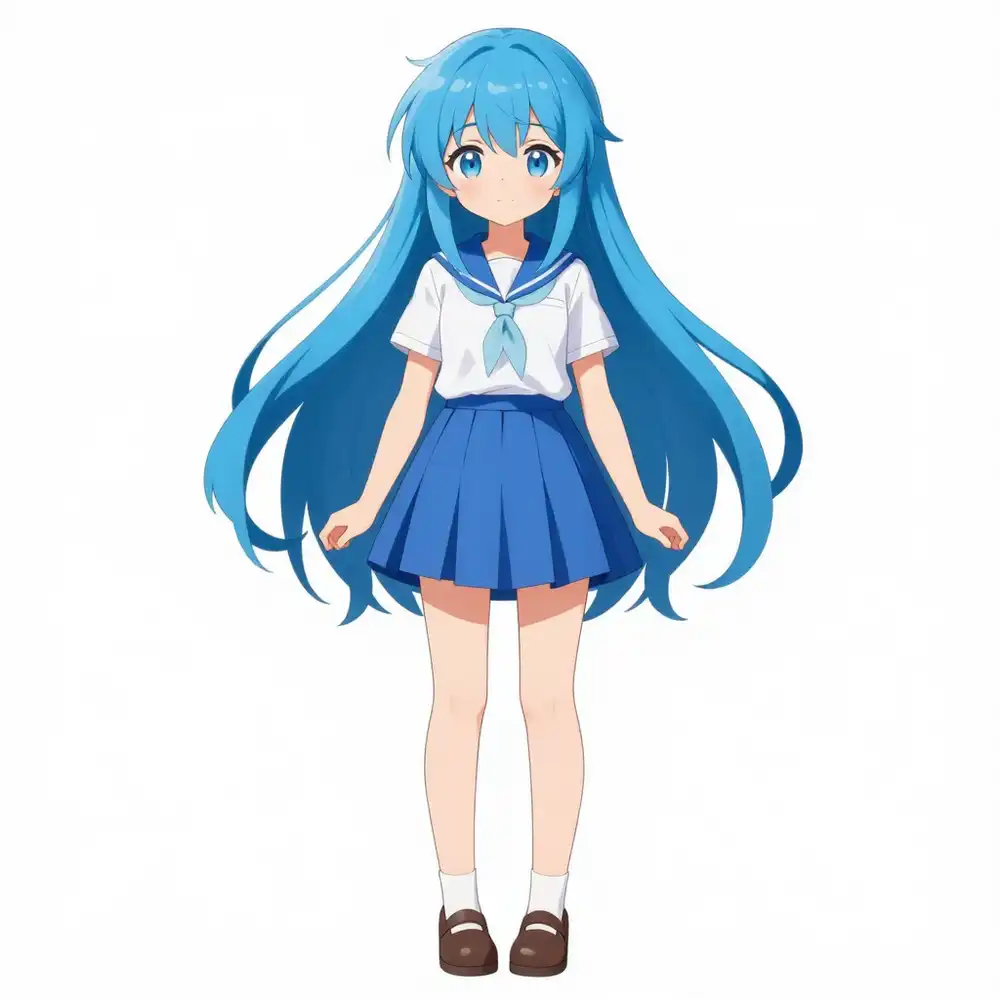
Works fine. Blue-haired character generated as prompted.
- Processing time: 87s (including initial model load)
- ~20GB BF16 memory usage
First run is slow due to model loading. Subsequent runs are ~75s with cached models.
Test 2: i2i (Image Input)
Next, test img2img. Using the same character illustration from Testing Pixel Art Conversion with Qwen Image Edit.

Settings
| Item | Value |
|---|---|
| Input | kana-il-source.webp |
| Denoise | 0.6 |
| Prompt | 1girl, full body, pixel art style |
| Other | Same as Test 1 |
Denoise 0.6 matches the Illustrious i2i test in Testing Pixel Art Conversion with Qwen Image Edit. Strong enough to change style while preserving composition.
Result

i2i works. Preserves the original composition and character feel while applying Z-Image Turbo’s style.
- Processing time: 75s
Test 3: i2i + Pixel Art LoRA
The main event. Can a pixel art LoRA on i2i produce actual pixel art?
Settings
| Item | Value |
|---|---|
| Input | kana-il-source.webp |
| LoRA | pixel_art_style_z_image_turbo |
| LoRA Strength | 1.0 |
| Trigger Word | Pixel art style |
| LoRA Loader | ZImageTurboLoraLoader (auto_convert_qkv enabled) |
Must use Comfyui-ZiT-Lora-loader’s ZImageTurboLoraLoader instead of the standard LoraLoaderModelOnly. The auto_convert_qkv option handles the fused QKV conversion automatically.
The standard LoRA loader has zero effect. Tested it, and the output was identical to i2i without LoRA. The “fused QKV attention trap” described earlier in this article, proven in practice.
Denoise Comparison
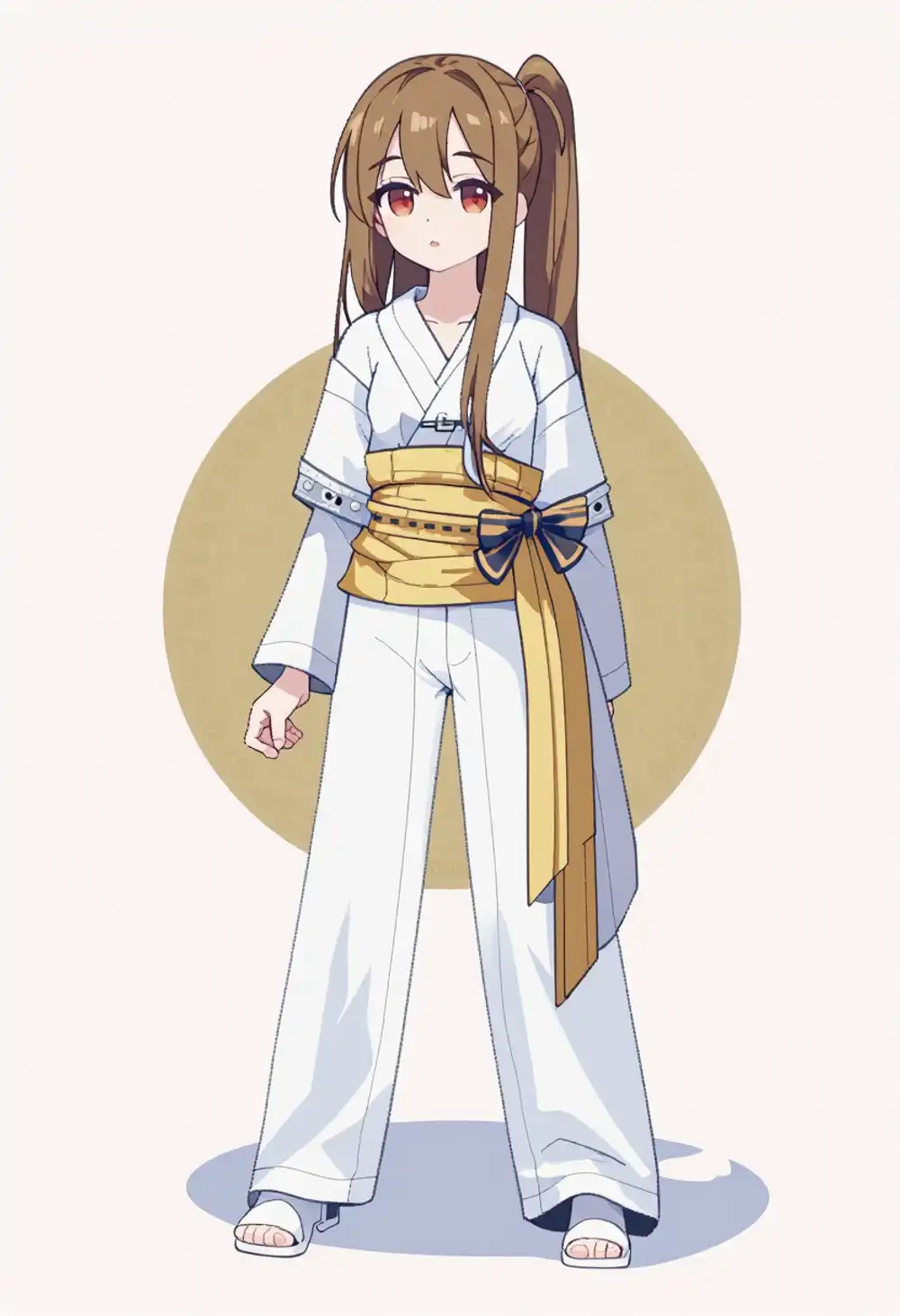
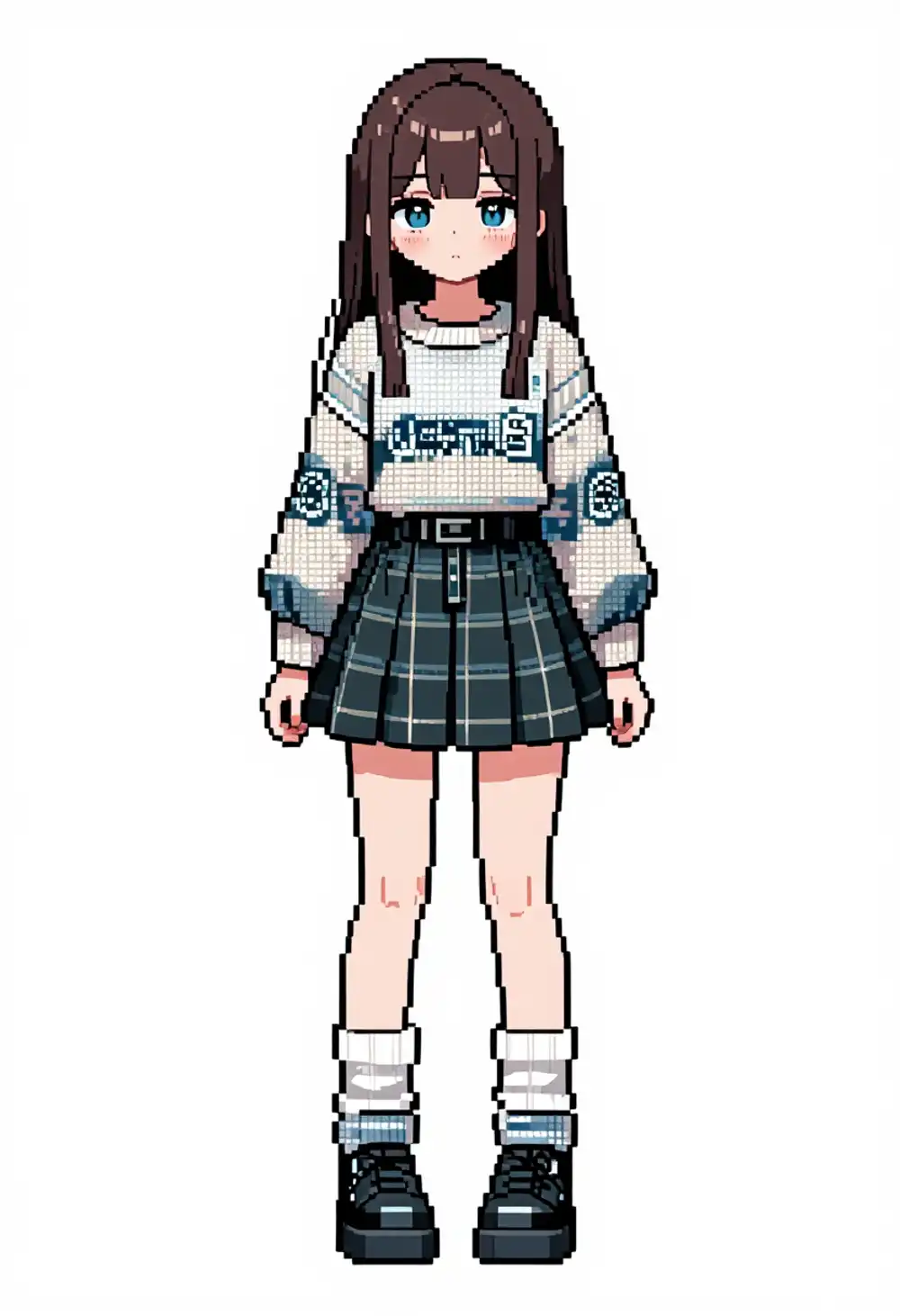
At denoise 0.8, no pixel art. The source image dominates and the LoRA style gets crushed. At denoise 1.0, pixel art finally appears, but the source image is essentially gone.
Z-Image Turbo only runs 8 steps. At low denoise, there’s not enough “room” for the LoRA to apply style transformation. Illustrious has 25 steps, so LoRA works even at denoise 0.6. Fewer steps is great for speed but works against i2i style transfer.
txt2i + LoRA Works Fine
For reference, txt2i (no input image) with the LoRA produces proper pixel art.

The LoRA itself works correctly. It’s specifically i2i on Turbo where it fails.
Test 4: Z-Image Base Model i2i + LoRA
If Turbo’s 8 steps aren’t enough, maybe the base model (28-50 steps) would work. The base model doesn’t use fused QKV, so the standard LoRA loader is fine.
Settings
| Item | Value |
|---|---|
| Model | z_image_bf16.safetensors (base model) |
| Steps | 30 |
| CFG | 4.0 |
| Denoise | 0.6 |
| LoRA | pixel_art_style_z_image_turbo (strength 1.0) |
| LoRA Loader | Standard LoraLoaderModelOnly |
Downloaded from Comfy-Org/z_image. Text encoder and VAE shared with Turbo.
Result
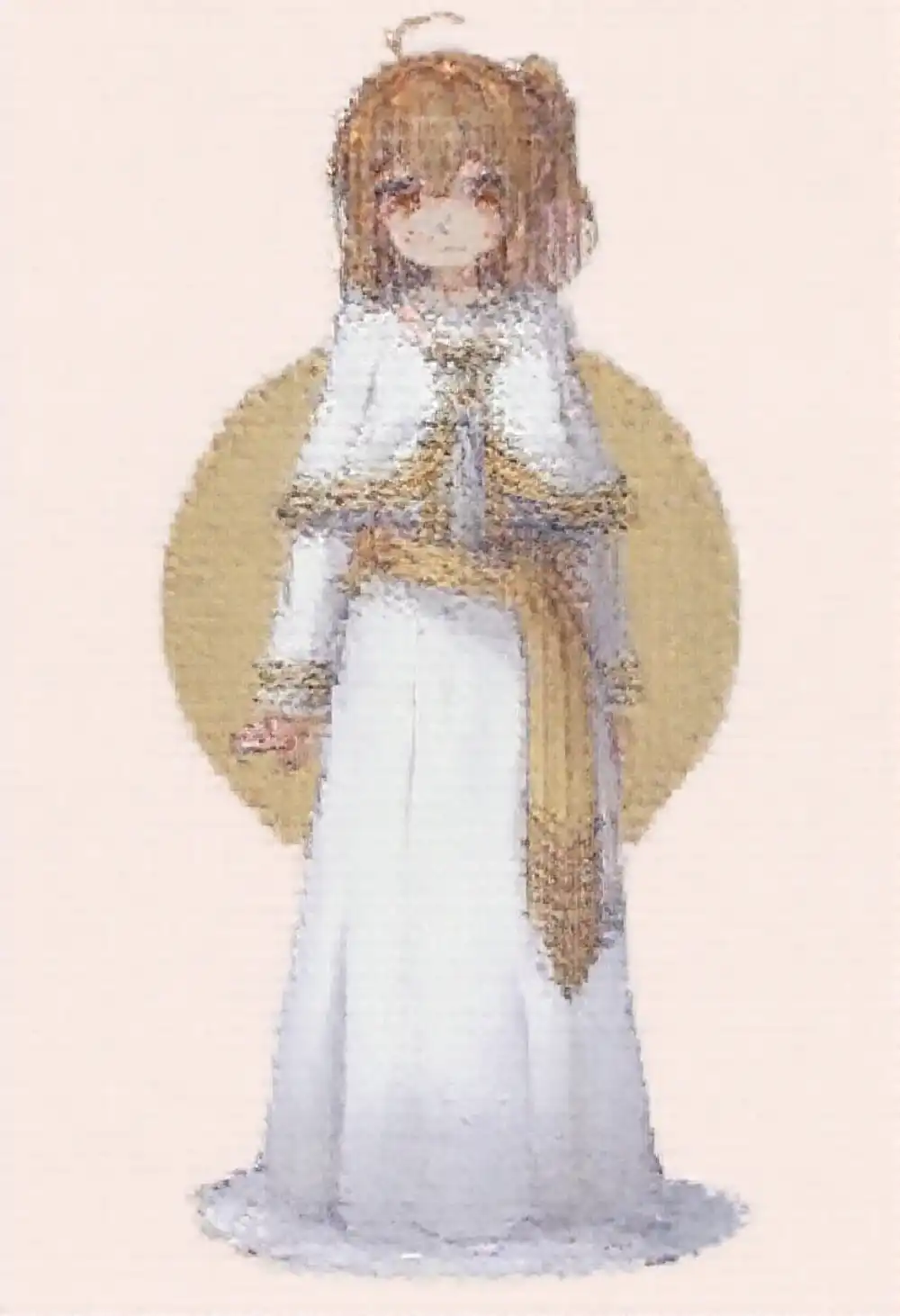
The LoRA has some effect, but this isn’t pixel art. It’s just a grid-like noise pattern over the whole image. Pixel edges aren’t sharp, colors aren’t reduced. Just degradation. The LoRA was built for Turbo and doesn’t transfer well to the base model.
Processing time was 520 seconds (8 min 40 sec). This quality after that wait is unacceptable.
Comparison
| Illustrious i2i | Z-Image Turbo i2i | Z-Image Base i2i | |
|---|---|---|---|
| Processing Time | 1:30 | 75s | 520s |
| Memory | 6.5GB | ~20GB | ~20GB |
| Inference Steps | 25 | 8 | 30 |
| LoRA at denoise 0.6 | Works | No effect | Responds but only degradation |
| LoRA Loader | Standard node | Custom loader required | Standard node |
Every route failed.
| Route | Result |
|---|---|
| Turbo i2i + LoRA | LoRA has no effect at low denoise. Works at denoise 1.0 but source image is lost |
| Base model i2i + LoRA | LoRA responds but output is degradation, not pixel art. 520s for this |
| Turbo txt2i + LoRA | Produces pixel art, but isn’t i2i (image conversion), so different use case |
Z-Image i2i pixel art conversion isn’t practical right now. The conclusion from Testing Pixel Art Conversion with Qwen Image Edit stands: Illustrious i2i + pixel-art-xl LoRA (denoise 0.6, 1:30, 6.5GB) remains the best option.