M5Stack CoreS3 async voice chat: fillers hide the 8.3s wait, U144 talk button
 Contents
Update (2026-09-23): After moving to a StackChan Body I dropped the Key unit and tested the head touch pad as the talk button instead, with tap and stroke detection → M5Stack StackChan Body Head Touch Pad: Tap vs Stroke, Servo Side Effects
In the previous part, the record → send → reply round trip worked in its sync form.
But nothing plays for 20-plus seconds: total silence, no filler, and a dead power button during the POST.
This time I rebuild it around async chunks, and move the record control from screen taps to a physical key (Key unit U144).
Buying the Key unit (U144)
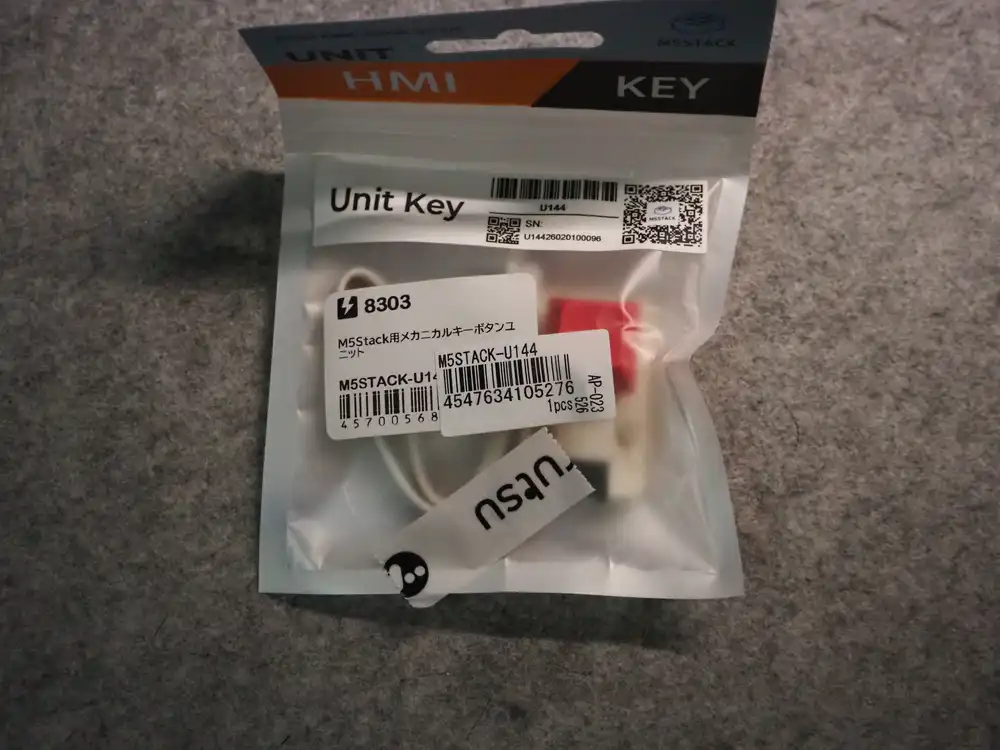
Picked it up at Marutsu, a Japanese parts retailer. It’s M5Stack’s mechanical key button unit; it plugs straight in with a Grove cable.
Inside: the key itself and a Grove cable. An RGB LED (SK6812) sits under the key switch, so the whole keycap lights up.
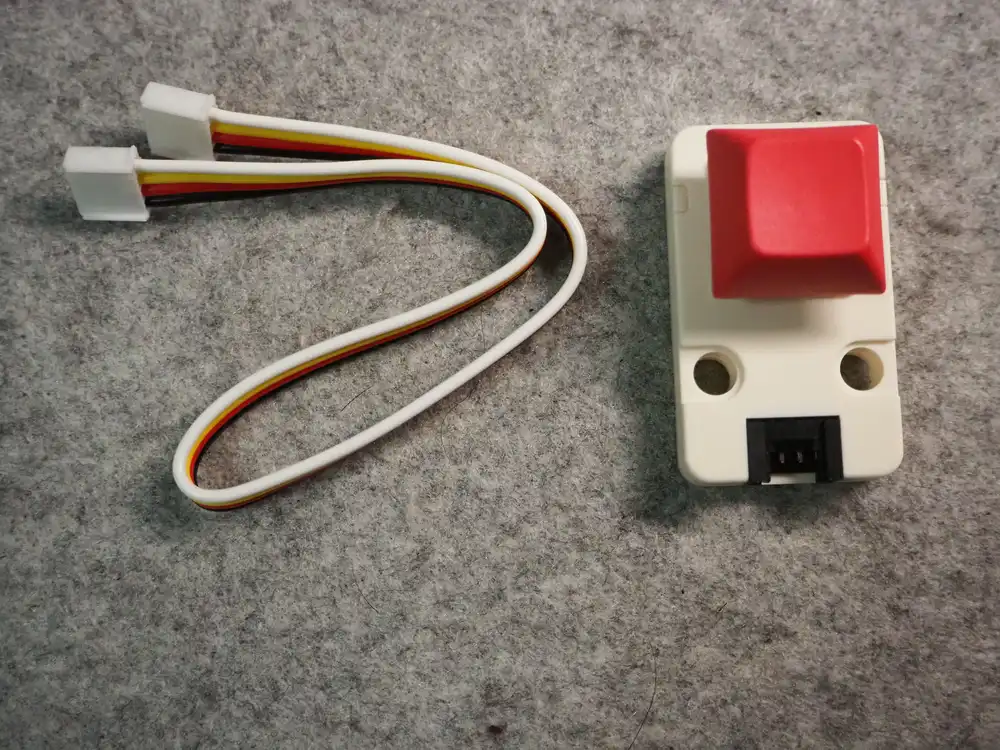
| Item | Value |
|---|---|
| Part | M5Stack Unit Key (U144) |
| Switch | Mechanical key switch (a clear, tactile press) |
| LED | SK6812 (RGB, lights up under the keycap) |
| Connection | Grove 4-pin (GND / 5V / 2 signal lines) |
| Role | The talk button: press = record, lit LED = recording, so one part covers the whole cue |
The problems carried over from 3a (no record-start cue, and squeezing an utterance into a fixed 5 seconds) are what this key is meant to solve.
Making it work in any port
DIN Base has Ports B and C on the back. Port A is reserved for the CO2 sensor (SCD41) to move back into, so the Key unit goes into B or C.
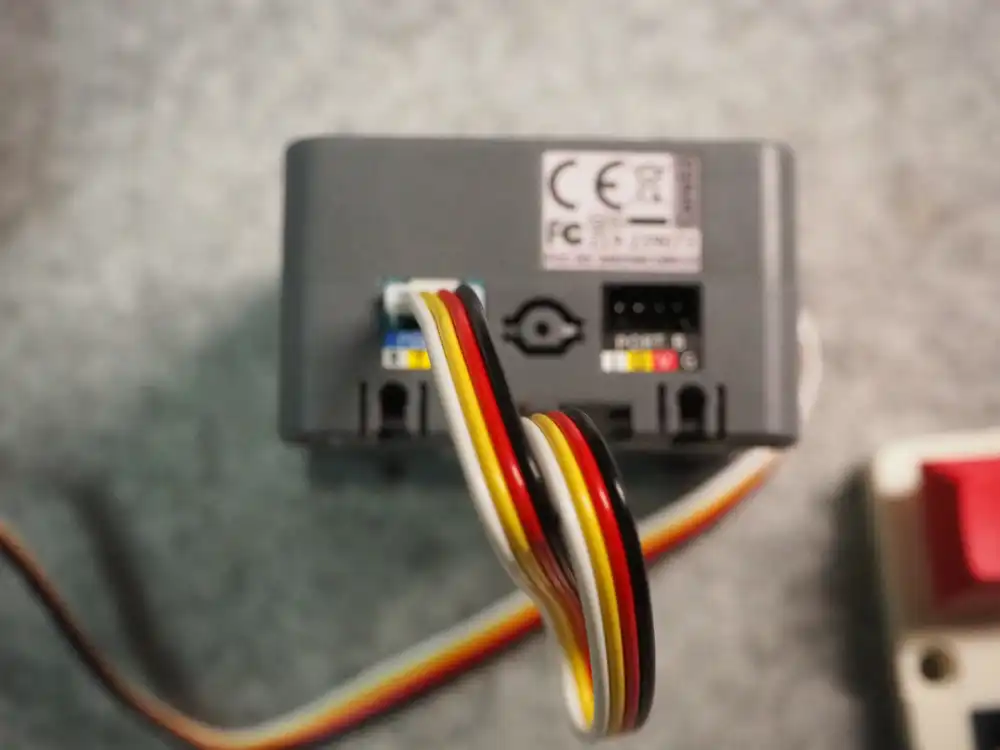
Hardcoding pin numbers here would hurt later, when the unit gets re-plugged or at the stage-4 integration.
So the pin numbers come from M5.getPin() at runtime, and which port and which pin the key sits on is auto-detected at the moment the key is first pressed.
// Port B/Cの計4ピンをINPUT_PULLUPで監視
struct { m5::pin_name_t p1; m5::pin_name_t p2; char port; } ports[2] = {
  {m5::pin_name_t::port_b_pin1, m5::pin_name_t::port_b_pin2, 'B'},
  {m5::pin_name_t::port_c_pin1, m5::pin_name_t::port_c_pin2, 'C'},
};
All four pins are set to pull-up inputs, and a pin that stays LOW for a continuous 30ms is declared the key.
Of the two Grove signal lines, one is the key and the other is the LED, so once the key is identified, the partner pin on the same port is automatically the LED (SK6812). The ESP32 Arduino core’s built-in rgbLedWrite() drives it, so no extra library either.
On a CoreS3, Port B maps to G8/G9 and Port C to G18/G17 (from M5Unified’s pin table). The log looks like this.
key: Port B 候補 G8/G9
key: Port C 候補 G18/G17
(候補 = candidate.)
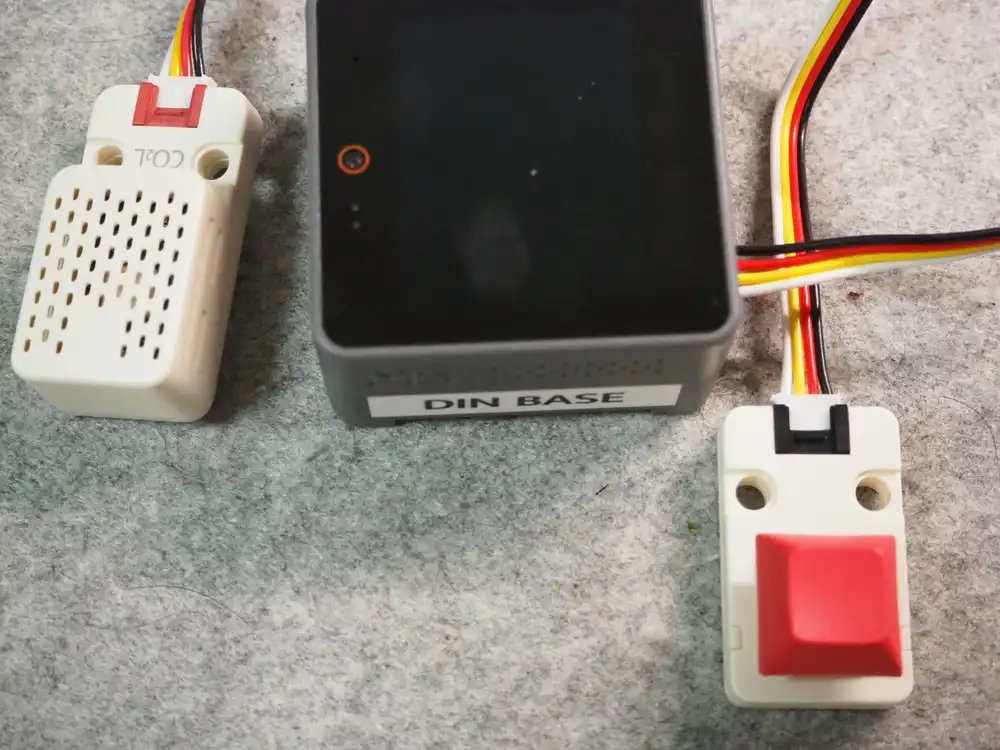
The LED colors map to states like this.
| Color | State |
|---|---|
| Red | Recording (the cue that it’s OK to talk) |
| Blue | Thinking (sending → waiting for the reply) |
| Green | Playing |
| Off | Idle |
Variable-length recording instead of the fixed 5 seconds
Recording is no longer a fixed 5 seconds. I implemented two ways to stop it, switchable with the serial command keymode.
| Mode | Behavior |
|---|---|
| Hold | Records only while held; release = send |
| Toggle | Press to start, press again to send (auto-send at the 10s cap) |
The two feel quite different to operate, so which one becomes the default gets decided by actually trying both.
The record loop stays the stage-3a 100ms-chunk affair; it just checks the key state between chunks.
Releasing in under 0.5s counts as an accidental press and cancels. The speaker→mic I2S switch takes about 0.4s, so recording starts not at the press but “once the LED turns red”, a constraint the physical key doesn’t change. The spec is: watch for red, then talk.
Assembling the async flow
The API is the async endpoint settled in the spec check, used as-is.
| Item | Value |
|---|---|
POST action=async | Send the recorded WAV as multipart, get a job_id back immediately (processing continues server-side) |
GET action=job | Poll every 0.7s. chunks (URLs of completed per-sentence WAVs) grows as they finish |
done: true | All chunks are out |
Unlike the sync version, my code keeps running while it waits. Power handling, lip sync and touch input all fit between polls.
flowchart TD
    A[Key released] --> B[Wrap as WAV, multipart POST<br/>action=async]
    B --> C[job_id received<br/>filler starts playing]
    C --> D[Poll action=job every 0.7s]
    D --> E[New URL appears in chunks]
    E --> F[Prefetch the chunk]
    F --> G[Play seamlessly when<br/>the current audio ends]
    G --> H{done and all played?}
    H -->|No| D
    H -->|Yes| I[Back to idle]
loop() is organized as “one job per pass”, in priority order.
static void chat_tick() {
  // 1. 再生の継ぎ足し: 鳴り終わっていて次のチャンクがあれば続ける
  // 2. 先読みダウンロード: 未取得のチャンクURLがあれば1本取る
  // 3. ポーリング: 0.7秒経っていればaction=jobを1回
}
Downloads and polls do block on HTTP waits, but with only one job per pass, control always returns to the top of loop() between jobs, where the power handling and touch input run. In the sync version the power button was dead for the whole POST; now that window shrinks to the few seconds of the upload.
Prefetching without freezing the lip sync
Chunk downloads run during playback (prefetch). Blocking outright here would freeze the lip sync for seconds while the reply is talking; the face just locks up.
The relay’s responses use HTTP chunked transfer, so reading the raw socket means doing the chunked decoding myself too. That’s a pile of hassle I’d rather avoid.
HTTPClient’s writeToStream() does the decoding and writes into a Stream, so I made a Stream whose write() pumps the UI every time it’s called.
// writeToStream(チャンクデコード込み)のコールバックでUIを回す版
class PumpingPsramStream : public PsramBufferStream {
 public:
  size_t write(const uint8_t* data, size_t size) override {
    size_t r = PsramBufferStream::write(data, size);
    ui_pump();  // 電源処理+口パク+オーバーレイ消灯
    return r;
  }
};
The download itself stays synchronous, and the lip sync advances every few KB. I steered clear of spawning an RTOS task and reasoning about shared-buffer locking, and went with this shape.
The filler seam
On the very first test, the “filler → first sentence seam” I had flagged as the hard part on the roadmap showed up as-is, and the log looked like this.
async: HTTP 200 (1862 ms) {"job_id":"65292e89d259",...}
filler再生: 433964 bytes        ← 4.5秒で鳴り終わる
poll: chunks 1本 (+1) [8503 ms]
chunk[0]再生開始 [9758 ms]      ← 約5秒の無音
A filler runs about 4 seconds, and chunk[0] isn’t playable until roughly 10 seconds after the job_id arrives. So one filler can’t cover it, and there are 5 seconds of dead air.
If the choice is between pretending to think in silence and just keeping on talking, I want it to keep talking, so I added “if the filler ends and there’s still no sign of chunks, play one more bridging filler” (capped at 3).
} else if (g_chat.playIdx == 0 && g_chat.urlCount == 0
           && g_fillerCount > 0 && g_chat.fillersPlayed < 3) {
  // フィラーが鳴り終わってもまだチャンクの気配がない → つなぎでもう1本
Here’s the log after the change.
async: HTTP 200 (1632 ms)
filler再生: 433964 bytes
聞: はい。 [1847 ms]
答: はい、どうしましたか。何かお手伝いできることはありますか。 [3686 ms]
fillerつなぎ2本目 [4626 ms]
poll: chunks 1本 (+1) [6456 ms]
chunk[0]: 334124 bytes (DL 1818 ms)
chunk[0]再生開始 [8303 ms]
chunk[1]再生開始 [11788 ms]
チャット完了: 2 chunks (15082 ms)(聞: is the transcript, 答: the reply.)
Filler 1 (4.6s) → bridge filler 2 (3.7s, ending at 8.3s) → chunk[0] (8.3s) lined up nearly gap-free, without my even aiming for it. chunk[0] → chunk[1] is seamless too, since chunk[1]‘s prefetch finishes during playback. Pure luck on the timing, but it feels great.
The timeline from job_id looks like this.
| Elapsed | Event |
|---|---|
| 0.0s | job_id received, filler 1 starts |
| 1.8s | transcript ready |
| 3.7s | reply text ready |
| 4.6s | filler 1 ends, bridge filler 2 starts |
| 6.5s | chunks[0] URL appears |
| 8.3s | filler 2 ends, chunk[0] starts (no gap) |
| 8.5s | done (2 chunks total) |
| 11.8s | chunk[1] starts (seamless) |
| 15.1s | playback ends, back to idle |
From the end of recording to the reply starting: about 10 seconds (1.6s upload + 8.3s). The sync version spent that same 15–17 seconds in complete silence; async leaves only the 1.6s of upload silent, with filler talking through the rest.
At boot, three fillers (1.2MB total) are downloaded from the VPS relay into PSRAM. The stage-1 SD cache gets folded in at integration time; this build stays SD-less.
Pressing the physical key
Here’s the log from the very first key press.
Key検出: Port C キー=G18 LED=G17
録音開始: 最大10秒 48000Hz/16bit/mono gain=16 mode=0
(Key検出 = key detected; 録音開始 = recording started.)
Auto-detection said Port C. Of the two Grove signal lines, the first (G18) is the key and the second (G17) the LED. I never told it where the unit was plugged in; pressing the key pinned down the wiring and I was straight into a recording.
The first press I released almost instantly on purpose: a 0.3-second recording, and the “too short (under 0.5s) → cancel” path fired. An ultra-short press may well be an accidental one, so that behavior is exactly as intended.
Next, a 3-second hold with nothing said.
録音完了: 124800 samples (3113 ms)
async: HTTP 200 (1629 ms) {"job_id":"e6129af47c72",...}
filler再生: 403244 bytes
聞: ああ。 [1836 ms]
答: はい、何かお手伝いできることはありますか。いつでもお気軽にご質問ください。 [2855 ms]
fillerつなぎ2本目 [4166 ms]
chunk[0]再生開始 [8724 ms]
chunk[1]再生開始 [12617 ms]
チャット完了: 2 chunks (16861 ms)
STT heard the late-night room tone as 「ああ。」 (“ahh”), and a dutiful full reply came back, same as the sync version’s 「はい。」: a round trip completes even when nobody spoke. The filler-2 → chunk-2 flow was gap-free here as well. My guess on the 「ああ」: this desk sits right under an air conditioner, and the low whoosh of the airflow probably got transcribed as an “ah”. If it pulled 「ああ」 out of nothing at all, that would be a little scary.
Tap-to-stop misfires and a display rework
While testing with a question played from a speaker, the device seemed to hang while waiting for the reply, and checking the log showed the session had died without a word.
I had been flick-adjusting the volume during the wait; one of those touches registered as a tap, and the “tap = stop” rule I had built in fired.
fillerつなぎ3本目 [8691 ms]
音量 2/10      ← 音量調整のフリック
停止           ← 直後のタッチがタップ判定→セッション中断
音量 3/10
(音量 = volume; 停止 = stop.)
Worse, the stop never made it to the screen. The status overlay (“thinking…”) was drawn over by the volume display and gone a second later, so in the silent stretch after a filler there was no telling whether the thing was alive or dead. I fixed it all as a set.
| Change | Detail |
|---|---|
| Stop control | Tap-to-stop removed; the physical key is now the only stop. A volume flick misread as a tap does nothing |
| Status display | Overlay split into two layers: status (recording / sending / thinking) and transient (volume). Volume reverts to the status display after 1s, and “thinking…” stays up until chunk playback starts |
| Error display | Stop / server error / timeout now also shown on the face screen for 3–4s (previously serial and the UI screen only) |
Talking to it with a TTS-made question
The question for filming, 「日本ではお中元の時期はいつからいつまでですか」 (“In Japan, when does the ochugen gift season start and end?”), was made by the server’s own TTS, not my voice. I don’t want my own voice in the footage.
Send the sync API a spoken instruction saying “repeat the following sentence verbatim,” and the reply WAV that comes back is the question read in Kana-chan’s voice. Question and answer end up in the same voice.
Playing that from a speaker at the device produced two mishearings in a row.
| Garbled as | Situation |
|---|---|
| 御中元 (ochugen) → 「中間」 (“midpoint”) | A word on its own gave no context to lean on. Rephrasing the question as 「お中元を贈る時期」 (“the season for sending ochugen”) fixed it |
| いつからいつまでですか (“from when until when”) → 「1から10までです」 (“it’s from 1 to 10”) | Speaker → air → mic degradation. The same WAV POSTed straight from a PC went through perfectly |
The second garble turned the question itself into the assertion 「中元の時期は1から10までです」 (“the chugen season runs from 1 to 10”), and the LLM dutifully corrected it: the season generally runs from early July to July 15th, not the 1st through the 10th. It being right just made it sting more.
The retake got through with every punctuation mark intact.
聞: 日本では、お中元の時期はいつからいつまでですか? [3679 ms]
答: お中元は一般的に7月初めから7月15日までに贈ります。地域によっては
    8月に送る場合もあるので、相手の地域の習慣を確認すると安心ですよ。 [6445 ms]
poll: chunks 1本 (+1) [13099 ms]
chunk[0]再生開始 [16571 ms]
chunk[1]再生開始 [25731 ms]
チャット完了: 2 chunks (33456 ms)
Both reply sentences ran long this time, and chunk[0] didn’t start until 16.6s after the job_id; three fillers talked through the gap.
One seam does remain: about 2.6 seconds of silence between chunk[0] and [1]. That’s the long second sentence’s TTS not finishing before playback catches up, and this seam doesn’t get the filler treatment yet. The real build will look at short bridging sounds between sentences too.
Hold vs toggle, tried by hand
To close, what the two stop modes felt like after using both. Strictly my own impressions.
Hold records exactly as long as you press and feels direct, but mid-question, the moment a finger slips the recording cuts off and sends as-is. Holding a key down while talking takes more care than you’d think. Especially while filming, with my eyes everywhere, keeping it pressed was genuinely a strain.
Toggle is press, talk, press again. Fingers are free while talking, so nothing slips. Toggle is the default now.
The 「お歳暮」 (oseibo, the year-end gift season) question I spoke in this test transcribed as 「お正月」 (New Year). Together with the TTS-audio 「中間」 case, that’s two seasonal-word mishearings back to back. No handling for mishearings yet (like prompting a retry), though honestly more volume or clearer enunciation may be all there is.
Things being mulled for the next stage
Toward the integration (the big merge with the CO2 monitor), I’m looking at an external display.
The main LCD would stay dedicated to the face and chat, and always-on readouts like the CO2 level would go on a small external display instead. An I2C OLED unit can share Port A’s I2C bus (SCD41=0x62, OLED=0x3C, no address clash), so it wouldn’t eat a free port.
| Part | Role | Marutsu price incl. tax (in stock) |
|---|---|---|
| OLED unit 1.3” (U119, 128×64) | Always-on CO2 readout | ¥2,088 |
| Hub unit (U006, 1-to-3 splitter) | Splits Port A with the SCD41 | ¥691 |
¥2,779 total for an always-on readout that doesn’t crowd the main screen, but whether to buy is still up in the air.
Smaller notes: from the second bridge filler on, a short thinking noise like “hmm” would sound more natural than repeating full sentences (needs short fillers added server-side). And during reply playback the only sign is the key’s green LED, so the screen could use a “replying” indicator.
Also, not really core to this stage, but I want the face drawn bigger. Right now it’s small enough that it feels like talking to an icon. Stack-chan fills its whole screen, and I kind of want to go full-screen too.
Progress this time
-
action=async: filler playback + lip sync start the moment thejob_idarrives -
action=jobpolled every 0.7s (transcript / reply / chunks / done picked up in order) - Chunks downloaded in order and played gap-free (lip sync keeps running during prefetch)
- Filler → first-sentence seam: bridge fillers (up to 3) killed the dead air
- Power button during POST: the dead window is now just the few seconds of upload
- Key unit port auto-detection (this unit: Port C, key=G18 / LED=G17, on the first press)
- Hold-mode record → round trip → filming (question via TTS, transcribed verbatim)
- Tap-to-stop misfire fixed; status and error display reworked
- Hold vs toggle tried → toggle is the default (no mid-question cutoffs from finger slips)
Next up
- Stage 4: integrate with the CO2 monitor (SCD41 back on Port A, fold in the SD filler cache)
- Decide where the CO2 readout lives (UI screen? a corner of the face screen?)
- Error handling for when the server PC is asleep
- Bridging the between-sentence silence (long-sentence TTS still finishing)
- Handling STT mishearings (oseibo → New Year, etc.)
- Short “hmm”-style bridge fillers after the first one (server-side addition)
- On-screen “replying” indicator (currently just the green LED and lip sync)
- Decide on the external display purchase (OLED U119 + hub U006, ¥2,779)