Testing ANIMA FLAT Against Anima-Base on M1 Max for Flat Anime Shading
 Contents
I spotted ANIMA FLAT on Civitai, a derivative checkpoint (main model file) for the anime image generation model Anima. Both the name and tags included flat, and the sample images looked promising.
To see whether it actually produces flat-colored shading instead of drifting into painterly or dark tones, I generated images under identical settings with the official base model, Anima-Base v1.0, on an M1 Max 64GB. I also tested whether the flat look holds up when applying my own character LoRA (an add-on fine-tuned file for specific characters) trained on Anima-Base.
Basic Information and Recommended Settings
Here are the basic details checked on the Civitai model page and API on November 27, 2026.
Anima image generation combines three components: a text encoder (Qwen) that processes prompts, a DiT (Diffusion Transformer) that generates the image, and a VAE that decodes compressed latent data back into pixels. Because this download only contains the DiT weights, I loaded the same qwen_3_06b_base text encoder and qwen_image_vae separately in ComfyUI for both FLAT and Base so only the DiT differs.
| Item | Details |
|---|---|
| Model | ANIMA FLAT (v1.0) |
| Author | SKBAE |
| Published (UTC) | November 26, 2026 (version created November 18) |
| Base Model Field | Anima |
| File | rinfanime7030.safetensors (DiT only, fp16 half-precision floating point, 3.89GB) |
Downloading required logging into Civitai. The model page lists only recommended settings, and the sample images contain no embedded generation metadata.
I followed the recommended settings listed on the model page.
| Item | Recommended |
|---|---|
| Sampler (denoising method) | euler_a or er_sde |
| Steps (denoising iterations) | 25–40 |
| CFG (prompt adherence strength) | 4–6 |
| Positive quality tags | In the collapsible block below (prepend to prompt) |
| Negative prompt (elements to avoid) | In the collapsible block below |
Recommended positive and negative prompts (verbatim from the model page)
Positive
masterpiece, best quality, amazing quality, very awa, absurdres, newest, very aesthetic, depth of field, highresNegative
worst quality, bad_quality, normal quality, lowres, anatomical nonsense, bad anatomy, anatomical nonsense, interlocked fingers, extra fingers, watermark, simple background, transparent, bad_feet, bad_hands, logo, text, bad_anatomy, signature, face backlighting, worst quality, bad quality, jpeg artifacts,censored,extra digit,ugly,deformed anatomy,bad proportionsThe recommended negative prompt includes simple background. The white-background prompts used in the character LoRA tests end with white background, simple background, so the same tag appears in both positive and negative prompts, but I kept the recommended settings as-is.
Weight Comparison
The file header metadata was empty, with no record of which base weights it was built from. Inside, it contains 685 tensors (numerical arrays) whose names and shapes match my local Anima-Base v1.0 (2B, 2-billion-parameter version) completely, so it appears to be derived from the 2B Anima architecture.
I calculated the per-tensor difference against the DiT weights of several local Anima checkpoints. The size of the difference is expressed as the relative difference: the norm (overall magnitude) of the tensor difference divided by the norm of the reference tensor.
| Reference Model | Relative Difference |
|---|---|
| Anima-Base v1.0 | 0.269% |
| Anima-Turbo v1.1 | 0.269% |
| Anima Aesthetic v1.1 | 0.269% |
| Anima Turbo v1.0 | 0.270% |
| waiANIMA v1.0 | 0.175% |
| One obsession_Anima v5.0 | 0.251% |
| AmixA Asyncs MIX | 0.286% |
Even the closest match, waiANIMA v1.0, had zero identical tensors out of 685, so I could not determine the exact parent model.
Models Compared
Because my earlier Anima comparison posts used different quality tags and negative prompts, I did not reuse those outputs and re-generated Anima-Base v1.0 with ANIMA FLAT’s recommended settings.
| Label | Model | Role |
|---|---|---|
| Base | Anima-Base v1.0 | Official base model and training source for the character LoRA |
| FLAT | ANIMA FLAT v1.0 | Target checkpoint for this test |
Generation Settings
I tested 11 items in total: 2 base-style scenes (white-background standing portrait and running across a grass field), 5 character LoRA scenes (full-body and bust-up for Kana and Kei, plus both standing side by side), a detailed cafe background, image-to-image (i2i), and 2 bonus NSFW (adult content) checks.
| Item | Setting |
|---|---|
| Environment | Apple Silicon M1 Max 64GB (GPU via Apple MPS) |
| ComfyUI | v0.30.1 |
| Steps / CFG | 30 / 5.0 (same for both models) |
| Sampler / Scheduler (denoising schedule) | er_sde / simple |
| Resolution | 832×1216 (832×1024 for bust-up, 1216×832 for two characters) |
| Seed (initial random value) | 42 |
| Prompt | Recommended quality tags + the same Danbooru tags (illustration-style English tags) used in previous posts. Same recommended negative prompt for all items |
| Character LoRA (used in Character LoRA and Background Detail sections) | keikana-animabase-v2_epoch140 (private local LoRA; strength_model 1.0, strength_clip 1.0) |
| Text Encoder / VAE | qwen_3_06b_base / qwen_image_vae (shared by both models) |
In earlier comparison posts I prefixed positive prompts with safe, but I omitted it here because it is not part of the recommended quality tags. All runs used a single seed (42).
Base Art Style
First, I compared the raw art style without any character LoRA using the blonde-hair white-robe prompts.
Standing Portrait on White Background
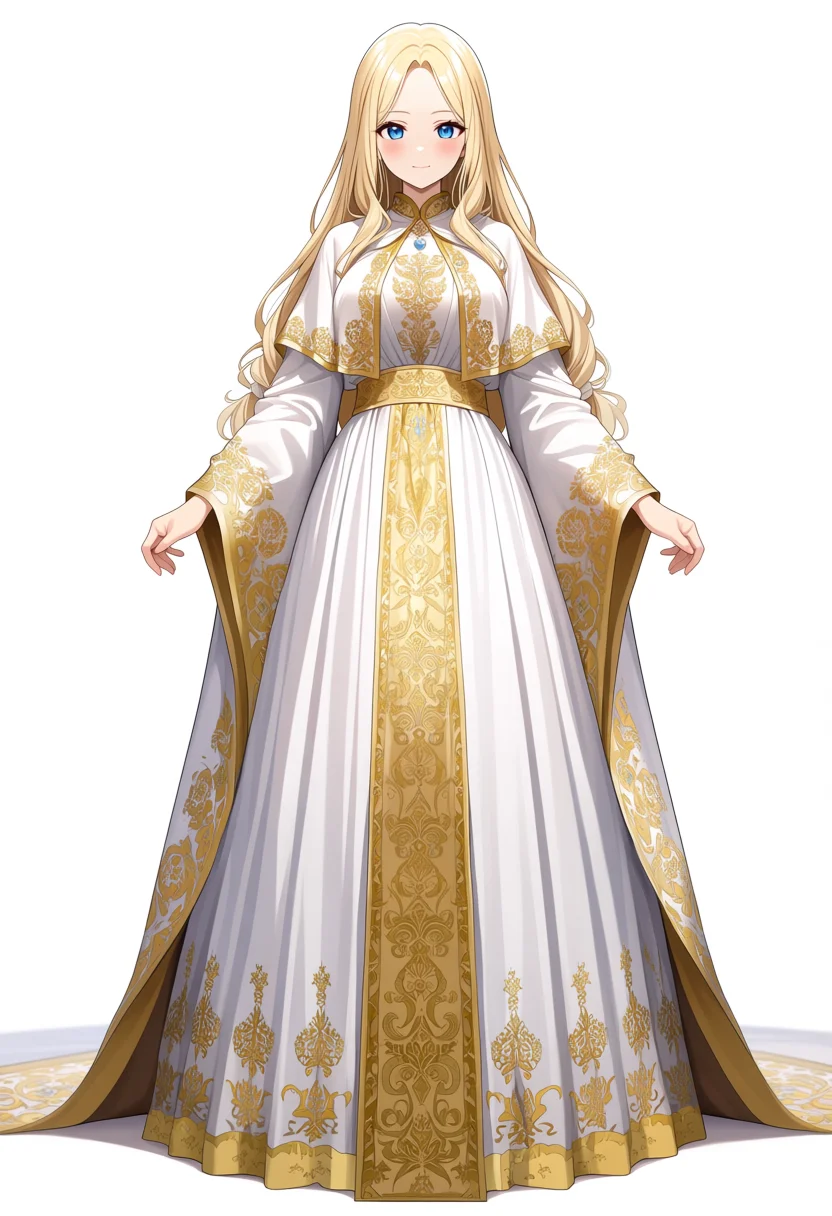
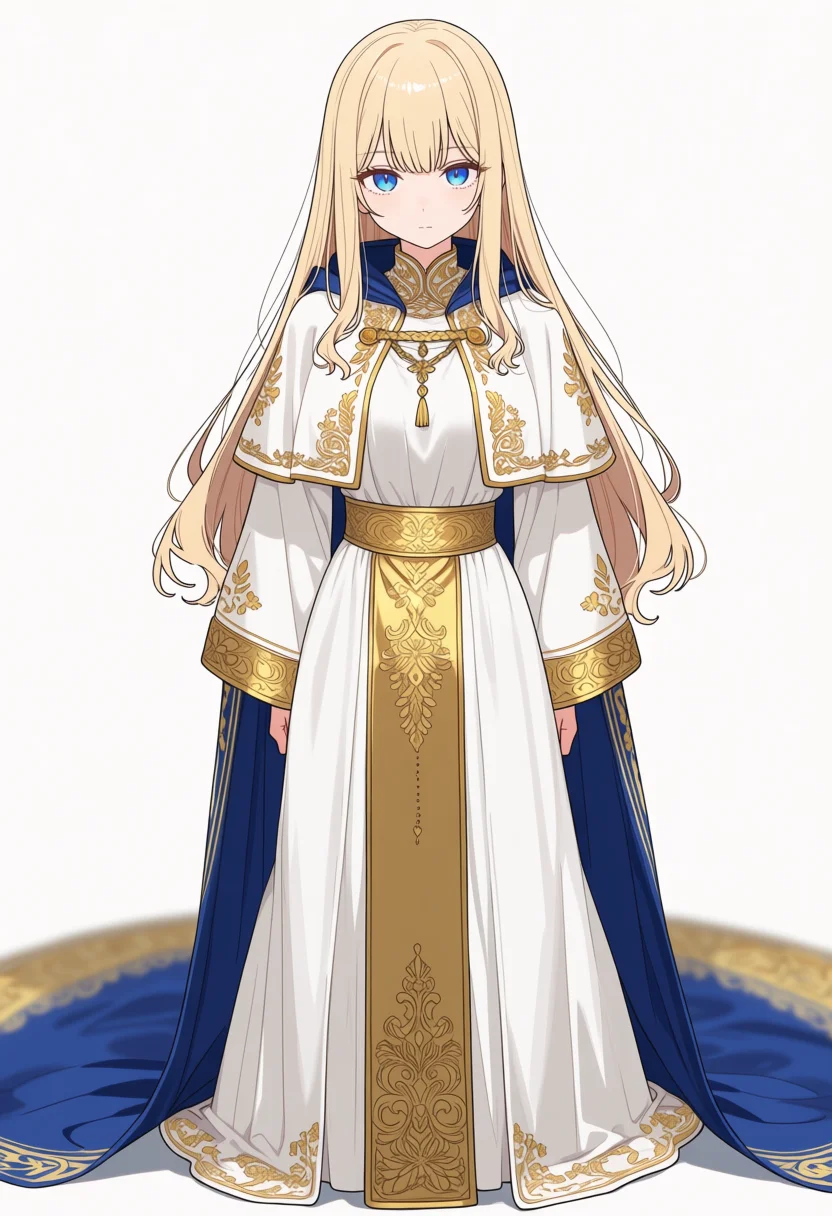
| Model | What the Image Shows |
|---|---|
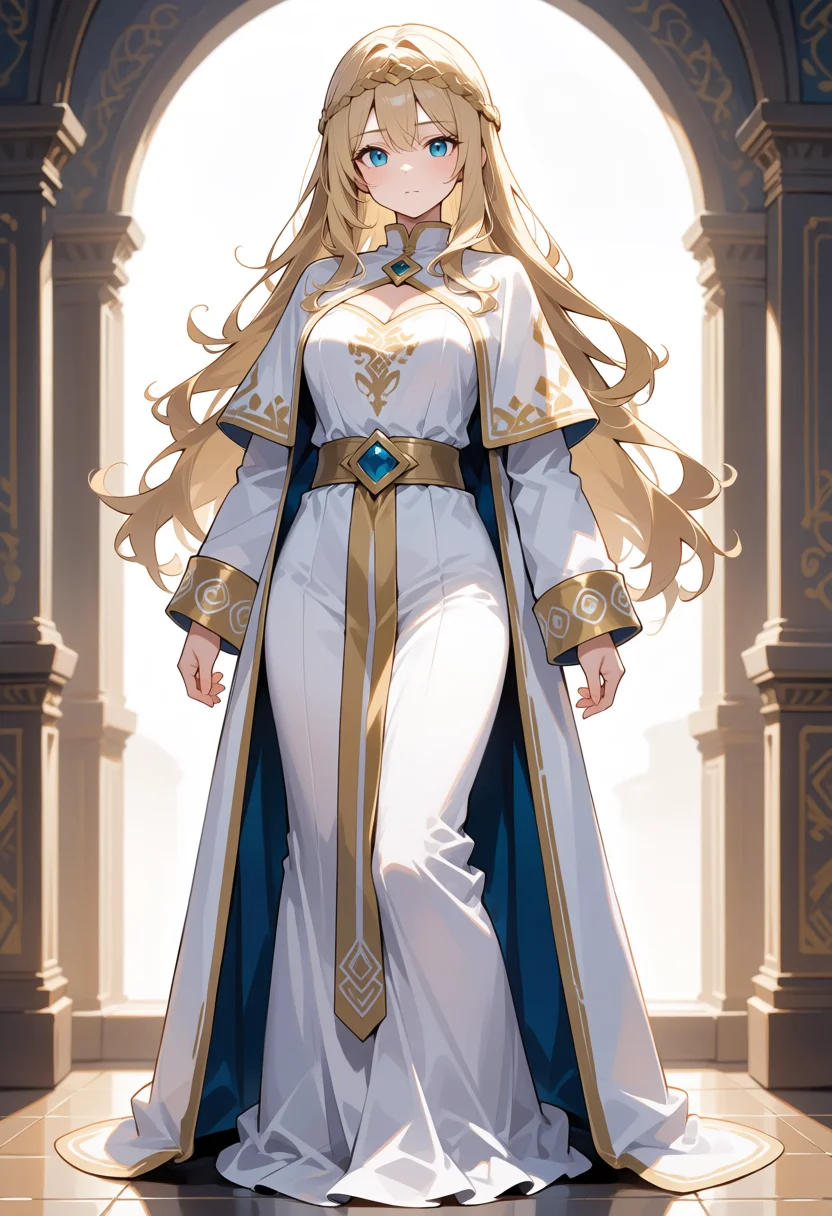
| Base | Wavy hair with forehead exposed; gold embroidery across the entire robe, with heavy soft gray shading on the white fabric |
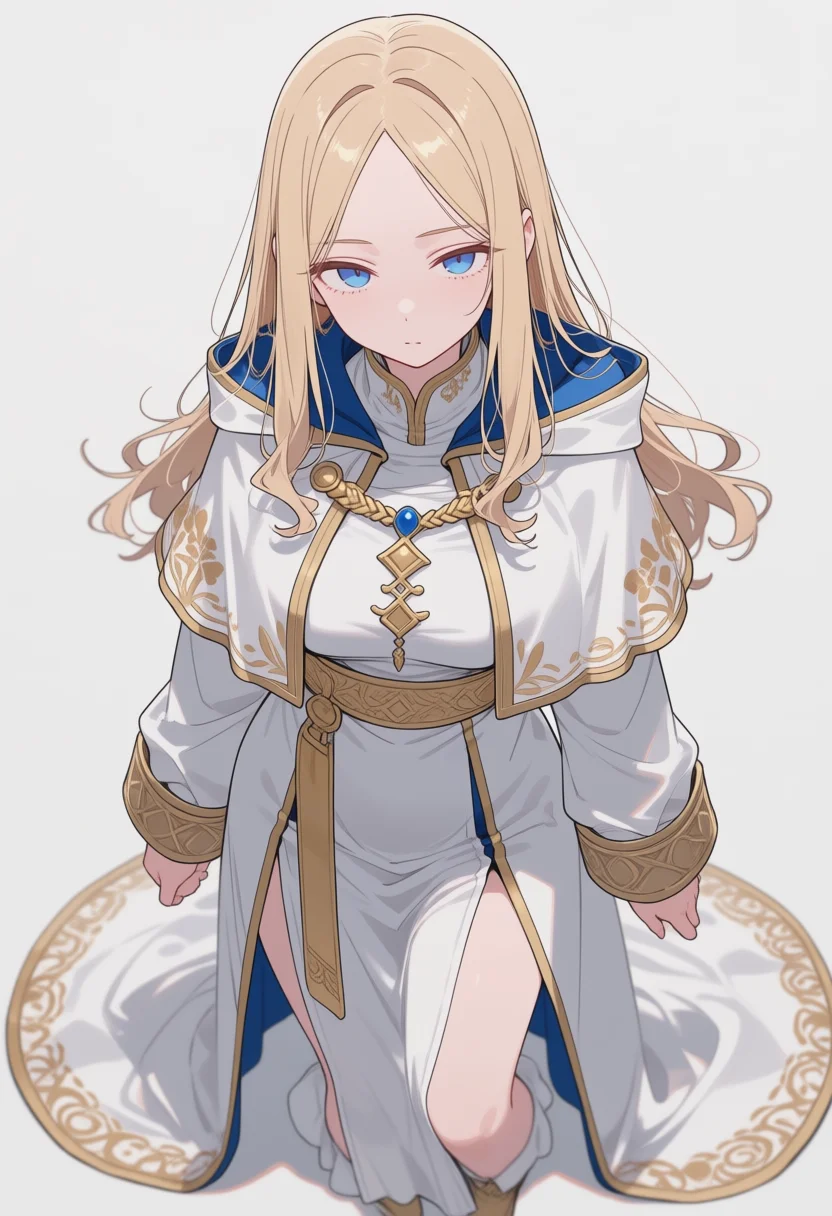
| FLAT | Straight-cut bangs; minimal shading on the white robe, with gold embroidery concentrated on the front panel and cuffs. A navy cloak lining and a round navy-and-gold rug appear at her feet |
On FLAT, the white robe is mostly a single tone with hard-edged gray shadow planes. However, the gold front panel and embroidery are still finely detailed with metallic highlights, so the flatness applies mainly to cloth and skin surfaces rather than stripping away ornament detail.
A faint rug also appears under Base’s feet, likely because simple background in the recommended negative prompt weakened the white-background instruction.
Prompt
masterpiece, best quality, amazing quality, very awa, absurdres, newest, very aesthetic, depth of field, highres, 1girl, solo, long blonde hair, blue eyes, white robe, gold embroidery, capelet, gold sash, long sleeves, long dress, standing, looking at viewer, full body, white backgroundThe recommended negative prompt (in the Basic Information section) was used for every item.
Running Across a Grass Field
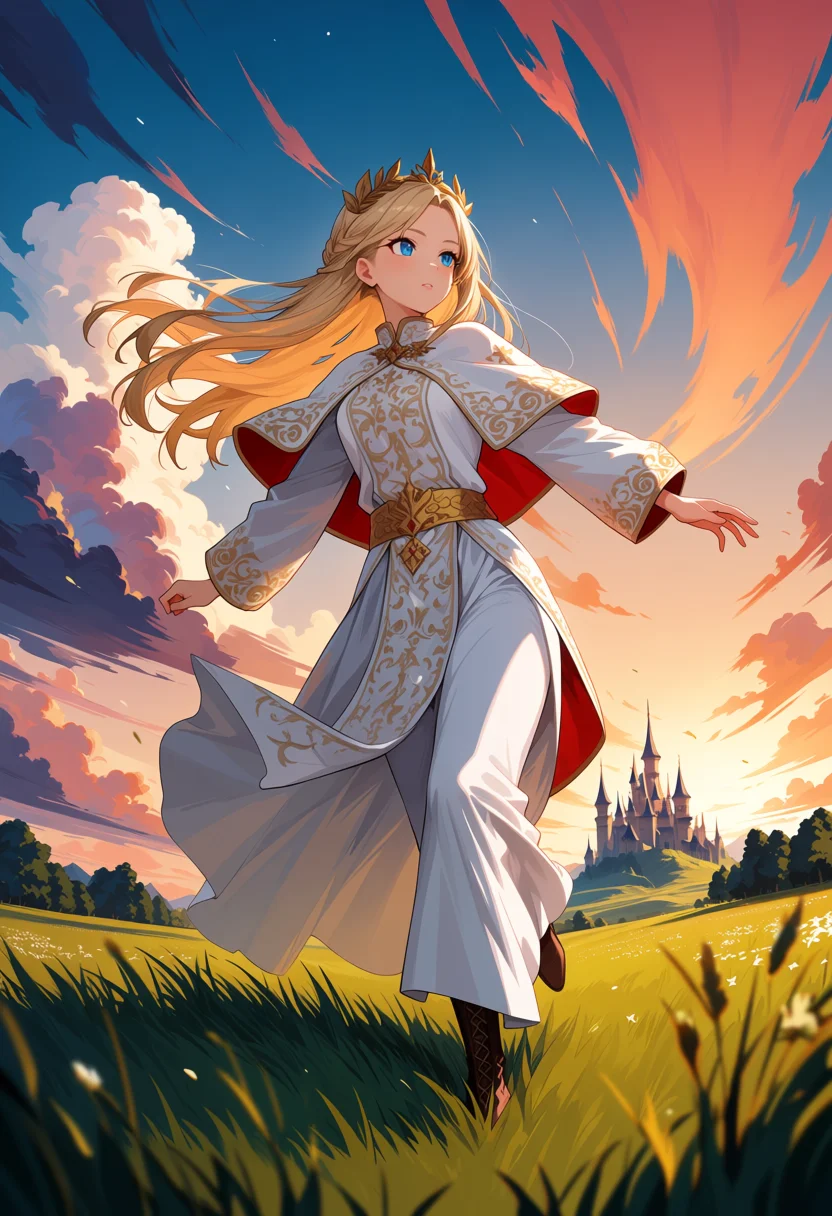
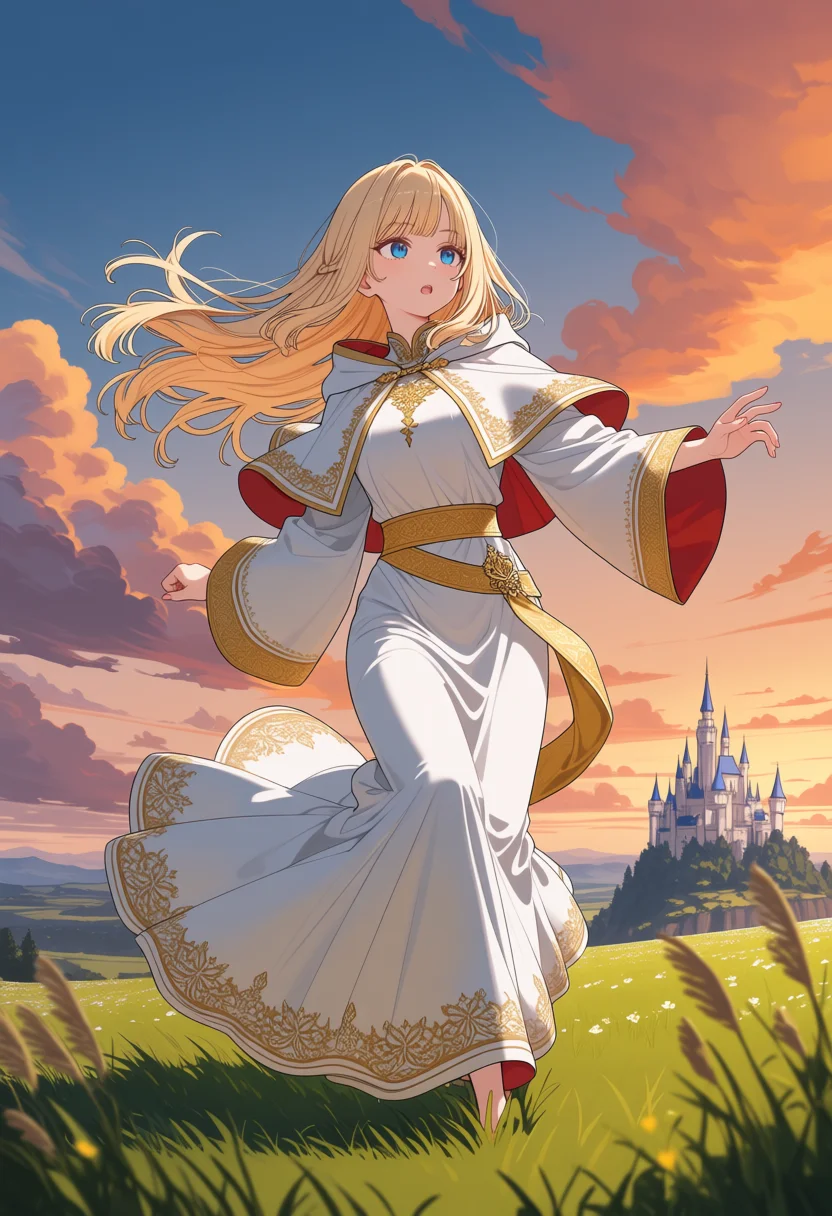
Next, I added motion and a full fantasy background to the same white-robe character.
| Model | What the Image Shows |
|---|---|
| Base | Gold crown on her head, brush-stroke red clouds with strong contrast, wearing boots |
| FLAT | No crown, mouth open looking up-right; smooth orange-to-purple cloud gradient, hard-edged robe shadows, blurred foreground grass |
Both placed the castle in the back right and clouds on the left with full background detail. Base rendered the clouds with visible painterly brushstrokes, while FLAT used a softer gradient and fewer shadow steps on the robe.
The blurred foreground grass is likely from depth of field (out-of-focus blur) in the recommended quality tags.
Prompt
masterpiece, best quality, amazing quality, very awa, absurdres, newest, very aesthetic, depth of field, highres, 1girl, solo, long blonde hair, blue eyes, white robe, gold embroidery, capelet, gold sash, long sleeves, long dress, running, wind, hair blowing, dynamic pose, fantasy landscape, castle in background, sunset sky, dramatic clouds, grass fieldCharacter LoRA
I applied my local Anima-Base character LoRA to see if the flat shading carries over.
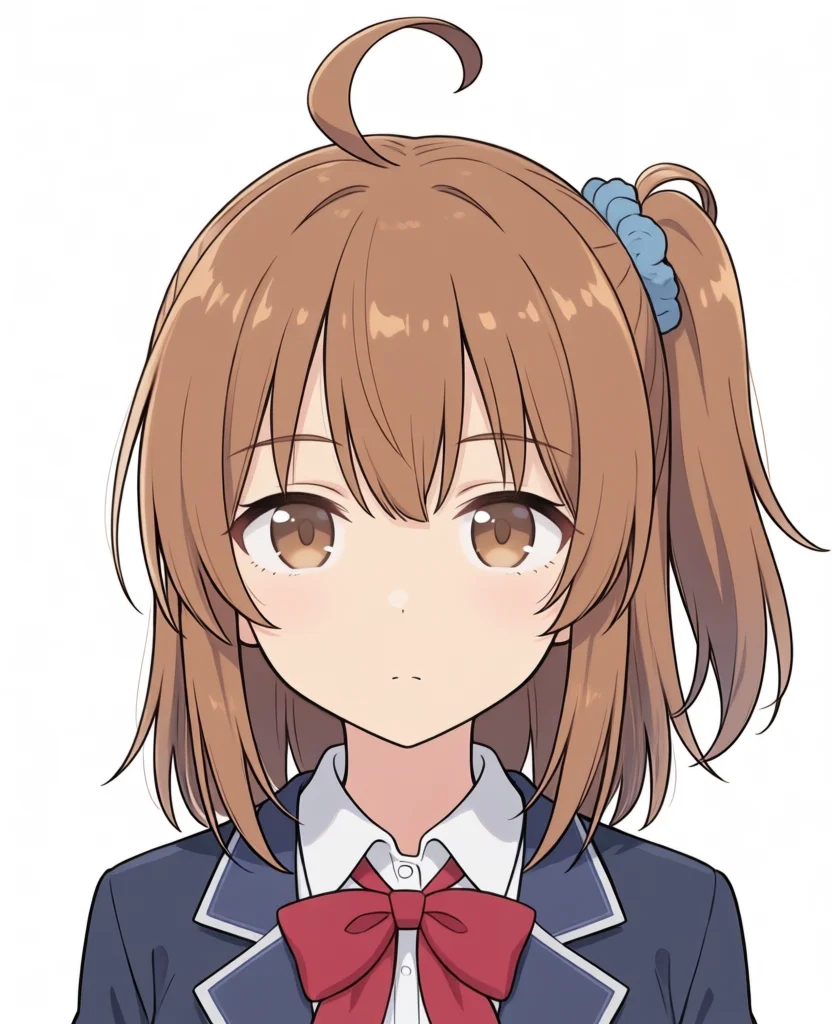
The two characters are Kana (brown hair, side ponytail, ahoge, blue scrunchie) and Kei (long blonde hair, braids, blue hair ribbon). I generated full-body and bust-up shots for each, plus a two-character shot.
Kana
Full body
Bust-up
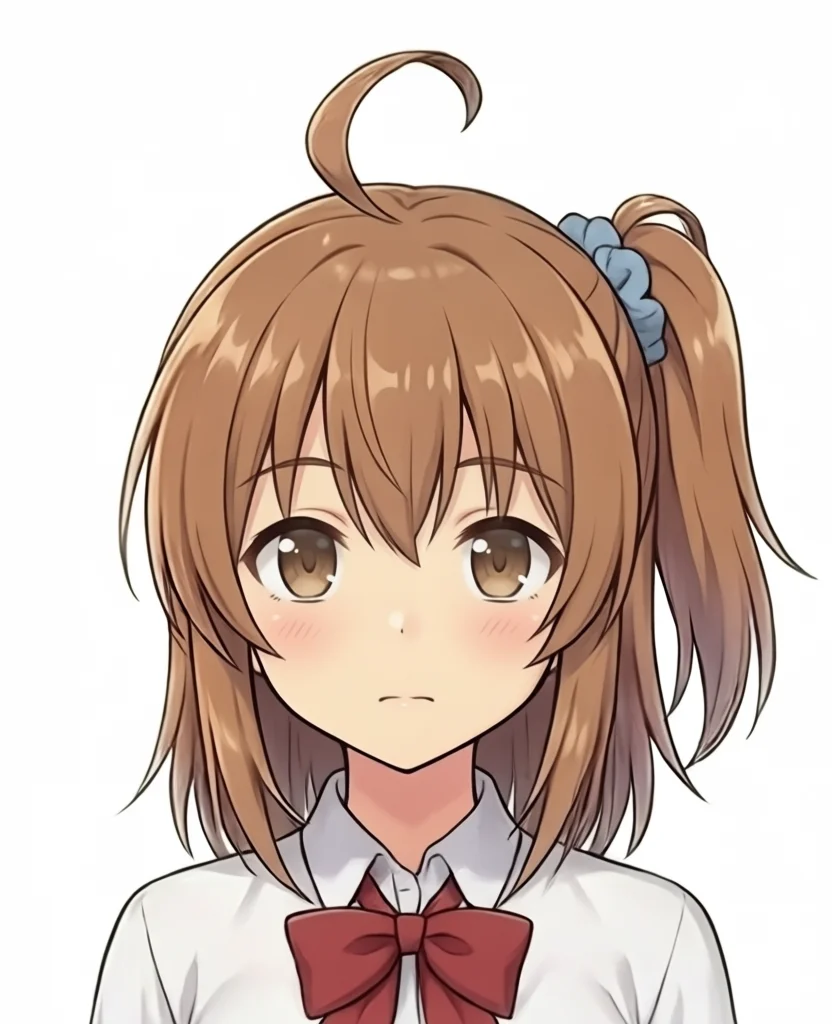
| Model | What the Image Shows |
|---|---|
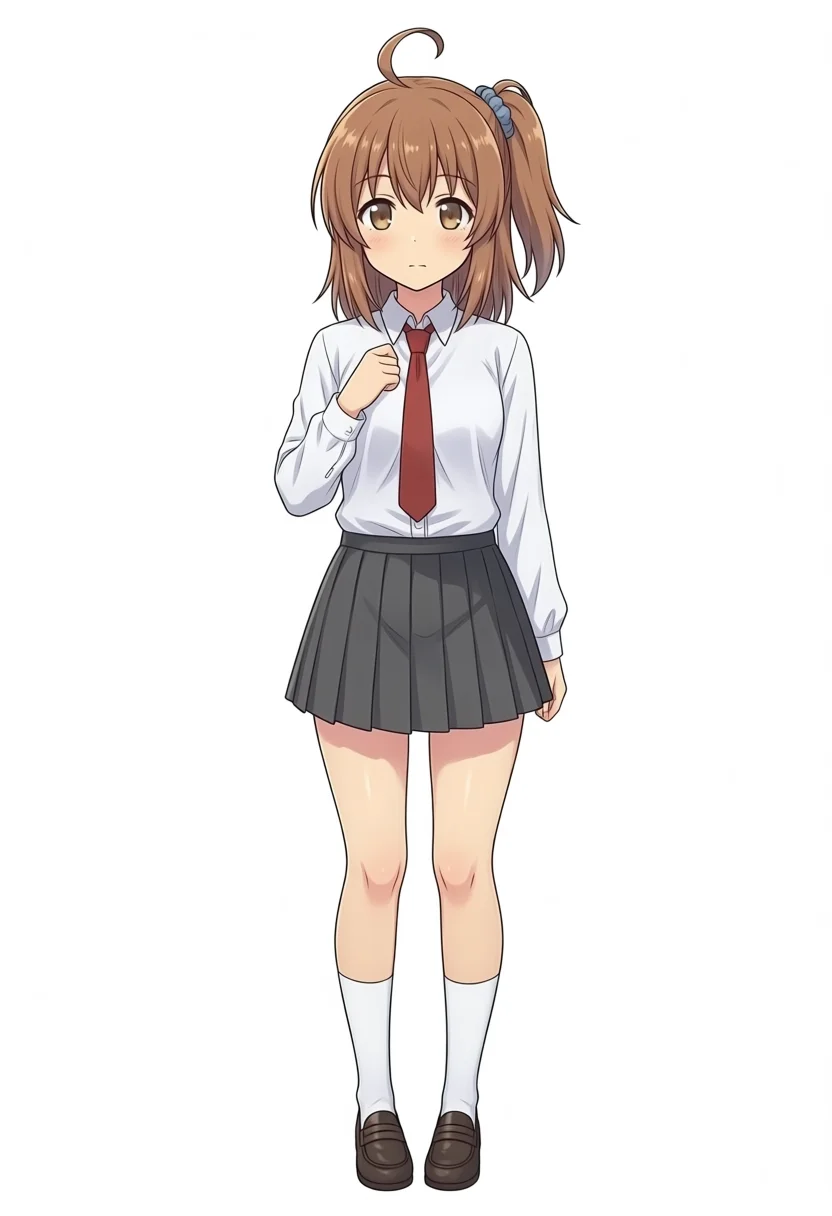
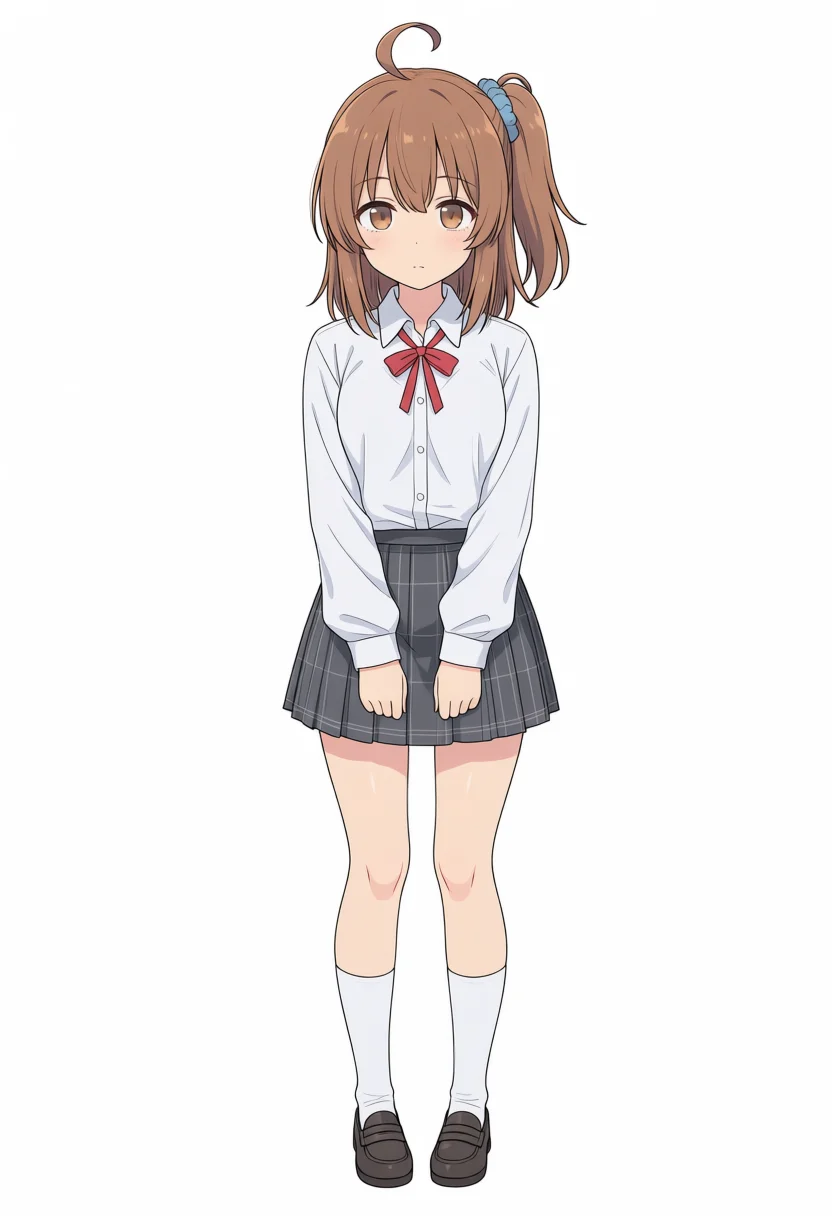
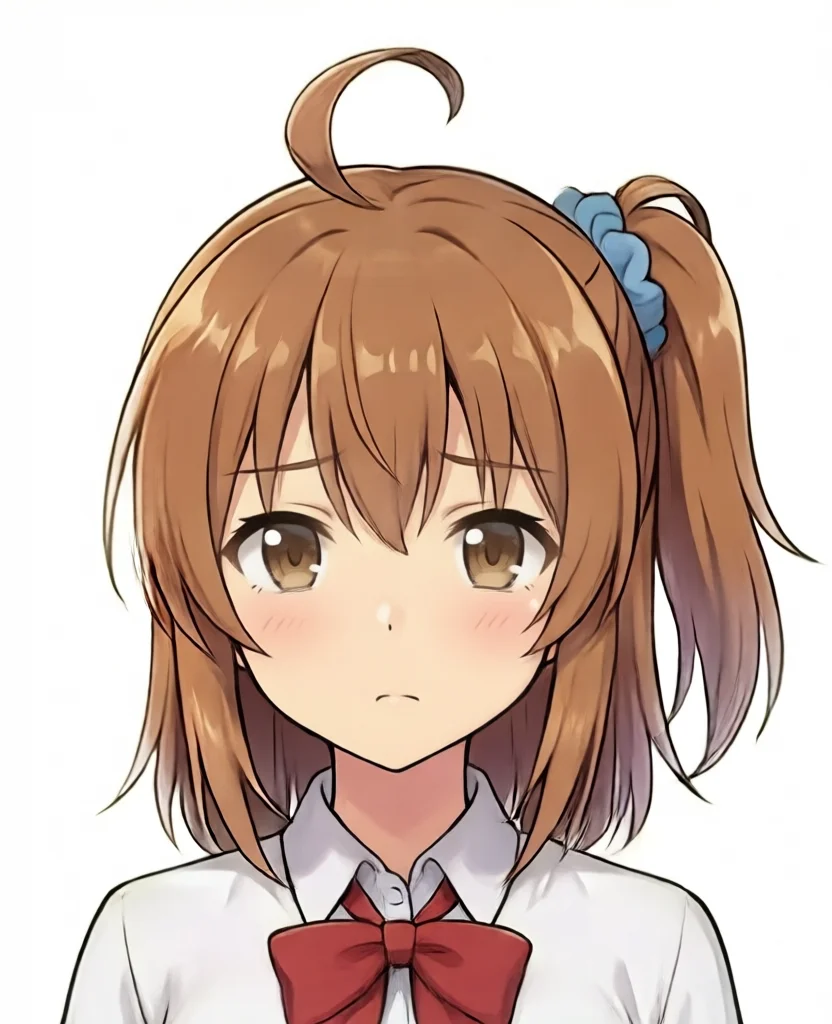
| Base | Full body has a red necktie, one hand on chest, plain dark gray skirt. Bust-up has a white shirt with red bow, rosy cheeks, and dark shading at the hair tips |
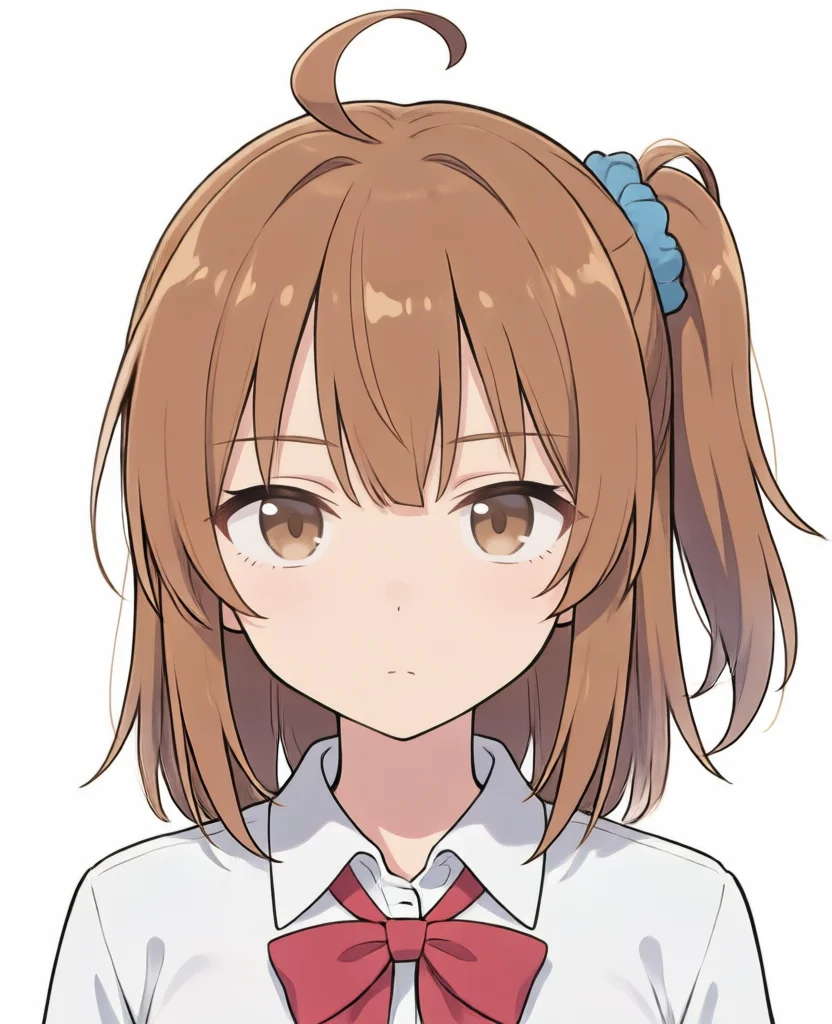
| FLAT | Full body has a thin red ribbon, gray plaid skirt, hands clasped in front. Bust-up has a navy blazer with red bow, faint cheek blush, and fewer shading steps in the hair |
Both models kept the ahoge, side ponytail, and blue scrunchie. FLAT’s bust-up has thinner lineart and brighter skin and hair tones; the dark shading at the hair tips seen in Base disappears, leaving mostly a flat light-brown fill and highlights.
Prompts
Full body
masterpiece, best quality, amazing quality, very awa, absurdres, newest, very aesthetic, depth of field, highres, 1girl, solo, kanachan, brown hair, side ponytail, ahoge, brown eyes, school uniform, full body, standing, looking at viewer, white background, simple backgroundBust-up
masterpiece, best quality, amazing quality, very awa, absurdres, newest, very aesthetic, depth of field, highres, 1girl, solo, kanachan, brown hair, side ponytail, ahoge, brown eyes, school uniform, upper body, portrait, looking at viewer, white background, simple backgroundKei
Full body
Bust-up
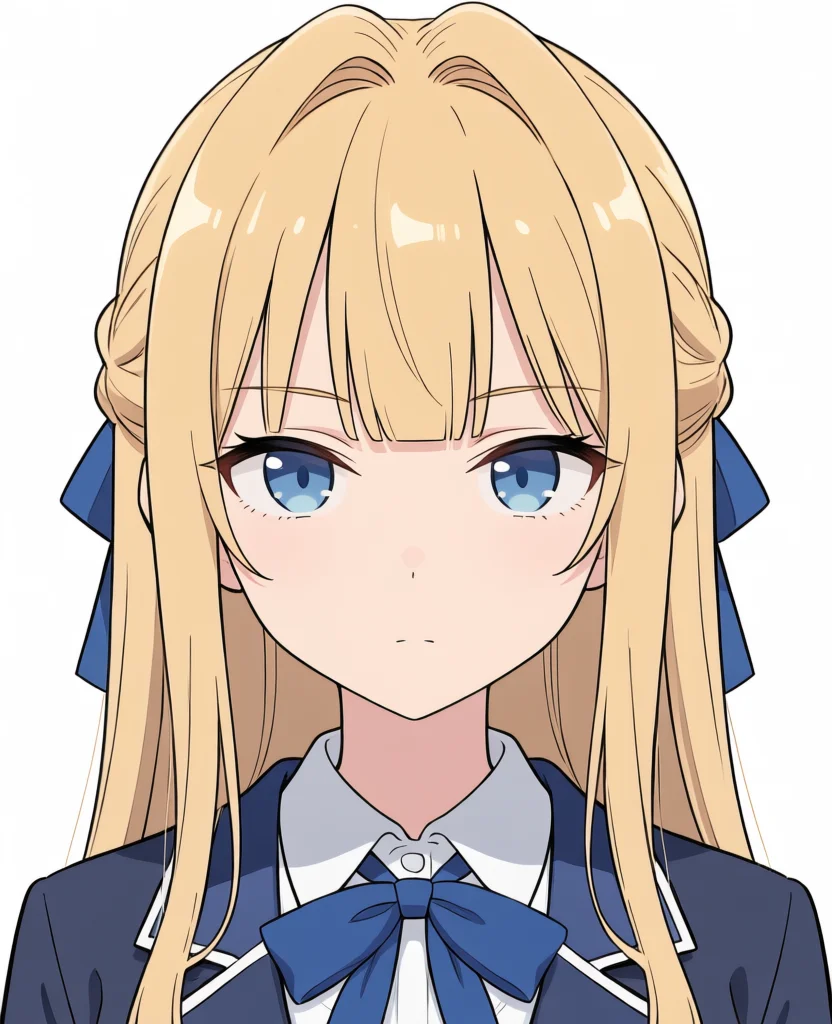
| Model | What the Image Shows |
|---|---|
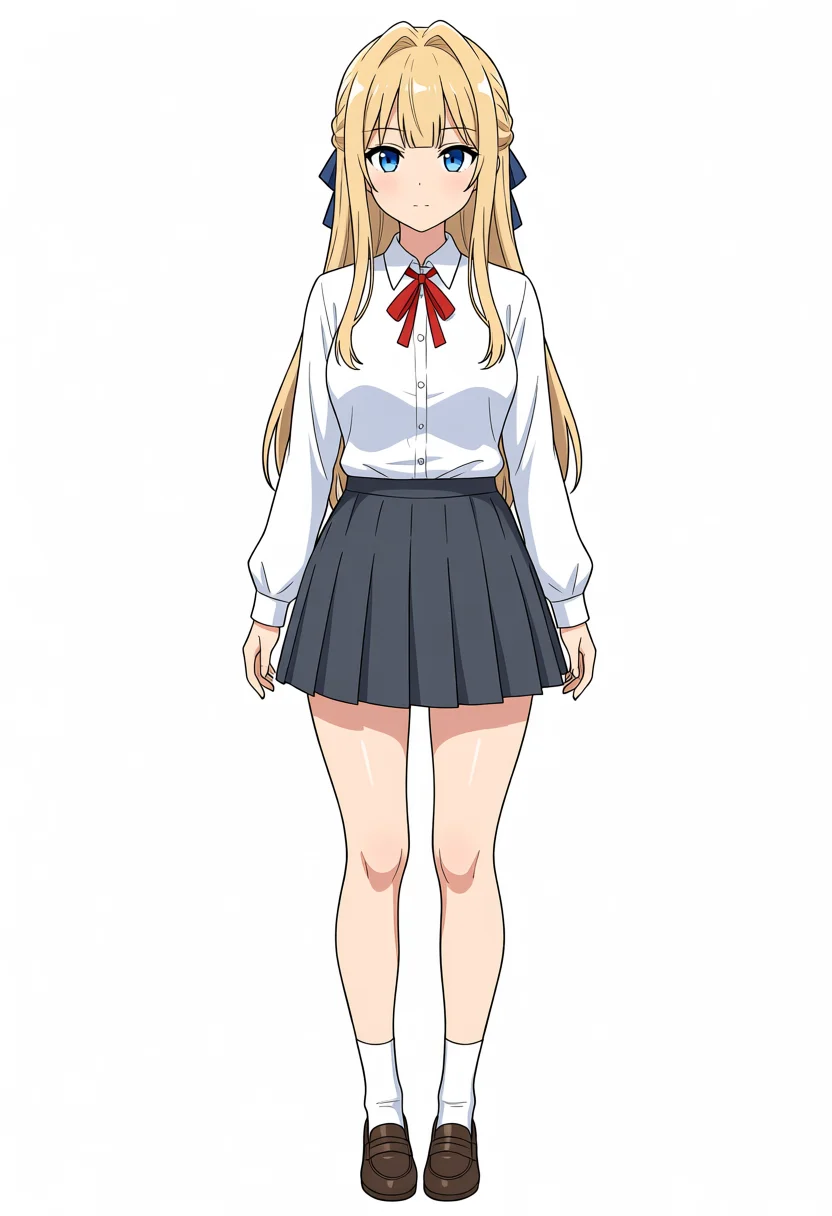
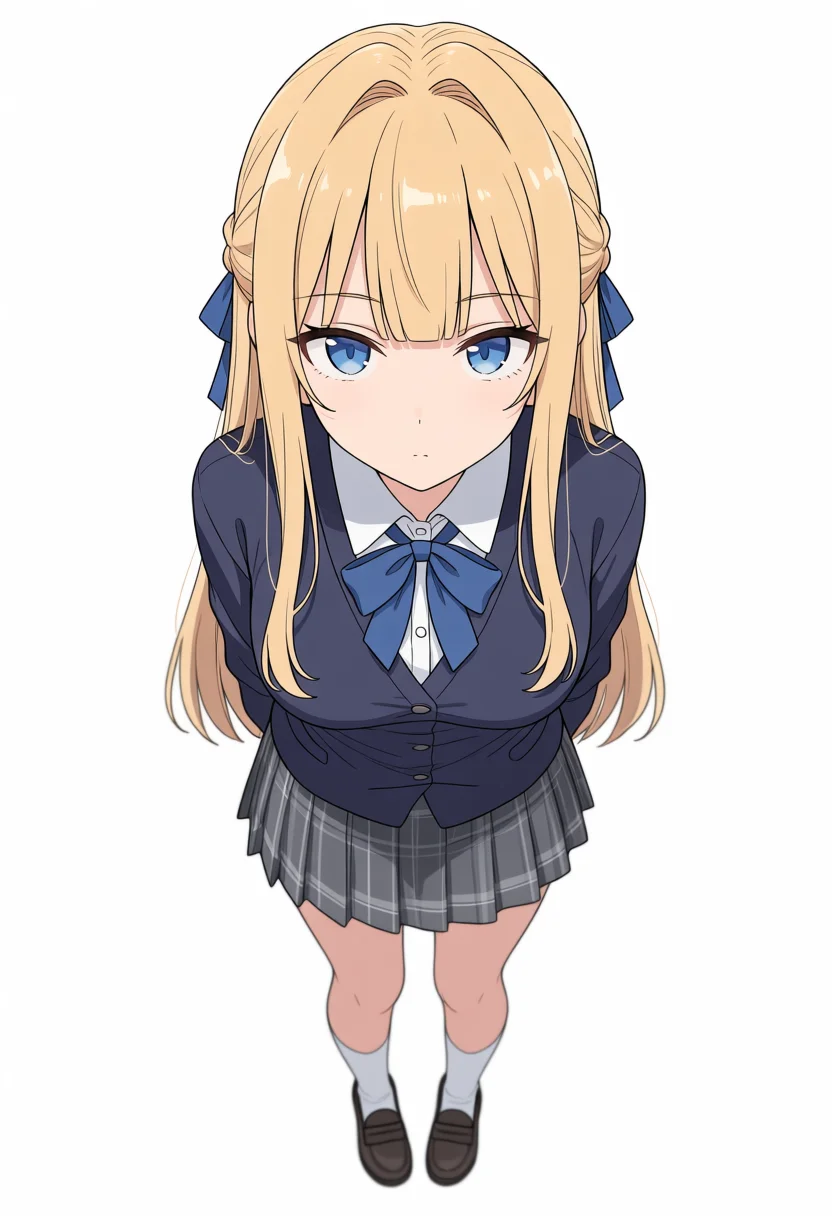
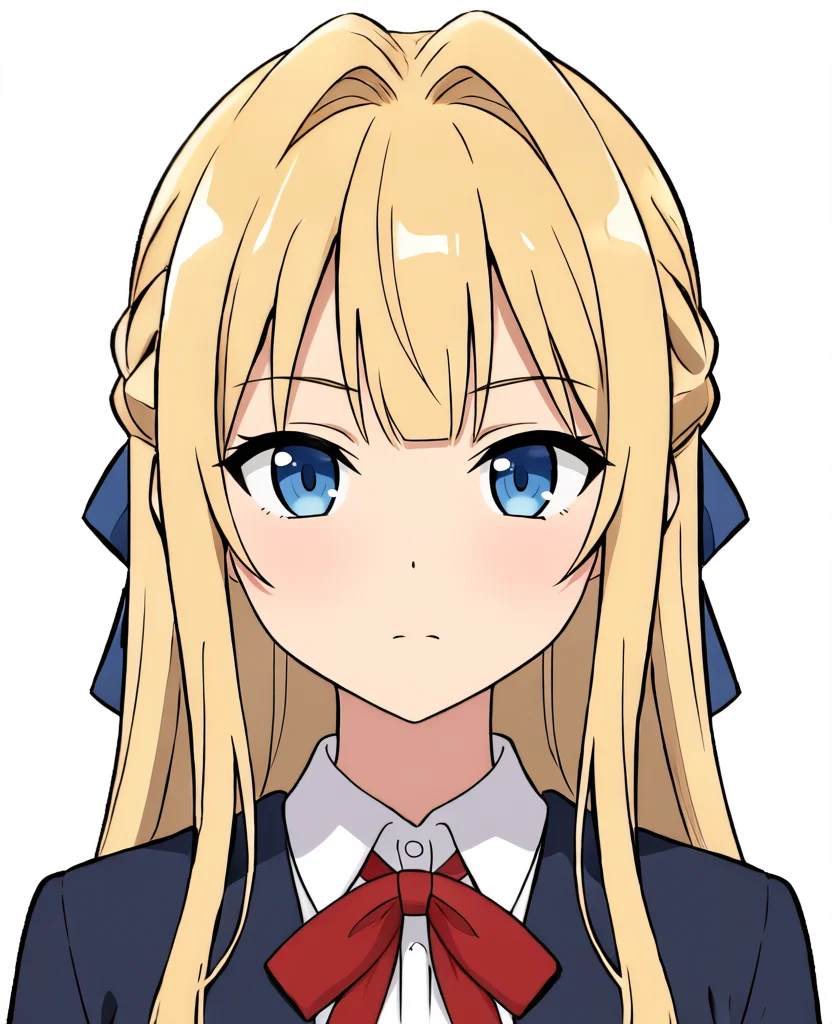
| Base | Full body is a straight-on standing pose with white shirt, red ribbon, and plain skirt. Bust-up has thick black outlines, navy blazer with red bow, and cheek blush |
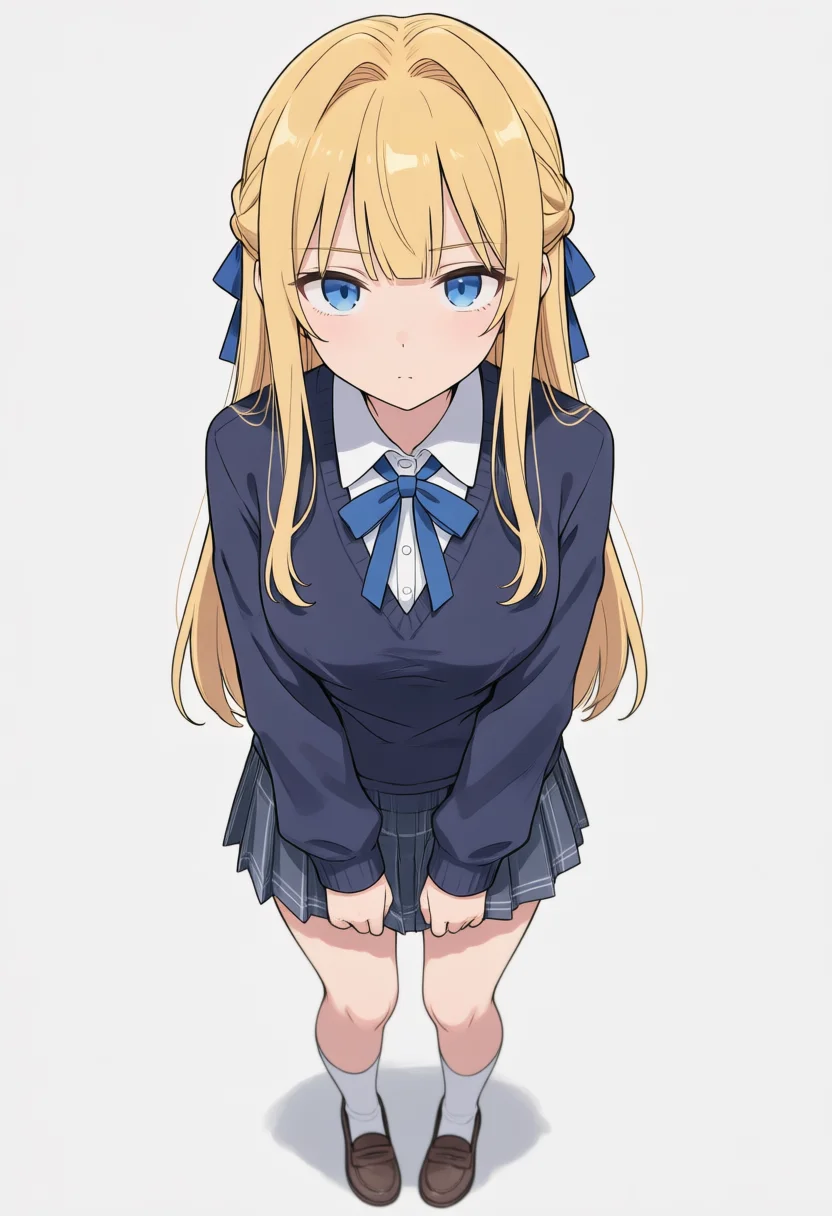
| FLAT | Full body switches to a high-angle top-down view with navy cardigan, blue bow, plaid skirt, and blurred feet. Bust-up has thin outlines, white-trimmed navy blazer with blue bow, and no cheek blush |
Both rendered the braids and blue hair ribbon. Comparing the bust-ups, Base uses thick black outlines while FLAT uses fine lines and paler, brighter skin.
FLAT also colored the neck bow blue in both shots, so the blue ribbon tag meant for her hair appears to have bled into the collar ribbon. In the full-body shot, only FLAT switched to an unrequested top-down angle.
Prompts
Full body
masterpiece, best quality, amazing quality, very awa, absurdres, newest, very aesthetic, depth of field, highres, 1girl, solo, keichan, blonde hair, long hair, blunt bangs, blue ribbon, blue eyes, school uniform, full body, standing, looking at viewer, white background, simple backgroundBust-up
masterpiece, best quality, amazing quality, very awa, absurdres, newest, very aesthetic, depth of field, highres, 1girl, solo, keichan, blonde hair, long hair, blunt bangs, blue ribbon, blue eyes, school uniform, upper body, portrait, looking at viewer, white background, simple backgroundKei and Kana Side by Side
I tested character separation by placing Kei on the left and Kana on the right.
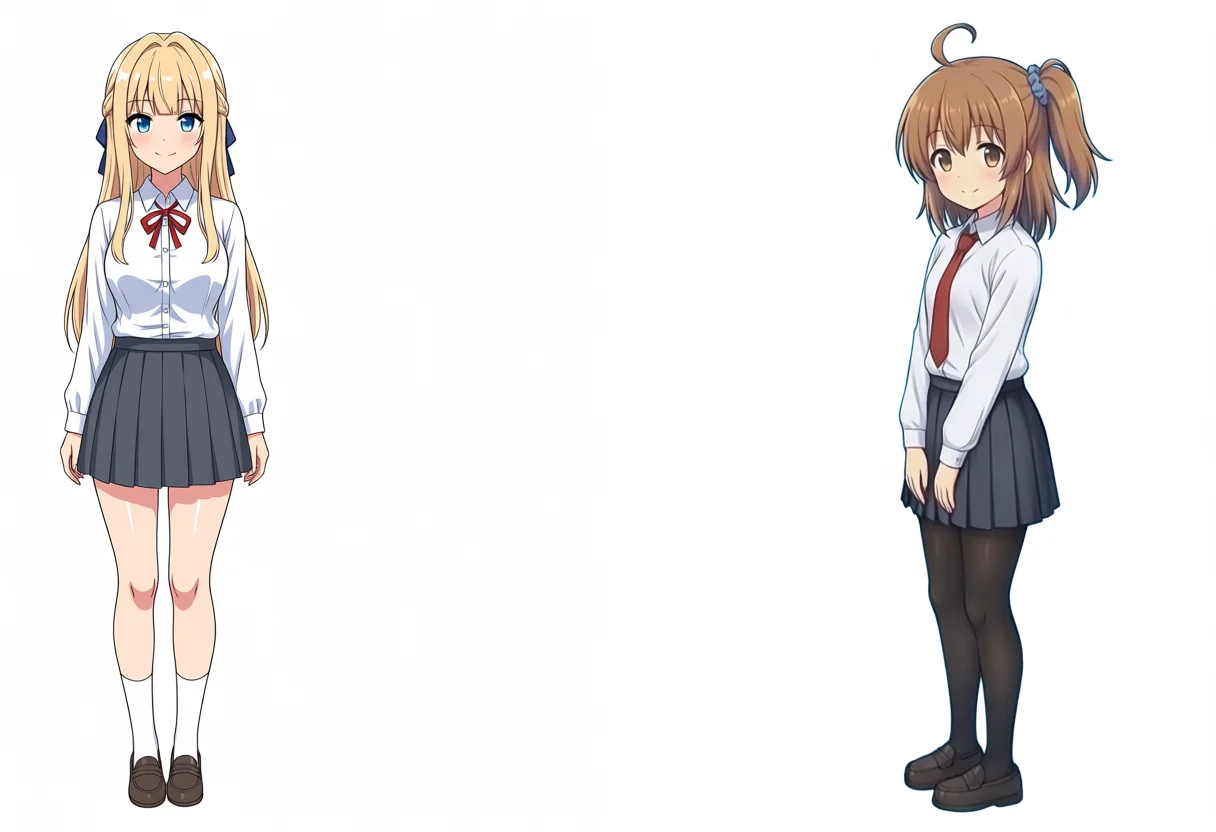
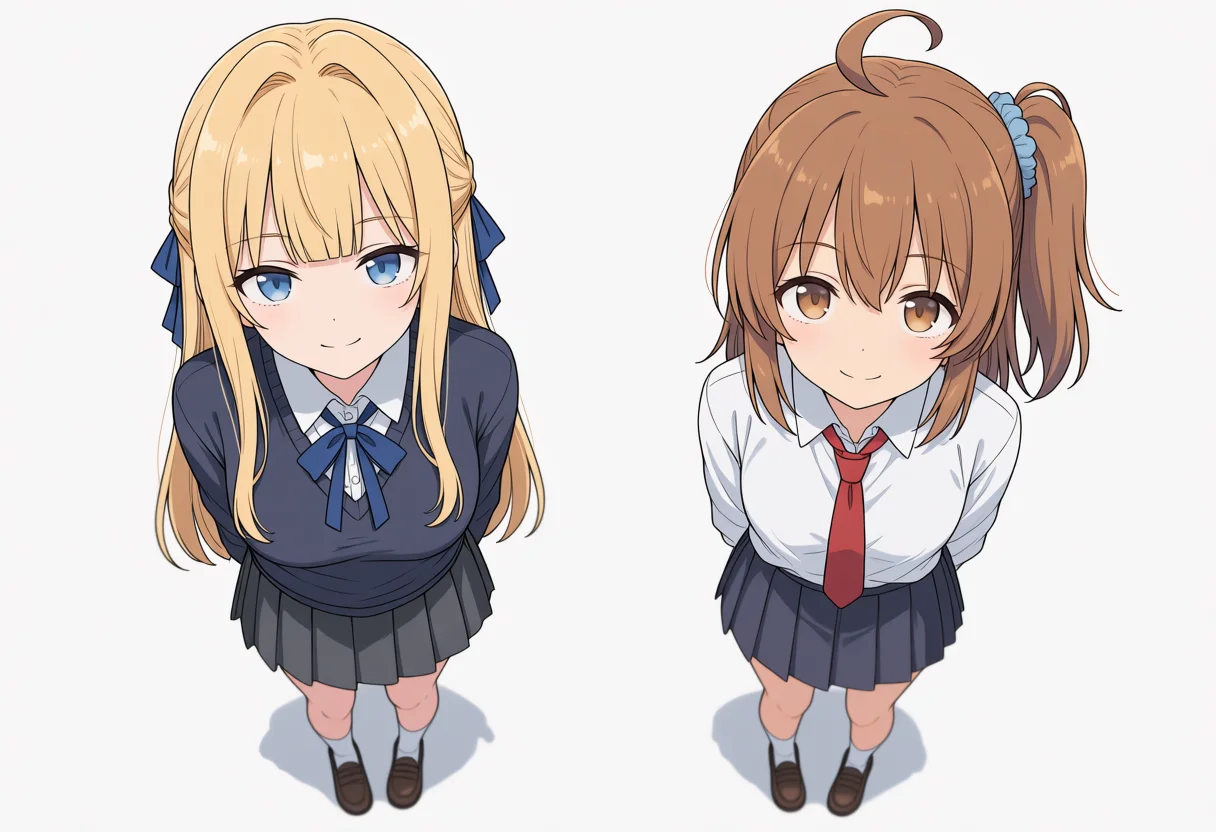
| Model | What the Image Shows |
|---|---|
| Base | Both stand small and far apart near the edges; Kana is turned sideways in black tights and a red necktie |
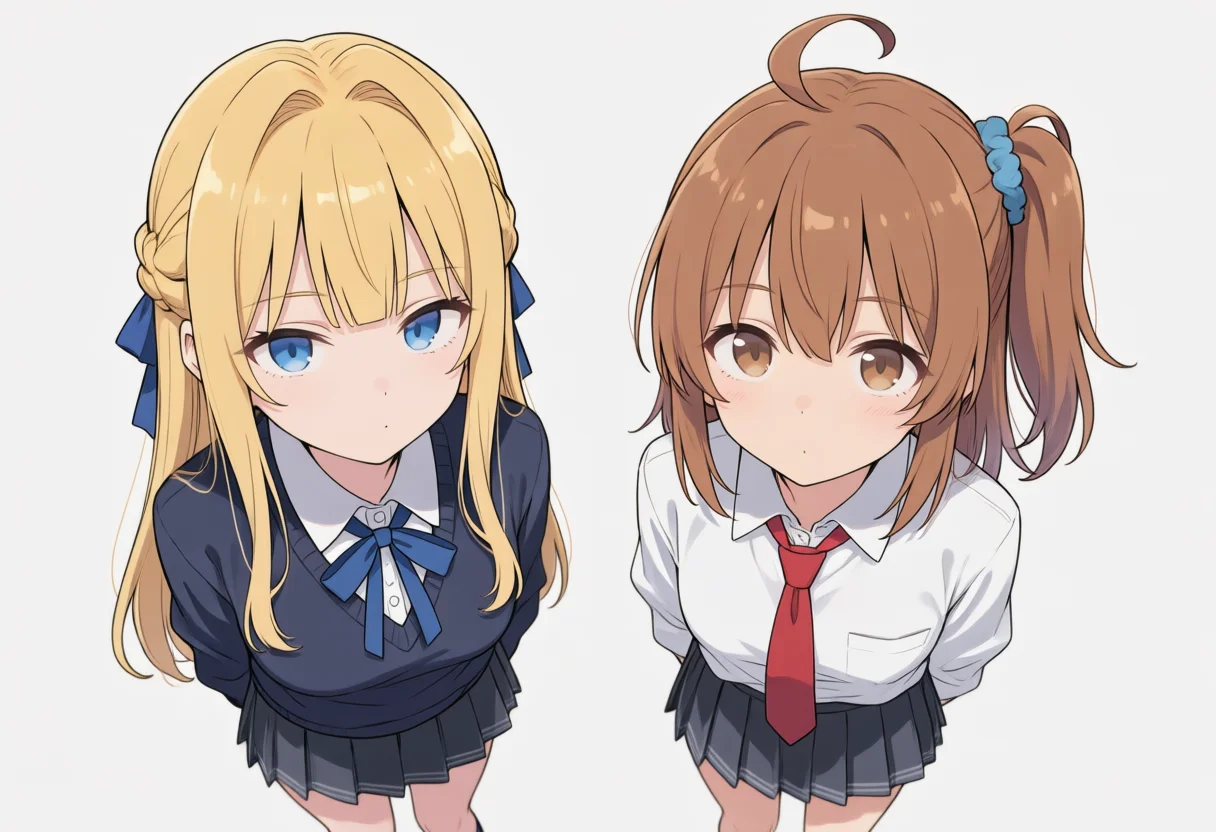
| FLAT | Both fill the frame from a top-down angle; Kei wears a navy sweater with blue bow, Kana wears a white shirt with red necktie, both smiling with hands behind their backs and shadows on the floor |
Neither model mixed up the two characters’ hair colors or hairstyles. FLAT again chose a top-down angle filling the frame, with a nearly uniform blue-gray floor shadow and almost no soft blur.
Prompt
masterpiece, best quality, amazing quality, very awa, absurdres, newest, very aesthetic, depth of field, highres, 2girls, multiple girls, two different girls, kanachan, keichan, standing side by side, full body, looking at viewer, smile, school uniform, keichan on the left has long blonde hair with blunt bangs and a blue ribbon, kanachan on the right has brown hair with a side ponytail and an ahoge, white background, simple backgroundBackground Detail
With Kana’s LoRA enabled, I generated a scene of her sitting at a window table in a cafe.
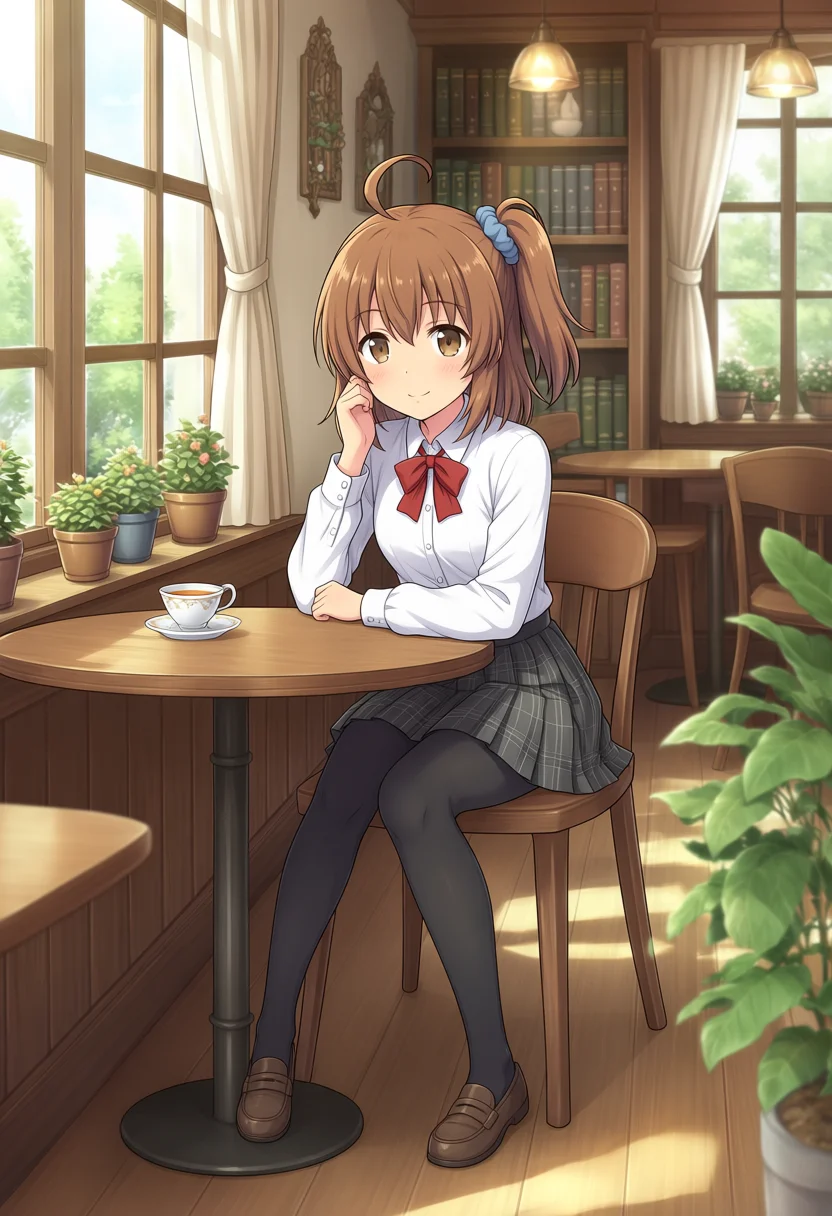
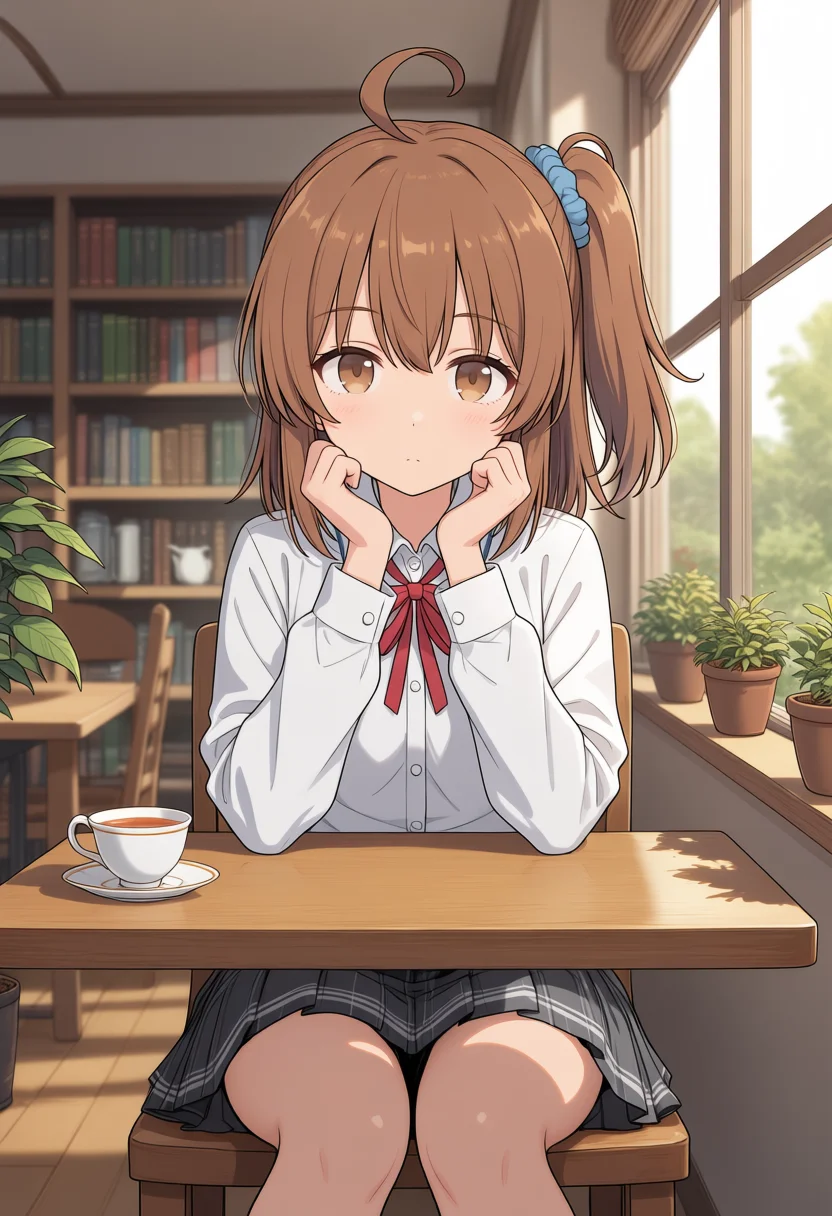
| Model | What the Image Shows |
|---|---|
| Base | Full-body shot beside a round table, chin resting on hand, black tights; striped window light on the floor, bookshelf and pendant lights in back |
| FLAT | Close front-facing upper-body shot with both hands on cheeks; bookshelf and trees outside blurred, glossy highlight on thighs |
Both models drew the bookshelf, potted plants, and window. FLAT framed Kana much larger, and the blur on the bookshelf and outside trees appears to be depth of field taking stronger effect. Base showed sharper light-and-shadow stripes across the floor and table.
Prompt
masterpiece, best quality, amazing quality, very awa, absurdres, newest, very aesthetic, depth of field, highres, 1girl, solo, kanachan, brown hair, side ponytail, ahoge, brown eyes, school uniform, sitting at a cafe table by the window, potted plants, bookshelf, teacup, warm afternoon sunlight, detailed background, intricate details, looking at viewerImage-to-Image (i2i)
I ran the source image below (generated with WAI-Illustrious v160 and a Kana LoRA) through i2i at denoise 0.5 (controlling how much the image changes from the source), without loading the character LoRA.
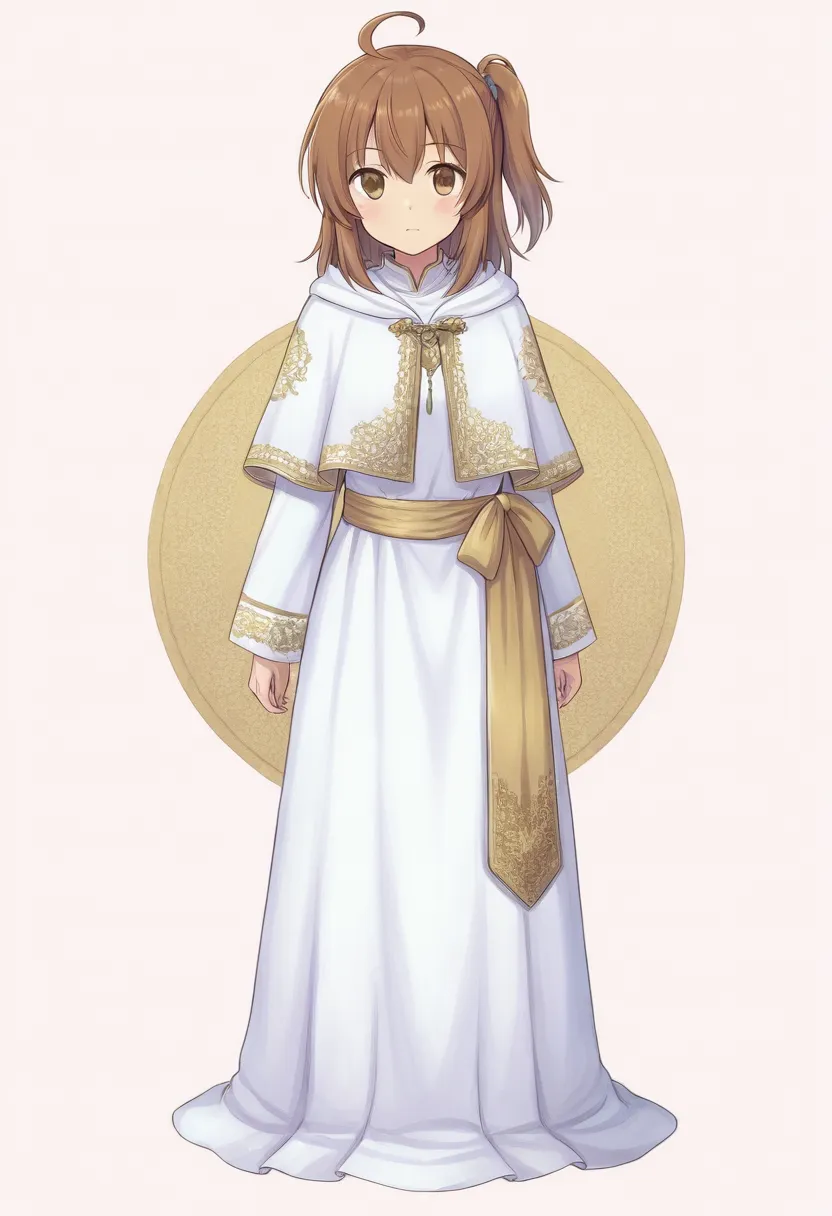
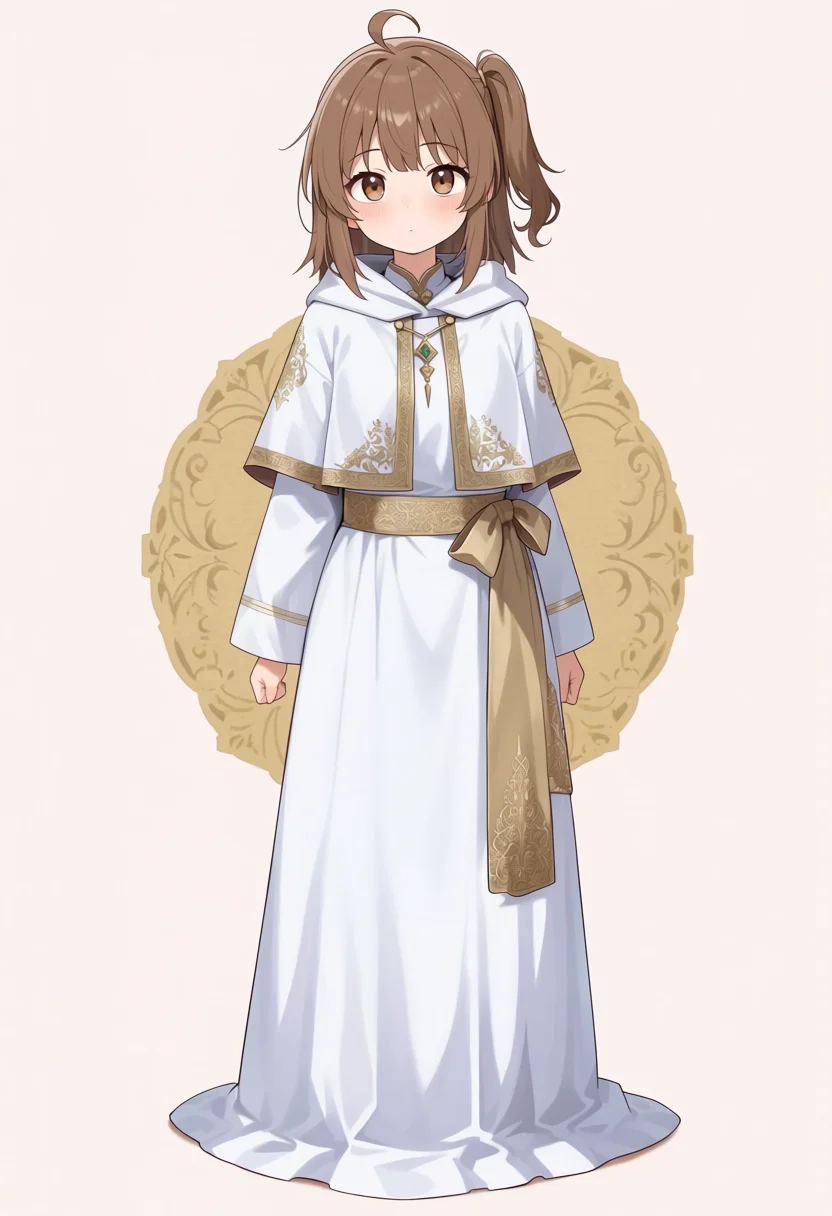
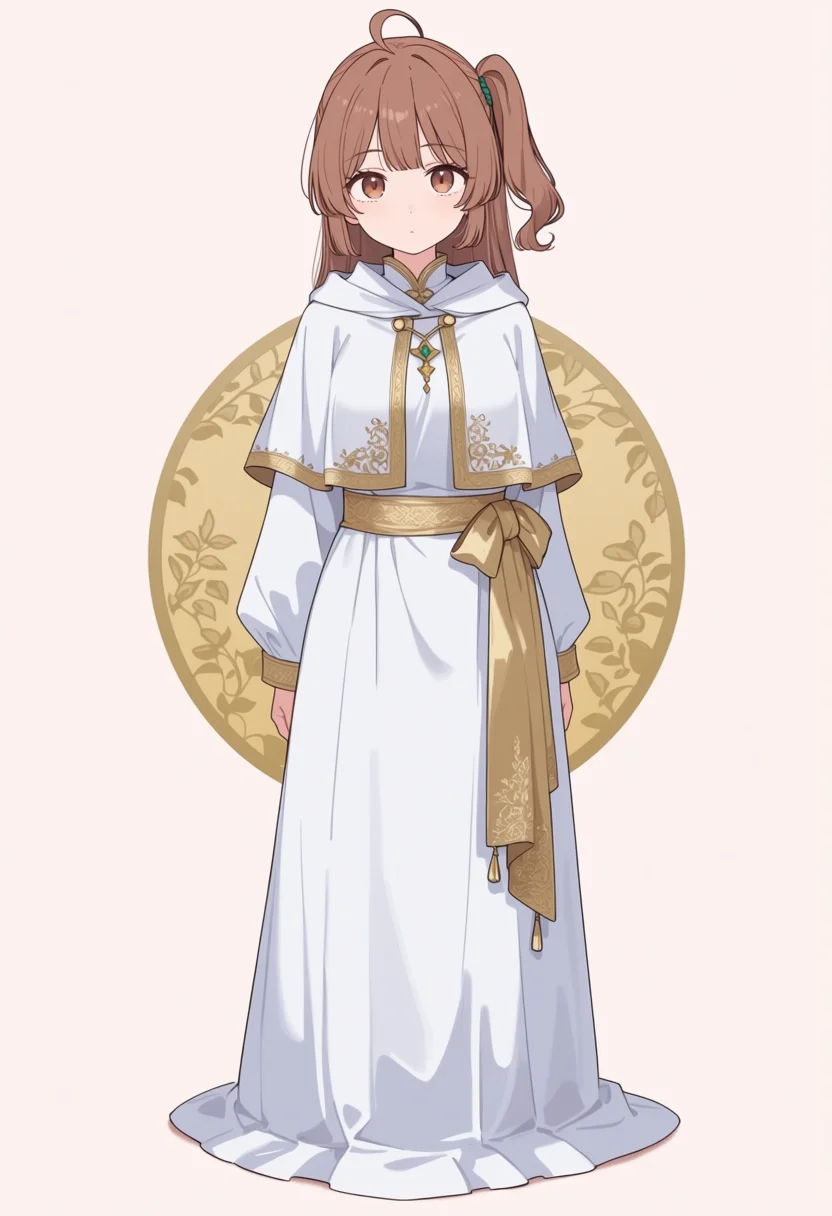
| Model | What the Image Shows |
|---|---|
| Base | Preserves the white hood and gold sash shape; arabesque pattern on the gold circle behind her, rosy cheeks |
| FLAT | Same standing pose and sash; hair turns reddish-brown, scrunchie becomes a green ornament, leaf pattern on the gold circle |
Both shaded the robe with gray shadow planes, so the shading difference between the two models was small in i2i.
Prompt
masterpiece, best quality, amazing quality, very awa, absurdres, newest, very aesthetic, depth of field, highres, 1girl, solo, brown hair, side ponytail, ahoge, brown eyes, white robe, gold embroidery, capelet, gold sash, long sleeves, long dress, standing, looking at viewer, full bodyMeasuring Shading Flatness
To check the 9 outputs above beyond visual impression, I measured shading flatness with three metrics. White background pixels (where R, G, and B on a 0–255 scale are all above 240) were excluded so only painted character and background pixels were counted.
| Metric | How It Is Calculated | Direction for Flatter Shading |
|---|---|---|
| Flat pixel ratio | Share of pixels whose 5×5 neighborhood luminance standard deviation is under 2 | Higher |
| Smooth gradient ratio | Share of pixels whose luminance difference from neighbors is 2–24 (captures gradients and soft shading) | Lower |
| Colors covering 90% | Number of quantized colors (RGB reduced to 16 levels per channel) needed to cover 90% of pixels | Lower |
Each cell shows Base → FLAT.
| Item | Flat Pixels | Smooth Gradients | Colors for 90% |
|---|---|---|---|
| Standing portrait (white bg) | 21.2% → 34.0% | 53.5% → 35.8% | 118 → 108 |
| Running in grass field | 52.5% → 54.5% | 28.6% → 29.0% | 243 → 171 |
| Kana (full body) | 41.3% → 46.1% | 28.5% → 24.9% | 81 → 53 |
| Kana (bust-up) | 46.1% → 56.7% | 27.7% → 18.0% | 96 → 69 |
| Kei (full body) | 50.0% → 48.0% | 17.4% → 24.0% | 68 → 69 |
| Kei (bust-up) | 65.9% → 65.2% | 10.8% → 11.3% | 48 → 52 |
| Two characters side by side | 33.5% → 44.6% | 32.5% → 25.0% | 126 → 92 |
| Cafe | 36.1% → 46.7% | 43.1% → 32.3% | 130 → 111 |
| i2i | 75.1% → 77.3% | 15.0% → 13.0% | 28 → 21 |
In 6 of the 9 items, FLAT had more flat pixels, fewer smooth gradients, and fewer colors. Only Kei’s full-body and bust-up reversed: in the full-body shot, FLAT switched to a top-down pose in a navy cardigan, changing the painted area and color mix significantly. Kei’s bust-up also reversed slightly, though the gap is small and the cause is unclear. The grass-field scene had nearly identical flatness and gradient ratios with fewer colors, and i2i differed by only about 2 percentage points (75.1% vs. 77.3%).
Generation Speed
I timed 30-step jobs on the M1 Max 64GB from job start to image output. FLAT’s standing portrait includes initial model loading into memory, which makes it slightly slower than subsequent runs.
| Model | Standing Portrait (832×1216) | Running in Grass Field (832×1216) | Kana Bust-up (832×1024) |
|---|---|---|---|
| Base | 265.3s | 259.3s | 207.1s |
| FLAT | 279.2s | 271.3s | 217.0s |
At 832×1216, each image took about 260–270 seconds, within 10% of Base, as expected since both have identical tensor counts and shapes. FLAT remained about 10 seconds slower on later images as well, though because I ran all FLAT jobs before Base, this may just be run-order variance.
Speed and Shading with Turbo LoRA v0.2
At 30 steps and CFG 5, each image takes 4 to 5 minutes, so I tested Anima Turbo LoRA to cut steps and CFG. As of November 27, 2026 via the Civitai API, the latest release was v0.2 (published May 26), trained on Base v1.0. It downloaded without logging in.
The v0.2 page specifies CFG 1 and 8–12 steps, noting that er_sde can introduce noise while euler produces cleaner, flatter results, so I used euler.
Although steps, CFG, and sampler differ from ANIMA FLAT’s recommended settings, keeping 30 steps would defeat the purpose of Turbo, so I followed Turbo’s settings while keeping ANIMA FLAT’s quality tags and negative prompt. Note that CFG only evaluates the negative prompt when CFG is above 1, so the negative prompt has no effect at CFG 1.
| Item | Setting |
|---|---|
| Turbo LoRA | anima-turbo-lora-v0.2 (strength_model 1.0, strength_clip 1.0) |
| Steps / CFG | 8 / 1.0 |
| Sampler / Scheduler | euler / simple |
| Target Models | ANIMA FLAT v1.0 and Anima-Base v1.0 |
| Other | Same prompts, seed, resolutions, and character LoRA as earlier sections |
Speed
| Item | FLAT | FLAT + Turbo v0.2 | Base | Base + Turbo v0.2 |
|---|---|---|---|---|
| Standing portrait (832×1216) | 279.2s | 40.1s | 265.3s | 46.2s |
| Running in grass field (832×1216) | 271.3s | 38.1s | 259.3s | 38.1s |
| Kana bust-up (832×1024) | 217.0s | 30.1s | 207.1s | 30.1s |
| Two characters (1216×832) | 271.3s | 38.1s | 259.2s | 38.1s |
| i2i (832×1216) | 263.0s | 42.2s | 263.3s | 42.1s |
Generation time dropped to roughly one-seventh. At 30 steps with CFG 5, each step runs both positive and negative passes (60 passes total), versus 8 passes at 8 steps with CFG 1, and the speedup closely matches that ratio. With Turbo enabled, FLAT and Base took the exact same time.
Shading and Composition
The left column (ANIMA FLAT v1.0) shows the same images from earlier sections for reference.
Standing portrait on white background
Kana bust-up
Kei full body
Two characters side by side
| Model | What Changed with Turbo |
|---|---|
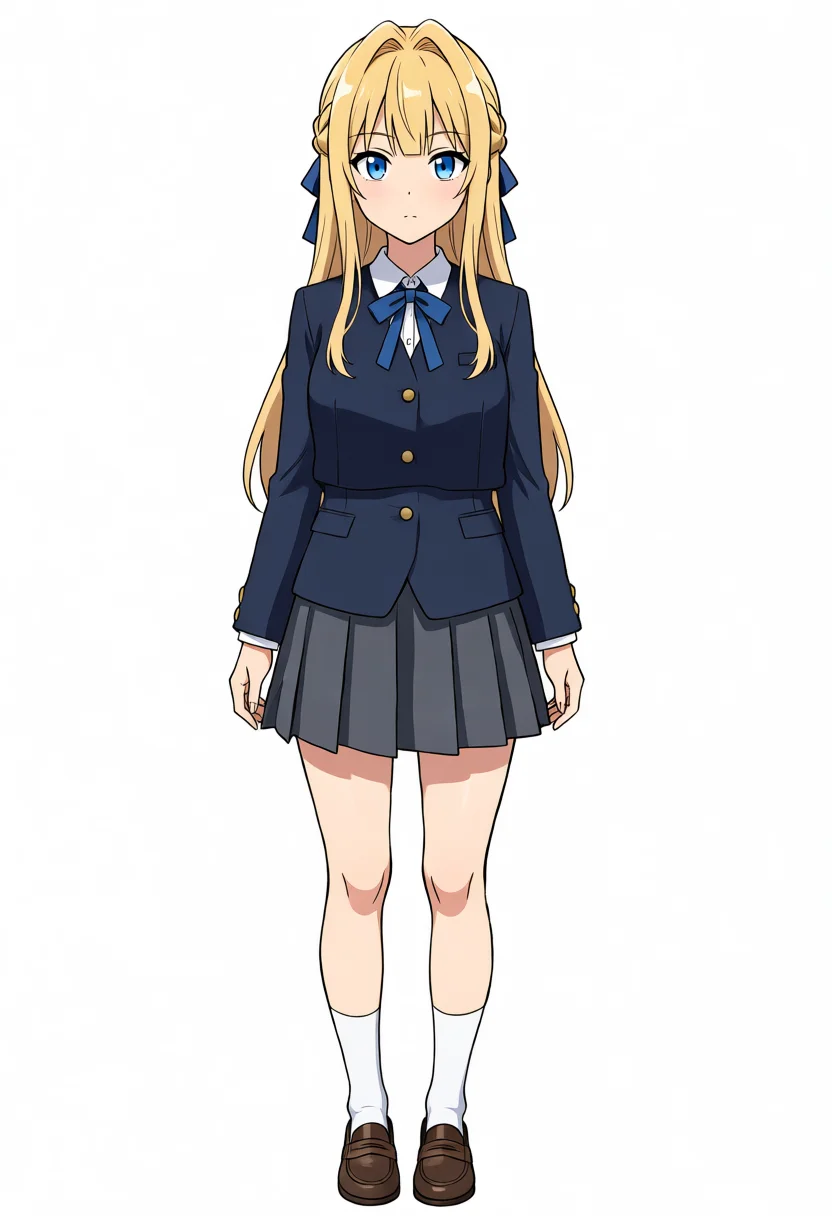
| FLAT + Turbo v0.2 | Keeps FLAT’s thin outlines and bright skin/hair colors. All white-background shots turn pale gray with floor shadows. Kana’s bust-up drops the blazer. The white-robe standing portrait switches to a top-down view with less gold embroidery than FLAT alone |
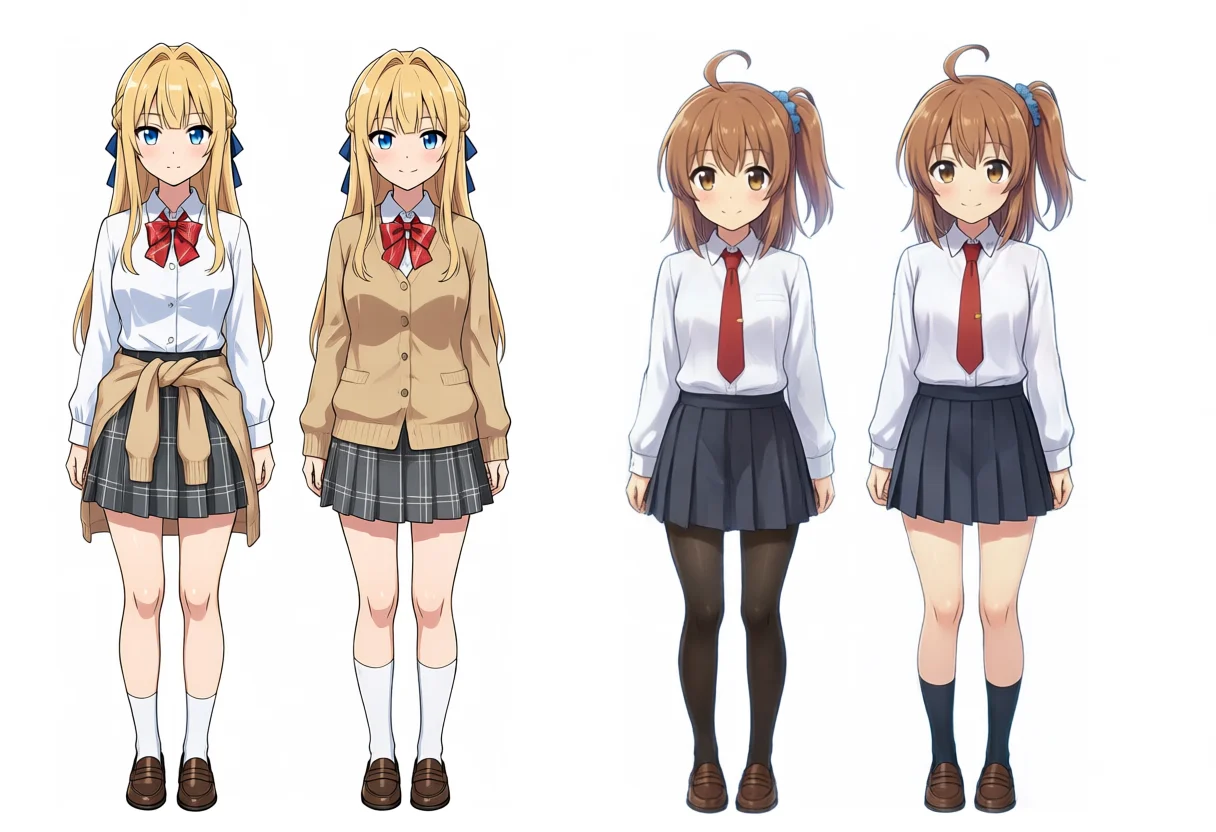
| Base + Turbo v0.2 | Thick outlines and rosy cheeks remain. The white-robe standing portrait ignores the white background and draws arched columns. The two-character shot duplicates the pair into four characters |
Adding Turbo to FLAT kept the thin lineart and light shading without drifting into heavy painterly tones. The top-down angle seen only on FLAT also appeared on Kei’s full-body and the two-character shot with Turbo enabled, whereas Base + Turbo stayed eye-level, suggesting the top-down tendency comes from FLAT itself.
Because the flatness script excludes pure white backgrounds, the pale gray backgrounds produced by Turbo would be counted as foreground pixels, making the numbers non-comparable with the non-Turbo runs.
Which Model to Pick by Use Case
| Use Case | Model | Observed Traits |
|---|---|---|
| Thin lines and bright, flat shading | FLAT | Higher flat pixel ratio and fewer colors in 6 of 9 tests; bust-ups had thin lines and no dark hair-tip shading |
| Bold outlines and crisp contrast | Base | Produced thick black outlines in bust-up shots |
| Detailed gold trim on white robes | Either | FLAT still rendered detailed gold embroidery and front panels |
| Keeping a straight-on full-body framing | Base | FLAT shifted to an unrequested top-down angle in Kei’s full-body and two-character shots |
| Keeping backgrounds sharp | Base | FLAT blurred the background with the recommended depth of field tag |
| Fast generation while keeping flat shading | FLAT + Turbo v0.2 | About 40s per image with thin lines and light shading intact, though white backgrounds turn pale gray |
NSFW Output Comparison Without Character LoRA
The test outputs below may contain sensitive content, so the images are blurred. If you want to see unblurred results, please run the prompts in your own environment.
Using nude prompts without any character LoRA, I ran two conditions: a spring-edge scene without the nsfw tag and a straight-on standing pose (straight-on) with the nsfw tag. As with the other items, censored remained in the recommended negative prompt.
Without nsfw tag
With nsfw tag (straight-on)
| Model | What the Image Shows |
|---|---|
| Base | Without tag: sitting on a rock at the spring edge with feet in the water. With tag: straight-on full-body standing pose, larger bust, dark skin shading |
| FLAT | Without tag: sitting on a rock with both knees raised. With tag: switches to a top-down view despite straight-on, with blurred feet |
All four images rendered nudity. In the tagged condition, Base used dark brown shadow planes on the skin, whereas FLAT used light shadows and brighter overall skin tones.
Prompts
Without tag
masterpiece, best quality, amazing quality, very awa, absurdres, newest, very aesthetic, depth of field, highres, 1girl, solo, long blonde hair, blue eyes, completely nude, naked, bare skin, sitting on edge of spring, feet in water, forest, natural light, serene, full body, looking at viewerWith tag
masterpiece, best quality, amazing quality, very awa, absurdres, newest, very aesthetic, depth of field, highres, 1girl, solo, long blonde hair, blue eyes, completely nude, naked, bare skin, nsfw, straight-on, full body, standing, white background