M5Stack CoreS3 microSD not recognized: card compatibility tested, SPI clock limits, and a soft-reset gotcha
 Contents
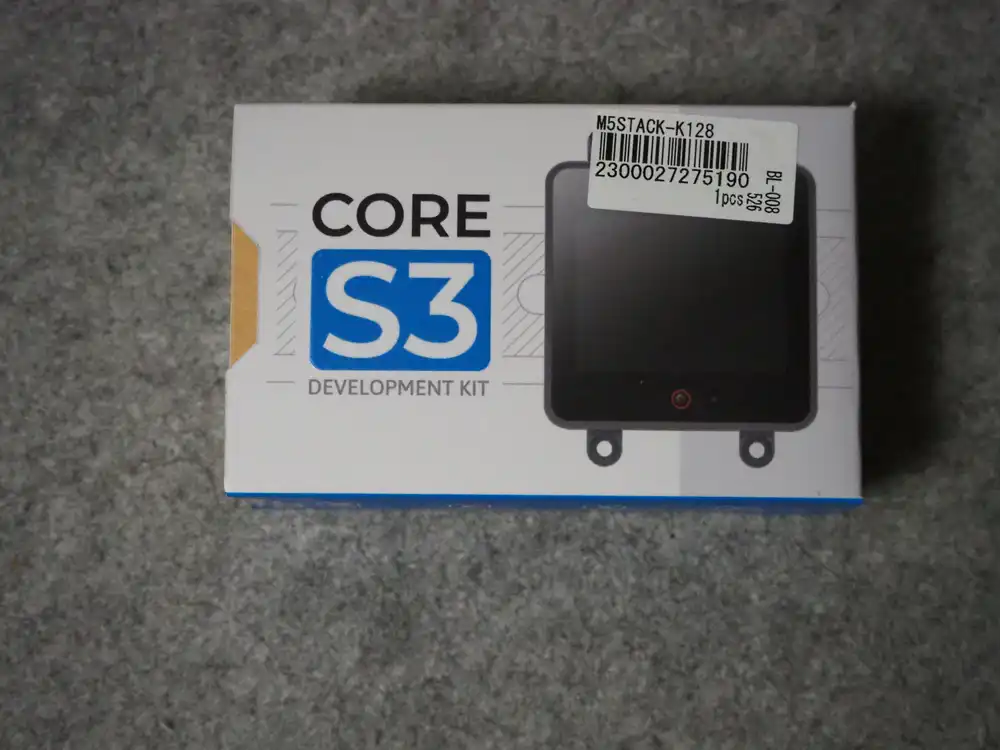
I put a microSD card into a brand-new M5Stack CoreS3 and the stock firmware immediately said “SD Card initialization failed!”. The card reads fine on a PC. It took a while to figure out this was a two-layer problem: card compatibility first, SPI clock second. Here is the full isolation log.
The setup:
| Item | Details |
|---|---|
| Device | M5Stack CoreS3 Development Kit (K128) |
| Chip | ESP32-S3 (QFN56) rev v0.2, 16MB flash |
| microSD | LAZOS 16GB (FAT32) / LAZOS 32GB |
| Host | Windows 11 + arduino-cli 1.5.1 |
| Core/Libs | esp32:esp32 3.3.10 / M5Unified 0.2.17 |
Unboxing and the first wall
I picked up the CoreS3 Development Kit at Marutsu in Akihabara.
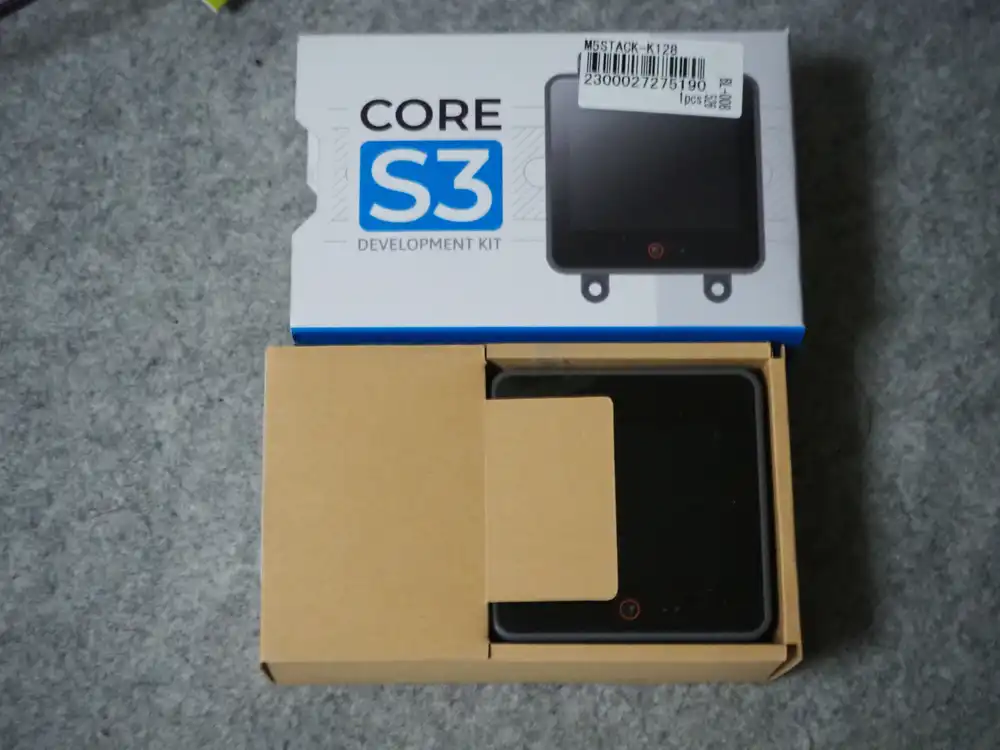
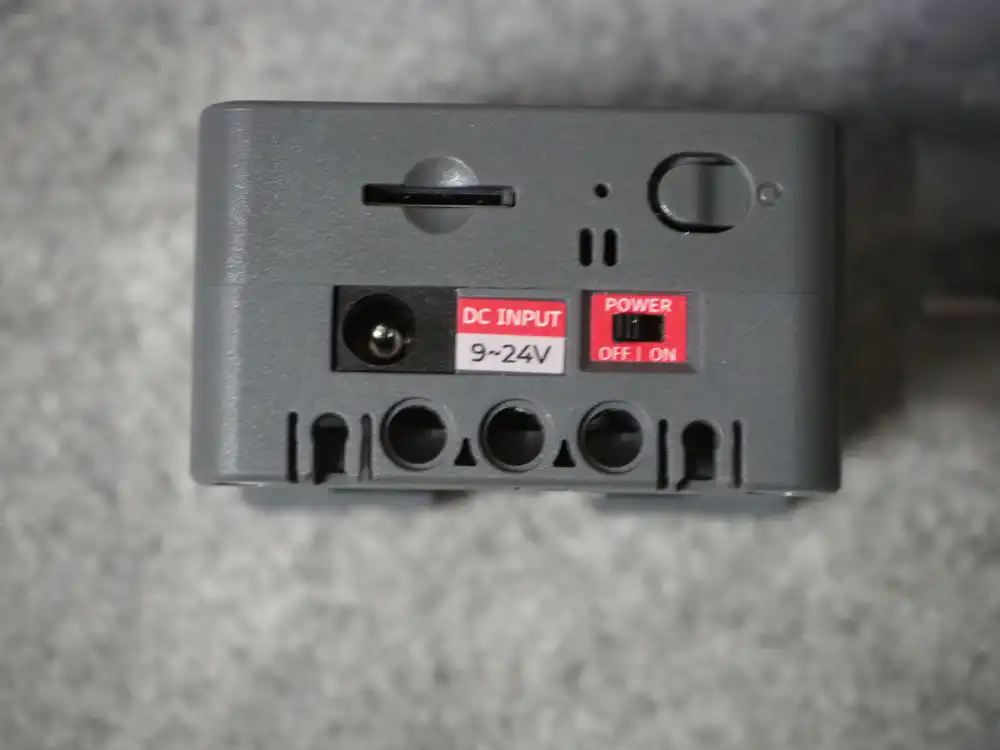
The Development Kit ships with a DIN BASE bottom: DC 9-24V input, a power switch, and a speaker live on the base. The microSD slot is a push-push type on the left side of the core unit: push until it clicks in, push again to eject.
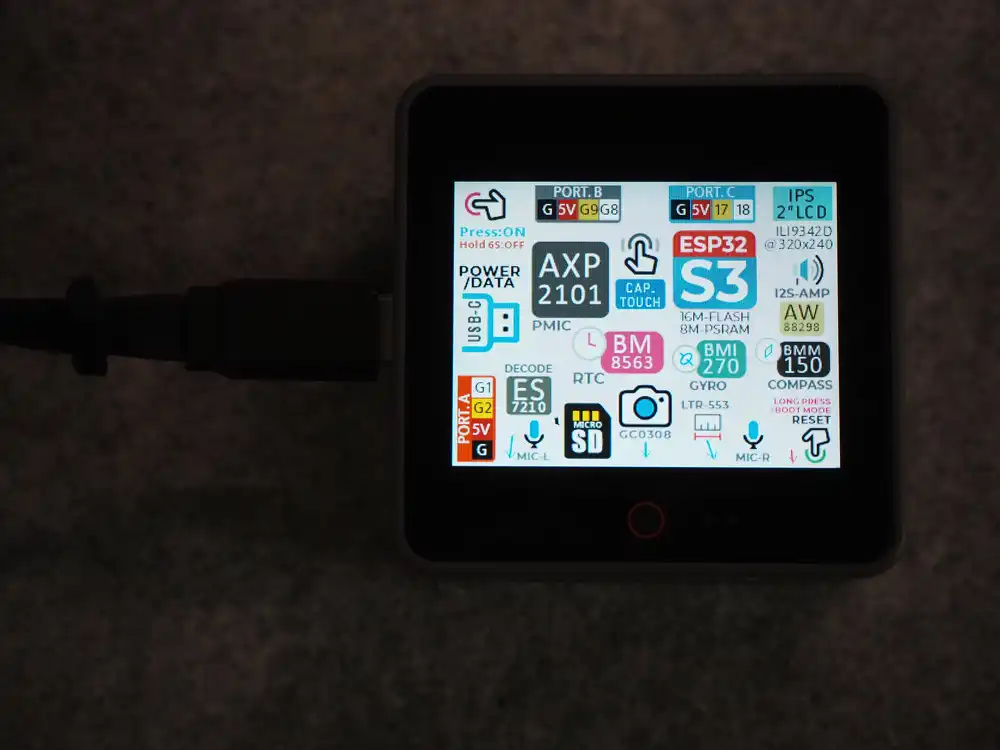
Power it over USB and the factory firmware (UserDemo) draws a map of the hardware: ESP32-S3, 16M flash, 8M PSRAM, a 2-inch IPS LCD (ILI9342D, 320x240), and the microSD slot.
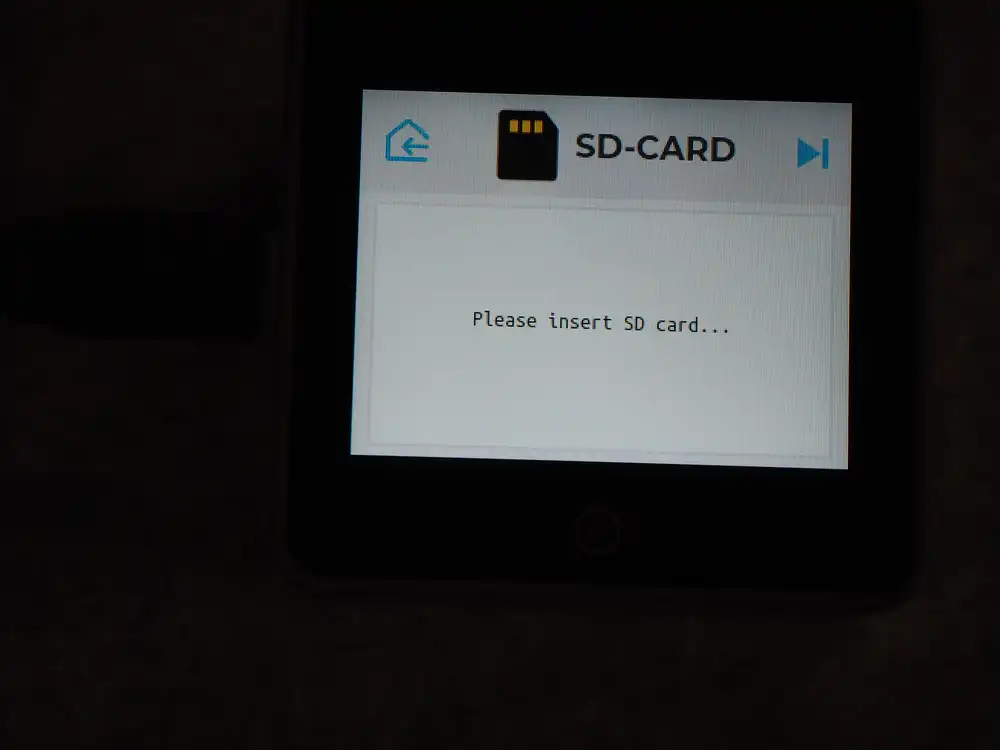
UserDemo has an SD-CARD page that lists the card contents. With no card it says “Please insert SD card…”.
Insert my LAZOS 32GB and this happens:
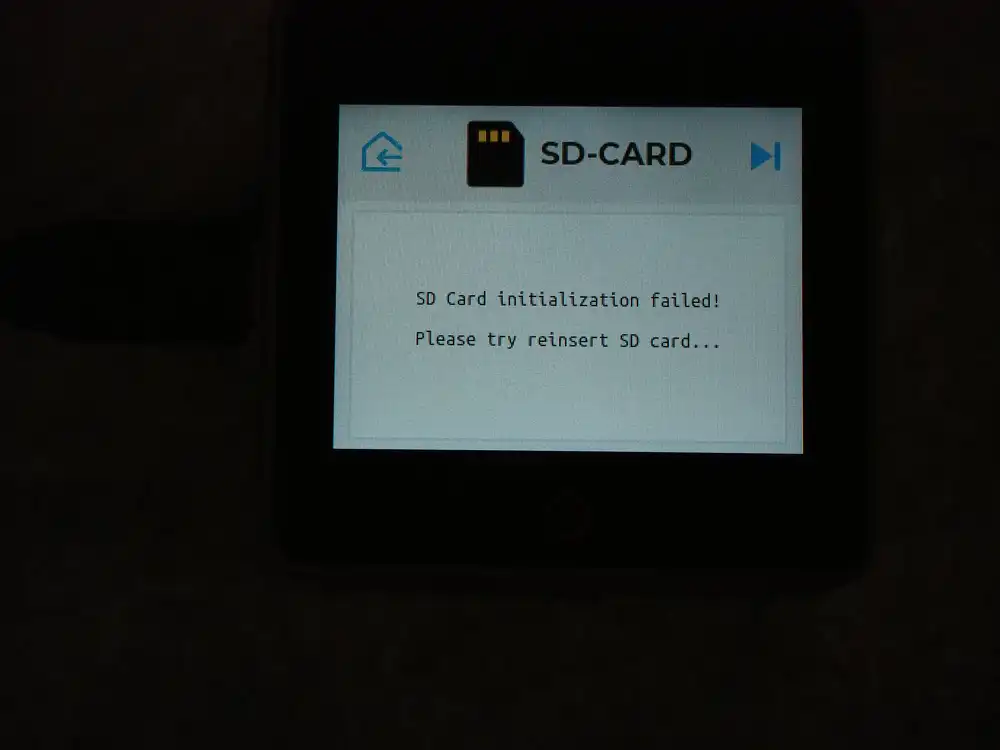
“SD Card initialization failed! Please try reinsert SD card…”. Reinserting does nothing. At this point not a single line of my code was involved — a stock device with a card in it — so the cause had to be the card or the hardware.
The CoreS3 spec sheet says microSD up to 16GB, so I later bought a LAZOS 16GB (FAT32, reads and writes fine on a PC) specifically to stay in spec. Same screen.
Building a toolchain to isolate it
I wanted serial logs, so I set up arduino-cli:
winget install --id ArduinoSA.CLI
arduino-cli core update-index
arduino-cli core install esp32:esp32
arduino-cli lib install M5Unified
The CoreS3 board definition lives in Espressif’s official esp32 core.
The FQBN is esp32:esp32:m5stack_cores3.
arduino-cli compile --fqbn esp32:esp32:m5stack_cores3 .\sdtest
arduino-cli upload -p COM5 --fqbn esp32:esp32:m5stack_cores3 .\sdtest
The CoreS3 talks to the microSD over SPI, sharing the bus with the LCD. Only CS is dedicated:
| Signal | GPIO |
|---|---|
| CS | 4 |
| SCK | 36 |
| MISO | 35 |
| MOSI | 37 |
A minimal mount test:
#include <M5Unified.h>
#include <SD.h>

void setup() {
  auto cfg = M5.config();
  M5.begin(cfg);
  Serial.begin(115200);
  delay(2000);

  SPI.begin(36, 35, 37, 4);
  if (!SD.begin(4, SPI, 25000000)) {
    Serial.println("SD.begin() FAILED");
    return;
  }
  Serial.printf("Size: %u MB\n", (uint32_t)(SD.cardSize() / 1024 / 1024));
}

void loop() { M5.update(); delay(100); }
Same result as the factory firmware: SD.begin() FAILED.
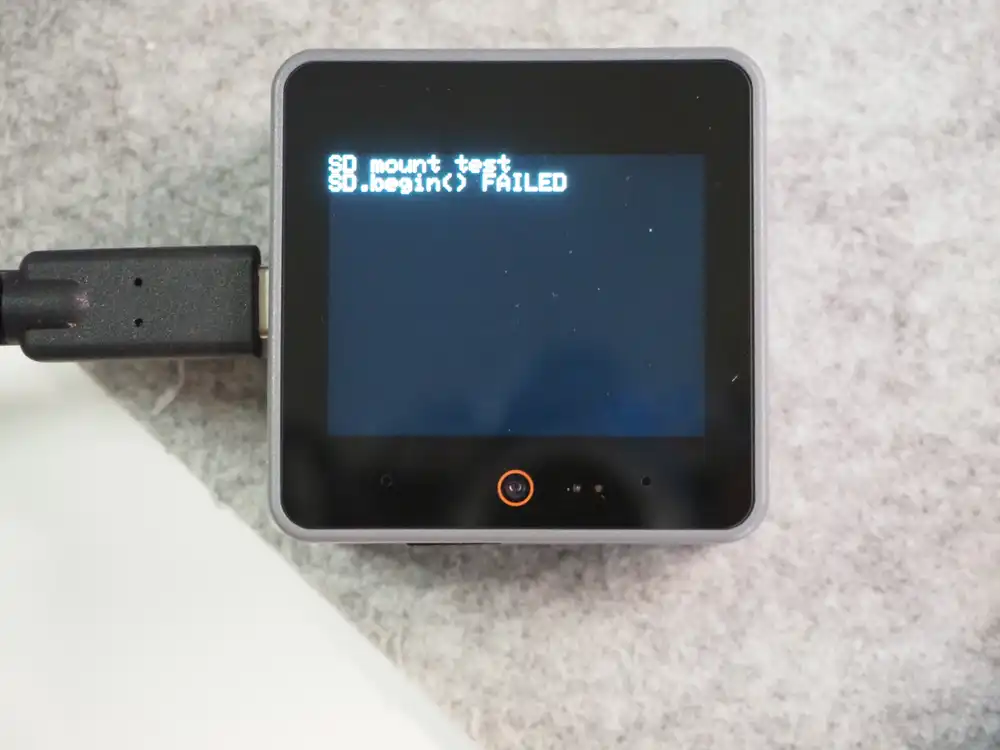
Suspecting the clock, I stepped down 25MHz → 15MHz → 4MHz → 400kHz. The LAZOS 16GB failed at every speed.
I then switched to a loop that retries SD.begin() every 2 seconds and reseated the card while it ran.
111 attempts, zero mounts.
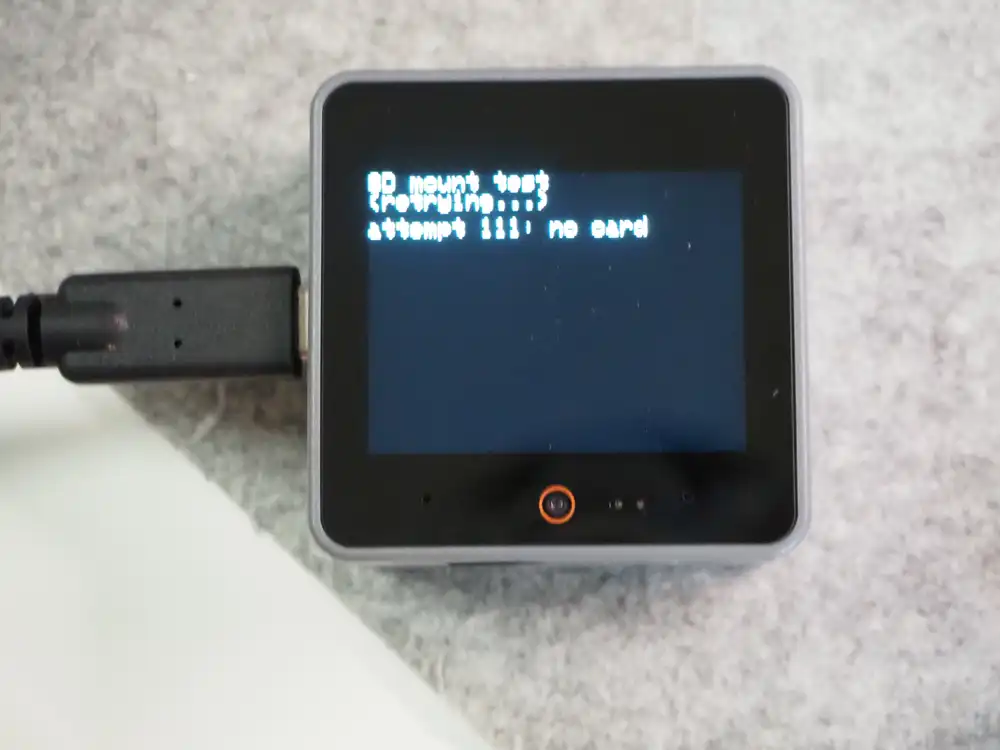
- 400kHz still fails
- Reseating and reinserting changes nothing
- The same card reads fine in a PC card reader
At this point the card itself became the prime suspect.
The LAZOS 32GB mounts
I swapped back to the LAZOS 32GB — the card that failed on the factory demo on unboxing day — and the retry loop picked it up immediately. A card the factory firmware rejected mounts fine from my own sketch. And the 16GB card I bought specifically to stay in spec is the one that never worked anywhere.
The mount passed, but adding a file write test produced a new failure:
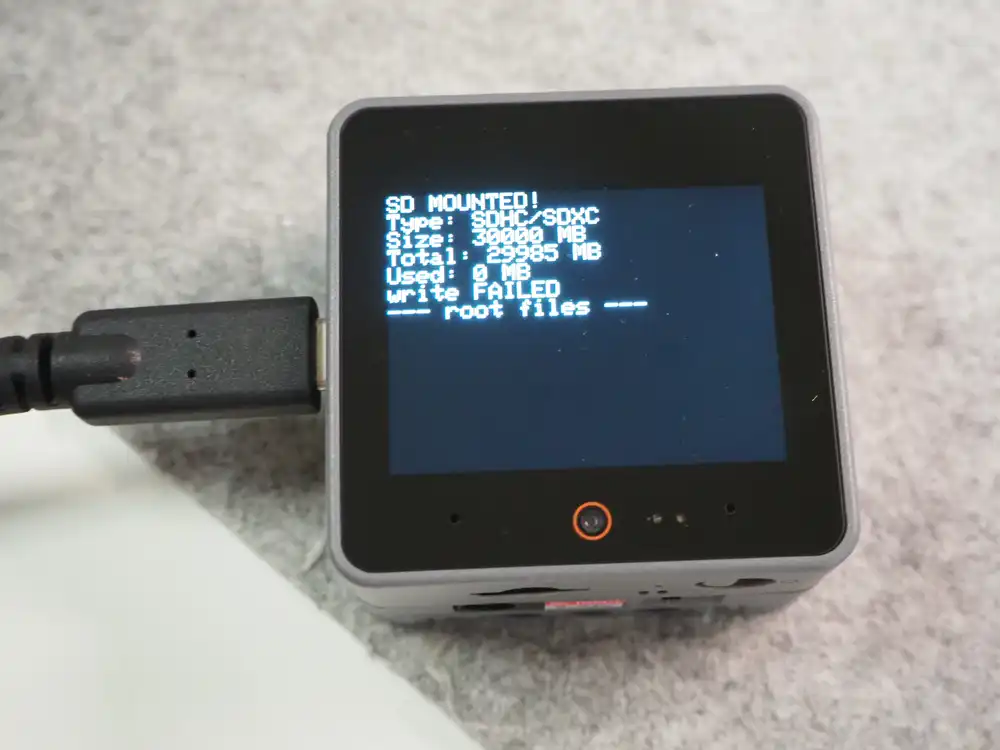
SD.open("/hello.txt", FILE_WRITE) returns no file handle.
Mounting and size queries (30000MB / 29985MB total) work at 25MHz, so reads pass but writes do not.
So the write test also steps down the clock:
// If 25MHz fails to open for write, remount at 10MHz then 4MHz
const uint32_t freqs[] = {25000000, 10000000, 4000000};
for (uint32_t f : freqs) {
  if (f != 25000000) {
    SD.end();
    delay(200);
    if (!SD.begin(4, SPI, f)) continue;
  }
  File w = SD.open("/hello.txt", FILE_WRITE);
  if (!w) continue;
  w.println("hello from CoreS3");
  w.close();
  // read back and verify...
}
Writes succeed at 10MHz.
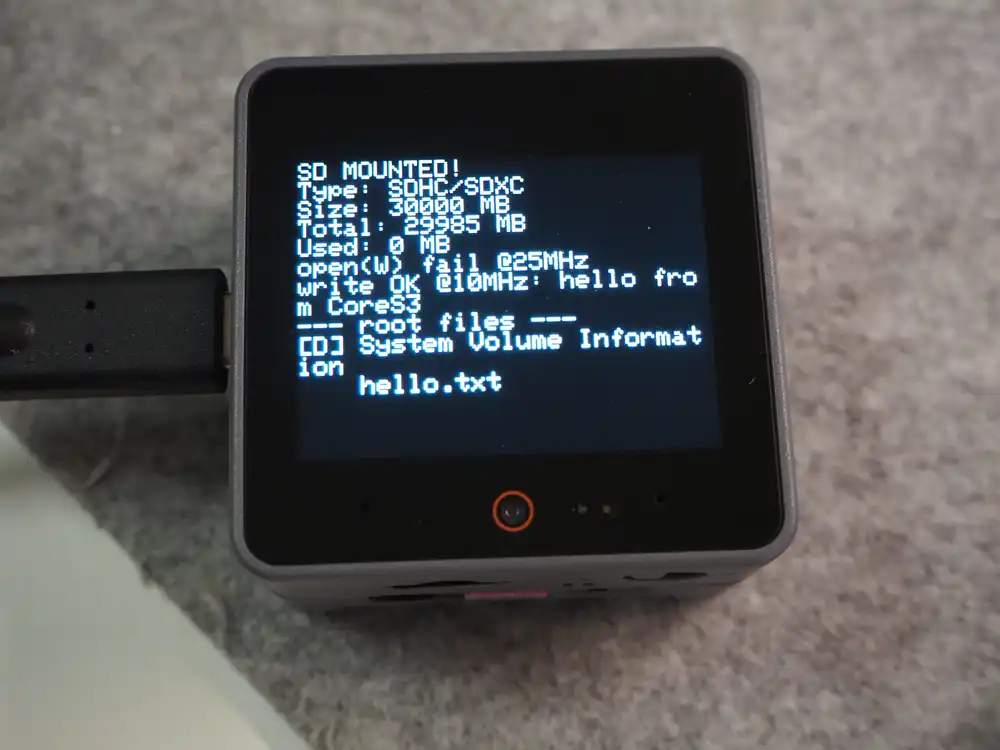
open(W) fail @25MHz
write OK @10MHz: hello from CoreS3
--- root files ---
[D] System Volume Information
    hello.txt
The soft-reset gotcha
There was one more surprise along the way.
After a successful mount, any soft reset — a sketch upload or a serial monitor disconnect, logged as rst:0x15 (USB_UART_CHIP_RESET) — leaves the next boot unable to mount the same card.
The card apparently keeps the state of the previous session. Software recovery did not work on this card:
- 8192 dummy clocks with CS deasserted → no effect
- Clocking out pending read data with CS asserted, then issuing CMD12 (stop transmission) → no effect
- Unplugging USB for a full power cycle → mounts on attempt 1 at the next boot
Only a power cycle reliably recovers it. During development every sketch upload puts you in this state, so “flash, then replug USB” becomes one motion.
Results
| Card | PC | Factory demo | My sketch (mount) | Write |
|---|---|---|---|---|
| LAZOS 16GB (FAT32) | OK | Fail | Fail (all clocks, reseating) | - |
| LAZOS 32GB | - | Fail | OK | 25MHz fail / 10MHz OK |
Other people have hit the same wall on the CoreS3.
This post (Japanese) saw ESP_ERR_INVALID_RESPONSE on init until switching to a Kioxia card.
If a card is not recognized on a CoreS3, try a different brand before touching the format or the code. And if you need writes, keep the SPI clock around 10MHz.