Testing OBS Browser Source Permissions and Disabled CEF Sandbox on Windows
 Contents
- Tested on: OBS Studio 32.2.2 (current stable) and 33.0.0-rc3 (release candidate) on Windows 11
- Core risk: The impact is governed by browser source permissions, obs-websocket authentication, and the combination of outdated Chromium with a disabled CEF sandbox
- Page permissions: Even at Level 5 (Full Access), malicious scripts are confined to OBS API calls (start stream, switch scenes) and cannot read arbitrary local files or execute OS commands
- obs-websocket risk: If enabled without password authentication, arbitrary Web pages can connect to port 4455 and extract stream keys via
GetStreamServiceSettings - Host execution chain: All CEF sub-processes run with
--no-sandbox. Combining overlay XSS with unpatched V8 vulnerabilities (like CVE-2024-7971) can lead to native code execution on the host PC
I heard a rumor claiming that “OBS Studio can be compromised through PHP, and high browser source permissions let a tampered PHP site take over OBS.”
However, browser sources only render and execute client-side HTML and JavaScript. Wondering how server-side PHP could possibly play a role and what operations actually pass through each permission level, I unpacked portable builds of OBS Studio on a Windows 11 PC to test the actual behavior directly.
Test Environment
I extracted two official portable releases of OBS Studio into separate directories on Windows 11, leaving the main system installation untouched.
| Version | Embedded Chrome/CEF (Measured) | Role |
|---|---|---|
| OBS 32.2.2 | 127.0.6533.120 | Current stable release |
| OBS 33.0.0-rc3 | 150.0.7871.252 | Release candidate with updated CEF |
The embedded Chrome/CEF (Chromium Embedded Framework) version was verified directly from the strings compiled inside libcef.dll.
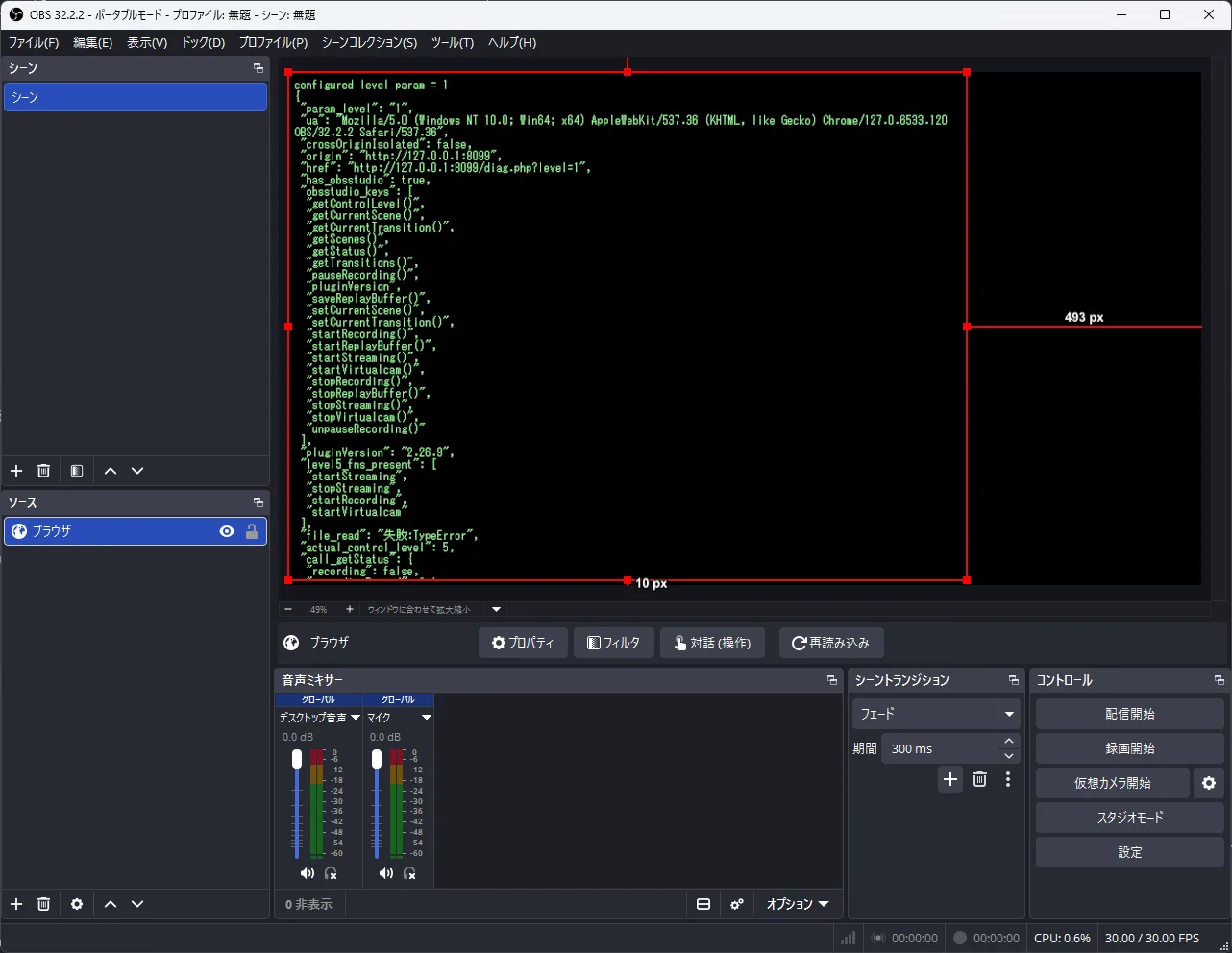
For testing, I pointed the browser source to a local diagnostic HTML page. This page checks what functions exist inside window.obsstudio (the control object injected by OBS), tests which API calls succeed under each permission level, and attempts to access local files (file://) and the local OBS control socket (ws://127.0.0.1:4455). Dangerous actions like actually starting a stream were omitted to verify API availability safely.
Browser Sources and the PHP Misconception
An OBS browser source runs Chromium (CEF) internally, rendering standard HTML, CSS, and JavaScript. PHP executes exclusively on the Web server before sending output to the client. By the time content reaches OBS, it is already rendered HTML and JavaScript. The test page’s User-Agent string was Chrome/127.0.6533.120 OBS/32.2.2, and it revealed nothing about server-side technologies.
The rumor likely confuses this with WordPress or PHP-based sites frequently targeted for defacement or script injection. If an attacker compromises a Web server and injects malicious JavaScript, that script executes inside the viewer’s OBS browser source. This behavior is identical whether the hosting server runs PHP, Node.js, or static HTML.
How Page Permissions Work
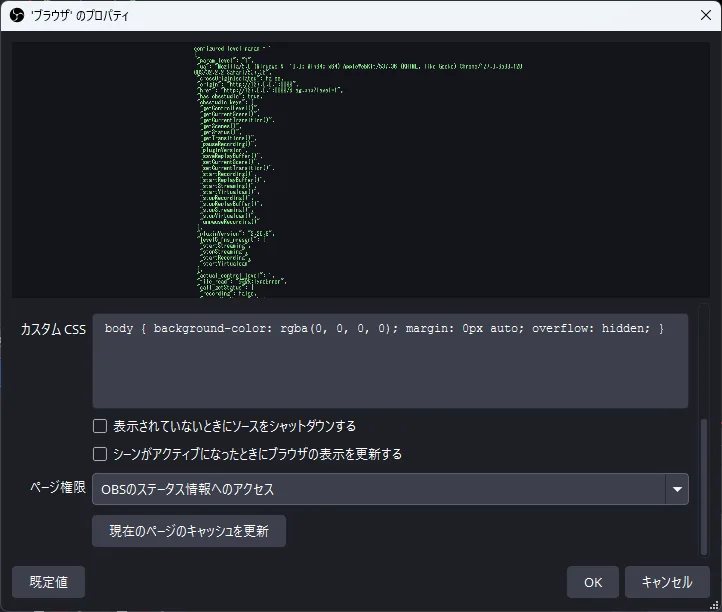
OBS browser sources have a “Page permissions” setting that regulates what JavaScript running inside the page can control within OBS. Newly created sources default to Level 1 (“Access to OBS status information”).
| Level | Name | Permitted Operations |
|---|---|---|
| 0 | None | Read permission level only |
| 1 | ReadObs (Default) | Check streaming/recording status |
| 2 | ReadUser | List scenes, get current scene and transition |
| 3 | Basic | Save replay buffer |
| 4 | Advanced | Start/stop replay, switch scenes and transitions |
| 5 | All | Start/stop streaming, recording, and virtual camera |
This API exposes no methods to read stream keys, extract OBS configuration files, inspect local file systems, or execute shell commands. Even with maximum permissions, a compromised page is strictly confined to the functions listed above.
The default property dialog assigns Level 1 access:
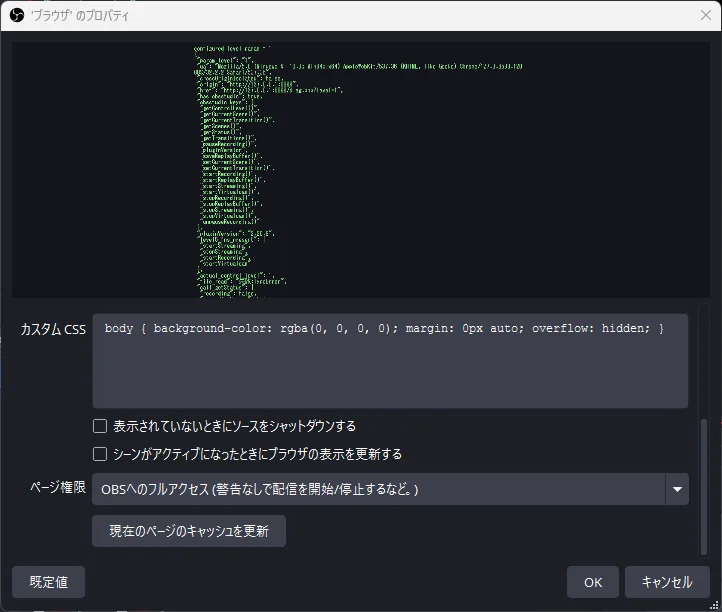
Users can manually escalate this to Level 5 (“Full access to OBS”), which displays a built-in security warning:
Measured Behavior Across Permission Levels (OBS 32.2.2)
I compared API call results between Level 1 (default) and Level 5 (Full Access). Port 4455 is the default port used by obs-websocket.
| Test Action from Page | L1 ReadObs (Default) | L5 Full Access |
|---|---|---|
window.obsstudio injected | Yes | Yes |
| Enumerate function names | All visible (including startStreaming) | All visible |
Granted control level getControlLevel | 1 | 5 |
Get stream/record status getStatus | Success | Success |
Get scene info getCurrentScene | null (Denied) | Success (Scene 1920x1080) |
Switch scene setCurrentScene | Denied | Success (tested with current scene name) |
Read local file file:// | Failed | Failed |
Control socket ws://127.0.0.1:4455 | Unreachable | Unreachable |
While function names can be enumerated under all levels, actual execution is strictly enforced. Level 1 only permits status checks; scene queries and switching are rejected. At Level 5, scene querying and switching succeed, and stream/recording triggers become callable.
The diagnostic output rendered inside OBS under Level 5 permissions confirms these boundaries:
Local file reads and control socket connections remained blocked even under Level 5. These capabilities fall outside the browser source API entirely. Granting Full Access to a compromised overlay allows an attacker to stop your stream, start unwanted recording, or switch scenes. However, it does not directly grant access to system files or host execution.
Chromium Sandbox Configuration in Subprocesses
The host-level compromise stems from the Chromium sandbox configuration. OBS launches Chromium renderer processes to handle page content, but running them without a sandbox removes the barrier that prevents an exploited renderer from accessing the host operating system.
Examining the launch arguments of running OBS 32.2.2 browser subprocesses confirms the sandbox state:
| Subprocess | Sandbox Argument |
|---|---|
| renderer x2 (runs page JavaScript) | --no-sandbox |
| gpu-process x1 | --no-sandbox |
| utility x2 | --no-sandbox |
Every child process had --no-sandbox explicitly appended, matching the source code configuration (settings.no_sandbox = true). The renderer processes executing untrusted JavaScript run without OS-level sandboxing protection.
The Real-World Attack Chain Demonstrated on OBS 32.2.2
In September 2024, Orange Cyberdefense Switzerland (SCRT) published a proof-of-concept demonstrating Remote Code Execution (RCE) against OBS Studio 32.2.2.
The attack chain worked across three stages:
- Overlay XSS: A custom chat overlay dynamically injected raw viewer chat messages into the HTML DOM without sanitization (
innerHTML). - V8 Type Confusion: The injected JavaScript exploited CVE-2024-7971, a high-severity type confusion bug in Chromium’s V8 engine.
- Disabled Sandbox Escape: Because OBS ran Chromium with
--no-sandbox, the V8 memory corruption directly compromised the host process and executed arbitrary code on the streamer’s PC without requiring a separate sandbox escape.
Google patched CVE-2024-7971 in Chrome 128 in August 2024, but OBS 32.2.2 was still bundled with Chromium 127.
Page permissions played no role in this exploit. The attack vector depended solely on an unsanitized overlay paired with an outdated, unsandboxed browser engine.
Connecting to obs-websocket from Browser Sources
obs-websocket allows external applications (such as Elgato Stream Deck) to remotely control OBS over WebSockets on port 4455. It is disabled by default. I enabled the server to test whether a Web page loaded in a browser source can reach it.
| Test Action from Page | Before Enabling | After Enabling |
|---|---|---|
Connect to ws://127.0.0.1:4455 | Failed | Connected |
HTTP request to http://127.0.0.1:4455 | Failed | Response received |
Read local file file:// | Failed | Failed |
Once enabled, a browser source page from any Web origin could immediately open a WebSocket connection to 127.0.0.1:4455. The server does not reject connections based on Web origin headers.
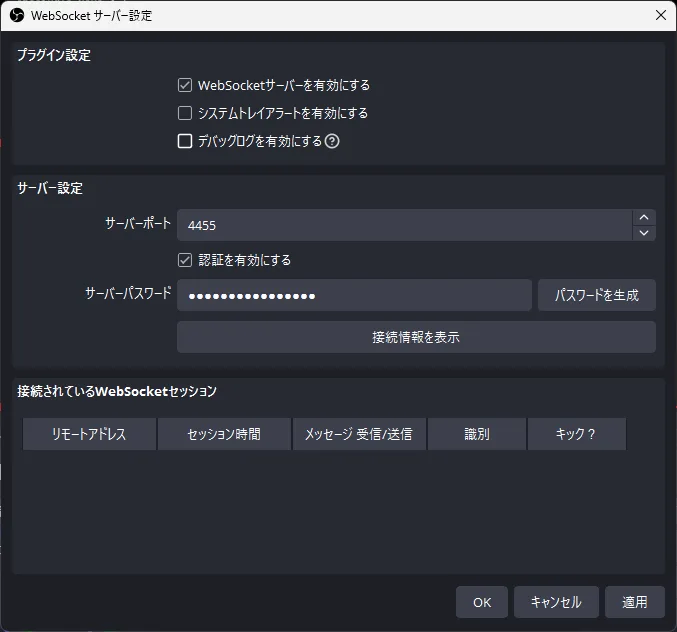
The obs-websocket server dialog includes options for server toggling and password configuration:
However, establishing a socket connection does not automatically grant execution rights:
| Authentication Setting | Socket Behavior |
|---|---|
| Password enabled (Default) | Connection opens, but requests are rejected until authenticated with the correct password |
| Authentication disabled | The socket immediately accepts unauthenticated commands from the page |
Running obs-websocket without authentication is particularly dangerous. Under the obs-websocket v5 protocol, the GetStreamServiceSettings request returns the complete streaming configuration, including destination RTMP URLs and secret stream keys. An unauthenticated socket allows any compromised overlay to harvest stream keys and issue arbitrary control commands.
Reading Scope When Using “Local file”
OBS browser sources have a “Local file” setting that lets users load an HTML file directly from disk rather than a remote URL. I evaluated what files can be read under this setting.
When “Local file” is selected, the loaded document receives an origin of http://absolute rather than file://. OBS maps local directory contents under this virtual HTTP origin.
| Read Target from Page | Result |
|---|---|
| File in same directory (relative path) | Success |
System file (file:///C:/Windows/win.ini) | Failed |
Absolute path on disk (file:// absolute URL) | Failed |
The diagnostic test loaded via Local File demonstrates this boundary:
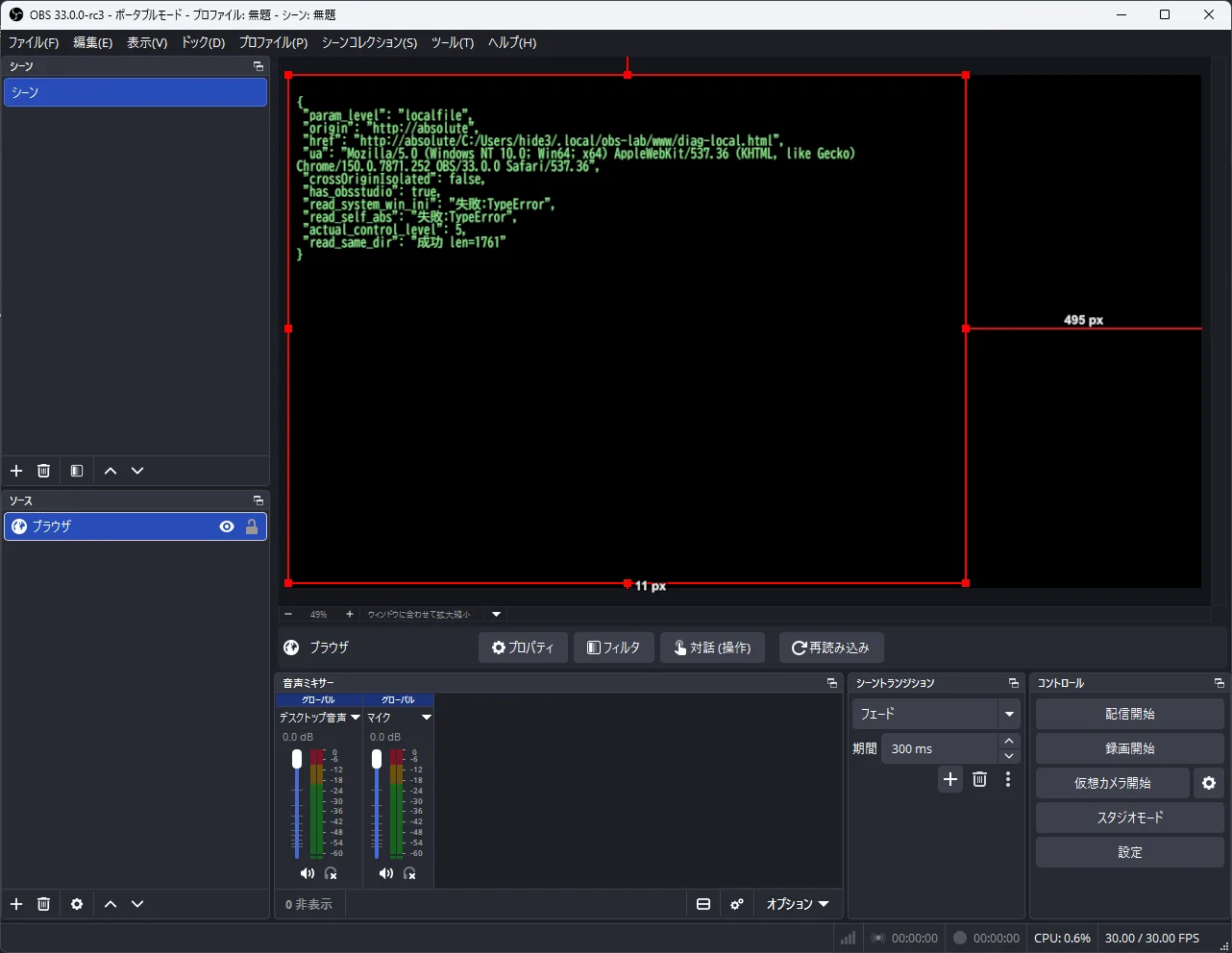
A local file overlay can read adjacent files in its own directory via relative paths (./data.json). However, direct references to file:///C:/Windows/... fail because browser security blocks cross-scheme navigation from http://absolute to file://.
Access remains confined to the overlay’s folder. Furthermore, a remote Web page cannot programmatically toggle the “Local file” checkbox inside OBS properties.
Verification on OBS 33.0.0-rc3 (CEF 150)
I repeated the test suite on OBS 33.0.0-rc3, which upgrades CEF to version 150.0.7871.252.
Permission Level 5 behavior remained unchanged from 32.2.2:
| Test Action from Page | OBS 32.2.2 (L5) | OBS 33.0.0-rc3 (L5) |
|---|---|---|
Granted control level getControlLevel | 5 | 5 |
Get stream/record status getStatus | Success | Success |
Get scene info getCurrentScene | Success | Success (Scene 1920x1080) |
Switch scene setCurrentScene | Success | Success |
Read local file file:// | Failed | Failed |
The diagnostic output in 33.0.0-rc3 confirms the Chrome 150 User-Agent while maintaining the same security boundaries:
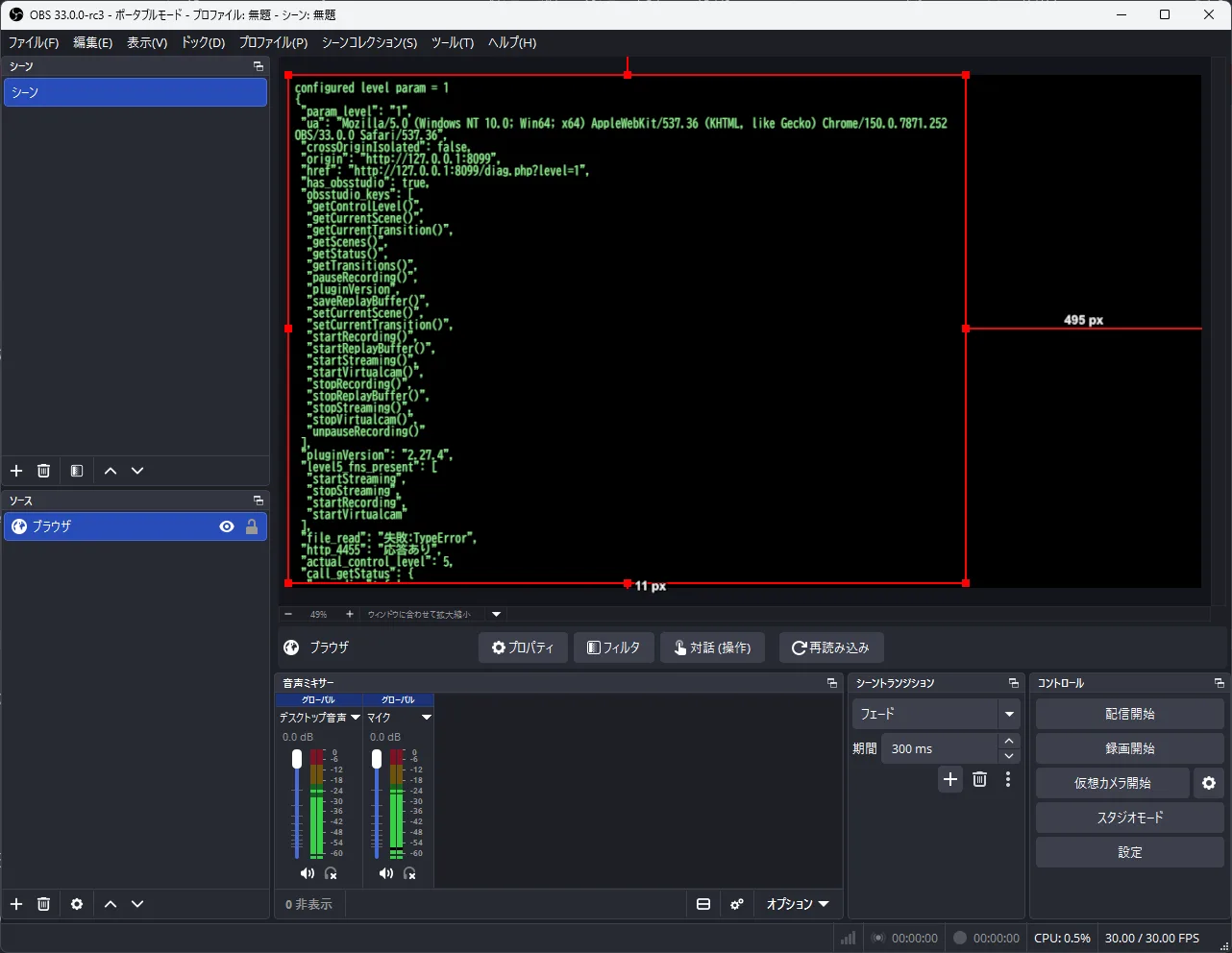
Subprocess arguments confirmed that --no-sandbox is still applied across all processes in 33.0.0-rc3:
| Subprocess | OBS 32.2.2 | OBS 33.0.0-rc3 |
|---|---|---|
| renderer x2 | --no-sandbox | --no-sandbox |
| gpu-process x1 | --no-sandbox | --no-sandbox |
| utility x2 | --no-sandbox | --no-sandbox |
Upgrading to CEF 150 incorporates modern Chromium security fixes and patches known vulnerabilities like CVE-2024-7971. However, the sandbox remains disabled by design, meaning any unpatched vulnerability in CEF could follow the same execution path.
Practical Defenses for Streamers
- Sanitize custom chat overlays: Never inject dynamic viewer text into the DOM using
innerHTML. Treat user messages strictly as text viatextContentto eliminate XSS entry points. - Do not load untrusted remote URLs: Avoid embedding third-party overlay URLs from unverified or insecure servers.
- Keep page permissions minimal: Maintain the default Level 1 setting unless an overlay specifically requires scene or stream control.
- Always require obs-websocket authentication: Never disable password protection on port 4455 to prevent unauthorized local API access from web sources.
- Keep OBS Studio updated: Apply updates promptly to ensure your embedded CEF browser includes the latest V8 security patches.